
How to Charge a Rental Tesla

Renting a Tesla is an exciting way to experience electric driving, but it comes with a key responsibility: keeping it charged. Charging a rental Tesla is straightforward, primarily using the extensive Tesla Supercharger network or public charging stations. You’ll use the car’s built-in navigation to find chargers, and payment is typically handled seamlessly through the rental company’s account or a linked credit card. Always check your rental agreement for specific charging policies and any included credit to avoid surprise fees.
So, you’ve picked up the keys to a sleek, silent Tesla for your road trip or business trip. The instant torque is thrilling, the tech dashboard is fascinating, and the minimalist interior feels like the future. Then it hits you: “How do I actually keep this thing powered up?” Charging a rental Tesla is different from filling up a gas car, but it’s designed to be user-friendly. This guide will walk you through every step, from the moment you get behind the wheel to returning the keys, ensuring you have a smooth, worry-free, and fully charged experience.
The core principle is simple: Tesla’s ecosystem is vertically integrated for a reason. The car, the chargers, and the software all talk to each other. As a renter, your primary interface is the car’s massive touchscreen and its intelligent navigation system. Forget hunting for apps or separate membership cards—your Tesla rental is largely a self-contained charging unit, provided you stick to the Tesla Supercharger network, which is where the magic happens for most renters. We’ll break down exactly how this works, what to do if you need alternatives, and the critical rules to follow to avoid hefty fees.
Key Takeaways
- Use Tesla’s Navigation: The car’s built-in GPS is your best friend. It automatically plans routes with Supercharger stops and shows real-time charger availability and wait times.
- Payment is Usually Pre-Arranged: Most rental companies have a corporate account with Tesla Superchargers, so you simply plug in. Always confirm this and the included credit before you drive off.
- Public Charging is an Option: You can use non-Tesla public chargers with an adapter (often provided), but payment and reliability can vary. Check your rental agreement’s policy on this.
- Never Rent with a Critically Low Battery: Always pick up the car with a decent state of charge (ideally 70%+). If it’s low, charge it immediately at a Supercharger before your journey.
- Return the Car with Adequate Charge: Most agreements require returning the vehicle with the same or higher state of charge than when picked up. Failure to do so results in steep per-minute and per-kWh fees.
- Home Charging is Rare for Rentals: Rental Teslas almost never come with a home charger. Any home charging setup would require prior, special arrangement with the rental company, which is exceptionally uncommon.
📑 Table of Contents
- Your Primary Tool: The Tesla Touchscreen & Navigation
- The Supercharger Network: Your Default Charging Solution
- Using Public Charging Networks (Non-Tesla Chargers)
- Home Charging: A Non-Starter for Most Rentals
- Critical Rules: Picking Up and Returning the Car
- Cost Considerations & Saving Money on Charging
- Troubleshooting Common Charging Issues
The 15-inch (or 17-inch in older Model S/X) touchscreen in your rental Tesla is the command center for everything charging-related. It’s intuitive and powerful. The most important feature for charging is the built-in navigation.
How to Find a Supercharger Using the Car’s GPS
To find a charger, simply tap the “Search” icon (magnifying glass) on the bottom bar or the “Destination” bar on the map screen. Type “Supercharger.” The map will populate with all nearby Tesla Supercharger stations. You can also long-press on the map to drop a pin and then select “Add Charger” from the pop-up menu. The system shows crucial details: the number of available stalls, the current power output (kW), and often the实时 wait time if it’s busy. This real-time data is invaluable for planning.
Here’s the best part: when you input your final destination into the navigation, the Tesla’s Trip Planner automatically calculates if you need a charging stop along the way. It will add a Supercharger stop to your route, estimate how long you need to charge to reach your destination with a comfortable buffer (usually 10-20% remaining), and even reserve a stall at some locations. Just follow the on-screen prompts. It’s like having a co-pilot who is an expert in EV routing.
Understanding the On-Screen Charging Info
Once you’re plugged in at a Supercharger, the touchscreen displays all the essential information. You’ll see the current charging rate in kW (kilowatts), the added range (miles or km), the state of charge (%), and an estimated time to reach your desired charge level. The rate will start high (often 150-250 kW on V3/Superchargers) and gradually taper as the battery fills, which is normal. You can monitor this in real-time. The car will also chime and send a phone notification (if you have the Tesla app linked, though as a renter you likely won’t) when charging is complete.
The Supercharger Network: Your Default Charging Solution
For a rental Tesla, the Tesla Supercharger network is your default, easiest, and fastest option. These are DC fast-charging stations exclusively for Tesla vehicles (with some new pilot programs opening to other EVs). They are strategically placed along major highways and in urban centers, making long-distance travel feasible and convenient.

Visual guide about How to Charge a Rental Tesla
Image source: teslashooters.com
How Payment Works at Superchargers for Rentals
This is the most common point of confusion, and the good news is it’s usually seamless. Rental companies like Hertz, Enterprise, and Avis have corporate accounts set up with Tesla. When you plug your rental Tesla into a Supercharger, the station identifies the car’s unique VIN (Vehicle Identification Number) and bills the rental company’s account directly. You should not need to swipe a credit card, tap a Tesla keycard, or use any app. You simply plug in, charge, and unplug when done.
This is the critical first question to ask the rental agent when you pick up the car: “Is there a charging credit included, and how is Supercharger billing handled?” Many rental agreements include a certain amount of free charging credit (e.g., $100 or 1,000 miles worth). Any usage beyond that is billed to your rental agreement, often at a premium per-kWh rate. Always get the specifics in writing on your contract. If they say “charging is included,” ask for the exact limits. This transparency prevents nasty surprises at return.
The Supercharger Experience: Plug & Charge
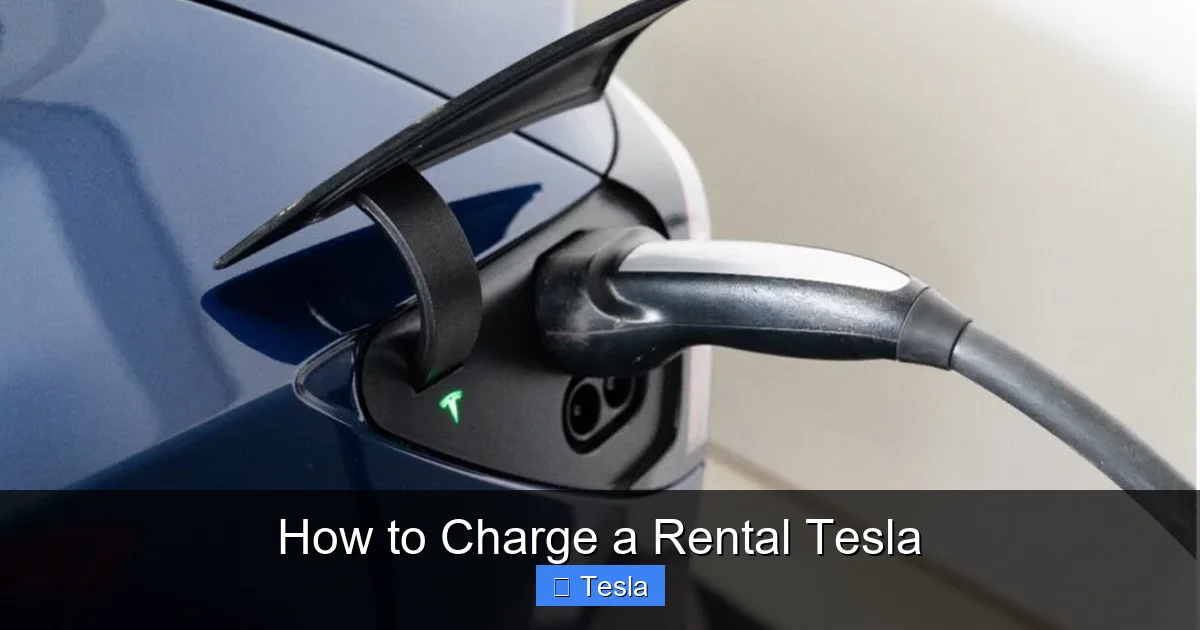
The physical process is beautifully simple. You pull up to a stall, open the charge port (press the button on the charge port door or use the touchscreen controls), and grab the handle. The Tesla connector is large and distinctive. You plug it into the car—it only fits one way. That’s it. The station and car handshake automatically, and charging begins within seconds. When you’re done, press the button on the handle (or use the touchscreen/app to unlock), unplug, and neatly return the cable to the station. The cable is heavy, so handle it with care. There’s no need to authenticate each session. This “plug and charge” convenience is a major perk.
Using Public Charging Networks (Non-Tesla Chargers)
While the Supercharger network is vast, you might find yourself in an area with limited Tesla stations or need a top-up in a city where Superchargers are sparse. This is where public charging networks like Electrify America, EVgo, ChargePoint, and others come in. Using them with a rental Tesla is possible but requires an adapter and a different payment process.

Visual guide about How to Charge a Rental Tesla
Image source: thecharge.ca
The Necessary Adapter: Your Rental’s “Key”
Tesla vehicles use a proprietary connector in North America. To plug into a standard CCS (Combined Charging System) or CHAdeMO public fast charger, you need an adapter. Here’s the key point: the rental company should provide this adapter if they allow you to use public networks. It’s typically a small, plastic Tesla-to-CCS adapter stored in the trunk or center console. Before you rely on it, test it at your first public charger. Find a station, plug the adapter into the Tesla, then plug the CCS connector into the adapter. The car should recognize it and begin charging. If it doesn’t, you may have a faulty adapter or the station may be incompatible. Call the rental company’s roadside assistance immediately if you encounter issues.
Payment and Apps for Public Charging
Unlike the seamless Supercharger experience, public networks require you to have an account and payment method set up in their app. Since you’re in a rental car, you cannot use your personal Tesla account. You must use the rental company’s corporate account or a provided prepaid card. This is the second vital question to ask at pickup: “What is the procedure for using non-Tesla public chargers? Do you provide an adapter and a payment card?”
If the rental company says you can use public chargers and they’ll cover it, get the details. Do you need to call to get a charge reimbursed? Do they provide a specific network’s card? The process is less streamlined. If they discourage or forbid it, respect that policy. Using unauthorized networks could violate your contract. For more detailed comparisons between different charging networks, you can read our general guide on how to charge various electric and hybrid vehicles, which covers the fundamentals of public charging that apply here.
Home Charging: A Non-Starter for Most Rentals
You might be thinking, “Can I just plug it into a regular outlet at my Airbnb or hotel?” The answer is almost certainly no, and attempting it can cause serious problems.
Visual guide about How to Charge a Rental Tesla
Image source: sunation.com
Why You Shouldn’t Use Standard Outlets (120V)
While a Tesla *can* charge from a standard 120V household outlet using the included Mobile Connector (the cable that comes with the car), it’s incredibly slow. You’ll gain only about 3-5 miles of range per hour. For a rental with a 70-90 kWh battery, a full charge from empty would take 2-3 days. It’s impractical for anything but a trickle top-up over a week-long stay. More importantly, rental agreements explicitly prohibit using the car for anything other than its intended purpose. Draining the battery over days and leaving the car plugged into a random home’s outlet could be seen as misuse or even theft of electricity.
The 220V/240V Question and Installation
A 220V/240V outlet (like a dryer outlet) with the appropriate adapter would charge much faster (25-30 miles per hour). However, you cannot and must not install one at a rental property. This would require permanent electrical work, which is illegal for a tenant to do and would violate any rental agreement. The rental company provides the car without a dedicated home charger for a reason. If you need faster charging at a temporary location, your only viable option is a public fast charger. If you’re considering a permanent home charger for your own Tesla, you can explore the costs involved in our article on installing a 220V outlet for Tesla.
Critical Rules: Picking Up and Returning the Car
The charging policy is the single most important part of your rental contract. Misunderstanding it is the fastest way to incur hundreds of dollars in fees. Here’s the definitive checklist.
The “State of Charge” (SOC) Rule
Your rental agreement will have a clause about the battery’s state of charge at pickup and return. The standard is: You must return the car with a state of charge equal to or greater than what was recorded at pickup. For example, if you pick up the car at 65%, you must return it at 65% or higher. If you return it at 45%, you will be charged. The fee structure is brutal: a flat “recharging fee” (often $100-$200) plus a per-kWh charge for the electricity used, sometimes at a rate 3-5x the local utility cost. This is not a “fill ‘er up” charge like for gas; it’s a penalty for making the rental company do the work.
Pro Tip: When you pick up the car, immediately check the SOC on the touchscreen. Take a photo of the odometer and the SOC display with your phone. This is your evidence. If the agent says “oh, it’s fine, just bring it back with some charge,” get that in writing on the contract. Verbal promises are worthless.
The “Don’t Run it to Empty” Mandate
Never, ever let the battery get critically low. The Tesla will give plenty of warnings. At around 10-15%, the car will actively suggest finding a charger and may limit performance. Below 5%, you risk being stranded. A tow for a dead Tesla is a complex, expensive, and logistically difficult affair that will absolutely be billed to you. The car’s navigation is excellent at planning stops. Use it. If your trip plan shows a Supercharger stop, take it, even if you feel you could eke out a few more miles. It’s better to charge with a buffer.
Cost Considerations & Saving Money on Charging
While many rentals include a charging credit, understanding the underlying costs helps you maximize your allowance and avoid overspending.
Understanding Charging Rates (kWh and $/kWh)
Electricity is sold by the kilowatt-hour (kWh). A Tesla battery holds a certain number of kWh (e.g., a Long Range Model 3 has ~75 kWh usable). Charging speed is measured in kW. At a V3 Supercharger, you might see 150-250 kW, meaning you can add about 1,000 miles of range per hour at peak speed (though it slows as the battery fills). The cost per kWh varies by location, time of day (off-peak rates exist at some chargers), and the rental company’s negotiated rate. If you exceed your included credit, you’re typically billed at $0.25 – $0.50 per kWh, which is expensive compared to home rates but standard for public fast charging.
Strategies to Maximize Your Included Credit
If your rental includes, say, $100 in charging, treat it like a prepaid fuel card. Plan your route to use Superchargers exclusively (they’re billed at the corporate rate, which is usually better than public network rates). Avoid using public non-Tesla chargers unless absolutely necessary, as the reimbursement process might be more complicated and the rates higher. Charge to 80-90% for daily driving; charging to 100% is slower and not needed for most trips. The last 20% (80% to 100%) takes disproportionately longer due to battery chemistry, so it’s inefficient if you’re trying to conserve your credit. For a deeper dive into the pure cost of charging an EV, our general article on charging costs for electric vehicles explains the kWh and mileage math, which applies directly to your Tesla rental.
Troubleshooting Common Charging Issues
Most charging goes perfectly, but here’s what to do if things go wrong.
“Charging Stopped” or “Charge Cable Fault” Messages
First, don’t panic. Check the physical connection. Is the cable fully seated in the car and the stall? Sometimes it needs a firm push. Try unplugging and re-plugging both ends. If the stall is occupied, try a different one. If the problem persists, the station may be offline. Check the touchscreen for an error code. The safest move is to move to another Supercharger stall or station if possible. If you’re at a public non-Tesla charger and it fails, it’s likely a network or payment issue. You cannot call Tesla support directly for a rental car; you must call the rental company’s roadside assistance or customer service line. Have your rental agreement number ready.
Supercharger is Busy or Out of Service
The navigation system shows real-time availability. If a station shows all stalls in use or an “X” for out of service, it will often automatically reroute you to the next best option. Trust this. In rare cases of extreme congestion (holiday weekends), you might need to wait. There is no reservation system for most stalls (except some pilot programs). Be patient, or use the navigation to find an alternative station a few miles off your route.
Forgot to Charge Before Returning
If you realize at the rental drop-off that the SOC is below the required level, your immediate action is to find a Supercharger near the rental lot. Use your navigation to locate the closest one. Plug in and charge as quickly as possible to get above the threshold. You may need to explain to the rental agent that you’re topping up right before return. This is better than returning it low, as the fee is for the *deficit*, not for the act of charging itself. If you’re already at the drop-off point with no chargers nearby, you must inform the agent immediately. They may direct you to a specific nearby charger or, more likely, will process the recharging fee on the spot. This is a costly mistake to make, so set a phone alarm for the day before return to remind you to charge.
Frequently Asked Questions
Can I use a Tesla rental with any public charging network?
Yes, but only if your rental company provides a CCS adapter and authorizes its use. You must also use their designated payment method (a corporate card or account). Always check your rental agreement for specific permissions and procedures before using a non-Tesla network.
What happens if I get a “Cable Fault” error at a Supercharger?
First, ensure the cable is fully plugged into both the car and the stall. Try a different stall at the same station. If the issue persists, the station may be faulty. Use your car’s navigation to find the next nearest Supercharger. Do not attempt to force the connection. Contact the rental company’s roadside assistance if you cannot find a working charger.
Is it okay to charge my rental Tesla at my hotel or Airbnb?
Generally, no. Rental agreements prohibit using the vehicle with any external power source other than authorized charging networks. Using a standard 120V outlet is extremely slow and could be considered theft of electricity. A 240V outlet installation is a permanent electrical change you cannot make. Rely on public Superchargers and networks approved by your rental company.
How do I know how much charging credit I have left?
You cannot directly check the rental company’s internal credit balance from the car’s interface. The simplest method is to monitor your charging sessions. Note the kWh added at each Supercharger stop. Compare this total to the credit amount stated in your rental agreement. If you’re approaching the limit, you’ll need to start paying out-of-pocket for subsequent charges to avoid the massive return fee.
The navigation says a Supercharger is “Full.” What does that mean?
“Full” means all charging stalls at that station are currently occupied by other vehicles. It does not mean the station is out of service. Your Tesla navigation is smart and will usually automatically add a different Supercharger stop to your route if this happens. You can also manually select another station from the map.
Can I reserve a Supercharger stall in advance for my rental?
For the vast majority of Tesla Supercharger stations, no. Stalls are first-come, first-served. However, Tesla is piloting a “Reserve” feature at some very busy locations for a fee. This is not yet widespread and would require a personal Tesla account, which you won’t have with a rental. Plan your trip with buffer time for potential waits at peak travel periods.
