
How to Turn on Headlights Tesla Model Y

Contents
- 1 Key Takeaways
- 2 📑 Table of Contents
- 3 Understanding Tesla’s Lighting Philosophy: Less Switch, More Sense
- 4 The Default Setting: Mastering Automatic Headlights (Autolights)
- 5 Manual Control: The Steering Wheel Stalk Method
- 6 Touchscreen Deep Dive: The Digital Lighting Menu
- 7 High Beam Strategies: Auto vs. Manual for Optimal Visibility
- 8 Troubleshooting: What to Do When Headlights Won’t Turn On
- 9 Beyond the Basics: Special Features and Pro Tips
- 10 Conclusion: Confidence in Every Light
- 11 Frequently Asked Questions

Car Storage Net

Side Mirror Rain Guard

Phone Mount for Bike

Car Cleaning Brush Set
Turning on the headlights in your Tesla Model Y is primarily automatic, but you have full manual control via the steering wheel stalk or touchscreen. The system is designed for simplicity and safety, automatically activating in low light. Understanding all methods ensures you’re prepared for any driving condition, from dark tunnels to rainy nights.
So, you’ve just stepped into your sleek Tesla Model Y, the future of driving at your fingertips. You buckle up, tap the brake to start it, and… it’s dark outside. You might instinctively reach for a headlight switch, only to find there isn’t a traditional knob or lever on the dashboard. Don’t panic. This is Tesla’s elegant, software-driven approach to vehicle controls. In this complete guide, we’ll demystify everything about how to turn on the headlights in your Tesla Model Y, from the seamless automatic system to full manual control, high beams, and troubleshooting. By the end, you’ll have complete confidence that your Model Y will see and be seen, no matter the road or weather.
The first thing to understand is that Tesla has reimagined the driving experience. Many functions that were once physical switches are now handled by intelligent software. Headlight operation is a perfect example. While the primary method is automatic and hands-off, Tesla provides multiple, intuitive ways for you to take control when you need to. This isn’t about making things complicated; it’s about creating a system that works perfectly most of the time, yet gives you the final say. Whether you’re a new owner or a long-time driver wanting to master every feature, this guide is for you.
Key Takeaways
- Automatic Headlights are Default: The Model Y’s “Autolights” feature activates headlights automatically in darkness, tunnels, or poor weather, requiring no driver input under normal conditions.
- Manual Override via Stalk: You can manually turn headlights on or off at any time by pushing the left turn signal stalk away from you (for low beams) or pulling it towards you (for high beams).
- Touchscreen Control Exists: The touchscreen’s Lighting menu provides additional settings, including turning headlights on/off manually and adjusting the “Autolights” sensitivity.
- High Beams are Smart: The Auto High Beam feature automatically switches between low and high beams based on oncoming traffic, but you can manually override this using the stalk.
- Daytime Running Lights (DRLs) are Always On: The distinctive LED DRLs illuminate whenever the car is in “Drive” or “Reverse,” but they are not your primary nighttime headlights.
- Understanding Prevents Issues: Knowing how your headlights work prevents confusion, ensures safe driving at night, and helps diagnose problems like lights not activating in a tunnel.
- Software Updates Can Change Features: Tesla frequently updates the vehicle’s software, which can subtly alter headlight behavior or add new settings, so periodically check your owner’s manual in the car.
📑 Table of Contents
- Understanding Tesla’s Lighting Philosophy: Less Switch, More Sense
- The Default Setting: Mastering Automatic Headlights (Autolights)
- Manual Control: The Steering Wheel Stalk Method
- Touchscreen Deep Dive: The Digital Lighting Menu
- High Beam Strategies: Auto vs. Manual for Optimal Visibility
- Troubleshooting: What to Do When Headlights Won’t Turn On
- Beyond the Basics: Special Features and Pro Tips
- Conclusion: Confidence in Every Light
Understanding Tesla’s Lighting Philosophy: Less Switch, More Sense
Traditional cars rely on a physical headlight switch you turn or pull. The Tesla Model Y does away with that. Instead, it uses a combination of always-on sensors, software logic, and a few clever physical controls. The core philosophy is automation with override. The car’s primary headlight system, called “Autolights,” is designed to be so reliable that you rarely need to think about it. It uses a forward-facing camera and ambient light sensor to determine when it’s dark enough to need headlights.
This means when you drive your Model Y out of a well-lit parking garage into the dusk, or when you enter a tunnel, the headlights will activate on their own. There’s no switch to flip. This is not only convenient but also a major safety feature, eliminating the possibility of forgetting to turn your lights on. However, this design can feel alien at first. You might wonder, “Where is the button?” The answer is: it’s mostly in the software and the car’s brain. Your main physical control for headlights is actually the same turn signal stalk you use for your blinkers. This multi-function design keeps the interior clean and puts critical controls right at your fingertips without taking your hands off the wheel.
This philosophy extends to other controls too. You’ll find similar “stalk-based” controls for wipers and the parking brake. It’s a cohesive system. If you’re coming from a conventional vehicle, give yourself a few days to adjust. The learning curve is gentle, and the payoff is a cabin that feels uncluttered and modern. Remember, the goal is for the car to handle routine tasks so you can focus on driving. But when you need direct control—like flashing your high beams to alert another driver—the stalk is there, instantly responsive.
The Default Setting: Mastering Automatic Headlights (Autolights)
For 99% of your driving, the “Autolights” feature is all you’ll ever use. It’s on by default and cannot be permanently turned off for safety and regulatory reasons. When your Model Y is in “Drive” or “Reverse,” the system continuously monitors light conditions. Once the ambient light level drops below a certain threshold—typically twilight or entering a darker area—the low-beam headlights and tail lights will illuminate automatically. This happens seamlessly, often without you even noticing the transition.

Visual guide about How to Turn on Headlights Tesla Model Y
Image source: supercarblondie.com
How Do Autolights Work?
The system relies on a forward-facing camera, primarily used for Autopilot and traffic sign recognition, and a dedicated ambient light sensor, usually located on the windshield near the rearview mirror. These sensors feed data to the vehicle’s computer. The software is calibrated to recognize various lighting scenarios: sunset, sunrise, cloudy days, tunnels, and even the sudden shade of a dense tree canopy. It’s sophisticated enough to avoid turning headlights on during a bright, rainy afternoon (where DRLs are sufficient) but will activate them instantly if a storm dramatically darkens the sky.
This automation is a huge safety plus. Studies show many nighttime accidents involve vehicles with lights off. With Autolights, that risk is mitigated. It also ensures compliance with laws in many regions that require headlights when windshield wipers are in use. If it’s raining hard enough for you to have your wipers on, there’s a very high chance the Autolights have already turned on. You can verify this by looking at the touchscreen—the headlight icon will be lit.
Adjusting Autolights Sensitivity (If Available)
While you can’t disable Autolights, in some Tesla software versions you can slightly adjust when they activate. Go to Controls > Lighting > Autolights. Here you might find an option for “Autolights Sensitivity” with settings like “Early,” “Standard,” or “Late.” “Early” means the headlights will turn on sooner in dimming conditions (useful if you frequently drive in wooded areas at dusk). “Late” delays activation slightly, which some prefer in areas with long, lingering twilight. For most drivers, “Standard” is perfect. Play with this setting to match your typical driving environment. If you don’t see this option, your vehicle’s software version may not include it, or it may be named differently.
When You Might Need a Manual Override
Despite its intelligence, the Autolights system isn’t perfect for every tiny scenario. Here are times you should manually intervene:
- Driving in a Very Long Tunnel: Some drivers prefer to manually turn headlights off upon exiting a tunnel to avoid dazzling oncoming traffic if the tunnel exit is suddenly bright. Use the stalk method.
- Fog or Heavy Precipitation: In thick fog, some drivers find that switching to fog lights (if equipped, typically on the Model Y Performance) provides better visibility. You’ll need to use the touchscreen to activate them manually, as Autolights won’t distinguish fog from general darkness.
- Parking in a Dark Lot: If you want your headlights on while parked and the car is “Awake” (screen on) but not in Drive, Autolights may not activate. You’ll need to manually turn them on using the stalk to illuminate the area around you.
- Testing or Demonstrating: If you’re showing someone how the car works, you’ll want to manually cycle the lights.
In these cases, remember the simple stalk motion. It’s your direct line to the lighting system.
Manual Control: The Steering Wheel Stalk Method
This is your primary, immediate way to control headlights without looking away from the road. The left-hand turn signal stalk behind the steering wheel is your headlight command center. It has three relevant positions for lighting:

Visual guide about How to Turn on Headlights Tesla Model Y
Image source: driveteslacanada.ca
Turning Headlights On (Low Beams)
To manually turn the low-beam headlights ON (whether the car is on or off, but the car must be “Awake” or in Drive), simply push the entire turn signal stalk away from you. You’ll feel a click. The headlights will illuminate, and the headlight icon on your touchscreen and instrument cluster will light up. To turn them OFF, pull the stalk towards you once. You’ll hear a soft chime and see the icon extinguish. This is the same motion you’d use on a traditional car to flash your high beams, but on the Tesla, a single, firm push/pull toggles the low beams.
Flashing High Beams (The “Tap” Method)
This is a very common point of confusion. To temporarily flash your high beams (to signal another driver, for example), you pull the stalk towards you quickly and release it. Do not hold it. You’ll see the high beam icon flash on the screen, and the high beams will activate for as long as you hold the stalk, then turn off when you release. This is identical to the “flash-to-pass” function in many cars. It’s a quick, momentary action.
Activating and Controlling High Beams
This is where it gets interesting. There are two ways to have your high beams on:
- Manual High Beams: To turn high beams ON and leave them on, you must pull the stalk towards you and hold it for about one second. You’ll feel a detent and hear a chime. The high beam icon (a blue headlight symbol) will illuminate on your screen and stay on. To turn them off, push the stalk away from you once. This returns you to low beams.
- Auto High Beams: This is the default and recommended setting. When Autolights are on, the car will automatically switch between low and high beams based on oncoming traffic and vehicles ahead. You’ll see a small “A” inside the high beam icon on your screen when Auto High Beam is active. You can manually trigger Auto High Beam by pulling the stalk towards you once (the same as flashing). The system will then activate high beams until it detects traffic, at which point it will dip to low beams automatically.
Pro Tip: Always use Auto High Beams on dark, open roads. It’s safer and more courteous, as the system is faster and more accurate than most humans at dipping beams. You can temporarily override it by manually pulling the stalk to flash your high beams.
Touchscreen Deep Dive: The Digital Lighting Menu
While the stalk is for quick, hands-on-the-wheel control, the touchscreen is your command center for all lighting settings and diagnostics. Access it by tapping Controls > Lighting on the bottom bar. Here you’ll find a comprehensive menu.
Visual guide about How to Turn on Headlights Tesla Model Y
Image source: smokedbyewe.com
The Main Lighting Controls
The top of the screen shows large, intuitive icons representing the current state of your lights:
- Headlights: Shows “Auto,” “On,” or “Off.” Tapping this icon cycles through the options. “Auto” is the default and engages Autolights. “On” forces the low beams to stay on regardless of light conditions (useful for a dark parking lot). “Off” turns them off (only possible when Autolights would normally not activate, like in daylight).
- High Beams: Shows “Auto” or “On.” Tapping switches between automatic high beam control and manual high beams (when low beams are on).
- Fog Lights: If your Model Y has factory fog lights (typically on the Performance trim), they appear here. They are separate from headlights and should only be used in fog, heavy rain, or snow, as they can glare in clear conditions.
- Ambient Lighting: This controls the soft interior cabin lights, not exterior headlights.
Advanced Settings and Calibration
Scroll down in the Lighting menu for more options. You might find:
- Autolights Sensitivity: As mentioned, adjust when the automatic system triggers.
- Headlight Aim: This is a crucial setting. If your headlights seem too high (dazzling oncoming drivers) or too low (poor road illumination), you can adjust them here. Use the “+” and “-” buttons to fine-tune the vertical aim. Do this on a level surface facing a wall. Proper aim is vital for safety. If you’re unsure, a Tesla Service Center can calibrate them perfectly.
- Headlight Washer: If equipped (usually with the Premium package), this activates the headlight washers, which spray fluid to clean the lenses. Useful in muddy or snowy conditions.
- Turn Signal Behavior: You can adjust the “Steering Wheel Button” setting for how the stalk feels—”Standard” or “Comfort.” This doesn’t affect headlights but is part of the same stalk’s functionality.
These digital settings give you a level of customization that traditional cars lack. Take a few minutes to explore this menu and understand what each option does. It’s all designed to be user-friendly.
High Beam Strategies: Auto vs. Manual for Optimal Visibility
High beams are your most powerful tool for seeing far down a dark road. Using them correctly is a key driving skill. The Model Y makes this easier than ever with its Auto High Beam system, but understanding the manual method is still important.
How Auto High Beam Works
When Auto High Beam is engaged (the default), your Model Y’s forward camera constantly scans the road ahead. It detects the headlights or taillights of vehicles in your path. When the road ahead is clear and dark, it will smoothly switch to high beams. As soon as it detects an oncoming vehicle or a car you’re following within a certain distance, it will automatically dip to low beams to avoid blinding the other driver. Once the road is clear again, it will return to high beams. This happens silently and quickly. The system is remarkably good, but it’s not infallible.
When to Use Manual High Beams
There are scenarios where you should manually activate high beams:
- On completely unlit rural roads with no traffic: This gives you maximum reaction time to see animals, pedestrians, or obstacles.
- To signal to another driver: A quick manual flash (pulling the stalk) is a universal signal to “turn your lights on” or “move over.”
- If Auto High Beam is Hesitant: In very remote areas with faint light sources (like distant farm lights), the system might keep high beams on longer than you’d like, or dip too early. Manually overriding gives you control.
- During heavy fog or snow: Do not use high beams in precipitation. The light reflects back into your eyes, worsening visibility. Use low beams or fog lights only.
To use manual high beams, ensure your low beams are on (Autolights or manual), then pull the stalk towards you and hold for one second. The blue high beam icon will illuminate solidly on your screen. To turn off, push the stalk away once.
A Critical Safety Note About High Beams
Never use high beams when there is oncoming traffic within about 500 feet, or when following another vehicle within about 300 feet. The glare can temporarily blind other drivers, creating a serious hazard. The Auto High Beam system is designed to prevent this, but if you’re using manual high beams, you are responsible for dipping them. Always be courteous and safe. Remember, the purpose of high beams is to see the road, not to illuminate the inside of another driver’s car.
Troubleshooting: What to Do When Headlights Won’t Turn On
While rare, there are times when your headlights might not behave as expected. Before calling Tesla Service, work through this simple checklist.
Step 1: Check the Basics
Is the car “Awake”? The headlights won’t turn on if the car is fully asleep and you haven’t interacted with it. Tap the brake pedal or touch the screen to wake it. Is it dark enough? Autolights need a certain level of darkness. Use the manual stalk method (push away) to force them on regardless of light level. Does the “Headlights: Off” message appear on the screen? If so, someone may have manually turned them off via the touchscreen. Tap the headlight icon to set it back to “Auto.”
Step 2: Inspect for Obvious Issues
Are the headlight lenses clean? A thick layer of mud, snow, or bug guts can drastically reduce output. Use the headlight washer (if equipped) or clean them manually. Is a headlight out? If only one side isn’t working, it’s likely a burnt-out LED module. Tesla uses sealed LED units; they rarely fail but can. If both are out, the issue is likely electrical or software-related. Check the 12V battery. A severely discharged 12V battery (which powers the lighting system) can cause headlight failures. The car will usually warn you about this with a message on the screen.
Step 3: Consider Environmental and Software Factors
Extreme cold can sometimes temporarily affect sensor performance. If headlights aren’t activating in a dark garage on a frigid morning, try manually turning them on. They may work normally once the car warms up. Has your Tesla recently received a software update? Occasionally, an update can introduce a minor bug or change a setting. Go to Controls > Software and check for any available updates. Sometimes a simple reboot (holding down both scroll wheels on the steering wheel until the screen goes black and reboots) can clear temporary glitches affecting the lighting system.
When to Contact Tesla Service
If you’ve tried all the above and the headlights still won’t turn on manually or automatically in the dark, it’s time to schedule service. Use the Tesla app to request mobile service or a service center appointment. Describe the issue clearly: “Headlights will not activate manually via stalk or automatically in darkness. Autolights sensitivity is set to Standard. 12V battery voltage is normal.” This helps the technician diagnose remotely. Avoid driving at night until the issue is resolved for your safety and others’.
Beyond the Basics: Special Features and Pro Tips
Now that you’re a headlight expert, let’s explore some finer points and tips to get the most from your Model Y’s lighting system.
The Importance of Daytime Running Lights (DRLs)
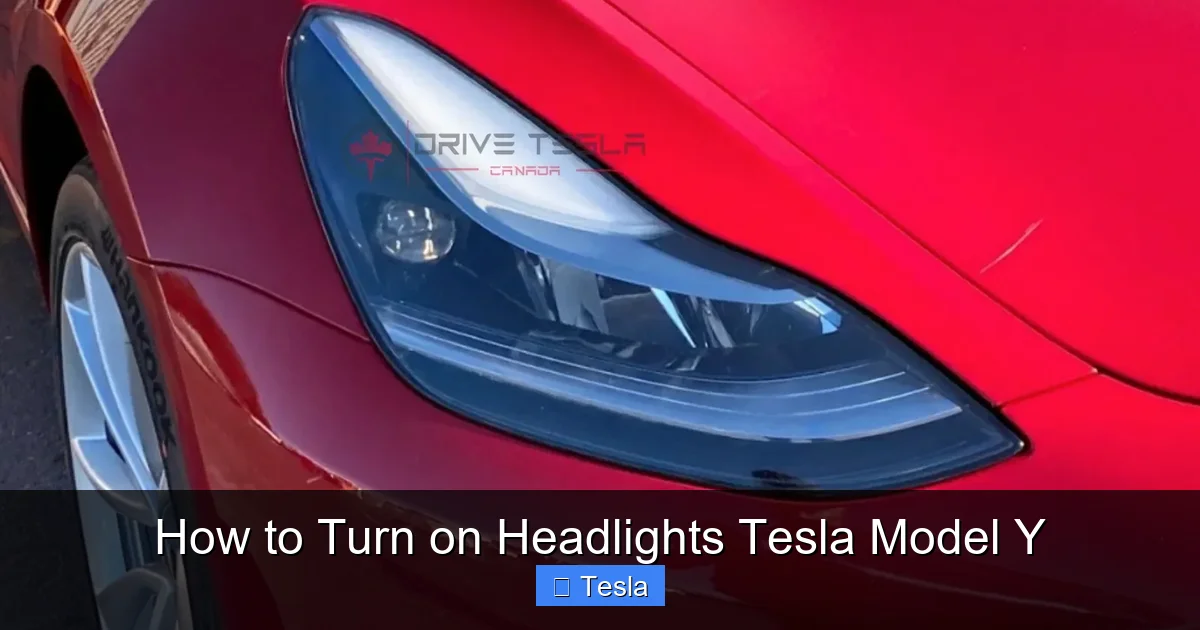
Your Model Y’s distinctive “T” shaped front lights are not just for style. They are Daytime Running Lights (DRLs). They illuminate automatically whenever the car is in “Drive” or “Reverse,” regardless of ambient light. Their purpose is to make your car more visible to other drivers during the day, a proven safety feature. They are not a substitute for headlights at night. Do not assume your DRLs are enough for dark roads. The Autolights will activate the full headlight system (a brighter, broader beam) when needed. If your DRLs are on but the main headlights are off at night, it means Autolights haven’t triggered yet—you should manually turn them on.
Headlight Aim and Aftermarket Modifications
Proper headlight aim is critical. If your headlights are misaimed, they either won’t illuminate the road far enough (aimed too low) or will blind oncoming drivers (aimed too high). Tesla calibrates them at the factory, but a front-end collision or even a hard impact can knock them out of alignment. Use the adjustment menu in Controls > Lighting to fine-tune them yourself on a wall, as described earlier. If the adjustment doesn’t hold or seems extreme, get it checked by Tesla.
Be extremely cautious with aftermarket modifications. Applying dark tint film to your headlight lenses (a popular but controversial mod) will significantly reduce light output and is illegal in many areas. Similarly, poorly installed aftermarket headlights or wraps can scatter light and create dangerous glare. If you’re considering modifying your headlights for aesthetics, research local laws thoroughly. Always prioritize function over form for safety-critical components. For other customizations like window tinting, remember that very dark front window tint can further reduce already limited nighttime visibility, making effective headlights even more crucial. Choose tint levels that comply with your state’s regulations for the front side windows.
Using Headlights in Extreme Weather
In heavy rain, snow, or fog, your headlights can become obscured by precipitation. The Model Y’s aerodynamic design helps, but you may still need to use the headlight washers (if equipped) periodically to clear the lenses. Activate them from the touchscreen Lighting menu. They spray a mist of washer fluid directly onto the headlight lenses. Also, remember the rule: use low beams in fog and snow. High beams will reflect off the particles and create a “white wall” effect, making it harder to see. Use fog lights (if you have them) in conjunction with low beams, as fog lights are mounted low and cut under the fog layer.
Another pro tip: In very cold climates, salt and grime from the road can cake onto your headlights. This not only dims them but can also pit the polycarbonate lenses over time. Wash your headlights regularly during winter months. A quick pass with a headlight restoration kit can remove minor oxidation and hazing, restoring clarity. While wrapping your Tesla Model Y is a great way to protect paint, remember that wrapping the headlight housings themselves is not recommended and can affect light output and sensor function.
Conclusion: Confidence in Every Light
Mastering your Tesla Model Y’s headlight system is about understanding a simple yet sophisticated philosophy: the car is designed to handle the basics automatically, but you are always in command. The Autolights system, powered by smart sensors and software, takes the guesswork out of daytime-to-nighttime transitions, ensuring you’re always visible. The multi-function stalk puts immediate, tactile control right at your fingertips for those moments when you need to take charge. The touchscreen menu offers deeper customization and diagnostics.
Take the time to practice the stalk motions in a safe, stationary setting. Push away to turn on low beams. Pull and hold to engage high beams. A quick pull to flash. Get a feel for the clicks and the corresponding screen icons. This muscle memory will serve you well when you’re actually on the road in the dark. Remember the key scenarios where manual override is wise: long tunnels, fog with fog lights, or when you need to signal another driver.
Ultimately, your headlights are your first line of defense for nighttime and poor-weather driving. By knowing exactly how they operate—automatic, manual, and high beam modes—you eliminate uncertainty and enhance your safety and the safety of everyone around you. You’ve embrace the electric future; now embrace the intuitive, software-defined control it offers. Your Tesla Model Y isn’t just a car that turns its headlights on; it’s a car that thinks about lighting, so you don’t have to. Now you can drive with confidence, from the bright lights of the city to the darkest country road, knowing you have complete control over your path forward.
Frequently Asked Questions
Why won’t my Tesla Model Y headlights turn on automatically?
First, check if Autolights is set to “Auto” in the touchscreen Lighting menu. Ensure it’s dark enough; the system may not activate in bright twilight. Try manually turning them on via the stalk (push away) to rule out a burnt-out bulb. A dirty light sensor on the windshield near the mirror can also cause issues; clean it gently. If problems persist, a software reboot or service appointment may be needed.
How do I permanently turn off automatic headlights on a Tesla Model Y?
For safety and legal reasons, you cannot permanently disable Autolights when the car is in Drive. You can, however, manually turn the headlights “Off” via the touchscreen icon or stalk, but this setting will reset to “Auto” the next time you put the car in Drive. The system is designed to ensure headlights are always on when needed.
What’s the difference between my Tesla’s daytime running lights and headlights?
Daytime Running Lights (DRLs) are the bright, lower-powered LED strips that are always on when the car is in Drive/Reverse. They increase daytime visibility. Headlights are the main high-beam and low-beam lamps that provide illumination at night or in poor weather. DRLs are not bright enough for night driving; the full headlight system activates automatically via Autolights when it gets dark.
How do I use the high beams on my Tesla Model Y?
Ensure your low beams are on (Autolights will have them on). For a quick flash, pull the turn signal stalk toward you and release. To turn on Auto High Beams (recommended), ensure the “A” is lit inside the high beam icon on your screen—it usually activates automatically with low beams. To use manual high beams continuously, pull the stalk toward you and hold for one second until you hear a chime and see a solid blue icon.
Why are my Tesla headlights always on, even during the day?
If your headlights (the main low beams) are on during the day, it means Autolights has activated them because the ambient light sensor detected conditions it deemed too dark (e.g., heavy rain, thick cloud cover, a tunnel). This is normal and safe. If you want them off in daylight, you can tap the headlight icon on the touchscreen to switch from “Auto” to “Off,” but remember it will revert to “Auto” on the next drive cycle.
Can I adjust the brightness or aim of my Tesla Model Y headlights?
Yes. Go to Controls > Lighting > Headlight Aim. Use the “+” and “-” buttons to adjust the vertical aim up or down. Do this on a level surface facing a blank wall about 25 feet away. The goal is to have the top of the beam pattern hit at or just below the height of the headlights themselves. There is no user adjustment for brightness; that is fixed by the LED design. If your aim is significantly off after an adjustment, or if the lights seem dim, schedule service.







