
How to Turn Off Automatic Emergency Braking on a Nissan

Turning off automatic emergency braking on a Nissan is possible on most models, but it’s important to understand the risks and proper steps. This guide walks you through the process, explains when it might be necessary, and offers safety tips to keep you protected on the road.
Key Takeaways
- Automatic Emergency Braking (AEB) can usually be turned off temporarily via the vehicle settings menu. Most Nissan models allow drivers to disable the system for a single drive cycle.
- The AEB system resets to “on” after each ignition cycle. You’ll need to turn it off again every time you start the car unless your model has a permanent disable option.
- Disabling AEB reduces safety and may affect insurance or warranty terms. Always consider the risks before turning off this critical safety feature.
- Some Nissan models require using the steering wheel controls or touchscreen to access AEB settings. The exact steps vary by year and trim level.
- Off-roading, towing, or driving in heavy snow may be valid reasons to disable AEB temporarily. Use caution and re-enable the system when conditions improve.
- Consult your owner’s manual or a Nissan dealer for model-specific instructions. Not all Nissans have the same menu layout or disable options.
- Regular maintenance ensures AEB sensors work properly. Dirt, ice, or damage can cause false triggers even when the system is on.
📑 Table of Contents
- Understanding Automatic Emergency Braking in Nissan Vehicles
- Why You Might Want to Turn Off Automatic Emergency Braking
- Step-by-Step Guide to Turning Off AEB on Different Nissan Models
- Temporary vs. Permanent Disable: What You Need to Know
- Safety Considerations and Risks of Disabling AEB
- Maintaining Your AEB System for Optimal Performance
- Conclusion
Understanding Automatic Emergency Braking in Nissan Vehicles
If you’ve ever been driving along, only to feel your Nissan suddenly slam on the brakes for no apparent reason, you’ve likely experienced the Automatic Emergency Braking (AEB) system in action. This advanced safety feature is designed to detect potential collisions and apply the brakes if the driver doesn’t react in time. While it’s saved countless lives and prevented numerous accidents, there are times when drivers want or need to turn it off—whether due to false alerts, driving conditions, or personal preference.
Nissan has integrated AEB into many of its modern vehicles, including popular models like the Rogue, Altima, Sentra, Pathfinder, and Maxima. The system uses a combination of radar, cameras, and sensors—usually mounted behind the front grille or windshield—to monitor the road ahead. When it detects a possible collision with a vehicle, pedestrian, or obstacle, it first issues a visual and audible warning. If the driver still doesn’t respond, the system can automatically apply the brakes to reduce speed or stop the car entirely.
While AEB is a lifesaver in many situations, it’s not perfect. Some drivers report that the system can be overly sensitive, especially in heavy rain, snow, or when driving near large vehicles like trucks or buses. Others find it intrusive during low-speed maneuvers, such as parking or navigating tight driveways. In rare cases, the sensors may misinterpret shadows, road signs, or overpasses as obstacles, leading to unexpected braking.
That’s why Nissan allows drivers to temporarily disable the AEB system—though it’s not always obvious how to do it. Unlike turning off cruise control or traction control, AEB settings are often buried in the infotainment or driver assistance menus. And even when you find the option, it’s usually only a temporary fix. The system will reactivate the next time you start the car.
In this guide, we’ll walk you through the step-by-step process of turning off automatic emergency braking on various Nissan models. We’ll also discuss when it’s safe—and when it’s not—to disable this feature, how to maintain your AEB system, and what to do if you’re having persistent issues. Whether you’re a new Nissan owner or a long-time driver looking for more control, this article will help you make informed decisions about your vehicle’s safety systems.
Why You Might Want to Turn Off Automatic Emergency Braking
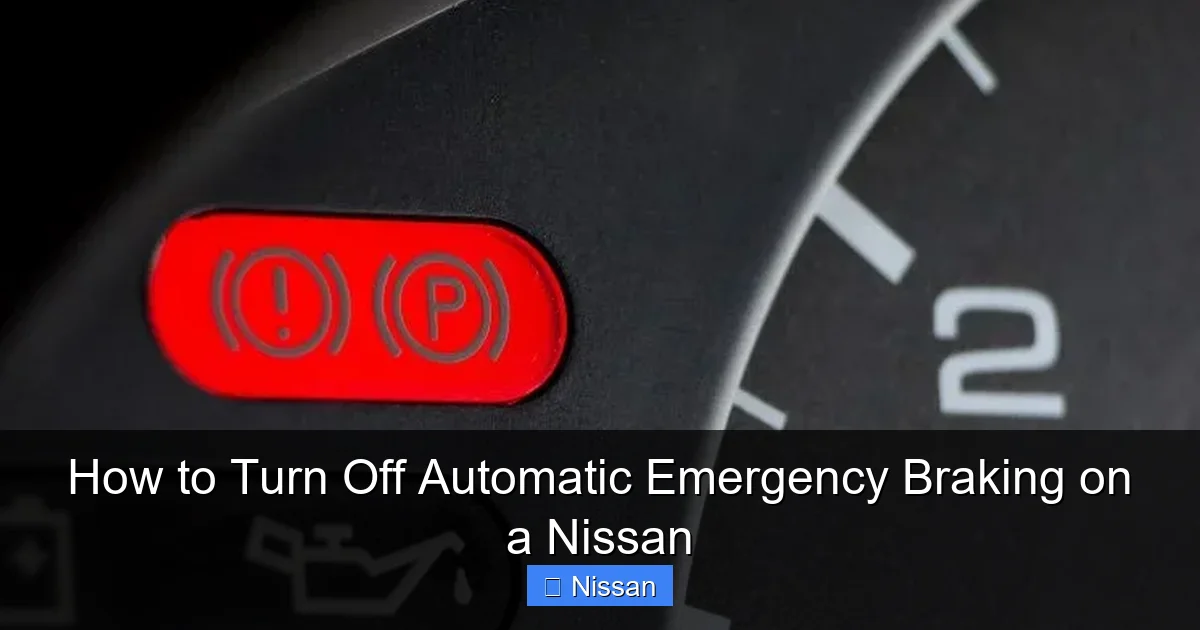
Visual guide about How to Turn Off Automatic Emergency Braking on a Nissan
Image source: nissannationpodcast.com
Before diving into the “how,” it’s important to understand the “why.” Why would anyone want to disable a safety feature designed to prevent accidents? The truth is, while AEB is incredibly beneficial in most driving scenarios, there are legitimate situations where turning it off makes sense—at least temporarily.
One of the most common reasons drivers disable AEB is due to false or overly sensitive alerts. Imagine you’re driving behind a large truck on the highway. The truck’s tailgate or cargo might reflect radar signals in a way that tricks your Nissan’s sensors into thinking a collision is imminent. Suddenly, your car slams on the brakes, causing a dangerous situation for vehicles behind you. This kind of false activation can be not only annoying but also hazardous.
Another scenario involves driving in adverse weather conditions. Heavy snow, ice, or fog can interfere with the camera and radar systems that power AEB. Snow buildup on the front grille or windshield can block sensor visibility, leading to erratic behavior. In such cases, the system might repeatedly trigger warnings or braking even when there’s no real danger. For drivers in northern climates, this can become a frequent frustration during winter months.
Off-roading and towing are also valid reasons to consider disabling AEB. When driving on unpaved trails, your Nissan may encounter steep drops, rocks, or uneven terrain that the sensors misinterpret as obstacles. Similarly, when towing a trailer, the added length and weight can confuse the system, especially during low-speed maneuvers like backing up. In these situations, having full control over braking is essential for safety and precision.
Parking in tight spaces is another common trigger for AEB false alarms. If you’re navigating a crowded garage or backing into a narrow spot, the system might detect nearby walls, pillars, or other vehicles as imminent threats. While the intention is to prevent a fender bender, the sudden braking can startle the driver and increase the risk of overcorrecting.
Some drivers also prefer to turn off AEB for personal comfort or driving style. If you’re an experienced driver who relies on your own judgment and reflexes, you might find the system intrusive. You may feel that the warnings distract you or that the automatic braking interferes with your ability to control the vehicle smoothly.
It’s worth noting that disabling AEB doesn’t mean you’re sacrificing all safety. Modern Nissans come equipped with a suite of driver assistance features, including lane departure warning, blind spot monitoring, and rear cross-traffic alert. These systems can still provide valuable support even when AEB is off. However, AEB is one of the most active and impactful safety tools, so turning it off should never be taken lightly.
Ultimately, the decision to disable automatic emergency braking should be based on your specific driving conditions, vehicle usage, and comfort level. If you’re unsure, it’s always a good idea to consult your owner’s manual or speak with a Nissan technician. They can help you understand how the system works on your particular model and whether disabling it is appropriate for your needs.
Step-by-Step Guide to Turning Off AEB on Different Nissan Models
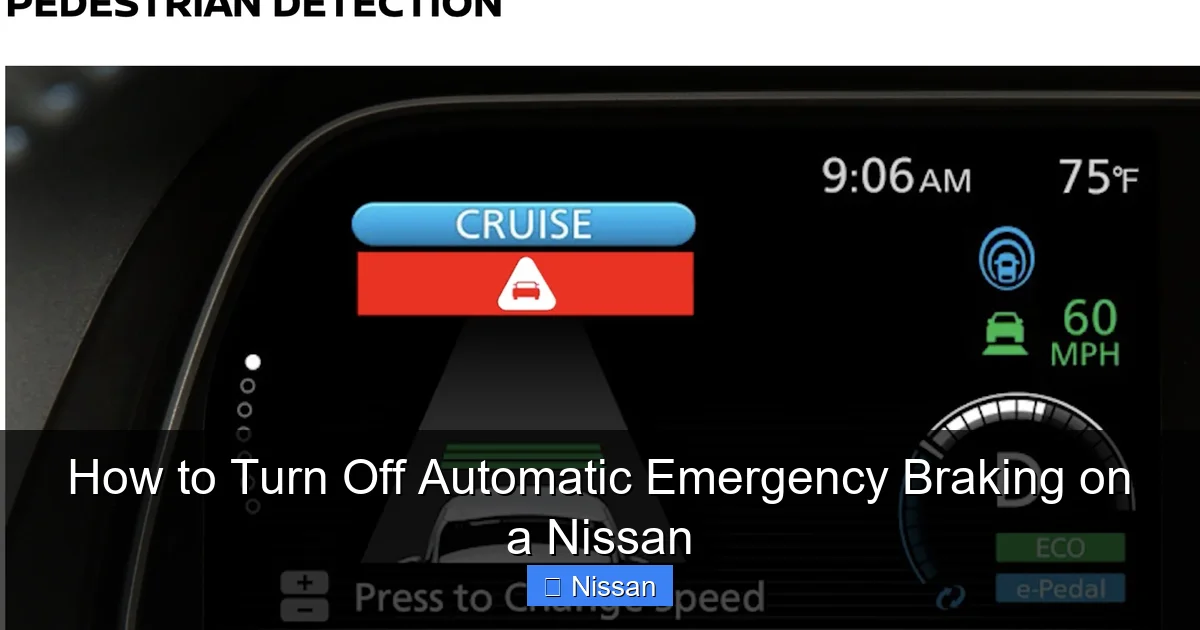
Visual guide about How to Turn Off Automatic Emergency Braking on a Nissan
Image source: pevme.com
Now that we’ve covered the reasons why you might want to disable automatic emergency braking, let’s get into the practical steps. The process varies slightly depending on your Nissan model and year, but the general approach is similar across most vehicles. Below, we’ll break down the steps for some of the most popular Nissan models, including the Rogue, Altima, Sentra, and Pathfinder.
Nissan Rogue (2017–2024)
The Nissan Rogue is one of the brand’s best-selling SUVs and comes equipped with AEB as part of its Safety Shield 360 suite. To turn off AEB on a Rogue:
1. Start your vehicle and ensure the infotainment screen is active.
2. Press the “Menu” button on the steering wheel or touchscreen.
3. Navigate to “Settings” > “Driver Assistance” > “Forward Collision Warning” or “Emergency Braking.”
4. Toggle the setting to “Off.”
5. Confirm your selection if prompted.
Note that this only disables AEB for the current drive. Once you turn off the ignition and restart the car, the system will automatically reactivate.
Nissan Altima (2019–2024)
The Altima uses a similar menu structure, but the exact wording may differ slightly:
1. Turn on the car and wait for the dashboard to fully load.
2. Use the steering wheel controls to access the “Settings” menu.
3. Scroll to “Driver Assistance” or “Safety” settings.
4. Find “Forward Emergency Braking” or “Automatic Emergency Braking.”
5. Switch it to “Off.”
Again, this is a temporary disable. The system will reset to “on” after the next ignition cycle.
Nissan Sentra (2020–2024)
The Sentra’s process is nearly identical to the Altima’s:
1. Press the “Menu” button on the steering wheel.
2. Go to “Settings” > “Driver Assistance.”
3. Select “Forward Collision Warning” or “Emergency Braking.”
4. Turn the feature off.
Some Sentra trims may require you to press and hold the “OK” button to confirm the change.
Nissan Pathfinder (2022–2024)
The newer Pathfinder models feature a more advanced infotainment system with a larger touchscreen:
1. Tap the “Settings” icon on the home screen.
2. Select “Vehicle” > “Driver Assistance.”
3. Look for “Automatic Emergency Braking” or “Forward Collision Mitigation.”
4. Toggle it off.
As with other models, the setting will reset when you restart the vehicle.
Older Nissan Models (Pre-2017)
If you drive an older Nissan, such as a 2015 Altima or 2016 Rogue, your vehicle may not have a digital menu for AEB. In these cases, the system might not be user-disablable at all. Some older models only allow dealers to disable AEB using diagnostic tools. Check your owner’s manual or contact a Nissan service center to confirm.
Using the Physical Button (If Available)
A few Nissan models, particularly higher trims or performance variants, may include a physical button or switch for driver assistance features. For example, some NISMO models have a “Drive Mode” button that lets you toggle between settings, including AEB. If your car has such a button, consult the manual to see if it controls emergency braking.
Important Notes
– Always ensure your hands are on the wheel and you’re in a safe location before making changes.
– The menu layout may vary slightly based on software updates or regional differences.
– If you can’t find the AEB setting, try searching the menu for terms like “Collision Warning,” “Forward Safety,” or “Brake Assist.”
Temporary vs. Permanent Disable: What You Need to Know
Visual guide about How to Turn Off Automatic Emergency Braking on a Nissan
Image source: nissannationpodcast.com
One of the most important things to understand about turning off automatic emergency braking on a Nissan is that it’s almost always a temporary action. Unlike features like traction control, which can sometimes be permanently disabled, AEB is designed to reactivate every time you start the car. This is a deliberate safety measure by Nissan to ensure that drivers don’t accidentally leave the system off.
When you turn off AEB using the menu, the change typically lasts only for the current drive cycle. Once you turn off the ignition—whether you’re stopping for gas, parking overnight, or simply turning the car off at a red light—the system will reset to its default “on” state the next time you start the engine. This means you’ll need to disable it again if you want it off for your next trip.
So why doesn’t Nissan allow a permanent disable option? The answer lies in safety regulations and manufacturer responsibility. AEB has been proven to reduce rear-end collisions by up to 50%, according to studies by the Insurance Institute for Highway Safety (IIHS). Automakers like Nissan are under increasing pressure from regulators and consumers to include and maintain active safety systems. Allowing drivers to permanently disable such a critical feature could expose the company to liability in the event of an accident.
That said, there are a few exceptions. Some commercial or fleet vehicles may have the ability to permanently disable AEB through dealer-level programming. This is often done for vehicles used in specialized applications, such as snow plows, construction equipment, or delivery vans that frequently operate in tight spaces. However, this requires a visit to a Nissan service center and may involve additional fees.
Another scenario where AEB might stay off longer is if there’s a system malfunction. If the sensors are damaged, dirty, or misaligned, the system may automatically disable itself and display a warning message on the dashboard. In this case, the AEB won’t reactivate until the issue is resolved—either by cleaning the sensors, recalibrating them, or repairing damaged components.
It’s also worth noting that some aftermarket tools or diagnostic software claim to allow permanent AEB disable. While these may work, using them can void your warranty, compromise safety, and potentially violate local laws. We strongly advise against tampering with factory safety systems unless absolutely necessary and performed by a certified technician.
In summary, turning off AEB on a Nissan is meant to be a temporary solution for specific driving conditions. If you find yourself needing to disable it frequently, it may be a sign of an underlying issue—such as dirty sensors, software glitches, or incompatible driving habits—that should be addressed rather than worked around.
Safety Considerations and Risks of Disabling AEB
Disabling automatic emergency braking might seem like a small change, but it comes with significant safety implications. AEB is one of the most effective driver assistance technologies on the market, and turning it off removes a critical layer of protection that could prevent a serious accident.
According to the National Highway Traffic Safety Administration (NHTSA), rear-end collisions account for nearly 29% of all motor vehicle crashes in the United States. Many of these involve drivers who fail to brake in time due to distraction, fatigue, or poor visibility. AEB systems are specifically designed to intervene in these moments, applying the brakes when the driver doesn’t. Studies show that vehicles with AEB have significantly lower rates of front-to-rear crashes, and the technology is especially effective at reducing injuries in low-speed collisions.
When you disable AEB, you’re essentially taking full responsibility for every braking decision. This means you must be constantly alert, anticipate hazards, and react quickly—even in situations where your attention might be divided, such as adjusting the radio, talking to passengers, or navigating unfamiliar roads. For many drivers, especially those with slower reaction times or less experience, this can be a risky trade-off.
Another risk is the potential for increased insurance premiums. While most insurers don’t currently penalize drivers for disabling safety features, that could change as telematics and usage-based insurance become more common. Some policies already offer discounts for vehicles equipped with AEB, and disabling the system might disqualify you from those savings. In the future, insurers may even monitor whether safety systems are active and adjust rates accordingly.
There’s also the possibility of warranty complications. If an accident occurs while AEB is disabled—and especially if it’s found that the system could have prevented the crash—Nissan or your insurer might question whether the driver acted responsibly. While this is rare, it’s a legal gray area that could affect claims or repairs.
That said, there are valid reasons to disable AEB temporarily, as we discussed earlier. The key is to do so thoughtfully and only when necessary. For example, if you’re driving in a snowstorm and the sensors are constantly triggering false alarms, it may be safer to turn off AEB until conditions improve. Similarly, if you’re towing a trailer and the system keeps braking during low-speed maneuvers, disabling it temporarily can prevent dangerous situations.
If you do decide to turn off AEB, here are some safety tips to keep in mind:
– Always re-enable the system as soon as the driving condition that prompted the disable is no longer present.
– Stay extra vigilant and maintain a safe following distance.
– Avoid distractions like phone use, eating, or adjusting controls while driving.
– Consider using other safety features, such as blind spot monitoring and rear cross-traffic alert, to compensate.
– If you’re driving with passengers, let them know the system is off so they can help monitor the road.
Ultimately, AEB is there to assist you, not replace you. It’s a tool—one that works best when used in conjunction with attentive, defensive driving. Disabling it should never be a habit, but rather a rare exception based on clear need.
Maintaining Your AEB System for Optimal Performance
Even if you never plan to turn off automatic emergency braking, it’s important to keep the system in good working order. Like any advanced technology, AEB relies on clean, properly aligned sensors to function correctly. Neglecting maintenance can lead to false alerts, system failures, or reduced effectiveness—none of which are ideal when you’re relying on the system to protect you.
The first step in maintaining your AEB system is keeping the sensors clean. On most Nissan models, the forward-facing radar sensor is located behind the front grille, while the camera is typically mounted near the rearview mirror on the windshield. Both can become obstructed by dirt, snow, ice, bugs, or road grime. A simple wipe with a soft cloth and glass cleaner can make a big difference.
During winter months, pay extra attention to snow and ice buildup. Even a thin layer of frost on the sensor can disrupt its ability to detect objects. If you park outside, consider using a windshield cover or parking in a garage when possible. After driving in snowy conditions, take a moment to clear off the front of the vehicle, especially around the grille and windshield.
Another common issue is sensor misalignment. If your Nissan has been in a minor collision—even a fender bender—the sensors may have shifted slightly. This can cause the system to misread distances or angles, leading to false braking or failure to detect real threats. If you’ve been in an accident, even a small one, have your vehicle inspected by a Nissan technician to ensure the sensors are properly calibrated.
Software updates are also important. Nissan periodically releases updates for the vehicle’s safety systems, which can improve AEB performance, fix bugs, or enhance detection algorithms. These updates are usually installed during routine service visits or can be downloaded via the NissanConnect app (if your vehicle supports it). Keeping your software up to date ensures you’re getting the best possible performance from your AEB system.
Finally, pay attention to warning messages. If your dashboard displays a message like “Forward Collision Warning Unavailable” or “Check Driver Assistance Systems,” it’s a sign that something is wrong. Don’t ignore it. Schedule a service appointment as soon as possible to diagnose and fix the issue.
By taking these simple steps, you can help ensure that your AEB system works when you need it most—whether you leave it on all the time or only re-enable it after a temporary disable.
Conclusion
Automatic emergency braking is a powerful safety feature that has helped prevent countless accidents and save lives. On Nissan vehicles, it’s designed to be always on, always ready to assist. While it’s possible to turn off AEB on most models, doing so should be a rare and thoughtful decision—not a routine habit.
Whether you’re dealing with false alerts, driving in challenging conditions, or simply prefer more control, understanding how and when to disable AEB empowers you to drive safely and confidently. Just remember: the system is there to help you, not hinder you. Use it wisely, maintain it properly, and always prioritize safety on the road.
If you’re ever unsure about how to manage your AEB settings, don’t hesitate to consult your owner’s manual or visit a Nissan dealership. Your safety—and the safety of others—is worth the extra effort.
Frequently Asked Questions
Can I permanently turn off automatic emergency braking on my Nissan?
No, most Nissan models only allow temporary disablement of AEB. The system automatically reactivates after each ignition cycle for safety reasons. Permanent disable typically requires dealer-level programming and is not recommended for regular drivers.
Will turning off AEB affect my insurance?
Currently, most insurers don’t penalize drivers for disabling AEB, but some offer discounts for vehicles with active safety features. Disabling the system could affect eligibility for these discounts, and future policies may monitor safety system usage.
Why does my Nissan keep braking for no reason?
This is usually caused by dirty or obstructed sensors, adverse weather, or sensor misalignment. Clean the front grille and windshield, and have the system checked if false alerts persist.
Can I turn off AEB while towing?
Yes, temporarily disabling AEB can help prevent false braking when towing, especially during low-speed maneuvers. Just remember to re-enable it once you’re done towing.
Does AEB work in the rain or snow?
AEB is designed to work in most weather conditions, but heavy rain, snow, or ice can interfere with sensor performance. Keep sensors clean and consider disabling AEB temporarily in extreme conditions.
What should I do if my AEB warning light stays on?
A persistent warning light indicates a system malfunction. Schedule a service appointment with a Nissan technician to diagnose and repair the issue, which may involve sensor cleaning, recalibration, or replacement.
