
How to Fix Electronic Throttle Control on a Dodge Charger

Is your Dodge Charger hesitating, stalling, or showing a check engine light? The electronic throttle control (ETC) system might be the culprit. This guide walks you through diagnosing, cleaning, and fixing common ETC issues—saving you time and money at the mechanic.
Key Takeaways
- Understand the ETC system: Modern Dodge Chargers use drive-by-wire throttle systems that rely on sensors and software instead of mechanical cables.
- Common symptoms include: hesitation, stalling, reduced power mode, and illuminated dashboard warning lights like “Check Engine” or “Service Electronic Throttle Control.”
- Clean the throttle body regularly: Carbon buildup is a leading cause of ETC problems and can often be resolved with a quality throttle body cleaner.
- Reset the ETC after repairs: Use a scan tool or battery disconnect method to relearn throttle positions and restore normal operation.
- Check for software updates: Chrysler occasionally releases TSBs (Technical Service Bulletins) with ECU updates to fix known ETC glitches.
- Replace faulty sensors if needed: The throttle position sensor (TPS) or accelerator pedal position sensor (APP) may need replacement if cleaning doesn’t solve the issue.
- When to see a pro: If the problem persists after DIY steps, consult a certified technician to avoid damaging the engine or drivetrain.
📑 Table of Contents
- Introduction: Why Your Dodge Charger’s Throttle Might Be Acting Up
- Understanding the Electronic Throttle Control System
- Common Symptoms of ETC Problems in a Dodge Charger
- Step-by-Step Guide to Diagnosing ETC Issues
- How to Clean the Throttle Body (The #1 DIY Fix)
- Resetting the Electronic Throttle Control System
- When to Replace Sensors or Seek Professional Help
- Preventative Maintenance Tips to Avoid Future ETC Issues
- Conclusion: Take Control of Your Charger’s Performance
Introduction: Why Your Dodge Charger’s Throttle Might Be Acting Up
If you’ve ever been driving your Dodge Charger and suddenly felt a lag when you pressed the gas pedal—or worse, the car went into “limp mode” with a flashing warning light—you’ve likely encountered an issue with the electronic throttle control (ETC) system. Unlike older vehicles that used a physical cable to connect the gas pedal to the throttle body, modern Chargers rely on a sophisticated drive-by-wire system. This means your foot’s input is translated into electronic signals that tell the engine how much air to let in. While this setup improves fuel efficiency and emissions, it also introduces new potential points of failure.
The good news? Many ETC problems on a Dodge Charger are fixable at home with basic tools and a little patience. Whether you’re dealing with rough idling, hesitation during acceleration, or an unexplained drop in power, understanding how the system works—and how to troubleshoot it—can save you hundreds in repair bills. In this guide, we’ll walk you through everything from diagnosing the issue to performing maintenance and knowing when it’s time to call in a professional. Think of this as your friendly neighborhood mechanic sharing insider tips to keep your Charger running smooth.
Understanding the Electronic Throttle Control System
Before diving into fixes, it helps to know what’s under the hood—literally. The electronic throttle control system in your Dodge Charger replaces the traditional throttle cable with a network of sensors, actuators, and software. When you press the accelerator pedal, sensors detect the movement and send signals to the engine control unit (ECU). The ECU then commands the throttle plate inside the throttle body to open or close accordingly. This entire process happens in milliseconds, allowing for precise control over engine power.
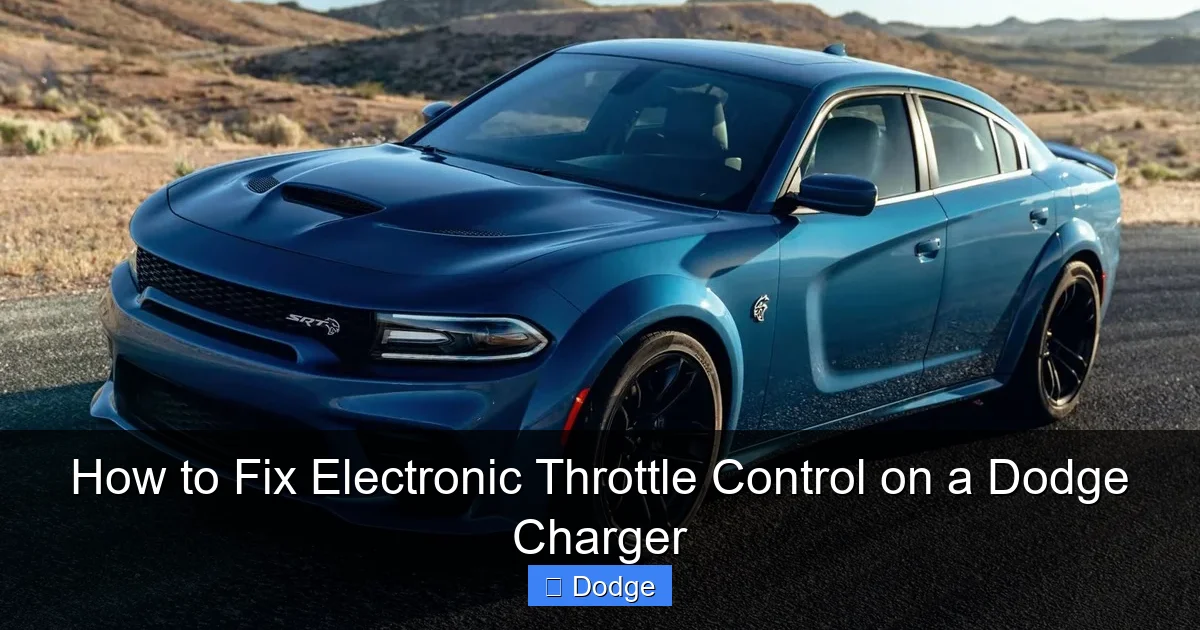
Visual guide about How to Fix Electronic Throttle Control on a Dodge Charger
Image source: citizenside.com
Key Components of the ETC System
The main parts include:
- Accelerator Pedal Position (APP) Sensor: Located in the pedal assembly, it measures how far you’ve pressed the gas.
- Throttle Position Sensor (TPS): Mounted on the throttle body, it monitors the actual position of the throttle plate.
- Throttle Body: Contains the electronically controlled throttle plate and often includes an idle air control valve.
- Engine Control Unit (ECU): The brain that processes inputs and manages output to the throttle actuator.
- Throttle Actuator Motor: A small electric motor that physically opens and closes the throttle plate based on ECU commands.
All these components must work in harmony. If one fails or sends incorrect data, the ECU may restrict engine power to protect the vehicle—triggering reduced power mode or even stalling the engine. Understanding this chain helps you pinpoint where things might be going wrong.
How Drive-by-Wire Differs from Cable Systems
Older cars used a simple steel cable from the gas pedal to the throttle body. Press the pedal, the cable pulls, the throttle opens. Simple. But with drive-by-wire, there’s no direct mechanical link. Instead, your input becomes a digital command. This allows for features like cruise control integration, traction management, and adaptive shift logic—but it also means more complexity. A dirty sensor, loose connection, or software glitch can disrupt the signal flow, leading to drivability issues.
Common Symptoms of ETC Problems in a Dodge Charger
Recognizing the signs early can prevent bigger problems down the road. Here are the most common symptoms that point to an electronic throttle control issue:
Visual guide about How to Fix Electronic Throttle Control on a Dodge Charger
Image source: carcarearena.com
Hesitation or Lag During Acceleration
You press the gas, but the car doesn’t respond immediately—or it surges unexpectedly. This is often due to carbon buildup on the throttle plate restricting airflow or a faulty TPS sending erratic signals. It’s especially noticeable when merging onto highways or passing other vehicles.
Stalling or Rough Idling
If your Charger stalls at stoplights or idles roughly (shaking, fluctuating RPMs), the ETC system may not be maintaining the correct idle speed. Dirty throttle bodies are a frequent cause, as they disrupt the precise air-fuel mixture needed for smooth operation.
Reduced Power Mode (“Limp Mode”)
The dashboard may display “Service Electronic Throttle Control” or “Reduced Power.” In this state, the ECU limits engine output to protect the vehicle. You’ll notice sluggish performance and inability to exceed certain speeds—usually around 30–40 mph. This is a safety feature triggered by detected faults in the ETC system.
Check Engine Light with Relevant Codes
The most telling sign is an illuminated check engine light accompanied by diagnostic trouble codes (DTCs) like P0121 (Throttle/Pedal Position Sensor/Switch A Circuit Range/Performance), P0221 (Throttle/Pedal Position Sensor/Switch B Circuit Range/Performance), or P2135 (Throttle/Pedal Position Sensor/Switch A/B Voltage Correlation). These codes directly point to ETC component failures.
Unresponsive or Jerky Pedal Feel
Some drivers report a “mushy” or inconsistent feel when pressing the accelerator. Instead of smooth progression, the car jerks or feels disconnected. This could indicate a failing APP sensor or communication error between the pedal and ECU.
If you notice any of these symptoms, don’t ignore them. While some issues are minor (like dirt buildup), others can lead to unsafe driving conditions or costly repairs if left unaddressed.
Step-by-Step Guide to Diagnosing ETC Issues
Before grabbing your toolbox, start with a proper diagnosis. Jumping straight to part replacement can waste time and money. Follow this systematic approach to identify the root cause.
Visual guide about How to Fix Electronic Throttle Control on a Dodge Charger
Image source: papasroadtrip.com
Step 1: Scan for Diagnostic Trouble Codes (DTCs)
Use an OBD2 scanner (available at auto parts stores or online for under $50) to read any stored codes. Plug it into the OBD2 port—usually under the dashboard near the steering column—and turn the ignition to “ON” (don’t start the engine). Note down all codes, especially those related to throttle position, pedal sensors, or electronic throttle control.
Example: Code P0121 suggests the TPS isn’t reading within expected parameters. This could mean a bad sensor, wiring issue, or mechanical binding in the throttle body.
Step 2: Inspect Visual Connections
Pop the hood and locate the throttle body (typically mounted on the intake manifold). Check the electrical connectors for corrosion, looseness, or damage. Wiggle the connectors gently—if the engine stumbles or stalls, there’s likely a poor connection. Also, inspect the wiring harness for frayed wires or melted insulation near hot engine components.
Step 3: Test Sensor Outputs (Advanced)
If you have a multimeter, you can test the TPS and APP sensors for proper voltage output. Refer to your Charger’s service manual for specific values, but generally:
- TPS should show a smooth increase in voltage (e.g., 0.5V at idle to 4.5V at wide-open throttle).
- APP sensor should mirror pedal movement without dropouts or spikes.
Erratic readings indicate a failing sensor. However, if you’re not comfortable with electrical testing, skip this step and move to cleaning.
Step 4: Check for Software Updates
Sometimes, the issue isn’t hardware—it’s software. Chrysler has issued Technical Service Bulletins (TSBs) for certain Charger models addressing ETC calibration bugs. Visit the official Mopar website or contact a Dodge dealer with your VIN to see if a free ECU update is available. This is especially relevant for 2011–2014 models, which had known ETC glitches.
By methodically ruling out causes, you’ll avoid unnecessary part swaps and focus on the real fix.
How to Clean the Throttle Body (The #1 DIY Fix)
In most cases, a dirty throttle body is the culprit. Over time, fuel vapors and oil blow-by leave carbon deposits on the throttle plate and bore, restricting airflow and confusing the ETC system. Cleaning it is simple, safe, and often resolves hesitation, stalling, and rough idle.
What You’ll Need
- Throttle body cleaner (not carb cleaner—it’s too harsh)
- Soft-bristle brush (old toothbrush works great)
- Screwdriver or socket set (to remove air intake hose)
- Safety glasses and gloves
- Rag or shop towels
Step-by-Step Cleaning Process
- Disconnect the battery: Remove the negative terminal to prevent accidental throttle activation during cleaning.
- Locate the throttle body: It’s usually a round or oval aluminum housing between the air filter box and intake manifold.
- Remove the air intake hose: Loosen the clamps and gently pull off the hose to access the throttle plate.
- Spray cleaner generously: Apply throttle body cleaner directly onto the throttle plate, bore, and shaft. Avoid spraying electronics or sensors.
- Scrub gently: Use the brush to loosen carbon buildup. Be careful not to force the throttle plate open—it’s electronically controlled and can be damaged.
- Wipe clean: Use a rag to remove residue. Repeat if necessary until surfaces are shiny.
- Reassemble: Reattach the air hose and reconnect the battery.
Important Tips
- Never use your hand to manually open the throttle plate while the ignition is on—this can confuse the ECU.
- Allow the throttle body to dry completely before restarting.
- After cleaning, the idle may be rough for a few minutes as the ECU relearns proper airflow. Drive gently for the first 10–15 minutes.
Many Charger owners report immediate improvement after this simple maintenance. If symptoms persist, move on to sensor checks or professional help.
Resetting the Electronic Throttle Control System
After cleaning or replacing components, the ECU needs to “relearn” the correct throttle positions. Without a reset, you might still experience hesitation or erratic behavior. Here’s how to do it safely.
Method 1: Battery Disconnect (Basic Reset)
This old-school method works for many Chrysler vehicles:
- Turn off the engine and remove the key.
- Disconnect the negative battery terminal.
- Wait 10–15 minutes (this drains residual power from the ECU).
- Reconnect the battery.
- Start the engine and let it idle for 5–10 minutes without touching the pedals.
- Take a short test drive to allow the system to adapt.
Method 2: Using a Scan Tool (Recommended)
For more precise results, use an OBD2 scanner with throttle relearn capability. Many mid-range scanners (like BlueDriver or Autel) offer this feature. Follow the tool’s prompts to perform a “throttle position relearn” or “idle air relearn” procedure. This ensures the ECU accurately maps the new throttle plate position.
Method 3: Drive Cycle Relearn
If you don’t have a scanner, some Chargers will relearn automatically after a specific drive cycle:
- Start the car and let it idle for 2 minutes.
- Drive at 25–35 mph for 5 minutes.
- Accelerate moderately to 55 mph and cruise for 5 minutes.
- Decelerate without braking for 30 seconds.
- Repeat 2–3 times.
Always refer to your owner’s manual or service guide for model-specific procedures. Skipping the reset can leave your Charger in a compromised state.
When to Replace Sensors or Seek Professional Help
Cleaning and resetting fix most ETC issues—but not all. If problems return quickly or you’re getting consistent fault codes, hardware replacement may be necessary.
Replacing the Throttle Position Sensor (TPS)
The TPS is integrated into the throttle body on most Chargers. If diagnostics confirm it’s faulty, replacement involves:
- Purchasing an OEM or high-quality aftermarket TPS (avoid cheap knockoffs).
- Removing the throttle body (may require intake manifold disassembly on some models).
- Installing the new sensor and torquing bolts to spec.
- Performing a throttle relearn procedure.
Note: On newer Chargers (2015+), the TPS is often non-serviceable—meaning you must replace the entire throttle body assembly.
Replacing the Accelerator Pedal Assembly
If the APP sensor is bad, you’ll likely need to replace the whole pedal unit. This is more involved, as it requires removing the lower dash panel and disconnecting multiple electrical connectors. Unless you’re experienced, consider having a shop handle this job.
Knowing When to Call a Mechanic
Seek professional assistance if:
- You’re getting multiple conflicting DTCs.
- The throttle body is severely corroded or damaged.
- You suspect wiring harness issues (common near the firewall).
- The vehicle remains in limp mode after all DIY steps.
- You’re uncomfortable working with electrical systems.
A certified Dodge technician has access to factory scan tools and software updates that home mechanics don’t. Paying for expertise now can prevent costly mistakes later.
Preventative Maintenance Tips to Avoid Future ETC Issues
An ounce of prevention is worth a pound of cure—especially with modern electronics. Keep your Charger’s ETC system healthy with these habits:
- Clean the throttle body every 30,000–50,000 miles, or at the first sign of hesitation.
- Use high-quality fuel and fuel system cleaners to reduce carbon buildup.
- Replace the air filter regularly to prevent debris from entering the throttle body.
- Avoid short trips only—frequent cold starts increase carbon deposits. Take longer drives occasionally to burn off buildup.
- Check for TSBs annually using your VIN on the Mopar website.
- Inspect electrical connections during oil changes—look for corrosion or looseness.
By staying proactive, you’ll enjoy smoother acceleration, better fuel economy, and fewer surprise breakdowns.
Conclusion: Take Control of Your Charger’s Performance
The electronic throttle control system in your Dodge Charger is a marvel of modern engineering—but like any complex system, it needs care and attention. From rough idling to full-blown limp mode, ETC issues can turn a thrilling ride into a frustrating ordeal. The good news is that many problems are preventable and fixable with basic tools and know-how.
Start by listening to your car. Hesitation, stalling, or warning lights are your Charger’s way of asking for help. Diagnose with an OBD2 scanner, clean the throttle body, reset the system, and replace faulty parts only when necessary. And remember: when in doubt, consult a professional. Your safety—and your Charger’s longevity—are worth the investment.
With this guide in your back pocket, you’re no longer at the mercy of mysterious throttle glitches. You’ve got the knowledge to keep your Charger running strong, mile after mile. Now go enjoy that Hemi roar—confidently.
Frequently Asked Questions
Can I drive my Dodge Charger with a faulty electronic throttle control?
Driving with a faulty ETC is not recommended. The vehicle may enter reduced power mode, stall unexpectedly, or become unsafe to operate. It’s best to diagnose and fix the issue before regular driving.
How often should I clean the throttle body on my Charger?
Clean the throttle body every 30,000 to 50,000 miles, or sooner if you notice hesitation, rough idle, or poor acceleration. Frequent short trips may require more frequent cleaning due to carbon buildup.
Will disconnecting the battery reset the ETC system?
Yes, disconnecting the negative battery terminal for 10–15 minutes can reset the ECU and allow the ETC system to relearn throttle positions. However, using a scan tool for a formal relearn procedure is more reliable.
Is the throttle position sensor replaceable on all Dodge Charger models?
No. On many newer Chargers (2015 and later), the TPS is integrated into the throttle body and cannot be replaced separately. You may need to replace the entire throttle body assembly.
Why does my Charger go into limp mode after cleaning the throttle body?
This usually happens if the ECU hasn’t completed the throttle relearn process. Perform a proper reset using a scan tool or follow the drive cycle method to allow the system to adapt to the clean throttle plate.
Are there software updates for ETC issues on Dodge Chargers?
Yes. Chrysler has released Technical Service Bulletins (TSBs) with ECU software updates for certain model years to address ETC calibration bugs. Check with a Dodge dealer using your VIN to see if an update is available.
