
How to Reset the Low Washer Fluid Light on a Nissan Armada

Resetting the low washer fluid light on your Nissan Armada is easier than you think. This guide walks you through every step, from checking fluid levels to manually clearing the warning—no dealership visit needed.
Key Takeaways
- Check the washer fluid level first: Always confirm the reservoir is full before attempting a reset—low fluid is the most common cause of the warning light.
- Use the correct washer fluid: Avoid water or household cleaners; use a high-quality winter or all-season washer fluid to prevent freezing and sensor issues.
- Reset via the instrument cluster: Most Nissan Armada models allow you to reset the light using the trip odometer button and ignition cycle.
- Ensure the cap is sealed properly: A loose or damaged cap can trigger false low fluid warnings due to pressure loss in the system.
- Inspect for leaks or clogs: If the light returns frequently, check hoses, nozzles, and the pump for damage or blockages.
- Try a battery reset if needed: Disconnecting the battery for 10–15 minutes can clear stubborn warning lights when other methods fail.
- Consult your owner’s manual: Model years vary slightly—always refer to your specific Armada’s manual for exact procedures.
📑 Table of Contents
Why Is the Low Washer Fluid Light On?
You’re driving your Nissan Armada down the highway, maybe heading out for a weekend trip or just running errands around town. Suddenly, a yellow or orange icon flashes on your dashboard—a windshield with droplets and an exclamation point. That’s the low washer fluid warning light, and it’s trying to tell you something important.
But here’s the thing: sometimes that light comes on even when there’s plenty of fluid in the tank. It could be a sensor glitch, a loose cap, or even cold weather affecting the fluid. Other times, it’s a genuine reminder that your washer fluid is running low—especially after a long drive or during winter when you’re using it more often to clear salt and grime.
Understanding why this light appears is the first step to fixing it. The Nissan Armada uses a simple float sensor inside the washer fluid reservoir to detect fluid levels. When the fluid drops below a certain point, the sensor sends a signal to the vehicle’s computer, which then triggers the warning light on your instrument cluster. However, this system isn’t perfect. Dirt, debris, or even old fluid can interfere with the sensor. In colder climates, frozen fluid can also cause false readings.
Another common cause? The cap. If the washer fluid cap isn’t tightened properly or is cracked, it can allow air into the system, confusing the sensor and triggering the light. This is especially common after refilling the reservoir—people often forget to screw the cap back on tightly.
So before you panic or rush to the dealership, take a breath. Most of the time, this issue is quick and easy to resolve at home. In this guide, we’ll walk you through every step to reset the low washer fluid light on your Nissan Armada—whether it’s a 2017 model or a 2023. You’ll learn how to check your fluid, refill it correctly, and manually reset the warning light using tools you already have in your glove box.
Step-by-Step Guide to Resetting the Light
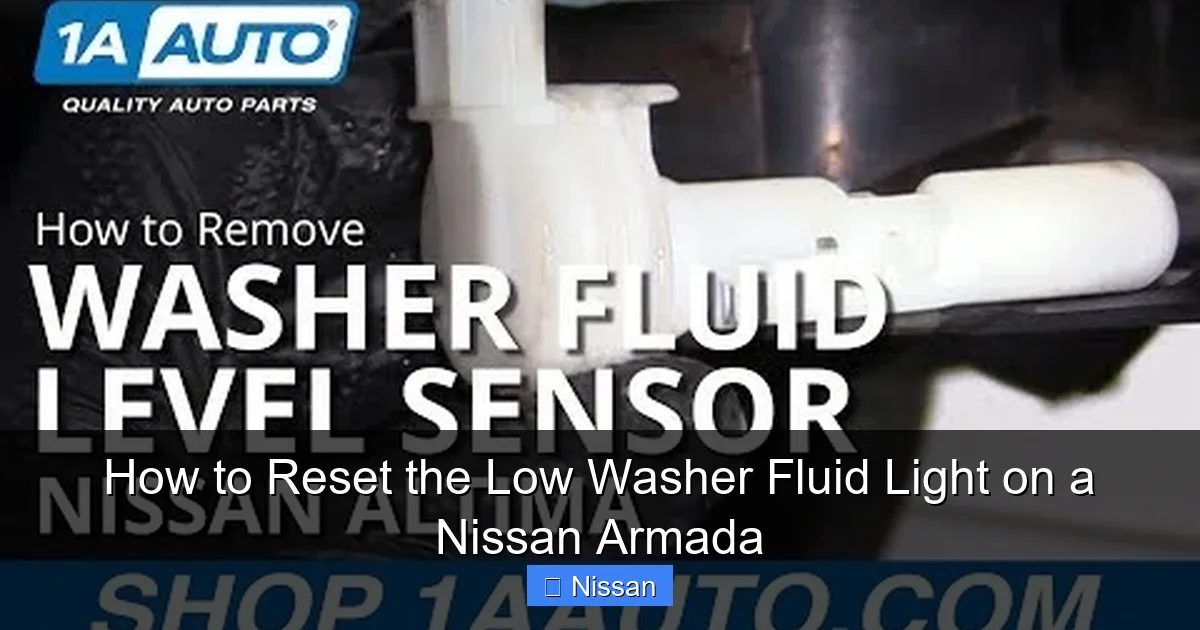
Visual guide about How to Reset the Low Washer Fluid Light on a Nissan Armada
Image source: i.ytimg.com
Resetting the low washer fluid light on your Nissan Armada doesn’t require special tools or a trip to the service center. With just a few minutes and some basic know-how, you can clear that annoying warning and get back to driving with confidence.
The process varies slightly depending on your model year, but the core steps remain the same. Most Armadas from 2007 to 2024 use a similar instrument cluster system that allows you to reset warning lights manually. Here’s how to do it:
Step 1: Turn the Ignition to the “On” Position
Start by getting into your vehicle and turning the key to the “ON” position—but don’t start the engine. You want the dashboard lights to come on so you can access the instrument cluster menu. If you have a push-button start, press the start button once without pressing the brake pedal.
At this point, you should see all your dashboard warning lights illuminate briefly as part of the system check. Look for the low washer fluid icon. If it’s still on, that’s your target.
Step 2: Locate the Trip Odometer Button
Next, find the trip odometer button on your steering column or instrument cluster. On most Nissan Armadas, this is a small black or gray button located on the right side of the instrument panel, near the speedometer. It’s usually labeled “TRIP” or has a small icon of a car with lines.
This button is your gateway to the vehicle’s onboard menu system. You’ll use it to navigate through different display options and reset various warning lights.
Step 3: Cycle Through the Menu Options
Press and hold the trip odometer button. While holding it, turn the ignition from “OFF” to “ON” (again, without starting the engine). Keep holding the button for about 10–15 seconds.
You should see the odometer display change. It might show trip mileage, total mileage, or even fuel economy data. Continue holding the button until you see a message like “RESET” or “WASHER FLUID” appear on the screen.
On some models, you’ll need to press the button repeatedly to cycle through the options until you land on the washer fluid reset prompt.
Step 4: Confirm the Reset
Once you see the reset option, release the button. Then, press and hold it again for about 3–5 seconds. You should see the display confirm the reset—something like “RESET COMPLETE” or the warning light should turn off.
If the light doesn’t go off immediately, try turning the ignition off and back on again. Sometimes the system needs a full power cycle to register the change.
Step 5: Test the System
After resetting, start your engine and test the windshield washer system. Spray the fluid a few times to make sure the pump is working and the nozzles are clear. If the light stays off, you’re all set!
If the light comes back on right away, double-check that the fluid level is adequate and the cap is sealed tightly. You may also want to inspect the sensor or consider a battery reset (we’ll cover that later).
What If the Light Won’t Reset?
Visual guide about How to Reset the Low Washer Fluid Light on a Nissan Armada
Image source: images.pexels.com
Sometimes, even after following the steps above, the low washer fluid light refuses to go away. Don’t worry—this doesn’t mean your Armada is broken. It just means there’s likely an underlying issue that needs attention.
Here are the most common reasons the light won’t reset—and how to fix them.
The Fluid Is Actually Low
First and foremost, make sure the washer fluid reservoir is full. It’s easy to assume there’s enough fluid when there isn’t. Open the hood and locate the washer fluid tank—it’s usually a translucent plastic container on the driver’s side, near the firewall, with a blue or white cap labeled “WASHER” or showing a windshield icon.
Remove the cap and check the level. If it’s below the “FULL” line, top it off with the correct type of washer fluid. Never use plain water, especially in winter—it can freeze and damage the pump or lines.
The Cap Isn’t Sealed Properly
A loose or damaged cap is a sneaky culprit. Even if the fluid is full, a poorly sealed cap can allow air into the system, causing the sensor to think the fluid is low. Make sure the cap is screwed on tightly and that the rubber seal isn’t cracked or missing.
If the cap is damaged, replace it. You can usually find a compatible replacement at an auto parts store or order one online. It’s a cheap fix that can save you a lot of frustration.
The Sensor Is Dirty or Faulty
Over time, dirt, grime, or old fluid can build up around the float sensor inside the reservoir. This can cause it to stick or give false readings. In some cases, the sensor itself may be faulty.
To clean it, you’ll need to remove the reservoir (this varies by model year—consult your owner’s manual). Once removed, gently clean the sensor with a soft cloth and mild soap. Avoid using harsh chemicals that could damage the plastic.
If cleaning doesn’t work, the sensor may need replacement. This is a more advanced repair, but many DIYers can handle it with basic tools. Replacement sensors are available online and typically cost under $50.
There’s a Leak in the System
If the light keeps coming back even after refilling, there might be a leak. Check the hoses connected to the reservoir and the washer pump. Look for cracks, loose connections, or wet spots under the vehicle.
Also inspect the nozzles on the hood. If they’re clogged or leaking, it can affect pressure and trigger the sensor. Use a pin or needle to clear any blockages.
The Battery Needs a Reset
If all else fails, try disconnecting the battery. This resets the vehicle’s computer and can clear stubborn warning lights.
Turn off the engine and remove the negative terminal from the battery using a wrench. Wait 10–15 minutes, then reconnect it. Turn the ignition on and check if the light is gone.
This method works because it clears the vehicle’s memory and forces it to relearn sensor inputs. It’s a last-resort fix, but it often does the trick.
Best Practices for Maintaining Your Washer Fluid System
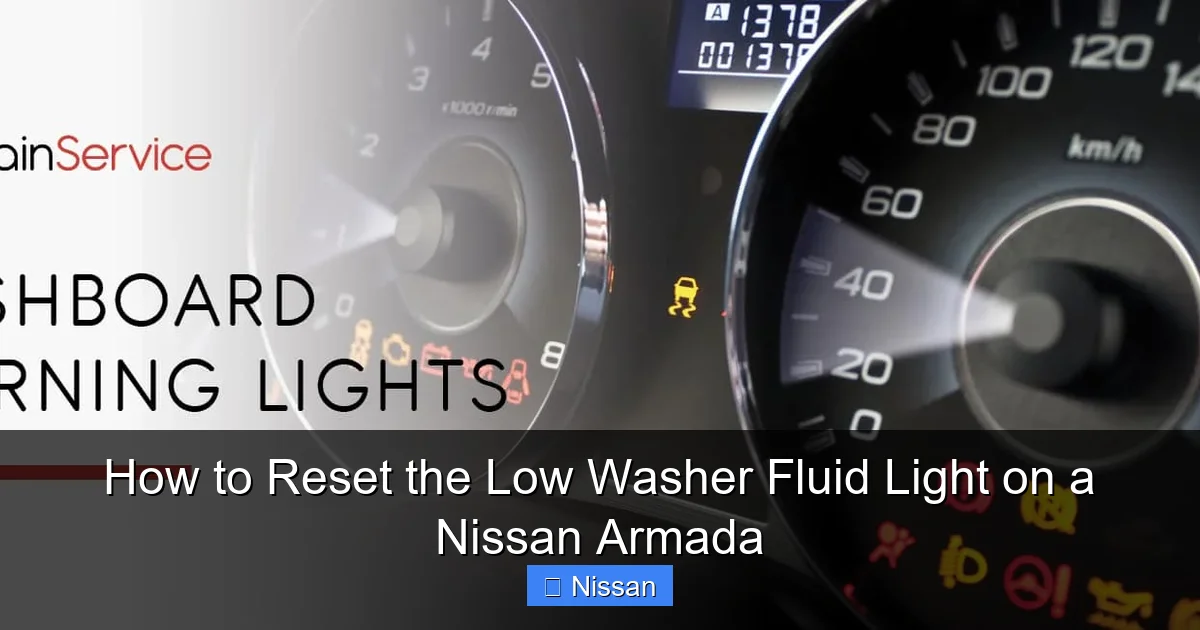
Visual guide about How to Reset the Low Washer Fluid Light on a Nissan Armada
Image source: carmechan.com
Preventing the low washer fluid light from coming on in the first place is always better than dealing with it after the fact. A little maintenance goes a long way in keeping your Nissan Armada’s windshield cleaning system running smoothly.
Use the Right Washer Fluid
Not all washer fluids are created equal. In colder climates, use a winter formula that’s rated for sub-zero temperatures (look for labels like “-30°F” or “Arctic”). These fluids contain antifreeze agents that prevent freezing in the reservoir, lines, and nozzles.
In warmer areas, an all-season fluid works fine. Avoid using household glass cleaners or diluted dish soap—they can damage seals and leave residue on your windshield.
Check Fluid Levels Regularly
Make it a habit to check your washer fluid every time you fill up with gas. It only takes a few seconds, and it can prevent unexpected warnings on the road.
If you notice the fluid level dropping quickly, investigate for leaks or excessive usage (like frequent spraying in dusty conditions).
Keep the Reservoir Clean
Over time, dirt and debris can accumulate in the reservoir. Every few months, rinse it out with clean water (when empty) to prevent clogs and sensor issues.
Avoid using high-pressure washers directly on the reservoir, as they can damage the plastic or force water into the sensor.
Inspect Nozzles and Hoses
Periodically check the washer nozzles on the hood. If they’re misaligned or clogged, your windshield won’t get cleaned properly. Use a pin to gently clear any blockages.
Also, inspect the hoses for cracks or brittleness, especially in older models. Replace any damaged hoses to maintain proper pressure.
Don’t Ignore Warning Lights
While the low washer fluid light might seem minor, ignoring it can lead to bigger problems. If the pump runs dry, it can overheat and fail prematurely. A failed pump means no windshield cleaning—dangerous in rain, snow, or dusty conditions.
Address the warning as soon as it appears. It’s a simple fix that can save you from costly repairs down the road.
Model Year Variations to Be Aware Of
The Nissan Armada has been in production since 2004, and while the basic design has remained consistent, there are some differences between model years that can affect how you reset the low washer fluid light.
2007–2015 Models
These older Armadas typically use a mechanical float sensor and a simpler instrument cluster. The reset procedure involves holding the trip odometer button while turning the ignition on. Some owners report that the light resets automatically after refilling the fluid and driving a short distance.
2016–2020 Models
Starting in 2016, Nissan introduced updated electronics and a more advanced dashboard display. The reset process is similar, but some models may require navigating through the “Settings” menu using the steering wheel controls.
If your Armada has a color display, you might see a “Vehicle Information” or “Maintenance” menu where you can reset warnings.
2021–2024 Models
The latest Armadas come with Nissan’s latest infotainment and driver assistance systems. The reset procedure is often integrated into the touchscreen or steering wheel menu.
To reset the washer fluid light, go to the “Settings” menu, then “Vehicle,” then “Warnings” or “Maintenance.” From there, you can manually clear the low fluid warning.
Always refer to your owner’s manual for the exact steps for your specific model year. If you’ve lost your manual, you can download a digital copy from Nissan’s official website using your VIN.
When to See a Mechanic
While most low washer fluid light issues can be resolved at home, there are times when professional help is needed.
If you’ve tried all the steps—refilling the fluid, tightening the cap, resetting the light, and even disconnecting the battery—and the warning still won’t go away, it’s time to visit a mechanic.
Possible causes include:
– A faulty washer fluid pump
– Damaged wiring to the sensor
– A malfunctioning body control module (BCM)
– Internal corrosion in the reservoir
A certified Nissan technician can run a diagnostic scan to pinpoint the issue. They’ll check for trouble codes related to the washer system and inspect the electrical connections.
Don’t ignore persistent warnings. What starts as a simple sensor glitch can turn into a more serious electrical problem if left unchecked.
Conclusion
Resetting the low washer fluid light on your Nissan Armada is a straightforward task that most owners can handle in under 10 minutes. By following the steps in this guide—checking fluid levels, using the trip odometer button, and ensuring a proper seal—you can clear the warning and keep your windshield clean and clear.
Remember, prevention is key. Regular maintenance, using the right fluid, and inspecting your system can help you avoid this issue altogether. And if the light keeps coming back, don’t hesitate to dig deeper or seek professional help.
Your Nissan Armada is built for adventure—don’t let a simple warning light slow you down. With the right knowledge and a little elbow grease, you’ve got this.
Frequently Asked Questions
Why does my Nissan Armada’s low washer fluid light stay on after I refill it?
The light may stay on if the cap isn’t sealed properly, the sensor is dirty, or the system needs a manual reset. Try tightening the cap and using the trip odometer button to reset the warning.
Can I use water instead of washer fluid in my Armada?
It’s not recommended. Water can freeze in cold weather, damage the pump, and leave mineral deposits. Always use a proper washer fluid designed for automotive use.
How often should I check my washer fluid level?
Check it every time you fill up your gas tank—about once a week for most drivers. This helps prevent unexpected low fluid warnings.
Will disconnecting the battery reset the low washer fluid light?
Yes, disconnecting the negative battery terminal for 10–15 minutes can reset the vehicle’s computer and clear stubborn warning lights, including the washer fluid alert.
Where is the washer fluid reservoir on a Nissan Armada?
The reservoir is usually located on the driver’s side of the engine bay, near the firewall. It’s a translucent plastic tank with a blue or white cap labeled “WASHER.”
What should I do if the washer fluid light comes on frequently?
Frequent warnings may indicate a leak, a faulty sensor, or a clogged system. Inspect hoses, nozzles, and the reservoir for damage, and consider having a mechanic diagnose the issue.