
How to Fix Chassis Control System Error on a Nissan Rogue

Encountering a chassis control system error on your Nissan Rogue can be alarming, but it’s often fixable with the right approach. This guide walks you through diagnosing the issue, understanding common causes, and applying practical solutions—from simple resets to professional repairs—so you can drive with confidence again.
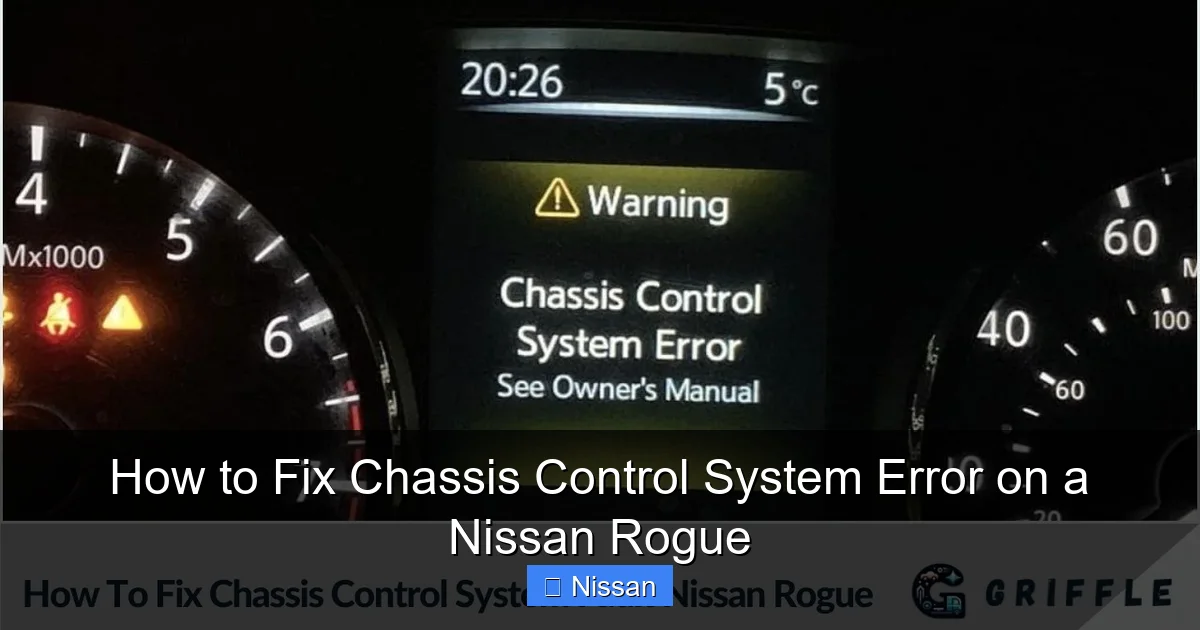
If you’ve ever been driving your Nissan Rogue—maybe cruising down the highway or navigating city streets—and suddenly seen a warning light flash on your dashboard that says “Chassis Control System Error,” you’re not alone. It’s one of those moments that sends a chill down your spine: Is it serious? Can I keep driving? What does it even mean?
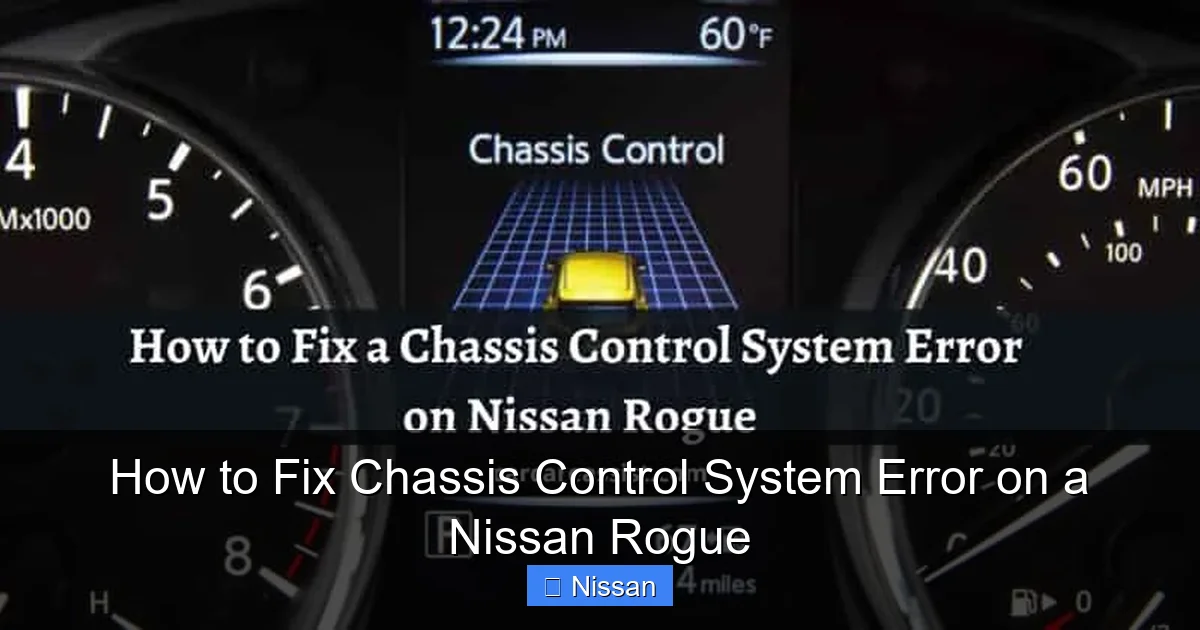
First, take a breath. While this warning shouldn’t be ignored, it doesn’t always signal a catastrophic failure. The chassis control system in your Rogue is actually a network of safety features working together—including electronic stability control (ESC), traction control, anti-lock braking system (ABS), and sometimes adaptive cruise control or hill start assist. When one of these components detects an anomaly, the vehicle’s onboard computer triggers the warning to alert you.
The good news? Many causes are relatively minor and fixable at home or with minimal cost. In this comprehensive guide, we’ll walk you through everything you need to know—from understanding what the error really means, to diagnosing the root cause, performing DIY fixes, and knowing when it’s time to visit a professional. Whether you’re a seasoned DIYer or just want peace of mind behind the wheel, this article will equip you with practical, actionable steps to resolve the issue and get back to enjoying your Rogue.
Key Takeaways
- Understand the warning: The chassis control system error indicates a problem with stability, traction, or braking systems—don’t ignore it.
- Check tire pressure and condition: Uneven or low tire pressure is a frequent trigger for false error messages.
- Inspect wheel speed sensors: Dirty or damaged sensors can disrupt communication with the control module.
- Reset the system safely: A proper key cycle or OBD2 reset can clear temporary glitches after repairs.
- Use an OBD2 scanner: Reading diagnostic trouble codes (DTCs) helps pinpoint the exact issue.
- Seek professional help when needed: Persistent or complex faults may require certified Nissan technician intervention.
- Prevent future errors: Regular maintenance and avoiding rough terrain reduce recurrence risk.
📑 Table of Contents
What Is the Chassis Control System in a Nissan Rogue?
Before diving into fixes, it’s important to understand what the chassis control system actually does. Think of it as your vehicle’s “safety brain.” It constantly monitors how your car is moving—whether it’s skidding, losing grip, or braking unevenly—and intervenes automatically to keep you stable and in control.
In the Nissan Rogue, this system integrates several key subsystems:
– **Electronic Stability Control (ESC):** Helps prevent skidding and loss of directional control by selectively braking individual wheels.
– **Traction Control System (TCS):** Prevents wheel spin during acceleration, especially on slippery surfaces.
– **Anti-lock Braking System (ABS):** Prevents wheel lockup during hard braking, allowing you to steer while stopping.
– **Brake Force Distribution (EBD):** Optimizes braking force between front and rear wheels based on load.
– **Hill Start Assist (HSA):** Holds the brake briefly when starting on an incline to prevent rollback.
All these systems rely on input from sensors—primarily wheel speed sensors located at each wheel hub—and communicate with a central control module. If any sensor sends inconsistent data, or if a component malfunctions, the system may flag an error.
It’s worth noting that the “Chassis Control System Error” message is a generic umbrella term. It doesn’t specify *which* part failed—just that something within this safety network isn’t functioning correctly. That’s why diagnosis is crucial.
Common Causes of the Chassis Control System Error
Visual guide about How to Fix Chassis Control System Error on a Nissan Rogue
Image source: griffle.com
Now that you know what the system does, let’s look at why it might throw an error. Understanding the most frequent culprits can save you time, money, and unnecessary stress.
1. Low or Uneven Tire Pressure
This might surprise you, but improper tire pressure is one of the top reasons for a false chassis control error. Why? Because wheel speed sensors detect rotational differences between tires. If one tire is significantly underinflated, it rotates faster than the others—even if you can’t see the difference visually. The system interprets this as a potential skid or loss of traction and triggers the warning.
For example, if your front left tire is at 28 psi while the others are at 35 psi (the recommended level for most Rogues), the discrepancy can confuse the ESC module. This is especially common after seasonal temperature changes, which cause natural pressure drops.
2. Dirty or Damaged Wheel Speed Sensors
Each wheel has a speed sensor that feeds real-time data to the control module. These sensors sit near the brake rotors and are exposed to dirt, road salt, moisture, and debris. Over time, buildup can interfere with their ability to read wheel rotation accurately.
In colder climates, ice or packed snow around the sensor can also cause temporary malfunctions. In more severe cases, physical damage—like hitting a deep pothole—can crack the sensor housing or dislodge its wiring.
3. Faulty ABS Module or Control Unit
The ABS control module is the “command center” for the entire chassis system. If it fails or develops a software glitch, it can send incorrect signals or fail to process sensor data properly. This often results in persistent error lights, even when all other components seem fine.
Symptoms may include the ABS light staying on, erratic brake behavior, or the chassis error appearing randomly.
4. Wiring or Connector Issues
Loose, corroded, or frayed wiring between the sensors and the control module can disrupt communication. This is especially common in older Rogues (2014–2018 models) where connectors near the wheel wells may degrade due to exposure to the elements.
A simple loose plug under the hood or near the firewall can sometimes trigger the error—even if everything else is working.
5. Recent Repairs or Modifications
If you’ve recently replaced brakes, rotors, or suspension components—or installed aftermarket wheels or tires—the system may need to be recalibrated. Mismatched tire sizes (even slightly different diameters) can confuse the wheel speed sensors.
Similarly, disconnecting the battery without proper reinitialization can sometimes cause temporary communication errors between modules.
6. Software Glitches or Firmware Bugs
Like any modern vehicle, the Rogue relies heavily on software. Occasionally, a bug in the chassis control module’s firmware can cause false error messages. Nissan has issued Technical Service Bulletins (TSBs) for certain model years addressing software-related chassis errors, so checking for updates is wise.
Step-by-Step Troubleshooting Guide
Visual guide about How to Fix Chassis Control System Error on a Nissan Rogue
Image source: carcareassist.com
Ready to tackle the problem? Follow this practical, step-by-step approach to diagnose and resolve the chassis control system error. Start with the simplest fixes before moving to more involved solutions.
Step 1: Check Tire Pressure and Condition
Grab your tire pressure gauge (or use the one at a gas station) and check all four tires—including the spare if you have one. Compare the readings to the recommended PSI listed on the driver’s side door jamb sticker (usually around 33–35 psi for most Rogue trims).
If any tire is low, inflate it to the correct level. Also, inspect tires for visible damage, uneven wear, or embedded objects. Even a small nail or crack can affect performance.
Pro tip: Always check tire pressure when the tires are cold (i.e., the car hasn’t been driven for at least 3 hours). Heat from driving increases pressure readings and can give false results.
After correcting pressure, drive the car for 10–15 minutes to allow the system to recalibrate. Often, the warning will disappear on its own.
Step 2: Perform a System Reset (Key Cycle)
Sometimes, the error is just a temporary glitch. A simple reset can clear it:
1. Turn the ignition to “OFF.”
2. Wait 30 seconds.
3. Turn the key to “ON” (but don’t start the engine).
4. Wait for all dashboard lights to illuminate and then turn off (about 10–15 seconds).
5. Turn the key back to “OFF.”
6. Wait another 30 seconds.
7. Start the engine normally.
This process reboots the vehicle’s electronic control units (ECUs), including the chassis module. If the error was caused by a momentary communication hiccup, this often resolves it.
Note: Avoid using the “auto-start” feature during this process—manually turn the key each time.
Step 3: Inspect Wheel Speed Sensors
If the error persists, it’s time to look at the sensors. You don’t need special tools for a visual inspection:
– Jack up the vehicle safely (use jack stands—never rely solely on a jack).
– Remove each wheel (optional but helpful).
– Locate the wheel speed sensor near the brake rotor—it’s usually a small black module with a wire leading to the harness.
– Check for dirt, rust, or physical damage.
– Gently clean the sensor and surrounding area with brake cleaner and a soft brush.
If you notice corrosion on the connector pins or a cracked housing, the sensor may need replacement. Replacement sensors cost $50–$150 each and can be installed with basic hand tools.
Step 4: Use an OBD2 Scanner to Read Error Codes
This is where things get precise. An OBD2 scanner plugs into the diagnostic port (usually under the dashboard near the steering column) and reads specific trouble codes stored in the vehicle’s computer.
Look for codes like:
– C1101–C1104: Wheel speed sensor circuit faults
– C1116: ABS actuator motor stuck
– C1145: Steering angle sensor malfunction
– U codes: Communication network issues
A basic code reader ($20–$50) can retrieve generic codes, but for full Nissan-specific diagnostics, consider a scanner like the Foxwell NT510 or Autel MaxiCOM—or visit a shop that has Nissan-compatible tools.
Once you have the code, you can research the exact meaning and recommended fix. For example, a C1102 code points directly to a problem with the front right wheel speed sensor.
Step 5: Check Fuses and Relays
A blown fuse can disable part of the chassis system. Locate your fuse box (usually under the hood or inside the cabin) and consult your owner’s manual for the fuse diagram.
Look for fuses labeled “ABS,” “ESC,” or “VDC” (Vehicle Dynamic Control—Nissan’s term for stability control). Replace any blown fuses with ones of the same amperage.
Also, check the ABS relay. If it’s faulty, swapping it with a known-good relay (like the horn relay) can help test functionality.
Step 6: Visit a Professional if Needed
If you’ve tried the above steps and the error remains—or if you’re uncomfortable performing diagnostics—it’s time to see a mechanic. A certified Nissan technician has access to advanced diagnostic tools (like Nissan Consult-III+) that can perform module resets, sensor calibrations, and software updates not available to the public.
They can also check for Technical Service Bulletins (TSBs) related to your model year. For instance, some 2017–2019 Rogues had a known issue with the steering angle sensor requiring a software update.
DIY Fixes You Can Try at Home

Visual guide about How to Fix Chassis Control System Error on a Nissan Rogue
Image source: goodfellasautotn.com
Many Rogue owners successfully resolve chassis errors without a trip to the dealership. Here are some proven DIY solutions:
Clean the Steering Angle Sensor
The steering angle sensor tells the system how far and fast you’re turning the wheel. If it’s misaligned or dirty, it can cause false stability warnings.
To reset it:
1. Park on a level surface.
2. Turn the steering wheel fully left, then fully right, then center it.
3. Turn the ignition to “ON” (don’t start).
4. Wait 10 seconds, then turn off.
5. Start the engine and drive straight for a few minutes.
Some models require a specific calibration procedure—check your service manual.
Reconnect the Battery Properly
If you’ve recently disconnected the battery (e.g., for cleaning terminals or replacing it), the system may need to relearn certain parameters.
After reconnecting:
– Turn the ignition to “ON” for 30 seconds without starting.
– Start the engine and idle for 5 minutes.
– Drive at varying speeds (including braking) to allow the system to recalibrate.
Update Vehicle Software (If Possible)
Some independent shops or Nissan dealers offer free software updates. Call your local service center and ask if there are any pending updates for your Rogue’s chassis control module—especially if your vehicle is under warranty or within a known TSB range.
When to Seek Professional Help
While many chassis errors are minor, some situations demand expert attention:
– The warning light stays on constantly, even after multiple resets.
– You notice unusual brake behavior (e.g., pulsing, reduced power, or grinding).
– Multiple warning lights appear simultaneously (e.g., ABS, brake, and traction control).
– The vehicle pulls to one side during braking.
– You hear clicking or humming from the ABS pump.
In these cases, continuing to drive could compromise safety. A professional can perform a full system scan, test hydraulic pressure, and replace faulty modules if needed.
Also, if your Rogue is still under warranty, attempting complex repairs yourself could void coverage. Always weigh the cost of DIY vs. professional service.
Preventing Future Chassis Control Errors
An ounce of prevention is worth a pound of cure. Here’s how to minimize the risk of seeing this error again:
– **Maintain proper tire pressure**—check monthly and before long trips.
– **Rotate tires regularly** (every 5,000–7,500 miles) to ensure even wear.
– **Avoid deep potholes and rough terrain** when possible—they can damage sensors and suspension.
– **Keep wheel wells clean**—rinse off salt, mud, and debris, especially in winter.
– **Use OEM or high-quality aftermarket parts** when replacing brakes or sensors.
– **Schedule regular inspections**—include chassis system checks during routine maintenance.
By staying proactive, you’ll not only avoid errors but also extend the life of your Rogue’s safety systems.
Conclusion
Seeing a “Chassis Control System Error” on your Nissan Rogue dashboard can be unsettling, but it’s rarely a sign of imminent disaster. More often than not, the issue stems from something simple—like low tire pressure, a dirty sensor, or a temporary software glitch—that you can fix yourself with a little patience and the right approach.
Start with the basics: check your tires, reset the system, and scan for codes. If those don’t work, inspect sensors and wiring. And remember, there’s no shame in calling a pro when needed—your safety is worth it.
With the steps outlined in this guide, you’re now equipped to diagnose, troubleshoot, and resolve chassis control issues confidently. Keep your Rogue well-maintained, stay alert to warning signs, and you’ll enjoy many more smooth, safe miles ahead.
Frequently Asked Questions
Can I still drive my Nissan Rogue with a chassis control system error?
You can drive short distances cautiously, but avoid highway speeds or adverse weather. The error means safety systems like ABS and stability control may not function properly, increasing accident risk.
How much does it cost to fix a chassis control error on a Rogue?
Costs vary widely—from $0 (if it’s just low tire pressure) to $200–$600 for sensor replacement or module repair. Professional diagnostics typically cost $100–$150.
Will disconnecting the battery reset the chassis control error?
Sometimes, but a proper key cycle (ignition on/off sequence) is more reliable. Simply disconnecting the battery may not fully reset all modules.
Do I need a special scanner for Nissan Rogue chassis errors?
A basic OBD2 scanner can read generic codes, but for full Nissan-specific diagnostics (like steering angle calibration), a compatible scanner or dealer tool is best.
Why does my chassis error come and go?
Intermittent errors are often caused by loose wiring, moisture in connectors, or temperature-sensitive sensor faults. These may worsen over time if not addressed.
Is the chassis control system covered under Nissan warranty?
Yes, if your Rogue is within the 3-year/36,000-mile basic warranty or 5-year/60,000-mile powertrain warranty. Some electrical components may also be covered longer under federal emissions rules.
