
How to Defrost Tesla Model Y

Defrosting your Tesla Model Y is incredibly convenient thanks to its advanced all-electric systems. You can activate the powerful defrost function remotely via the Tesla app, directly from the touchscreen, or automate it with Scheduled Departure. This guide covers every method, essential safety precautions, and troubleshooting tips to ensure you’re never stuck scraping ice in the cold.
Hey there, fellow Tesla owner! Have you ever stepped out on a frigid winter morning, coffee in hand, only to find your Model Y’s windshield and windows transformed into a solid sheet of ice? It’s a frustrating, chilly start to the day that feels like a step back in time to the days of scraping and shivering. But here’s the fantastic news: your Tesla Model Y is a modern marvel designed to make this ancient problem disappear. Defrosting your Tesla isn’t just about a button; it’s about leveraging smart, all-electric technology to have your car ready, warm, and clear before you even touch the handle. This guide will walk you through every single method, from the simplest tap on your screen to setting up a fully automated routine. We’ll cover safety, common pitfalls, and what to do if things don’t work as planned. By the end, you’ll wonder how you ever lived without these features.
Key Takeaways
- The Tesla app is your remote command center: You can activate max defrost from anywhere, warming the cabin and melting ice before you even go outside.
- The touchscreen offers immediate, manual control: A single tap on the defrost icon engages the system, with adjustable temperature and fan settings.
- Scheduled Departure automates preconditioning: Set a daily time for your Model Y to automatically defrost and heat/cool the cabin while plugged in, maximizing range.
- Cabin Overheat Protection is a related feature: This keeps the interior from getting too hot in summer and works similarly to the defrost system.
- Safety is paramount: Never use hot water or metal scrapers, as they can crack glass or damage heating elements. Always clear snow from the roof first.
- Manual defrosting is a last resort: Use only proper plastic or foam-tipped scrapers and de-icer sprays designed for automotive glass.
- Ineffective defrosting often points to issues: Check for software updates, ensure the 12V battery is healthy, and inspect rear window heating elements for damage.
📑 Table of Contents
- Understanding Your Tesla Model Y’s Defrost Systems
- Method 1: The Tesla Mobile App – Defrost from Anywhere
- Method 2: Using the Touchscreen – Immediate Control
- Method 3: Scheduled Departure – The Smart Preconditioning Trick
- Cabin Overheat Protection: A Related Feature for Year-Round Comfort
- Safety First: Precautions and Best Practices
- When Technology Fails: Manual Defrosting Methods
- Troubleshooting: Why Your Defrost Might Not Be Working Effectively
- Conclusion
Understanding Your Tesla Model Y’s Defrost Systems
Before we dive into the “how,” let’s quickly appreciate the “why.” Your Model Y defrosts using a combination of systems that work in harmony, all powered by the high-voltage traction battery.
The Core Components: Heat, Air, and Electricity
The primary defrost system uses the vehicle’s PTC (Positive Temperature Coefficient) heater. This is an efficient electric heater that warms the coolant, which then circulates through the heater core (like in a traditional car). Powerful blower fans push this warm air directly onto the windshield and front side windows through dedicated vents. Simultaneously, the rear window defroster uses thin, embedded heating elements (those little lines you see) that get warm when electricity passes through them, melting ice and evaporating condensation directly on the glass. The side mirror heaters work on the same principle. This entire process is managed by the vehicle’s sophisticated software, which knows exactly how much power to draw based on outside temperature and your settings.
Why It’s Different From a Gas Car
In a gasoline car, the heater relies on engine waste heat, which takes time to warm up. In your Tesla, the PTC heater provides instant, consistent heat the moment you ask for it. There’s no waiting for an engine to reach operating temperature. This is why you can have a toasty, ice-free cabin in just a few minutes, even on the coldest mornings. It’s also why using the defrost while the car is running (or plugged in) is so effective—it’s drawing a significant amount of power directly from the most abundant source available.
Method 1: The Tesla Mobile App – Defrost from Anywhere
This is the undisputed champion of convenience. Waking up to a snowy car is a thing of the past. With the Tesla app on your phone, you can start the defrost process from the comfort of your warm home.
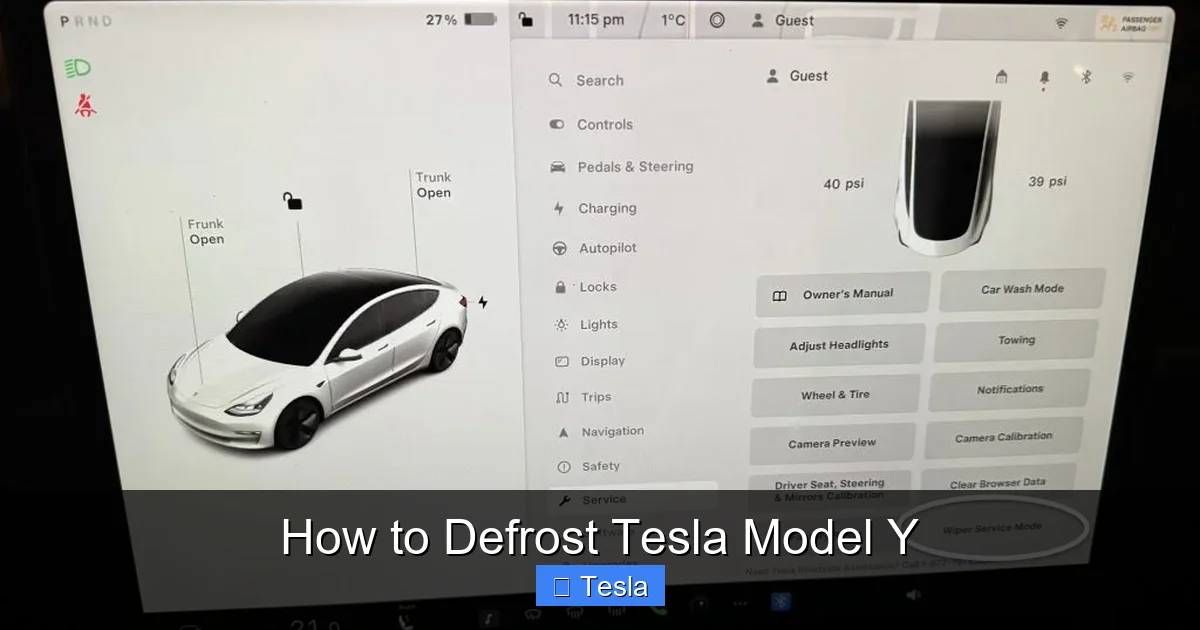
Visual guide about How to Defrost Tesla Model Y
Image source: tesloid.com
Step-by-Step: Using the App’s Climate Controls
1. Open your Tesla app and ensure your phone is connected to the internet (cellular or Wi-Fi).
2. Tap on your Model Y’s name/icon at the bottom of the screen.
3. You’ll see a large “Climate” button. Tap it.
4. This opens the climate control panel. At the top, you’ll see a dramatic icon of a windshield with wavy heat lines—that’s the “Max Defrost” button.
5. Tap “Max Defrost.”
6. The app will confirm, and you’ll see the status change to “Defrosting.” The system will immediately begin pumping warm air at maximum fan speed directly onto the windshield and front windows. The rear defroster will also activate.
Pro Tips for App Defrosting
- Do it while plugged in: If your Model Y is connected to a charger (especially a 220V outlet, which you can learn more about here), defrosting uses grid power instead of the battery. This preserves your state of charge for driving and is more efficient.
- Timing is everything: Start it about 10-15 minutes before you plan to leave. For moderate ice, this is plenty. For a thick layer of ice or snow, give it 20 minutes.
- Check the app for status: You can monitor the cabin temperature rising in the app. Once the ice is melted, you can tap “Off” or adjust the climate settings to a more comfortable level.
Method 2: Using the Touchscreen – Immediate Control
Sometimes you’re already near the car, or you prefer physical control. The touchscreen is your in-vehicle command center for climate.
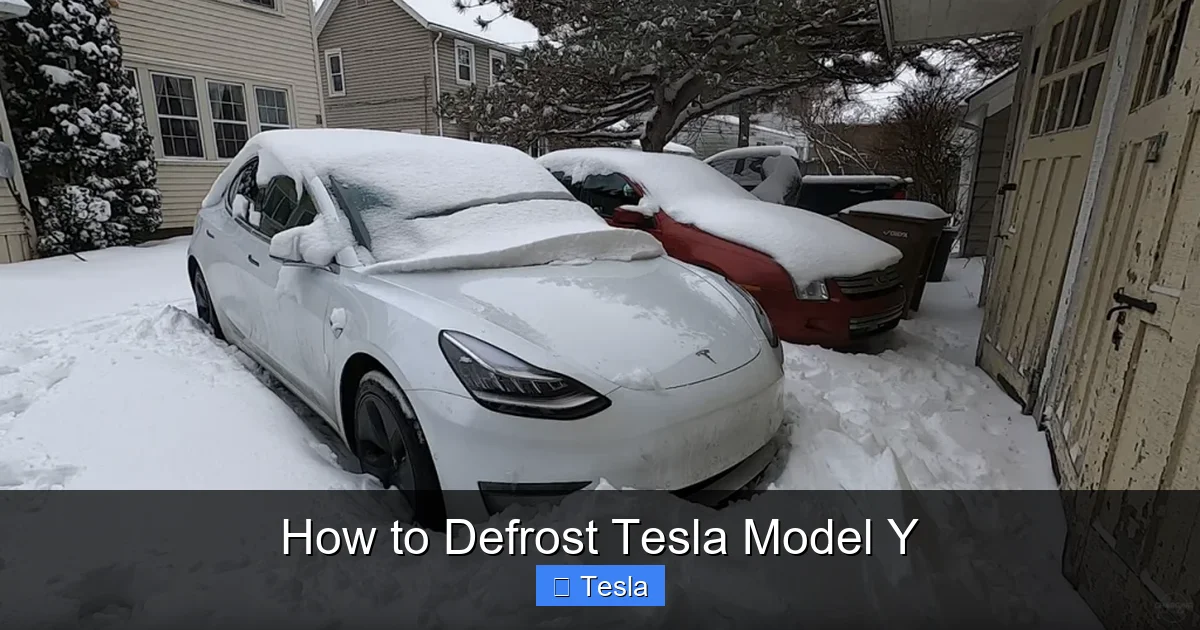
Visual guide about How to Defrost Tesla Model Y
Image source: driveteslacanada.ca
Navigating to the Defrost Setting
1. Enter your Model Y (or have it unlocked).
2. On the main screen, look at the bottom bar. You’ll see a fan icon. Tap it to open the full climate control menu.
3. At the very top of this menu, you’ll find the same windshield with heat waves icon. That’s your “Max Defrost” button.
4. Tap it. The fan will jump to its highest speed, the temperature will default to a high setting (usually 72°F or 22°C), and all defrost zones (front, rear, mirrors) will activate.
Manual Fine-Tuning
While “Max Defrost” is great for a quick blast, you can also manually control the system. After tapping the fan icon, you can:
• Drag the temperature slider to your preferred warmth.
• Adjust the fan speed separately.
• Use the directional air flow buttons to ensure air is blowing onto the windshield (the default for defrost is usually correct).
This manual method is useful if “Max Defrost” feels too intense or noisy for your final few minutes of clearing.
Method 3: Scheduled Departure – The Smart Preconditioning Trick
This is where your Model Y truly feels like a personal assistant. Scheduled Departure automates both defrosting (in winter) and cabin cooling (in summer). It’s the ultimate “set it and forget it” feature.
Visual guide about How to Defrost Tesla Model Y
Image source: teslafridge.com
How to Set Up Scheduled Departure
1. On the touchscreen, go to Controls > Charging.
2. Scroll down to “Scheduled Departure” and toggle it on.
3. Set your typical departure time (e.g., 8:00 AM, Monday-Friday).
4. You’ll see two key options:
– “Precondition”: This will start heating or cooling the cabin to your set temperature at a calculated time *before* your departure, so it’s perfect when you get in.
– “Off-Peak Charging”: If enabled, it will also try to finish charging during off-peak electricity hours, which is a huge cost-saver.
5. Ensure your car is plugged in overnight for this to work reliably and without draining the battery.
Why It’s a Game-Changer
Once programmed, your Model Y will automatically wake up, use grid power (if plugged in) to run the heater, and have the cabin warm and the windows clear right at your scheduled time. You never have to think about it again. It’s especially perfect for daily commuters with a consistent schedule. For those with variable schedules, you can easily adjust or skip the scheduled departure for the day directly from the app or screen.
Cabin Overheat Protection: A Related Feature for Year-Round Comfort
While focused on cold weather, it’s helpful to understand the sister feature: Cabin Overheat Protection. This system automatically activates the A/C to keep the interior from reaching dangerously high temperatures when parked in the sun. It works on the same principle as defrosting—using the climate system automatically based on conditions. You can set a maximum temperature (e.g., 100°F/38°C) in Controls > Safety > Cabin Overheat Protection. It’s a fantastic, passive comfort feature that, like Scheduled Departure, showcases how your Tesla manages its environment proactively.
Safety First: Precautions and Best Practices
Using high-tech defrost is safe, but you must be aware of how to interact with a cold, frozen vehicle.
The Golden Rule: Clear Snow Before Ice
Always use a soft brush or snow broom to remove all snow from the roof, hood, and trunk before you activate the defrost system. Why? Because as the ice melts on the windows, that large pile of snow on the roof will also start to melt and slide off suddenly when you drive, creating a dangerous “sheet of ice” hazard for you and vehicles behind you. Clearing snow first is non-negotiable for safety.
What NEVER To Do
- Do NOT pour hot or boiling water on the glass. The sudden temperature change can cause the windshield to crack due to thermal shock. It also just refreezes quickly, making things worse.
- Do NOT use metal scrapers, knives, or ice picks. These can easily scratch the glass, and if you press too hard, you risk damaging the delicate heating elements in the rear window. A scratch can also obscure your vision.
- Do NOT try to force frozen wipers. If the wipers are frozen to the glass, always use the defrost system first to thaw the bond. Forcing them can tear the rubber blade or damage the wiper arm linkage.
Protecting Your Investment: Windows and Tint
Many Model Y owners add aftermarket window tint for privacy and UV protection. It’s important to know that high-quality ceramic tints generally do not interfere with the defrosting system’s effectiveness. However, poor-quality metallic or dyed films can sometimes slightly reduce the efficiency of the rear window defroster’s heating elements. Always choose a reputable installer. If you’re considering tint, researching the cost to tint a Tesla Model Y from a professional is a wise first step to ensure you get a product that works seamlessly with your car’s systems. Similarly, any damage to the glass itself—like a chip or crack—compromises structural integrity and defrosting. If your window is damaged, understanding the cost to replace a Tesla window is crucial for timely repair.
When Technology Fails: Manual Defrosting Methods
What if your Tesla’s battery is dead, the system has an error, or you’re dealing with an extreme ice storm? You need a manual backup plan.
The Proper Tools for the Job
Invest in a good-quality plastic or foam-tipped ice scraper. These are designed to be effective on glass without scratching. A silicone squeegee can also work well once the ice is broken up. Always keep a bottle of automotive de-icer spray (containing isopropyl alcohol or similar) in your door pocket. Spray it on stubborn ice, wait 30 seconds, and it will significantly soften the bond.
The Technique: Patience and Pressure
1. Start at a corner or edge of the ice patch.
2. Apply firm, even pressure with your scraper. Don’t hack at it.
3. Work in small sections. Once you break the initial bond, the rest will come off in sheets.
4. For thick ice, use the de-icer spray liberally. Reapply as needed.
5. Never use your credit card, CD case, or any improvised metal tool. The risk of scratching is extremely high.
Troubleshooting: Why Your Defrost Might Not Be Working Effectively
If your defrost seems weak, slow, or isn’t activating, here’s a systematic check.
Step 1: Software and Settings
• Ensure your vehicle has the latest software updates. Tesla often improves climate control algorithms.
• Check that “Keep Climate On” is enabled if you’re using the app remotely while parked (this is a setting in the app itself).
• Verify the cabin temperature is set to a warm level (above 65°F/18°C).
Step 2: Power and Charging Status
• Is the car plugged in? Defrosting draws massive power. If the battery is very low (<20%), the system may limit power to preserve range for driving. Plugging in solves this.
• Check your 12V auxiliary battery. A weak 12V battery can cause various systems, including climate control, to malfunction. Your car will alert you if the 12V battery needs service.
Step 3: Physical Inspection
• Look at the rear windshield. Can you see any dark, broken lines in the heating element grid? This indicates damage, often from using a metal scraper. A damaged element will not heat properly.
• Ensure all vents are clear and not blocked by items on the dash or floor mats.
• Listen: when you activate defrost, do you hear the blower motor ramp up to a high speed? If not, there may be a fan issue.
Step 4: When to Contact Service
If you’ve checked all the above and the defrost is still ineffective, it’s time to schedule a service appointment through your Tesla app. Issues could lie with the PTC heater, the climate control computer, or wiring. This is not a typical DIY fix.
Conclusion
Mastering the defrost functions of your Tesla Model Y transforms one of winter’s biggest annoyances into a non-event. The power is literally at your fingertips—whether through the intuitive touchscreen, the magical remote control of the mobile app, or the automated intelligence of Scheduled Departure. Remember the core principles: use the tech, clear snow first, never use improper tools, and always prioritize safety. By integrating these methods into your routine, you’ll save precious time, avoid the bitter cold, and protect your vehicle’s glass and components. Your Tesla is more than just a car; it’s a smart, climate-controlled capsule. Now, go enjoy those frosty mornings from the comfort of a warm, clear windshield.
Frequently Asked Questions
Can I activate the Tesla Model Y defrost from inside my house?
Yes, absolutely. As long as your phone has an internet connection and your Model Y is within cellular range, you can use the Tesla app to start Max Defrost remotely from anywhere. This is the best way to ensure your car is clear and warm before you even go outside.
How long does it take to fully defrost a frozen windshield?
For a typical layer of ice and frost, the Max Defrost system will clear the windshield in about 10-15 minutes. For very thick ice (over 1/4 inch) or a heavy snow cover, plan for 20-25 minutes. Using Scheduled Departure or starting it via the app well in advance is key.
Will aftermarket window tint affect my Model Y’s defrosting performance?
High-quality ceramic or dyed films typically have no noticeable effect on defrosting speed. However, low-quality metallic films can sometimes slightly interfere with the rear window’s heating elements, making them less efficient. Always choose a reputable installer who uses automotive-grade film. For more on the costs and types of tint, see our guide.
What should I do if my rear window defroster isn’t working?
First, check if the front defrost is working. If only the rear is out, inspect the rear windshield for visible broken lines in the heating element grid—this indicates physical damage. If no damage is visible, it could be a blown fuse or a wiring issue. A software reboot (holding both scroll wheels on the steering wheel) can sometimes help. If the problem persists, schedule a service appointment.
Can I set my Model Y to defrost automatically every weekday morning?
Yes, that’s exactly what the Scheduled Departure feature is for. You set your typical departure time in the car’s Charging menu, and if the car is plugged in, it will automatically start preconditioning (heating or cooling) the cabin to your desired temperature at the optimal time before you leave.
Is it safe to use the defrost system while the car is driving?
Yes, it is completely safe and designed for use while driving. In fact, using the defrost during a snowy or rainy drive is essential for maintaining visibility. The system will automatically adjust fan speed and temperature to combat fogging and ice buildup on the move. Just be mindful that using max defrost will increase energy consumption and reduce your immediate range.
