
How to Disable Tesla Tracking

Disabling Tesla tracking entirely is not possible due to the vehicle’s connected design, but you can significantly reduce data collection. This involves adjusting app permissions, logging out of your Tesla account in the car, and understanding the trade-offs. You will lose critical features like remote access, navigation, and safety systems. This guide covers the practical steps, legal considerations, and privacy best practices for Tesla owners.
So, you’ve got a sleek, silent Tesla, and you love the instant torque and tech-forward cabin. But there’s a nagging thought: is this brilliant machine also a tracking device? You’re not paranoid; you’re privacy-aware. Tesla’s entire business model is built on data—from your driving habits to your location history. The question “How to disable Tesla tracking?” is one of the most common and complex we hear from owners. Let’s be clear upfront: you cannot completely disable all tracking on a modern Tesla without turning it into a very expensive, non-functional brick. The car is designed to be a connected device. However, you can take significant, legal steps to massively reduce the amount of data transmitted, reclaim a large portion of your privacy, and understand exactly what you’re sacrificing. This is your comprehensive, no-nonsense guide to doing just that.
Key Takeaways
- Complete Disabling is Impossible: Tesla vehicles require a constant data connection for core functionality, making total tracking cessation unfeasible without physically destroying connectivity modules.
- Primary Control is Via the App: The most effective privacy adjustments are made within the Tesla mobile app’s “Privacy & Security” settings, controlling data sharing preferences.
- Account Logout is a Key Step: Logging out of your Tesla account directly on the vehicle’s touchscreen severs the direct link to your personal profile and associated data history.
- Feature Loss is Guaranteed: Reducing tracking will disable essential features including remote app control, live traffic navigation, Sentry Mode, and over-the-air updates.
- Legal & Warranty Implications: Tampering with the vehicle’s telematics hardware (e.g., SIM card) violates Tesla’s terms of service and will void the warranty.
- Physical Removal is Last Resort: Removing the embedded cellular modem or GPS antenna is the only way to stop all signals but renders the car a “dumb” vehicle and is highly invasive.
- Trade-Off is Privacy vs. Functionality: You must consciously choose between the convenience of a connected car and the privacy of a minimally tracked vehicle.
📑 Table of Contents
- Understanding What “Tesla Tracking” Actually Means
- Legal Realities and Warranty Considerations
- Method 1: The Software Approach – Configuring the Tesla App
- Method 2: The Account Approach – Logging Out of Your Tesla Profile
- Method 3: The Nuclear (and Flawed) Option – Physical Hardware Tampering
- The Inevitable Trade-Off: What Features You Will Lose
- Privacy Best Practices Beyond the Car Itself
- Conclusion: Making an Informed Choice
Understanding What “Tesla Tracking” Actually Means
Before we talk about disabling anything, we need to understand what we’re dealing with. “Tracking” isn’t one single switch. It’s a suite of data streams flowing from your car to Tesla’s servers, and sometimes to third parties. This data collection serves multiple purposes: warranty diagnostics, product development, service scheduling, and enabling the features you pay for.
The Core Data Streams
Your Tesla is constantly communicating. The primary data categories include:
- Location Data: This is the big one. GPS pings are sent frequently, especially when using navigation, Sentry Mode, or the mobile app’s “Summon” feature. It builds a detailed map of your travels.
- Vehicle Telemetry: Speed, acceleration, brake usage, steering input, battery state, motor temperatures. This helps Tesla understand how cars are used and diagnose issues.
- Camera & Sensor Data: This is a hot topic. Tesla claims that data from the Autopilot cameras is primarily processed locally in the car for real-time decision-making. However, “shadow mode” data and clips triggered by events (like a potential collision or a Sentry Mode alert) are uploaded for training their neural networks.
- App & Account Data: Every time you use the Tesla app to honk the horn, flash the lights, or check the battery, that command and its associated location are logged.
Why Does Tesla Collect This Data?
It’s not (just) to spy on you. From Tesla’s perspective, this data is fuel for improvement. It’s used to:
- Refine Autopilot and Full Self-Driving (FSD) algorithms.
- Identify potential vehicle faults before they become serious (predictive maintenance).
- Provide you with services like real-time traffic, Supercharger availability, and remote diagnostics.
- Comply with regulatory requirements in some regions.
The trade-off is convenience and safety versus privacy. Our goal is to shift that balance as far toward privacy as possible without breaking the car.
Legal Realities and Warranty Considerations
This is the most critical section. Before you reach for a toolkit, you must understand the rules of the game.
Visual guide about How to Disable Tesla Tracking
Image source: teslarati.com
Terms of Service and Warranty
When you bought or leased your Tesla, you agreed to Tesla’s Terms of Service and Limited Warranty. These documents explicitly state that the vehicle’s connectivity systems (cellular modem, GPS) must remain unaltered and functional. Any physical tampering—cutting wires, removing modules, installing jammers—will immediately and permanently void your vehicle’s warranty. If a warranty issue arises, Tesla can and will point to this tampering as the cause, leaving you with a massive repair bill. This is non-negotiable.
Is It Even Legal?
The legality of disabling tracking depends heavily on your jurisdiction and how you do it.
- Using Software/App Settings: 100% legal. You are simply exercising the privacy options the manufacturer provides.
- Removing/Disabling Hardware: This is a gray area. Tampering with a vehicle’s federally mandated safety systems (which can include certain telematics for emergency services like eCall in Europe) may be illegal. Using GPS jammers is explicitly illegal in the United States under FCC regulations, as they interfere with critical communications.
- Contractual Violation: As above, you will be in breach of your purchase/lease agreement and warranty.
Bottom Line: Stick to software and account-based methods. They are the only safe, legal, and warranty-preserving ways to reduce tracking.
Method 1: The Software Approach – Configuring the Tesla App
This is your first and best line of defense. The Tesla mobile app is the primary gateway for much of the data you willingly share. Deep within its settings are the privacy controls.
Visual guide about How to Disable Tesla Tracking
Image source: koala.sh
Step-by-Step: Maximizing App Privacy
Open your Tesla app and follow these steps precisely:
- Go to “Security & Privacy”: Tap your car icon in the bottom right, then select “Security & Privacy.” This is the command center.
- Disable “Mobile Access”: This is the master switch. Turning this OFF severs the constant, low-level connection that allows the app to see your car’s location, status, and control it remotely. You will not be able to use the app at all until you re-enable it, typically by being near the car with your phone’s Bluetooth on. This is the single most effective step for stopping app-based tracking.
- Disable “Sentry Mode”: If you have it enabled, Sentry Mode uses the cameras to record activity around your car when parked. These video clips are uploaded to Tesla. Disabling it stops this specific stream of video data. You lose a valuable theft deterrent.
- Review “Data Sharing”: Look for toggles related to “Vehicle Software Updates” (OTA updates often require data), “Diagnostic Data,” and “Improve Autopilot.” Turn these OFF. Note that disabling OTA updates means you must manually install critical updates at a service center, which is inconvenient and potentially risky.
- Location Services (Phone OS): Go to your phone’s Settings > Tesla App > Location. Set it to “Never” or “While Using the App.” This prevents the app from accessing your phone’s GPS in the background, which can sometimes be used to infer the car’s last known location.
What This Achieves (And What It Doesn’t)
After these steps, your car will no longer “phone home” to your personal app account. However, the car itself still has a dormant cellular connection. It will still ping the network for basic connectivity (to check for updates if you left that on, for emergency services, for basic map data if you use navigation without live traffic). It is not a “ghost” yet. For that, we need the next method.
Method 2: The Account Approach – Logging Out of Your Tesla Profile
This is a crucial but often overlooked step. Your Tesla profile (the one you log into on the touchscreen with your Tesla account email) is deeply tied to your data.
Visual guide about How to Disable Tesla Tracking
Image source: automotivesimple.com
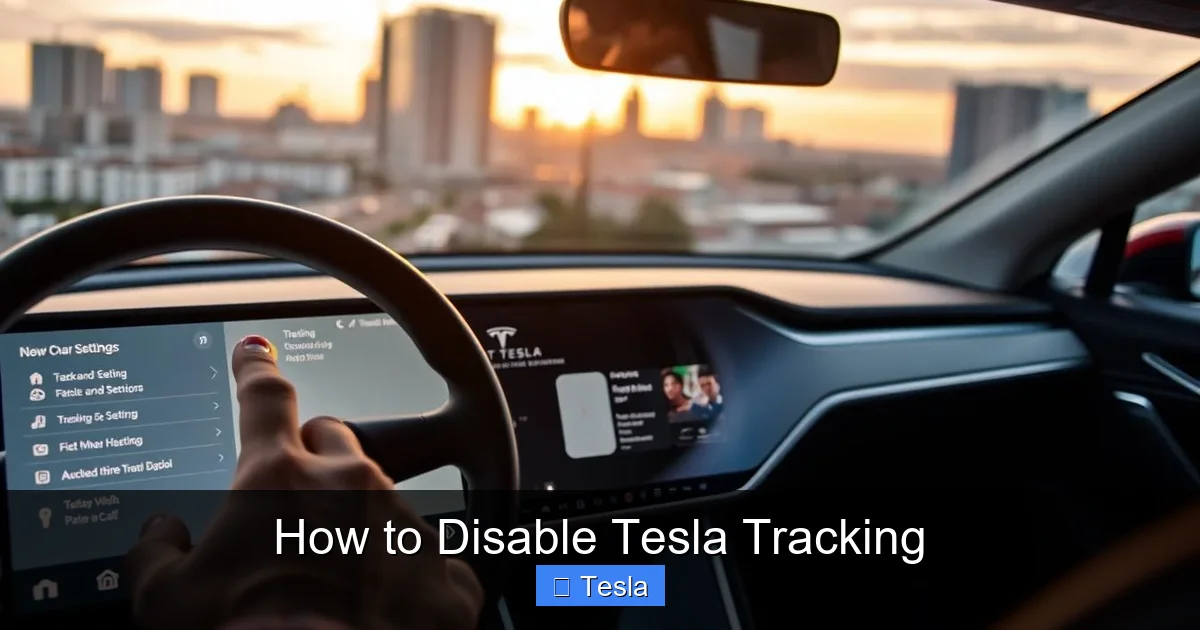
How to Log Out of the Car
On the touchscreen, navigate to:
- Safety & Security > Driver Profile > Log Out (path may vary slightly by model/year).
- You will be prompted to confirm. Do so.
The car will now show a generic “Guest” or “Tesla” profile. You will lose all personalized settings: seat/mirror memory, radio presets, climate preferences, etc. They are stored in your cloud account.
Why This Matters for Privacy
When logged in, your driving sessions—including routes, speed, and energy usage—are tagged to your personal account. Logging out breaks that direct link. The car will still transmit anonymous telemetry (a serial number, not your name), but the rich, identifiable profile associated with your account is no longer being actively updated. To re-enable personalization, you must log back in, which re-establishes the data link.
Method 3: The Nuclear (and Flawed) Option – Physical Hardware Tampering
WARNING: This section is for informational purposes only. We strongly advise against performing these actions. They will void your warranty, may be illegal, and can permanently damage your vehicle.
The “SIM Card” Myth
Many online forums suggest popping out the car’s SIM card. This is usually ineffective and risky. The SIM in a Tesla is often soldered directly onto the main computer board (MCU). Even if you find an accessible module, removing it will trigger multiple fault codes, disable all connectivity (including emergency services), and likely brick the infotainment system, requiring a costly visit to Tesla Service to fix. It does not stop the GPS module, which may have its own separate power and data line.
GPS Antenna or Modem Disconnection
The only way to stop all signals is to physically disconnect the antennas for the cellular modem and the GPS module. These are typically located in the rear bumper, under the roof trim, or inside the fender. This requires extensive disassembly of the vehicle. The consequences are total:
- No navigation (no map loading, no routing).
- No app functionality (cannot locate, unlock, or precondition).
- No Sentry Mode, no live traffic, no Spotify streaming, no browser.
- Potential issues with charging (some Supercharger authentication relies on connectivity).
- Constant, nagging error messages on the touchscreen.
- Voided warranty.
You have essentially purchased a luxury EV with the usability of a 1990s car. For the vast majority, this is an unacceptable price for privacy.
The Inevitable Trade-Off: What Features You Will Lose
Let’s be brutally honest about the functionality you sacrifice when you aggressively disable tracking.
The Connected Car Experience is Gone
By combining Method 1 (App settings) and Method 2 (Account logout), you create a “semi-offline” Tesla. Here’s what you lose:
- Remote Control: No more honking to find your car in a parking lot, no pre-heating or cooling the cabin from your phone, no checking charge levels remotely.
- Navigation: You can still enter an address and get a route, but without live traffic, you’ll be blind to jams and accidents. Map updates will only come via occasional manual USB installs at a service center.
- Sentry Mode & Dashcam: These are disabled, removing a key security feature. The dashcam will only record locally (if you have a USB drive installed) but won’t save “clips” of incidents.
- Streaming Media: Services like Spotify, Netflix, and TuneIn require a data connection and will stop working.
- Software Updates: Over-the-air (OTA) updates will cease. You will only get critical safety updates when you bring the car in for service, missing out on new features and bug fixes.
- Service Convenience: Remote diagnostics by Tesla Service are impossible. They may need to physically connect to your car for any issue.
The “Sane Middle Ground”
For most privacy-conscious owners, the optimal strategy is:
- Use the Tesla app settings to disable all non-essential data sharing (Sentry, diagnostic sharing, improve Autopilot).
- Keep “Mobile Access” ON but be aware it enables location sharing. Accept this trade-off for remote functionality.
- Log out of your Tesla profile on the car when you don’t need personalization (e.g., on a long trip with a passenger, or if lending the car). Log back in when you want your settings.
- Use the car’s built-in navigation without live traffic, accepting slower travel times.
- Physically cover the interior camera when not using it for driver monitoring (if your model has it).
This balances a usable car with a significantly reduced data footprint.
Privacy Best Practices Beyond the Car Itself
Your privacy shield doesn’t end with the car’s settings. Consider your broader ecosystem.
Payment & Charging Data
When you pay for Supercharging with your Tesla account, that transaction (time, location, kWh) is logged. To reduce this, you can use a prepaid credit card with a virtual number for your Tesla account, or use third-party charging networks that don’t require an account (where available). For home charging, your utility company sees your charging patterns, which is a separate privacy layer.
Third-Party Apps and Integrations
If you’ve linked your Tesla to IFTTT, Alexa, or other smart home platforms, those integrations create additional data pathways. Review and revoke access to any third-party apps you no longer use via your Tesla account on the web.
When Selling or Leasing a Tesla
This is a critical privacy moment. Before handing over the keys, you must:
- Perform a factory reset from the touchscreen (Settings > Safety & Security > Factory Reset). This wipes all personal data, profiles, and paired phones from the car.
- Log into your Tesla account on the web and remove the vehicle from your account. This severs the permanent link between the car and your identity.
- Cancel any charging subscriptions (like Premium Connectivity) tied to your account.
Failing to do this means the new owner could potentially access your historical trip data, home/work locations, and even remotely control the car if you didn’t log out.
Conclusion: Making an Informed Choice
Disabling Tesla tracking is less about finding a single off switch and more about making a series of deliberate choices. The fully connected Tesla is an incredible machine, but it comes with a privacy cost you now understand. You have the power to dial that cost down substantially using the app and account settings. You can choose to log out of your profile when privacy is paramount. You can forgo the convenience of remote control and live traffic for a more isolated driving experience.
What you cannot do is have it all. You cannot have full remote functionality, constant map updates, and Sentry Mode while also being completely untracked. The architecture simply doesn’t allow it. Your path forward is to decide which features you value most and adjust your settings accordingly. Use the “sane middle ground” approach: disable data sharing you don’t need, keep what you do, and always remember to perform a factory reset when the car leaves your possession. Your Tesla can be a more private machine, but it will always be a connected one. That is the price of admission to the future of driving.
Frequently Asked Questions
Can I completely stop my Tesla from being tracked?
No, not without physically destroying its connectivity hardware, which will void your warranty and brick essential features. The car needs a cellular connection for basic functions and safety systems. You can only reduce, not eliminate, data transmission.
Will disabling tracking affect my Tesla’s warranty?
Using software settings in the app or logging out of your account will not affect your warranty. However, any physical tampering with the car’s telematics hardware (modem, GPS antenna, SIM card) will immediately void your vehicle’s limited warranty.
What is the single most effective step to reduce tracking?
Disabling “Mobile Access” in the Tesla mobile app’s Security & Privacy settings. This severs the constant, personal connection between your phone and the car, stopping location sharing and remote control. The trade-off is losing all app functionality.
If I log out of my Tesla account on the touchscreen, is my data safe?
Logging out breaks the direct link between your driving sessions and your personal profile, which is a major privacy win. However, the car will still send anonymous telemetry to Tesla. For maximum privacy, combine this with disabling data sharing in the mobile app.
Will my navigation still work if I disable tracking?
Basic, offline navigation will work. You can enter an address and get a route using the map data stored on the car’s USB drive. However, you will lose live traffic updates, automatic rerouting around jams, and Supercharger station availability info.
Do I need to disable tracking before selling my Tesla?
Absolutely. You must perform a factory reset from the car’s settings to wipe all personal data and profiles. Then, you must remove the vehicle from your Tesla account online. This severs the permanent link and protects your privacy and account security.
