
How to Defrost a Tesla Model Y

Defrosting your Tesla Model Y is a seamless, tech-driven process that eliminates the need for manual scraping. You can activate the powerful climate control system remotely via the Tesla app, with a single tap on the touchscreen, or by scheduling departure. This method is safer, faster, and more effective than traditional techniques, ensuring optimal visibility and comfort before you even get in the car.
Key Takeaways
- Use the Tesla App: The most convenient method is to remotely pre-heat the cabin and activate defrost from your smartphone, saving time and ensuring a clear windshield.
- The Touchscreen Defrost Button: The physical fan icon button on the touchscreen instantly directs maximum heated air to the front and rear windows and side mirrors.
- Schedule Departure: Program your daily commute time; the car will automatically precondition the battery and cabin, including defrosting, before you leave.
- NEVER Use Hot Water or Ice Scrapers: Pouring hot water can crack glass due to thermal shock. Metal scrapers can scratch coatings and sensors. Let Tesla’s system do the work.
- Defrost Button is Dual-Function: It activates both front windshield defrost and the rear window heater, along with mirror heaters, for complete visibility.
- Pre-Condition While Plugged In: For fastest results and minimal battery impact, use scheduled departure or remote start while the vehicle is connected to a charger, like a dedicated 220V outlet.
- Aftermarket Tint Can Affect Performance: Be aware that certain aftermarket window tint, especially metallized films, can interfere with the rear window heater’s efficiency.
📑 Table of Contents
- Why Defrosting a Tesla Model Y is Completely Different (and Better)
- How the Tesla Model Y’s Defrost System Actually Works
- Method 1: The Gold Standard – Using the Tesla Mobile App
- Method 2: The Direct Approach – Using the Touchscreen Inside the Car
- Method 3: The Set-and-Forget Solution – Scheduled Departure
- Critical Mistakes to Avoid: What NOT To Do
- Seasonal Preparation and Maintenance for Optimal Defrosting
- Troubleshooting: When Defrost Isn’t Working Properly
- The Bottom Line: Embrace the Tech
Why Defrosting a Tesla Model Y is Completely Different (and Better)
If you’re used to the winter morning ritual of scraping ice off your windshield while your breath freezes in the air, owning a Tesla Model Y will feel like a revelation. Defrosting a Tesla isn’t about brute force; it’s about intelligent, remote climate control. The traditional method of starting the engine and waiting for the heater to warm up is replaced by instant, electric heat directed precisely where it’s needed. This system is a core part of Tesla’s philosophy: using software and electric power to solve old problems elegantly. Understanding how to properly use this system is one of the first and most valuable skills a new Model Y owner learns, transforming a dreaded chore into a background task handled by your phone.
The Model Y’s defrost system is integrated into its sophisticated heat pump (or PTC heater in some models) and climate control network. It doesn’t just blow warm air; it actively manages the temperature of the cabin, the windshield, the rear glass, and even the side mirrors. This is possible because the car’s high-voltage battery can deliver massive electrical power instantly, something a gas engine’s alternator can’t match when cold. The goal is to melt ice and evaporate condensation as efficiently as possible without you having to lift a finger—or an ice scraper.
How the Tesla Model Y’s Defrost System Actually Works
The Hardware: Heat Pumps, Heating Elements, and Fans
Underneath the sleek minimalist interior lies a complex thermal management system. Most modern Model Ys use a heat pump, which is incredibly efficient at moving heat from the outside air (even when it’s cold) into the cabin. Some earlier models use a positive temperature coefficient (PTC) heater, which is a simple electric resistance heater. Both systems are powered directly from the high-voltage battery, allowing for rapid heat generation.
Visual guide about How to Defrost a Tesla Model Y
Image source: tesloid.com
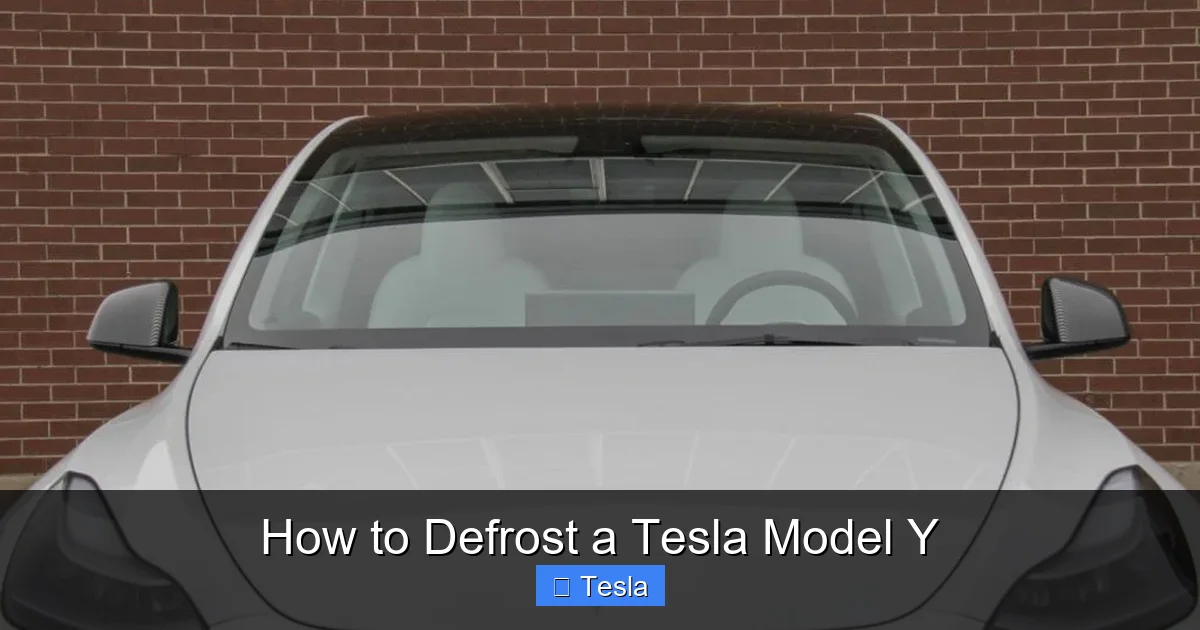
The defrost function specifically targets the front windshield, rear window, and side mirrors. These surfaces have embedded, transparent resistive heating elements—think of them as very thin, clear wires in the glass. When activated, electricity runs through these elements, generating heat that melts ice and evaporates moisture. The climate control system’s blower fans then push this warm air onto the glass surfaces from the dashboard vents, accelerating the process. The system is smart enough to prioritize defrost over cabin heating when you press the defrost button.
The Software: Your Command Center
The magic is in the software integration. The defrost command can be issued from three primary places: the Tesla mobile app on your phone, the main touchscreen inside the car, and via voice command. Furthermore, you can schedule this action to happen automatically at a set time each day. The car’s software calculates how much power is needed and manages the battery’s energy use accordingly. If the car is plugged in, it will draw power from the wall connector instead of the battery, which is ideal for preserving your driving range. This level of integration means you can be sipping coffee indoors while your car handles the worst of the winter mess for you.
Method 1: The Gold Standard – Using the Tesla Mobile App
This is the most powerful and convenient method for defrosting a Tesla Model Y. The app gives you control from anywhere, turning a 10-minute scraping session into a 5-minute wait from your front door. Here’s exactly how to do it and why it’s so effective.
Visual guide about How to Defrost a Tesla Model Y
Image source: aear.cc
Step-by-Step: Remote Climate Control
1. Ensure Connectivity: Your Model Y must have a cellular or Wi-Fi connection. Check the app’s connection status. The car also needs to be within cellular range, typically several hundred feet to a few miles depending on signal strength.
2. Open the Tesla App: Navigate to the main control panel for your vehicle.
3. Activate Climate Control: Look for the icon that looks like a fan or a temperature symbol. Tap it. This immediately starts the HVAC system.
4. Enable Defrost Mode: Once climate control is active, you’ll see additional options. Tap the “Defrost” icon, which usually looks like a windshield with wavy lines. This tells the car to direct maximum heat to the windows and mirrors.
5. Set Temperature (Optional but Recommended): For fastest ice melting, set the cabin temperature to a high value, like 75°F or 24°C. The system will use this as a target for its heat output.
6. Wait and Monitor: The app will show the climate control status as “On” or “Defrosting.” You can typically see the interior temperature rising. In moderate cold, significant clearing can happen in 5-10 minutes. In heavy ice or extreme cold, allow 15-20 minutes.
Pro Tips for App-Based Defrosting
- Use While Plugged In: If your car is connected to a charger, this process uses grid power, saving your battery. It’s the perfect time to use a 220V outlet for maximum efficiency and speed.
- Check for Preconditioning: If you have “Scheduled Departure” set up, the car may already be in its preconditioning cycle, which includes defrost. The app will show this status.
- Don’t Forget the Charge Port: If there’s ice on the charge port door, the app’s preconditioning cycle will often automatically open and heat it as well.
Method 2: The Direct Approach – Using the Touchscreen Inside the Car
If you’re already in the car or prefer physical controls, the touchscreen method is instantaneous. It’s also the way to manually override any automated schedule.
Visual guide about How to Defrost a Tesla Model Y
Image source: teslaoracle.com
Finding the Defrost Button
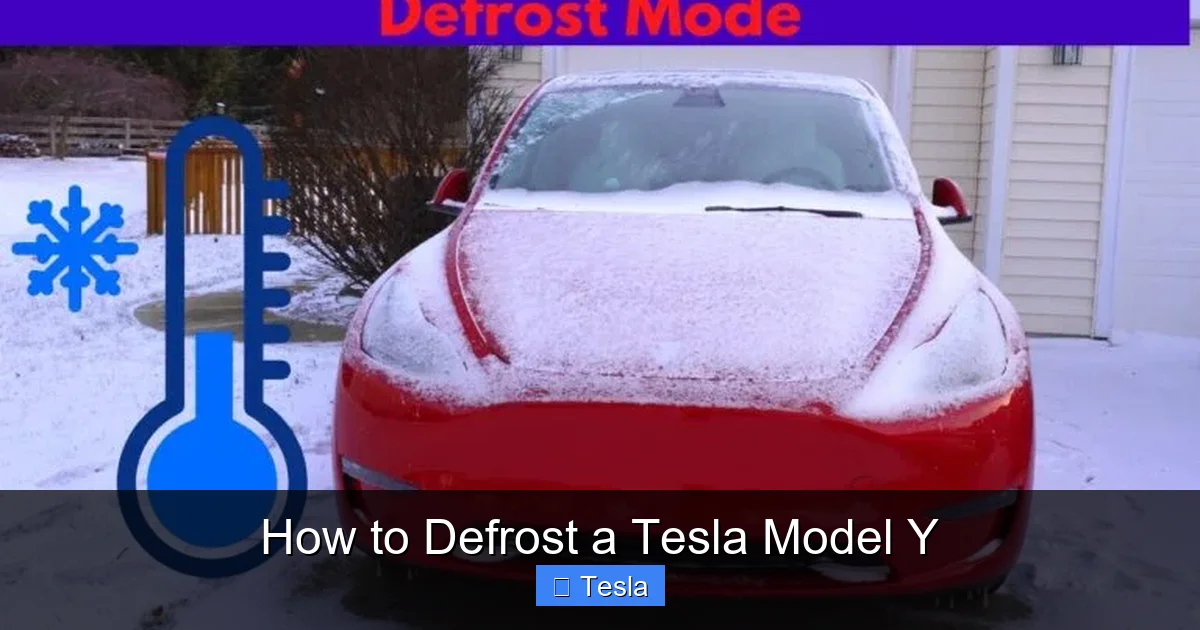
The primary defrost control is a large, dedicated button on the bottom center of the touchscreen. It’s universally recognized by its icon: a rectangle representing a windshield with upward-pointing wavy lines (heat waves). It’s always visible on the climate control bar, which is usually pinned to the bottom of the screen.
Simply press this button once. You will see the icon illuminate or change color (often to blue or white), indicating it’s active. The climate control system will immediately switch to defrost mode. The fan speed will automatically increase to a high setting, and the temperature will default to a warm setting (usually “Auto” or a specific high temperature).
Understanding the Dual-Function Button
This single button activates a three-part system:
- Front Windshield: Heated air from the dash vents blows onto the glass, while the windshield’s embedded heating elements (if equipped—most Teslas have them) activate.
- Rear Window: The thin heating lines in the rear glass turn on immediately.
- Side Mirrors: The heating elements in the mirror glass activate, clearing them of frost and fog.
This is a comprehensive visibility package. To turn it off, simply press the button again. The system will return to your previous climate settings.
Voice Command for Hands-Free Defrosting
While sitting in the driver’s seat, you can use the voice command button on the steering wheel (or say “Hey Tesla” if enabled). Simply say, “Turn on defrost” or “Activate windshield defrost.” The car will execute the command exactly as if you pressed the button. This is incredibly useful if your hands are full or you’re already seated with the seatbelt on.
Method 3: The Set-and-Forget Solution – Scheduled Departure
For anyone with a regular commute, Scheduled Departure is the ultimate defrost automation tool. It combines battery preconditioning (warming the battery for optimal performance and range) with cabin climate control, including defrost.
How to Set Up Scheduled Departure
1. On the touchscreen, go to Controls > Charging > Schedule.
2. Toggle “Scheduled Departure” to “On.”
3. Set your typical departure time (e.g., 8:00 AM, Monday-Friday).
4. Choose “Precondition” for “At scheduled time.” This tells the car to start the HVAC system at that time.
5. (Optional) Enable “Precondition for” if you want it to start earlier, like 30 minutes before departure.
6. Ensure your car is plugged in overnight. The system will use wall power to perform the defrost and cabin warming without draining the battery.
Why This is a Game-Changer
Once set, you never have to think about defrosting again. On a cold winter morning, you walk out to a car with a clear windshield, warm cabin, and a pre-warmed battery that’s ready for maximum efficiency. The system intelligently calculates how early to start based on the outside temperature to achieve your desired cabin temperature by departure time. It’s the pinnacle of Tesla’s “it just works” philosophy for cold-weather ownership.
Critical Mistakes to Avoid: What NOT To Do
Even with this advanced system, some old habits die hard. Here are crucial actions to avoid, as they can damage your Model Y.
Never Use a Traditional Ice Scraper on the Windshield
The Tesla Model Y windshield is a standard piece of laminated glass, but aggressive scraping is still a bad idea. More importantly, the front camera (used for Autopilot and safety features) is mounted behind the windshield, near the rearview mirror. Scraping ice forcefully around this area risks chipping the glass or, worse, dislodging or damaging the camera housing or its mounting. Always let the heated defrost system do the work. If you must remove ice before the system kicks in, use a soft plastic scraper with gentle, pushing motions away from the camera area.
Never Pour Hot Water on Frozen Glass
This is a classic shortcut that is a guaranteed way to crack your windshield. The rapid temperature change from hot tap water (often 120°F+) to freezing glass (0°F or below) creates immense thermal stress. The glass cannot expand and contract quickly enough, leading to cracks. Use only the car’s controlled, gradual heating system.
Ignoring the Scheduled Departure Feature
Manually activating defrost every morning is a missed opportunity for automation. Setting up Scheduled Departure once saves you daily effort and ensures the battery is also preconditioned, which is vital for range and performance in cold weather.
Using Aftermarket Products that Interfere
Be cautious with aftermarket modifications. For example, certain metallized window tints for the rear glass can block or significantly reduce the effectiveness of the rear window heater’s radiant heat. Always use non-metallic, IR-rejecting films if you tint your rear window. Similarly, poorly installed vinyl wraps on the body don’t affect defrosting, but keep all adhesives and materials away from the window seals and camera areas.
Seasonal Preparation and Maintenance for Optimal Defrosting
Your defrost system’s efficiency depends on more than just the button you press. Proper seasonal maintenance ensures it works at its peak.
Winter-Specific Wiper Blades and Fluid
Install winter wiper blades before the first freeze. These have a rubber boot that prevents ice and snow from building up in the blade frame, which can cause chatter and streaking. Pair them with a high-quality, low-temperature windshield washer fluid (rated to -20°F or lower). This fluid helps melt light ice and snow during operation and prevents the fluid itself from freezing in the lines and nozzles.
Check and Clean All Sensors and Cameras
The front camera, forward-facing radar (if equipped), and multiple ultrasonic sensors rely on a clear view. Ice, snow, or mud caked on the front bumper or around the windshield can disable Autopilot and other safety features. After defrosting, always check and clear these areas manually. The car will often display a warning message if a camera is obstructed.
Ensure Proper Tire Pressure
Cold temperatures reduce tire pressure. Under-inflated tires create more rolling resistance, which drains the battery faster. This is critical because a strong defrost cycle uses significant energy. Properly inflated tires (check the sticker on the driver’s door jamb for the Model Y’s recommended PSI) ensure you’re not wasting energy that could be used for cabin heating. Proper pressure is also key for tire pressure monitoring system accuracy, though the process is different in a Tesla.
Consider All-Weather Floor Mats
While not directly related to windshield defrost, all-weather mats (like Tesla’s own or third-party options) contain snow, slush, and salt. This prevents a huge amount of moisture from being tracked into the cabin, which would otherwise create constant fogging on the windows, forcing your defrost system to work overtime.
Troubleshooting: When Defrost Isn’t Working Properly
While rare, issues can arise. Here’s a systematic approach to diagnosing a defrost problem in your Model Y.
Step 1: Basic Checks
First, ensure you’re commanding the system correctly. Is the defrost button illuminated? Is the climate control fan actually blowing? Check the touchscreen’s climate control interface to see if the fan speed is set to “Off.” Sometimes a setting gets changed. Also, verify your 12V battery is healthy. A severely weak 12V battery can cause odd electrical faults in the 12V system, which controls some HVAC components. The car will usually warn you of a 12V battery issue on the touchscreen.
Step 2: Look for Error Messages
The touchscreen may display a message like “Climate Control Unavailable” or “Reduce Speed to Enable Climate.” The latter indicates the battery is too cold or low on charge to power the full HVAC system. If the battery is very cold (<20°F), it may prioritize keeping itself warm over cabin heat. Plugging in the car is the fastest solution. “Climate Control Unavailable” can sometimes be resolved by a simple soft reboot of the touchscreen: hold down both scroll wheels on the steering wheel until the screen goes black and restarts.
Step 3: Check for Physical Obstructions or Damage
Inspect the rear window for any aftermarket tint or film that might be bubbling or delaminating, blocking the heating elements. Look at the windshield from the inside for any cracks or damage near the edges where the heating elements (if present) reside. Also, ensure the cabin air filter isn’t clogged with debris; a severely restricted filter can reduce airflow. Replacing the cabin filter is a simple DIY task on the Model Y.
Step 4: Service Mode and Professional Help
If all else fails, the issue may be a faulty HVAC blower motor, a failed heating element in the glass, or a problem with the heat pump/PTC unit. At this point, it’s time to use the Tesla app to schedule a service appointment. The mobile app’s “Service” section allows you to describe the problem (“defrost not working”) and upload photos or videos. A Tesla technician can often run remote diagnostics to pinpoint the faulty component before dispatching a mobile unit or asking you to visit a Service Center.
The Bottom Line: Embrace the Tech
Defrosting a Tesla Model Y isn’t just a task; it’s a feature. It showcases the fundamental advantages of an electric, software-defined vehicle. By moving this chore to the digital realm—via your phone, a scheduled time, or a voice command—Tesla has eliminated a universal winter nuisance. The key is to understand your tools: the app for ultimate convenience, the touchscreen for immediate control, and Scheduled Departure for true automation. Avoid the old-school pitfalls of scraping and hot water. Combine these methods with good winter maintenance habits, and you’ll never dread a frosty morning again. Your Tesla is designed to work for you, and its defrost system is a perfect example of that promise in action, every single cold day of the year.
Frequently Asked Questions
How long does it take to fully defrost a frozen Tesla Model Y windshield?
It depends on the severity of the ice and outside temperature. Using the app or touchscreen defrost mode on a moderately frozen windshield (a thin layer of ice) typically takes 5-10 minutes. For thick ice or extreme cold (below 0°F/-18°C), allow 15-20 minutes. Using Scheduled Departure or activating it while plugged into a 220V outlet will provide the most power and fastest results.
Can I use the Tesla app to defrost my car if it’s not plugged in?
Yes, you can. The app will activate the climate control and defrost systems using the vehicle’s battery power. However, this will consume a significant amount of stored energy (potentially several miles of range). For minimal battery impact and maximum heating speed, it’s always recommended to have the car connected to a charger when preconditioning.
Is it safe to pour warm water on a frozen Tesla windshield to speed up defrosting?
Absolutely not. Pouring any temperature of water on frozen glass is dangerous due to thermal shock. The sudden heat from the water can cause the windshield to crack. Furthermore, the water will refreeze almost instantly in cold air, creating an even more dangerous layer of ice. Always rely on the car’s built-in heating system.
Will aftermarket window tint affect the rear defroster’s performance?
Yes, it can. The rear window defroster relies on thin, transparent heating elements embedded in the glass. Applying a metallized or metallic window tint film over this glass can block or interfere with the radiant heat, making the defroster much less effective or even completely ineffective. Always specify a non-metallic, IR-rejecting film when tinting the rear window of a Tesla. You can learn more about specific Tesla Model Y tint costs and considerations.
Why is my Tesla’s defrost not blowing hot air?
First, ensure the defrost button is active and the fan speed is set high. If the air is blowing but not hot, the cabin temperature setting may be too low. Set it to a higher temperature (e.g., 72°F+). If the air is still cool, the battery may be extremely cold, and the system is prioritizing battery warming over cabin heat. Plugging in the car will resolve this. A very low 12V battery can also cause HVAC faults; check for any 12V battery warnings on the screen.
Can I schedule defrosting for different times on different days?
Yes. The Scheduled Departure feature in your Model Y allows you to set different departure times for different days of the week. You can program a unique schedule for weekdays and a separate one for weekends. This ensures your car is defrosted and preconditioned exactly when you need it, regardless of your varying routine.
