
How to Reset Oil Life on a 2009 Honda Civic

Resetting the oil life on your 2009 Honda Civic is a simple, crucial step after every oil change. It tells your car’s computer that you’ve performed maintenance, allowing the accurate Oil Life Monitor to start counting down from 100% again. You can do this yourself in under a minute using just the ignition and trip meter buttons—no special tools required.
Hey there, fellow 2009 Honda Civic owner! Let’s talk about that little wrench icon that sometimes appears on your dashboard. That’s your car’s way of saying, “Hey, it’s time for some love!” More specifically, it’s the Maintenance Minder System telling you your engine oil life is running low. Now, you’ve just finished a great DIY oil change, or maybe your trusted mechanic did it. The new oil is in, the filter is fresh, and the old oil is properly disposed of. There’s just one vital step left: resetting that oil life monitor to 100%. If you skip this, your Civic’s computer will still think it’s due for service, and that wrench will keep haunting you. Don’t worry; it’s one of the easiest things you can do for your car. This guide will walk you through it, step-by-step.
First, a quick note on what we’re dealing with. Your 2009 Civic uses Honda’s sophisticated Maintenance Minder System. This isn’t a simple mileage-based timer. It’s an algorithm that actually considers your driving conditions—stop-and-go traffic, extreme temperatures, long highway drives—to calculate the true degradation rate of your engine oil. That’s why it’s so much smarter than the old “change oil every 3,000 miles” rule. When you reset it, you’re telling the system, “The oil is new, start the clock on a fresh batch.” It’s a critical part of maintaining your engine’s health and ensuring your car’s service intervals are accurate. Let’s get into the how-to.
Key Takeaways
- The Oil Life Monitor is a smart algorithm: It doesn’t track mileage alone; it calculates oil degradation based on engine revolutions, temperature, and driving habits. Resetting it starts this accurate calculation fresh.
- Never reset before changing the oil: Resetting without replacing the oil and filter defeats the system’s purpose and can lead to engine damage. Always perform the maintenance first.
- Two primary reset methods exist: The standard manual method using the dash buttons works for most trims. Some models or after-market radios may require a professional scan tool reset.
- The “wrench” or maintenance light is your cue: When oil life drops to 15%, a wrench icon illuminates. At 5%, it blinks. Resetting clears this alert after your service.
- Resetting is part of the service: Whether you DIY or go to a shop, confirming the reset is part of the process. If the light comes back on quickly, the reset may have failed.
- Consult your owner’s manual: It has the definitive procedure for your specific trim (LX, EX, etc.) and is the best reference for any unique steps.
📑 Table of Contents
- Understanding Your 2009 Honda Civic’s Oil Life Monitor
- Method 1: The Classic Button Reset Procedure (The Most Common Method)
- Method 2: Using an OBD2 Scanner (For Tricky Situations)
- When to Reset Oil Life (Timing Matters)
- Troubleshooting: Why Won’t My Oil Life Reset?
- Pro Tips and Best Practices for Your 2009 Civic
Understanding Your 2009 Honda Civic’s Oil Life Monitor
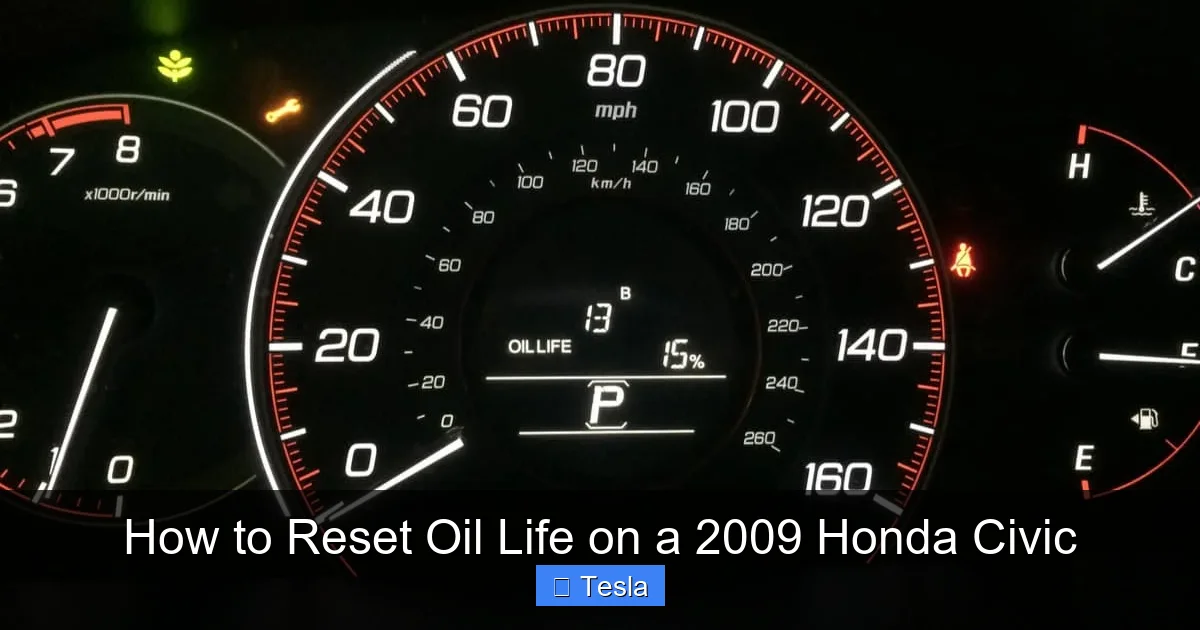
Before we push any buttons, it helps to understand what we’re resetting. The system you’re interacting with is part of the instrument cluster. You’ll see a small icon that looks like a wrench or sometimes the word “MAINTENANCE” on your multi-information display. This is the Maintenance Minder indicator. It doesn’t just monitor oil; it tracks other services too (like tire rotation), but the oil life percentage is the most common alert.
How the Oil Life Percentage Works
The system starts at 100% when you reset it after an oil change. As you drive, it counts down based on the algorithm mentioned earlier. At 15% oil life, the wrench icon illuminates as a courtesy reminder. At 5%, it begins to blink, which is your “change it now” warning. Once it hits 0%, the system will simply display “0%” and the wrench may stay on. The key is that the percentage is *relative* to the oil’s condition, not an exact mileage. One driver might get 7,000 miles from 100% to 0% with mostly highway driving, while another in city traffic might only get 4,000. That’s why resetting it correctly after *every* oil change is non-negotiable for accurate future readings.
Why You Must Reset It After an Oil Change
Imagine you just put fresh, clean oil in your engine. The oil life monitor is still showing “15%” because it has no idea you performed service. It thinks the old, degraded oil is still circulating. If you don’t reset it, two bad things happen. First, you’ll get a false warning soon, causing unnecessary stress. Second, and more importantly, the system’s calculations for your *next* service interval will be completely thrown off. It will start its new countdown from an inaccurate baseline, potentially leading you to change oil too early or, worse, too late. Resetting is how you synchronize the human action (changing the oil) with the computer’s tracking.
Method 1: The Classic Button Reset Procedure (The Most Common Method)
This is the standard, factory-recommended method for the vast majority of 2009 Honda Civic models. It uses the buttons on your steering wheel or dash to navigate the trip meter display. The exact button labels might differ slightly between base LX models and sportier EX trims, but the logic is identical. You’ll be using the “SELECT/RESET” button (often on the end of the turn signal stalk) and the “INFO” or “TRIP” button to navigate the menu.

Visual guide about How to Reset Oil Life on a 2009 Honda Civic
Image source: carglassadvisor.com
Step-by-Step Button Sequence
Ready? Make sure your car is parked, the parking brake is set, and the engine is off. You can do this with the key in the “ON” (II) position or with a push-button start car by pressing the start button twice without touching the brake pedal (this puts it in “ON” mode without cranking the engine). All the dash lights should be on, but the engine shouldn’t be running. Here we go:
- Turn the ignition to the ON position. This is the position right before you start the engine. All your dashboard lights, including the wrench icon, should be illuminated.
- Press and hold the “SELECT/RESET” button. This is the button you normally use to reset your trip odometer or scroll through the display. You’ll find it on the turn signal lever for most models. Hold it down.
- While holding “SELECT/RESET,” turn the ignition OFF. Keep that button depressed as you turn the key to the lock (OFF) position. You’ll need to hold it for about 10-15 seconds total. The display will likely go blank or show dashes.
- Release the button, then turn the ignition back ON. Let go of the button, then turn the key back to the ON position (II). Don’t start the engine.
- Press the “SELECT/RESET” button once or twice. You should now be able to cycle through the displays on your trip meter screen. You’re looking for a display that shows “OIL LIFE” or a percentage like “15%”. Keep pressing the button until you see the oil life percentage.
- Press and hold the “SELECT/RESET” button again. When the oil life percentage is displayed, press and hold the same button. The percentage will begin to blink.
- Continue holding until it resets to 100%. Keep holding the button. After a few seconds of blinking, the display will change and show “100%”. Once you see 100%, you can release the button. The wrench icon should go out immediately.
That’s it! You’ve successfully reset your oil life. Start the engine to confirm the wrench light is off. If it comes back on immediately, you may have missed a step or your model has a slightly different sequence. Double-check your owner’s manual. For some 2009 Civics, you might need to use the “INFO” button to get to the maintenance menu first before using the reset button. The manual is your best friend here.
Method 2: Using an OBD2 Scanner (For Tricky Situations)
What if the button method doesn’t work? This can happen if your car has an aftermarket radio that interferes with the dash cluster communication, or in very rare cases, a glitch in the body control module. In these instances, you’ll need a scan tool that can access the Honda-specific maintenance reset functions. This is what professional mechanics and quick-lube shops use.
Visual guide about How to Reset Oil Life on a 2009 Honda Civic
Image source: mechanicbase.com
What You Need
You’ll need an OBD2 scanner that is not just a generic code reader but has “maintenance reset” or “service reset” capabilities for Honda vehicles. Popular affordable options include the Autel, Launch, or even some advanced Bluetooth adapters paired with a smartphone app like “Honda HDS” (though that’s more professional-grade). The key is that the software must have the specific function to reset the Maintenance Minder System, not just clear check engine lights.
The Scanner Process
The process is straightforward with the right tool:
- Connect the scanner: Plug the OBD2 adapter into the port under your dashboard, usually to the left of the steering column.
- Turn the ignition ON. Don’t start the engine.
- Navigate the scanner menu: Using the scanner’s buttons, find the menu for “Maintenance” or “Service Reset.” The exact wording varies by brand.
- Select “Oil Life Reset” or “Maintenance Minder Reset.” The scanner will communicate with your car’s computer.
- Follow on-screen prompts. It will typically ask you to confirm. Select “Yes” or “Reset.”
- Wait for confirmation. The scanner will display a success message. The wrench light on your dash should go out immediately.
- Disconnect the scanner. Turn the ignition off and then on again to verify the light is off.
This method is foolproof but requires an investment in a capable scanner. For a one-time reset, it’s often cheaper to have a shop do it for a small fee. However, if you plan to own and service your Civic long-term, a good scanner is a fantastic investment. It can also help you diagnose other issues, like a persistent brake system light, which might be related to worn pads or fluid issues.
When to Reset Oil Life (Timing Matters)
This seems obvious, but it’s worth stating clearly: reset the oil life ONLY immediately after you have physically changed the engine oil and filter. Do not reset it as a “test” or if you haven’t done the service. Doing so will make your maintenance minder useless. The system is designed to count down from a fresh start point.
Visual guide about How to Reset Oil Life on a 2009 Honda Civic
Image source: carglassadvisor.com
The Perfect Reset Moment
The ideal sequence is: Drain old oil -> Replace filter -> Install drain plug -> Pour in correct new oil (check level with dipstick) -> Start engine, let it run for 30 seconds, check for leaks -> Turn engine off -> Perform the reset procedure. By resetting right after the change, you ensure the countdown begins with pristine oil in a clean system. If you reset hours or days later, you’ve already lost some of the new oil’s life, and the percentage will start counting down from a slightly inaccurate point. It’s a small detail, but it matters for precision.
What If I Forget and Drive with 0% Oil Life?
First, don’t panic. The “0%” reading is a severe warning, but it’s not an immediate countdown to explosion. It means the oil is heavily degraded and should be changed immediately. Driving short distances to get to a shop or your home garage is generally okay, but avoid long trips, high speeds, or heavy loads. Get the oil changed as soon as possible. Once you do change it, reset the system. The car will “forgive” the over-mileage; the reset simply starts the new cycle. However, consistently ignoring the warnings is a surefire way to cause premature engine wear or catastrophic failure. Also, be aware that severe driving conditions might cause the oil life to deplete faster than the recommended interval, so the wrench light is a more reliable guide than a fixed mileage number.
Troubleshooting: Why Won’t My Oil Life Reset?
You followed the steps perfectly, but the wrench light stays on, or the percentage won’t change to 100%. Before you panic, let’s troubleshoot.
Common Issues and Fixes
- Wrong Button Sequence: This is the #1 culprit. The 2009 Civic can be picky. Are you holding the button long enough during the reset phase? The percentage must blink before it resets. Are you sure you’re in the correct menu (showing the oil life percentage, not the trip odometer)? Try the sequence again slowly, consulting your owner’s manual for the exact diagram of your specific trim’s buttons.
- Ignition Position: Ensure you are in the “ON” (II) position, not “START” (III). The system won’t allow a reset while the engine is cranking or running.
- Faulty Button: If the “SELECT/RESET” button is sticky or unresponsive (maybe it’s hard to reset the trip odometer too), it may be physically damaged. This requires a button replacement or cluster repair.
- Electrical Glitch: Sometimes, a weak battery can cause communication errors. Try a “soft reset”: disconnect the negative battery terminal for 10 minutes, reconnect, and try the button sequence again. This can reboot the Body Control Module.
- Aftermarket Radio/Alarm: If your Civic has an aftermarket stereo or security system that was poorly installed, it can interfere with the CAN bus network that controls the dash displays. This is a known issue. You may need to have it professionally removed or re-wired.
- Failed Instrument Cluster: In rare cases, the instrument cluster itself has failed. If no dash lights work or other gauges are acting up, this is a possibility. This requires professional diagnosis and cluster replacement or repair.
If you’ve exhausted the manual method and suspect an electrical issue, it’s time to visit a trusted mechanic or a Honda dealership. They have the proprietary Honda Diagnostic System (HDS) scanner that can communicate directly with all modules. They can force a reset or diagnose a deeper problem. While you’re there, you might also ask them to check for any other pending alerts, like a TPMS light that might need attention after a tire service.
Pro Tips and Best Practices for Your 2009 Civic
Now that you’re a reset pro, let’s level up your Civic maintenance game.
The Right Oil is Half the Battle
Resetting is pointless if you use the wrong oil. Your 2009 Civic (most 4-cylinder models) requires 0W-20 or 5W-20 synthetic oil for optimal performance and to satisfy the Maintenance Minder’s calculations. Using a non-synthetic or incorrect weight can cause the oil life monitor to degrade the oil faster, meaning you’ll get service warnings sooner and potentially harm the engine. Always check your owner’s manual cap or manual for the exact specification. For the 1.8L engine, 5W-20 is standard, but later model years and some markets specified 0W-20. When in doubt, use what Honda recommended for that year.
Reset is Part of the Service Record
If you ever sell your Civic, a complete and consistent service history is a huge selling point. Documenting that you changed the oil *and* reset the light (you can even take a photo of the 100% display) proves you followed proper maintenance procedures. It shows the buyer the car has been cared for intelligently. This is especially true for a model like the 2009 Civic, known for its longevity when well-maintained.
Don’t Confuse the Wrench with Other Lights
The wrench is for maintenance. It is not the same as the “Check Engine” light (which is an engine-shaped icon), the “TPMS” light (an exclamation point in a tire cross-section), or the “ABS” light. If you see a different warning, you have a different problem. For instance, if your check emission system light is on, that’s an EVAP or emissions issue, not an oil issue. Know your dash symbols!
The 5% Warning is Your Final Call
When the oil life hits 5%, the wrench starts blinking. This is your “stop what you’re doing and schedule an oil change immediately” signal. The system gives you a small buffer (usually a few hundred miles, depending on driving) but don’t push it. Changing the oil at 5-10% is the sweet spot for protecting your engine and not wasting oil life.
Frequently Asked Questions
Can I reset the oil life without changing the oil?
Technically yes, but you should never do this. Resetting tells the car’s computer the oil is new and clean. If you reset without changing the oil, you’re lying to the system. It will start counting down from 100% with old, degraded oil, which can lead to engine damage and will give you a false sense of security until the next warning comes much sooner than it should.
How long can I drive on 5% oil life?
It’s not an exact science, but you should plan to change the oil within 100-300 miles of seeing the 5% blinking warning. The system is telling you the oil is at the end of its useful life. Driving beyond this point increases the risk of increased engine wear. Treat it as an urgent reminder, not a suggestion.
My oil life is at 15% but I just changed the oil. Why?
This means the previous owner or the shop that changed your oil forgot to reset the system. The monitor is still using the old oil’s degradation data. Simply perform the reset procedure outlined in this article after your next oil change, or if you’re certain the oil is new, you can reset it now (though it’s best practice to reset immediately after the physical service).
Will disconnecting the battery reset the oil life?
No. Disconnecting the battery will reset the clock and radio presets, but it will not reset the Maintenance Minder System. That data is stored in a non-volatile memory within the Body Control Module that retains settings even when power is lost. You must use the specific button sequence or a scan tool.
What if the wrench light comes back on right after I reset it?
This indicates a failed reset. Go back through the button sequence carefully, ensuring you hold the reset button long enough to see it change to 100%. If it still returns, there may be an underlying electrical issue or a faulty button. You may need to use a scan tool (Method 2) or have a professional diagnose why the system won’t accept the reset command.
Does the oil life monitor account for the type of oil I use?
Yes, but indirectly. The algorithm is calibrated for the oil specifications recommended by Honda (typically 0W-20 or 5W-20 full synthetic). Using a conventional oil or a different viscosity may cause the oil to degrade faster under the same driving conditions, meaning the percentage will drop more quickly. Always use the recommended oil for the most accurate readings and best engine protection.
