
Is the Tesla Mobile Connector Waterproof?

The Tesla Mobile Connector is water-resistant, not fully waterproof. It carries an IP54 rating, meaning it can handle water splashes and light rain but is not designed for submersion or heavy downpours. Proper storage and avoiding extreme wet conditions are key to its longevity. Always inspect it for damage and keep connections dry for safe, reliable charging.
So, you’ve got your Tesla, and you’re using the Mobile Connector that came with it. It’s that handy, portable charger that lets you top up from a standard outlet. But then a thought strikes you as you’re charging during a drizzle or storing it in the garage: “Is this thing waterproof? What happens if it gets wet?” It’s a smart question. After all, your charger sits outside, maybe under a tree, or in your trunk during a rainy day. Understanding its water resistance isn’t just about curiosity—it’s about protecting your investment and ensuring safe, reliable charging for years to come. Let’s dive deep into the facts, the ratings, real-world performance, and exactly how you should treat your Tesla Mobile Connector around water.
Key Takeaways
- IP54 Rating: The Mobile Connector is officially rated IP54, protecting against dust and water splashes from any direction, but it is not waterproof for immersion.
- Not for Submersion: Never submerge the connector in water, leave it in puddles, or use it during heavy rainstorms without shelter.
- Light Rain is Generally Safe: It can typically withstand brief exposure to light rain or snow, but you should still minimize direct, prolonged wet exposure.
- Proper Storage is Crucial: Always store the connector in a dry place when not in use, and ensure both the connector and vehicle port are dry before plugging in.
- Inspect Regularly: Check for cracks, corrosion, or damage to the connector and cable, especially after exposure to wet conditions.
- Warranty Limitations: Water damage due to misuse or neglect is generally not covered under Tesla’s warranty, so preventive care is essential.
- Compare Alternatives: Some third-party chargers offer higher IP ratings (e.g., IP65/66), but the Mobile Connector balances portability with adequate weather resistance for most users.
📑 Table of Contents
- Understanding the Tesla Mobile Connector: What It Is and Why Water Resistance Matters
- Decoding IP Ratings: What “IP54” Actually Means for Your Mobile Connector
- Real-World Performance: Can You Use it in the Rain? What About Snow?
- Proper Care, Storage, and Maintenance: Maximizing Lifespan in All Weather
- Comparing to the Competition: How Does Tesla’s Water Resistance Stack Up?
- Purchasing, Warranty, and Troubleshooting: Your Practical Guide
- Conclusion: Peace of Mind with Proper Use
Understanding the Tesla Mobile Connector: What It Is and Why Water Resistance Matters
Before we talk water, let’s get clear on what the Mobile Connector actually is. It’s Tesla’s basic, portable charging cable. You plug the small, rectangular box (the connector itself) into your Tesla’s charge port, and the other end has a standard NEMA plug (like a 14-50 or 5-15) that goes into a wall outlet or generator. It’s not a home wall connector; it’s meant for travel, emergencies, or slower daily charging at home if you don’t have a dedicated station.
The Design and Intended Use
Tesla designed the Mobile Connector for flexibility. It’s lightweight, coils up easily, and lives in your trunk. Because it’s meant to be used in various environments—driveways, parking lots, friends’ houses, campgrounds—it needs some level of weather resistance. You can’t expect a charger that occasionally sits on a damp driveway or gets a few raindrops to be as fragile as a smartphone. But “some resistance” is not the same as “waterproof.” That distinction is critical.
Why Water Resistance is a Big Deal for EV Chargers
Electricity and water are a dangerous mix. If water gets inside the connector’s electronics, it can cause short circuits, corrosion, or even create a shock hazard. A charger that fails in wet conditions could damage your Tesla’s charging port or, in a worst-case scenario, pose a safety risk. That’s why manufacturers assign IP (Ingress Protection) ratings. It’s not just marketing; it’s a standardized measure of how well a device is sealed against solids (like dust) and liquids (like water). Knowing your Mobile Connector’s IP rating tells you exactly what it can survive.
Decoding IP Ratings: What “IP54” Actually Means for Your Mobile Connector
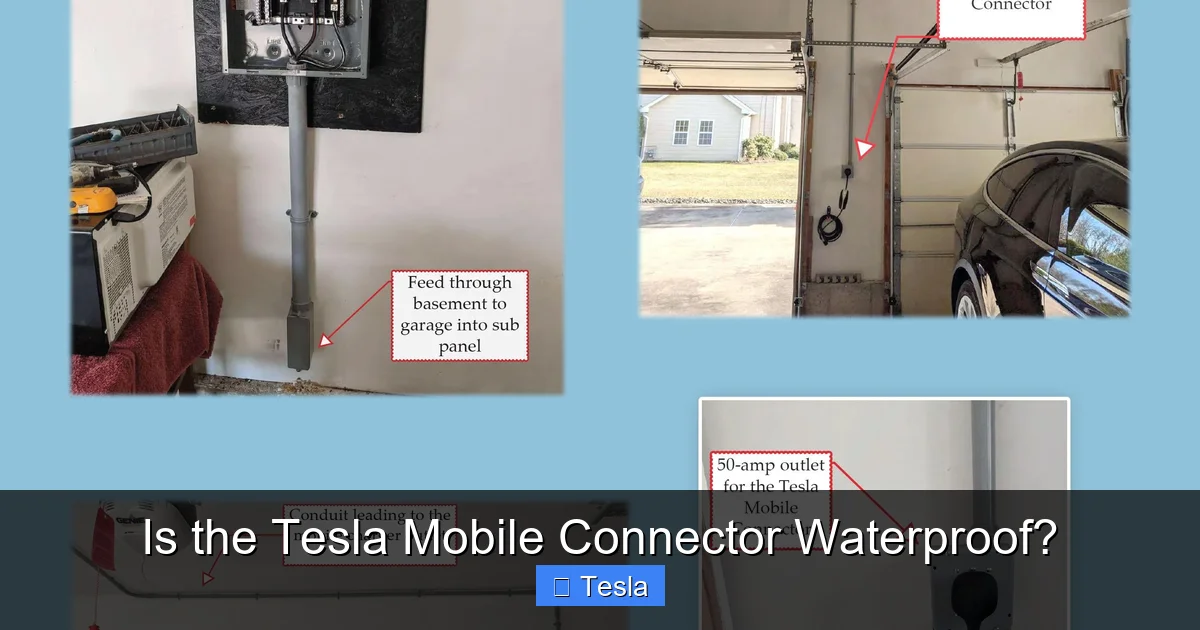
Here’s where we get technical, but I’ll keep it simple. IP ratings have two numbers. The first is protection against solids (dust, tools, fingers). The second is protection against liquids. Tesla states the Mobile Connector has an IP54 rating. Let’s break that down.
Visual guide about Is the Tesla Mobile Connector Waterproof?
Image source: rf-electric.com
The First Digit: Solid Protection (5)
The “5” means the connector is “dust protected.” Dust might get in, but not enough to interfere with operation. It’s not completely dust-tight (that would be a “6”), but it’s pretty good. For a charger that might sit on a concrete floor or in a trunk with other items, that’s a solid level of protection against gritty particles that could cause wear or shorts.
The Second Digit: Liquid Protection (4)
This is the number you care about most. The “4” means the connector is “protected against water splashes from any direction.” It can handle someone splashing it with a hose, a light rain, or wet snow landing on it. But—and this is a big but—it is not protected against “jet water” (that’s IP5) or immersion (IP7/8). So, a few raindrops? Probably fine. A sudden downpour while it’s plugged in? Risky. Leaving it in a puddle? Absolutely not. The seal around the connector’s plug and cable entry points is designed for splashes, not high-pressure streams or being submerged.
How Tesla Tests This
To earn an IP54 rating, the connector undergoes rigorous testing. It’s exposed to controlled water sprays and dust chambers. The test ensures that after such exposure, the device still functions safely and no water ingress causes a fault. But lab tests are specific. Real-world conditions—like wind-driven rain, high humidity, or salt spray (if you live near the ocean)—can be more challenging. The rating is a baseline, not a guarantee for all scenarios.
Real-World Performance: Can You Use it in the Rain? What About Snow?
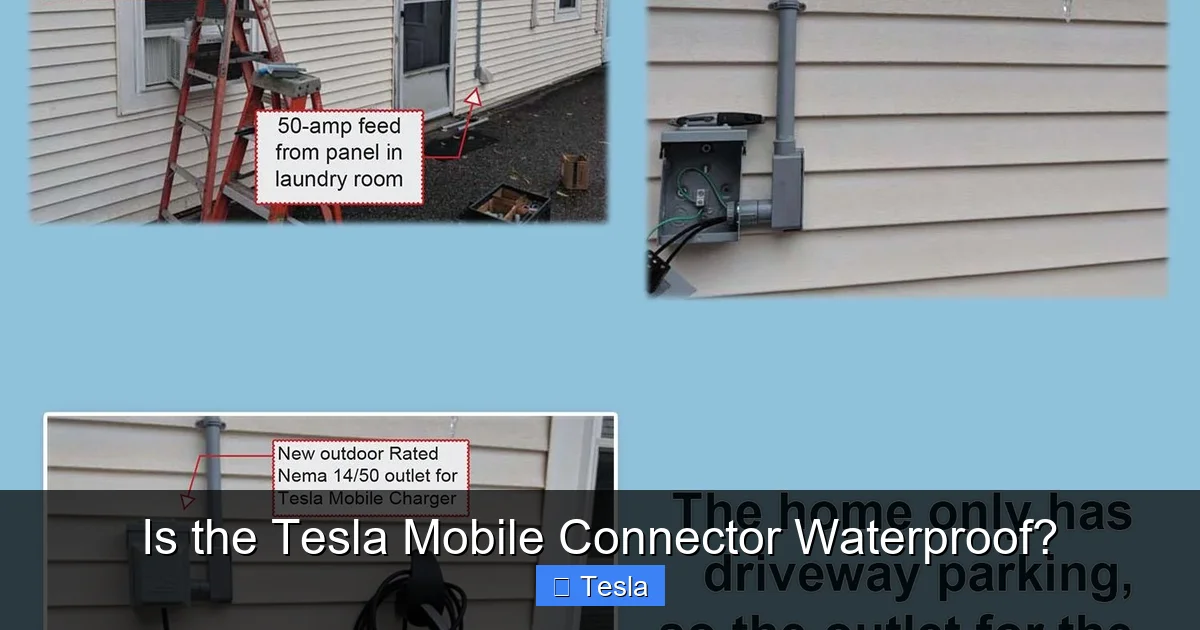
Okay, so the spec sheet says IP54. But what do actual owners see? The consensus from Tesla forums, owner experiences, and even some informal tests is pretty consistent: the Mobile Connector handles typical wet weather surprisingly well, but with clear limits.
Visual guide about Is the Tesla Mobile Connector Waterproof?
Image source: rf-electric.com
Light Rain and Snow: Generally Okay, But Be Cautious
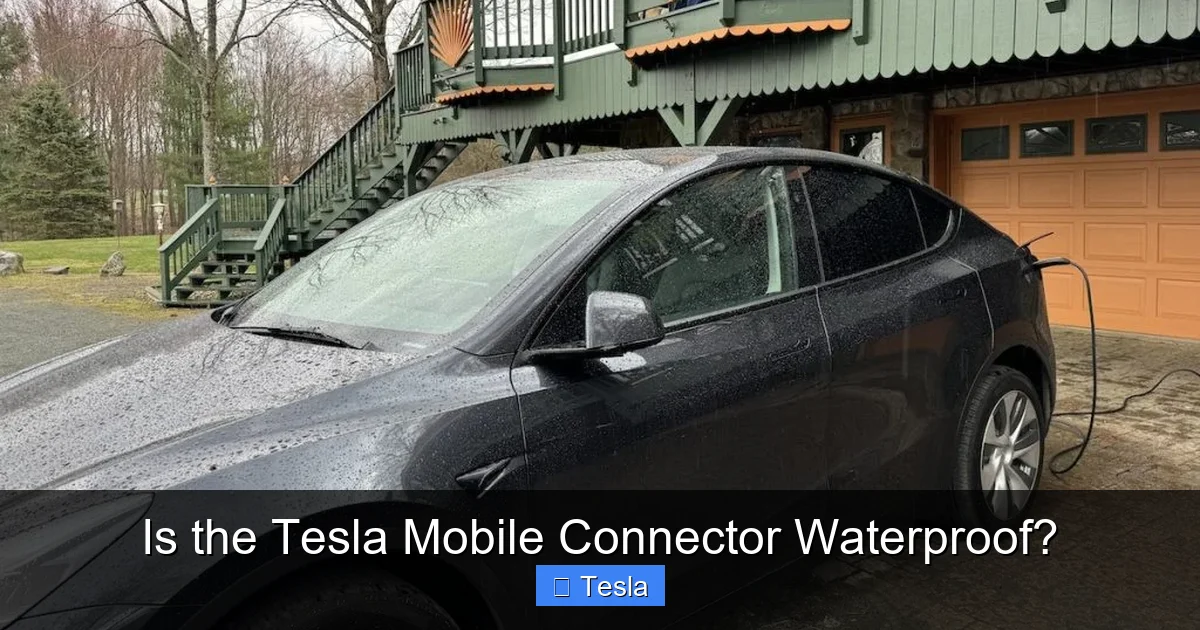
Many owners report using their Mobile Connector during brief light rain or snow without issues. The connector’s plastic housing and rubber seals do a decent job repelling moisture. However, “brief” is the keyword. If you’re charging during a sudden shower and can move the connector under an eave or cover it with a bag after a few minutes, you’re likely fine. Prolonged exposure, especially if water pools around the connector or seeps into the cable where it meets the plug, increases risk. Snow can be trickier because melting snow can become liquid water that finds its way into seams. Brush off snow accumulation and try to keep the connector pointed downward so water runs off, not into it.
The Big No-Nos: What to Absolutely Avoid
There are scenarios where you should never use the Mobile Connector:
- Submersion: Never let any part of it sit in water. This includes puddles, buckets, or flooded areas.
- High-Pressure Washing: Don’t use a pressure washer near it, and don’t blast it with a hose. The force can overcome seals.
- Continuous Heavy Rain: If it’s pouring sideways, don’t leave it plugged in. Unplug and store it.
- Extreme Humidity/Condensation: In very humid climates or after bringing a cold connector into a warm, moist space (like a steamy garage), condensation can form inside. Let it dry completely before use.
User Stories: The Good and the Bad
I’ve read countless owner accounts. One person left their Mobile Connector plugged in overnight during a moderate rainstorm. The next morning, the connector was wet but still worked. Another owner had their connector in a wet trunk for a week; the cable jacket developed a small crack and moisture got in, causing a fault code. The difference? The first had the connector angled to shed water and the cable entry point wasn’t stressed. The second had a pre-existing micro-crack from being coiled too tightly. These stories highlight that condition and usage matter as much as the IP rating.
Proper Care, Storage, and Maintenance: Maximizing Lifespan in All Weather
Your Mobile Connector is a tool. Treat it well, and it’ll last for years. Abuse it, and you’ll be buying a replacement (or worse, facing repair costs). Here’s how to keep it in top shape, especially regarding moisture.
Visual guide about Is the Tesla Mobile Connector Waterproof?
Image source: techwalls.com
Storage: The Single Most Important Habit
Always store the Mobile Connector in a dry environment when not in use. That means inside your house, garage, or trunk if your trunk is dry. Avoid leaving it in the trunk of a car that sits outside in rain for days—trunks can collect condensation. Use the supplied cable tie or a dedicated bag to keep it tidy and protected from scratches and debris that could compromise seals. If you do store it in a potentially humid place (like a garage that floods occasionally), consider a sealed plastic bin with a desiccant packet.
Cleaning and Drying
If the connector gets dirty or wet, clean it gently with a damp cloth. Never submerge it or spray it directly with liquids. For the cable, wipe it down. If it does get soaked, unplug it from both ends and let it air-dry completely in a warm, dry place for at least 24-48 hours before using it again. Do not use a hair dryer or heat gun; excessive heat can melt seals. Patience is key.
Inspection Routine
Make it a habit to visually inspect the connector every few weeks. Look for:
- Cracks in the plastic housing, especially around the plug where it connects to the cable.
- Corrosion or discoloration on the metal pins inside the connector (the part that plugs into your Tesla).
- Damage to the cable jacket, like cuts, abrasions, or swelling.
- Any foreign objects or debris in the connector port.
If you see any damage, stop using it immediately. A compromised seal defeats the IP rating. Contact Tesla service or consider a replacement. For those curious about vehicle maintenance beyond chargers, understanding how different car models hold up over time can be insightful—for example, researching what year is the best Subaru Legacy reveals how manufacturers refine designs for durability, a principle that applies to accessories too.
Comparing to the Competition: How Does Tesla’s Water Resistance Stack Up?
The Tesla Mobile Connector isn’t the only portable EV charger on the market. How does its IP54 rating compare to others? Many third-party portable chargers (often called “level 1/2 EVSEs”) offer similar or sometimes higher ratings, like IP55 or IP65. A higher second digit (like 5 or 6) means better protection against water jets. However, there’s a trade-off: often, higher IP ratings come with bulkier designs or less flexible cables. Tesla’s design prioritizes portability and ease of use, and IP54 is deemed sufficient for its intended use case—occasional, portable charging in typical conditions. If you need a charger for permanent outdoor installation in a rainy climate, you’d look at a wall connector with a higher rating or a weatherproof cover. But for a trunk-bound accessory, IP54 is a reasonable standard. It’s also worth noting that some non-Tesla EVs can use the Mobile Connector with an adapter; for specifics, you might read Can the Nissan Ariya Use a Tesla Charger? to understand cross-compatibility and any weather-related considerations there.
Purchasing, Warranty, and Troubleshooting: Your Practical Guide
You might be wondering about buying a Mobile Connector, what happens if it fails, and how to troubleshoot wet-related issues.
Where and When to Buy
The Mobile Connector is sold directly by Tesla through their website and stores, and sometimes through authorized retailers. Prices vary based on cord length and plug type. If you’re shopping for one, timing can affect price and availability. Like many products, EV accessories can have seasonal demand or promotional periods. Knowing when is the best time to buy a car can sometimes apply to accessories too—dealerships might bundle chargers or offer discounts during sales events. However, Tesla’s pricing is generally consistent, but inventory fluctuations happen.
Warranty Coverage and Water Damage
The Mobile Connector comes with a limited warranty (typically 1-2 years, check your specific product docs). The warranty covers defects in materials and workmanship. However, water damage due to misuse, neglect, or accident is almost always excluded. That means if you submerge it, leave it out in a hurricane, or ignore a crack that lets water in, you’ll be paying for a replacement. This reinforces why proper care is so important—it’s not just about function, but about warranty protection.
What to Do If It Gets Wet
If your connector gets wet:
- Unplug immediately from both the wall outlet and the car. Never handle a wet, plugged-in connector.
- Do not turn it on or try to charge. Let it dry completely.
- Inspect thoroughly once dry. Look for any signs of moisture inside the connector head (shine a light). Check for corrosion.
- Test cautiously: After 48 hours of drying, plug it into your Tesla in a dry area. If it charges normally and no warning lights appear, it’s probably okay. If you get errors, don’t force it. Contact Tesla support.
If you’re ever in doubt, replace it. The cost of a new Mobile Connector is far less than the potential damage to your car’s charging port or the risk of electrical fire.
Conclusion: Peace of Mind with Proper Use
So, is the Tesla Mobile Connector waterproof? The definitive answer is no—it’s water-resistant with an IP54 rating. That means it can handle the splashes and sprays of everyday life, like a rainy day while charging or a wet trunk. But it is not a submersible device. Understanding this limitation is key to using it safely and ensuring it lasts. Treat it with respect: store it dry, avoid harsh wet conditions, inspect it regularly, and never push its limits. By doing so, you’ll get years of reliable service from this versatile little charger. Remember, your Tesla’s charging ecosystem is only as strong as its weakest link. Keep your Mobile Connector in good shape, and it’ll keep your Tesla powered up, rain or shine.
Frequently Asked Questions
Can I leave the Tesla Mobile Connector plugged in and outside during rain?
It’s not recommended. While IP54 handles light rain, prolonged exposure or heavy downpours can overwhelm seals. Always try to provide some cover, like an overhang or a weatherproof bag, and unplug it when not in use.
What is the exact IP rating of the Tesla Mobile Connector?
Tesla specifies an IP54 rating for the Mobile Connector. This means it is dust protected and protected against water splashes from any direction, but not against jet water or immersion.
Is water damage covered under the Tesla Mobile Connector warranty?
No. The limited warranty covers manufacturing defects. Water damage resulting from misuse, neglect, exposure beyond its rated conditions (like submersion), or failure to maintain the connector is excluded.
What should I do if my Mobile Connector gets soaked?
Immediately unplug it from both ends. Do not attempt to charge. Let it air-dry completely in a warm, dry place for at least 48 hours. After drying, inspect for damage or corrosion before using. If unsure, contact Tesla support.
Can I use the Mobile Connector while it’s snowing?
Brief use in light snow is generally okay, but you should brush off any snow accumulation and keep the connector angled downward to prevent melting snow from seeping in. Avoid use during heavy snowfall or blizzard conditions.
How often should I inspect my Mobile Connector for water-related damage?
Inspect it visually every few weeks, and always after exposure to wet conditions. Look for cracks, corrosion on pins, damage to the cable, or any debris in the connector head. Catching small issues early prevents bigger problems.
