
Why Is Tesla Asking for a Key Card?

Tesla’s key card is a modern alternative to traditional car keys, offering enhanced security and seamless integration with the vehicle’s software. This system allows for keyless entry and start, but requires proper setup and understanding of backup options. Owners must know how to use and replace the key card to avoid lockouts.
Key Takeaways
- Key Card Definition: A Tesla key card is a credit-card-sized device that uses RFID technology to unlock and start the car, replacing physical keys.
- Why Tesla Uses It: Tesla introduced key cards for improved security, convenience, and to align with its software-centric vehicle design.
- How It Works: The key card communicates with the car’s sensors via encrypted signals, allowing access without manual insertion.
- Security Benefits: Key cards reduce risks of traditional key theft and can be easily deactivated if lost, enhancing overall safety.
- Setup Process: Owners must pair the key card with the car through the touchscreen, and multiple cards can be programmed for family use.
- Backup Options: Tesla provides a mobile app as a secondary key, and physical key cards can be replaced if damaged or lost.
- Cost Considerations: Replacement key cards cost less than traditional luxury car keys, but insurance may be affected by Tesla’s technology.
📑 Table of Contents
- Understanding the Tesla Key Card: A Modern Twist on Car Access
- Why Tesla Insists on Key Cards: The Core Reasons
- How the Tesla Key Card Works: Under the Hood
- Advantages of the Tesla Key Card System
- Security Features and What to Do If Things Go Wrong
- Practical Tips for Tesla Key Card Owners
- The Future of Keyless Access at Tesla
- Conclusion
Understanding the Tesla Key Card: A Modern Twist on Car Access
When you first get behind the wheel of a Tesla, one of the first things you notice is the absence of a traditional key. Instead, you’re given a sleek, rectangular card that looks more like a credit card than a car key. This is the Tesla key card, and it’s at the heart of how you unlock and start your vehicle. But why did Tesla opt for this system? What are the benefits, and how does it compare to the keys and fobs you’re used to? In this article, we’ll dive deep into the world of Tesla key cards, exploring their technology, advantages, and practical tips for owners.
The key card represents Tesla’s commitment to innovation and simplicity. It’s not just a replacement for a key; it’s a rethinking of car access in the digital age. As we explore this topic, we’ll touch on aspects that relate to broader automotive key technologies, so you’ll get a comprehensive understanding that applies beyond just Teslas.
What Exactly is a Key Card?
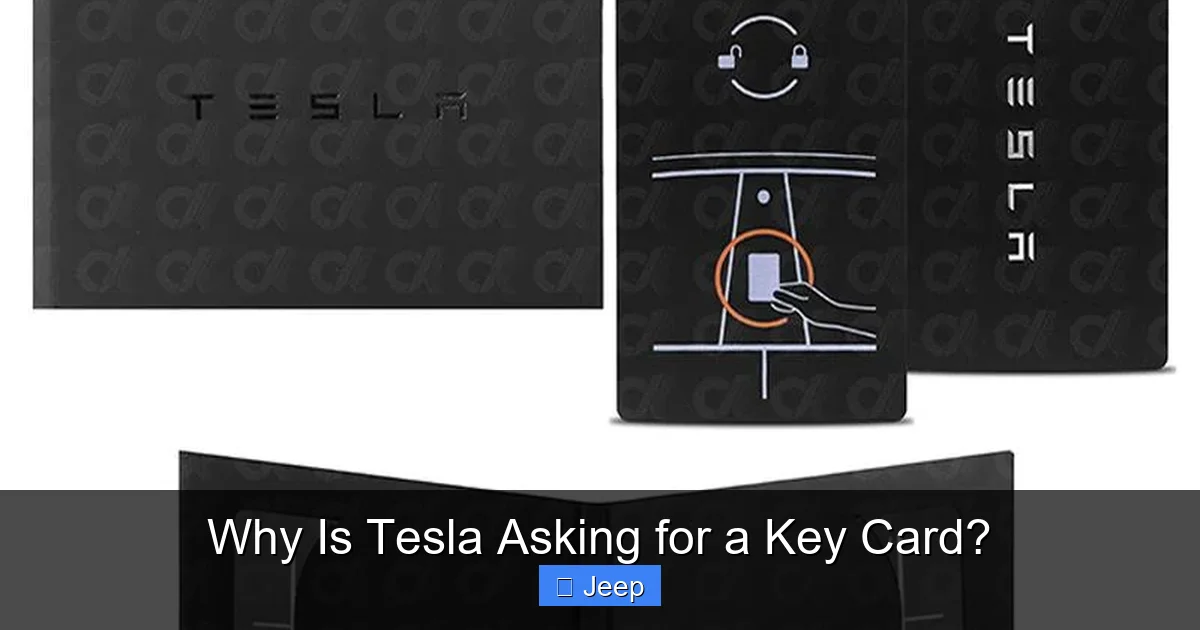
A Tesla key card is a passive RFID (Radio Frequency Identification) card. It doesn’t have a battery or buttons. Instead, it contains a small chip that stores a unique identifier. When you hold the card near the car’s door handle or center console, the car’s RFID reader detects the chip and verifies its code. If the code matches one of the programmed keys, the car unlocks or starts.
This technology is similar to what’s used in hotel key cards or office access cards. However, Tesla has adapted it for automotive use with added encryption for security. The card itself is durable and water-resistant, designed to withstand daily wear. It’s also thin enough to fit in a wallet without adding bulk.
For those familiar with smart keys, the Tesla key card is a type of smart key that operates without a button press. To learn more about smart keys in general, check out our article on what is a smart key for a car, which explains how these systems work across different vehicles.
The Evolution from Traditional Keys to Key Cards
Car keys have come a long way from simple metal cuts. Early keys were purely mechanical, requiring physical insertion and turning. Then came key fobs with remote buttons for locking and unlocking. After that, smart keys introduced proximity-based entry, where the key fob in your pocket automatically unlocks the car when you approach.
Tesla’s key card skips the buttoned fob stage and goes straight to a minimalist card. This evolution reflects Tesla’s software-centric approach. The car’s systems are controlled by software, and the key card is just another input device. It’s a blank slate that can be reprogrammed or deactivated without physical changes.
This shift also aligns with Tesla’s over-the-air updates, which can enhance key card functionality over time. For instance, Tesla has introduced features like “Phone Key” that use your smartphone as a key, but the key card remains a reliable backup. The card’s simplicity makes it easy to manufacture and distribute, reducing complexity in the supply chain.
Why Tesla Insists on Key Cards: The Core Reasons
Now that we know what a key card is, let’s explore why Tesla made this choice. There are several compelling reasons, ranging from security to user experience.
Visual guide about Why Is Tesla Asking for a Key Card?
Image source: d2w9lqi6pi9l92.cloudfront.net
Enhancing Security in the Digital Age
Security is paramount for any car, especially for a high-tech vehicle like a Tesla. Traditional keys can be copied with relative ease, and key fobs are vulnerable to relay attacks where thieves amplify the signal to unlock the car. Tesla’s key card uses encrypted RFID communication that changes codes with each use, making it extremely difficult to clone.
Moreover, if you lose your key card, you can instantly disable it through the Tesla app. This remote management is a game-changer. No need to visit a dealer or wait for a replacement; you can secure your car in minutes. This level of control is not always available with traditional keys or even some key fobs.
The encryption technology in key cards is similar to that used in chip keys for other vehicles. If you’re interested in how chip keys enhance security, our article on what is a chip key for a car delves into the details.
Streamlining User Experience
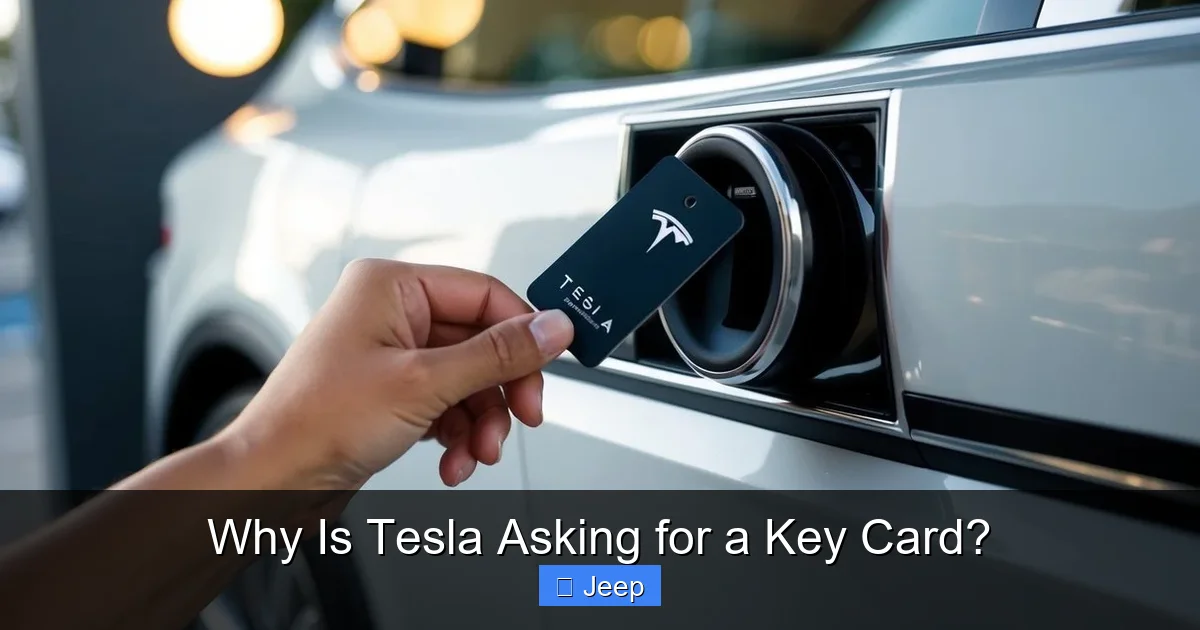
Tesla aims for a frictionless experience. With a key card, you don’t need to dig through your bag or pockets. Just tap the card on the B-pillar (the pillar between the front and rear doors) to unlock, and place it near the center console to start the car. It’s intuitive and fast.
This simplicity extends to setup. Pairing a key card takes seconds via the touchscreen. You can add multiple cards for family members, each with its own settings. The car recognizes which card is used and can adjust preferences like seat positions and mirror settings automatically. This personalization adds to the convenience.
For busy drivers, this means no more fumbling with keys. Imagine carrying groceries or a child; a quick tap is all it takes. The key card’s slim profile also means it’s less likely to snag on clothing or get damaged in a pocket.
Cost Efficiency and Manufacturing Benefits
From a manufacturing perspective, key cards are cheaper to produce than complex key fobs. They have no moving parts, batteries, or buttons. This reduces costs and potential points of failure. For Tesla, which produces vehicles at scale, these savings add up.
Additionally, key cards are easier to replace. If you lose one, a new card can be ordered online or through a service center, often at a lower cost than traditional luxury car keys. While the exact price varies, it’s generally more affordable. Speaking of costs, Tesla ownership involves other expenses, such as insurance. To get an idea of insurance premiums, you might want to read how much is car insurance for a Tesla, which breaks down factors that affect rates.
These economic benefits allow Tesla to invest in other areas, like battery technology or autonomous driving features, while keeping the key system reliable and cost-effective.
How the Tesla Key Card Works: Under the Hood
Understanding the mechanics of the key card helps appreciate its engineering. It’s not just a simple card; it’s a sophisticated piece of tech.
Visual guide about Why Is Tesla Asking for a Key Card?
Image source: revolar.com
The Technology Inside: RFID and Encryption
The key card contains a passive RFID chip. When you tap it against the car, the car’s RFID reader emits a radio wave that powers the chip (no battery needed). The chip then sends back its unique ID, which is encrypted. The car’s computer decrypts and verifies the ID against its list of authorized keys.
This process happens in milliseconds. The encryption uses rolling codes, meaning each communication uses a different code to prevent replay attacks. Even if someone intercepts the signal, they can’t reuse it to unlock the car later.
The range is very short—just a few centimeters—so you need to physically tap the card. This proximity requirement adds security, as it’s harder for thieves to intercept from a distance. It also ensures that the car only responds when intended, avoiding accidental unlocks.
Pairing and Programming Your Key Card
When you buy a Tesla, you typically get two key cards. To pair a new card, you go to the car’s touchscreen: Controls > Locks > Add Key Card. You then follow the prompts, which involve tapping the new card against the center console. The car reads the card and adds it to its memory. You can add up to 19 keys (including cards and phone keys).
Each key can be named (e.g., “John’s Card”) for easy identification. You can also set permissions, like allowing valet mode or restricting certain features. This flexibility is great for families or car-sharing scenarios.
If you need to remove a key, you can do so from the same menu. This is useful if a card is lost or stolen. Simply delete it from the system, and it becomes invalid immediately.
Daily Use: Unlocking and Starting Your Tesla
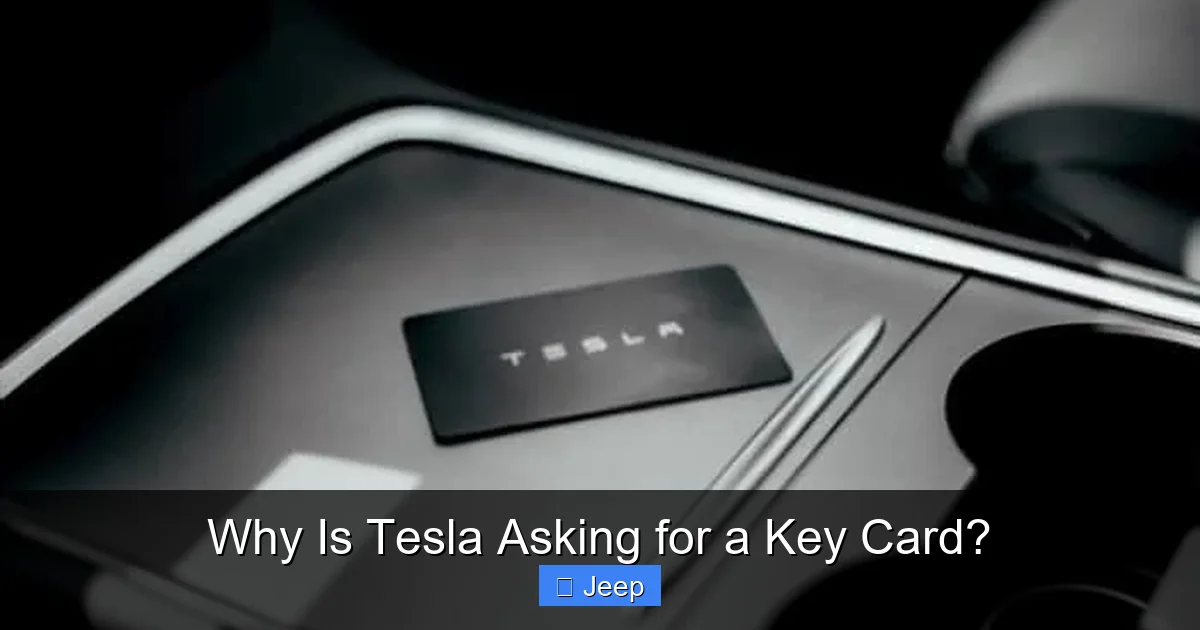
Using the key card is straightforward. To unlock, hold the card near the door handle on the driver’s side. You’ll hear a click and see the mirrors unfold. To lock, you can tap the card again or use the touchscreen or app. To start the car, place the card near the center console where the wireless charger is. The car will recognize it and allow you to drive.
It’s important to note that the card must be inside the car for driving. If you remove it while driving, the car will continue to operate but will alert you to return it. This is a safety feature to prevent you from accidentally locking yourself out.
In case the key card malfunctions or you lose it, the Tesla app on your smartphone can serve as a backup key, provided you have Bluetooth connectivity. This phone-as-a-key feature is increasingly common and adds redundancy.
Advantages of the Tesla Key Card System
Now that we’ve covered the what and how, let’s talk about the why. What makes the key card system so advantageous?
Visual guide about Why Is Tesla Asking for a Key Card?
Image source: koala.sh
Convenience and Minimalism
The key card’s slim design means it fits easily in wallets or phone cases. No more bulky fobs that stick out and get caught. For people who carry minimal items, this is a blessing. You can even keep it in a card holder with your credit cards.
The tap-to-unlock mechanism is faster than fumbling for a key fob and pressing a button. It’s also more reliable in cold weather, where buttons might stick or batteries die. Since the key card has no battery, you never worry about it running out of power.
This minimalism extends to the car’s interior. Without a traditional key slot, the dashboard is cleaner. Tesla’s design philosophy emphasizes simplicity, and the key card complements that perfectly.
Reduced Wear and Tear
Traditional keys and fobs can suffer from physical wear. Buttons break, casings crack, and batteries need replacement. The key card, being a solid piece of plastic with no moving parts, is incredibly durable. It can survive being sat on, dropped, or exposed to elements without issue.
This durability translates to longer lifespan and less hassle. You don’t need to worry about replacing batteries or repairing broken buttons. The card is essentially maintenance-free, which is ideal for a low-fuss ownership experience.
Integration with Tesla’s Ecosystem
The key card isn’t isolated; it’s part of Tesla’s connected ecosystem. It works seamlessly with the Tesla app, which allows you to manage keys, monitor the car, and control features remotely. For example, you can grant temporary access to a friend by sending a digital key through the app, without handing over a physical card.
This integration also enables features like “Summon,” where you can call your car to you using the app, and the key card’s presence ensures security. The car knows which key is in use and can adjust settings accordingly, such as recalling driver profiles.
As Tesla continues to update its software, the key card’s functionality may expand. Future updates could add new ways to use the card or integrate with other smart devices, making it a versatile tool.
Security Features and What to Do If Things Go Wrong
No system is perfect, and key cards have their own set of security considerations. Let’s address common concerns and solutions.
Is the Key Card Secure Against Theft?
Yes, the key card is highly secure due to its encrypted RFID and short-range requirement. However, no system is entirely foolproof. Relay attacks, where thieves use devices to amplify the card’s signal, are a concern for many keyless systems. But because the Tesla key card requires a tap (proximity), it’s less susceptible to long-range relay attacks. The thief would need physical access to the card to tap it on the car.
That said, if someone steals your wallet with the key card inside, they could potentially use it. But you can quickly deactivate it via the Tesla app, rendering it useless. This rapid response is a key advantage over traditional keys, where you’d need to replace the lock cylinder.
To enhance security, always keep your key card separate from your wallet if possible, or use a RFID-blocking sleeve. This prevents accidental scanning if your card is near a reader.
What to Do If You Lose Your Key Card
Losing a key card is a common worry. Here’s what to do:
- Immediately open the Tesla app and go to Security & Drivers > Keys. Find the lost key and delete it.
- If you don’t have app access, use another paired key to access the car and delete the lost key from the touchscreen.
- Order a replacement key card from Tesla. You can do this online or through a service center. The cost is typically lower than for many luxury car key fobs.
- Once the new card arrives, pair it with your car following the setup process.
It’s wise to have a backup key, like a phone key, set up in advance. This way, you’re never locked out.
Comparing Security with Key Fobs and Traditional Keys
How does the key card stack up against other systems? Traditional keys are vulnerable to lock-picking and key duplication. Key fobs can be subject to signal jamming or relay attacks. The Tesla key card, with its tap requirement and encryption, offers a middle ground: it’s convenient like a fob but with a physical tap that adds a layer of security.
However, key fobs often have buttons for remote start, which the key card lacks. But Tesla compensates with app-based remote start. So, while the key card might seem less feature-rich, its integration with the car’s software makes up for it.
In terms of cost, key cards are generally cheaper to replace than key fobs with complex electronics. For example, replacing a key fob for a Dodge Ram can be expensive, but Tesla’s key card is more affordable and easier to manage.
Practical Tips for Tesla Key Card Owners
To make the most of your key card, here are some practical tips and advice.
Setting Up Multiple Key Cards
If you have family members or frequent passengers, you can add up to 19 keys to your Tesla. Each key can be personalized with a name and profile. For example, when “Sarah’s Card” is used, the car adjusts seats, mirrors, and climate settings to her preferences. This is handled automatically through the driver profile system.
To add a key, go to Controls > Locks > Add Key Card. Tap the new card against the center console. You’ll hear a beep and see a confirmation. Repeat for each card. Remember to test each card after pairing to ensure it works.
It’s a good idea to keep a spare key card in a safe place, like with a trusted neighbor or in a secure location at home. Having a backup prevents lockouts and provides peace of mind.
Maintaining and Protecting Your Key Card
The key card is durable, but it’s not indestructible. Avoid bending it or exposing it to extreme heat, as the chip might be damaged. Keep it away from strong magnets, which can erase the RFID data. If the card stops working, try re-pairing it with the car.
Consider using a protective sleeve or case. Since the card is often in your wallet, a simple plastic sleeve can prevent scratches and wear. Some third-party accessories offer key card holders that clip to your keychain or fit in your wallet.
Also, be mindful of where you place it. Don’t leave it on the dashboard in direct sunlight, as heat can warp the card. And don’t throw it in the trash without deleting it from the car first!
Troubleshooting Common Issues
Sometimes, the key card might not work. Here are common fixes:
- Card not detected: Ensure you’re tapping the correct spot—the B-pillar for unlocking or center console for starting. The car’s sensors are specific.
- Intermittent issues: Clean the card’s chip area with a soft cloth. Dirt or grime can interfere with RFID reading.
- Card lost functionality: Re-pair the card via the touchscreen. If that fails, try using a different card to access the car and then re-pair the problematic one.
- App not working as backup: Ensure Bluetooth is on and the app is logged in. Restart your phone if needed.
- Car not responding: Check for software updates; Tesla often releases fixes for key-related bugs.
- Physical damage: If the card is cracked or bent, it may need replacement. Contact Tesla support for assistance.
If problems persist, contact Tesla support. They can diagnose issues remotely or at a service center.
The Future of Keyless Access at Tesla
Tesla is always innovating, and key technology is no exception. While the key card is current, future developments might change how we access Teslas.
Phone Key and Beyond
Tesla already offers Phone Key, which uses Bluetooth to turn your smartphone into a key. This is even more convenient than a card, as you always have your phone with you. Tesla is improving this technology, making it more reliable and adding features like passive entry (the car unlocks as you approach).
In the future, we might see biometric integration, like fingerprint or facial recognition, to unlock and start the car. This would eliminate the need for any physical device. Tesla’s focus on software means these updates can roll out over the air, so existing cars might gain new keyless features.
Staying Ahead of the Curve
Tesla’s key card system is a stepping stone. It’s a robust solution that addresses current needs while paving the way for more advanced systems. As autonomous driving becomes mainstream, traditional keys might become obsolete. Imagine a car that recognizes you without any key at all, using AI and sensors.
Tesla’s approach ensures that as technology evolves, the transition is smooth. Owners can adopt new methods at their own pace, with the key card serving as a reliable fallback. This flexibility is key to Tesla’s success in a rapidly changing industry.
Conclusion
Tesla’s key card is more than just a substitute for a key; it’s a statement of innovation. By choosing a card-based system, Tesla has prioritized security, convenience, and cost-effectiveness. The key card integrates seamlessly with the car’s software, offering a user-friendly experience that aligns with the brand’s futuristic vision.
For owners, understanding how the key card works and how to manage it is essential. From pairing multiple cards to troubleshooting issues, a little knowledge goes a long way in avoiding lockouts and maximizing convenience. And with backup options like the phone key, you’re never truly stranded.
As Tesla continues to push boundaries, we can expect further refinements to keyless entry. But for now, the key card stands as a clever solution that redefines what a car key can be. Whether you’re a new Tesla owner or considering a purchase, knowing why Tesla asks for a key card helps you appreciate the thought and technology behind this simple yet revolutionary device.
Frequently Asked Questions
What is a Tesla key card?
A Tesla key card is a credit-card-sized device that uses RFID technology to unlock and start your Tesla. It replaces traditional keys or key fobs and is part of Tesla’s keyless entry system, requiring a tap near the car’s sensors.
How do I pair a new key card with my Tesla?
To pair a new key card, go to your Tesla’s touchscreen, select Controls > Locks > Add Key Card. Then, tap the new card against the center console until you hear a beep. The car will recognize and save the card. You can name it for easy identification.
What should I do if I lose my Tesla key card?
Immediately delete the lost key card via the Tesla app or touchscreen using another paired key. Then, order a replacement from Tesla. In the meantime, use the Phone Key feature on the Tesla app as a backup to unlock and drive your car.
Is the Tesla key card secure against theft or cloning?
Yes, the key card uses encrypted RFID with rolling codes, making it very hard to clone. The short-range tap requirement also prevents remote relay attacks. If lost, you can deactivate it instantly via the app, adding a strong layer of security.
Can I use my smartphone instead of the key card?
Yes, Tesla offers a Phone Key feature that uses Bluetooth to turn your smartphone into a key. You can set it up through the Tesla app, and it works for unlocking and starting the car. The key card remains a reliable physical backup.
How much does a replacement Tesla key card cost?
Replacement key cards typically cost less than traditional luxury car key fobs, often around $100-$200 depending on the model and region. You can order through Tesla’s website or a service center, and pairing is simple once received.
