
Why Is My Tesla Only Charging at 16 Amps?

Your Tesla charging at only 16 amps is almost always due to a deliberate limit, not a fault. This low amperage is typically caused by the charging equipment you’re using (like a specific adapter or a lower-amp circuit), a software setting within the vehicle, or a protective response to a temperature issue. Identifying the source is straightforward: check your charger type, inspect your home’s outlet and circuit breaker, and review the amperage setting in your Tesla’s touchscreen. Solving it usually involves upgrading your electrical hardware or adjusting a setting, but always prioritize safety to avoid overheating or fire risks. For persistent issues, consult a professional electrician or Tesla support.
So you plug in your Tesla, eager to top up the battery for your next adventure, only to glance at the app or touchscreen and see a glacial charging rate: 16 amps. That little number can feel like a punch to the gut, especially if you’re used to 32, 40, or even 48 amps at home. But before you panic or start calling electricians, take a deep breath. Charging at 16 amps is incredibly common, and in many scenarios, it’s exactly what the system is supposed to do. The real question isn’t just “why is it 16 amps?” but “why is it 16 amps right now for my specific setup?”
Understanding this number is the first step to solving the mystery. Amperage (amps) is the flow rate of electricity. Think of it like water through a hose: volts are the water pressure, and amps are how wide the hose is open. More amps mean more electricity flows per second, leading to faster charging (measured in kilowatts, or kW, which is volts multiplied by amps). Your Tesla’s maximum possible charging speed depends on the vehicle model, but the actual speed you get is dictated by the weakest link in a chain: your car’s onboard charger, the charging cable/adapter, the wall outlet, and the dedicated circuit in your home’s electrical panel.
When that chain reports 16 amps, it’s sending a clear signal: something in the system is capping the flow at that level. This guide will walk you through every possible reason, from the utterly benign to the slightly concerning. We’ll turn that frustration into understanding, and more importantly, give you a clear action plan to diagnose and potentially fix the issue. Let’s plug in and get started.
Key Takeaways
- 16 amps is a common, safe limit for basic charging setups: Using the mobile connector with a standard 120V outlet or a specific adapter often caps charging at 16A, which is by design to match the circuit’s capacity.
- Your Tesla’s software settings control the maximum amperage: You can manually lower the charging amperage in the car’s menu for grid management or battery care, and this setting might be accidentally set to 16A.
- The weakest link determines the speed: Charging speed is limited by the lowest component in the chain—the outlet’s circuit, the adapter’s rating, the charger’s capability, or the car’s acceptance.
- Thermal management can trigger a temporary 16A limit: If the battery or charging components get too warm, the car will automatically reduce amperage to prevent damage, which can manifest as a sudden drop to 16A.
- Upgrading your electrical circuit is the primary solution for faster home charging: To consistently charge above 16A, you need a dedicated circuit (like a 50-amp NEMA 14-50) and a compatible High Power Wall Connector or adapter.
- Never ignore persistent low-amperage charging if it’s unexpected: While 16A is normal for some setups, a sudden change from higher speeds warrants checking for adapter damage, outlet issues, or fault codes.
- Safety is paramount: Pushing a circuit beyond its rated capacity to get more amps is extremely dangerous and can cause overheating, fire, or damage to your vehicle and home electrical system.
📑 Table of Contents
- The Charging Chain: Understanding Your Electric Vehicle’s “Hose”
- The Usual Suspects: Why 16 Amps Is Most Likely Normal
- Diagnostic Steps: Playing Detective with Your Charging Setup
- Solutions: How to Get More Than 16 Amps
- Safety First: Why You Should Never “Force” More Amps
- When 16 Amps Isn’t Enough: Planning Your Upgrade
- Conclusion: Patience and Precision Win
The Charging Chain: Understanding Your Electric Vehicle’s “Hose”
To diagnose a 16-amp limit, you must visualize the entire charging ecosystem. It’s a conversation between your car and your home’s electrical system, and they speak in amps and volts.
1. The Car’s Onboard Charger: The Final Gatekeeper
Every Tesla has an onboard charger that converts the AC electricity from your wall into DC power the battery can use. This charger has a maximum rating—often 48A for older Model S/X, 32A for many Model 3/Y, and up to 72A for newer or Performance trims with the optional 48-amp onboard charger upgrade. However, the car will never draw more amps than the source can safely provide. It’s a polite guest; it won’t ask for more than you’re offering.
2. The Charging Equipment: Adapters and Connectors
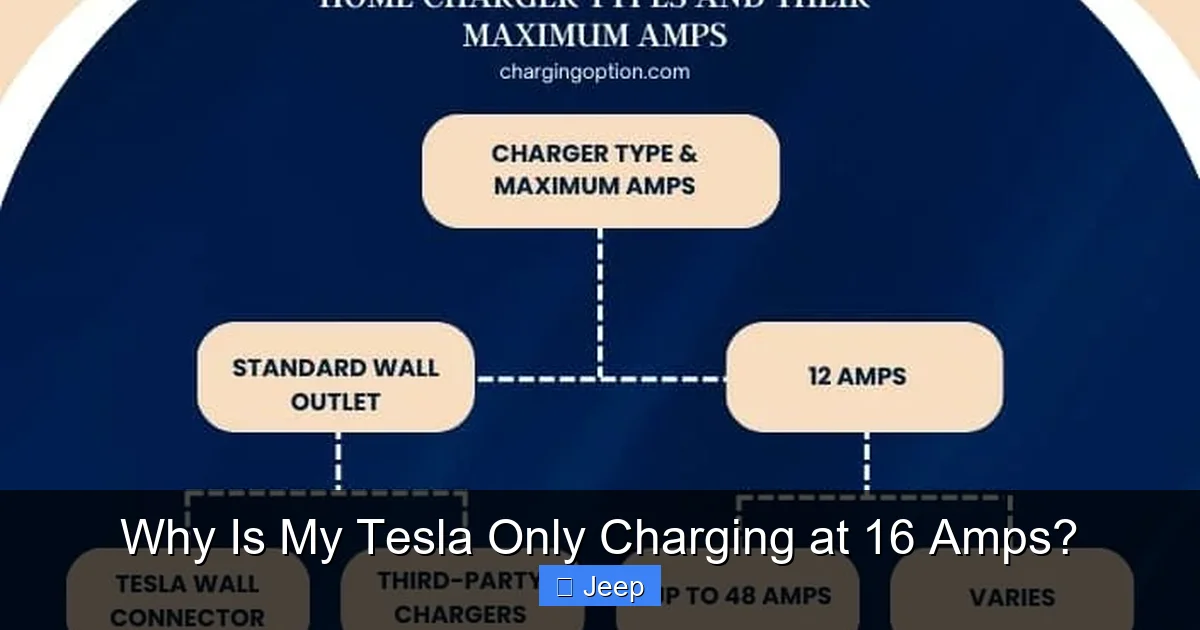
This is the physical link. Tesla provides the Mobile Connector (the “slow” charger that comes with the car) and sells the High Power Wall Connector (HPWC). The Mobile Connector comes with a set of adapters for different outlet types. Crucially, each adapter is rated for a specific maximum amperage. For example:
- The standard NEMA 5-15 (standard 120V household outlet) adapter is typically rated for 12A continuous (but the car may allow 16A for short periods on some circuits).
- A NEMA 10-30 (old dryer outlet) adapter might be rated for 24A.
- A NEMA 14-50 (50-amp RV/cooker outlet) adapter is rated for 40A or 50A, depending on the version.
If you’re using an adapter rated for 16A, the car will respect that limit, even if the circuit and car can handle more. This is the most common reason for a 16-amp ceiling. You might be using a third-party or older Tesla adapter that is physically limited.
3. The Wall Outlet and Dedicated Circuit: The Source
The outlet itself is just a socket. The real limit comes from the dedicated circuit breaker in your electrical panel that feeds that outlet. A circuit is rated for a specific amperage (15A, 20A, 30A, 50A, etc.). The wiring, outlet, and breaker must all be matched. A 20-amp circuit with 12-gauge wire can safely deliver 16A continuously (80% of 20A is the NEC rule for continuous loads like charging). If your circuit is only 20A, the car will often negotiate to charge at 16A max to stay within safe, continuous limits. This is normal and safe.
So, the chain looks like this: Circuit Breaker (e.g., 20A) -> Outlet (e.g., NEMA 5-20) -> Adapter (rated for 16A) -> Car (accepts up to 32A) -> Result: 16A charging.
The Usual Suspects: Why 16 Amps Is Most Likely Normal
Before you suspect a malfunction, let’s explore the completely expected scenarios where 16 amps is the correct, intended outcome.
Visual guide about Why Is My Tesla Only Charging at 16 Amps?
Image source: chargingoption.com
Scenario 1: You’re Using the Mobile Connector on a Standard 120V Outlet
This is the #1 cause. If you plug the Mobile Connector (with the 5-15 or 5-20 adapter) into a standard North American household outlet, you’re on a 120V circuit. At 120V, power (watts) = volts x amps. To get a meaningful charging speed (e.g., 3-4 miles of range per hour), Tesla’s software often allows the car to pull up to 16A from a 20-amp circuit, yielding 120V x 16A = 1.92 kW. On a 15-amp circuit, it may default to 12A (1.44 kW). Seeing 16A here means your circuit is likely a 20A, and the car is using its maximum safe allowance for that voltage. It’s not broken; it’s just “trickle charging.” For context, a full charge from empty on 16A/120V could take 40+ hours for a Long Range Model 3. It’s meant for occasional top-ups, not daily driving.
Scenario 2: You’re Using a 16A-Rated Adapter
Tesla sells or used to sell a NEMA 10-30 adapter (for old dryer outlets) that is rated for 24A. But what about a 6-50 (welder outlet) adapter? Those are often 40A or 50A. However, you might have a third-party adapter or an older Tesla adapter that is simply built and certified for a 16A maximum. The adapter has internal wiring and contacts that can only safely handle 16A. The car’s communication protocol will read this limit from the adapter’s EEPROM chip and comply. Check the adapter itself; it should have its amperage rating printed on it.
Scenario 3: You Manually Set the Amperage to 16A in the Car
This is a frequent oversight. In your Tesla, go to Charging -> Amperage. You can manually slide the limit up or down. If you or someone else previously dragged the slider all the way down to 16A to avoid tripping a breaker in a shared circuit, the car will remember that setting for that location (if you have “Remember” enabled). The next time you plug in at home, it will automatically use that saved, lower limit. Simply slide it back up to “Max” or your desired level. The car will then attempt to negotiate the highest amperage the entire chain supports.
Scenario 4: Your Dedicated Circuit is Only 20 Amps
Did you have a 20-amp circuit installed for your charger? That’s a common, code-compliant installation for the Mobile Connector. As mentioned, for continuous operation (charging for hours), you should only use 80% of the circuit’s capacity. 80% of 20A is 16A. Therefore, the car’s software is programmed to cap itself at 16A on a 20A circuit to prevent overheating the wiring over a long charge session. It’s a built-in safety feature. If you want more than 16A, you need a larger circuit (e.g., 50A for 40A charging).
Diagnostic Steps: Playing Detective with Your Charging Setup
Now, let’s systematically figure out which “link” in your chain is the limiting factor. This is a five-minute investigation.
Visual guide about Why Is My Tesla Only Charging at 16 Amps?
Image source: chargingoption.com
Step 1: Identify Your Exact Charging Equipment
Look at what you’re plugging into the wall.
- Charger: Is it the black Mobile Connector (the one that came with the car) or a silver High Power Wall Connector (HPWC)? The HPWC is hardwired and can deliver much higher amperage if on a large circuit.
- Adapter: What plug is on the end? Count the prongs. A 3-prong plug likely is a NEMA 10-30 (older dryer) or 6-50 (welder). A 4-prong plug is likely a NEMA 14-50 (RV/cooker). A standard 2-prong + ground is a 5-15. Write down the exact adapter type and look for its amperage rating printed on it.
Step 2: Check the Car’s Touchscreen Setting
On the Tesla touchscreen, navigate to Charging. Look at the amperage slider. Is it all the way down at 16A? If yes, slide it to “Max.” If it won’t go higher, that means the car is detecting a lower limit from the charger or adapter. If it can go higher but defaults to 16A, you may have a saved location setting. Tap the location name (e.g., “Home”) and delete the saved settings for that location.
Step 3: Inspect the Wall Outlet and Circuit Breaker
Go to your electrical panel. Find the breaker that controls the outlet you’re using. What is its amperage rating (printed on the breaker handle: 15, 20, 30, 50)? This is your circuit’s maximum capacity. Remember, for continuous charging, you should only use 80%. So a 20A breaker -> 16A max. A 30A breaker -> 24A max. A 50A breaker -> 40A max. If your breaker is 20A, 16A is the correct and safe limit. If it’s 50A but you’re only getting 16A, the problem is elsewhere (likely the adapter or a car setting).
Step 4: Look for Error Messages or Icons
Does the Tesla app or touchscreen show any warning icons? A red “X” or a message like “Charging at reduced rate” or “Check wiring” indicates a fault. A thermal warning (battery or charge port too hot) will also cause a temporary reduction to a safe, low amperage like 16A. If it’s very hot to the touch, unplug it and let it cool.
Step 5: Test with a Different Adapter/Outlet
If possible, try charging at a different location with a different outlet type. For example, if you have a NEMA 14-50 outlet at home, try your Mobile Connector with the 5-15 adapter on a standard 120V outlet. You should see 12A or 16A. Conversely, if you’re always on 16A at home but get 32A at a public station, the limit is definitely in your home setup (adapter or circuit).
Solutions: How to Get More Than 16 Amps
Once you’ve diagnosed the bottleneck, you can address it. The solution path depends entirely on what you found.
Visual guide about Why Is My Tesla Only Charging at 16 Amps?
Image source: koala.sh
Solution 1: Adjust the Car’s Amperage Setting
This is the fastest fix. If the slider was just set low, slide it up. If a saved location setting was forcing 16A, delete that location’s settings in the car’s menu. The car will then negotiate the highest possible amperage on next plug-in.
Solution 2: Upgrade Your Adapter
If your adapter is the weak link (e.g., you’re using a 16A-rated adapter on a 50A circuit), purchase a higher-rated adapter from Tesla or a reputable third-party vendor that is UL-listed for the higher amperage. For instance, to get 32A or 40A at home, you need a NEMA 14-50 adapter rated for at least 40A. Ensure the adapter’s rating meets or exceeds the circuit’s 80% continuous load rating.
Solution 3: Upgrade Your Electrical Circuit (The Big One)
This is the most effective but involved and costly solution. If your circuit is only 20A and you want faster charging, you need an electrician to:
- Install a higher-amp breaker (e.g., 50A).
- Run new, thicker gauge wire (e.g., 6-gauge copper for 50A) from the panel to the outlet location.
- Install a compatible outlet (e.g., NEMA 14-50) rated for the new circuit.
Warning: This is not a DIY project for most. Hire a licensed electrician. The cost can range from $500 to $2,000+ depending on your home’s layout. Once done, you can use a 40A or 50A adapter with your Mobile Connector, or install a dedicated High Power Wall Connector.
Solution 4: Address Thermal or Fault Issues
If the 16A limit appeared suddenly along with a warning, the car may be protecting itself. Unplug the charger, let the car and charge port cool for an hour, then try again. If it returns to a higher speed, it was a thermal derate. If it stays at 16A with a fault code, there may be an issue with the charge port, the onboard charger, or the adapter. In this case, contact Tesla Service. Also, ensure your charging cable is in good condition—no cuts, frays, or exposed wires. Damaged cables can cause resistance and heat, triggering safety limits. For broader electrical safety in your vehicle, understanding issues like car battery making a sizzling noise can provide context on what dangerous electrical problems sound like, though Tesla’s system is different.
Safety First: Why You Should Never “Force” More Amps
This is non-negotiable. Your electrical system is designed with safety margins. If you try to draw more amps than your circuit is rated for—by using a “cheater” plug, ignoring a breaker that trips, or using an underrated adapter—the wiring in your walls can overheat. That heat can degrade insulation and, in worst-case scenarios, start a fire inside your walls. The breaker is your friend; it trips to prevent this exact danger. If your breaker trips during charging, do not replace it with a higher-amp breaker. That defeats the safety mechanism. The correct fix is to upgrade the entire circuit (wire and breaker) as described above.
Similarly, using an adapter not rated for the circuit’s potential amperage is a fire hazard. An adapter rated for 16A on a 50A circuit will overheat and melt if the car tries to draw 40A. Tesla’s communication system usually prevents this, but a faulty adapter or a car with a software glitch could override it. Always use UL-listed, Tesla-approved adapters with clear amperage ratings. Electrical issues can sometimes manifest in other ways, such as a car overheating due to failing cooling systems, which is a separate but equally serious safety concern.
Lastly, ensure your Tesla’s 12V auxiliary battery is healthy. A severely depleted 12V battery can sometimes cause odd charging behaviors or prevent the car from negotiating proper charging parameters. While not directly related to the 16A limit, it’s part of the car’s overall electrical health. If your car is having multiple electrical gremlins, it might be worth checking the 12V battery’s status.
When 16 Amps Isn’t Enough: Planning Your Upgrade
For daily driving, 16A on 120V (1.9 kW) might be sufficient if you drive very little. But most Tesla owners want the convenience of 20-30+ miles of range added per hour. Here’s a practical roadmap:
- For 24-32A charging: You need a 240V circuit. A 30-amp circuit (with 10-gauge wire) can deliver 24A continuous (80% of 30A). A 40-amp circuit (with 8-gauge wire) can deliver 32A. This is a great sweet spot for many, adding 20-25 miles per hour. You’d use a NEMA 10-30 (24A) or NEMA 14-50 (32A) adapter with the Mobile Connector.
- For 40-48A charging: You need a 50-amp circuit (6-gauge wire). This is the standard for the NEMA 14-50 outlet and allows the Mobile Connector to deliver its max 40A, or an HPWC to deliver 48A. This adds 30-35 miles per hour and is ideal for larger batteries or those with long commutes.
- Consider the High Power Wall Connector (HPWC): If you’re installing a new circuit anyway, the HPWC is a better investment than relying on the Mobile Connector. It’s sleeker, can be hardwired (no bulky adapter), and can be configured for up to 72A (on a 90A circuit) for the fastest possible home charging. It also allows you to set a dedicated amperage limit without fiddling with car settings.
Before spending on an electrician, use Tesla’s Home Charging Calculator to estimate your needs based on your daily mileage and vehicle model. Sometimes, the simple, free fix of adjusting the car’s amperage slider is all you need. Other times, a $30 adapter upgrade does the trick. Only when those are exhausted does it make sense to invest in a full circuit upgrade.
Conclusion: Patience and Precision Win
Finding your Tesla stuck at 16 amps is rarely a crisis; it’s usually a clue. It’s your car and home’s way of saying, “This is the safe, agreed-upon speed for our current setup.” By methodically checking your adapter, your circuit breaker, and your car’s settings, you can pinpoint the exact bottleneck in 95% of cases. Remember the golden rule: the system is designed to be safe first, fast second. Never bypass that safety. If after all checks the 16A limit persists without an obvious cause, or if you see error messages, it’s time to schedule a service appointment with Tesla. They can run diagnostics on the onboard charger and charge port. For now, embrace the diagnostic process. You might just discover that your “problem” is actually your car being a responsible, safety-conscious partner in your electric journey.
Frequently Asked Questions
Is 16 amps a slow charging speed for my Tesla?
Yes, on a 240V circuit, 16A yields only about 3.8 kW, which is very slow. However, on a standard 120V outlet, 16A is actually near the maximum safe limit and provides about 1.9 kW, which is expected for that voltage level. Speed depends entirely on your voltage and circuit.
Can I manually change the 16-amp limit in my Tesla?
Absolutely. Go to the touchscreen’s Charging menu and adjust the amperage slider. If it’s stuck at 16A and won’t move higher, the car is detecting a lower limit from your adapter or circuit. If you can move it higher, do so and the car will attempt to charge at the new rate.
Will charging at 16 amps damage my Tesla’s battery?
No. Charging at a lower amperage is actually gentler on the battery and generates less heat. The 16A limit is a protective measure, not a harmful one. The only “damage” is the inconvenience of very slow charging times.
Why did my charging speed suddenly drop to 16 amps from a higher speed?
A sudden drop usually indicates a new limit has been introduced. Check for a thermal warning (car or charge port is hot), a fault in the adapter or cable, a tripped or faulty circuit breaker, or if a saved location setting in the car was changed to 16A.
Do I need a special adapter to charge above 16 amps at home?
Yes, if you’re using the Mobile Connector. The standard 5-15 adapter for 120V outlets is limited. To get above 16A, you need a 240V outlet (like a NEMA 14-50) and a corresponding adapter rated for 40A or 50A. For maximum speed, a hardwired High Power Wall Connector is best.
Should I be concerned if my Tesla is always charging at 16 amps?
Not if you’re using a 120V outlet or a 20-amp circuit—that’s normal. If you have a 50-amp circuit and a 14-50 adapter but still only get 16A, then yes, there’s a problem to diagnose, likely a faulty adapter, a car setting, or a wiring issue that needs an electrician’s inspection.
