
How to Turn Off Mykey on a Ford F-150

MyKey is Ford’s driver-limiting system designed to promote safe driving habits. To turn it off on a Ford F-150, you must have the designated admin key and access the vehicle’s settings menu through the dashboard display. The process involves clearing all MyKey settings, which removes speed limiters, audio volume caps, and other restrictions. This action restores full vehicle control to the primary driver but should only be performed by the owner or authorized user. Always consider the safety implications before disabling these features.
Hey there, Ford F-150 owner! Ever felt that frustrating buzz under your foot when you try to accelerate past 80 mph? Or noticed the stereo volume mysteriously capping out when the music gets good? That’s MyKey, Ford’s smart driver-limiting technology, at work. It’s a fantastic tool for promoting safety when lending your truck to a new driver, but what happens when you want your full truck back? You’ve come to the right place. This guide will walk you through turning off MyKey on your Ford F-150, step by step. We’ll cover everything from what MyKey is to exactly how to clear those limits, plus what to do if things go sideways. Let’s get you back in full control.
Key Takeaways
- MyKey is a programmable feature: It limits speed, audio volume, and disables certain systems to encourage safer driving, typically for teen or fleet drivers.
- An admin key is mandatory: You cannot disable MyKey without the original key that was programmed as the administrator (usually Key 1).
- Clearing is done via the truck’s menu: The process uses the steering wheel controls and the instrument cluster display, not the infotainment touchscreen.
- All limits are removed permanently: Once cleared, the restricted key becomes a standard key with no imposed restrictions until reprogrammed.
- No admin key means a dealership visit: If you’ve lost the admin key, a Ford dealer must reprogram the keys using specialized software.
- Disabling does not reset other systems: Features like tire pressure monitoring or maintenance lights are unaffected; for those, you’d need separate procedures, such as those for a Honda Civic.
- Battery disconnect won’t clear MyKey: Unlike some electronic resets, disconnecting the battery will not erase MyKey settings; the official menu process is required.
📑 Table of Contents
What Exactly is MyKey on a Ford F-150?
Before we start turning it off, let’s understand what we’re dealing with. MyKey is not a separate physical device; it’s a software feature built into your F-150’s ignition system. When you program a key as a “MyKey,” that key becomes a restricted key. The truck recognizes it and enforces a set of limits you’ve configured. The other key, the “admin key,” holds all the power to set and clear these rules.
The Core Features of MyKey
MyKey can do several things to encourage safer driving habits:
- Speed Limiter: You can set a maximum speed (typically between 65-80 mph). The truck will prevent acceleration beyond that point and will chime persistently if you try.
- Audio Volume Limit: The stereo volume is capped at a predetermined level (often 50% of max) until a certain speed is reached, reducing distraction for new drivers.
- Seat Belt Reminder: The chime will sound continuously until the driver and front passenger buckle up, and it cannot be muted.
- Early Low Fuel Warning: The low-fuel light comes on at a higher fuel level (e.g., 75 miles to empty) to prevent running out of gas.
- Driver Assist & Safety Features: Depending on the model year and trim, MyKey can also enforce the activation of certain safety systems like AdvanceTrac (stability control) and prevent the disabling of the rearview camera.
It’s a clever system, but it’s meant to be temporary. When you, the owner, want to drive without these electronic governors, you need to use your admin key to clear the MyKey settings.
Prerequisites: What You Need Before You Start
Turning off MyKey isn’t a secret button-push combo. It requires a specific setup. Skipping these checks is why many people get stuck. Let’s get prepared.
Visual guide about How to Turn Off Mykey on a Ford F-150
Image source: drivinggeeks.com
You MUST Have the Admin Key
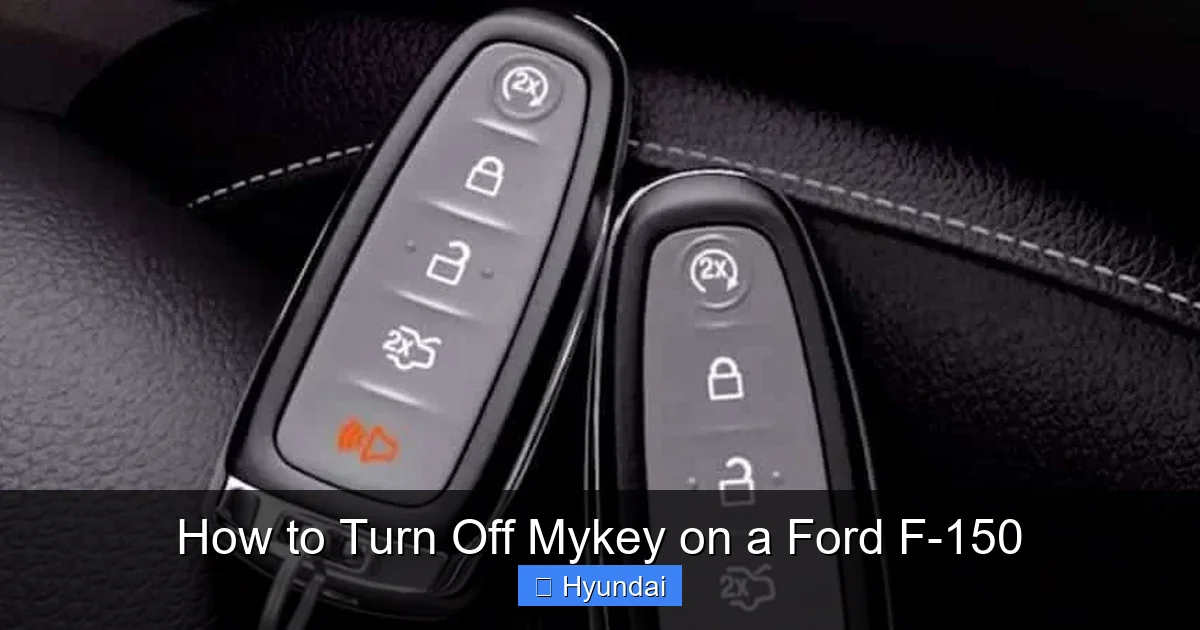
This is the non-negotiable rule. The key that was originally used to program the MyKey settings is the admin key. It’s usually the first key you got with the truck. If you have two keys, one is likely the admin and one is the MyKey. You need to insert the admin key into the ignition and start the truck. If you only have the restricted MyKey, you are out of luck without a trip to the dealer. Pro Tip: If you’re unsure which key is which, try starting the truck with each one. The admin key will start normally. The MyKey will start, but you’ll see a “MyKey” or key icon with an exclamation point on the instrument cluster display, indicating restrictions are active.
The Vehicle Must Be in a “Ready” State
Your F-150 needs to be in a specific state for the MyKey menu to be accessible:
- The truck must be started with the admin key.
- All doors must be closed.
- The seat belt for the driver must be fastened. (The system is strict about this safety check).
- There should be no other MyKey-specific warnings active on the dash (like a “Check MyKey” message). If there is, you may need to address the underlying issue first, which sometimes could be related to other systems. For instance, if a tire pressure light is on, it might not block MyKey, but it’s good practice to fix all warnings. You can learn how to address a TPMS light on a Honda Civic in our other guide, as the principle of fixing the root cause is similar across brands.
Know Your Model Year’s Interface
The exact steps vary slightly between the older button-based cluster displays and the newer larger touchscreens. This guide covers the most common method for 2015-2020 F-150s with the 4.2″ or 8″ LCD cluster display. For 2021+ models with the fully digital instrument cluster or SYNC 4, the path is similar but the menu names might be “Settings” > “Vehicle” > “MyKey.” We’ll focus on the classic method as it’s the most widely encountered.
The Step-by-Step Process to Turn Off MyKey
Alright, admin key in hand, truck running, seat belt fastened? Let’s do this. The magic happens using the buttons on your steering wheel, not the center console touchscreen.
Visual guide about How to Turn Off Mykey on a Ford F-150
Image source: vehq.com
Step 1: Access the Main Settings Menu
With the truck running and in Park (or Neutral for a manual), press the MENU button on the left side of your steering wheel. This will bring up the main menu on your instrument cluster display. Use the ▲ (up) and ▼ (down) arrow buttons on the steering wheel to scroll through the options. You’re looking for an option that says “Settings” or “Setup”. Press the OK button (the center button on the steering wheel) to select it.
Step 2: Navigate to the MyKey Menu
Inside the Settings menu, you’ll see a list of sub-menus. Again, use the arrow buttons to scroll. You need to find the option labeled “MyKey” or “MyKey Settings”. It might be under a broader “Vehicle” or “Driver Assist” category in some model years. Scroll until you see it, then press OK.
Step 3: Clear All MyKey Settings
You are now in the MyKey menu. Here you’ll see the current status (e.g., “MyKey Active”) and options like “Make MyKey,” “Clear MyKey,” or “Change Admin Key.” Use the arrows to highlight “Clear MyKey” or “Clear All”. Press OK. The system will likely ask you to confirm, as this is a permanent action for that key. It may say something like “Are you sure you want to clear all MyKey settings?” Use the arrows to select “Yes” or “Confirm” and press OK.
Step 4: Verify the Change
After confirming, the display should show a message like “MyKey Cleared” or “Settings Reset.” You can now turn off the truck. Remove the admin key and insert the previously restricted key. Start the truck. You should no longer see the MyKey warning icon (a key with an exclamation point) on the dash. The speed limiter will be gone, the stereo will play at full volume, and all other enforced restrictions are lifted. That key is now a standard, unrestricted key. To be absolutely sure, try accelerating to a high speed or turning the volume up. You should have full freedom.
Practical Example: Let’s say you programmed MyKey for your 16-year-old with a 70 mph limit and 40% volume max. You’ve just cleared it. Now, when you drive the truck to work, you can set the cruise at 75 on the highway and blast your tunes without the system cutting you off. The key you used to clear it (the admin key) remains the admin key. You can now use it to reprogram MyKey settings for someone else in the future if needed.
What Happens After You Turn Off MyKey?
Success! The restrictions are gone. But what does that mean for your keys and your truck’s behavior?
Visual guide about How to Turn Off Mykey on a Ford F-150
Image source: vehq.com
The Previously Restricted Key Becomes “Normal”
The key that was under MyKey control is now a blank slate. It starts the truck, and the truck treats it exactly like the admin key in terms of access to features. There are no hidden limits. You can use it to go back into the MyKey menu later and set new limits if you want to re-enable the system for another driver.
Your Admin Key Stays the Admin
The key you used to perform the clear operation retains its admin status. This is important because only an admin key can create or modify MyKey settings. You still have one admin key (or more, if you had multiple). Nothing changes about its function.
No Impact on Other Vehicle Systems
This is crucial. Turning off MyKey does not reset or affect any other computer modules in your truck. Your engine control module, transmission computer, tire pressure monitoring system (TPMS), and maintenance minder are all untouched. If you had a check engine light or a service reminder, it will still be there. MyKey is a standalone feature layer. For example, if your oil change light is on, you’ll need to follow the specific reset procedure for your F-150 model year, which is a different process altogether. Similarly, if you have a different brand and need to reset a TPMS light on a Honda Civic, that’s an entirely separate procedure from MyKey.
You Can Immediately Re-Program
The system is ready to be set up again. If you want to lend the truck to another new driver tomorrow, just go back into the MyKey menu with the admin key and create a new MyKey profile. The memory is clean.
Troubleshooting: Why Won’t MyKey Turn Off?
Sometimes, the process doesn’t go smoothly. Here are the most common hiccups and how to solve them.
“MyKey Cannot Be Cleared” or “Admin Key Required” Message
This is the most frequent error. It means the truck does not recognize the key you’re using as the admin key. Solutions:
- Double-check you are using the correct key. Try the other key you have.
- Ensure you are starting the truck with the admin key and keeping it in the ignition throughout the entire menu navigation process. Do not remove it.
- If you only have one key, it’s likely a MyKey and not an admin. You will need to have a second key programmed as an admin by a dealer.
- If the key’s internal transponder chip is damaged, the truck may not read it properly. A dealer can test this.
MyKey Menu Option is Grayed Out or Missing
The menu isn’t accessible. Solutions:
- Verify all prerequisites: doors closed, driver seat belt fastened, no other warnings (like an open door or low oil pressure) on the dash.
- Check if the truck is in Park (or Neutral for a manual). Some models require Park.
- The vehicle may be in “Transport” or “Shipping” mode from the dealer. This mode often disables many programmable features. Driving the truck for a short period (10-15 minutes) usually deactivates this mode automatically.
- On some older models, if the battery was recently disconnected, the system may need time to reinitialize. Drive the truck for a cycle.
The MyKey Icon (Key with !) Stays On After “Clearing”
You followed the steps, but the warning light persists. Solutions:
- Perform the clear process again. Sometimes it needs two attempts.
- Try a full system reset: Turn off the truck, remove both keys, lock all doors with the remote, wait 5 minutes, then restart with the admin key and try again.
- There may be a communication glitch between the key and the Powertrain Control Module (PCM). A dealer can run a diagnostic to see if there are any stored fault codes related to the Passive Anti-Theft System (PATS).
When to Call the Dealer
If you’ve exhausted all troubleshooting and MyKey remains stubbornly active, it’s time for professional help. A Ford dealership technician can connect their proprietary IDS (Integrated Diagnostic Software) tool. This software can directly interface with your truck’s security module, see which keys are programmed as admin vs. MyKey, and forcefully clear or reprogram them. This is the only way to fix the situation if you’ve lost the sole admin key or if the system is in a locked state. There is typically a fee for this service, as it requires specialized hardware and software.
Important Considerations Before You Disable MyKey
Before you hit that “Clear” button, take a moment. Why was MyKey set up in the first place?
Safety vs. Convenience
MyKey exists as a safety net. If you’re disabling it because a new driver has become more responsible, that’s a great outcome! But if you’re disabling it for yourself because you find the limits annoying, ask if the trade-off is worth it. Is that extra 5 mph of speed or 10% more volume worth potentially reducing a safety buffer? The decision is yours, but make it consciously. The system is designed to be a parent’s or fleet manager’s tool, not a permanent restriction on the primary owner.
Legal and Insurance Implications
Disabling a factory safety feature like MyKey generally has no legal or insurance ramifications. You own the vehicle. However, if the truck is still under a lease or is a company fleet vehicle, check your contract. The lessor or employer may have requirements regarding the use of such systems. It’s always good to be informed.
It’s Not a “Valet Mode”
Don’t confuse MyKey with a valet mode. Some vehicles have a separate valet mode that limits trunk access or disables the touchscreen. MyKey is specifically about driver behavior limits. If you want to restrict a valet’s access to your truck’s storage, you’d need to use a different method, like locking the tailgate manually or using a cargo cover. Similarly, other brands have different terms; for instance, some Subaru models have a “Valet Mode” within their settings. If you’re curious about how these compare, we have guides on turning off various assist features on other cars, like how to turn off lane assist on a Subaru.
Future Reprogramming is Easy
The best part? You’re not making a permanent decision. You can turn MyKey off today and turn it back on tomorrow for a different driver. The system is designed for this flexibility. So don’t stress about the choice. Use it when you need it, disable it when you don’t.
Conclusion: Your Truck, Your Rules
And there you have it. Turning off MyKey on your Ford F-150 is a straightforward process of finding the right menu with your admin key and clearing the settings. It’s a quick way to remove those imposed limits and enjoy your truck’s full performance and entertainment capabilities. Just remember the golden rule: you need that original admin key. Without it, your only option is a visit to the Ford dealer. MyKey is a powerful tool for peace of mind when lending your vehicle, but it’s your truck, and you should have complete control over it when you’re behind the wheel. We hope this guide has demystified the process. Now go ahead, clear those settings, and enjoy the open road with the volume up and the accelerator down—responsibly, of course.
Frequently Asked Questions
Can I turn off MyKey without the admin key?
No. The admin key is the only key authorized to clear MyKey settings. Without it, you must visit a Ford dealer who can reprogram the keys using their diagnostic computer.
Will turning off MyKey affect my truck’s warranty?
No. MyKey is a user-programmable feature, not an emissions or safety-critical system. Disabling it does not void any part of your Ford warranty.
How do I know if MyKey is currently active on my F-150?
Look at your instrument cluster display when you start the truck. If you see a small key icon with an exclamation point, or a “MyKey” or “Restricted” message, MyKey is active. You may also notice the speedometer will not go past the set limit.
After clearing MyKey, can I set it up again for a different driver?
Absolutely. Once cleared, the system is reset. You can use your admin key to go back into the MyKey menu and program new settings for any key you choose, effectively turning it back on for that specific key.
Does turning off MyKey also turn off the seatbelt chime or the low-fuel warning?
Yes. Those are part of the MyKey package. When you clear MyKey, all enforced limits—including the continuous seatbelt chime and the earlier low-fuel warning—are removed, and the truck reverts to its standard, non-MyKey behavior for those alerts.
What if my Ford F-150 doesn’t have a “MyKey” option in the settings menu?
This usually means one of two things: either your specific trim level does not include the MyKey feature (some base work trims may not), or the vehicle is still in “Transport/Shipping” mode from the dealer. Driving the truck for 15-20 minutes typically activates all programmable features. If it’s still missing after that, consult your owner’s manual or a dealer to confirm your vehicle’s feature set.
