
How to Program a Honda Civic Key Fob

Programming your Honda Civic key fob is often a simple DIY task that can save you time and money. The process varies slightly depending on your Civic’s model year and whether it has a traditional key or push-button start. By following the precise sequence of steps within your vehicle’s ignition and door locks, you can sync a new or replacement fob in minutes. Always start by checking the key fob battery, as a weak battery is the most common cause of programming failure.
Key Takeaways
- Model Year & System Matter: The programming steps differ for Civics with traditional ignition keys versus those with the push-button start system. Always identify your specific system first.
- Battery Check is Crucial: A dead or weak key fob battery is the #1 reason programming fails. Replace it with a fresh CR2025 or CR2032 battery before you begin.
- You Need a Working Key: Most Honda Civic self-programming procedures require you to have at least one already-programmed, working key fob present to initiate the sequence.
- Timing is Everything: The steps must be performed in the exact order and within specific time windows (often 5-10 seconds between actions). Rushing or pausing will cause the process to fail.
- Not All Fobs Are Programmable: You cannot program a smart key fob for a push-button start Civic using the onboard method; it requires a dealer or professional scan tool.
- Security Immobilizer Systems: Modern Civics have an immobilizer that ties the key fob’s transponder chip to the engine computer. This is why proper programming is essential for the car to start.
- Know When to Call a Pro: If you’ve lost all programmed keys, or if the fob is a proximity smart key for a push-button start, you will need a locksmith or dealer with specialized equipment.
[FEATURED_IMAGE_PLACEHOLDER]
📑 Table of Contents
- Unlocking Convenience: Why Program Your Own Key Fob?
- Know Your Civic: Identifying Your Key System
- Essential Preparation Before You Begin
- Programming the Traditional Key Fob (with Metal Key Blade)
- Programming for Push-Button Start Civics (The Critical Limitation)
- Troubleshooting: Why Your Programming Attempt Failed
- When DIY Isn’t Enough: Knowing When to Call a Professional
- Beyond the Fob: Related Key & Access Issues
- Conclusion: Empowerment Through Understanding
Unlocking Convenience: Why Program Your Own Key Fob?
That small piece of plastic and electronics in your hand, your Honda Civic key fob, is your ticket to effortless entry and ignition. It locks doors with a click, pops the trunk, and starts your engine. But what happens when it stops working? Maybe the buttons are unresponsive, or the car simply doesn’t recognize it anymore. Your first instinct might be to head to the dealership, brace for a hefty bill, and wait for an appointment. What if you could regain that convenience yourself, often in under five minutes, for the cost of a battery? Programming a Honda Civic key fob is a skill that puts you back in control. This guide will walk you through every step, demystifying the process for both traditional key fobs and the more complex push-button start systems. We’ll cover exactly what you need, the precise sequences for different model years, and how to troubleshoot when things don’t go as planned. Saving money is a great bonus, but the real win is the confidence that comes with understanding your own vehicle.
Know Your Civic: Identifying Your Key System
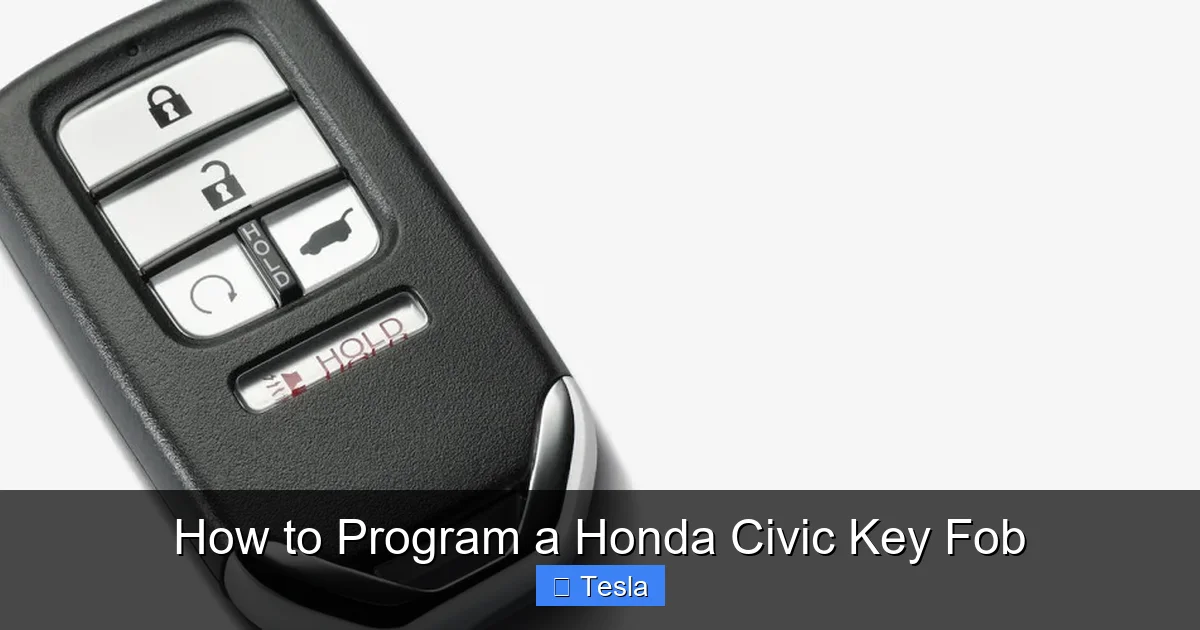
Before you touch a single button, you must know what type of key system your Honda Civic uses. The programming procedure is entirely dependent on this. There are two primary systems you’ll encounter, and a critical third category that is not DIY-programmable.
Visual guide about How to Program a Honda Civic Key Fob
Image source: carglassadvisor.com
The Traditional Key with Embedded Transponder
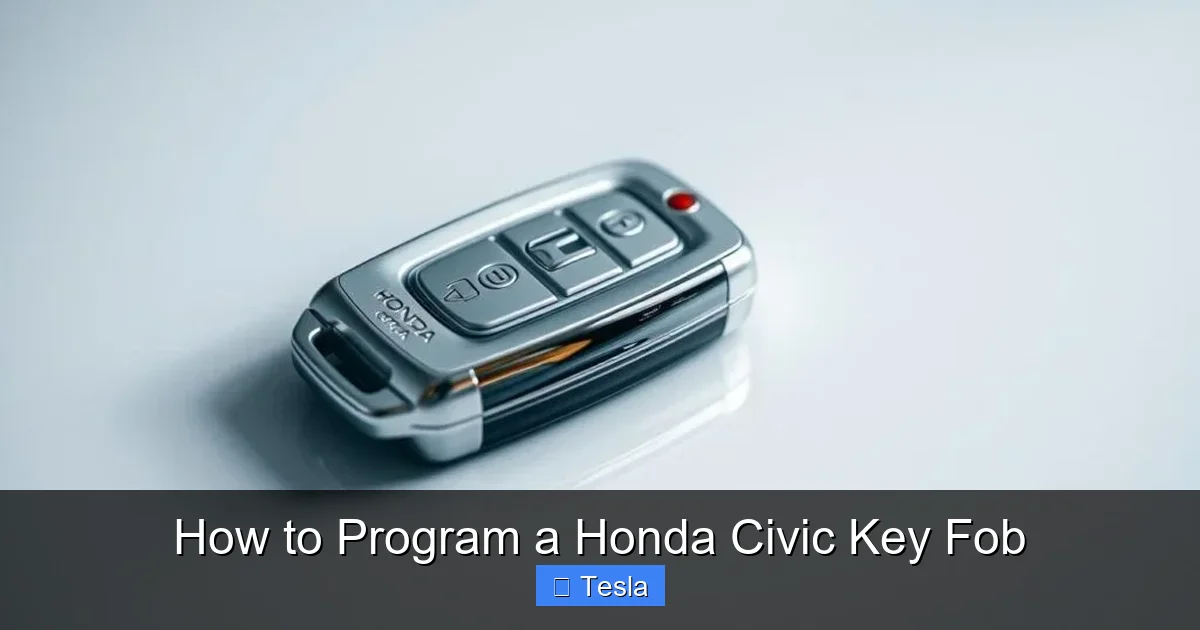
This is common on Honda Civics from the late 1990s through the early 2010s. The key fob is a separate remote that attaches to a traditional metal key, or it’s a “flip key” where the metal key folds inside the fob. Inside the plastic head of the key is a small transponder chip. When you insert the key and turn it, the car’s antenna ring around the ignition cylinder reads this chip. If the chip’s code matches what the car’s immobilizer computer expects, the engine is allowed to start. The remote part (lock/unlock/trunk) is programmed separately, often through a door lock cycle procedure.
The Push-Button Start “Smart Key”
Starting around 2016 for the tenth-generation Civic and standard on newer models, Honda introduced the push-button start system. This fob has no visible key. It stays in your pocket or purse. Inside, it has both a remote control circuit and a sophisticated low-frequency antenna for the immobilizer system. The car constantly communicates with the fob when you are inside or near it. To start, you simply press the ignition button while depressing the brake pedal, provided the fob is detected. This is the most important distinction: the proximity smart key for push-button start Civics cannot be programmed by the owner using the standard onboard procedure. It requires a dealer or locksmith with a proprietary Honda HDS or other scan tool to sync it to the vehicle’s immobilizer system.
The Remote-Only Key Fob (No Start Capability)
Some base-model Civics or fleet vehicles might have a simple remote fob that only controls locks, trunk, and panic. It does not have a transponder chip for starting the car. Programming this type of fob is usually the simplest, often involving a sequence of locking/unlocking the driver’s door with the existing remote. However, this is less common on modern Civics as the transponder is now standard for security.
How to Identify Yours: Look at your key. If you see a physical metal key blade that inserts into a door and ignition, you have a traditional system. If there is no metal blade and you have a push-button start in your car, you have a smart key system. If in doubt, your owner’s manual is the definitive source. You can also check the comprehensive guide on key fob types for visual examples.
Essential Preparation Before You Begin
Rushing into the programming sequence without preparation is the fastest way to failure. These steps take two minutes but save you twenty minutes of frustration.
Visual guide about How to Program a Honda Civic Key Fob
Image source: vehiclerides.com
Step 1: Source the Correct Replacement Fob
This is non-negotiable. You must purchase a key fob that is specifically designed for your Honda Civic’s model year and trim. A fob for a 2012 Civic will not work on a 2018. The part number must match. You can find the correct part number in your owner’s manual, on the back of your working fob (sometimes under the battery cover), or by providing your VIN to a Honda parts department or reputable online retailer. Using an incompatible fob is a waste of time and money.
Step 2: Replace the Battery Preemptively
Always, always start with a fresh battery. Even if your old fob worked intermittently, a new battery ensures maximum signal strength during programming. For most Honda Civic fobs, you’ll need a CR2025 or CR2032 3-volt lithium coin cell. Open your existing fob (usually by prying at the seam with a flathead screwdriver) to confirm the type. Have the new battery ready and installed in the new fob before you start the car procedure. This simple act solves a huge percentage of “why won’t it program?” problems. If you need a visual guide for this, changing the battery in a Honda Civic key fob is a quick and easy process.
Step 3: Gather Your Working Keys
The standard Honda onboard programming procedure for traditional systems requires you to have at least one already-programmed, functioning key fob with you. You will use it to “teach” the car the new fob’s code. The process typically involves inserting the working key, turning it to the ON position, and then cycling it while pressing buttons on the new fob. If you have lost all your working keys, you cannot use this method and will need professional assistance with a scan tool.
Step 4: Clear Your Schedule and Find a Quiet Spot
You need to perform the steps without interruption. Park your Civic in a quiet driveway or garage away from other vehicles, large metal objects, or strong radio interference. Ensure all doors, the trunk, and the hood are closed. Have your owner’s manual handy for model-specific timing details. Turn off your cell phone or put it in airplane mode to prevent any accidental Bluetooth or radio interference during the sensitive programming window.
Programming the Traditional Key Fob (with Metal Key Blade)
This procedure covers the vast majority of Honda Civics from approximately 1998 to 2015. It programs both the remote functions (lock/unlock) and synchronizes the transponder chip for engine starting, all through the ignition and door lock. The exact timing can vary slightly by year, but the core sequence is consistent.
Visual guide about How to Program a Honda Civic Key Fob
Image source: hiride.com
The Standard 8-Step Programming Sequence
Follow these steps precisely. If you make a mistake, start over from the beginning.
- Enter the Vehicle: Sit in the driver’s seat with all doors closed. Have both your working key fob and the new, unprogrammed key fob ready.
- Insert and Turn the Working Key: Insert your working key into the ignition. Turn it to the “ON” (II) position—the position right before the engine would start, where your dashboard lights come on. Do not start the engine.
- Cycle the Lock Button: Within 5 seconds of turning the key to ON, press and hold down the “LOCK” button on the driver’s door armrest for about 1 second, then release. You should hear the door locks cycle (click). This step tells the car’s Body Control Module to enter programming mode.
- Turn the Key OFF: Immediately turn the ignition key back to the “OFF” position. The locks should have cycled again to confirm entry into programming mode. If they don’t, wait a few seconds and try Step 2 and 3 again.
- Press Buttons on the NEW Fob: Now, within 5 seconds, point the new, unprogrammed key fob at the receiver (usually near the dome light) and press and hold the “LOCK” button for about 1 second, then release. The door locks should cycle again. This programs the remote function of the new fob.
- Repeat for Additional Fobs: If you are programming a second new fob, turn the key back to ON for 1 second, then OFF. Within 5 seconds, point the second new fob and press its LOCK button. The locks will cycle again. You can program up to 3 remotes total in one session.
- Finalize the Programming: After programming all desired fobs, turn the ignition key to ON and then OFF one final time. The door locks will cycle one last time to exit programming mode and save the new codes.
- Test Thoroughly: Remove the key. Test the new fob by pressing LOCK and UNLOCK. The doors should respond. Then, insert the new key into the ignition and try to start the car. The engine should crank and start normally. If it doesn’t, the transponder may not have been synced, and you may need to repeat the process or consult a professional.
Important Variations by Model Year
For some model years (notably certain 1998-2000 Civics), the sequence might require you to press the LOCK button on the *existing* remote instead of the door switch in Step 3. Always consult your owner’s manual. A common alternative sequence is: Insert working key -> Turn ON -> Press LOCK on working fob -> Turn OFF -> Press LOCK on new fob. The key is that the car must see a signal from a programmed device (either the door lock switch or a working fob) to enter learn mode before accepting the new fob’s signal.
Programming for Push-Button Start Civics (The Critical Limitation)
This is the section where many people hit a wall. If your Civic has a keyless ignition and a fob with no metal blade, you are dealing with a “Smart Key” or “Proximity Key” system. The unfortunate but critical truth is that you cannot program a new smart key fob for a Honda Civic with push-button start by yourself using the standard onboard methods. The system is designed this way for enhanced security.
Why It’s Different and Not DIY
The proximity key uses encrypted, rolling codes that communicate with the car’s immobilizer control unit (often called the “Immobilizer Control Module” or “ICM”). This communication is highly secure. To add a new key’s unique code to the car’s memory, a technician must connect a specialized Honda diagnostic computer (like the HDS – Honda Diagnostic System) to the vehicle’s OBD-II port. This tool can securely access the immobilizer system, enter a programming mode, and “teach” the car the new fob’s code. This process is often called “adding a key” or “key coding.” Without this authenticated access, the car’s computer will simply ignore attempts to add a new key via button presses.
What You CAN Do Yourself (Remote Functions Only)
There is one exception and one thing you can do. Some push-button start Civics have a separate, simple remote fob that comes with the smart key for trunk release or panic function. This small, separate fob may be programmable using the traditional door lock cycle method described in the previous section. Check your owner’s manual. However, the main, primary smart key fob that starts the car is not user-programmable.
Your Options for a New Push-Button Start Key
- Honda Dealership: The most straightforward but often most expensive option. They will cut the physical key blade (if your fob has one for emergency door use), provide the correct fob, and program it to your car’s VIN using their system. Expect to pay for the fob ($200-$400+) plus labor.
- Certified Automotive Locksmith: Often a more affordable choice. A reputable locksmith who specializes in automotive keys will have the necessary scan tools and software to program Honda smart keys. They can also usually come to you. Always verify they can program your specific year/model before ordering a fob.
- Order a Pre-Cut, Programmable Fob Online: You can sometimes purchase a “blank” fob online. However, you will still need to take it, along with proof of ownership (title, registration), to a locksmith or dealer to have it programmed and the emergency key blade cut. Do not buy “pre-programmed” fobs from dubious sources; they likely won’t work with your car’s immobilizer.
If you find yourself in this situation, your best research is to call local locksmiths and explain you need a “Honda Civic push-button start key programming” service. Programming push-start systems across brands generally requires professional equipment, not just a sequence of steps.
Troubleshooting: Why Your Programming Attempt Failed
You followed the steps perfectly, but the new fob still doesn’t work. Don’t panic. Let’s diagnose the most common culprits.
Problem: The Door Locks Did Not Cycle During Programming
Likely Cause: The car never entered programming mode. This is usually a timing issue or a problem with the initiating signal.
- Solution: Start the entire sequence over. Ensure you turn the key to ON and initiate the lock cycle (either via door switch or working fob) within 5 seconds. If your model uses the door lock switch, make sure you are pressing and holding it firmly for a full second. If it uses the working remote, ensure its battery is also good.
Problem: The New Fob Locks/Unlocks, But Won’t Start the Car
Likely Cause: You successfully programmed the remote control signal but failed to sync the transponder chip. This can happen if the programming sequence was interrupted or if the fob’s transponder is faulty.
- Solution: Repeat the entire programming sequence, ensuring you do not remove the key until the final OFF step. If it fails again, the new fob may be defective, or your car’s immobilizer antenna ring around the ignition might have an issue. Try the working key to confirm the car starts normally.
Problem: Nothing Happens at All. No Cycles, No Response.
Likely Cause: This points to a power issue or a fundamentally incompatible fob.
- Solution: First, replace the battery in the new fob. Second, double-check that you have the correct fob for your exact year, make, and model. A part number mismatch is a common mistake when ordering online. Third, ensure your working key’s battery is also good if your procedure relies on it.
Problem: The Car’s Security Light (Green Key Icon) Flashes or Stays On
The green key light on the dashboard is your immobilizer indicator. If it flashes when you try to start the car, the immobilizer is rejecting the key’s code.
- Solution: This means the transponder in the key fob was not properly programmed to the car’s immobilizer system. For traditional keys, re-do the programming sequence carefully. For push-button start keys, this confirms you need professional programming. You can also learn more about diagnosing the green key light for other potential causes.
When DIY Isn’t Enough: Knowing When to Call a Professional
While programming a traditional remote fob is a satisfying DIY project, there are clear scenarios where calling a professional is not just easier, but necessary.
Scenario 1: All Original Keys Are Lost
This is the most common reason for needing a pro. If you have zero working keys, you cannot use the onboard programming method that requires an existing key. A locksmith or dealer must use their diagnostic tool to “add a key” to an empty system. They will also need to cut a new emergency metal key blade for your door cylinders.
Scenario 2: You Own a Push-Button Start Honda Civic
As established, the smart key fob for these models requires a scan tool. Do not waste time trying to find a mythical “hidden” onboard sequence. It doesn’t exist for the primary start key.
Scenario 3: The Fob is Physically Damaged
If the key fob’s circuit board is cracked, the buttons are broken off, or the internal transponder chip is damaged from water exposure, no amount of programming will fix it. You will need a replacement fob, which then needs to be programmed.
Scenario 4: You’ve Repeatedly Tried and Failed
If you’ve followed the correct steps for your model three times with a known-good, compatible fob and battery, and it still doesn’t work, there may be an underlying issue with the car’s receiver module, immobilizer, or wiring. A professional has the diagnostic tools to check for these faults.
Choosing a professional doesn’t mean you’re helpless. You can still save money by purchasing the correct key fob yourself online and then paying the locksmith only for the programming and key-cutting service, which is often less than the cost of the dealer’s markup on the part itself. Just ensure the fob you buy is blank and intended to be programmed.
Beyond the Fob: Related Key & Access Issues
Your key fob is part of a larger access system. Sometimes, the problem isn’t the fob’s programming but something else entirely.
Dead Battery in the Fob
We’ve emphasized this, but it bears repeating. A weak battery causes weak signals. The car might only respond when you’re extremely close, or not at all. Replacing the battery is the first and cheapest troubleshooting step for any key fob issue. It’s a skill worth mastering on its own.
Manual Door Lock Cylinder Issues
If your fob works but the physical metal key doesn’t unlock the door, the lock cylinder may be worn, frozen, or the tumblers damaged. This is a separate mechanical issue. For Civics without a visible key blade (smart key models), you’ll find a hidden physical key inside the fob for emergencies. If that key doesn’t work in the door, you may need a locksmith to rekey or repair the cylinder. Opening a Honda Civic trunk without a key often involves accessing an interior release or using the hidden emergency key, so knowing where that is and that it works is part of being prepared.
Trunk Release Malfunction
If your fob’s trunk button stops working, but the lock/unlock functions are fine, the issue might be with the trunk’s latch actuator or its wiring, not the fob’s programming. The fob sends a signal to a module that then powers the trunk release solenoid. A failure anywhere in that chain will prevent operation.
Understanding these related systems helps you accurately diagnose whether the problem is truly “the fob needs programming” or something else entirely, saving you time and misdirected effort.
Conclusion: Empowerment Through Understanding
Programming your Honda Civic key fob is a tangible way to take a bit more ownership of your vehicle’s maintenance. For owners of traditional-key Civics, it’s a straightforward, empowering process that transforms a potential $100+ dealership visit into a five-minute, $5 battery replacement job. The key—pun intended—is meticulous preparation: the right fob, a fresh battery, and a clear understanding of the sequence for your specific model year. By mastering the door lock cycle method, you gain a valuable skill that will serve you well for years.
For the growing number of Civic owners with push-button start systems, the lesson is equally important: knowing the limits of DIY. Understanding that the smart key requires professional, dealer-level tools prevents wasted hours searching for a non-existent trick and guides you to the correct, efficient solution. Whether you program it yourself or call a pro, you’re now an informed consumer who understands the “why” behind the process. So next time that key fob light dims or a button sticks, you’ll know exactly what to do. You’ve got this.
Frequently Asked Questions
Can I program a Honda Civic key fob myself?
Yes, you can program a traditional key fob (with a metal key blade) for most Honda Civics from the late 1990s to early 2010s using the onboard door lock cycle method. However, you cannot program a proximity “smart key” for push-button start models yourself; it requires a dealer or locksmith.
How much does it cost to program a Honda Civic key fob at the dealer?
Dealership costs vary widely but typically range from $150 to over $400. This includes the price of the key fob itself (which can be expensive) and the labor to program it. Using an independent automotive locksmith is often 30-50% cheaper.
Why won’t my Honda Civic key fob program?
The most common reasons are: 1) A dead battery in the new fob, 2) Using an incompatible fob for your model year, 3) Incorrect timing during the programming sequence, or 4) Not having a working, programmed key present to initiate the process for traditional systems.
How many key fobs can I program to my Honda Civic?
Honda’s onboard system typically allows you to program up to 3 remote fobs at a time. If you need more, you may need to erase all existing codes and reprogram them, which requires at least one working fob to start the process.
Do I need a working key to program a new Honda Civic key fob?
For traditional key systems (with a metal ignition key), yes, the standard owner programming procedure requires at least one existing, working programmed key to be present. If all keys are lost, a professional with a scan tool is required. For push-button start smart keys, professional programming is always required.
My key fob works but the car won’t start. Is it a programming issue?
Possibly. If the green security key light on the dashboard is flashing, it means the car’s immobilizer is not recognizing the transponder chip in your key. This could be due to a faulty chip, a damaged key, or a lost programming. If the light is not on, the issue may be with the ignition switch, starter, or fuel system, not the key fob itself.
