
How to Turn Off Regenerative Braking Tesla Model 3

Yes, you can turn off or adjust regenerative braking on a Tesla Model 3, but it’s not a permanent “off” switch. You change the setting from “Standard” to “Low” via the touchscreen, which significantly reduces the effect. Turning it off completely is not recommended for daily driving as it lowers your driving range and increases brake wear. This guide shows you exactly how to make the change and explains the critical implications for safety, efficiency, and your vehicle’s systems.
So, you’re sitting in your sleek Tesla Model 3, and that one-pedal driving feel—where lifting off the accelerator feels like a gentle brake—is just not for you. Maybe you’re coming from a traditional gas car, or you’re driving on icy roads, or you simply prefer to coast. The question pops up: “Can I turn off regenerative braking?” It’s a common query for new Tesla owners, and the answer has some important nuances. Let’s dive in, friend-to-friend, and unpack everything you need to know about adjusting this core EV feature in your Model 3.
First, a quick reality check. Tesla’s design philosophy strongly favors efficiency. Regenerative braking is a huge part of what gives your Model 3 its impressive range, converting kinetic energy back into stored battery power. Because of this, they don’t give you a simple “OFF” button that kills the system completely. What they do provide is a choice between two levels of intensity: Standard and Low. “Standard” is the aggressive, one-pedal mode most owners love. “Low” provides a much subtler deceleration when you lift off the accelerator, feeling more like a traditional car that coasts. For all practical purposes, setting it to “Low” is how you “turn off” the strong regenerative braking effect. Our goal here is to show you exactly how to make that switch and, more importantly, help you understand what happens when you do.
Key Takeaways
- Regenerative braking is adjustable, not fully disableable: The Tesla Model 3 offers “Standard” and “Low” regen settings. “Low” mimics a traditional coasting feel but does not eliminate energy recapture entirely.
- The primary reason to use “Low” is driver preference: Some drivers find “Standard” regen too aggressive, especially in slippery conditions or when they prefer a more conventional driving feel.
- Using “Low” regen reduces driving range: You will recapture less energy during deceleration, leading to a measurable decrease in your estimated range, potentially by 10-20% depending on driving style.
- Brake wear will increase: With less regen slowing the car, your physical brake pads and rotors will do more work, leading to faster wear and higher maintenance costs over time.
- It does not affect safety systems: Disabling regen (setting to “Low”) does not turn off Automatic Emergency Braking, Collision Avoidance, or other Tesla safety features. They operate independently.
- There is no secret “off” mode: Unlike some older EVs, Tesla does not provide a setting to completely stop all regenerative energy recapture. “Low” is the minimum setting.
- Snow and ice require extra caution: If using “Low” in winter, you must be more gentle with the brake pedal to avoid locking wheels, as the regen’s gentle smoothing effect is reduced.
📑 Table of Contents
What Is Regenerative Braking, Really?
Before we hack the settings, let’s get on the same page about what we’re adjusting. In a gasoline car, when you brake, kinetic energy turns into waste heat in the brake rotors. Poof, gone forever. An electric motor, however, can run backwards as a generator. When you slow down in your Tesla, the motor switches modes, acts as a generator, and spins that energy back into your battery pack. That’s regenerative braking, or “regen” for short.
The One-Pedal Driving Experience
In “Standard” mode, the regen is so strong that, in most situations, you can come to a complete stop without ever touching the brake pedal. You modulate your speed solely with the accelerator pedal—press to go, lift to slow. It’s efficient, it reduces brake wear, and many find it incredibly intuitive after a learning period. The “Low” setting weakens this effect significantly. Lifting off the accelerator will cause the car to slow down, but much more gradually, and you’ll almost always need to use the brake pedal to stop fully or for more aggressive slowing. It essentially gives you a longer, more traditional coasting period.
Why Would You Want to Reduce or “Turn Off” Regen?
This is the heart of the matter. The default “Standard” setting is fantastic for maximizing range and minimizing brake maintenance. But life isn’t one-size-fits-all. Here are the most common, valid reasons drivers seek the “Low” setting.
Visual guide about How to Turn Off Regenerative Braking Tesla Model 3
Image source: vehiclers.com
1. Driving in Slippery Conditions (Snow, Ice, Wet Roads)
This is the #1 reason. The sudden, strong deceleration from “Standard” regen can break traction on a slippery surface the moment you lift off the throttle. Your rear wheels (in RWD Model 3) or all wheels (in AWD) can lock up or lose grip, sending the car into a slight skid or fishtail. By switching to “Low,” the regen torque is gentler, giving you a more predictable, progressive slowdown that’s easier to control when traction is minimal. It feels much more like a cautious lift-off in a gas car. If you live where it snows, knowing how to switch this is a useful winter driving skill.
2. Personal Driving Preference and Comfort
Some drivers just don’t like the one-pedal feel. They find it jerky or unnatural. They prefer the ability to coast—to let the car roll freely without any deceleration force—when taking their foot off the accelerator. Maybe they’re used to a specific handling characteristic from their previous vehicle. “Low” mode provides that closer-to-coasting sensation, putting more control over speed directly in the brake pedal’s court. It’s a comfort and familiarity choice.
3. Stop-and-Go Traffic “Bobbing”
In heavy, slow-moving traffic, “Standard” regen can sometimes feel too sensitive. A tiny lift of your foot might cause a noticeable slowdown, leading to a “bobbing” motion as you constantly fine-tune pressure on the pedal. “Low” mode smooths this out, making low-speed maneuvers feel more linear and less frantic.
4. Towing or Carrying Heavy Loads
When your Model 3 is working harder—like when towing a trailer or carrying a full load of passengers and cargo—the additional mass changes the car’s deceleration dynamics. The strong regen torque from “Standard” mode can feel more abrupt and potentially unsettling with the extra weight behind you. “Low” provides a softer, more manageable slowing force in these scenarios.
How to Turn Off (or Rather, Reduce) Regenerative Braking on a Tesla Model 3
Alright, the moment you’ve been waiting for. The process is delightfully simple because it’s all done through the main touchscreen. There is no hidden menu or service mode required. Here is your step-by-step guide.
Visual guide about How to Turn Off Regenerative Braking Tesla Model 3
Image source: koala.sh
Step-by-Step Instructions
- Park Safely: Ensure your Model 3 is in Park (P). You can make this change while parked or even while driving, but it’s safest to do it while stationary to avoid any momentary distraction.
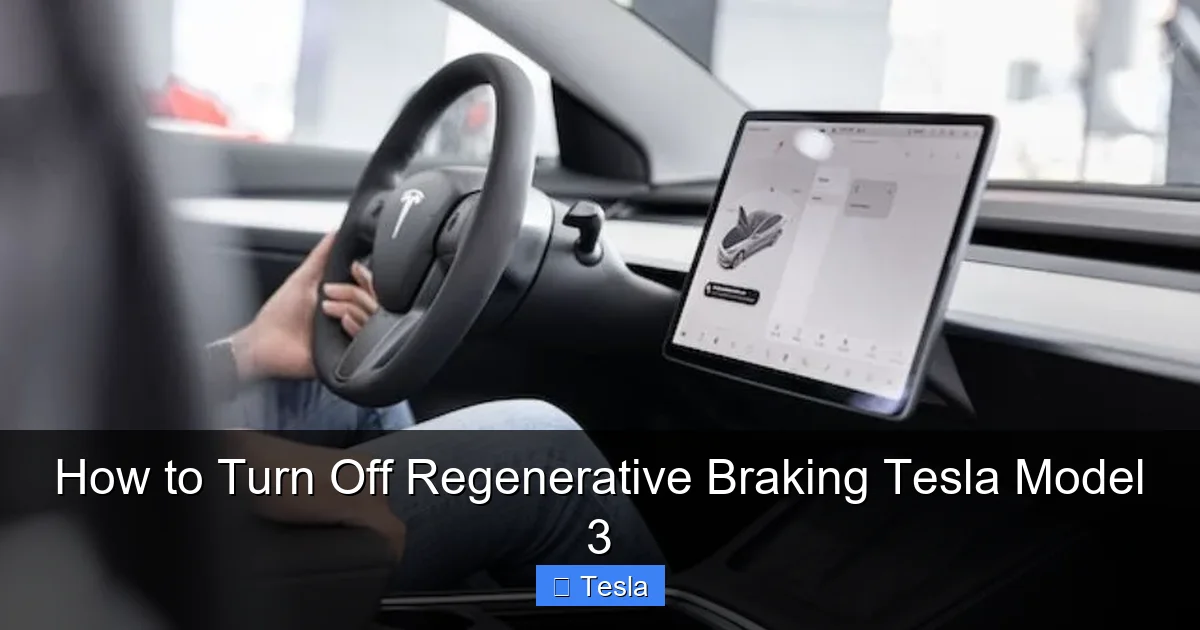
- Access the Touchscreen Menu: Tap the “Controls” icon (the car silhouette) at the bottom center of your 15-inch touchscreen.
- Navigate to Driving: In the Controls menu, select the “Driving” tab on the left sidebar.
- Find the Regenerative Braking Setting: Scroll down within the Driving menu until you see the “Regenerative Braking” section. It will show your current setting, either “Standard” or “Low.”
- Change the Setting: Tap on the current setting (e.g., “Standard”). A pop-up will appear with your two options: “Standard” and “Low.”
- Select “Low”: Tap “Low.” The setting will change immediately. You’ll see the menu reflect the new selection.
That’s it! You’ve successfully reduced the regenerative braking effect. To revert, simply follow the same steps and select “Standard” again. The change is saved to your driver profile, so if you have multiple drivers with different preferences, each person’s profile can remember their chosen setting. This is a fantastic feature that personalizes the driving experience automatically.
Important Note: The “Creep” Setting
While you’re in the “Driving” menu, you might see another setting called “Creep.” This controls whether the car moves forward slowly when you release the brake pedal in Drive, mimicking an automatic transmission’s idle creep. This is separate from regenerative braking. You can have “Low” regen with “Creep” on or off. “Creep” is purely about movement at a stop; regen is about deceleration when moving. Don’t confuse the two.
What Actually Happens When You Switch to “Low”?
Changing the setting is easy. Understanding the downstream effects is crucial. Let’s break down the real-world consequences of choosing “Low” over “Standard.”
Visual guide about How to Turn Off Regenerative Braking Tesla Model 3
Image source: carsupercare.com
The Range Impact: Energy Recapture Takes a Hit
This is the most significant trade-off. Regenerative braking is a major source of energy recapture, especially in city driving with lots of stop-and-go. By weakening the regen torque, you are directly reducing the amount of energy sent back to your battery during deceleration. Your battery’s state of charge (SOC) will drop faster. Tesla’s own range estimates will adjust downward accordingly. In practical terms, you could see a 10% to 20% reduction in your effective range depending on how much you used to rely on regen. Highway driving, which uses little regen anyway, will see a smaller impact. City drivers will feel the pinch more.
Brake Wear: Your Pads and Rotors Will Work Harder
In “Standard” mode, your friction brakes are used primarily for hard stops or when regen alone isn’t enough. In “Low” mode, because the motor isn’t slowing the car as much, you must use the brake pedal more frequently and often more firmly to achieve the same stopping power. This increased usage means your brake pads will wear down faster, and your rotors may need resurfacing or replacement sooner. You’re trading reduced brake maintenance for reduced battery efficiency. It’s a direct mechanical and financial consequence. For a deeper dive into brake system maintenance across different vehicles, you might compare how various manufacturers design their braking systems, though the fundamental principle of wear remains the same.
The Driving Feel: Coasting vs. Deceleration
The immediate, tangible change is in the pedal feel. Lifting off the accelerator in “Low” feels like you’ve just shifted a car into neutral for a moment—there’s a very mild engine braking effect, but the car continues to roll with much less resistance. You have to consciously press the brake pedal to slow down for traffic lights or stop signs. For drivers who prefer this, it feels more natural and gives them a sense of greater control. For one-pedal enthusiasts, “Low” can feel sluggish and require too much pedal work. It’s purely a subjective preference, once you understand the efficiency cost.
No Impact on Active Safety Features
This is critical and often misunderstood. Regenerative braking is a efficiency feature, not a safety feature. Your Tesla’s Automatic Emergency Braking (AEB), Forward Collision Warning, and other safety systems that rely on braking do not use regenerative braking. They command the physical friction brakes directly. Switching to “Low” will not make your AEB less effective or change its activation thresholds. The car will still automatically apply the hard brakes if it detects an imminent collision. You are only changing the *deceleration you command* with your right foot. The car’s ability to brake for you remains fully intact and powerful.
Alternatives and Best Practices
So you’ve decided “Low” is for you. Great! But before you settle in, consider these tips and alternatives to get the most out of your Model 3, regardless of your regen setting.
Mastering Smooth Braking in “Low” Mode
Since you’ll be using the brake pedal more, learn to modulate it smoothly. The goal is to drive as efficiently as possible, even without strong regen. Anticipate traffic flow. Look far ahead. Begin slowing down earlier and more gently. This smooth, early braking is more efficient than last-second hard stops, even in an EV, because it minimizes the energy lost to friction heat (which, while recaptured in regen, is never 100% efficient). A smooth driver in “Low” mode can still achieve decent efficiency, though never quite matching a skilled “Standard” mode driver.
Winter Driving: “Low” is Your Friend, But Be Prepared
As mentioned, for snow and ice, “Low” is highly recommended. However, remember that your physical brakes are now your primary slowing tool. Ensure your Tesla’s brake pads and rotors are in excellent condition before winter. Consider installing winter tires—they are the single most important safety upgrade for cold-weather Tesla ownership, far more impactful than the regen setting. Also, be aware that without regen’s gentle wheel-speed-smoothing effect, it’s easier to lock a wheel on ice if you press the brake pedal too firmly. Use the “ABS” feel (pulsing) as your cue to modulate pressure.
Don’t Forget About Other Customizations
Your Tesla is a platform for personalization. While you’re tweaking driving dynamics in the “Driving” menu, you might also be thinking about the car’s appearance. Many Model 3 owners choose to customize their vehicle’s look with paint protection film or a full vinyl wrap. If you’re considering this aesthetic upgrade, researching the cost to wrap a Tesla Model 3 is a smart first step. A wrap can protect your original paint and give your car a unique finish, complementing the performance tweaks you make inside.
Conclusion: Making the Right Choice for You
Turning off regenerative braking on a Tesla Model 3 isn’t about flipping a kill switch; it’s about selecting the “Low” setting to suit your driving conditions and personal feel. It’s a perfectly valid choice for winter driving, towing, or if you simply prefer a more traditional coasting experience. However, it comes with a clear cost: reduced driving range and increased brake system wear.
The “Standard” setting is the default for a reason—it maximizes the core EV advantages of efficiency and low brake maintenance. We encourage you to spend a week or two mastering “Standard” one-pedal driving in a safe area before deciding it’s not for you. The learning curve is short, and the benefits are substantial. But if your gut says “Low” feels better, especially in challenging weather, the switch is easy and safe to make. Just be mindful of the range meter and your brake maintenance schedule. Your Tesla is designed to be adaptable; use the settings to make it work for your life, but do so with your eyes wide open to the trade-offs. Ultimately, the best setting is the one that makes you feel confident, safe, and satisfied behind the wheel.
Frequently Asked Questions
Is it bad to turn off regenerative braking on a Tesla Model 3?
It’s not “bad” for the car’s mechanics, but it is inefficient. Setting regen to “Low” will reduce your driving range and cause your friction brakes to wear out faster. The system is designed to work best in “Standard” mode for daily efficiency.
Does turning off regenerative braking affect Tesla’s Autopilot or safety features?
No. Regenerative braking and active safety systems like Automatic Emergency Braking are completely separate. AEB and other collision avoidance features will still function at full capacity, using the physical brake hydraulic system.
Can I permanently disable regenerative braking on my Tesla?
No. Tesla does not offer a permanent, complete disable function. The lowest setting is “Low,” which still provides a minimal amount of regen. You must select “Low” each time you drive, though it saves to your driver profile.
Will my Tesla’s brake lights come on with regenerative braking?
Yes. When the deceleration from regenerative braking is strong enough to activate the brake lights (typically in “Standard” mode during moderate slowdowns), the brake lights will illuminate. This alerts drivers behind you that you are slowing, even if you aren’t pressing the brake pedal.
Is there a way to reset regenerative braking to default?
Yes. Simply go to Controls > Driving > Regenerative Braking and select “Standard.” This resets it to the factory default setting. Your selected setting is tied to your driver profile, so switching profiles will also change the regen setting if they are configured differently.
Does turning off regenerative braking save brake fluid or prevent brake caliper issues?
Actually, the opposite is true. Using “Low” regen means you use the friction brakes more often, which can lead to faster wear on pads and rotors and may contribute to caliper slide pin corrosion if not maintained. “Standard” regen helps keep the brake system components cleaner and used less frequently.
