
How to Open Tesla Model 3 Doors

Opening a Tesla Model 3 door depends on your model year and power source. Pre-2021 models use a flush, push-to-open handle, while 2021+ models use a button that extends the handle. Always know the manual release inside the vehicle for emergencies. Understanding these methods ensures you’re never locked out, regardless of battery status.
So, you’ve just gotten your hands on a Tesla Model 3, and you’re standing there, key fob in hand (or phone in pocket), staring at what looks like a smooth slab of metal where a door handle should be. It’s a common moment of confusion for new owners. “How do I open this thing?” you wonder. Don’t worry, you’re not alone. The Tesla Model 3’s door handles are one of its most distinctive—and initially puzzling—design features. But once you know the trick, it’s incredibly simple and elegant. This guide will walk you through every method, for every situation, so you’ll never be stuck outside your car again.
The core principle is keyless entry. The car constantly communicates with your authenticated key (either the fob or your smartphone via Bluetooth). When it detects you approaching, it “wakes up” and prepares the door handles for use. However, there are nuances based on your model year and potential power issues. Let’s break it all down, step by friendly step.
Key Takeaways
- Two main handle designs exist: Pre-2021 flush handles require a firm push; 2021+ button handles pop out for a traditional pull.
- Keyless entry is primary: Approach the car with your key fob or phone key, and the handle will activate automatically.
- The 12V battery powers handles: A dead main battery doesn’t lock you out, but a dead 12V battery requires manual release.
- Manual releases are inside only: Both front and rear doors have a mechanical latch accessible from inside the car.
- Frunk and trunk have separate openings: Use the dedicated buttons in the cabin or external touch sensors, not the door handles.
- Cold weather can freeze handles: Warm the handle with your hand or use the Tesla app to pre-condition the car.
- Regular cleaning prevents jams: Keep door handle recesses clear of debris and ice for reliable operation.
📑 Table of Contents
Understanding Your Model Year: The Two Handle Types
First things first: figure out which door handle design your Model 3 has. This is the single most important factor. Tesla made a significant change starting with deliveries in late 2020/early 2021 for the 2021 model year and later.
Pre-2021 Model 3: The Flush, Push-to-Open Handle
If your Model 3 is from 2019, 2020, or early 2021, it has the original “flush” handle design. There is no visible handle when the car is locked. The entire door panel is smooth. To open it, you simply press firmly on the raised, slightly textured area on the handle (it feels like a wide, shallow bump). You need to press with a good amount of force—think of pressing a heavy doorbell. As you press, the entire handle mechanism pivots outward slightly, and you then pull it the rest of the way to open the door. It’s a two-part motion: press hard, then pull.
Pro Tip: The pressure required can feel surprising at first. Use the pad of your thumb and apply steady, firm pressure directly into the car body. If it doesn’t move, you’re not pressing hard enough in the correct spot. The activation zone is clearly demarcated by a change in texture.
2021+ Model 3: The Button-Operated, Pop-Out Handle
For 2021 model year vehicles and newer, Tesla introduced a more traditional-feeling handle. When you approach an unlocked car, you’ll see the handle itself pop out slightly from the door, presenting a nice, grab-able nub. You simply press the button on the end of this handle (or press the handle itself inward), and it will extend further, allowing you to pull it normally to open the door. It’s much more intuitive for passengers. If the car is locked, the handle will not pop out. You must first unlock the car via your key, the Tesla app, or by having the key in your pocket and simply pulling on the handle—the car will sense the pull attempt and unlock automatically.
Common Mistake: New owners of these models sometimes try to pull the handle without pressing the button first when it’s already slightly out. You must press the button (or the handle) to fully extend the mechanism before pulling. It’s a distinct click.
The Standard Unlocking Process: Keyless Entry in Action
Regardless of your handle style, the standard, everyday method is the same and relies on your key’s proximity.
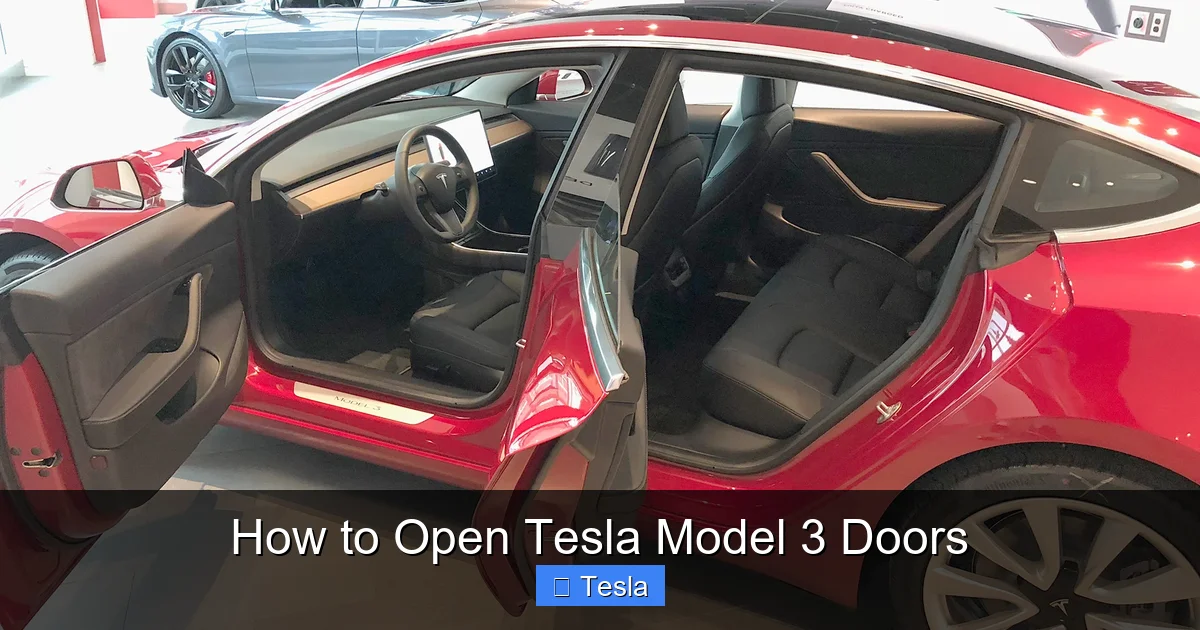
Visual guide about How to Open Tesla Model 3 Doors
Image source: xautoworld.com
Walk up to your Model 3 with your authenticated key (phone key must have Bluetooth on and the Tesla app installed/authenticated; key fob must have battery). As you get within about 5-8 feet, the car will detect you. The headlights may flash, and the handle will activate. For pre-2021 models, the textured area becomes pressable. For 2021+ models, the handle will physically pop out slightly. At this point, you can use the respective method (press-and-pull or press-button-then-pull) to open the door.
If the handle does not activate, check these things in order: 1) Is your phone’s Bluetooth on and is the Tesla app running in the background? 2) Is your key fob battery low? (Replace the CR2032 coin cell). 3) Is there significant interference, like a large metal object or another strong Bluetooth signal between you and the car? Sometimes, simply taking your phone out of your pocket and holding it near the car can help.
Opening the Frunk (Front Trunk) and Rear Trunk
The doors aren’t the only access points. The Model 3 has two trunks: the frunk up front and the conventional rear trunk. Their operation is separate from the doors.

Visual guide about How to Open Tesla Model 3 Doors
Image source: iphonelife.com
Opening the Frunk
There are two ways. First, press the dedicated frunk button located on the driver’s side lower dash, near the hood release. Second, you can use the Tesla app: tap “Controls” > “Additional Controls” > “Frunk.” There is no physical keyhole or external pull cord for the frunk in the US model. It is powered only. This means if the 12V battery is completely dead, you cannot open the frunk electronically. You’ll need to access the 12V battery in the rear trunk (see Emergency section below) to jump it or disconnect it, which then allows frunk access.
Opening the Rear Trunk
This is simpler. You can use the trunk button on the key fob. Inside the car, there’s a physical button on the driver’s side lower dash (next to the frunk button) and a touch-sensitive button on the trunk lid itself (just above the license plate). The app also controls it. Like the frunk, it requires power from the 12V battery.
Note on Customization: Many owners choose to enhance their Tesla’s appearance with wraps or tinting. If you’re considering a full vehicle wrap, understanding all access points is crucial for the installer. You can learn more about the cost to wrap a Tesla Model 3 to plan your budget. Similarly, window tinting is a popular upgrade that affects visibility when approaching the car. Researching the cost to tint a Tesla Model 3 beforehand is wise.
Emergency Manual Access: What to Do When Power Fails
This is the most critical section. Knowing how to get in when the electronic systems fail is a must.

Visual guide about How to Open Tesla Model 3 Doors
Image source: i.ytimg.com
The 12V Battery is Key
The Model 3’s high-voltage main battery powers the drivetrain. However, all the low-voltage systems—including the door handle actuators, locks, and the touchscreen—are powered by a standard 12V lead-acid or lithium battery located in the rear trunk (under the trunk floor mat). If this 12V battery dies, the car goes into a low-power state. The handles won’t activate, the screens stay black, and the trunks are locked. But you can still get in.
Manually Opening the Doors from the Inside
Here’s the lifesaver: every door has a manual mechanical release. It’s a small, circular plug on the door panel, near the interior door handle. Pry this plastic cover off with a fingernail or a flat tool. Underneath is a physical latch lever. Pulling this lever will mechanically unlock and open the door, allowing you to exit or enter. This works even with a completely dead 12V battery because it’s a direct mechanical linkage. Practice finding this lever in your parked car so you know its location in an emergency. It’s different for front and rear doors, so check all four.
Getting Power Back: Jumping the 12V Battery
Once you’re inside (or if you can open a frunk/trunk via a charged key fob), you need to jump-start the 12V battery to restore full functionality. You’ll need a jump pack or another car. The positive (+) jump terminal is under the front hood (frunk)—there’s a red cap with a + symbol. The negative (-) terminal is a bare metal bolt on the body, located in the rear trunk on the left side near the 12V battery. Connect the clamps, start the donor car or activate the jump pack, and wait a few minutes. The Model 3 should power up, and the handles will work again. You can then drive the car, and the main battery will recharge the 12V battery automatically.
Troubleshooting Common Issues and Pro Tips
Even with power, things can go wrong. Here’s how to handle them.
“My Handle Won’t Pop Out/Press!”
First, ensure the car is unlocked. Try pressing the unlock button on your key fob. If the car is locked, the handle won’t activate. Second, check for physical obstruction. In winter, ice or snow can freeze the handle in place. Warm the area with your hands or a hair dryer on low. Do not force it violently. Third, if you have a pre-2021 model, remember it requires a firm, direct press on the textured area. It’s not a gentle tap.
Frozen Handles in Cold Weather
This is a frequent complaint in freezing climates. Prevention is key. Always park in a garage if possible. If not, consider using a car cover. Before expecting to open the door, use the Tesla app to pre-condition the car (turn on cabin heat). This warms the battery and the car’s exterior, helping to melt ice around the handles. You can also gently tap the handle area with your palm to dislodge ice before attempting to press.
Key Fob or Phone Key Not Working
For a key fob, replace the battery (a CR2032, available anywhere). For a phone key, ensure Bluetooth is on, location services are enabled for the Tesla app, and the app is logged in. Sometimes, toggling Bluetooth off/on or restarting your phone fixes it. You can always use the key fob as a physical backup by pressing its buttons directly—the car will lock/unlock via a shorter-range RF signal.
Conclusion: Mastery and Peace of Mind
Opening your Tesla Model 3’s doors is less about a traditional key and more about understanding a seamless system of communication between you, your key, and the car. The core takeaway is simple: approach with your key, and the handle will ready itself. But true confidence comes from knowing the manual overrides inside the cabin and understanding the role of the 12V battery. Take five minutes now, with the car parked and safe, to locate the manual door release plugs on all your doors. Check your 12V battery’s health in the service menu. A little familiarity turns a potential lock-out panic into a minor inconvenience. Your Tesla’s minimalist design is intelligent and secure, but like any sophisticated tool, it rewards the user who takes a moment to learn its language. Now, go enjoy that smooth, silent ride—you’ve got the door thing down.
Frequently Asked Questions
What if my Tesla Model 3 handle doesn’t pop out or press?
First, confirm the car is unlocked. Use your key fob button or the Tesla app. If it’s locked, the handle will not activate. If unlocked but unresponsive, check for ice/debris blocking the handle. For pre-2021 models, press firmly on the textured area. A dead 12V battery will also prevent handle activation, requiring manual release from inside.
How do I open the door if the 12V battery is dead?
You must use the manual mechanical release inside the vehicle. Remove the small circular plastic cover on the interior door panel near the handle and pull the lever underneath. This will unlock and open the door mechanically, without any power. You will then need to jump-start the 12V battery to restore all electronic functions.
Can I open the frunk or trunk manually if the battery is dead?
No, the frunk and rear trunk are powered only and have no external manual release. If the 12V battery is dead, you cannot open them from the outside. You must first gain entry to the cabin (via manual door release), access the rear trunk from inside, and then jump-start the 12V battery located there. Once the 12V system has power, the trunks will operate normally.
Why does my handle feel stiff or hard to press in cold weather?
Ice or snow can freeze the handle mechanism or the surrounding area. Warm the handle with your hands or use the Tesla app to pre-condition the car, which heats the cabin and helps melt ice. Do not use excessive force that could break the mechanism. Gently chip away ice if necessary before attempting to press.
Is there a physical keyhole as a backup?
No, the Tesla Model 3 does not have a traditional physical keyhole for the doors. The only physical keys are the key fob (which uses radio frequency, not insertion) and the included emergency key card, which is used for the rear trunk only in some regions. All door entry is via keyless handle activation or the internal manual release.
What’s the difference between the phone key and the key fob?
The phone key uses Bluetooth Low Energy (BLE) and is always with you. The car automatically detects your authenticated phone as you approach. The key fob is a dedicated physical device that uses both Bluetooth for proximity and a radio frequency (RF) signal for longer-range lock/unlock via its buttons. Both work identically for door handle activation. The fob is a reliable backup if your phone is unavailable or its Bluetooth is off.
