
What Are Ambient Lights in Tesla

Ambient lights in Tesla are subtle, customizable LED strips that illuminate the interior with soft glows. They enhance mood, provide gentle notifications, and can be adjusted via the touchscreen or app. This feature transforms your driving experience with personalized ambiance at your fingertips.
Key Takeaways
- Ambient lights are soft, indirect interior LEDs: They create a glowing atmosphere around the cabin, not to be confused with functional reading lights or dashboard warning lights.
- Control is fully digital via the touchscreen or Tesla app: Change colors, intensity, and patterns without physical buttons, all through Tesla’s intuitive interface.
- Availability varies by model and year: Newer Model S, X, 3, and Y typically include them, but base trims might lack the feature or have fewer zones.
- They serve both aesthetic and practical purposes: Beyond mood lighting, they can pulse with turn signals or provide gentle charge alerts in some models.
- Customization is extensive: Choose from preset themes or create your own color combinations, and sync with music for a dynamic experience.
- Minimal impact on battery range: These low-power LEDs consume negligible energy, so you can enjoy them without significant range anxiety.
- Troubleshooting is often software-based: Many issues are resolved by a simple vehicle reboot or software update, not hardware replacement.
📑 Table of Contents
- What Are Ambient Lights in Tesla? Shedding Light on a Premium Feature
- The Technology Behind Tesla’s Ambient Lighting System
- Customizing Your Ambient Lighting Experience: A World of Color at Your Fingertips
- Ambient Lights Across the Tesla Lineup: Model S, 3, X, Y, and Cybertruck
- The Practical Benefits and Creative Uses of Ambient Lighting
- Keeping Your Lights Bright: Maintenance and Troubleshooting
- Conclusion: More Than Just a Glow
What Are Ambient Lights in Tesla? Shedding Light on a Premium Feature
Step into a Tesla after dark, and you might notice something special. A soft, ethereal glow emanates from the door panels, dashboard edges, and center console. This isn’t science fiction—it’s Tesla’s ambient lighting system. But what are ambient lights in Tesla, really? In simple terms, they are networks of tiny, energy-efficient LED strips hidden throughout the car’s interior. Their job is to bathe the cabin in a gentle, adjustable light. Think of them as the difference between a stark, bare light bulb and a beautifully lit living room with lamps and sconces. They’re designed to make the interior feel more spacious, modern, and inviting.
Unlike the bright, direct light of dome or reading lights, ambient lights are indirect. They wash surfaces with color and create a sense of depth. For Tesla, this feature is a key part of its minimalist, tech-forward interior philosophy. It replaces traditional, bulky switches with sleek, integrated light sources controlled entirely by software. This approach allows for a level of personalization that traditional cars can’t match. You’re not stuck with a single, static color; you can change the entire personality of your car’s interior to match your mood, the time of day, or even the music you’re listening to.
Understanding these lights is key to getting the most from your Tesla experience. They’re more than just a gimmick; they’re a thoughtfully integrated component of the vehicle’s human-machine interface. They can provide subtle cues, enhance safety at night by reducing eye strain, and simply make every drive more enjoyable. Whether you’re a new owner curious about all the buttons on the screen or a prospective buyer wondering what the hype is about, this guide will illuminate every aspect of Tesla’s ambient lighting.
The Technology Behind Tesla’s Ambient Lighting System
At its core, the ambient lighting system is a network of LED (Light Emitting Diode) strips and modules strategically placed within the interior cavity of the car. Tesla uses high-quality, long-lasting LEDs that can produce a wide spectrum of colors. The magic isn’t just in the hardware, but in the software that controls it. Each lighting zone is independently addressable, meaning the car’s computer can tell one strip to be blue, another to be white, and a third to be off, all simultaneously.
Visual guide about What Are Ambient Lights in Tesla
Image source: evseekers.com
Hardware: Hidden in Plain Sight
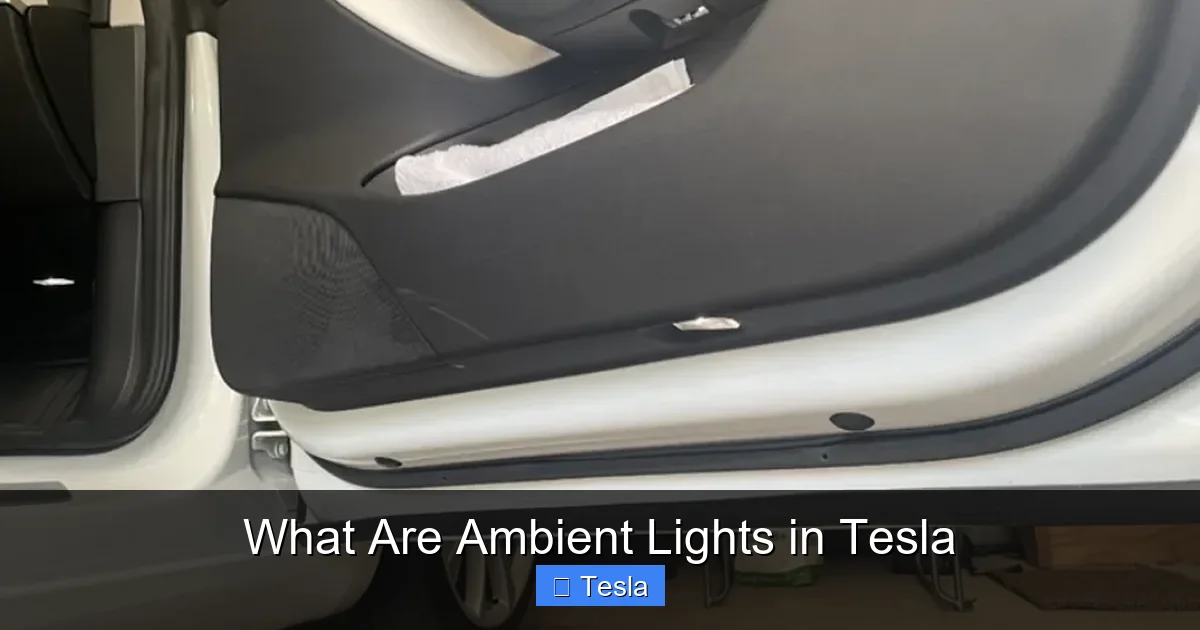
The LEDs themselves are tucked away behind plastic trims and fabric covers. You won’t see the bulbs; you’ll only see the soft glow they cast onto surfaces. The number of zones depends on the Tesla model and its specific configuration. A typical setup might include:
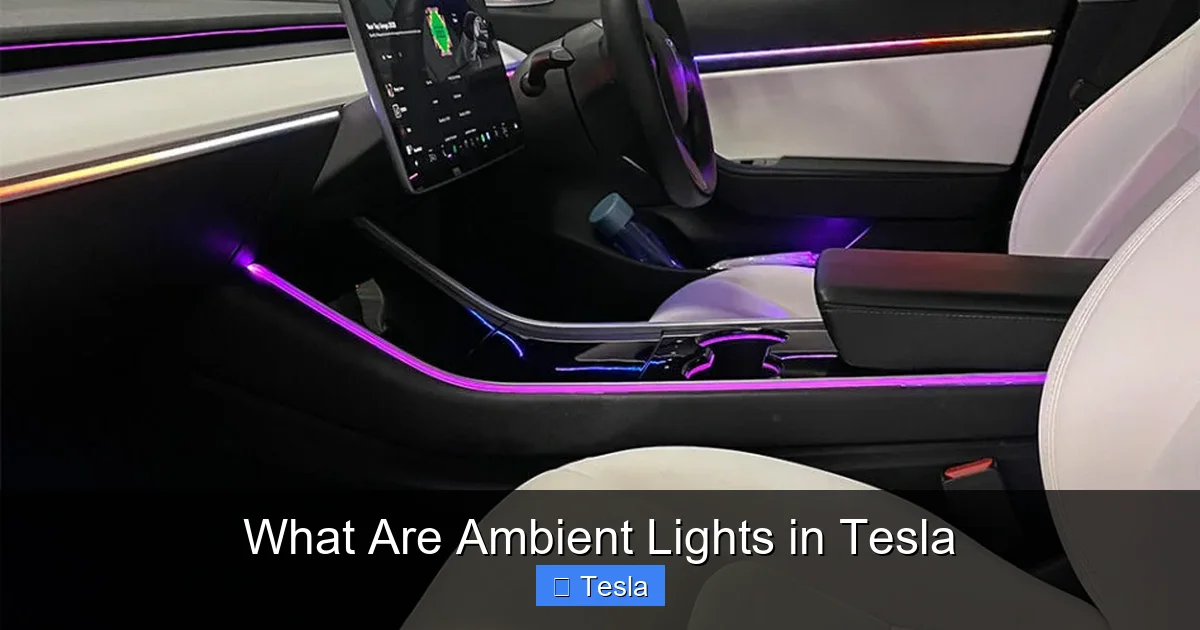
- Door panel accents: Strips along the bottom or side of the door panels, often highlighting the speaker grilles or armrests.
- Dashboard footwells: Lights that illuminate the area around the pedals and the bottom of the dashboard.
- Center console and storage areas: Subtle lighting inside the cup holders, wireless charging pad area, and the storage bin.
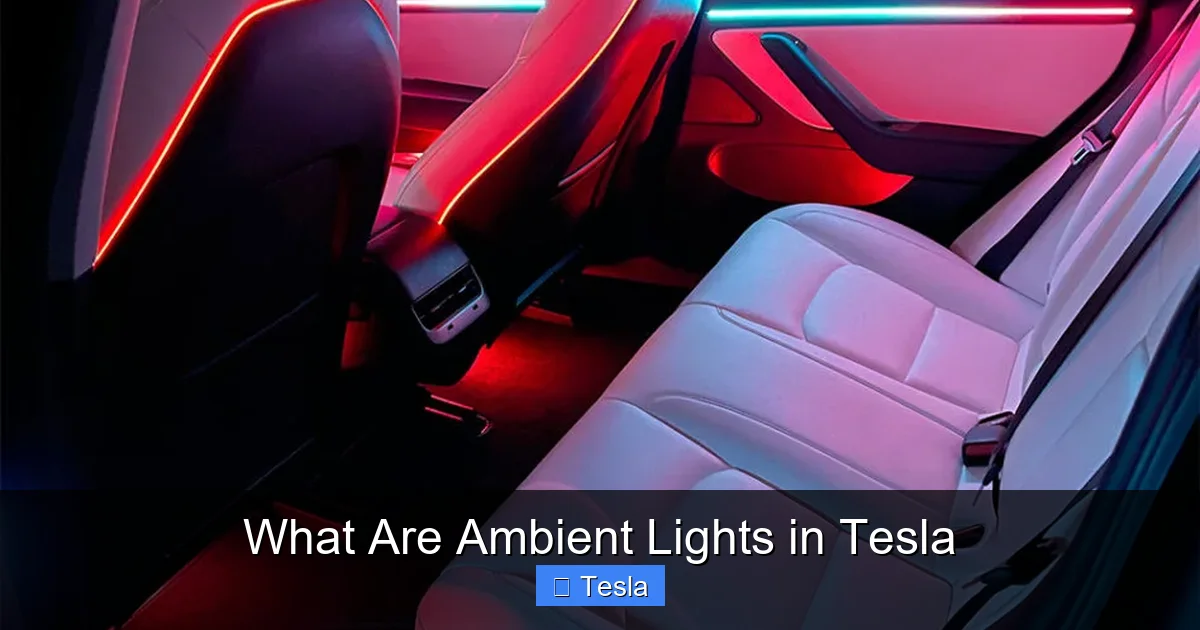
- Front and rear footwells: For rear-seat passengers in models with rear ambient lighting.
- Speaker rings or accents: In premium audio systems, the speaker grilles might have integrated ambient lighting.
The wiring for these zones runs discreetly through the car’s frame. The system is designed to be fail-safe; if one zone has an issue, the others typically continue to work. This distributed design is more reliable than a single, complex light strip.
Software: The Brain of the Operation
This is where Tesla’s tech advantage shines. The ambient lighting controller is integrated into the vehicle’s main computer system (the MCU). You control it through the Controls > Display > Ambient Lights menu on the touchscreen. Here, you can:
- Toggle the entire system on or off.
- Adjust brightness: A slider controls intensity from a faint glow to a more pronounced wash.
- Select colors: Choose from a palette of preset colors (white, blue, red, green, etc.) or use a color wheel for any hue imaginable.
- Choose patterns: Some software versions offer static, breathing (slow fade in/out), or adaptive patterns that change with driving mode or music.
Because it’s software-controlled, Tesla can update the ambient lighting features over-the-air (OTA). A past update, for instance, added the ability for the lights to pulse gently with the turn signals in some models—a safety and style enhancement delivered wirelessly. This programmability means your ambient lighting system can evolve over time, unlike a fixed hardware system in most other cars.
Customizing Your Ambient Lighting Experience: A World of Color at Your Fingertips
The true joy of Tesla’s ambient lights lies in customization. It’s not a set-it-and-forget-it feature; it’s an interactive part of your driving environment. Let’s explore how you can make it your own.
Visual guide about What Are Ambient Lights in Tesla
Image source: r28customgarage.co.uk
Basic Controls: The Touchscreen Interface
Finding the controls is easy. Tap the ‘Car’ icon on the bottom dock, then go to Controls > Display > Ambient Lights. You’ll see a visual representation of your car’s interior with the light zones highlighted. Tap any zone to change its color individually, or use the ‘All’ button to apply a single color to every zone at once. The brightness slider at the bottom is your master control. A pro tip: set a dimmer, warmer white (like a soft amber) for nighttime driving to preserve your night vision and reduce glare on the windows.
Advanced Personalization: Themes and Sync
Beyond single colors, Tesla offers curated themes. These are preset combinations that match the selected drive mode (like “Chill” or “Sport”) or the time of day. For example, the “Sport” theme might use a more aggressive red, while “Chill” uses a calming blue. You can also enable Sync with Media. When active, the ambient lights will gently pulse and change color in rhythm with the music playing through your Tesla’s audio system. It creates a mini-concert hall effect inside the car. This feature works with both internal media and Bluetooth sources.
The Tesla App: Control from Your Pocket
You don’t even need to be in the car to set the mood. The Tesla mobile app includes ambient lighting controls. Before you walk out to your car on a cold night, you can turn the lights on to a soft white, making the interior feel welcoming when you open the door. You can also check if you accidentally left them on—a small but useful energy-saving check. The app control is particularly handy for pre-conditioning the cabin, as the ambient lights are part of the overall interior lighting scheme that activates.
Creating Your Signature Look
Think of your ambient lighting as the interior paint job you can change daily. Want a relaxing spa-like drive? Set all zones to a soft, cool blue or green. Feeling energetic? Try a vibrant purple or orange. For a classic, luxurious feel, a warm white or gold is perfect. Some owners match the ambient color to their phone case, their outfit, or even the season. Because the system is so flexible, experimentation is part of the fun. Remember, the goal is subtlety. The best ambient lighting is felt, not glared at. It should complement the interior design, not overpower it.
Ambient Lights Across the Tesla Lineup: Model S, 3, X, Y, and Cybertruck
Not all Teslas are created equal when it comes to ambient lighting. The presence, number of zones, and specific capabilities have evolved over the years and vary between models. Here’s a breakdown to help you understand what to expect.
Visual guide about What Are Ambient Lights in Tesla
Image source: r28customgarage.co.uk
Model S and Model X (Plaid and Long Range)
The flagship Model S and Model X have the most comprehensive ambient lighting systems. They typically feature up to 30 zones of lighting, creating an incredibly immersive effect. The lighting extends to the rear passenger footwells, the entire door panel, the dashboard, and the center console. In the Plaid models, the ambient lighting is often integrated with the dramatic yoke steering wheel and the massive central screen, contributing to a spaceship-like cockpit. These models also frequently have the most advanced sync features, including the turn signal pulse mentioned earlier. The quality and density of the LEDs are top-tier, with smoother gradients and more even lighting.
Model 3 and Model Y
The more affordable Model 3 and Model Y have a slightly more modest but still very effective system. Most post-2021 builds come with around 15-20 zones. The lighting is primarily focused on the front cabin: door panels, front footwells, and the center console. Earlier Model 3s (2018-2020) often had a much simpler system, sometimes just a single-color strip in the footwells or door sills. If you’re looking at a used Model 3, it’s worth checking the specific car’s configuration. The Model Y, being the newer platform, generally has a more complete system than early Model 3s. In both models, the customization options via software are largely the same as their larger siblings.
Cybertruck
The Cybertruck reimagines everything, including ambient lighting. Its system is designed to match its brutalist, angular interior. The lighting is more geometric and segmented, often following the sharp lines of the dashboard and door panels. Early footage and show vehicles show ambient light strips that appear to be integrated into the very structure of the interior panels. The Cybertruck’s system is also deeply tied to its unique user interface and “vampire mode” for camping. Expect it to have highly programmable zones that can create dramatic effects, potentially even interacting with the massive wrap-around touchscreen. As production ramps up, the final implementation will be a key part of its futuristic cabin experience.
How to Check Your Specific Vehicle
The best way to know exactly what your Tesla has is to explore the Ambient Lights menu in the car itself. If the menu is present and shows multiple zones, you have the full system. If the option is missing entirely, your vehicle likely doesn’t have the hardware (common on very early Model 3s or base versions). You can also check your vehicle’s original window sticker or build configuration online through your Tesla account. Remember, a software update can sometimes enable new features on existing hardware, so keeping your car updated is always recommended.
The Practical Benefits and Creative Uses of Ambient Lighting
Beyond looking cool, Tesla’s ambient lights offer tangible benefits that enhance safety, convenience, and overall driving pleasure. Let’s move from the “what” to the “why.”
1. Enhanced Nighttime Visibility and Reduced Eye Strain
At night, a completely dark interior can be disorienting. Your eyes struggle to adjust between the bright road ahead and the pitch-black cabin. A soft, low-level ambient light provides just enough illumination to see the dashboard, door handles, and center console without causing glare or ruining your night vision. It’s the same principle as using a nightlight in a hallway. By setting your ambient lights to a dim, warm white, you create a comfortable bridge between the outside darkness and your instrument panel, making night drives less fatiguing for your eyes.
2. Subtle Notifications and Status Indicators
This is where software integration gets clever. In some Tesla software versions, the ambient lights can act as a secondary notification system. For example:
- Charge Alerts: When plugged in and charging, the lights might pulse a soft green when charging is complete.
- Turn Signal Sync: As mentioned, the lights on the corresponding side of the cabin can pulse with the turn signal, providing a visual cue to the driver and a stylistic touch.
- Valet Mode: When activated, the ambient lighting might change to a distinct color to remind you the car is in a restricted mode.
These subtle cues keep you informed without requiring you to glance at the main screen.
3. Mood and Atmosphere Customization
This is the most obvious use. The ambient lights set the emotional tone of the cabin. A cool blue can feel calm and futuristic. A warm amber can feel cozy and luxurious. A vibrant color can feel playful and energetic. For long road trips, being able to adjust the atmosphere can significantly impact comfort. Parents might set a soft, non-stimulating color for a peaceful ride with kids. For a date night, a romantic, dim red or purple might be the perfect touch. It’s a simple way to personalize a shared space.
4. Music Visualization and Entertainment
The Sync with Media feature turns your car into a dynamic light show. The lights dance and change with the rhythm and frequency of the music. It’s a fantastic party trick and makes listening to music a more immersive, multisensory experience. Whether you’re playing a classical symphony or an electronic dance track, the ambient lights add a visual layer to the audio. This feature is also fun for podcasts or audiobooks, where the lights provide gentle movement that keeps the interior from feeling static.
5. Brand Differentiation and Perceived Quality
From a practical ownership perspective, ambient lighting contributes to the car’s perceived premium quality. It’s a feature found in luxury vehicles from brands like Mercedes-Benz, BMW, and Audi. By offering it even on more affordable models like the Model 3, Tesla elevates the entire brand’s interior experience. It signals that attention has been paid to detail and that the cabin is a thoughtfully designed space. This “wow” factor is part of what makes owning a Tesla feel special.
Keeping Your Lights Bright: Maintenance and Troubleshooting
For the most part, Tesla’s ambient lighting is a “set it and forget it” system. The LEDs have an extremely long lifespan—often rated for 50,000 hours or more—meaning they should last the lifetime of the car. However, you might encounter occasional issues. Here’s how to handle them.
Common Issues and Quick Fixes
- Lights won’t turn on: First, check the brightness slider in the settings. It may have been turned down to zero. Also ensure the Headlights are on; ambient lights are often tied to the headlight activation in some models. Try a simple reboot of the car’s MCU (hold down both scroll wheels on the steering wheel until the screen goes black and reboots). This resolves most temporary software glitches.
- One zone is out or flickering: This is less common but possible. A reboot is the first step. If it persists, it could indicate a loose connection or a failed LED strip. Since the system is zoned, a single zone failure doesn’t affect the others. This would require a service visit to diagnose and repair.
- Color looks wrong or uneven: Calibration can sometimes be off. A full power cycle (lock the car, wait a few minutes, unlock) might help. If a specific color always looks washed out, it could be a hardware issue with the LEDs in that zone.
- Sync with Media isn’t working: Ensure the feature is toggled on in the Ambient Lights menu. Also, check that media is playing from a source that supports the sync (sometimes Bluetooth audio from certain phones can have latency issues). Try playing from the Tesla’s internal browser or USB drive to test.
When to Contact Tesla Service
If a simple reboot doesn’t fix a persistent issue—like a zone that stays dark, erratic behavior, or error messages on the screen—it’s time to schedule service. Use the Tesla app to request mobile service or a service center appointment. Describe the problem clearly: “The driver-side door ambient light is completely out, and rebooting didn’t fix it.” Service technicians have diagnostic tools to check the LED strips, wiring, and control modules. Because the system is integrated, repairs are typically straightforward for them. Avoid trying to pry off interior panels yourself, as you could damage the delicate light strips or trim pieces.
Preventive Care
There’s very little you need to do to maintain ambient lights. Avoid spilling liquids into the door panels or center console, as moisture can damage the electronics. When cleaning the interior, use a soft, dry microfiber cloth around the light-emitting areas. Don’t use harsh chemicals or abrasive tools. The LEDs themselves generate very little heat, so there’s no risk of them overheating or causing damage to surrounding materials. Just enjoy the feature without worry—it’s designed for hassle-free ownership.
Conclusion: More Than Just a Glow
So, what are ambient lights in Tesla? They are a perfect microcosm of what makes a Tesla unique. They blend elegant, subtle design with powerful, user-customizable software. They are a feature that starts as a visual delight but reveals layers of practical utility upon closer inspection. From reducing eye strain on a late-night drive to setting the perfect mood for a journey, they enhance the daily experience of owning the car.
This system exemplifies Tesla’s philosophy of using software to maximize hardware potential. What begins as a simple string of LEDs becomes a dynamic, interactive canvas thanks to over-the-air updates and an intuitive interface. It’s a feature that makes the car feel alive and personal, adapting to your preferences rather than forcing you to adapt to it.
Whether you’re a new owner diving into the menus for the first time or a potential buyer evaluating the interior experience, understand that Tesla’s ambient lighting is a significant part of the brand’s premium appeal. It’s a small detail with a big impact, transforming the cabin from a mere transportation pod into a personalized, mood-lit sanctuary on wheels. Take some time to play with the settings, find your favorite combinations, and make this glowing feature truly your own.
Frequently Asked Questions
Can I change the ambient light colors while driving?
Yes, absolutely. All ambient light controls are accessible through the touchscreen while the car is in motion. For safety, some menus might be limited when moving, but the basic color and brightness sliders are always available. You can safely adjust the ambiance at a stoplight or during highway cruising.
Do ambient lights significantly drain the Tesla battery?
No. The LED system consumes a very small amount of power—typically less than 10 watts for the entire system. This is negligible compared to the power used for propulsion, climate control, or the large touchscreen. You could run the ambient lights for days on the energy equivalent of driving a single mile. They are not a concern for range anxiety.
Why don’t my ambient lights turn on automatically with the headlights?
In most Teslas, ambient lights are tied to the headlight setting. If your headlights are set to “Off,” the ambient lights will not activate automatically. Ensure your headlights are on “Auto” or manually turned “On.” Also, check the Ambient Lights toggle in the Display settings to make sure the master switch isn’t off.
Can I make the ambient lights brighter than the maximum slider setting?
No, the maximum slider setting is the hardware’s safe upper limit. Trying to force more brightness could overheat the LEDs or damage the strips. The provided maximum is designed to be bright enough for most interior illumination needs without causing glare or discomfort.
Do ambient lights work when the car is parked and locked?
By default, ambient lights turn off when you exit the vehicle and lock it. However, you can enable a “Keep Lights On” or “Camp Mode” setting that allows interior lights, including ambient lighting, to stay on for a set period while the car is parked. This is useful for loading/unloading at night or for camping.
Are ambient lights the same as the interior dome or map lights?
No, they are completely separate systems. The dome/map lights are the bright, direct, single-point lights you can turn on manually to read by. Ambient lights are the indirect, multi-zone, color-changing strips that provide overall cabin glow. You can have the dome light off while the ambient lights are on, and vice versa.
