
How to Turn on Forward Collision Warning in a Jeep Compass

Activating the Forward Collision Warning (FCW) in your Jeep Compass is done through the vehicle settings menu on the Uconnect touchscreen. This critical safety feature uses radar to monitor traffic ahead and provides visual and audible alerts to help prevent a collision. It’s typically enabled by default, but you can customize its sensitivity or temporarily disable it. Understanding how to access and adjust this system ensures you’re getting the maximum protective benefit from your Compass’s advanced safety suite.
Key Takeaways
- FCW is Usually Pre-Enabled: Your Jeep Compass’s Forward Collision Warning system is almost always active by default when you start the vehicle, requiring no manual “turn on” for basic operation.
- Access via Uconnect Settings: The primary method to view, adjust, or temporarily disable FCW is through the “Safety & Driver Assistance” or “Vehicle” settings menu on your Uconnect infotainment screen.
- Customization is Key: You can often adjust the system’s sensitivity (Early, Medium, Late) and choose whether you want only visual alerts or both visual and audible warnings.
- It’s Part of a Suite: FCW works in conjunction with other systems like Full-Speed Forward Collision Warning-Plus (with Active Braking) and Adaptive Cruise Control, forming a comprehensive pre-collision network.
- Limitations Exist: FCW is an aid, not a replacement for safe driving. Its performance can be hindered by poor weather, dirty sensors, or complex driving scenarios.
- Dashboard Icons are Important: A small green vehicle icon with radiating lines on your instrument cluster indicates FCW is active and monitoring. A yellow or red icon signifies an active alert or a system fault.
- Sensor Location is Critical: The forward-facing radar sensor is typically located in the lower grille area, behind the front bumper. Keeping this area clean and undamaged is essential for system function.
[FEATURED_IMAGE_PLACEHOLDER]
📑 Table of Contents
- Understanding Your Compass’s Forward Collision Warning (FCW) System
- Prerequisites: Is Your Compass Equipped and Ready?
- The Step-by-Step Guide to Accessing and Adjusting FCW
- What to Do If You Can’t Find the FCW Setting
- Troubleshooting: When FCW Doesn’t Seem to Be Working
- The Bigger Picture: FCW as Part of Your Compass’s Safety Ecosystem
- Best Practices for Using FCW Effectively
Understanding Your Compass’s Forward Collision Warning (FCW) System
So, you’re sitting in the driver’s seat of your trusty Jeep Compass, and you want to make sure one of its most important safety features is ready to work. You’ve heard about Forward Collision Warning (FCW), but you’re not quite sure if it’s on, how to check, or how to change its settings. First, take a deep breath. You’re already taking a smart step by being proactive about your vehicle’s safety technology. In most cases, the system you’re looking for is already working quietly in the background, but knowing how to access its menu is crucial for personalizing your driving experience and troubleshooting any issues.
Forward Collision Warning is a cornerstone of the modern Jeep Compass’s safety architecture. It’s part of what Jeep often bundles under names like “SafetyTec” or refers to in combination with “Active Driving Assistance.” At its core, FCW is a pre-collision system. It uses a forward-facing radar sensor, sometimes paired with a camera, to constantly scan the road ahead for vehicles, pedestrians, or sometimes even cyclists. Its primary job is to alert you, the driver, of a potential impending collision before you might even notice the hazard yourself. It does this through clear visual signals on your windshield (via the instrument cluster or a heads-up display, if equipped) and distinct audible chimes. Think of it as an extra set of electronic eyes, always watching the traffic in front of you, giving you that precious extra second or two to react by braking or steering.
It’s vital to understand what FCW is not. It is not an automatic braking system by itself, though it frequently works hand-in-hand with one. In many Compass models, the full suite is called “Full-Speed Forward Collision Warning-Plus (FCW+)” or simply “Active Braking.” This enhanced system can provide both the warning and automatically apply the brakes if you don’t react in time. The basic FCW function, however, is purely alert-based. Knowing this distinction helps you set the right expectations and drive more safely, using the alerts as a prompt for your own defensive driving actions rather than relying on the car to stop entirely.
How FCW Technology Works in Your Compass
The magic happens through that radar sensor, usually hidden behind a plastic cover in the center of the lower front grille. This sensor emits radio waves that bounce off objects ahead. By calculating the time it takes for the waves to return and the frequency shift (Doppler effect), the system’s computer can determine the distance and relative speed of the object in your path. If it calculates that you are approaching something too quickly for your current speed and following distance, it triggers the warning cascade.
The alerts are designed to be impossible to ignore. Visually, you’ll see a warning icon—often a red or amber vehicle outline—appear in your instrument cluster directly behind the steering wheel, seemingly projected onto the road ahead. Audibly, you’ll hear a rapid series of beeps or a chime that increases in urgency as the potential collision point gets closer. This dual-modality ensures that even if you’re not looking at the dash, you’ll hear the warning. The system is programmed to ignore stationary objects like guardrails and signs, focusing on moving targets that pose a collision risk. However, it can be fooled by sharp curves, heavy rain, fog, or snow that can obscure the radar’s signal or confuse the camera.
Prerequisites: Is Your Compass Equipped and Ready?
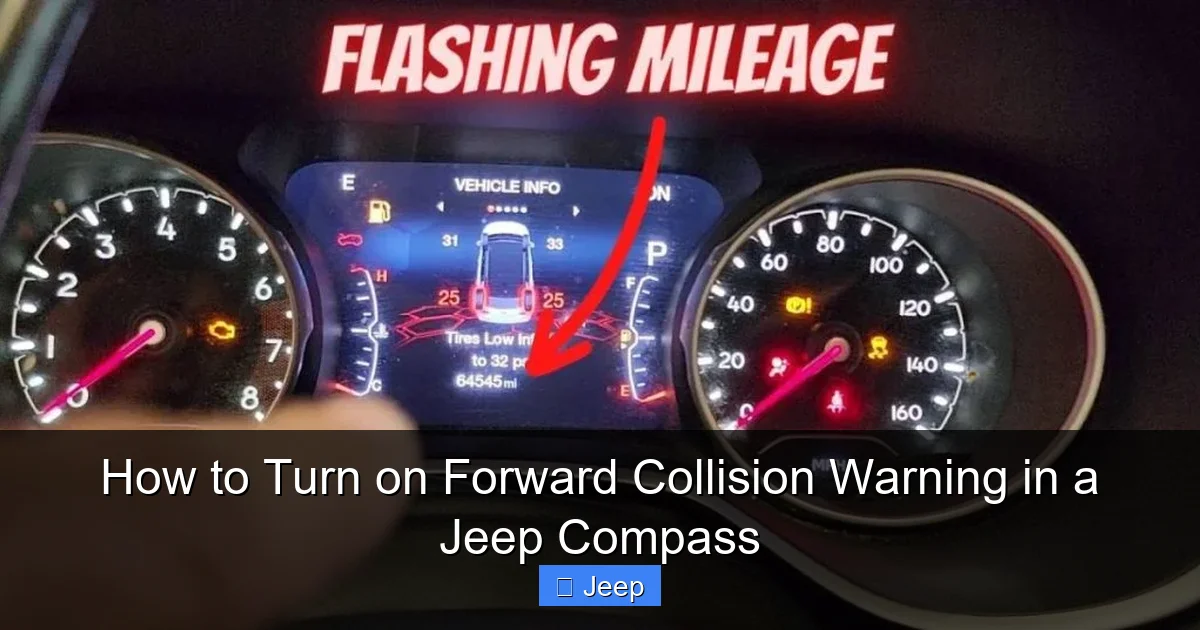
Before you start hunting through menus, it’s worth confirming that your specific Jeep Compass model year and trim level actually includes Forward Collision Warning. This feature has become increasingly standard, but it wasn’t always universal. For the current generation (starting around 2017), FCW became part of the optional or standard safety packages depending on the trim.
Visual guide about How to Turn on Forward Collision Warning in a Jeep Compass
Image source: vehiclers.com
- 2017-2020 Models: Often part of the optional “SafetyTec Group” or “Driver Convenience Group.” Base trims might not have it.
- 2021-Present Models (Second Gen): FCW, along with a host of other active safety features like Blind Spot Monitoring and Rear Cross Path Detection, is standard on most trims, including the popular Sport and Latitude. The top Trailhawk and Limited trims have it as part of their comprehensive standard safety suite.
If your Compass has the feature, there’s another crucial prerequisite: the system needs to be powered on and its sensors unobstructed. The system is designed to power up with the ignition, but it performs a self-check each time you start the car. If there’s a fault—like a dirty grille covering the radar, a damaged sensor, or a temporary software glitch—you may see a warning message like “Forward Collision Warning Unavailable” or a persistent amber icon on your dash. In this case, the first step is a simple one: wash your front grille thoroughly, especially the central area. If the message persists after a drive or two, a dealer diagnostic may be needed.
The Step-by-Step Guide to Accessing and Adjusting FCW
Now, for the main event. Here is the detailed, model-year-agnostic process for finding and adjusting your Forward Collision Warning settings. The pathway is almost always through your Uconnect infotainment system’s touchscreen.
Visual guide about How to Turn on Forward Collision Warning in a Jeep Compass
Image source: vehiclers.com
Step 1: Navigate to the Main Settings Menu
Start with your Compass parked safely or in park with the engine running. Press the “Settings” button on your Uconnect screen. This is usually represented by a gear icon. On older systems (like Uconnect 4), you might find it on the home screen. On newer systems (Uconnect 5), it’s often accessed via a “Apps” or “Vehicle” tab on the bottom or side toolbar.
Step 2: Find the Safety or Driver Assistance Submenu
Once inside the Settings menu, you’ll see a list of categories. You are looking for one labeled “Safety & Driver Assistance,” “Driver Assistance,” “Vehicle,” or sometimes “Advanced Safety Systems.” The exact wording varies by year and software version. Tap on this category. This is the control hub for all your active safety features, including FCW, Blind Spot Monitoring, Parking Sensors, and more.
Step 3: Locate the Forward Collision Warning Option
Within the Safety/Driver Assistance menu, scroll through the list of available systems. You should see an entry specifically for “Forward Collision Warning,” “FCW,” or “Pre-Collision Warning.” Tap on it. This will open the dedicated control page for this system.
Step 4: Customize Your Settings
On the FCW settings page, you will typically have a few options, presented as toggle switches or dropdown menus:
- System Status: This will show “On” or “Off.” If it’s off, you can toggle it on here. Remember, it’s usually on by default.
- Alert Sensitivity: This is the most important customization. You can often choose between “Early,” “Medium,” and “Late.” “Early” will give you alerts at a greater distance from a potential hazard, offering more reaction time but potentially leading to more frequent alerts in heavy traffic. “Late” only alerts when a collision is more imminent, which is less frequent but may feel more urgent. “Medium” is the balanced, factory default setting. Choose what makes you most comfortable as a driver.
- Alert Type: Some systems let you choose between “Visual Only” and “Visual & Audible.” For maximum effectiveness, always select “Visual & Audible.” The sound is a critical part of the warning.
After making your selections, you can simply exit the menu. Your settings are saved automatically. There is no separate “Save” button.
What to Do If You Can’t Find the FCW Setting
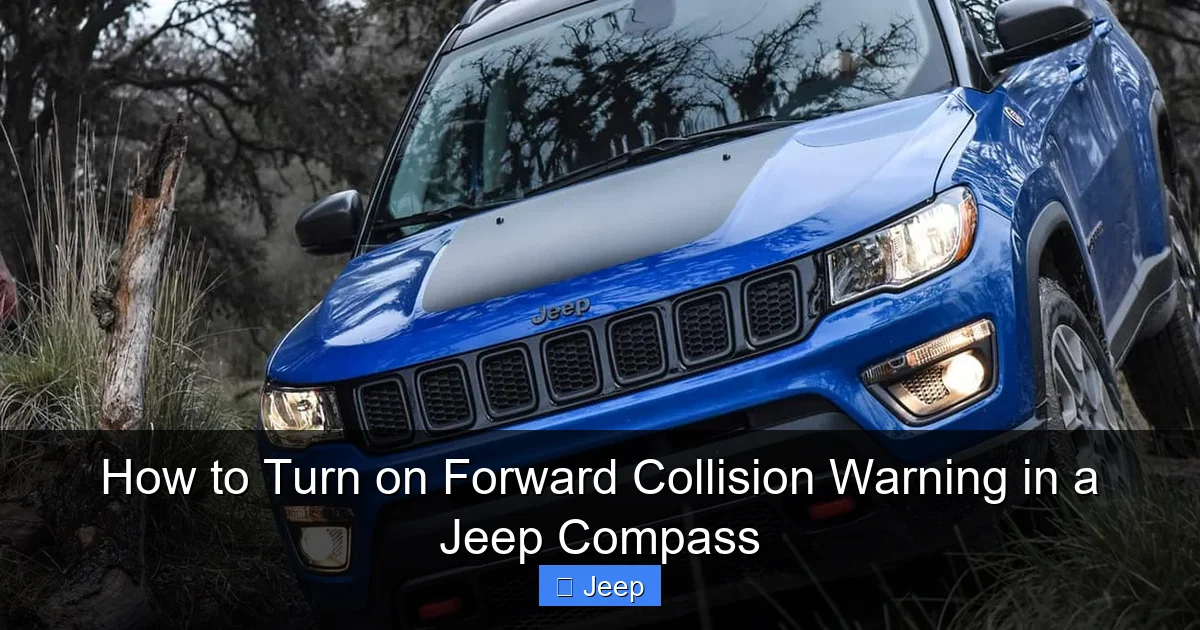
If you’ve followed the steps above and the “Forward Collision Warning” option is missing from your Safety menu, there are a few possible explanations. First, double-check your vehicle’s exact trim and options. The feature may simply not be installed on your specific Compass. You can verify this by checking your original window sticker (Monroney label) if you have it, or by looking for the radar sensor in the grille. A small, usually dark-colored rectangular cover in the center of the lower grille is a dead giveaway.
Visual guide about How to Turn on Forward Collision Warning in a Jeep Compass
Image source: images.platforum.cloud
Second, the menu structure can differ. On some older models, FCW might be nested under a sub-menu called “Collision Warning” or might be combined with the Adaptive Cruise Control settings. If you see “Adaptive Cruise Control,” explore that menu, as FCW is a fundamental component of that system. Finally, a software glitch or an incomplete update can sometimes hide features. A simple system reset—turning the car off, opening and closing the driver’s door, and restarting—can sometimes restore menu items. If the problem persists, a quick call to your Jeep dealer’s service department with your VIN handy can give you a definitive answer on your vehicle’s equipment.
Troubleshooting: When FCW Doesn’t Seem to Be Working
You’ve turned it on, you’ve set it to “Early” sensitivity, but you never seem to get an alert, or you get a warning message on your dash. Don’t panic. There’s a logical troubleshooting process.
Check for Obvious Physical Obstructions
The number one cause of FCW unavailability is a dirty or blocked sensor. That radar in the grille needs a clear view. Get down on your knees and look at the lower front grille. Is it caked with mud, bugs, road salt, or ice? Is there a large aftermarket front license plate bracket covering the center? Is there damage to the grille or bumper that might have misaligned the sensor? A thorough wash with a pressure washer (being careful not to spray directly into the sensor opening) often resolves the issue. Also, check for aftermarket accessories like large bull bars or winch mounts that could be interfering with the sensor’s field of view.
Understand Environmental Limitations
FCW is a fantastic tool, but it has technological limits. Heavy rain, dense fog, or snowstorms can attenuate the radar signal and obscure the camera’s view, causing the system to disengage itself. This is a safety feature—the system would rather turn off than give you false or unreliable alerts. Similarly, very sharp, blind curves can prevent the system from “seeing” a stopped vehicle ahead until it’s too late. It’s also less effective at detecting motorcycles or small vehicles at long distances. These aren’t faults; they are the known operating boundaries of the technology. If you’re driving in terrible weather, your own attentiveness becomes your primary collision avoidance system.
Diagnostic Warnings and What They Mean
If your instrument cluster displays a persistent message like “FCW Unavailable” or shows a permanent amber warning light (the vehicle-with-lines icon), the system has detected a fault it cannot correct. This could be due to:
- A misaligned or damaged sensor from a minor bumper impact.
- A wiring issue or loose connector behind the grille.
- A failed control module.
- Interference from other electronic devices (rare).
At this point, the solution is professional. You need to take your Compass to a Jeep dealer or a qualified shop with the proper diagnostic tools (like the wiTECH system) to read the specific fault code from the FCW module. They can then determine if it’s a simple calibration needed after a bumper repair or a more serious component replacement.
The Bigger Picture: FCW as Part of Your Compass’s Safety Ecosystem
Thinking of FCW in isolation misses the point. It’s one brilliant node in a interconnected network of safety systems in your Jeep Compass. When you enable or adjust FCW, you’re tuning part of a larger orchestra. For instance, if your Compass is equipped with Adaptive Cruise Control (ACC), the FCW radar is the same sensor that maintains your set following distance from the car ahead. The sensitivity setting for FCW often influences the following distance behavior in ACC. A setting of “Early” for FCW will typically make ACC hang back a bit more from the vehicle ahead, while “Late” will allow it to follow more closely.
Furthermore, in models with Full-Speed Forward Collision Warning-Plus (FCW+), the FCW alert is the first stage of intervention. If you ignore the chimes and visuals, and the system calculates an imminent crash, it will automatically apply the brakes—first with a gentle pre-charge to prepare the system, then with full force if needed. This “brake assist” function is a life-saving layer that builds directly upon the warning. It’s also linked to the Electronic Stability Control (ESC) and Anti-lock Braking System (ABS) to modulate brake pressure optimally.
This interconnectedness is why a problem with FCW can sometimes trigger warnings for other systems, like “ESC Unavailable.” They share sensors and modules. This ecosystem approach means that keeping your FCW active and properly calibrated supports the functionality of these other critical safety nets. It’s a holistic approach to safety, where each system backs up the others to create a robust protective shield around you and your passengers.
For owners of other brands, the philosophy is similar. If you’ve ever researched how to turn on RAB in a Subaru or how to turn on SRH in a Subaru, you’ll find the Subaru EyeSight system operates on the same foundational principle of radar/camera-based pre-collision alerts and automatic braking. The menu structures and naming conventions differ, but the core objective is identical: to give the driver a crucial warning before it’s too late. Similarly, understanding how to turn off automatic emergency braking on a Nissan involves navigating a very similar settings menu architecture, highlighting how these systems have become standardized across the industry.
Best Practices for Using FCW Effectively
Having the system turned on is just the first step. Using it effectively requires a slight shift in mindset. Don’t treat the alerts as a nuisance or a challenge to your driving skill. When you hear that chime, your immediate reaction should be to look up, assess the situation, and be prepared to brake. Trust the system’s calculation—it has processed data faster than you can. Use the alerts as a coaching tool. If you get frequent FCW warnings in heavy highway traffic, it might be a sign you’re following too closely. Adjust your following distance accordingly. The system is giving you real-time feedback on your driving habits.
Also, remember that FCW is primarily designed for highway and faster-moving suburban roads. It may not activate, or may activate late, in very slow-speed, stop-and-go traffic where vehicles are constantly moving in and out of your lane. Its algorithms are tuned for closing speeds typical of higher-speed scenarios. Don’t rely on it to save you in a low-speed parking lot fender-bender; that’s where Parking Sensors and your own eyes take over.
Finally, keep your system updated. As with all computer-based systems, Jeep occasionally releases software updates for the Uconnect system and the safety modules. These updates can refine the FCW algorithms, improve false-alert filtering, and add minor features. When you take your Compass in for routine service, ask the dealer if there are any available software updates for your vehicle’s safety systems. It’s a free way to keep your car’s protective technology current.
Frequently Asked Questions
Is Forward Collision Warning the same as Automatic Emergency Braking?
No. Forward Collision Warning (FCW) only provides alerts (visual/audible). Automatic Emergency Braking (AEB) or “Active Braking” is a separate function that can automatically apply the brakes. In many Jeeps, FCW is the warning stage that precedes automatic braking if a collision is imminent and the driver doesn’t react.
Why is my FCW light on all the time?
A permanently illuminated FCW warning light (usually amber) means the system has detected a fault and is disabled. The most common cause is a dirty or obstructed front grille/radar sensor. Clean the center of the lower grille thoroughly. If the light stays on, a dealer diagnostic is required to identify the specific fault code.
Can I permanently turn off FCW on my Jeep Compass?
Yes, you can usually disable it through the Uconnect settings menu under Safety & Driver Assistance. However, it is not recommended. The system is a critical safety aid. Some jurisdictions may also have regulations regarding the use of such systems. If you must disable it, be aware you are turning off a valuable warning layer.
Does FCW work at night or in the rain?
FCW is designed to work in most conditions, including night and light rain. However, its effectiveness can be reduced in heavy precipitation, fog, or snow that severely limits sensor visibility. The system may also disengage itself temporarily in these extreme conditions, showing a “FCW Unavailable” message.
What’s the difference between ‘Early’, ‘Medium’, and ‘Late’ FCW sensitivity?
These settings control how far ahead of a potential collision the system will issue a warning. ‘Early’ gives you more warning time and reacts to situations sooner, but may alert more often in dense traffic. ‘Late’ only warns when a crash is very imminent, resulting in fewer alerts but less reaction time. ‘Medium’ is the balanced default setting.
My FCW alerts seem too sensitive/frequent. What can I do?
Go into your Uconnect settings and change the FCW sensitivity from ‘Early’ or ‘Medium’ to ‘Late.’ This will reduce the number of alerts by only triggering them at closer following distances. Adjusting your own following distance to be slightly larger can also help reduce the frequency of system alerts.
