
How to Turn on Rab in a Subaru

Turning on RAB (Reverse Automatic Braking) in a Subaru is simple and enhances safety when reversing. This feature helps detect obstacles behind your vehicle and can automatically apply the brakes to prevent collisions.
Key Takeaways
- What RAB Is: RAB stands for Reverse Automatic Braking, a safety feature that detects objects behind your Subaru when reversing and can automatically stop the vehicle to avoid a collision.
- How to Activate RAB: Use the RAB button on the dashboard or center console, usually labeled with a car and backward arrow icon. Press it to turn the system on or off.
- When RAB Is Useful: Ideal for tight parking spaces, driveways with low visibility, or when children or pets might be behind the vehicle.
- RAB Limitations: The system may not detect small objects, fast-moving items, or surfaces like glass or thin poles. Always stay alert and use mirrors.
- System Indicators: A light on the dashboard confirms RAB is active. If the system detects an obstacle, you’ll hear beeps and see warnings on the display.
- Maintenance Tips: Keep rear sensors clean and free of dirt, snow, or ice for optimal performance. Avoid covering sensors with accessories.
- Complementary Features: RAB works alongside other Subaru safety tech like Rear Cross-Traffic Alert (RCTA) and Blind Spot Detection (BSD) for full rear visibility.
📑 Table of Contents
What Is RAB in a Subaru?
If you’ve ever backed out of a parking spot and worried about hitting something—or someone—you’re not alone. That’s where Subaru’s Reverse Automatic Braking (RAB) system comes in. RAB is an advanced safety feature designed to help drivers avoid collisions when reversing. It uses sensors mounted on the rear bumper to detect objects, people, or vehicles behind the car. If the system senses a potential impact, it can automatically apply the brakes to stop the vehicle before a crash occurs.
Think of RAB as a second set of eyes in the back of your head. It’s especially helpful in situations where visibility is limited—like backing out of a crowded parking lot, a narrow driveway, or a garage with low lighting. While it doesn’t replace the need to check your mirrors and look over your shoulder, RAB adds an extra layer of protection that can make a big difference in preventing accidents.
Subaru has included RAB in many of its newer models, including the Outback, Forester, Crosstrek, and Ascent. The system is part of Subaru’s broader commitment to safety, which also includes features like EyeSight Driver Assist Technology, Rear Cross-Traffic Alert, and Blind Spot Detection. RAB works seamlessly with these systems to give drivers more confidence when maneuvering in reverse.
How RAB Works
RAB relies on a network of ultrasonic sensors embedded in the rear bumper. These sensors emit sound waves that bounce off objects behind the vehicle. The system then calculates the distance between your Subaru and the detected object. If the distance becomes too small and a collision seems likely, RAB triggers an alert and, if necessary, applies the brakes automatically.
The system activates when you shift into reverse and the vehicle is moving at low speeds—typically under 10 mph. It’s designed for everyday driving scenarios, not high-speed maneuvers. Once you shift out of reverse or come to a complete stop, RAB deactivates automatically.
It’s important to note that RAB is not a substitute for attentive driving. The system has limitations and may not detect every object. For example, it might miss low-lying items like curbs, garden hoses, or small animals. It also may not respond to fast-moving objects, such as a bike suddenly rolling behind you. That’s why Subaru emphasizes that RAB is a driver assistance feature, not an autonomous driving system.
Benefits of Using RAB
One of the biggest advantages of RAB is peace of mind. Knowing that your Subaru can help prevent a rear-end collision reduces stress, especially in busy or unfamiliar environments. Parents with young children will appreciate the added safety when backing out of driveways where kids might be playing. Similarly, pet owners can feel more secure knowing the system can detect a dog or cat that wanders behind the vehicle.
RAB also helps prevent minor fender benders that can be costly and time-consuming to repair. Even experienced drivers can misjudge distances or miss something in their blind spot. With RAB, there’s an extra safety net that can stop the car before damage occurs.
Another benefit is how easy it is to use. Unlike some advanced driver aids that require complex setup, RAB is designed to be intuitive. Most drivers can figure it out within a few minutes of driving their Subaru. And because it integrates with the vehicle’s infotainment system, you get clear visual and audio alerts that guide your actions.
How to Turn On RAB in a Subaru
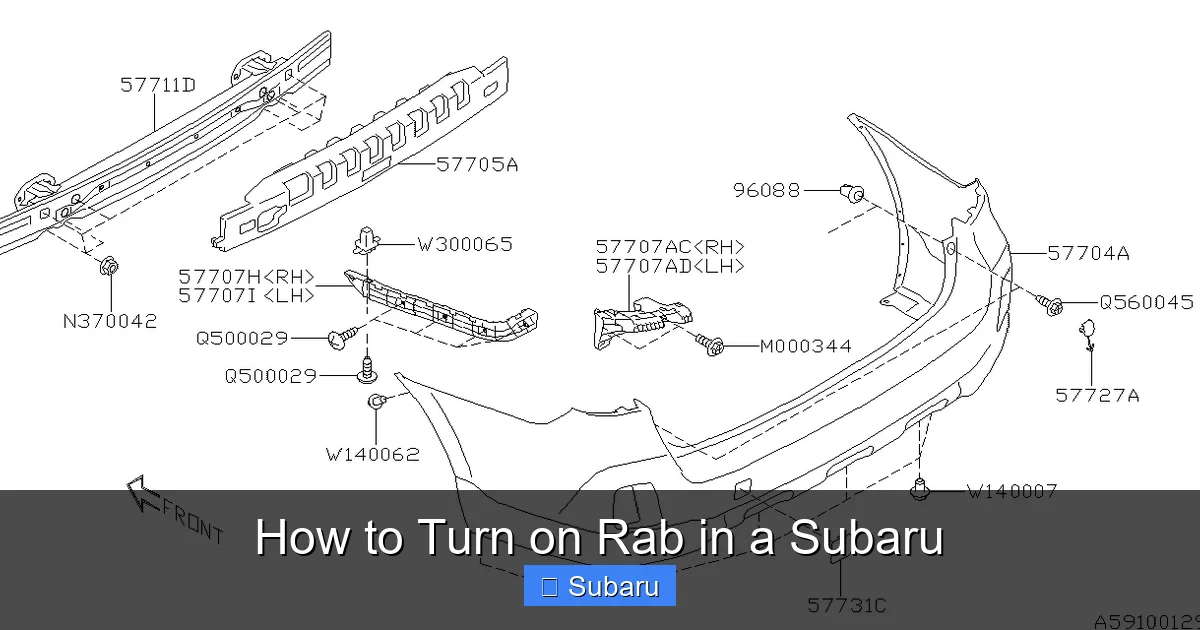
Visual guide about How to Turn on Rab in a Subaru
Image source: images.simplepart.com
Turning on RAB in your Subaru is a straightforward process. The system is typically activated by a dedicated button located on the dashboard or center console. The button is usually labeled with a symbol that looks like a car with a backward arrow or the letters “RAB.” On some models, it may be part of a cluster of safety buttons near the gear shifter or climate controls.
To turn on RAB, follow these simple steps:
1. Start your Subaru and ensure the vehicle is in park.
2. Locate the RAB button. It’s often found on the left side of the steering wheel or near the center console.
3. Press the button once. You should see a green indicator light on the dashboard or a message on the infotainment screen confirming that RAB is active.
4. Shift into reverse. The system will now monitor the area behind your vehicle.
5. If an obstacle is detected, you’ll hear beeping sounds and see a warning on the screen. If the system determines a collision is imminent, it will apply the brakes automatically.
To turn RAB off, simply press the button again. The indicator light will turn off, and the system will no longer monitor for obstacles when reversing.
Locating the RAB Button
The exact location of the RAB button can vary slightly depending on your Subaru model and year. In most recent models, such as the 2023 Outback or Forester, the button is positioned on the lower left side of the dashboard, just below the steering wheel. It’s often grouped with other safety controls like the Hill Descent Control or Traction Control buttons.
On some vehicles, the RAB button may be integrated into the touchscreen interface. In these cases, you can access it through the “Settings” or “Safety” menu. Look for an option labeled “Reverse Automatic Braking” or “RAB.” Toggling it on will activate the system.
If you’re having trouble finding the button, consult your owner’s manual. Subaru provides detailed diagrams and instructions for each model. You can also search online for your specific vehicle year and trim level to find a visual guide.
Using RAB with the Infotainment System
Many Subaru models now feature a high-resolution touchscreen that displays RAB alerts and status. When you shift into reverse, the screen may show a rearview camera feed with dynamic guidelines. If RAB detects an object, a warning box will appear on the screen, often with color-coded zones—green for safe, yellow for caution, and red for danger.
Some systems also provide distance indicators, showing how many feet or meters you are from the detected object. This visual feedback helps you judge how much space you have and whether you need to stop.
In addition to the camera view, you’ll hear audible alerts. These usually start as intermittent beeps that become more frequent as you get closer to an obstacle. If the system decides to apply the brakes, you may hear a louder, continuous tone.
It’s worth noting that you can customize some aspects of RAB through the infotainment system. For example, you might be able to adjust the sensitivity of the sensors or turn off audible alerts if they become distracting. However, it’s generally recommended to keep all alerts enabled for maximum safety.
When Should You Use RAB?
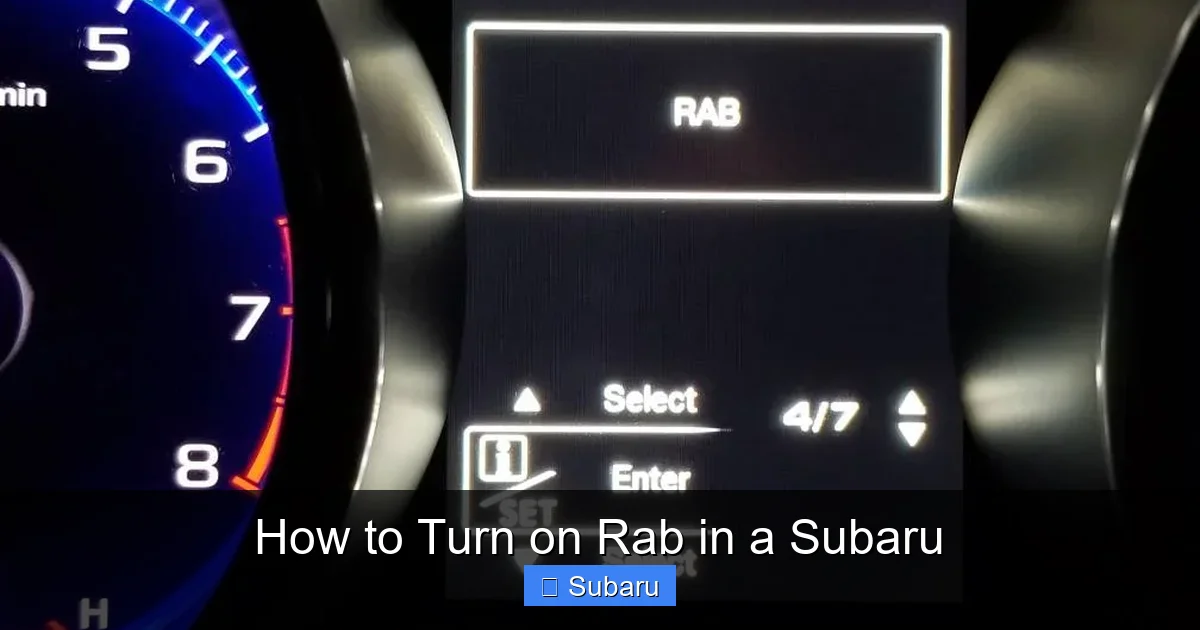
Visual guide about How to Turn on Rab in a Subaru
Image source: images.platforum.cloud
RAB is most useful in low-speed reversing situations where visibility is limited. Here are some common scenarios where turning on RAB can make a real difference:
– **Parking in tight spaces:** Whether you’re parallel parking on a busy street or backing into a compact garage spot, RAB can help you avoid bumping into walls, curbs, or other vehicles.
– **Driveways with obstacles:** If your driveway has trash cans, garden tools, or play equipment, RAB can detect these items and prevent accidental damage.
– **Areas with children or pets:** Backing out of a driveway where kids are playing or pets are roaming can be risky. RAB adds an extra layer of protection by detecting movement behind the vehicle.
– **Low-light conditions:** At night or in dimly lit parking structures, it’s harder to see what’s behind you. RAB’s sensors work independently of lighting, making them reliable in any condition.
– **Unfamiliar environments:** When you’re visiting a new location or renting a Subaru, you might not know the layout of the parking area. RAB helps you navigate safely without relying solely on memory or guesswork.
While RAB is helpful in these situations, it’s not needed all the time. For example, if you’re reversing on an open, empty road or in a wide-open field, the system may not provide much benefit. In those cases, you can turn it off to avoid unnecessary alerts.
Situational Examples
Let’s say you’re at the grocery store and pulling out of a tight parking space. Another car is parked closely on one side, and a shopping cart is lying on the ground behind you. As you shift into reverse, RAB activates and detects the cart. You hear a beep, and the screen shows a red warning zone. The system applies the brakes just in time to prevent you from running over the cart—and possibly damaging your bumper.
Or imagine you’re backing out of your home driveway on a Saturday morning. Your child’s bike is leaning against the garage door, and your dog is sniffing around near the back wheels. RAB senses both objects and alerts you with beeps and a visual warning. You stop in time, avoiding a potentially costly repair and keeping your family safe.
These real-world examples show how RAB can prevent minor accidents that might otherwise go unnoticed until it’s too late.
Limitations and Safety Tips
While RAB is a powerful safety tool, it’s not perfect. Understanding its limitations is key to using it effectively and staying safe.
One major limitation is that RAB may not detect small or low-lying objects. For example, a garden hose, a child’s toy, or a thin pole might not reflect enough sound waves for the sensors to pick up. Similarly, objects made of soft materials like foam or fabric may go undetected.
Another issue is speed. RAB is designed for low-speed reversing. If you’re moving too quickly, the system may not have enough time to react. That’s why it’s important to reverse slowly and deliberately, especially in tight spaces.
Weather can also affect performance. Heavy rain, snow, or ice can interfere with the sensors. If the rear bumper is covered in mud or snow, the system may not work properly. Always check and clean the sensors before relying on RAB.
Best Practices for Using RAB
To get the most out of RAB, follow these safety tips:
– **Always check your mirrors and look over your shoulder** before reversing. RAB is a backup, not a replacement for visual checks.
– **Reverse slowly** to give the system time to detect obstacles and react.
– **Keep the rear sensors clean.** Wipe them down regularly with a soft cloth to remove dirt, snow, or ice.
– **Avoid covering the sensors** with bike racks, cargo carriers, or decorative accessories unless they’re designed to be compatible.
– **Test the system occasionally.** Park in a safe area and reverse toward a known object (like a wall or cone) to see how RAB responds.
– **Don’t rely solely on RAB.** Use it as part of a comprehensive safety routine that includes cameras, sensors, and your own awareness.
What to Do If RAB Doesn’t Work
If you notice that RAB isn’t activating or responding as expected, there could be a few reasons. First, check if the system is turned on. Sometimes the button gets accidentally pressed, disabling the feature.
Next, inspect the rear sensors. If they’re dirty or blocked, clean them gently with water and a soft cloth. Avoid using high-pressure washers, which can damage the sensors.
If the problem persists, there may be a fault in the system. Look for warning lights on the dashboard, such as a “Check RAB System” message. In that case, it’s best to visit a Subaru dealership or certified technician for diagnosis and repair.
RAB and Other Subaru Safety Features
RAB doesn’t work in isolation. It’s part of a suite of safety technologies that Subaru calls its “Safety Sense” suite. These features work together to protect you, your passengers, and others on the road.
One closely related feature is Rear Cross-Traffic Alert (RCTA). While RAB focuses on obstacles directly behind you, RCTA monitors traffic approaching from the sides when you’re reversing. If a car is coming from the left or right, RCTA will alert you with beeps and a warning light.
Another helpful feature is the standard rearview camera. Most Subaru models come with a high-definition camera that displays a live feed on the infotainment screen when you shift into reverse. The camera often includes dynamic guidelines that move as you turn the steering wheel, helping you judge distances and angles.
Blind Spot Detection (BSD) and Lane Change Assist (LCA) also complement RAB by alerting you to vehicles in your blind spots when changing lanes. While these features are more relevant when driving forward, they contribute to overall awareness and safety.
How RAB Integrates with EyeSight
On models equipped with EyeSight Driver Assist Technology, RAB can work in harmony with forward-facing cameras and sensors. While EyeSight primarily monitors the road ahead, it can share data with RAB to provide a more complete picture of your surroundings. For example, if EyeSight detects a stopped vehicle ahead, it can help you avoid sudden maneuvers that might affect your reversing path.
This integration is part of Subaru’s vision for a safer driving experience. By combining multiple systems, the vehicle can respond more intelligently to potential hazards.
Maintenance and Troubleshooting
Like any advanced technology, RAB requires some basic maintenance to function properly. The most important task is keeping the rear sensors clean. Dirt, snow, ice, and even bug splatter can block the sensors and reduce their effectiveness.
To clean the sensors, use a soft, damp cloth and mild soap. Avoid abrasive materials or harsh chemicals that could scratch the surface. If you live in a snowy climate, make it a habit to clear snow from the rear bumper after each storm.
It’s also a good idea to test RAB periodically. Find a safe, open area and reverse slowly toward a known object, like a parking curb or a cone. Watch for the warning lights and listen for the beeps. If the system doesn’t respond, there may be an issue that needs professional attention.
Common RAB Issues and Fixes
– **RAB not activating:** Check if the button is pressed and the system is turned on. Also, ensure the vehicle is in reverse and moving slowly.
– **False alerts:** If RAB beeps when there’s nothing behind you, the sensors may be dirty or misaligned. Clean them and test again.
– **No warning lights:** If the dashboard indicator doesn’t light up, there could be a wiring or software issue. Visit a Subaru service center.
– **System disabled message:** This may appear if the sensors are blocked or the system detects a fault. Clear any obstructions and restart the vehicle.
Conclusion
Turning on RAB in your Subaru is a simple step that can significantly improve your safety when reversing. With just the press of a button, you activate a system that uses advanced sensors to detect obstacles and can even stop your vehicle to prevent a collision. Whether you’re navigating a tight parking spot, backing out of a busy driveway, or driving in low-light conditions, RAB gives you an extra layer of protection.
While it’s not a substitute for careful driving, RAB is a valuable tool that complements your awareness and skill. By understanding how it works, when to use it, and how to maintain it, you can get the most out of this innovative feature.
Remember to keep your sensors clean, reverse slowly, and always stay alert. And if you ever have questions or notice something unusual, don’t hesitate to consult your owner’s manual or visit a Subaru dealership.
With RAB and other Subaru safety technologies, you can drive with greater confidence—knowing that your vehicle is looking out for you, even when you’re looking backward.
Frequently Asked Questions
What does RAB stand for in a Subaru?
RAB stands for Reverse Automatic Braking. It’s a safety feature that detects obstacles behind your vehicle when reversing and can automatically apply the brakes to prevent a collision.
Is RAB the same as a backup camera?
No, RAB is different from a backup camera. While the camera shows you a live view of what’s behind your vehicle, RAB actively monitors for obstacles and can intervene by braking if needed.
Can I turn RAB off permanently?
Yes, you can turn RAB off by pressing the RAB button. However, it’s recommended to keep it on for safety. The system automatically reactivates each time you start the vehicle unless manually disabled.
Will RAB work in the rain or snow?
RAB can work in light rain or snow, but heavy precipitation or ice buildup on the sensors may reduce its effectiveness. Always clean the sensors after snow or rain for best performance.
Does RAB work at high speeds?
No, RAB is designed for low-speed reversing, typically under 10 mph. It may not activate or respond effectively at higher speeds.
What should I do if RAB gives a false alert?
False alerts may occur if the sensors are dirty or blocked. Clean the rear bumper sensors with a soft cloth and water. If the issue continues, have the system checked by a Subaru technician.