
How to Unlock a Dodge Charger Without a Key

Being locked out of your Dodge Charger can be stressful, but there are several safe and legal methods to regain access without a key. From using the keypad entry system to calling roadside assistance, this guide covers practical solutions for every scenario.
Key Takeaways
- Use the Keyless Entry Keypad: Many Dodge Chargers come with a hidden keypad on the driver’s side door. Enter your unique 5-digit code to unlock the car instantly.
- Try the Spare Key or Key Fob Battery Reset: If you have a spare key or the fob battery is dead, replacing it or using the physical key blade can solve the problem.
- Call Roadside Assistance or a Locksmith: Professional help is often the safest and fastest way to unlock your vehicle without causing damage.
- Use the MyUconnect App (if equipped): Some newer models allow remote unlocking via the Uconnect app when connected to your vehicle.
- Avoid DIY Lockout Tools Unless Trained: Using coat hangers or slim jims can damage door seals, wiring, or window mechanisms—only attempt if you’re experienced.
- Prevent Future Lockouts: Keep a spare key in a secure magnetic box or with a trusted person, and regularly check your fob battery.
- Know Your Vehicle’s Year and Trim: Features like keypads or remote start vary by model year and trim level—knowing yours helps choose the right method.
📑 Table of Contents
- How to Unlock a Dodge Charger Without a Key
- Understanding Your Dodge Charger’s Locking System
- Method 1: Use the Keypad Entry System
- Method 2: Use the Physical Key Blade from the Fob
- Method 3: Use the MyUconnect App (Remote Unlock)
- Method 4: Call Roadside Assistance or a Locksmith
- Method 5: DIY Methods (Use with Caution)
- Preventing Future Lockouts
- Conclusion
How to Unlock a Dodge Charger Without a Key
Imagine this: you’ve just pulled into your driveway after a long day, reached into your pocket for your keys—and they’re not there. Your heart sinks as you realize your Dodge Charger is locked, and you don’t have the key fob or physical key nearby. It’s a frustrating situation that happens to thousands of drivers every year. But don’t panic—there are several effective, safe, and legal ways to unlock your Dodge Charger without a key.
Whether you’ve misplaced your key fob, the battery died, or you accidentally locked the keys inside, modern Dodge Chargers come equipped with multiple access features designed to help in these exact moments. From built-in keypads to smartphone apps and professional assistance, you have options. This guide walks you through every practical method to regain entry to your vehicle without causing damage or breaking the law. We’ll cover everything from high-tech solutions to old-school tricks, all tailored specifically for Dodge Charger owners.
Understanding Your Dodge Charger’s Locking System
Before diving into unlocking methods, it’s important to understand how your Dodge Charger’s locking system works. Most models from 2011 onward feature keyless entry systems, including a key fob with remote lock/unlock buttons, a physical key blade hidden inside the fob, and in many cases, a keypad on the driver’s side door. Knowing which features your Charger has will help you choose the best unlocking method.
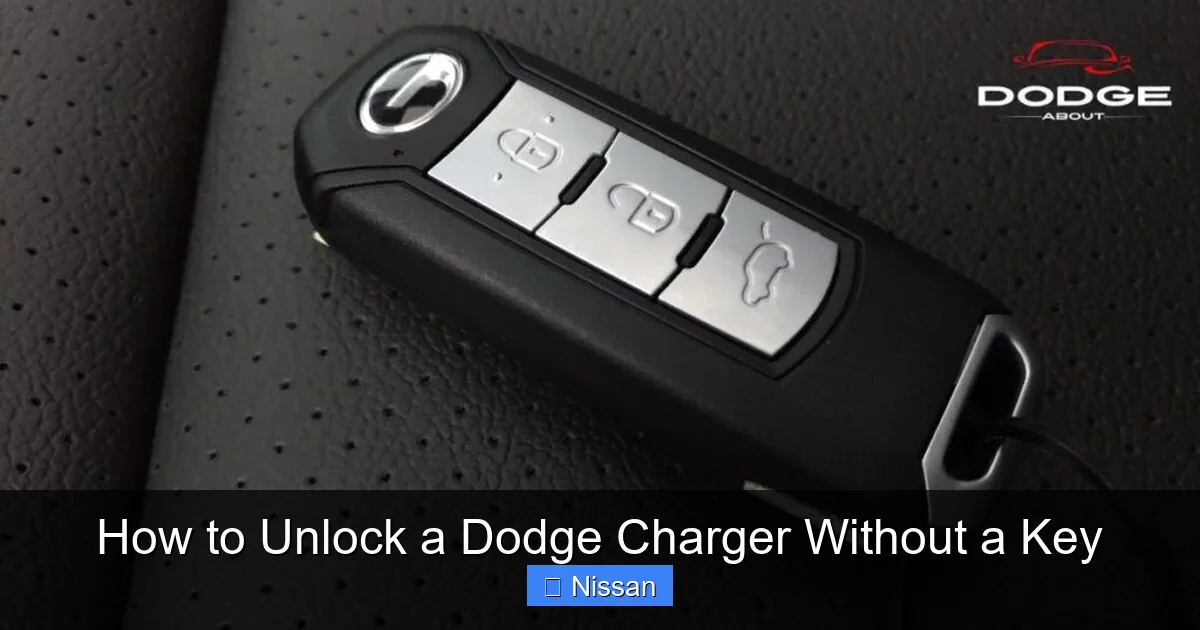
Visual guide about How to Unlock a Dodge Charger Without a Key
Image source: dodgeabout.com
Keypad Entry: A Hidden Lifesaver
One of the most underused features on many Dodge Chargers is the keypad entry system. Located on the driver’s side door, just below the window switch panel, this five-digit keypad allows you to enter a unique code to unlock the doors. This feature is available on most models from 2011 to 2023, especially on trims like the GT, R/T, and SRT. The code is typically set by the owner or dealership and can be found in your owner’s manual or on a sticker inside the glove box.
Key Fob and Physical Key Blade
Every Dodge Charger key fob contains a physical key blade that can be used to manually unlock the driver’s door. To access it, press the small release button on the fob and pull out the key. Insert it into the keyhole—usually hidden behind a small cover on the driver’s door handle—and turn to unlock. This method works even if the fob battery is dead, making it a reliable backup.
MyUconnect and Remote Start Features
For newer models (2018 and later), Dodge offers the MyUconnect app, which allows you to remotely lock, unlock, start, and even track your vehicle using your smartphone. If your Charger is equipped with Uconnect Services and you’ve activated the subscription, you can use the app to unlock your car from virtually anywhere. This is especially useful if you’re locked out while away from home.
Method 1: Use the Keypad Entry System
The keypad entry system is one of the most convenient and underutilized features on the Dodge Charger. If your model has it, this could be your fastest route back into your car—no tools, no calls, just a few button presses.

Visual guide about How to Unlock a Dodge Charger Without a Key
Image source: lihpao.com
How to Use the Keypad
To unlock your Charger using the keypad:
- Locate the keypad on the driver’s side door. It’s usually a vertical strip of buttons near the window switch.
- Enter your 5-digit personal entry code. This code is set by you or the dealership and should be recorded in your owner’s manual or on a sticker inside the glove box.
- Press the “Unlock” button (usually labeled with a padlock icon) after entering the code.
- The doors should unlock immediately.
Finding Your Entry Code
If you don’t remember your code, don’t panic. It’s often printed on a sticker inside the glove compartment, in the owner’s manual, or on a card provided by the dealer. If you can’t find it, you can also check the vehicle’s fuse box under the hood—some models have the code printed there. Alternatively, contact your dealership with your VIN to retrieve the factory-set code.
Tips for Using the Keypad
- Keep your code secure—don’t share it with strangers or write it on the car.
- If the keypad doesn’t respond, the car battery may be low. Try using the physical key blade instead.
- Some keypads require you to press “Lock” first before entering the code—check your manual for specifics.
Method 2: Use the Physical Key Blade from the Fob
If your key fob is dead or missing, the physical key blade inside it can still get you into your Charger. This method works on all Dodge Charger models and is a reliable backup when electronic systems fail.

Visual guide about How to Unlock a Dodge Charger Without a Key
Image source: docharger.org
How to Access and Use the Key Blade
Follow these steps to use the physical key:
- Press the small release button on the side of the key fob to eject the key blade.
- Locate the keyhole on the driver’s door handle. It’s often hidden behind a small plastic cover that pops off with gentle pressure.
- Insert the key blade and turn it clockwise to unlock the door.
- Once inside, you can start the car using the “Start/Stop” button—no key fob needed, as long as the fob is inside the vehicle.
When This Method Works Best
This method is ideal when:
- The key fob battery is dead.
- You’ve lost the fob but still have the physical key.
- The keypad isn’t working due to a dead car battery.
It’s a simple, mechanical solution that doesn’t rely on electronics, making it one of the most dependable options.
Common Issues and Fixes
- Keyhole cover won’t come off: Use a flathead screwdriver wrapped in cloth to gently pry it open. Avoid forcing it to prevent damage.
- Key won’t turn: The lock may be stiff. Try wiggling the key gently while turning. A small amount of graphite lubricant (not oil) can help.
- Fob won’t release the key: The release button may be stuck. Try pressing it firmly or using a paperclip to press the internal mechanism.
Method 3: Use the MyUconnect App (Remote Unlock)
For tech-savvy drivers, the MyUconnect app offers a modern solution to the classic lockout problem. If your Dodge Charger is equipped with Uconnect Services and you’ve activated the subscription, you can unlock your car remotely using your smartphone.
How Remote Unlock Works
The MyUconnect app connects to your vehicle via cellular network, allowing you to send commands like “Unlock Doors” or “Start Engine” from anywhere. To use this feature:
- Download the MyUconnect app from the App Store or Google Play.
- Create an account and link it to your vehicle using your VIN and enrollment information.
- Activate Uconnect Services through your dealer or online portal.
- When locked out, open the app, select your vehicle, and tap “Unlock Doors.”
Requirements and Limitations
Not all Dodge Chargers support remote unlocking. The feature is typically available on:
- 2018 and newer models.
- Vehicles with Uconnect 4C or 5 systems.
- Models with an active Uconnect Services subscription (may require a monthly or annual fee).
If your Charger is older or lacks the necessary hardware, this method won’t work.
Tips for Using the App
- Ensure your phone has a strong cellular signal.
- Keep your Uconnect account active—expired subscriptions disable remote features.
- The app may take 10–30 seconds to send the command, so be patient.
- If the app fails, try restarting it or using a different device.
Method 4: Call Roadside Assistance or a Locksmith
When all else fails, professional help is often the safest and most effective solution. Calling roadside assistance or a qualified automotive locksmith ensures your Charger is unlocked without damage.
Roadside Assistance Services
Many drivers have roadside assistance through their auto insurance, AAA, or the manufacturer’s warranty program. Dodge offers roadside assistance for new vehicles, and many insurance policies include lockout service. When you call:
- Provide your location and vehicle details.
- Confirm your identity and ownership of the vehicle.
- A technician will arrive with specialized tools to unlock your car safely.
This service is usually free or low-cost if you’re covered.
Hiring a Professional Locksmith
If you don’t have roadside assistance, a licensed automotive locksmith can help. Look for a local locksmith with experience in Dodge vehicles. They use tools like air wedges and long-reach rods to unlock doors without damaging the paint or interior.
- Ask for a quote before service begins.
- Ensure they are licensed and insured.
- Avoid “mobile locksmiths” who operate out of unmarked vans—stick to reputable companies.
What to Expect During Service
A professional technician will typically:
- Arrive within 30–60 minutes, depending on location.
- Use non-destructive methods to unlock the door.
- Charge between $50 and $150, depending on time and location.
- Provide a receipt for insurance or reimbursement purposes.
This method is ideal if you’re in a hurry or don’t want to risk damaging your vehicle.
Method 5: DIY Methods (Use with Caution)
While not recommended for beginners, some drivers attempt DIY methods to unlock their Charger. These techniques can work in emergencies but carry a high risk of damage.
Using a Coat Hanger or Slim Jim
Old-school methods like using a coat hanger or slim jim involve inserting a thin metal tool between the window and door seal to manipulate the lock mechanism. This requires precision and knowledge of the door’s internal layout.
- Straighten a heavy-duty coat hanger and create a small hook at one end.
- Slide it between the window and door weather stripping.
- Gently maneuver it toward the lock rod and pull up to unlock.
Warning: This method can damage window seals, scratch paint, or break internal wiring. Only attempt if you’re experienced.
Air Wedge and Long-Reach Tool
A safer DIY option is using an air wedge and long-reach tool. These are often sold in lockout kits and work by creating a small gap in the door to insert a tool that triggers the unlock mechanism.
- Insert the air wedge between the door and frame near the lock.
- Pump it to create a small gap.
- Slide the long-reach tool in and press the unlock button or pull the lock rod.
This method is less damaging than a coat hanger but still requires practice.
When to Avoid DIY Methods
Never attempt DIY unlocking if:
- You’re unsure of the door’s internal structure.
- The vehicle is in a high-crime area—calling for help is safer.
- You’re in extreme weather (heat, cold, rain).
- You have access to professional help within a reasonable time.
Remember: the cost of repairing damage from a failed DIY attempt can far exceed the price of professional service.
Preventing Future Lockouts
The best way to deal with a lockout is to avoid it altogether. With a few simple habits, you can reduce the chances of being locked out of your Dodge Charger.
Keep a Spare Key Handy
Store a spare key in a secure location:
- Use a magnetic key box attached to the undercarriage (e.g., behind the bumper or frame).
- Give a spare to a trusted family member or friend.
- Keep one in your workplace or gym locker.
Avoid hiding keys in obvious places like under the mat or in the wheel well—thieves know these spots.
Check Your Key Fob Battery Regularly
A dead fob battery is one of the most common causes of lockouts. Replace the battery every 1–2 years or when you notice reduced range. Most Charger fobs use a CR2032 battery, available at any hardware or electronics store.
Use a Key Finder or Bluetooth Tracker
Attach a Bluetooth tracker like Tile or Apple AirTag to your keychain. These devices help you locate your keys using your smartphone if they’re misplaced.
Enable Automatic Door Unlock Features
Some Dodge Chargers allow you to program the doors to unlock automatically when the key fob is detected. Check your owner’s manual or Uconnect settings to enable this feature.
Stay Calm and Plan Ahead
If you’re prone to forgetting keys, develop a routine:
- Always place keys in the same spot when you get home.
- Use a key hook by the door.
- Set a reminder on your phone to check for keys before leaving.
A little preparation goes a long way.
Conclusion
Being locked out of your Dodge Charger is never fun, but it doesn’t have to be a disaster. With the right knowledge and tools, you can regain access quickly and safely. Whether you use the keypad, the physical key blade, the MyUconnect app, or call for professional help, there’s a solution that fits your situation.
The key is to stay calm, assess your options, and choose the method that’s safest for you and your vehicle. And remember—prevention is always better than cure. Keep a spare key, maintain your fob battery, and familiarize yourself with your Charger’s features. That way, the next time you reach for your keys, you’ll know exactly what to do.
Frequently Asked Questions
Can I unlock my Dodge Charger if the key fob battery is dead?
Yes, you can still unlock your Charger using the physical key blade hidden inside the fob. Simply eject the key and use it to manually unlock the driver’s door.
Does every Dodge Charger have a keypad?
No, not all models have a keypad. Most Chargers from 2011 to 2023 on higher trims (like GT, R/T, and SRT) include it, but base models may not. Check your door or owner’s manual to confirm.
How do I find my keypad entry code?
Your code is usually printed on a sticker inside the glove box, in the owner’s manual, or on a card from the dealer. You can also contact your dealership with your VIN to retrieve it.
Can I unlock my Charger remotely with my phone?
Yes, if your Charger is a 2018 or newer model with Uconnect Services and an active subscription, you can use the MyUconnect app to unlock it remotely.
Is it safe to use a coat hanger to unlock my car?
It’s not recommended unless you’re experienced. Coat hangers can damage window seals, scratch paint, or break internal components. Professional tools and techniques are safer.
How much does it cost to call a locksmith for a lockout?
Most automotive locksmiths charge between $50 and $150 for a lockout service, depending on location, time of day, and vehicle type. Roadside assistance may be cheaper or free if you’re covered.