
How to Turn on Fcw in a Jeep Grand Cherokee

Activating Forward Collision Warning (FCW) in your Jeep Grand Cherokee is a simple process done through the vehicle’s Uconnect system settings. This critical safety feature uses radar to monitor traffic ahead and provides visual and audible alerts to help prevent accidents. Understanding how to turn it on, adjust its sensitivity, and know its limitations is essential for maximizing its life-saving potential.
So, you’ve got a fantastic Jeep Grand Cherokee, a true powerhouse built for adventure. But its most important job is keeping you and your passengers safe. One of the key tools in its modern safety arsenal is the Forward Collision Warning (FCW) system. If you’re wondering how to turn on FCW in a Jeep Grand Cherokee, you’ve come to the right place. This isn’t about finding a hidden switch under the dash; it’s about navigating the intuitive Uconnect system to activate a feature that acts as an extra set of watchful eyes on the road ahead. Think of it as giving your SUV a sixth sense for slowing traffic or stopped vehicles.
In this complete guide, we’ll walk through everything you need to know. We’ll start with what FCW actually is and why it’s so valuable. Then, we’ll dive into the exact, step-by-step process to turn it on, which is surprisingly straightforward. But it doesn’t stop there. We’ll also cover how to customize the alert settings to suit your driving style, explain what the system can and cannot do, and give you essential maintenance tips to keep it working perfectly. By the end, you’ll be a confident FCW user, harnessing this technology to drive with greater peace of mind. Let’s get started.
Key Takeaways
- FCW is a driver-assist alert system: It warns you of a potential front-end collision but does not automatically brake (that’s AEB).
- Activation is done via the Uconnect system: You enable and customize FCW through the vehicle settings menu on your touchscreen.
- Sensitivity can be adjusted: Most model years allow you to set the alert timing (Early, Medium, Late) based on your preference.
- The system has limitations: FCW may not detect motorcycles, pedestrians, or oncoming traffic in certain conditions.
- Keep the radar sensor clean: The sensor behind the front grille must be free of debris, ice, and mud for proper function.
- FCW works with other safety systems: It is often part of a suite that includes Adaptive Cruise Control and Full-Speed Collision Warning with Braking.
- Consult your owner’s manual: Specific steps and available features can vary by model year and trim level (Laredo, Limited, Overland, etc.).
📑 Table of Contents
- Understanding Forward Collision Warning (FCW) in Your Grand Cherokee
- Step-by-Step: How to Turn On FCW in Your Jeep Grand Cherokee
- Customization and Related Safety Systems in the Grand Cherokee
- System Limitations and Common Issues: What FCW Can’t Do
- Maintaining Your FCW System for Optimal Performance
- FCW in the Context of Your Grand Cherokee’s Full Safety Suite
- Conclusion: Drive Confidently with FCW Activated
Understanding Forward Collision Warning (FCW) in Your Grand Cherokee
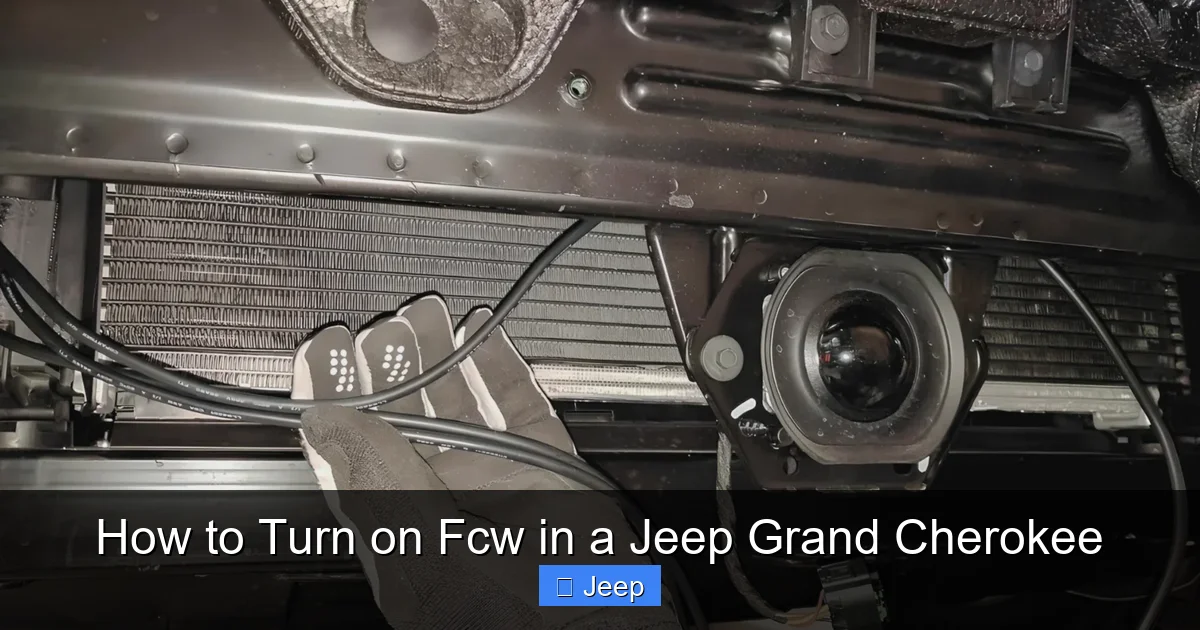
Before we jump into the “how-to,” it’s crucial to understand the “what” and “why.” Forward Collision Warning is an advanced driver-assistance system (ADAS) designed to reduce the risk of rear-end collisions. It uses a combination of radar sensors (typically mounted behind the front grille, behind the Jeep badge) and sometimes a forward-facing camera to constantly scan the road ahead, monitoring the distance and relative speed of the vehicle in front of you.
How FCW Works: The Science of the Alert
When the system determines that you are approaching a vehicle ahead too quickly and a collision is imminent, it issues a warning. This warning is typically two-fold: a visual alert, which is an icon (often a red truck or car) that illuminates in your instrument cluster behind the steering wheel or on the driver information display, and an audible alert, which is a series of rapid beeps or chimes. The goal is to get your attention immediately so you can take corrective action—like pressing the brake or steering away.
It’s vital to remember the key distinction: FCW is a WARNING system, not an AUTOMATIC braking system. While many modern Grand Cherokees, especially from the 2020 model year onward, come equipped with “Full-Speed Collision Warning with Active Braking” or a similar feature that can apply the brakes automatically if you don’t respond, the base FCW function is purely alert-based. Always keep your hands on the wheel and your eyes on the road; FCW is your helper, not your replacement.
The Benefits: Why You Should Definitely Turn It On
Studies by the Insurance Institute for Highway Safety (IIHS) have shown that FCW systems can significantly reduce the rate of front-to-rear crashes. In the real world, this translates to fewer fender benders, lower insurance claims, and, most importantly, a drastically reduced risk of injury. For a vehicle like the Grand Cherokee, which has substantial power and weight, having that early warning before you even touch the brake pedal can be the difference between a close call and a costly accident. It’s especially useful in stop-and-go traffic, on highways, and when following large trucks that can obscure your view of braking lights ahead.
Step-by-Step: How to Turn On FCW in Your Jeep Grand Cherokee
Now for the main event. Enabling FCW is a menu-driven process on your Uconnect touchscreen. The exact wording of menu options can vary slightly between model years (e.g., a 2018 vs. a 2023) and between the standard Uconnect 4 and the larger Uconnect 5 systems, but the core path is very similar. Don’t worry; it’s designed to be user-friendly.
Visual guide about How to Turn on Fcw in a Jeep Grand Cherokee
Image source: jeepinside.com
Finding the Right Menu: A Digital Treasure Hunt
First, make sure your vehicle is parked or in “Park” (P), and the ignition is in the “ON” or “ACC” position so the Uconnect system powers on. You don’t need the engine running, but the screen should be active. The general path to the FCW settings is:
- Step 1: Tap the “Apps” button on your Uconnect home screen. This is usually a grid of nine dots or a similar icon.
- Step 2: Look for the “Settings” app. It’s often represented by a gear or wrench icon. Tap it.
- Step 3: Inside the Settings menu, you’ll see several categories. You need to find the one related to “Driver Assistance,” “Safety & Security,” or “Safety.” The exact label varies. On newer systems, it might be under a sub-menu called “Vehicle.”
- Step 4: Once you’re in the Driver Assistance/Safety menu, scroll through the list of available systems. You should see an option for “Forward Collision Warning” or “FCW.” It might also be grouped under a broader heading like “Collision Warning.”
- Step 5: Tap on the “Forward Collision Warning” option. You will now see a toggle switch or a button that says “Off/On” or “Disabled/Enabled.”
- Step 6: Simply toggle the switch to the “ON” or “Enabled” position. You might hear a chime or see a brief confirmation message on the screen.
That’s it! The system is now active. If your Grand Cherokee is equipped with the more advanced “Full-Speed Collision Warning with Active Braking,” you may see that specific name in the menu, and enabling it will activate both the warning and the potential automatic braking function.
Customizing Your FCW Experience: Sensitivity Settings
Once FCW is turned on, many Grand Cherokee models allow you to customize how sensitive the system is. This setting controls how much time the system calculates you have before a potential collision before it alerts you. You’ll typically find this setting right below the main ON/OFF toggle in the same menu. The options are usually:
- Far (or Early): The system gives you the most advanced warning. Alerts will trigger sooner when you’re approaching a vehicle ahead. This is ideal for highway driving or if you prefer a more cautious, earlier alert.
- Medium: A balanced setting that provides a moderate warning time. This is often the default setting and works well for mixed driving conditions.
- Near (or Late): The system waits until you are very close to the potential collision point to alert you. This setting is less common and generally not recommended, as it reduces your reaction time. It might be useful only in very dense, slow-moving traffic where frequent alerts would be annoying.
Experiment with these settings on a quiet road to see which one feels most natural to your driving style. The “Far” setting is an excellent choice for new drivers or those who want maximum reaction time.
Customization and Related Safety Systems in the Grand Cherokee
FCW doesn’t operate in a vacuum. It’s part of a sophisticated safety network in your Grand Cherokee. Understanding how it interacts with other features can help you get the most cohesive safety experience.
Visual guide about How to Turn on Fcw in a Jeep Grand Cherokee
Image source: jeepmaven.com
The FCW and AEB Relationship: Knowing the Difference
As mentioned earlier, the most important related system is Automatic Emergency Braking (AEB). In Jeep terminology, this is often branded as “Full-Speed Collision Warning with Active Braking” or simply “Forward Collision Warning Plus.” If your vehicle has this feature, enabling FCW in the menu also activates the AEB function. Here’s the simple breakdown:
- FCW Only: Alerts you with beeps and a visual icon. You must brake yourself.
- FCW + AEB: Alerts you first. If you do not respond and a collision is still imminent, the system can automatically apply the brakes to either avoid the collision or reduce its severity.
You can usually find out if your specific Grand Cherokee has AEB by checking the window sticker from when it was new, looking for the “Active Braking” or “AEB” badge on the rearview mirror or grille, or consulting your owner’s manual. The activation for the combined system is still done through the same Uconnect menu we discussed.
Adaptive Cruise Control (ACC): FCW’s Highway Partner
Another system that works hand-in-hand with FCW is Adaptive Cruise Control. When you have ACC engaged, your Grand Cherokee uses the same forward-facing radar to maintain a set distance from the vehicle ahead. The FCW system is essentially the “alert” component of this functionality. If you’re using ACC and the lead vehicle slows suddenly, you’ll get the same FCW visual and audible alerts before the ACC system modulates your speed. This integration makes for a seamless, semi-autonomous driving experience on long highway stretches. If you’re troubleshooting FCW issues, a malfunctioning ACC system is a related clue to investigate.
System Limitations and Common Issues: What FCW Can’t Do
No technology is perfect, and FCW is no exception. Understanding its limitations is just as important as knowing how to turn it on. This knowledge prevents false alerts and helps you diagnose when the system might be disabled or malfunctioning.
Visual guide about How to Turn on Fcw in a Jeep Grand Cherokee
Image source: jeepmaven.com
Environmental and Target Limitations
FCW relies on its radar sensor. This sensor can be challenged by:
- Severe Weather: Heavy rain, snow, fog, or thick spray from other vehicles can obscure the radar signal.
- Direct, Glaring Sunlight: Can sometimes interfere with the camera component (if equipped) or create glare on the sensor.
- Obstructions: The most common issue is a dirty or blocked grille. Mud, ice, snow, or a large bug splattered directly over the sensor (behind the Jeep badge) can render the system useless. Regularly check and clean this area.
- Certain Targets: FCW is primarily tuned to detect the rear of passenger vehicles. It may not detect or may have delayed detection of:
- Motorcycles (due to their smaller profile)
- Pedestrians or cyclists (unless your system specifically includes Pedestrian Detection)
- Oncoming vehicles in your lane
- Vehicles cutting in very sharply at close range
When FCW Might Turn Off or Show an Error
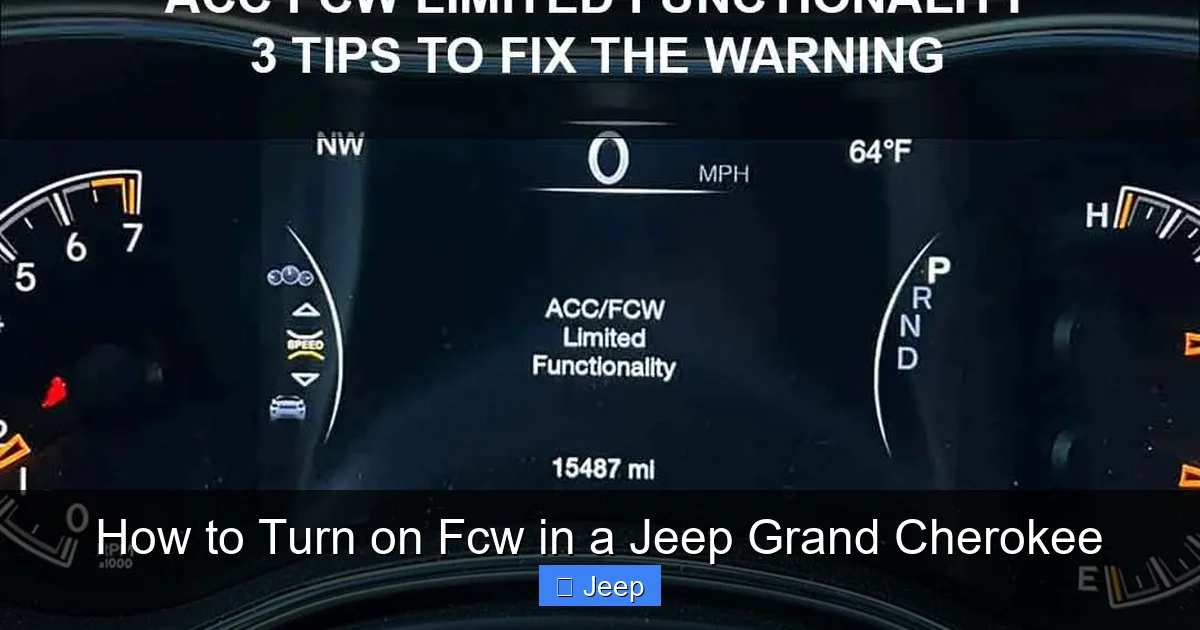
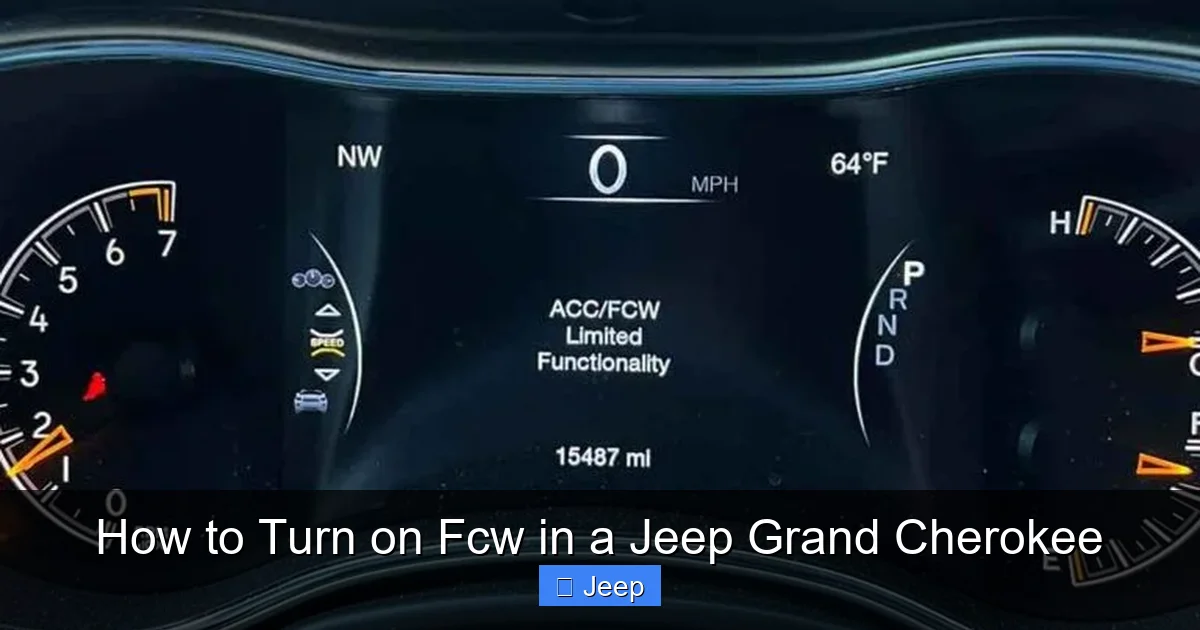
If your FCW icon in the instrument cluster is yellow or red, or if the system is unavailable, the Uconnect screen will often provide a message. Common reasons include:
- “FCW Unavailable” or “Radar Obstructed”: This almost always points to a dirty grille/sensor area. Clean it gently with car soap and water, avoiding abrasive materials.
- “Service FCW” or a persistent warning light: This indicates a potential fault with the radar sensor, camera, or related wiring. This requires diagnosis by a qualified technician, ideally at a Jeep dealership or a shop with ADAS calibration tools.
- Extreme Temperature: The system may temporarily disable itself if the sensor gets too hot or too cold.
- After a Front-End Collision: If the grille or bumper is replaced, the radar sensor must be recalibrated to align it properly. This is a critical step often missed by general body shops.
If you’ve cleaned the sensor and the error persists, it’s time to seek professional help. Driving with a malfunctioning FCW system means you’re missing a key safety layer.
Maintaining Your FCW System for Optimal Performance
Keeping your Forward Collision Warning system in top shape is mostly about common sense and regular vehicle care. Here’s your maintenance checklist:
The Golden Rule: Keep the Radar Sensor Clean
This cannot be stressed enough. Make inspecting and cleaning the area behind the front grille a part of your regular car wash routine. Use a soft microfiber cloth and a mild automotive soap solution. Be gentle; the sensor is a precision instrument. If you live in an area with lots of road salt, bugs, or winter slush, check it more frequently. A quick rinse with a hose (on a gentle setting) during a wash can make a big difference.
Proper Windshield and Camera Care
If your Grand Cherokee uses a forward-facing camera (usually mounted behind the rearview mirror, behind the windshield), its view must be clear. Always keep your windshield clean, especially the area directly behind the mirror. Avoid placing dashboard objects (like toys, sun reflectors, or loose papers) that could obstruct the camera’s view. If you replace your windshield, ensure the technician uses the correct, camera-friendly glass and performs any necessary recalibration.
Mind Your Modifications
Aftermarket accessories can interfere with FCW. Be cautious with:
- Grille Guards or Bull Bars: These can block the radar signal entirely if not specifically designed to be FCW/radar-compatible.
- Front-End Repairs: As mentioned, any work that involves removing or disturbing the bumper, grille, or sensor mounting requires professional recalibration. Never assume the system is still aligned correctly after such work.
- Window Tint: While not usually an issue, metallic or very dark tints on the windshield can sometimes interfere with camera-based systems.
Sticking to OEM (Original Equipment Manufacturer) or certified compatible parts is the safest bet for maintaining all your ADAS functions.
FCW in the Context of Your Grand Cherokee’s Full Safety Suite
FCW is a star player, but it’s part of a larger team. Your Jeep Grand Cherokee likely comes with a bundle of safety features, often called “SafetyTec” or a similar name depending on the trim. Knowing how FCW fits in helps you use the whole system effectively.
Other Key ADAS Features to Be Aware Of
Beyond FCW and AEB, your Grand Cherokee probably includes:
- Blind Spot Monitoring (BSM): Uses radar sensors on the rear bumper to detect vehicles in your blind spots. Alerts appear in the side mirrors.
- Rear Cross Path Detection: When backing up, this system warns you of traffic crossing behind you, perfect for parking lot exits.
- Lane Departure Warning (LDW) / Lane Keep Assist (LKA): LDW alerts you if you drift out of your lane without signaling. LKA can provide gentle steering input to keep you centered.
- Parking Sensors: Front and rear sensors that beep faster as you get closer to an obstacle during low-speed maneuvers.
All these systems, including FCW, are typically managed and customized from the same central Settings > Driver Assistance menu in your Uconnect system. You can often turn each one on or off individually. While it’s your right to disable them, we strongly recommend keeping FCW, AEB, and BSM enabled for daily driving, as they provide immense passive safety benefits with minimal intrusion.
Conclusion: Drive Confidently with FCW Activated
Turning on Forward Collision Warning in your Jeep Grand Cherokee is one of the simplest yet most impactful things you can do to enhance your safety on the road. It takes less than a minute to navigate the Uconnect settings and flip that switch. From that moment on, you have a vigilant co-pilot constantly scanning the road ahead, ready to alert you to dangers you might miss.
Remember, this system is a tool—a very good one—but it complements, not replaces, safe driving habits. Always maintain a safe following distance, stay alert, and avoid distractions. Keep the radar sensor clean, understand its limits, and enjoy the added layer of confidence it provides. Whether you’re navigating city streets or cruising the highway, knowing your FCW is active allows you to focus more on the journey and less on the what-ifs. Now that you know how to enable and manage it, you’re all set to make the most of this fantastic safety technology in your capable Grand Cherokee. Safe travels!
Frequently Asked Questions
What is the difference between FCW and Automatic Emergency Braking (AEB) in a Jeep Grand Cherokee?
FCW (Forward Collision Warning) only provides visual and audible alerts when it detects a potential collision. AEB (Automatic Emergency Braking), often branded as “Full-Speed Collision Warning with Active Braking” in Jeeps, will automatically apply the brakes if you do not respond to the FCW alert. Both are enabled through the same Uconnect settings menu.
Why is my FCW light on or showing “Radar Obstructed” even after I cleaned the grille?
A persistent “obstructed” message usually means the radar sensor is still blocked or has a fault. Double-check for ice, mud, or snow packed deeply around the sensor behind the grille. If the area is clean, the sensor itself may be misaligned (possibly after a front-end repair) or damaged, requiring professional diagnosis and calibration.
Can I turn off FCW permanently, and should I?
Yes, you can disable FCW through the Uconnect settings menu under Driver Assistance. However, we strongly advise against turning it off permanently. The system provides crucial early warnings that can prevent accidents. Disabling it should only be a temporary measure, such as during off-road driving where the system may give false alerts, and it should be re-enabled for normal road use.
Does FCW work when I’m using Adaptive Cruise Control (ACC)?
Yes, absolutely. In fact, FCW is integral to ACC. When ACC is active, the radar is already monitoring the vehicle ahead to maintain your set distance. FCW will still issue alerts if you are approaching a vehicle too quickly, even within the ACC control. It provides an extra layer of warning beyond the ACC’s automatic speed adjustments.
Will FCW work in heavy rain, snow, or fog?
FCW performance can be reduced in severe weather conditions. Heavy precipitation can scatter the radar signal, and fog can obscure a camera-based component. The system may issue a “FCW Unavailable” message in these conditions. It’s important to remember that FCW is an aid, not a replacement for prudent, weather-appropriate driving.
How do I know if my specific Grand Cherokee model has FCW?
You can check your Uconnect Settings menu for the Forward Collision Warning option. You can also look for a small radar emblem or “FCW” badge on the front grille or inside the vehicle (like on the windshield near the mirror). The vehicle’s original window sticker (Monroney label) will list it under safety features. Most Grand Cherokees from the 2015-2016 model year onward have some form of FCW as standard or available equipment.
