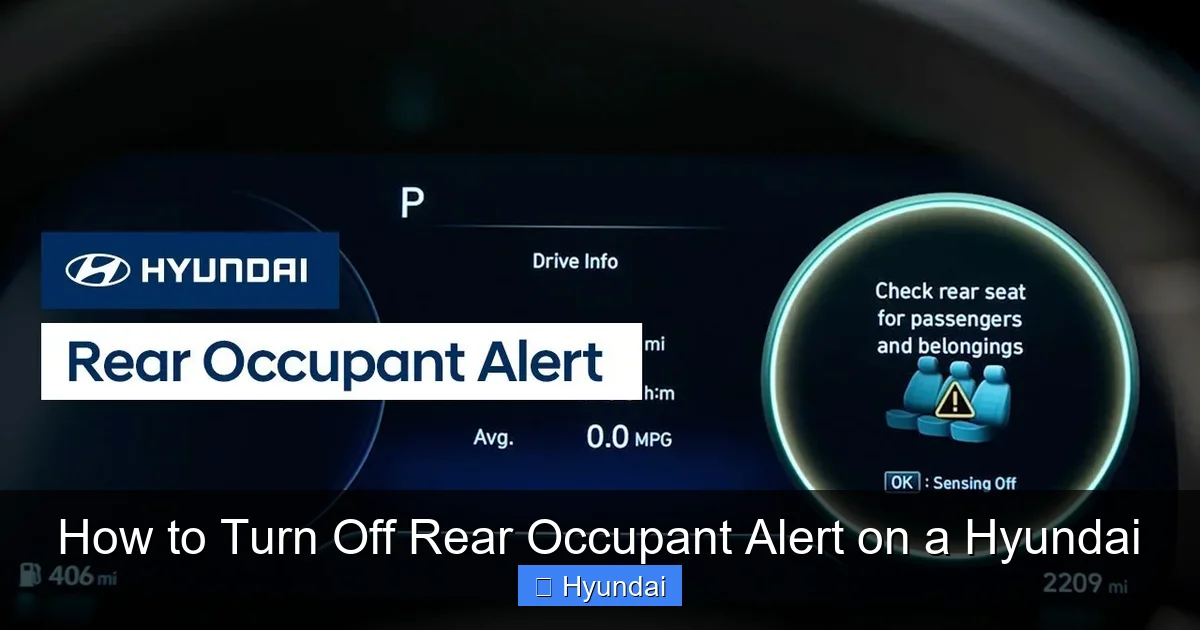
How to Turn Off Rear Occupant Alert on a Hyundai

Contents
- 1 Key Takeaways
- 2 📑 Table of Contents
- 3 Understanding Your Hyundai’s Rear Occupant Alert System
- 4 Method 1: The Temporary Silence (For One Trip)
- 5 Method 2: Disabling via Vehicle Settings Menu (Model-Dependent)
- 6 Method 3: The Permanent Dealer Disable
- 7 Model Year and Model Specific Guidance
- 8 Critical Safety and Responsibility Warning
- 9 Troubleshooting: When the Alert Won’t Stop or Acts Up
- 10 Conclusion: A Balanced Approach to a Life-Saving Feature
- 11 Frequently Asked Questions


The Hyundai Rear Occupant Alert is a safety feature that reminds you to check the back seat. You can temporarily silence it by ignoring the initial chime or pressing the OK button on the steering wheel. For a permanent disable, you typically need to visit a Hyundai dealer or use the vehicle’s settings menu if equipped. Always consider the safety implications before disabling this life-saving alert.
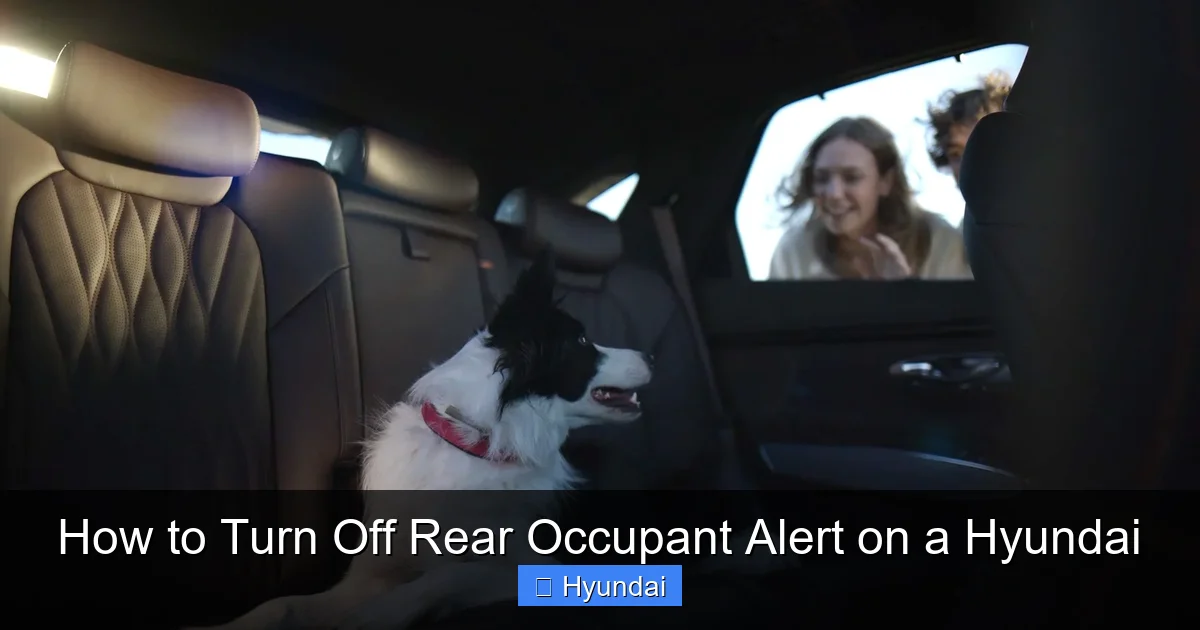
Have you ever parked your Hyundai, turned off the engine, and been startled by a persistent chime and a warning light on your dashboard reminding you to “Check Rear Seat”? That’s the Rear Occupant Alert (sometimes called Rear Seat Reminder) in action. It’s a well-intentioned safety feature, but for many drivers, it can be an annoyance—especially if you frequently drive alone or with adult passengers who always exit the vehicle. If you’re wondering how to turn off the Rear Occupant Alert on your Hyundai, you’ve come to the right place. This comprehensive guide will walk you through every method, from a quick temporary silence to a more permanent solution, while highlighting the crucial safety considerations you must keep in mind.
We’ll break down exactly how this system works, the step-by-step instructions for various Hyundai models and years, and what to do if the system is acting up. Before we dive in, a critical note: this alert exists for a profoundly important reason—to prevent the tragic and entirely avoidable circumstances of a child or pet being left unattended in a hot car. Disabling it is a decision that should not be taken lightly. With that said, let’s get into the mechanics of managing this feature on your Hyundai.
Key Takeaways
- Safety First: The Rear Occupant Alert is a critical safety system designed to prevent heatstroke or entrapment. Disabling it should be a conscious decision with full awareness of the risks.
- Temporary vs. Permanent: You can temporarily silence the alert for a single instance, but a permanent disable usually requires dealer intervention or specific menu navigation in newer models.
- Model Variations: The exact method to disable the alert varies significantly between Hyundai model years and trims. Consult your owner’s manual for the definitive procedure for your specific vehicle.
- Settings Menu Option: Many newer Hyundai vehicles (2020+) allow you to turn the feature off via the infotainment screen under Vehicle Settings or Driver Assistance menus.
- Dealer is Key for Permanent Disable: For a complete, permanent deactivation that persists after restarts, a Hyundai dealer must reflash the vehicle’s software. This may or may not be permitted based on regional regulations.
- Manual Check is Mandatory: Even if you disable the electronic alert, you remain legally and morally responsible for checking your rear seat for occupants or pets before exiting the vehicle.
- System Can Malfunction: The alert may activate erroneously if a heavy object triggers the rear seat sensors. Knowing how to reset it is useful for these false alarm scenarios.
[FEATURED_IMAGE_PLACEHOLDER]
📑 Table of Contents
- Understanding Your Hyundai’s Rear Occupant Alert System
- Method 1: The Temporary Silence (For One Trip)
- Method 2: Disabling via Vehicle Settings Menu (Model-Dependent)
- Method 3: The Permanent Dealer Disable
- Model Year and Model Specific Guidance
- Critical Safety and Responsibility Warning
- Troubleshooting: When the Alert Won’t Stop or Acts Up
- Conclusion: A Balanced Approach to a Life-Saving Feature
Understanding Your Hyundai’s Rear Occupant Alert System
Before learning how to turn it off, it helps to understand what you’re dealing with. Hyundai’s Rear Occupant Alert is not a single, universal system across all model years. Its complexity and functionality have evolved.
How Does the Rear Occupant Alert Work?
At its core, the system uses the weight sensors in the front passenger seat (part of the Occupant Classification System for airbag deployment) and/or dedicated sensors in the rear seats. When you open and close a rear door before starting your trip, the system “memorizes” that the rear compartment was accessed. When you turn off the ignition and open the driver’s door to exit, the system checks if there was a significant weight change in the rear seat area since the last time the driver’s door was opened. If it detects a potential occupant or a significant weight (like a heavy bag), it triggers an audible chime and a visual message on the instrument cluster or infotainment screen, often accompanied by a flashing icon.
In many newer models, the alert will also sound again after you lock the vehicle with the key fob, providing a second reminder. Some advanced systems even integrate with the vehicle’s Bluetooth or Hyundai Digital Key to send a notification to your smartphone if you walk away while the system detects something in the back.
Why Would You Want to Disable It?
The reasons are usually practical, though they should be weighed against safety:
- Frequent False Alarms: You often carry heavy groceries, tools, or pet carriers that trigger the weight sensors, leading to annoying and unnecessary alerts.
- Adult-Only Travel: You consistently drive alone or with only front-seat passengers and find the reminder redundant after the first few times.
- Vehicle Use Cases: The vehicle is used for work where equipment is regularly stored in the back, making the system ineffective and constantly active.
- System Malfunction: The alert is activating erratically even when the rear seat is empty, indicating a potential sensor issue that needs diagnosis.
Method 1: The Temporary Silence (For One Trip)
This is the simplest and safest method. It doesn’t disable the system; it just acknowledges the alert for your current stop. This is ideal for those occasional false alarms.
Visual guide about How to Turn Off Rear Occupant Alert on a Hyundai
Image source: i.ytimg.com
Using the Steering Wheel Controls
When the chime sounds and the “Check Rear Seat” message appears after you turn off the car and open your door, look at your steering wheel. Most Hyundai models with this feature have a dedicated button, often labeled with a seat icon or “OK,” on the left spoke of the steering wheel (the side with the cruise control buttons).
Step-by-Step:
- When the alert activates, press the OK or Reset button on your steering wheel (sometimes the Mode or Info button will also work to cycle through and clear the message).
- The chime will stop immediately, and the warning message will clear from the instrument cluster.
- This silence is temporary. The system will fully reset and be active again the next time you start a new trip where a rear door was opened.
Pro Tip: If your steering wheel doesn’t have a clear button, simply pressing any button on the wheel (like the volume up/down) often serves as an “acknowledge” and will silence the chime.
Ignoring the Initial Alert
If you don’t press any button, the chime will typically sound for a set duration (usually 30-60 seconds) before automatically stopping. The visual message may remain lit until you start the car again or drive a certain distance. This is not recommended as it’s annoying and doesn’t clear the warning light promptly.
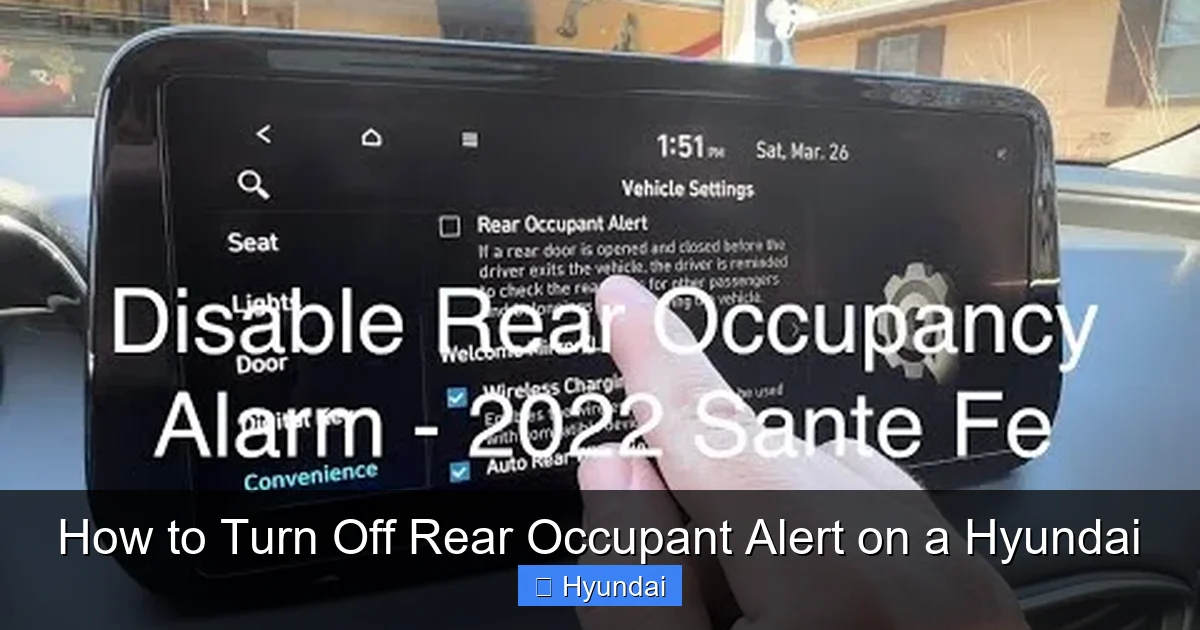
Method 2: Disabling via Vehicle Settings Menu (Model-Dependent)
This is the primary method for a semi-permanent or user-controlled disable. Not all Hyundai models have this option in the infotainment menu, but it’s common in vehicles from the 2020 model year onward equipped with a larger touchscreen.
Visual guide about How to Turn Off Rear Occupant Alert on a Hyundai
Image source: hyundaimotorgroup.com
Navigating the Infotainment System
The setting is usually buried within the vehicle setup menus. The exact path can vary.
General Path to Look For:
- Go to Settings (the gear icon) on the home screen of your infotainment system.
- Select Vehicle or Vehicle Settings.
- Look for a submenu called Driver Assistance, Convenience, or Warning.
- Find an option labeled Rear Occupant Alert, Rear Seat Reminder, or Rear Passenger Alert.
- Toggle the setting to Off.
Model-Specific Examples:
- Hyundai Santa Fe (2021+): Settings > Vehicle > Driver Assistance > Rear Occupant Alert.
- Hyundai Tucson (2022+): Settings > Vehicle > Convenience > Rear Occupant Alert.
- Hyundai Sonata (2020+): Settings > Vehicle > Driver Assistance > Rear Occupant Alert.
Important Caveat: Even if you turn it off here, some vehicles may still have a “last resort” alert that triggers if you lock the car with the fob and the system still detects weight. The menu setting primarily disables the alert upon opening the driver’s door after a trip. Always test it after changing the setting.
Method 3: The Permanent Dealer Disable
For a true, permanent deactivation that works in all scenarios (including the post-lock reminder), a visit to your Hyundai dealer’s service department is almost always necessary. This involves updating or reconfiguring the vehicle’s Body Control Module (BCM) software.
Visual guide about How to Turn Off Rear Occupant Alert on a Hyundai
Image source: carnewsbox.com
What the Dealer Does
A technician will connect Hyundai’s proprietary diagnostic computer (GDS) to your vehicle’s OBD-II port. They can access the BCM settings and permanently disable the Rear Occupant Alert function. This process is software-based and does not involve cutting wires or disabling physical sensors.
Considerations Before Going to the Dealer
- Cost: This is not a warranty-covered item if you simply want it disabled for convenience. Expect a diagnostic fee (often $100-$150) plus labor (0.5 to 1 hour). Total cost can range from $150 to $300.
- Warranty & Legality: In some regions, permanently disabling a federally mandated safety feature may have legal or warranty implications. The dealer may refuse the request or require a signed waiver acknowledging you understand the risks. Always ask first.
- Resale Value: A vehicle with a disabled safety feature may be less desirable to future buyers who prioritize safety.
Model Year and Model Specific Guidance
Hyundai rolled out this feature gradually. Here’s a rough timeline and how it affects your disable options.
Pre-2020 Models (Basic Alert)
Vehicles like the 2019 Hyundai Elantra or 2018 Tucson typically have a simpler, weight-sensor-based system with no smartphone integration. The only user-disabling method is the temporary steering wheel button press. A permanent disable must be done at the dealer. There is no infotainment menu option.
2020-2022 Models (Menu Option Introduced)
This era saw the feature become standard on most trims and the introduction of the settings menu toggle. Models like the 2020 Sonata, 2021 Santa Fe, and 2022 Kona often have the disable option in the infotainment system under Settings > Vehicle. However, the post-lock chime may still persist if weight is detected. The dealer can disable everything.
2023 and Newer Models (Integrated & Smart)
Latest models integrate the alert more deeply with Hyundai Digital Key and smartphone notifications. The settings menu is the most robust place to manage it. You might find options like “Alert when exiting vehicle” and “Alert when locking vehicle” as separate toggles. The dealer disable is still the only way to kill it completely.
How to Find Your Specific Info: Your absolute best resource is the Owner’s Manual for your exact year, make, and model. Look in the “Instrument Cluster,” “Driver Assistance Systems,” or “Settings” sections. The manual will state definitively if a user-disable option exists and where to find it.
Critical Safety and Responsibility Warning
This cannot be overstated. The Rear Occupant Alert is a last line of defense. According to the National Highway Traffic Safety Administration (NHTSA), an average of 39 children under 15 die each year from heatstroke after being left in vehicles. These are often cases of a parent or caregiver having a momentary memory lapse—the exact scenario this alert is designed to combat.
Why You Should Think Twice Before Disabling
- It’s a Habit, Not a Guarantee: The system is an aid, not a replacement for the “look before you lock” habit. Relying solely on technology is dangerous.
- Pets Are Equally at Risk: Dogs and other animals cannot escape a hot car and are just as vulnerable to heatstroke.
- Sensor Limitations: The system can fail. It may not detect a small child in a car seat if the weight is below the threshold, or it could be obstructed by a thick seat cover. It is not perfect.
- Legal Liability: In the event of a tragedy, a permanently disabled system could be used as evidence of negligence.
Responsible Alternatives to Permanent Disable
Before you opt for a permanent solution, consider these:
- Place Your Bag/Item in the Front: If you use the back for cargo, get in the habit of putting your purse, briefcase, or laptop in the front passenger seat. This creates a visual and physical reminder to look back.
- Stuffed Animal Ritual: Keep a designated stuffed animal in the front seat. When a child is in the back, move the animal to the back seat as a reminder.
- Make it a Habit: Always open the rear door when you exit the driver’s door, regardless of the alert. This “visual check” is the only foolproof method.
Troubleshooting: When the Alert Won’t Stop or Acts Up
Sometimes the problem isn’t that you want to turn it off, but that it won’t turn on correctly or is constantly going off for no reason.
Scenario A: The Alert is CONSTANTLY On (False Alarms)
If the “Check Rear Seat” message is illuminated or the chime sounds every time you exit, even with an empty back seat:
- Check for Objects: Remove all items from the rear seats and floor. Heavy floor mats, a large pet bed, or a toolbox can trigger the sensors.
- Recalibrate the System: Park on level ground, ensure the rear is completely empty, start the car, and drive for 5-10 minutes. The system may reset itself. Sometimes turning the car off, opening and closing all doors, and restarting helps.
- Sensor Issue: A faulty pressure sensor or wiring issue in the seat could be causing a constant “occupied” signal. This requires a dealer diagnostic scan to identify and repair.
Scenario B: The Alert NEVER Comes On (System Inactive)
If you open and close the rear door but never get a reminder, even with a weight in the back:
- Confirm Feature Availability: Some base trims on older models may not have had this feature from the factory. Check your owner’s manual.
- Fuse or Software Issue: A blown fuse related to the BCM or a software glitch can disable the system. A dealer scan is needed to check for fault codes and system status.
- It May Be Disabled: Someone (perhaps a previous owner) may have already had it disabled at the dealer. A scan will confirm if the function is turned off in the software.
Conclusion: A Balanced Approach to a Life-Saving Feature
Turning off the Rear Occupant Alert on your Hyundai is technically straightforward, but it carries a weight of responsibility far beyond pressing a few buttons. The temporary silence via the steering wheel button is a perfect solution for the rare false alarm. The infotainment menu toggle, if your vehicle has it, offers a convenient user-controlled option. However, the permanent dealer disable should be considered a last resort, undertaken only after a careful evaluation of your specific, consistent needs and with a full understanding that you are now solely responsible for the safety of anyone or anything that might be in your back seat.
Our vehicles are filled with incredible technology designed to protect us, but technology can fail or be forgotten. The most reliable safety system remains the attentive human mind and the simple, powerful habit of Looking Before You Lock. Use this guide to manage the alert on your terms, but never let that management replace the fundamental practice of checking your vehicle’s rear compartment. That simple act is the one that truly prevents tragedy.
Frequently Asked Questions
Can I permanently turn off the Rear Occupant Alert on any Hyundai model?
Not on all models via user menus. For most Hyundais, especially pre-2020 models, a permanent disable requires a dealer to reprogram the Body Control Module. Some newer models with a settings menu toggle offer a semi-permanent user disable, but the post-lock chime may still function.
Will turning off the Rear Occupant Alert void my warranty or be illegal?
It may not void your entire warranty, but it could affect coverage for related electrical systems. There is no federal law prohibiting disabling it, but if a child is harmed in your vehicle and the system was disabled, it could have serious legal and insurance implications as a sign of negligence.
What if my Hyundai’s Rear Occupant Alert is going off with nothing in the back seat?
This is usually a false alarm caused by heavy unsecured items, aftermarket floor mats, or a misaligned/soiled seat pressure sensor. First, thoroughly clear the rear. If it persists, a dealer diagnostic scan is needed to check for sensor faults or recalibrate the system.
Does the alert work with car seats?
Yes, but with limitations. The system detects weight, not the presence of a child. A properly installed infant car seat with a baby may or may not register enough weight to trigger the alert, depending on the combined weight of the seat and child. It should never be relied upon as a confirmation that a child is present.
Is there a way to test if my Rear Occupant Alert is working?
Yes. With the car parked and off, place a 20-30 lb weight (like a bag of dog food) on the rear seat cushion. Open and close a rear door, start the car, drive a short distance, turn it off, and open the driver’s door. The alert should activate. Remove the weight and repeat; it should not activate.
My 2018 Hyundai has no steering wheel button and no menu option. Can I turn it off?
For a 2018 model (and similar pre-2020 models without a menu setting), the only way to permanently disable the alert is to have a Hyundai dealer reflash the Body Control Module software. There is no user-serviceable method. The temporary silence is only possible by waiting for the chime to time out, as there is no dedicated button to press.