
How to Sync a Subaru Garage Door Opener

Syncing your Subaru garage door opener is easier than you think. Whether you’re setting it up for the first time or re-syncing after a power outage, this guide walks you through every step clearly and simply. No tools, no stress—just seamless access to your garage from your car.
Key Takeaways
- Most Subaru models come with a built-in HomeLink system that allows you to sync with your garage door opener without extra hardware.
- You can sync up to three garage doors or gates using the three programmable buttons on your rearview mirror or overhead console.
- The process typically takes less than 5 minutes once you have your garage door opener remote and are parked close to the door.
- Always check your garage door opener’s compatibility—HomeLink works with most major brands like Chamberlain, LiftMaster, Genie, and Craftsman.
- If syncing fails, try clearing the memory first and ensure your garage door opener has “rolling code” or “smart” technology support.
- Keep your vehicle’s battery charged during setup, as low power can interfere with the signal transmission.
- For newer garage openers, you may need to press a “Learn” button on the motor unit before programming your Subaru.
📑 Table of Contents
- Introduction: Why Syncing Your Subaru Garage Door Opener Matters
- What Is HomeLink and How Does It Work?
- Step-by-Step Guide: How to Sync Your Subaru Garage Door Opener
- Troubleshooting Common Sync Issues
- Compatibility: Which Garage Door Openers Work with Subaru?
- Tips for Maintaining Your Synced Garage Door Opener
- Conclusion: Enjoy the Convenience of a Synced Subaru Garage Door Opener
Introduction: Why Syncing Your Subaru Garage Door Opener Matters
Imagine pulling up to your driveway after a long day, pressing a button on your rearview mirror, and watching your garage door glide open—no fumbling for a remote, no getting out in the rain. That’s the convenience a synced Subaru garage door opener delivers. It’s not just about comfort; it’s about safety, efficiency, and modern car ownership done right.
Most Subaru vehicles—from the Outback and Forester to the Ascent and Crosstrek—come equipped with the HomeLink wireless control system. This nifty feature lets you program your car to operate your garage door, gate, or even outdoor lighting. No more juggling keys, remotes, or smartphone apps. Just seamless integration between your vehicle and your home.
But despite how common this feature is, many Subaru owners never get around to setting it up—or worse, give up after a failed attempt. That’s where this guide comes in. We’ll walk you through the entire process, from checking compatibility to troubleshooting common issues. Whether you’re a tech-savvy driver or someone who still struggles with the radio presets, you’ll find these steps clear, simple, and doable in under five minutes.
What Is HomeLink and How Does It Work?
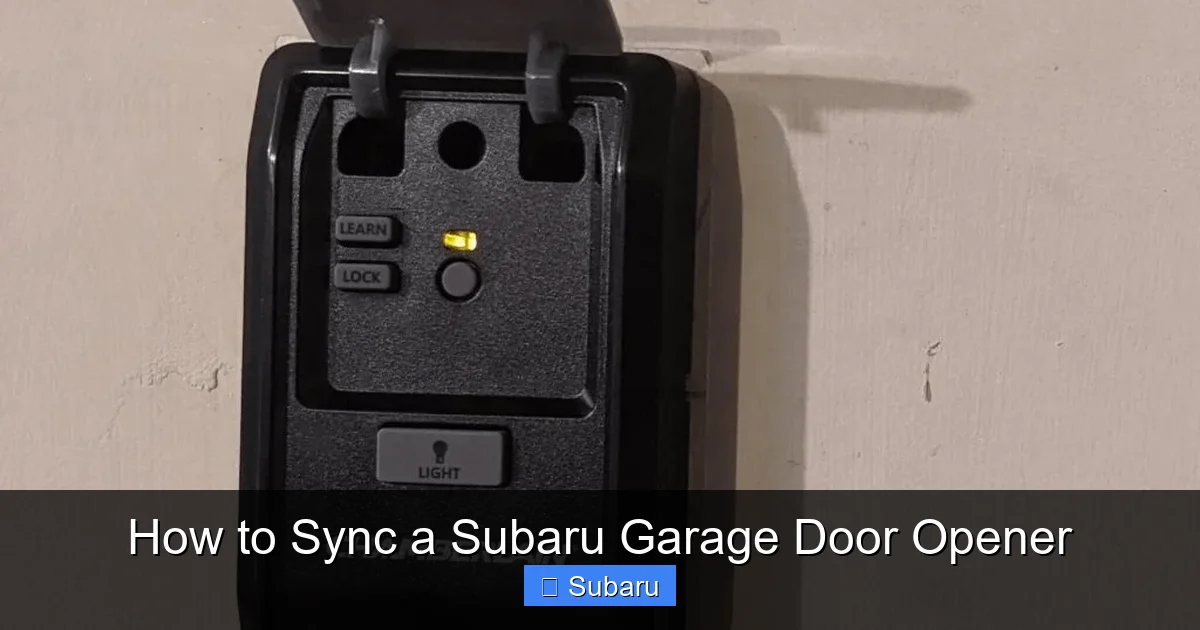
Visual guide about How to Sync a Subaru Garage Door Opener
Image source: garagedoorpedia.com
Before we dive into the “how,” let’s talk about the “what.” HomeLink is a wireless communication system developed by Gentex Corporation and integrated into millions of vehicles, including nearly all modern Subarus. It uses radio frequencies to communicate with compatible garage door openers, gates, and security systems.
The system consists of three programmable buttons—usually located on the rearview mirror or overhead console—that can each be synced to a different device. Once programmed, pressing one of these buttons sends a coded signal to your garage door opener, triggering it to open or close.
How HomeLink Communicates with Your Garage Door
HomeLink uses a specific radio frequency (typically 315 MHz or 390 MHz, depending on your region) to send signals. Older garage door openers used fixed codes, meaning the same signal was sent every time. While simple, this method was vulnerable to hacking.
Modern openers use “rolling code” or “hopping code” technology, which changes the code each time the door is activated. This makes it far more secure. The good news? HomeLink is designed to work with both fixed and rolling code systems, though the setup process differs slightly.
Where to Find HomeLink in Your Subaru
The location of the HomeLink buttons varies slightly by model and year:
– **Rearview Mirror:** Most Subaru models (like the Outback, Legacy, and Ascent) have the three HomeLink buttons embedded directly into the mirror.
– **Overhead Console:** Some older models or trims may have the buttons on the ceiling near the dome light.
– **Sun Visor:** Rarely, certain older Subarus may have a flip-down panel on the sun visor with HomeLink controls.
Look for three buttons labeled with small house icons or the word “HomeLink.” If you’re unsure, check your owner’s manual or look for a label inside the glove box.
Step-by-Step Guide: How to Sync Your Subaru Garage Door Opener
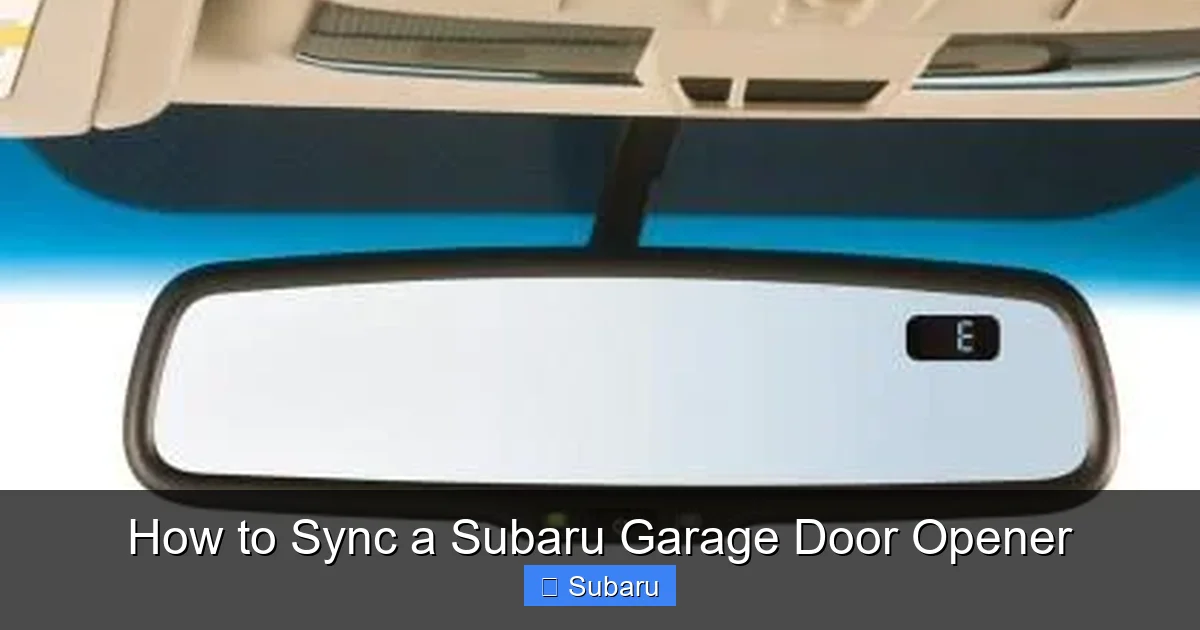
Visual guide about How to Sync a Subaru Garage Door Opener
Image source: garagedoorpedia.com
Now for the main event—syncing your Subaru garage door opener. Follow these steps carefully, and you’ll be opening your garage with the push of a button in no time.
Step 1: Prepare Your Garage Door Opener Remote
You’ll need the original remote that came with your garage door opener. This is essential for the initial programming. If you’ve lost it, check if you have a wall-mounted control panel inside the garage—many of these have a built-in remote signal you can use.
Make sure the remote has fresh batteries. Weak batteries can cause signal issues during programming.
Step 2: Park Close to the Garage Door
Drive your Subaru into the garage or park within 3–5 feet of the door. You need to be close enough for the HomeLink system to detect the signal from your remote.
Turn on the ignition (you don’t need to start the engine, but the car should be in “Accessory” or “On” mode). This powers the HomeLink system.
Step 3: Clear the HomeLink Memory (If Needed)
If you’ve previously programmed the button or are troubleshooting a failed sync, start by clearing the memory:
1. Press and hold the first and third HomeLink buttons simultaneously.
2. Keep holding for about 10–15 seconds until the indicator light begins to flash rapidly.
3. Release the buttons. The system is now reset and ready for new programming.
This step ensures there’s no conflicting data from previous attempts.
Step 4: Enter Programming Mode
Now it’s time to program the button:
1. Press and hold the HomeLink button you want to program (e.g., Button 1).
2. While holding it, press and hold the button on your garage door remote.
3. Hold both buttons down for about 10–15 seconds.
You’ll see the HomeLink indicator light (usually an LED near the buttons) change from a slow blink to a rapid blink or solid glow. This means the system is receiving the signal.
Step 5: Sync with the Garage Door Opener Motor
For garage door openers with rolling code technology (most modern ones), you’ll need to complete the sync at the motor unit:
1. Locate the “Learn” or “Program” button on the garage door opener motor. It’s usually on the back or side, near the antenna wire.
2. Press and release this button. A light will typically blink or stay on, indicating it’s ready to receive a signal.
3. Return to your Subaru and press the programmed HomeLink button 2–3 times. Each press sends a signal to “teach” the opener the new code.
After a few seconds, the garage door should activate. If it opens or closes, congratulations—you’ve successfully synced your Subaru garage door opener!
Step 6: Test and Repeat
Test the button a few times to ensure it works reliably. If it doesn’t respond, repeat the process, making sure you’re close to the door and the remote signal is strong.
You can repeat these steps for the other two HomeLink buttons if you have multiple garage doors, gates, or even outdoor lighting systems.
Troubleshooting Common Sync Issues
Visual guide about How to Sync a Subaru Garage Door Opener
Image source: garagedoorpedia.com
Even with clear instructions, things don’t always go smoothly. Here are some common problems and how to fix them.
The HomeLink Light Doesn’t Blink
If the indicator light doesn’t respond when you press the buttons, check:
– Is the ignition on? HomeLink won’t work if the car is off.
– Are the buttons clean? Dirt or grime can interfere with contact.
– Is the remote working? Test it by pressing it near the garage door.
The Garage Door Doesn’t Respond
If the door doesn’t open after programming:
– Make sure you pressed the “Learn” button on the motor unit.
– Try moving closer to the door—signal strength drops with distance.
– Replace the remote batteries.
Rolling Code Sync Fails
Some newer openers require additional steps:
– After pressing the “Learn” button, you may need to press the HomeLink button within 30 seconds.
– If the opener has a “Smart” or “MyQ” feature, you might need to use the manufacturer’s app first to enable external control.
Interference from Other Devices
Wi-Fi routers, LED lights, or even nearby vehicles can interfere with the signal. Try turning off nearby electronics during setup.
Still Not Working? Try This Reset Trick
Unplug the garage door opener for 30 seconds, then plug it back in. This resets the motor and often resolves sync issues.
Compatibility: Which Garage Door Openers Work with Subaru?
Not all garage door openers are created equal. Fortunately, HomeLink is compatible with the vast majority of residential systems. Here’s a quick rundown:
Compatible Brands
– **Chamberlain / LiftMaster:** Most models, especially those made after 1993. Look for a purple or red “Learn” button.
– **Genie:** Models with “Intellicode” or “Secure Code” technology.
– **Craftsman:** Most post-1993 models, often rebranded Chamberlain units.
– **Stanley:** Older models may require a compatibility bridge.
– **Linear / Multi-Code:** Common in commercial or older residential systems.
What If Your Opener Isn’t Compatible?
If your garage door opener is very old (pre-1990) or uses a proprietary system, you may need an adapter. Gentex sells a HomeLink repeater kit (model HL7) that can bridge the gap. Alternatively, consider upgrading to a modern opener—many are affordable and offer smart features like app control and battery backup.
Smart Garage Door Openers and Subaru
If you have a smart opener (like a Chamberlain MyQ or Genie Aladdin Connect), you can still use HomeLink. However, you may need to disable app-based security features temporarily during setup. Once synced, both the app and your Subaru can control the door.
Tips for Maintaining Your Synced Garage Door Opener
Once your Subaru garage door opener is synced, a little maintenance goes a long way.
Keep the Remote Handy
Even though you’ve programmed HomeLink, keep your original remote in the glove box. If your car battery dies or you’re driving a different vehicle, you’ll still have access.
Update Your System After Power Outages
Power surges or outages can sometimes reset garage door openers. If your HomeLink stops working after a storm, re-sync it using the steps above.
Check Battery Levels Regularly
While HomeLink doesn’t use batteries, your garage door opener remote does. Weak batteries can cause sync failures. Replace them every 6–12 months.
Clean the HomeLink Buttons
Dust and grime can build up on the buttons. Wipe them gently with a dry cloth every few months to ensure good contact.
Test Monthly
Make it a habit to test your HomeLink button once a month. This ensures everything is working and helps you catch issues early.
Conclusion: Enjoy the Convenience of a Synced Subaru Garage Door Opener
Syncing your Subaru garage door opener is one of those small upgrades that makes a big difference in daily life. It’s safe, secure, and surprisingly simple once you know the steps. No more fumbling with remotes in the dark, no more worrying about lost keys—just smooth, reliable access to your garage from the comfort of your car.
Whether you’re a new Subaru owner or just haven’t gotten around to setting up HomeLink yet, now’s the perfect time. Follow this guide, take your time, and don’t hesitate to retry if it doesn’t work the first time. Most issues are fixable with a little patience.
And once you’ve got it working? Enjoy the quiet satisfaction of pulling into your driveway, pressing a button, and watching your garage door open like magic. That’s the Subaru experience—thoughtful, practical, and built for real life.
Frequently Asked Questions
Can I sync my Subaru garage door opener without the original remote?
In most cases, no—you need the original remote to program HomeLink. However, if your garage has a wall-mounted control panel, you can often use its built-in signal instead. Some newer openers also allow programming via a smartphone app.
How many garage doors can I sync to my Subaru?
You can sync up to three devices using the three HomeLink buttons. This could be three garage doors, two garage doors and a gate, or even outdoor lighting systems.
Why won’t my HomeLink button work after a battery change?
Low car battery power can interfere with HomeLink programming. Make sure your Subaru’s battery is fully charged during setup. If the issue persists, re-sync the button following the steps in this guide.
Does HomeLink work with smart garage door openers?
Yes, HomeLink works with most smart openers like Chamberlain MyQ or Genie Aladdin Connect. You may need to temporarily disable app-based security features during setup, but both systems can operate the door once synced.
What if my garage door opener is very old?
Pre-1990 openers may not be compatible with HomeLink. Consider upgrading to a modern opener or using a HomeLink repeater kit (like the HL7) to bridge the signal.
Can I program HomeLink while the car is off?
No, the ignition must be in the “On” or “Accessory” position for HomeLink to function. The system requires power from the vehicle to transmit signals.
