
How to Turn Off Lane Departure Warning on Subaru

Turning off the lane departure warning on your Subaru is simple and can be done in seconds using the dashboard controls or touchscreen. Whether you’re driving on rural roads, towing, or just prefer fewer alerts, this guide walks you through the process for every recent Subaru model.
Key Takeaways
- Understanding How to Turn Off Lane Departure Warning on Subaru: Provides essential knowledge
📑 Table of Contents
- Understanding Lane Departure Warning in Subaru Vehicles
- Why You Might Want to Turn Off Lane Departure Warning
- How to Turn Off Lane Departure Warning on Newer Subaru Models (2015–Present)
- How to Turn Off Lane Departure Warning on Older Subaru Models (Pre-2015)
- When Should You Keep Lane Departure Warning On?
- Tips for Managing Lane Departure Warning Effectively
- Conclusion
Understanding Lane Departure Warning in Subaru Vehicles
Driving a Subaru means enjoying a blend of rugged capability, all-wheel drive confidence, and advanced safety technology. One of the standout features in modern Subarus is the lane departure warning (LDW) system, part of the broader EyeSight driver assistance suite. This system uses a pair of cameras mounted near the rearview mirror to monitor lane markings on the road. If it detects that your vehicle is drifting out of its lane without a turn signal, it alerts you with a visual warning, a chime, or even gentle steering corrections—depending on your model and settings.
While this feature is designed to enhance safety—especially on long highway drives or when driver fatigue sets in—some drivers find the alerts distracting or unnecessary in certain situations. For example, if you’re driving on rural roads with faded lane lines, towing a trailer, or frequently changing lanes in heavy traffic, the system might trigger too often. That’s why knowing how to turn off lane departure warning on Subaru vehicles is a valuable skill for any owner.
It’s important to note that Subaru’s lane departure warning is not a self-driving feature. It doesn’t take control of the vehicle permanently. Instead, it acts as a helpful co-pilot, nudging you back on track when needed. But like any technology, it’s not perfect. False alerts can happen, especially in construction zones or during heavy rain when lane markings are obscured. That’s why Subaru gives drivers the option to disable the system—temporarily or, in some cases, more permanently.
Why You Might Want to Turn Off Lane Departure Warning
Visual guide about How to Turn Off Lane Departure Warning on Subaru
Image source: motorbiscuit.com
There are several practical reasons why you might want to disable the lane departure warning system in your Subaru. First and foremost, personal preference plays a big role. Some drivers simply don’t like being alerted constantly, especially if they’re confident in their lane-keeping abilities. Others may find the chimes or dashboard warnings annoying or stressful, particularly during long commutes.
Another common scenario is driving on roads with poor or inconsistent lane markings. Rural highways, gravel roads, or areas under construction often lack clear lane lines. In these conditions, the LDW system may trigger repeatedly, even when you’re driving safely. This can be more distracting than helpful. For example, if you’re driving through a national park or on a backcountry road in a Subaru Outback, the system might beep every few minutes due to faded paint or snow-covered lines.
Towing is another situation where turning off lane departure warning makes sense. When you’re pulling a trailer, camper, or boat, the added weight and length of your vehicle can change how it handles. The LDW system might misinterpret slight swaying or lane adjustments as drifting, leading to unnecessary alerts. Disabling the feature during towing can reduce frustration and help you focus on safe maneuvering.
Additionally, some drivers use their Subaru for off-roading or overlanding. On dirt trails or forest service roads, lane markings don’t exist at all. Keeping the LDW system active in these environments is pointless and can lead to constant false alarms. Turning it off allows you to enjoy your adventure without constant interruptions.
Finally, if you’re teaching a new driver how to operate your Subaru, you might want to disable certain alerts to reduce sensory overload. While safety features are important, too many warnings can overwhelm a beginner. Temporarily turning off lane departure warning lets them focus on basic driving skills without extra distractions.
How to Turn Off Lane Departure Warning on Newer Subaru Models (2015–Present)
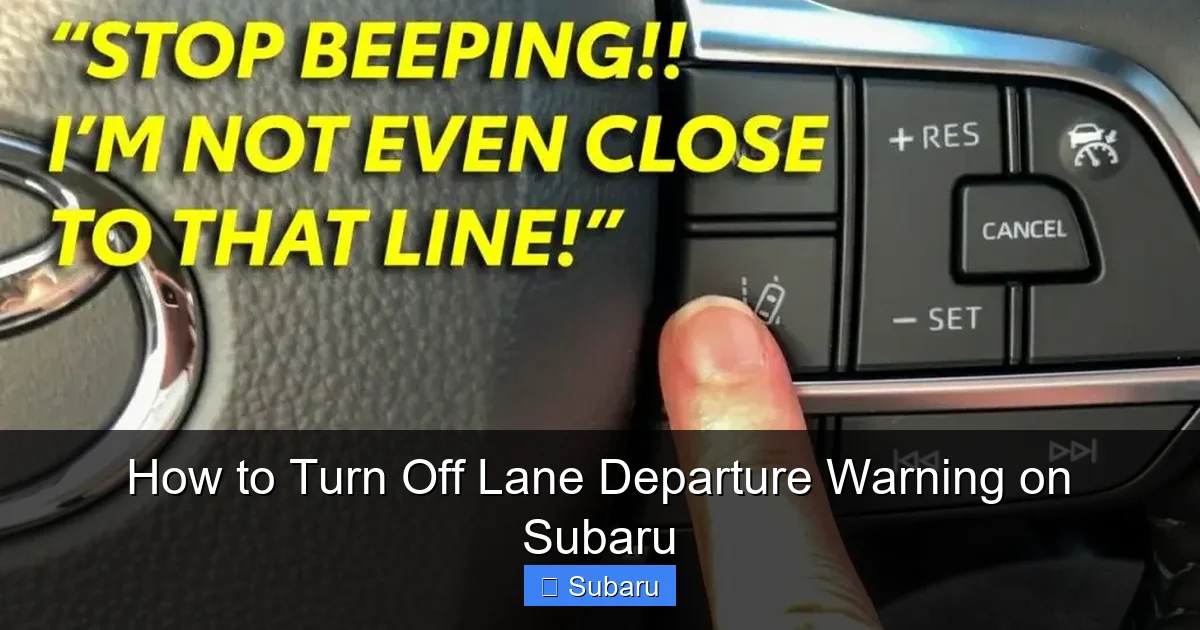
Visual guide about How to Turn Off Lane Departure Warning on Subaru
Image source: diycarexpert.com
If you own a Subaru from 2015 or later—such as a Forester, Outback, Crosstrek, Ascent, or Legacy—you likely have the EyeSight system with a touchscreen infotainment interface. Turning off lane departure warning on these models is straightforward and can be done in just a few taps.
Step-by-Step Guide Using the Touchscreen
Start by ensuring your vehicle is parked or safely stopped. While you can adjust these settings while driving, it’s safer to do so when stationary. Turn on the ignition so the dashboard and touchscreen are active.
Next, locate the “Settings” icon on your touchscreen. It usually looks like a gear or wrench and is found on the home screen or in the main menu. Tap it to open the vehicle settings menu.
From there, look for the “Driver Assistance” or “EyeSight” option. This section controls all the active safety features, including adaptive cruise control, pre-collision braking, and lane departure warning. Tap on it to enter the submenu.
You’ll now see a list of safety systems. Find “Lane Departure Warning” or “Lane Keep Assist” (the exact name varies by model year). Tap on it to access the settings. You’ll typically see three options: “On,” “Off,” and sometimes “Alert Only” (which disables steering corrections but keeps the visual and audio alerts).
Select “Off” to disable the system completely. A confirmation message may appear—tap “OK” or “Confirm” to save your choice. The system is now disabled until you turn the car off and back on again.
Using the Steering Wheel Controls (Alternative Method)
Some newer Subaru models also allow you to adjust safety settings using buttons on the steering wheel. This is especially useful if you prefer not to take your eyes off the road.
Press the “Info” or “Menu” button on the left side of the steering wheel to access the instrument cluster display. Use the arrow keys to navigate to the “Settings” or “Vehicle” menu. Scroll down to find “Driver Assistance” or “EyeSight Settings.”
Once there, locate “Lane Departure Warning” and use the arrow keys to toggle it off. Press the “OK” or “Enter” button to confirm. The change will take effect immediately.
Important Notes for Newer Models
One key thing to remember is that on most Subaru vehicles, the lane departure warning system resets to “on” every time you restart the car. This means you’ll need to disable it again after each ignition cycle if you want it off. Subaru designed it this way to ensure drivers don’t accidentally leave safety features disabled.
Also, turning off lane departure warning does not disable other EyeSight features. Adaptive cruise control, forward collision warning, and automatic emergency braking will continue to function normally. Only the lane-keeping alerts are affected.
If you have a Subaru with the latest STARLINK system (2020 and newer), the menu layout may look slightly different, but the process remains the same. Look for the “Safety” or “Driver Assistance” tab in the settings.
How to Turn Off Lane Departure Warning on Older Subaru Models (Pre-2015)
For Subaru owners with older models—such as a 2010–2014 Forester, Legacy, or Outback—the process of disabling lane departure warning is a bit different. These vehicles often lack a touchscreen and rely on physical buttons and the instrument cluster display.
Using the Instrument Cluster Buttons
Start by turning on the ignition. Make sure the vehicle is in park or safely stopped. Look at your instrument cluster—the screen between your speedometer and tachometer.
Press the “Info” or “Trip” button (usually located on the steering column or dashboard) to cycle through the display options. Keep pressing until you see a menu labeled “Settings,” “Vehicle,” or “Driver Assistance.”
Use the arrow or scroll buttons to navigate to the “Lane Departure Warning” option. Once highlighted, press the “Set” or “OK” button to enter the setting. You’ll see options like “On” or “Off.”
Select “Off” and confirm your choice. The system will now be disabled. As with newer models, this setting typically resets when you turn the car off and on again.
Models Without EyeSight
It’s worth noting that not all pre-2015 Subarus came equipped with lane departure warning. The EyeSight system was introduced in 2013 and was optional on certain trims. If your older Subaru doesn’t have the feature, you won’t see it in the menu.
To check, look for a small camera housing near the top of the windshield, just behind the rearview mirror. If it’s there, your vehicle likely has EyeSight and lane departure warning. If not, the system isn’t installed, and there’s nothing to turn off.
Dealer or Manual Override (Rare Cases)
In some rare cases—especially with very early EyeSight models—the only way to permanently disable lane departure warning is through a dealer or service technician using diagnostic software. This is uncommon, but if you can’t find the option in your menu, consult your owner’s manual or contact a Subaru service center.
When Should You Keep Lane Departure Warning On?
While it’s easy to turn off lane departure warning, it’s equally important to know when you should keep it active. This feature is designed to prevent accidents caused by unintentional lane drifting—something that can happen due to fatigue, distraction, or sudden road changes.
Highway and Long-Distance Driving
On highways and interstates, lane departure warning is most effective. These roads have clear, consistent lane markings, and drivers often maintain steady speeds for long periods. The system can detect when you’re drifting due to drowsiness or inattention and alert you before a potential collision.
For example, if you’re driving from Denver to Moab in your Subaru Outback and start to nod off, the LDW system could save you from drifting into oncoming traffic or off the road. The gentle steering correction or alert might be just enough to wake you up and get back on track.
Night Driving and Poor Visibility
Driving at night or in bad weather increases the risk of lane departure. Rain, fog, snow, and glare can make lane lines harder to see. The LDW system uses cameras that work in low light and can often detect markings better than the human eye.
If you frequently drive in mountainous areas or regions with frequent storms, keeping lane departure warning on adds an extra layer of safety. It’s like having a second set of eyes watching the road.
Heavy Traffic and Frequent Lane Changes
In stop-and-go traffic or dense urban areas, drivers often change lanes frequently. While this might seem like a reason to turn off LDW, the system can actually help prevent accidental swerves. For instance, if you’re merging into a lane and don’t notice a car in your blind spot, the system might alert you before you drift too far.
That said, if you’re making intentional lane changes with your turn signal on, the system usually won’t trigger. It’s designed to ignore deliberate maneuvers.
Towing and Loaded Vehicles
While we mentioned earlier that towing might be a reason to disable LDW, there are times when keeping it on is beneficial. If you’re towing a heavy trailer on a windy highway, the system can help you stay centered in your lane, especially if crosswinds push your vehicle sideways.
In these cases, consider using the “Alert Only” mode if available. This keeps the warnings active but disables automatic steering corrections, giving you full control while still receiving alerts.
Tips for Managing Lane Departure Warning Effectively
Whether you choose to keep lane departure warning on or off, there are ways to manage it more effectively and reduce frustration.
Adjust Sensitivity Settings (If Available)
Some Subaru models allow you to adjust the sensitivity of the lane departure warning. In the EyeSight menu, look for options like “High,” “Medium,” or “Low.” Lower sensitivity reduces the number of alerts, which can be helpful on roads with faint markings.
For example, if you live in an area with snow-covered lanes in winter, setting the sensitivity to “Low” might prevent constant beeping while still providing alerts when needed.
Use the “Alert Only” Mode
If your Subaru offers an “Alert Only” setting, use it as a middle ground. This mode disables automatic steering corrections but keeps the visual and audio warnings. It’s ideal for drivers who want to stay informed but prefer full control over the wheel.
Regularly Clean the Windshield and Camera
The EyeSight cameras need a clear view of the road to work properly. Dirt, snow, ice, or bugs on the windshield can block the lenses and cause false alerts or system failures.
Make it a habit to clean the area around the rearview mirror, especially before long trips. Use a soft cloth and glass cleaner to wipe away debris. Avoid using harsh chemicals that could damage the camera housing.
Check for Software Updates
Subaru occasionally releases software updates for the EyeSight system that improve performance and reduce false alerts. Visit your local dealership or check the Subaru website to see if your vehicle is eligible for an update.
These updates can make the lane departure warning more accurate and less annoying, potentially eliminating the need to turn it off altogether.
Know Your Driving Habits
Finally, be honest about your driving style. If you’re a cautious driver who rarely drifts out of lanes, you might not need the system as much. But if you tend to get distracted or drive long hours, keeping it on could prevent a serious accident.
Consider keeping a log of when the system alerts you. If it rarely triggers, you might feel more comfortable turning it off. But if it alerts frequently, it might be doing its job—and keeping you safe.
Conclusion
Knowing how to turn off lane departure warning on Subaru vehicles gives you greater control over your driving experience. Whether you’re navigating rural roads, towing a trailer, or simply prefer fewer alerts, the process is quick and easy on most models. From touchscreen menus to steering wheel buttons, Subaru has made it accessible for drivers of all tech levels.
However, it’s important to remember that this feature exists for a reason. Lane departure warning can prevent accidents, especially on highways, at night, or in poor weather. Disabling it should be a conscious decision based on your driving environment and habits—not just a reaction to annoyance.
By understanding when to use the system and how to manage its settings, you can strike the right balance between safety and comfort. Keep the windshield clean, adjust sensitivity when possible, and always re-enable the feature when conditions demand it.
Ultimately, your Subaru is designed to keep you safe. The lane departure warning system is one of many tools to help you get home safely. Use it wisely—and drive with confidence.
Frequently Asked Questions
Can I permanently turn off lane departure warning on my Subaru?
No, most Subaru models reset the lane departure warning to “on” after each ignition cycle. You’ll need to disable it manually every time you start the car if you want it off.
Does turning off lane departure warning disable other safety features?
No, disabling lane departure warning only affects that specific system. Other EyeSight features like adaptive cruise control and pre-collision braking remain active.
Why does my Subaru keep beeping even when I’m in my lane?
This could be due to faded lane markings, dirt on the camera, or high system sensitivity. Clean the windshield near the rearview mirror and consider lowering the sensitivity in the settings.
Can I turn off lane departure warning while driving?
Yes, you can disable it while driving using the steering wheel or touchscreen controls, but it’s safer to do so when stopped or at a red light.
Do all Subaru models have lane departure warning?
No, only models equipped with the EyeSight system (typically 2013 and newer) have lane departure warning. Check for a camera near the rearview mirror to confirm.
Will turning off lane departure warning affect my insurance?
Generally, no. Disabling a safety feature like lane departure warning does not impact insurance rates, as it’s still present and can be re-enabled at any time.
