
How to Disable Subaru Eyesight

Disabling Subaru EyeSight is simple but should only be done when necessary. This guide walks you through the process, explains when it’s safe, and highlights key safety considerations.
Key Takeaways
- EyeSight can be temporarily disabled using the vehicle’s dashboard controls or steering wheel buttons, depending on your model year and trim.
- Disabling is not permanent — the system automatically reactivates when you restart the car or drive above a certain speed.
- Use caution when turning off EyeSight — it removes critical safety features like adaptive cruise control and pre-collision braking.
- Some conditions require disabling, such as driving through heavy snow, fog, or construction zones where sensors may malfunction.
- Always re-enable EyeSight once road conditions improve or you’re back on clear highways.
- Consult your owner’s manual for model-specific instructions, as button layouts and menu systems vary by year.
- Professional assistance is recommended if you’re unsure or experience persistent system errors.
📑 Table of Contents
- Understanding Subaru EyeSight: What It Is and Why It Matters
- Why Would You Want to Disable Subaru EyeSight?
- How to Disable Subaru EyeSight: Step-by-Step Instructions
- When Should You Re-Enable EyeSight?
- Safety Considerations and Best Practices
- Troubleshooting Common EyeSight Issues
- Final Thoughts: Use EyeSight Wisely
Understanding Subaru EyeSight: What It Is and Why It Matters
If you drive a modern Subaru — especially models from 2013 onward — chances are you’ve heard of EyeSight. It’s Subaru’s advanced driver-assistance system (ADAS) designed to help prevent accidents and reduce driver fatigue. But what exactly is EyeSight, and why would you ever want to turn it off?
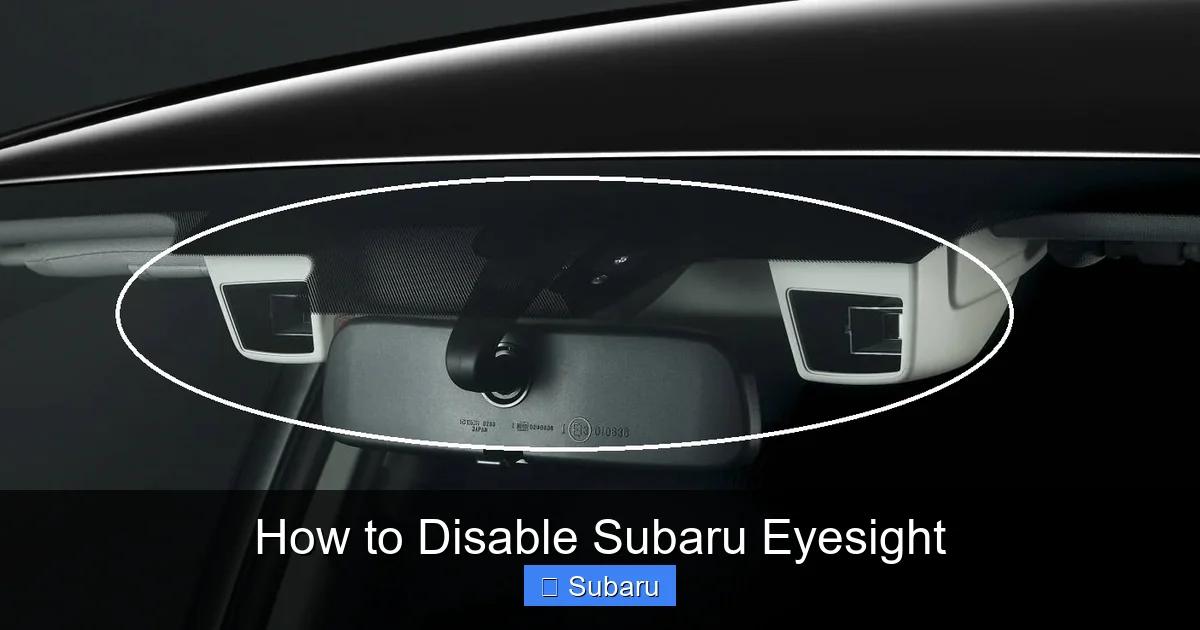
At its core, EyeSight uses a pair of stereo cameras mounted near the rearview mirror to monitor the road ahead. These cameras detect lane markings, other vehicles, pedestrians, and even traffic signals in some cases. Based on this data, the system can apply brakes automatically, maintain a safe following distance, keep you centered in your lane, and even alert you if you’re drifting or about to collide with something.
The suite typically includes features like adaptive cruise control, pre-collision braking, lane departure warning, lane keep assist, and lead vehicle start alert. For many drivers, especially those commuting long distances or driving in heavy traffic, EyeSight is a game-changer. It adds an extra layer of safety and can significantly reduce stress behind the wheel.
But like any technology, it’s not perfect. There are times when EyeSight might act unexpectedly — maybe it mistakes a shadow for a pedestrian, or it disengages because of poor weather. In those moments, you might wonder: Can I turn it off? And if so, how?
The good news is yes, you can disable Subaru EyeSight — but only temporarily and with important caveats. This guide will walk you through everything you need to know, from the step-by-step process to when it’s actually a good idea to do so.
Why Would You Want to Disable Subaru EyeSight?
Visual guide about How to Disable Subaru Eyesight
Image source: carmeltint.com
Before we dive into the “how,” let’s talk about the “why.” Most drivers never need to turn off EyeSight — and that’s by design. Subaru engineers built the system to be reliable and unobtrusive under normal driving conditions. However, there are legitimate scenarios where disabling it makes sense.
One common reason is adverse weather. Heavy rain, snow, or fog can interfere with the stereo cameras’ ability to see clearly. If snow accumulates on the windshield near the camera housing, or if fog creates a glare, EyeSight may issue false warnings or disengage entirely. In such cases, temporarily disabling the system can prevent annoying alerts and restore smoother driving.
Another scenario involves driving through construction zones or areas with confusing lane markings. Temporary cones, faded lines, or irregular road layouts can confuse the lane departure and lane keep assist features. You might find your steering wheel tugging unexpectedly or getting false alerts every few seconds. Turning off EyeSight in these zones can help you maintain better control without constant interruptions.
Some drivers also disable EyeSight during off-road adventures or when towing. While EyeSight isn’t designed for rugged terrain, its sensors can misinterpret uneven surfaces or debris as obstacles. Similarly, when towing a trailer, the added length and weight can affect how the system interprets distance and braking needs.
Lastly, there are rare technical glitches. If EyeSight malfunctions — say, it won’t turn back on after a restart, or it gives constant error messages — disabling it temporarily might be necessary until you can visit a Subaru service center.
It’s important to remember that disabling EyeSight removes critical safety nets. You lose adaptive cruise control, automatic emergency braking, and lane assistance — all features proven to reduce accidents. So while it’s useful to know how to turn it off, it should never be a permanent solution or a habit.
How to Disable Subaru EyeSight: Step-by-Step Instructions
Visual guide about How to Disable Subaru Eyesight
Image source: dsf.my
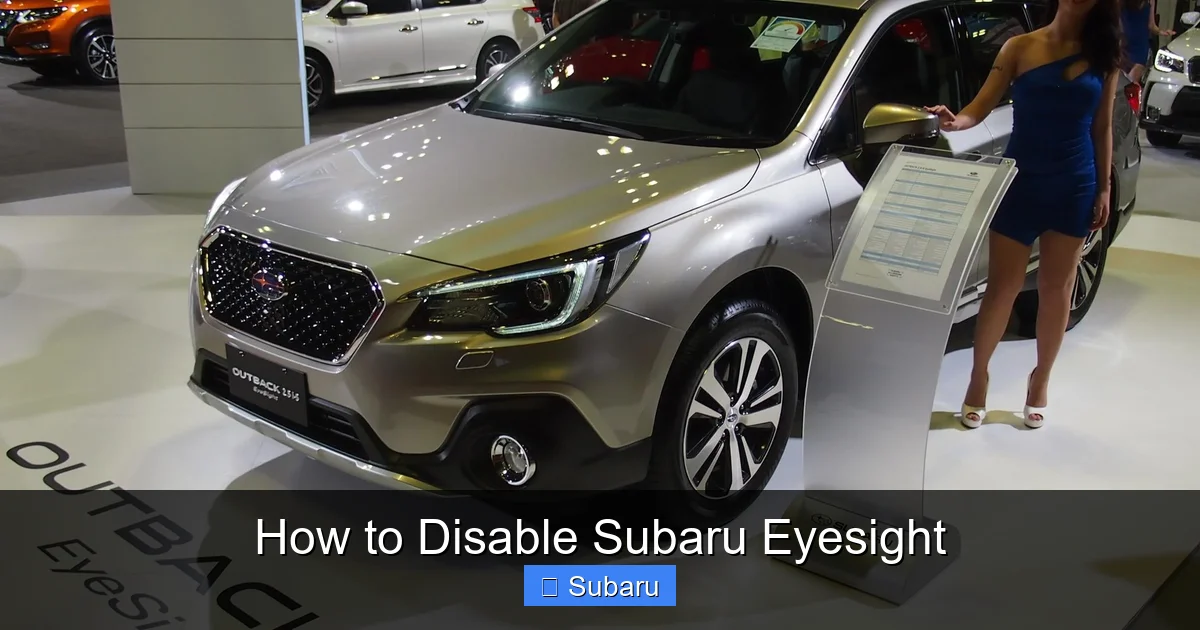
Now that we’ve covered the reasons, let’s get into the practical part: how to actually disable Subaru EyeSight. The process varies slightly depending on your vehicle’s model year, trim level, and infotainment system, but the core steps are similar across most Subaru models from 2015 to 2024.
We’ll break it down by interface type — physical buttons vs. touchscreen menus — so you can find the method that matches your car.
Method 1: Using the Steering Wheel or Dashboard Buttons (Older Models)
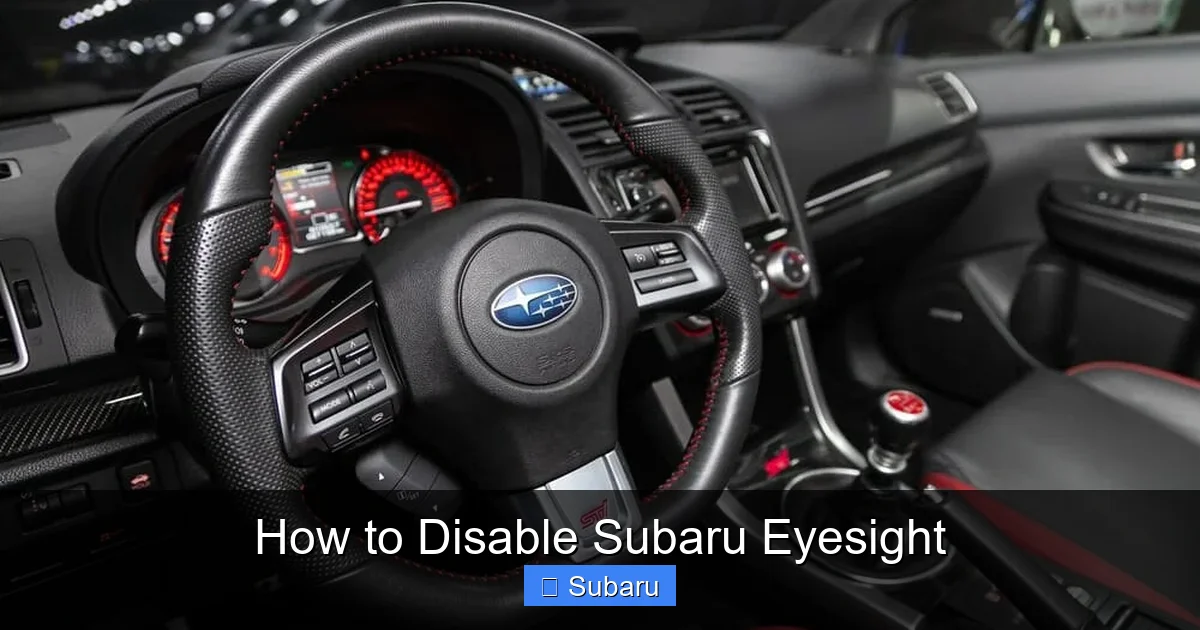
If you drive a Subaru from around 2013 to 2018 — think Outback, Legacy, Forester, or Impreza — you likely have physical buttons for EyeSight controls. These are usually located on the lower left side of the dashboard or on the steering wheel itself.
Here’s how to disable it:
1. **Start your vehicle** and ensure it’s in park or neutral with the parking brake engaged.
2. **Locate the EyeSight button** — it’s often labeled with an icon that looks like two eyes or a camera, or it may say “EyeSight” directly. On some models, it’s a small button near the climate controls.
3. **Press and hold the button** for about 2–3 seconds. You should see a message on the instrument cluster, such as “EyeSight Disabled” or a warning light indicating the system is off.
4. **Confirm the status** — check your dashboard display. If EyeSight is off, the adaptive cruise control and pre-collision braking icons will disappear or show a crossed-out symbol.
To re-enable it, simply press the same button again (or restart the car, as we’ll explain later).
Method 2: Using the Touchscreen Menu (Newer Models)
Starting around 2019, Subaru began integrating EyeSight controls into the STARLINK infotainment system. If your car has a large central touchscreen, you’ll likely disable EyeSight through the menu.
Follow these steps:
1. **Turn on the ignition** and wait for the touchscreen to fully load.
2. **Tap the “Settings” icon** — usually a gear or wrench symbol in the bottom corner of the screen.
3. **Navigate to “Vehicle” or “Driver Assistance”** — the exact wording varies by model, but look for sections related to safety or driving aids.
4. **Find “EyeSight” or “ADAS Settings”** — you may need to scroll down or tap a submenu.
5. **Toggle off the desired features** — you can often disable individual functions like lane keep assist or adaptive cruise control, or turn off the entire system.
6. **Confirm your selection** — some models require you to press “OK” or “Apply” to save changes.
Note: On some 2022–2024 models, you can also access quick EyeSight controls by swiping down from the top of the screen to open the quick settings panel. Look for an EyeSight icon there.
Method 3: Using the Instrument Cluster Menu
Some Subarus — particularly the 2020+ Outback and Ascent — allow you to disable EyeSight directly from the instrument cluster using the steering wheel controls.
Here’s how:
1. **Press the “Info” or “Menu” button** on your steering wheel (usually on the left side).
2. **Navigate to “Settings” or “Vehicle Settings”** using the arrow keys.
3. **Select “Driver Assistance” or “Safety Systems”**.
4. **Choose “EyeSight” and toggle it off**.
5. **Exit the menu** — the change takes effect immediately.
This method is handy because you don’t need to touch the center screen, keeping your focus on the road.
Important Notes and Variations
– **Model Year Matters**: A 2015 Forester will have different controls than a 2023 Crosstrek. Always refer to your owner’s manual for the most accurate instructions.
– **Trim Level Differences**: Base trims may have fewer EyeSight features or simpler controls. Higher trims (like Limited or Touring) often offer more granular settings.
– **Hybrid Models**: If you drive a Subaru hybrid (like the 2023 Crosstrek Hybrid), the process is similar, but the menu layout may differ slightly due to hybrid-specific displays.
When Should You Re-Enable EyeSight?
Visual guide about How to Disable Subaru Eyesight
Image source: vehiclefreak.com
Disabling EyeSight isn’t a one-and-done action — it’s meant to be temporary. The system is designed to enhance safety, so leaving it off for extended periods increases your risk of accidents.
Here’s when you should turn it back on:
– **After恶劣天气 passes**: Once snow, rain, or fog clears and your windshield is clean, re-enable EyeSight. The cameras need a clear view to function properly.
– **Leaving construction zones**: When you’re back on a well-marked highway, turn the system back on to regain lane and collision protection.
– **After towing or off-roading**: Once you’ve unhitched your trailer or returned to paved roads, reactivate EyeSight for normal driving.
– **After a system glitch resolves**: If you disabled EyeSight due to an error message and the issue has cleared (e.g., after a restart), turn it back on.
Most importantly, **EyeSight automatically reactivates when you restart your vehicle**. This is a built-in safety feature — Subaru doesn’t want you accidentally driving around with critical systems disabled. So even if you turn it off, it’ll come back on the next time you start the car.
That said, some drivers report that certain features — like lane keep assist — may remain off until manually re-enabled. Always check your dashboard after restarting to confirm everything is active.
Safety Considerations and Best Practices
While disabling EyeSight is straightforward, it comes with serious responsibilities. Removing these safety systems means you’re solely responsible for monitoring traffic, maintaining distance, and staying in your lane.
Here are some best practices to keep in mind:
– **Only disable when necessary**: Don’t turn off EyeSight just because you find the alerts annoying. Those alerts are there to protect you.
– **Clean your windshield regularly**: Dirt, ice, or stickers near the camera housing can block the sensors. Keep the area around the rearview mirror clean and unobstructed.
– **Avoid covering the camera**: Never place dash cams, toll tags, or decorations directly in front of the EyeSight cameras (usually behind the top center of the windshield).
– **Monitor system status**: Pay attention to warning lights on your dashboard. If EyeSight shows a persistent error, have it checked by a Subaru technician.
– **Educate all drivers**: If others drive your Subaru — like family members or teens — make sure they know how EyeSight works and when it’s safe to disable it.
Remember, EyeSight is not a replacement for attentive driving. It’s a helper, not a driver. Even with the system active, you should always keep your hands on the wheel, eyes on the road, and mind focused on driving.
Troubleshooting Common EyeSight Issues
Sometimes, EyeSight doesn’t behave as expected — even when you haven’t disabled it. Here are a few common problems and what you can do:
EyeSight Won’t Turn Back On
If you’ve disabled the system and it won’t reactivate after restarting the car, try this:
1. **Turn off the ignition completely** and wait 30 seconds.
2. **Restart the vehicle** and check if EyeSight comes back online.
3. **Clean the camera area** — use a microfiber cloth and glass cleaner to remove any dirt or condensation.
4. **Check for obstructions** — ensure nothing is blocking the cameras.
If the problem persists, visit a Subaru dealer. There may be a software update or sensor calibration needed.
False Alerts or Over-Sensitivity
If EyeSight beeps or brakes unexpectedly — say, when passing a parked car or driving under a bridge — it might be overreacting. This can happen in low-light conditions or with certain road designs.
Try adjusting the sensitivity in the settings menu (if available). Some models let you choose between “Normal” and “Low” sensitivity for pre-collision braking.
System Disabled Due to Poor Visibility
EyeSight may automatically disable itself if it can’t see the road clearly. You’ll see a message like “EyeSight Unavailable” on the dashboard.
In this case, improve visibility by:
– Turning on your windshield wipers and defrosters.
– Cleaning the inside and outside of the windshield.
– Driving to a safer location if weather is too severe.
Once conditions improve, the system should reactivate on its own.
Final Thoughts: Use EyeSight Wisely
Knowing how to disable Subaru EyeSight is a valuable skill — but it’s not one you should use lightly. This system was designed to save lives, and countless studies show that ADAS features like those in EyeSight significantly reduce accidents.
That said, technology isn’t infallible. There are times when turning it off makes sense — during heavy snow, in confusing traffic patterns, or when sensors are blocked. The key is to do it thoughtfully, temporarily, and with full awareness of the risks.
Always re-enable EyeSight as soon as conditions allow. And if you’re ever unsure, consult your owner’s manual or reach out to a Subaru service professional. Your safety — and the safety of others on the road — is worth the extra caution.
Drive smart, stay alert, and let EyeSight be the backup it was meant to be.
Frequently Asked Questions
Can I permanently disable Subaru EyeSight?
No, you cannot permanently disable EyeSight. The system is designed to reactivate automatically when you restart the vehicle. This ensures critical safety features are always available when needed.
Will disabling EyeSight affect my warranty?
No, temporarily disabling EyeSight does not void your warranty. However, if you tamper with the hardware or attempt to disable it permanently, it could affect coverage. Always use factory-approved methods.
Does EyeSight work in the dark?
Yes, EyeSight uses stereo cameras that work in low-light conditions. However, very dark roads or heavy shadows can reduce effectiveness. The system performs best with some ambient light or headlights on.
Can I disable only certain EyeSight features?
Yes, on most newer models, you can disable individual features like lane keep assist or adaptive cruise control while keeping others active. Check your settings menu for customization options.
Why does EyeSight turn off in snow?
Snow can block the cameras or create glare, making it hard for the system to detect the road. EyeSight may disable itself to avoid false alerts. Clean the windshield and camera area to restore function.
Is it safe to drive with EyeSight disabled?
Driving with EyeSight disabled is safe only if you remain fully attentive. You lose automatic braking and lane assistance, so you must compensate by driving more cautiously and monitoring traffic closely.
