
How to Roll Up Windows with a Nissan Key

Rolling up your Nissan’s windows with just the key fob is easier than you think—and it works on most modern models. This convenient feature saves time and adds comfort, especially in extreme weather. With a few simple steps, you can activate auto-up windows remotely and enjoy a more comfortable drive.
Have you ever walked up to your Nissan on a rainy day, only to realize the windows are still down? Or maybe you left the car parked in the sun and want to close the windows before getting in? It’s frustrating—especially when you’re carrying groceries, coffee, or kids. But what if you could roll up all your windows without even touching the door?
Good news: many modern Nissan vehicles come equipped with a remote window control feature that lets you raise all four windows using just your key fob. This isn’t magic—it’s smart engineering. And once you know how to use it, it becomes one of those little luxuries you wonder how you ever lived without. Whether you drive a Nissan Altima, Rogue, Sentra, Maxima, or Pathfinder, there’s a good chance your car supports this handy function.
In this guide, we’ll walk you through everything you need to know about how to roll up windows with a Nissan key. We’ll cover which models support the feature, how to activate it, step-by-step instructions, troubleshooting tips, and even safety precautions. By the end, you’ll be able to close your windows remotely like a pro—no more scrambling for the door handle or fumbling with switches.
Key Takeaways
- Remote window control is available on most Nissan models from 2010 onward. This feature allows you to roll up all windows using the key fob, even when you’re away from the car.
- You must enable the auto-up function through the vehicle settings first. Not all Nissans have this feature activated by default—check your owner’s manual or infotainment system.
- The process involves holding the lock button on the key fob for several seconds. After locking the doors, continue holding the button until the windows begin to rise automatically.
- This feature works best when the car is off and the key is outside the vehicle. Ensure the ignition is off and the key fob is within range (usually 10–20 feet).
- Battery level and signal interference can affect performance. A weak key fob battery or nearby electronic devices may prevent the command from going through.
- If it doesn’t work, try resetting the window motors or checking fuse connections. Sometimes a simple reset or professional diagnostic is needed to restore functionality.
- Always test the feature in a safe environment. Make sure no objects or people are near the windows to avoid accidents during auto-up.
📑 Table of Contents
Which Nissan Models Support Remote Window Control?
Not every Nissan has the ability to roll up windows remotely, but the good news is that most models produced from 2010 onward do offer this feature—especially higher trim levels and vehicles equipped with advanced keyless entry systems.
The remote window auto-up function is commonly found in popular models like the Nissan Altima, Rogue, Sentra, Maxima, Murano, Pathfinder, and Versa Note. However, availability can vary based on the year, trim package, and whether your vehicle has the Intelligent Key system (also known as Nissan’s keyless entry and push-button start).
For example, a 2018 Nissan Altima SV with the Technology Package likely includes remote window control, while a base model from the same year might not. Similarly, the 2020 Nissan Rogue SL typically has this feature, but the S trim may require an upgrade or aftermarket solution.
To confirm whether your Nissan supports remote window operation, check your owner’s manual under the “Key Fob” or “Convenience Features” section. You can also look for a small icon on your key fob that resembles a window or car with arrows pointing up. If your key has a lock button and an unlock button—and possibly a trunk release—you’re already halfway there.
Another way to verify is to test the feature yourself (we’ll cover how shortly), or visit your local Nissan dealership with your VIN. They can quickly tell you if your specific vehicle is equipped and whether the function is enabled.
Keep in mind that some older models (pre-2010) may not support this at all, while others might require a software update or dealer activation. If you’ve recently purchased a used Nissan, it’s worth checking—even if the previous owner didn’t know about the feature.
How the Nissan Key Fob Works for Window Control

Visual guide about How to Roll Up Windows with a Nissan Key
Image source: motokey.co.za
At first glance, your Nissan key fob might seem like a simple remote for locking and unlocking doors. But it’s actually a mini command center for your vehicle’s convenience features—including remote window operation.
The magic happens through radio frequency (RF) signals. When you press and hold the lock button on your key fob, it sends a coded signal to the car’s body control module (BCM). If the system is programmed to respond, the BCM triggers the window motors to raise all four windows simultaneously.
This isn’t the same as manually rolling up each window using the door switches. Instead, it’s an automated sequence that starts the moment you hold the lock button long enough—usually about 5 to 10 seconds. Once initiated, the windows will continue rising until they’re fully closed, even if you release the button.
It’s important to note that this feature only works when the vehicle is off. If the ignition is on or the engine is running, the system typically won’t respond to remote window commands. This is a safety measure to prevent accidental activation while driving.
Additionally, the key fob must be within range—usually between 10 and 20 feet of the vehicle. Thick walls, metal barriers, or electronic interference (like being inside a garage with other devices) can weaken the signal and prevent the command from going through.
Some newer Nissan models also integrate this feature with the NissanConnect app, allowing you to control windows remotely via smartphone. But for most drivers, the key fob method remains the simplest and most reliable option.
Step-by-Step Guide: How to Roll Up Windows with a Nissan Key

Visual guide about How to Roll Up Windows with a Nissan Key
Image source: soundberries.com
Now that you know your Nissan likely supports remote window control, let’s walk through the exact steps to roll up your windows using the key fob. It’s easier than you think—and once you get the hang of it, you’ll use it all the time.
Step 1: Ensure the Vehicle Is Off
Before attempting to use the remote window feature, make sure your Nissan is completely turned off. This means the ignition should be in the “Off” position, and the engine should not be running. If the car is on or in accessory mode, the system won’t respond to remote commands.
Step 2: Stand Within Range
Move to a location within 10 to 20 feet of your vehicle. Avoid standing behind large obstacles like concrete walls or metal garage doors, as these can block the signal. Ideally, stand near the driver’s side door or front of the car for the strongest connection.
Step 3: Press and Hold the Lock Button
Take your key fob and press the lock button (usually marked with a padlock icon). Hold it down firmly—don’t just tap it. You’ll need to keep it pressed for about 5 to 10 seconds.
Step 4: Wait for the Windows to Rise
After holding the lock button for several seconds, you should hear a soft clicking sound from inside the car, followed by the windows beginning to roll up automatically. All four windows (front and rear) should rise at the same time.
Step 5: Release the Button
Once the windows start moving, you can release the lock button. The windows will continue rising until they’re fully closed. You don’t need to keep holding it—the system takes over.
Step 6: Confirm All Windows Are Closed
After the process completes, walk around the car to make sure all windows are fully shut. If one or more didn’t close, try the process again or check for obstructions.
Pro Tip: Practice in Good Weather
If you’re trying this for the first time, do it on a dry, calm day when you’re not in a hurry. This gives you time to troubleshoot if something goes wrong—and ensures you don’t accidentally trap anything in the window.
Example Scenario
Imagine you’re walking back to your Nissan Rogue after shopping on a hot summer day. The sun has been beating down on the car, and you know the interior will be sweltering. Instead of opening the doors and rolling up each window manually, you simply press and hold the lock button on your key fob. Within seconds, all four windows rise smoothly, sealing the car and keeping the heat out. By the time you get in, the cabin is already cooling down.
That’s the power of remote window control—and it works just as well in winter, keeping snow and rain out while you’re still cozy indoors.
Troubleshooting Common Issues
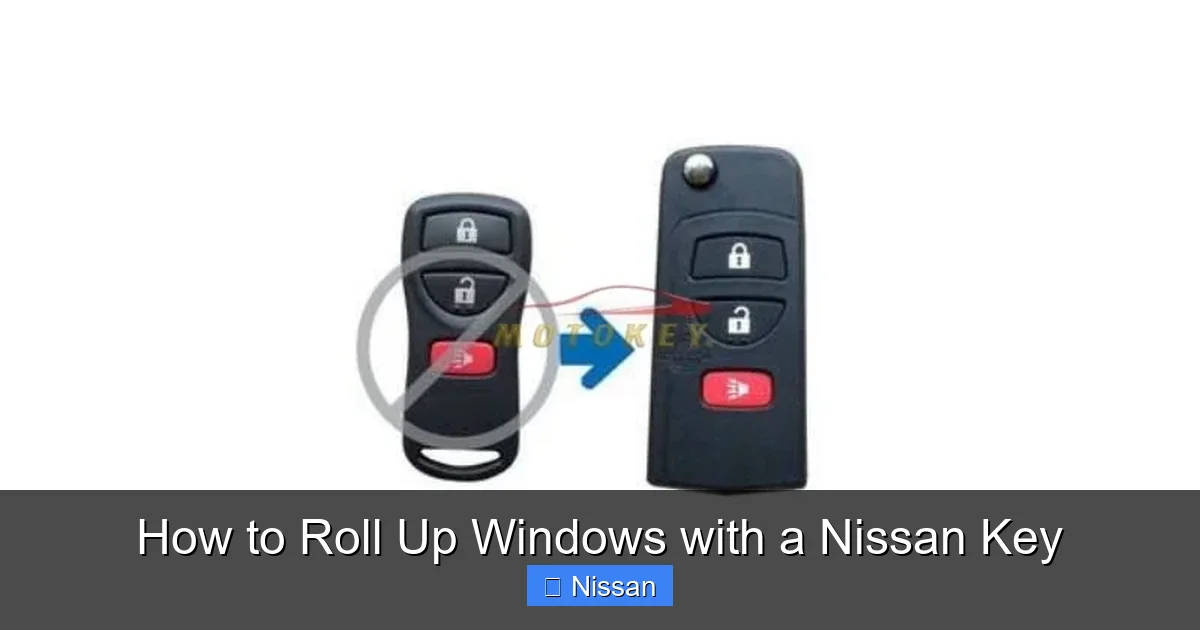
Visual guide about How to Roll Up Windows with a Nissan Key
Image source: motokey.co.za
Even with the right model and correct steps, sometimes the remote window feature doesn’t work as expected. Don’t worry—this doesn’t mean your car is broken. Most issues are easy to fix with a little troubleshooting.
Issue 1: Windows Don’t Respond to the Key Fob
If pressing and holding the lock button does nothing, the first thing to check is your key fob battery. A weak battery can’t send a strong enough signal. Replace the CR2032 battery (usually located under a small cover on the fob) and try again.
Also, make sure you’re within range and that the car is off. If you’re inside a building or near other electronic devices (like Wi-Fi routers or cordless phones), try moving closer to the vehicle or stepping outside.
Issue 2: Only Some Windows Roll Up
If only the front windows rise but the rear ones don’t, there may be a problem with the rear window motors or switches. This can happen if a window has been manually overridden or if there’s a wiring issue. Try manually rolling up the rear windows using the door switches. If they work, the remote function may need a reset.
Issue 3: Feature Was Never Activated
Some Nissan models require the remote window feature to be enabled in the vehicle settings. To check:
– Turn the ignition to “On” (don’t start the engine).
– Go to the infotainment screen and navigate to “Settings” > “Vehicle” > “Door/Window Settings.”
– Look for an option like “Remote Window Operation” or “Auto Window Up” and make sure it’s turned on.
If you don’t see this option, consult your owner’s manual or visit a Nissan service center.
Issue 4: Windows Stop Midway
If a window starts rising but stops partway, it may have detected an obstruction—like a finger, pet, or object. Modern Nissans have anti-pinch technology that halts the window to prevent injury. Clear the obstruction and try again.
Issue 5: Fuse or Motor Problem
If none of the above solutions work, there could be a blown fuse or a faulty window motor. Check the fuse box (usually under the dashboard or hood) for any blown fuses labeled “Door” or “Window.” Replace if necessary. If the problem persists, have a technician inspect the window motors and wiring.
Resetting the Window Motors
Sometimes, the window motors need a reset to recognize the remote command. Here’s how:
1. Turn the ignition to “On.”
2. Press and hold the window switch for the affected window in the “Up” position for 10 seconds after the window is fully closed.
3. Release, then press and hold again for another 10 seconds.
4. Repeat for all windows.
This recalibrates the motor and often restores remote functionality.
Safety Tips and Best Practices
While remote window control is incredibly convenient, it’s important to use it safely. A few simple precautions can prevent accidents and keep your car in top condition.
Never Leave Children or Pets Unattended
Always ensure that children and pets are safely inside the vehicle or supervised before using the remote window feature. Never rely on the auto-up function if someone might be near the windows.
Check for Obstructions
Before activating the remote window command, glance around the car to make sure no objects—like bags, sticks, or toys—are resting on the window sills. These can get trapped and damage the window seals or motors.
Use in Safe Environments
Avoid using the feature in tight spaces like garages or narrow driveways where the windows might hit walls or other vehicles. Also, don’t use it during heavy rain or snow if water could freeze in the window tracks.
Test Regularly
Make it a habit to test the remote window function every few months, especially before extreme weather seasons. This ensures the system is working and helps you catch issues early.
Keep the Key Fob in Good Condition
Protect your key fob from water, drops, and extreme temperatures. A damaged fob may not send signals properly. Store it in a safe place and replace the battery annually.
Know When to Seek Help
If the feature stops working after a repair, battery replacement, or software update, it may need to be re-enabled by a technician. Don’t hesitate to visit a Nissan service center if troubleshooting doesn’t resolve the issue.
Alternative Methods and Upgrades
If your Nissan doesn’t support remote window control—or if you want even more convenience—there are a few alternatives and upgrades to consider.
Aftermarket Window Controllers
Several third-party companies offer plug-and-play window control modules that can be installed in older or base-model Nissans. These devices connect to your car’s wiring and allow you to roll up windows remotely using a separate remote or even your smartphone. Popular brands include AutoLoc and Rostra.
Smartphone Integration
If your Nissan is compatible with NissanConnect Services, you may be able to control your windows via the mobile app. This requires a subscription and an active data connection, but it lets you check and close windows from virtually anywhere.
Upgrade to a Higher Trim
If you’re in the market for a new or used Nissan, consider choosing a higher trim level that includes remote window control and other convenience features. It’s a small upgrade that can make a big difference in daily comfort.
Manual Override Always Available
Even with remote features, you can always roll up windows manually using the door switches. This is a good backup method and works regardless of key fob battery or signal issues.
Conclusion
Rolling up your Nissan’s windows with the key fob is one of those small luxuries that makes driving so much more enjoyable. It saves time, keeps your car secure, and adds a touch of modern convenience to your daily routine.
Whether you’re escaping the summer heat, avoiding a sudden downpour, or just want to close the windows before walking away, this feature is simple to use and incredibly practical. With most Nissan models from 2010 onward supporting remote window control, there’s a good chance your car can do it too—you just need to know how.
By following the steps in this guide, checking your settings, and troubleshooting common issues, you’ll be able to roll up your windows remotely with confidence. And once you do, you’ll wonder how you ever lived without it.
So the next time you approach your Nissan, give it a try: press and hold that lock button, listen for the soft click, and watch as all four windows rise smoothly into place. It’s not just convenient—it’s the future of car ownership, available today.
Frequently Asked Questions
Can I roll up my Nissan windows remotely if the car is running?
No, the remote window feature only works when the vehicle is off. This is a safety measure to prevent accidental activation while driving. Make sure the ignition is in the “Off” position before using the key fob.
Why won’t my Nissan windows roll up with the key fob?
Common reasons include a weak key fob battery, being out of range, the car being on, or the feature not being enabled in settings. Try replacing the battery, moving closer to the car, and checking your vehicle settings.
Does every Nissan model support remote window control?
No, but most models from 2010 onward—especially higher trims with Intelligent Key—do support it. Check your owner’s manual or test the feature to confirm compatibility.
Can I roll up windows remotely in cold weather?
Yes, but avoid using the feature if ice or snow is packed in the window tracks, as this can damage the motors. Clear the windows first and test gently if needed.
How do I enable remote window control on my Nissan?
Go to the infotainment system, navigate to Settings > Vehicle > Door/Window Settings, and turn on “Remote Window Operation.” If you don’t see this option, consult your manual or visit a dealer.
Is it safe to use remote window control around children?
Always supervise children and ensure they’re not near the windows when using the feature. The anti-pinch technology helps, but it’s best to avoid using it if kids or pets are nearby.
