
How to Reset Tire Maintenance Light on a Nissan Rogue

Resetting the tire maintenance light on your Nissan Rogue is easier than you think. Whether you’ve rotated your tires, replaced a sensor, or completed a routine check, this guide walks you through the process step by step—no special tools required.
Key Takeaways
- Understand the tire maintenance light: This indicator alerts you to tire pressure issues or maintenance needs, not just low air.
- Check tire pressure first: Always verify all four tires are inflated to the recommended PSI before resetting the light.
- Use the TPMS reset button: Located under the steering wheel, this button is key to clearing the warning.
- Follow the correct sequence: Turning the ignition on and off in the right order ensures the system resets properly.
- Drive after resetting: A short drive helps the system confirm tire pressure is stable and turns off the light.
- Know when to seek help: If the light stays on, there may be a sensor or system issue requiring professional diagnosis.
- Model year matters: Steps vary slightly between 2014–2024 Rogue models—always check your owner’s manual.
📑 Table of Contents
Why the Tire Maintenance Light Comes On
The tire maintenance light in your Nissan Rogue isn’t just about low tire pressure—it’s a smart alert system designed to keep you safe on the road. This warning, often labeled as “TPMS” (Tire Pressure Monitoring System), can trigger for several reasons: underinflated tires, a faulty sensor, extreme temperature changes, or after tire rotation or replacement. When the light illuminates, it’s your vehicle’s way of saying, “Hey, something’s up with your tires—check them out!”
Many drivers assume the light only means one tire is low, but that’s not always true. For example, if you’ve recently rotated your tires or replaced a sensor, the system may need to be recalibrated. Cold weather can also cause tire pressure to drop, triggering the light even if your tires were fine a few days ago. Understanding why the light comes on is the first step to fixing it—and preventing future surprises.
Common Triggers for the Light
- Low tire pressure: The most common cause. Even a small drop below the recommended PSI can set off the alarm.
- Tire rotation or replacement: After changing tire positions or installing new ones, the system may not recognize the sensors.
- Faulty TPMS sensor: Sensors have batteries that last 5–10 years. When they die, the light may stay on or flash.
- Temperature fluctuations: A 10°F drop in temperature can reduce tire pressure by 1 PSI, enough to trigger the light.
- System malfunction: Rare, but possible. A wiring issue or control module problem could cause a false alert.
Knowing these triggers helps you respond quickly. For instance, if you’ve just rotated your tires and the light comes on, it’s likely just needing a reset—not a major repair. But if the light flashes and stays on, it could signal a sensor failure. Either way, don’t ignore it. Driving with underinflated tires increases wear, reduces fuel efficiency, and raises the risk of a blowout.
Tools and Preparation Needed
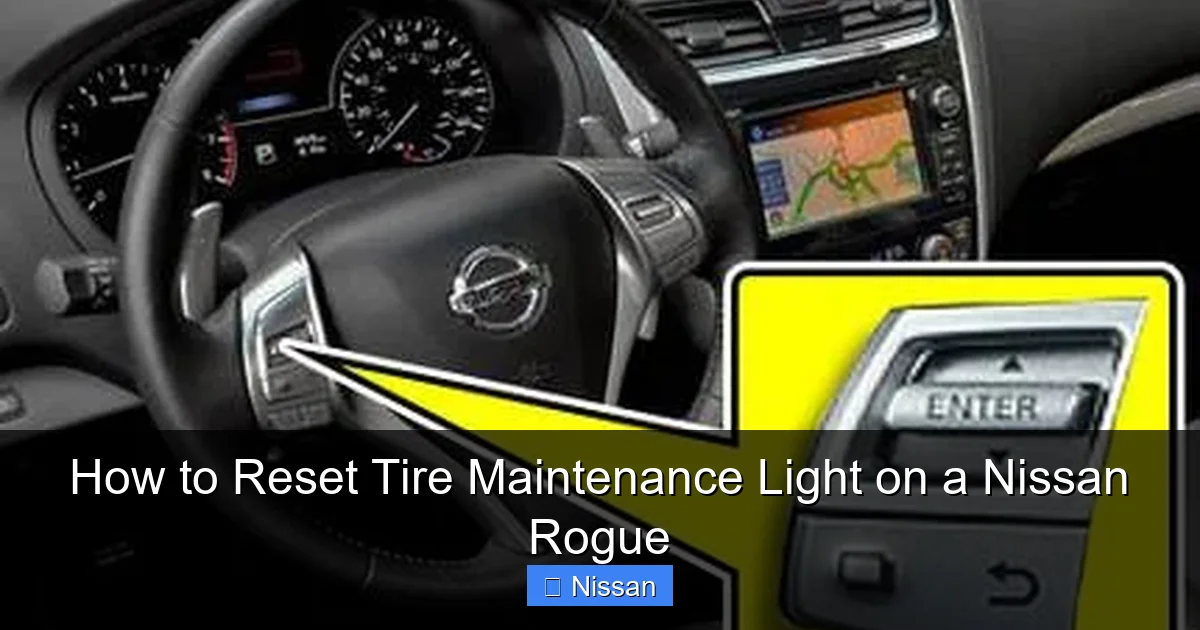
Good news: You don’t need a mechanic or special equipment to reset the tire maintenance light on your Nissan Rogue. Most of what you need is already in your car or garage. The process is designed to be user-friendly, so even first-time drivers can handle it with confidence.
Visual guide about How to Reset Tire Maintenance Light on a Nissan Rogue
Image source: seventrumpet.com
What You’ll Need
- A tire pressure gauge: Digital or analog, either works. Use it to check all four tires before resetting.
- An air compressor or access to one: Most gas stations have them for a small fee. You’ll need this to adjust pressure if needed.
- Your vehicle’s owner’s manual: This is your best friend. It has the exact PSI recommendation and model-specific reset steps.
- A few minutes of time: The entire process takes less than 10 minutes once you’re prepared.
Before starting, park your Rogue on a flat surface and turn off the engine. Make sure the vehicle is in “Park” with the parking brake engaged. This ensures safety and prevents accidental movement during the reset.
Check Tire Pressure First
Never reset the light without checking tire pressure. It’s like turning off a fire alarm without checking for smoke. Use your tire pressure gauge to measure each tire, including the spare if your model has one. The correct PSI is usually listed on a sticker inside the driver’s door jamb or in the owner’s manual. For most Nissan Rogues, it’s between 32 and 35 PSI when cold.
Let’s say your front left tire reads 28 PSI—that’s low. Use the air compressor to bring it up to the recommended level. Recheck with the gauge to be sure. Repeat for all tires. Even one underinflated tire can keep the light on, so don’t skip this step.
Locate the TPMS Reset Button
The TPMS reset button is typically found under the steering column, near the driver’s left knee. It’s a small, unmarked button—sometimes labeled “SET” or “TPMS”—and may require a flashlight to see clearly. On some models, it’s behind a small panel that you can gently pry open with your fingers.
If you can’t find it, don’t panic. Consult your owner’s manual. It will have a diagram showing the exact location. For example, in the 2020 Nissan Rogue, the button is under the dashboard, to the left of the steering wheel, and slightly recessed. Once you locate it, you’re ready to begin the reset process.
Step-by-Step Reset Process
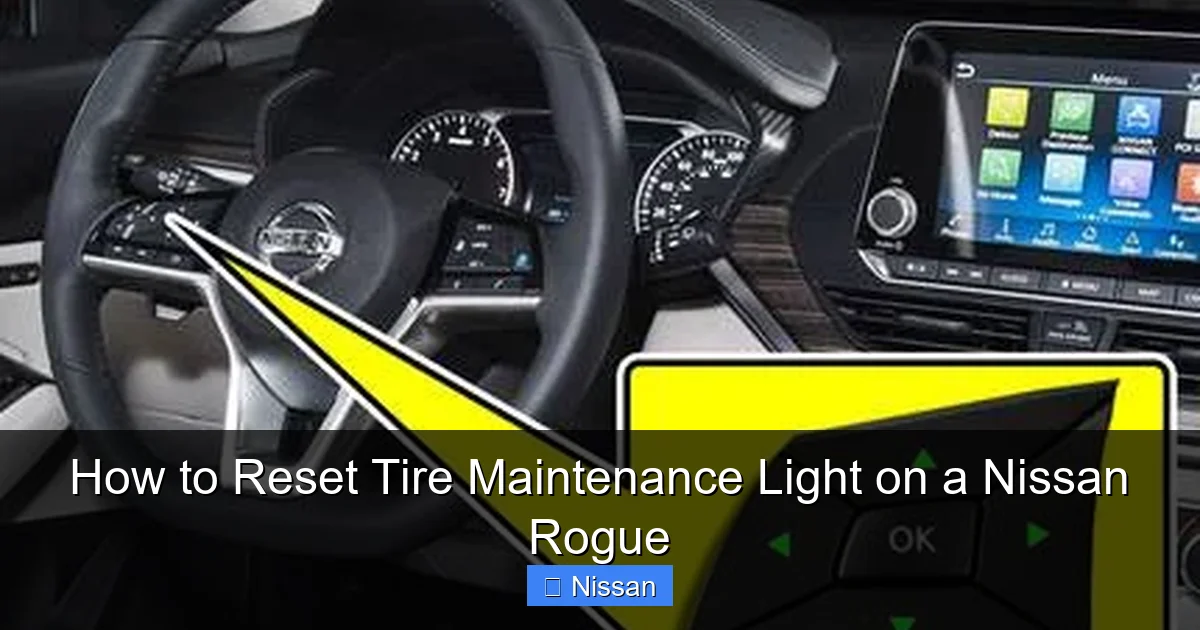
Now that you’re prepared, it’s time to reset the tire maintenance light. The steps are straightforward, but timing matters. Follow them in order, and you’ll have the light off in minutes.
Visual guide about How to Reset Tire Maintenance Light on a Nissan Rogue
Image source: seventrumpet.com
Step 1: Turn the Ignition to “ON”
Insert your key and turn it to the “ON” position—but don’t start the engine. You’ll see the dashboard lights illuminate, including the tire maintenance light. This puts the vehicle’s electrical system into diagnostic mode, allowing the TPMS to communicate with the sensors.
On push-button start models, press the “Start” button twice without pressing the brake pedal. The engine won’t start, but all dashboard lights will come on. Wait about 5 seconds to ensure the system is fully powered.
Step 2: Press and Hold the TPMS Reset Button
With the ignition on, locate the TPMS reset button under the steering column. Press and hold it for about 3 to 5 seconds. You may hear a beep or see the tire pressure light blink. This indicates the system is entering reset mode.
If nothing happens, don’t worry. Some models require you to press the button multiple times or hold it longer. Try pressing it again for 5–7 seconds. If the light still doesn’t respond, double-check that the ignition is truly in the “ON” position and that the button is fully depressed.
Step 3: Turn the Ignition Off
After holding the reset button, turn the ignition back to the “OFF” position. Remove the key or press the “Start” button once to power down. Wait about 10–15 seconds. This allows the system to complete the reset cycle and clear any stored error codes.
It’s important not to rush this step. The vehicle’s computer needs a moment to process the reset. Skipping this wait time could result in the light staying on or reappearing shortly after.
Step 4: Start the Engine and Drive
Now, start your Nissan Rogue normally. The tire maintenance light should be off. If it’s still on, don’t panic—sometimes the system needs a short drive to confirm everything is working.
Drive for at least 10–15 minutes at a steady speed (around 30–50 mph). This gives the TPMS time to recheck tire pressure and verify that all sensors are communicating properly. During this drive, avoid sudden stops or sharp turns, as they can affect sensor readings.
After the drive, check the dashboard. The light should be off. If it’s still illuminated, there may be an underlying issue—like a dead sensor or a persistent pressure problem—that requires further attention.
Troubleshooting Common Issues
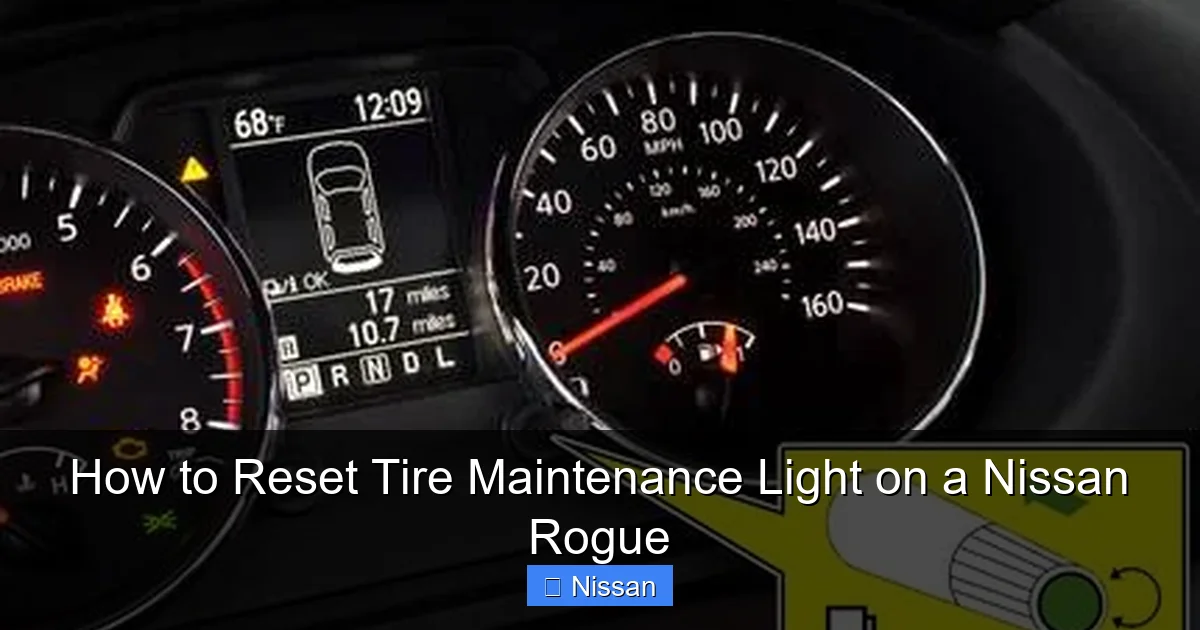
Even with the correct steps, sometimes the tire maintenance light won’t reset. Don’t worry—this happens more often than you’d think. Most issues are minor and fixable with a little troubleshooting.
Visual guide about How to Reset Tire Maintenance Light on a Nissan Rogue
Image source: seventrumpet.com
The Light Won’t Turn Off
If the light remains on after following all steps, the first thing to check is tire pressure again. Use your gauge to verify each tire is at the correct PSI. Even a small deviation can prevent the reset from working.
Next, consider the temperature. If it’s very cold outside, your tires may have lost pressure overnight. Inflate them to the recommended level and try the reset again. Also, check for visible damage—like a nail or leak—that could cause slow air loss.
The Light Flashes and Stays On
A flashing tire maintenance light usually indicates a sensor problem. TPMS sensors have internal batteries that last 5–10 years. When they die, the sensor can’t send data to the vehicle, causing the light to flash.
In this case, you’ll need a professional scan tool to identify which sensor is faulty. Most auto parts stores or tire shops can do this for free or a small fee. Once identified, the sensor can be replaced—usually for $50–$100 per wheel, including installation.
The Reset Button Doesn’t Respond
If pressing the TPMS button does nothing, it could be disconnected or damaged. Check under the dashboard to ensure the button is securely plugged in. If it looks fine, consult your owner’s manual or visit a Nissan dealer for assistance.
On some older models, the reset process may require a different sequence—like pressing the brake pedal or using the odometer buttons. Always refer to your specific model year’s instructions.
After Tire Rotation or Replacement
If you’ve recently rotated your tires or replaced one, the system may not recognize the new sensor positions. In this case, a simple reset may not be enough. Some Rogues require a “relearn” procedure, where the vehicle identifies which sensor is in which wheel.
This often involves driving at a specific speed for a set distance or using a TPMS activation tool. If you’re unsure, a tire shop can perform this service quickly and affordably.
Model-Specific Variations
While the basic reset process is similar across Nissan Rogue models, there are slight differences depending on the year. Knowing your model year helps ensure you follow the correct steps.
2014–2016 Nissan Rogue
These models use a physical TPMS reset button under the steering column. The process is straightforward: turn ignition on, press and hold the button for 3–5 seconds, turn off, then drive. No special tools needed.
2017–2020 Nissan Rogue
Similar to earlier models, but some trims may have a “SET” button instead of “TPMS.” The location remains under the dashboard. Always check the owner’s manual for exact labeling.
2021–2024 Nissan Rogue
Newer models may integrate the reset function into the infotainment system. In some cases, you’ll need to go to the “Settings” menu, select “Vehicle,” then “Tire Pressure,” and choose “Reset.” This is more common in higher trims with advanced displays.
If your Rogue has a touchscreen, look for a tire pressure icon or menu option. Follow the on-screen prompts to complete the reset. This method is user-friendly but may take a few extra steps.
Hybrid and Electric Models
The Nissan Rogue Hybrid (available in select markets) follows the same reset process as gasoline models. However, always consult the hybrid-specific manual, as electrical systems can differ slightly.
For future reference, keep a printed copy of your owner’s manual in the glove box. It’s the most reliable source for model-specific instructions.
Preventing Future Tire Maintenance Alerts
Once the light is off, you’ll want to keep it that way. Regular maintenance is the best defense against unexpected alerts.
Check Tire Pressure Monthly
Make it a habit to check your tire pressure once a month—especially before long trips or during seasonal changes. Use a reliable gauge and adjust as needed. This simple habit can prevent 90% of tire maintenance light issues.
Rotate Tires Every 5,000–7,500 Miles
Regular rotation ensures even wear and helps the TPMS sensors last longer. After rotation, always reset the light to avoid false alerts. Most mechanics will do this for free when you rotate your tires.
Inspect Sensors During Service
When you get your tires serviced, ask the technician to check the TPMS sensors. They can test battery life and ensure proper function. Replacing a sensor before it fails saves time and money.
Use the Correct Tire Type
Always use tires recommended by Nissan for your Rogue model. Incorrect tires can affect pressure readings and trigger false alerts. Stick to the size and load rating listed in your manual.
Keep the System Clean
Dirt and corrosion can interfere with sensor signals. When cleaning your wheels, gently wipe around the valve stems. Avoid harsh chemicals that could damage the sensors.
When to Visit a Professional
Most tire maintenance light issues can be resolved at home. But sometimes, professional help is needed.
Persistent Light After Reset
If the light comes back on immediately or won’t turn off after multiple resets, there’s likely a deeper issue. This could be a faulty sensor, damaged wiring, or a problem with the TPMS control module.
Flashing Light or Error Codes
A flashing light often indicates a sensor failure. Use an OBD2 scanner to check for codes like “C1700” or “C1701,” which relate to TPMS issues. A mechanic can diagnose and fix these problems quickly.
After an Accident or Impact
If your Rogue has been in a collision or hit a pothole hard, the sensors may have been damaged. Have a professional inspect the system to ensure everything is working correctly.
Warranty and Service Plans
If your Rogue is still under warranty, visit a Nissan dealership for free diagnostics and repairs. They have specialized tools and training to handle TPMS issues efficiently.
Conclusion
Resetting the tire maintenance light on your Nissan Rogue is a simple task that saves time, money, and stress. With the right preparation and a few minutes of your time, you can clear the warning and get back on the road safely. Remember to always check tire pressure first, follow the correct reset sequence, and drive briefly afterward to confirm the system is working.
While most issues can be handled at home, don’t hesitate to seek professional help if the light persists. Your safety is worth the extra step. By staying proactive with tire maintenance, you’ll extend the life of your tires, improve fuel efficiency, and enjoy a smoother, safer ride in your Nissan Rogue.
Frequently Asked Questions
How do I reset the tire maintenance light on a Nissan Rogue?
Turn the ignition to “ON,” press and hold the TPMS reset button under the steering column for 3–5 seconds, turn the ignition off, then start the engine and drive for 10–15 minutes. The light should turn off.
Where is the TPMS reset button on a Nissan Rogue?
The TPMS reset button is usually located under the steering column, near the driver’s left knee. It may be labeled “SET” or “TPMS” and sometimes requires a flashlight to see clearly.
Why won’t my tire maintenance light turn off after resetting?
The light may stay on if tire pressure is still low, a sensor is faulty, or the system needs a relearn procedure after tire rotation. Check pressure and consult a mechanic if needed.
Can I reset the tire light without a special tool?
Yes, most Nissan Rogues allow you to reset the light using the built-in TPMS button. No special tools are required for the basic reset process.
Does the tire maintenance light mean I have a flat tire?
Not necessarily. The light can come on due to low pressure, sensor issues, or temperature changes—not just a flat. Always check tire pressure first.
How often should I check my tire pressure?
Check your tire pressure at least once a month and before long trips. This helps prevent the tire maintenance light from coming on unexpectedly.