
How to Reset the Oil Light on a Nissan Altima

Resetting the oil light on your Nissan Altima is a simple process that ensures your vehicle’s maintenance reminders stay accurate. Whether you’ve just changed your oil or the light won’t turn off, this guide walks you through the exact steps for different model years—no tools or dealership visit required.
Key Takeaways
- Know Your Model Year: The oil light reset procedure varies slightly between older (pre-2013) and newer (2013+) Nissan Altima models, so identifying your year is crucial.
- Use the Trip Odometer Button: Most Altimas use the trip odometer button on the instrument cluster to navigate menus and reset the oil light.
- Turn the Ignition On (But Don’t Start the Engine): You only need to power up the electrical systems—cranking the engine isn’t necessary.
- Press and Hold the Button: Holding the trip odometer button for 10–15 seconds triggers the reset sequence in many models.
- Confirm the Reset: Watch for the oil light to blink or turn off, indicating a successful reset.
- Don’t Skip Regular Oil Changes: Resetting the light doesn’t replace actual maintenance—stick to your scheduled oil change intervals.
- When in Doubt, Consult the Manual: Your owner’s manual has model-specific instructions and troubleshooting tips.
📑 Table of Contents
- Why the Oil Light Comes On in Your Nissan Altima
- Understanding the Nissan Altima Maintenance Minder System
- How to Reset the Oil Light on a Nissan Altima (Pre-2013 Models)
- How to Reset the Oil Light on a Nissan Altima (2013 and Newer Models)
- Troubleshooting Common Oil Light Reset Issues
- When to Seek Professional Help
- Best Practices for Oil Maintenance in Your Nissan Altima
- Conclusion
Why the Oil Light Comes On in Your Nissan Altima
The oil light on your Nissan Altima isn’t just a random warning—it’s your car’s way of saying, “Hey, I need some attention!” This dashboard indicator typically appears after you’ve driven a certain number of miles since your last oil change. Nissan’s maintenance minder system tracks your driving habits and alerts you when it’s time for service, usually around every 5,000 to 7,500 miles, depending on your driving conditions.
But here’s the thing: once you’ve changed your oil—whether at a shop or DIY—the light often stays on until you manually reset it. That’s because the system doesn’t automatically detect the fresh oil; it only knows that a certain mileage threshold has been reached. So even if your engine is running on clean, high-quality oil, that persistent light can be annoying and misleading.
Ignoring the oil light reset isn’t dangerous in the short term, but it can lead to confusion down the road. You might forget when your last oil change was, or worse—miss the next one because the light never turned off. That’s why learning how to reset the oil light on a Nissan Altima is such a valuable skill. It keeps your maintenance schedule on track and gives you peace of mind every time you start your car.
Understanding the Nissan Altima Maintenance Minder System
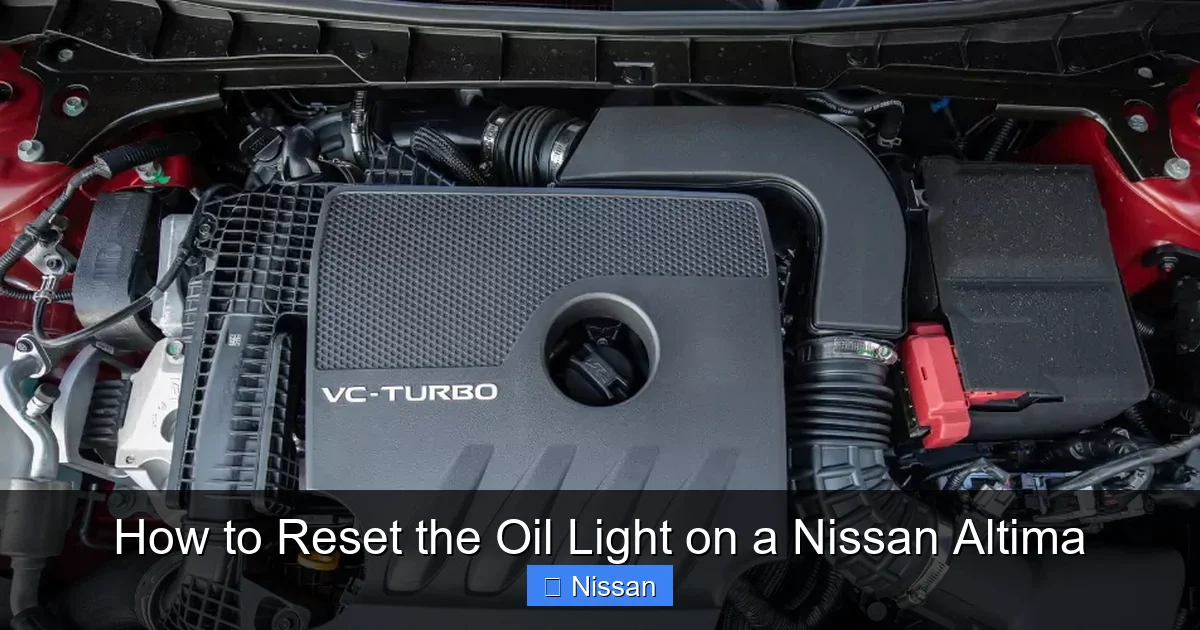
Visual guide about How to Reset the Oil Light on a Nissan Altima
Image source: nissancheckenginelight.com
Nissan introduced the Maintenance Minder system in many of its vehicles, including the Altima, to take the guesswork out of routine service. Instead of relying on a fixed mileage interval, this smart system monitors your driving patterns—like engine temperature, speed, idle time, and trip frequency—to determine when your car actually needs an oil change.
When the system calculates that your oil has degraded to a certain level, it triggers the oil change light on your dashboard. This usually appears as an icon that looks like an oil can or the word “OIL.” Some newer models may also display a message like “Oil Change Required” or “Maintenance Required.”
The beauty of this system is its adaptability. If you do a lot of short trips in cold weather, it might recommend an oil change sooner. If you mostly drive on highways at steady speeds, it could extend the interval. But again, once the service is done, the system needs a manual reset to start tracking the next cycle.
It’s important to note that the Maintenance Minder doesn’t monitor oil level or quality directly—it’s a predictive system based on usage. So even if your oil looks fine, the light may still come on based on time and mileage algorithms. That’s why resetting it after every oil change is essential to keep the system accurate.
How to Reset the Oil Light on a Nissan Altima (Pre-2013 Models)

Visual guide about How to Reset the Oil Light on a Nissan Altima
Image source: seventrumpet.com
If you drive a Nissan Altima from 2007 to 2012, the oil light reset process is straightforward and doesn’t require any special tools or a visit to the dealership. All you need is your key and about 30 seconds of your time.
Step-by-Step Guide for Older Altimas
Start by making sure your car is parked on a level surface and the engine is off. You don’t need to start the engine—just turn the ignition to the “ON” position. This powers up the dashboard and instrument cluster without cranking the motor.
Next, locate the trip odometer button on your instrument panel. It’s usually a small button near the speedometer, labeled “TRIP” or “ODO/TRIP.” Press and hold this button. While holding it, turn the ignition key to the “ON” position (again, don’t start the engine). Keep holding the button for about 10 to 15 seconds.
You’ll notice the oil light begin to blink or flash. This is a good sign—it means the system is recognizing the reset command. After a few seconds, the light should turn off completely. Once it does, release the trip button and turn the ignition back to the “OFF” position.
Start your engine to confirm the reset was successful. The oil light should no longer appear on the dashboard. If it does, repeat the process, making sure you hold the button long enough and that the ignition is in the correct position.
Common Mistakes to Avoid
One of the most common mistakes people make is starting the engine during the reset process. Remember, you only need the ignition on—not the engine running. Cranking the engine can interrupt the reset sequence and cause the light to stay on.
Another mistake is not holding the trip button long enough. Ten to fifteen seconds might feel like a long time, but it’s essential for the system to register the command. If you release too soon, the reset won’t complete.
Also, make sure you’re pressing the correct button. Some Altimas have multiple buttons on the instrument cluster, so double-check that you’re using the trip odometer button and not the one for the fuel economy display or other functions.
How to Reset the Oil Light on a Nissan Altima (2013 and Newer Models)
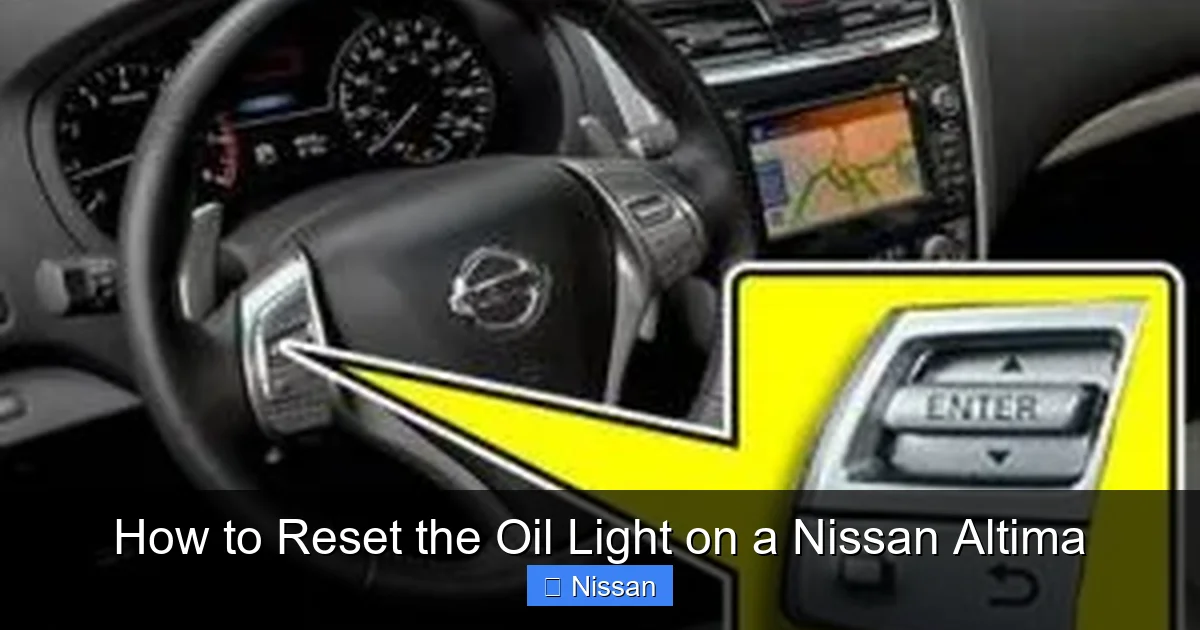
Visual guide about How to Reset the Oil Light on a Nissan Altima
Image source: seventrumpet.com
Starting with the 2013 model year, Nissan updated the Altima’s dashboard and introduced a more advanced infotainment and instrument cluster system. This means the oil light reset procedure changed slightly to accommodate the new interface.
Using the Advanced Drive Assist Display
In newer Altimas, the reset process involves the Advanced Drive Assist Display (ADAS), which is the screen in the center of your instrument cluster. This display shows trip information, fuel economy, and maintenance reminders.
To begin, turn the ignition to the “ON” position without starting the engine. Use the steering wheel controls or the trip odometer button to navigate to the “Settings” menu on the ADAS screen. Scroll through the options until you find “Maintenance” or “Vehicle Information.”
Once you’re in the Maintenance menu, look for “Oil Change” or “Reset Oil Life.” Select this option, and the system will prompt you to confirm the reset. Press “Yes” or “OK” to proceed. The oil light should disappear from the dashboard, and the oil life percentage should reset to 100%.
Alternative Method for Models Without ADAS
Not all 2013+ Altimas come equipped with the full ADAS system. If your model has a simpler instrument cluster, you can still reset the oil light using the trip odometer button—similar to older models.
Turn the ignition to “ON” (engine off), then press and hold the trip odometer button. After about 10 seconds, the oil light should begin to flash. Continue holding the button until the light turns off completely—this usually takes 15 to 20 seconds total. Release the button and turn the ignition off.
Start the engine to verify the reset. If the light remains off, you’ve successfully reset the oil maintenance reminder.
Tips for Success
If the reset doesn’t work the first time, don’t panic. Try the process again, making sure you’re following the steps exactly. Sometimes the system needs a second attempt to register the command.
Also, ensure your battery has a strong charge. A weak battery can cause electrical glitches that interfere with the reset process. If you’ve recently had a dead battery or jump-started your car, it might take a few tries to get the reset to stick.
Troubleshooting Common Oil Light Reset Issues
Even with the right steps, sometimes the oil light just won’t cooperate. Here are some common issues and how to fix them.
The Light Won’t Turn Off After Reset
If you’ve followed the reset procedure correctly but the oil light remains on, there could be a few reasons. First, double-check that you completed the steps in the right order. Skipping a step or doing them out of sequence can prevent the reset from working.
Second, consider whether the oil change was actually performed. The reset only works if fresh oil has been added. If you reset the light without changing the oil, the system may detect the old oil and keep the warning active.
Finally, there could be a sensor issue. Over time, the oil life sensor can become faulty or dirty, causing it to send incorrect signals to the dashboard. In this case, a visit to a mechanic or Nissan dealership may be necessary to diagnose and replace the sensor.
The Reset Process Doesn’t Start
If pressing the trip button does nothing, make sure the ignition is in the correct position. Some drivers accidentally turn the key to “ACC” (accessory) instead of “ON.” The “ON” position powers the entire dashboard, while “ACC” only activates certain electronics.
Also, check that the trip button isn’t stuck or damaged. If the button feels loose or unresponsive, it may need to be cleaned or replaced. Dirt and grime can accumulate around the button, preventing it from making proper contact.
The Light Comes Back On Immediately
If the oil light resets successfully but comes back on after a few miles, it could indicate a deeper issue. One possibility is that the oil level is low. Even with a fresh oil change, if the level isn’t topped off, the system may trigger the warning again.
Another possibility is a software glitch. Some Nissan models have experienced bugs in the Maintenance Minder system that cause false alerts. In rare cases, a dealership may need to update the vehicle’s software to fix the issue.
When to Seek Professional Help
While resetting the oil light is usually a DIY-friendly task, there are times when it’s best to consult a professional.
Persistent Warning Lights
If the oil light continues to come on despite multiple reset attempts and a confirmed oil change, it’s time to see a mechanic. This could indicate a problem with the oil pressure sensor, oil pump, or even internal engine wear. Ignoring a persistent oil warning can lead to serious engine damage.
Unusual Engine Noises or Performance Issues
If you notice knocking, ticking, or reduced engine performance along with the oil light, stop driving immediately. These symptoms could mean your engine isn’t getting proper lubrication, which can cause catastrophic failure if not addressed.
Dashboard Error Codes
Some newer Altimas display diagnostic trouble codes (DTCs) related to oil pressure or maintenance. If you see codes like P0520 (Engine Oil Pressure Sensor/Switch Circuit), it’s a sign that the issue goes beyond a simple reset.
In these cases, a certified Nissan technician can use specialized tools to read the codes, inspect the system, and perform any necessary repairs.
Best Practices for Oil Maintenance in Your Nissan Altima
Resetting the oil light is just one part of proper vehicle care. To keep your Altima running smoothly, follow these best practices for oil maintenance.
Stick to the Recommended Oil Type
Nissan recommends using synthetic or conventional motor oil that meets the ILSAC GF-5 or GF-6 standard. For most Altimas, 0W-20 or 5W-30 viscosity is ideal, depending on your climate and driving conditions. Always check your owner’s manual for the exact specification.
Change Oil at the Right Intervals
Even with the Maintenance Minder, it’s wise not to exceed 7,500 miles between oil changes—especially if you drive in harsh conditions like extreme heat, cold, or stop-and-go traffic. Frequent short trips can cause oil to degrade faster than long highway drives.
Use a Quality Oil Filter
Don’t skimp on the oil filter. A high-quality filter ensures contaminants are properly removed from the oil, extending engine life. Nissan OEM filters are a safe choice, but many aftermarket brands also meet or exceed OEM standards.
Check Oil Level Regularly
Even with a maintenance minder, manually checking your oil level every few weeks is a good habit. Use the dipstick to ensure the oil is between the “MIN” and “MAX” marks. Top off if needed, but avoid overfilling.
Keep Records
Maintain a log of your oil changes, including date, mileage, and oil type used. This helps you track your maintenance schedule and can increase your car’s resale value.
Conclusion
Resetting the oil light on your Nissan Altima is a quick and easy task that every owner should know how to do. Whether you drive an older model with a simple trip button or a newer Altima with an advanced display, the process takes less than a minute and ensures your maintenance reminders stay accurate.
By following the steps outlined in this guide, you can keep your dashboard clear, avoid confusion about service intervals, and maintain your vehicle’s performance. Remember, resetting the light doesn’t replace the need for regular oil changes—it just helps you stay on top of them.
If you ever run into issues, don’t hesitate to consult your owner’s manual or visit a trusted mechanic. With proper care and attention, your Nissan Altima will continue to deliver reliable performance for years to come.
Frequently Asked Questions
How often should I change the oil in my Nissan Altima?
Nissan recommends changing the oil every 5,000 to 7,500 miles, depending on driving conditions. The Maintenance Minder system will alert you when it’s time, but avoid exceeding 7,500 miles even if the light hasn’t come on yet.
Can I reset the oil light without changing the oil?
Technically yes, but it’s not recommended. Resetting the light without changing the oil defeats the purpose of the maintenance reminder and could lead to engine damage over time.
Why won’t my oil light reset even after following the steps?
This could be due to a weak battery, a faulty sensor, or an incorrect reset procedure. Try the process again, ensure the ignition is in the “ON” position, and check your battery voltage. If it persists, see a mechanic.
Does the oil light reset work the same on all Nissan Altima models?
No, the procedure varies slightly between pre-2013 and 2013+ models. Older models use the trip button method, while newer ones may require navigating the Advanced Drive Assist Display menu.
What does it mean if the oil light flashes while driving?
A flashing oil light while driving is a serious warning. It could indicate low oil pressure, which can cause engine damage. Pull over safely, turn off the engine, and check your oil level immediately.
Can I reset the oil light using a scan tool?
Yes, professional scan tools can reset the oil light, but it’s unnecessary for most owners. The manual reset method works perfectly and doesn’t require any special equipment.
