How to Reset the Brake Light on a Ford F-150

Contents
- 1 Key Takeaways
- 2 📑 Table of Contents
- 3 Understanding Your Ford F-150’s Brake Warning System
- 4 The Non-Negotiable First Step: Diagnosis and Inspection
- 5 How to Reset the Brake Light: Methods by Model Year
- 6 Troubleshooting: What to Do If the Light Comes Back On
- 7 The Importance of Professional Help: When to Say “No” to DIY Reset
- 8 Preventive Maintenance: Keeping That Light Off for Good
- 9 Frequently Asked Questions


Resetting the brake light on a Ford F-150 is a simple process, but it’s critical to diagnose the underlying cause first. The light indicates a potential issue with the braking system, from low fluid to worn pads. Never ignore it; resetting without fixing the problem is dangerous. The exact reset procedure varies significantly by model year, often requiring a specific sequence with the ignition or brake pedal.
That unwelcome brake warning light glowing on your Ford F-150’s dashboard is more than just an annoyance—it’s your truck’s way of getting your attention. As the owner of a powerful, heavy-duty pickup, your braking system isn’t something to take lightly. Knowing how to properly reset the brake light is useful knowledge, but understanding why it came on in the first place is absolutely essential for your safety and the health of your F-150. This comprehensive guide will walk you through everything, from the simplest fluid check to the specific reset sequences for your model year, ensuring you handle this common issue correctly and confidently.
We’ll break it down into clear, actionable steps. First, we’ll cover the critical diagnostic phase you must never skip. Then, we’ll dive into the exact reset procedures for different generations of F-150s. Finally, we’ll troubleshoot what to do if the light comes right back on. By the end, you’ll be equipped to make an informed decision—whether that’s a quick DIY reset or a necessary trip to your trusted mechanic.
Key Takeaways
- Safety First: The brake warning light is a critical safety alert. Always inspect the braking system (fluid level, pads, wear sensors) before attempting any reset.
- Diagnosis is Key: A reset only turns off the light; it does not fix the problem. The light will return if the root cause isn’t addressed.
- Model Year Matters: Reset procedures differ between older (pre-2015) and newer (2015+) F-150s due to changes in dashboard design and computer systems.
- Tools May Be Needed: Some reset methods require nothing but the ignition key, while others for newer models may need an OBD2 scanner for a full system reset.
- Fluid Level is Common: Low brake fluid in the master cylinder reservoir is a frequent, easily-fixed cause of the warning light.
- Wear Sensors Trigger Light: Many F-150s have brake pad wear sensors that complete a circuit when pads are thin, illuminating the light until reset after replacement.
- Know When to Stop: If the light is flashing, red, or accompanied by ABS/traction control warnings, do not drive the truck. Have it towed to a professional.
📑 Table of Contents
- Understanding Your Ford F-150’s Brake Warning System
- The Non-Negotiable First Step: Diagnosis and Inspection
- How to Reset the Brake Light: Methods by Model Year
- Troubleshooting: What to Do If the Light Comes Back On
- The Importance of Professional Help: When to Say “No” to DIY Reset
- Preventive Maintenance: Keeping That Light Off for Good
Understanding Your Ford F-150’s Brake Warning System
Before you start pushing buttons, it’s vital to understand what that little brake icon or “BRAKE” text on your dash actually means. It’s not a single, simple warning. The Ford F-150’s brake light can be triggered by several different systems and sensors, and each one requires a slightly different approach.
The Two Primary Triggers for the Brake Light
Generally, the brake warning light illuminates for one of two broad reasons:
- Low Brake Fluid: This is the most common and often the simplest fix. The master cylinder reservoir has a float sensor. If the fluid level drops below a certain point, it completes a circuit and turns on the light. Low fluid usually means worn brake pads (the calipers need more fluid to compensate for the thinner pads) or, more worryingly, a leak in the hydraulic system.
- Brake Pad Wear Sensor: Most modern F-150s are equipped with a small electrical wire embedded in the brake pad. When the pad wears down to its minimum thickness (around 3mm), the sensor wire makes contact with the metal rotor, completing a circuit and illuminating the warning light. Resetting this requires telling the truck’s computer that new pads have been installed.
Other Potential (and Serious) Causes
Less commonly, but more critically, the brake light can indicate:
- Parking Brake Engagement: A simple one! If your parking brake is even slightly engaged, the light will stay on. Ensure it’s fully released.
- Pressure Imbalance: If there’s a significant difference in hydraulic pressure between the two sides of the system (from a bad caliper, line, or hose), the light may activate.
- ABS System Fault: Often, a problem with the Anti-lock Braking System will also trigger the main brake light, as the systems are interconnected. You might see both lights or an “ABS” light separately.
- Failed Sensor or Wiring: The fluid level sensor or pad wear sensor itself can fail, or its wiring can become damaged or corroded, giving a false signal.
Important: If your brake light is flashing, is a red color instead of amber/yellow, or comes on simultaneously with the ABS and traction control lights, do not drive the vehicle. This indicates a potentially catastrophic failure in the hydraulic system. Have the truck towed to a repair shop immediately.
The Non-Negotiable First Step: Diagnosis and Inspection
You would never reset a “Check Engine” light without first scanning for codes, right? Treat the brake light with the same respect. Resetting it without fixing the cause is like turning off a smoke alarm while a fire is still burning—extremely dangerous.
Visual guide about How to Reset the Brake Light on a Ford F-150
Image source: m.media-amazon.com
Step 1: The Visual and Physical Check
Start with the easiest, free checks. Open the hood and locate your brake master cylinder reservoir. It’s usually on the driver’s side firewall, towards the back of the engine bay. It has a tall, narrow plastic tank with a cap labeled “Brake Fluid” or with a brake symbol.
- Check Fluid Level: Is the fluid between the “MIN” and “MAX” lines? If it’s low, top it up with the correct DOT specification fluid (DOT 3, DOT 4, or DOT 5.1—check your owner’s manual!). Use only new, sealed fluid from a reputable source, as it absorbs moisture from the air quickly.
- Inspect for Leaks: While you’re there, look around the reservoir, at the brake lines running to each wheel, and at the calipers/wheel cylinders for any signs of wetness, drips, or corrosion. A major leak will be obvious.
- Check Parking Brake: Sit in the cab and fully release the parking brake. Listen for it to click fully into the released position. Sometimes a stretched cable or a seized rear brake shoe can keep it partially engaged.
Step 2: The Mechanical Inspection
If the fluid was low but no leak is visible, the cause is likely worn brakes. You’ll need to visually inspect the brake pads and shoes.
- Front Brakes (Disc): Look through the wheel spokes. You should see the brake pad pressed against the rotor. If the friction material is less than 1/4 inch thick, it’s time for replacement. The wear sensor wire should be intact and not touching the rotor.
- Rear Brakes: This is trickier. On many F-150s, especially with the electric parking brake, you may need to remove the rear wheels to inspect the pads or shoes. If you’re not comfortable, this is a job for a professional.
Pro Tip: If you are replacing brake pads yourself, the reset procedure is often integrated into the caliper piston retraction process on newer models. However, you still typically need to perform an electronic reset via the dash or a scan tool to turn off the light. For specific procedures on other popular trucks, resources like our guide on how to reset the brake light on a Dodge Ram 1500 can provide a helpful comparison, as procedures often differ between manufacturers.
How to Reset the Brake Light: Methods by Model Year
Ford changed the reset procedure dramatically with the introduction of the 13th generation F-150 in 2015. Older models (2004-2014) used a simpler manual sequence, while newer models (2015-2023) often require using the steering wheel controls or an OBD2 scanner. Let’s break it down.
Visual guide about How to Reset the Brake Light on a Ford F-150
Image source: i.ytimg.com
For 2004-2014 Ford F-150s (Pre-2015)
These models typically have a dedicated “Set/Clr” or “Reset” button on the dashboard or instrument cluster. The process is a straightforward manual sequence.
- Turn the ignition to the “ON” position (do not start the engine). All dash lights should illuminate.
- Press and hold the “Reset” button (often labeled “Set/Clr” or found near the odometer display). The exact location varies; consult your owner’s manual.
- While holding the button, turn the ignition to the “OFF” position and then back to “ON.”
- Continue holding the button until you see the brake warning light begin to blink or the message “Brake System OK” or similar appears on the display (usually 5-10 seconds).
- Release the button. The light should be off. Start the engine to verify.
If this fails: Some of these models may require a scan tool to reset the brake system module after a repair. Generic OBD2 scanners often cannot access the brake system module on Fords; you may need a more advanced tool.
For 2015-2023 Ford F-150s (13th & 14th Generation)
With the fully digital instrument cluster (the large 8-inch or 12-inch screen), Ford moved the reset function into the vehicle settings menus, accessible via steering wheel buttons or the touchscreen.
- Method A: Using Steering Wheel Controls (Most Common)
- Ensure the ignition is in the “ON” position and the truck is in “Park” (or “Neutral”).
- Use the left arrow button on the steering wheel to navigate to the Settings menu (icon looks like a gear or wrench).
- Use the up/down arrows to find “Vehicle Settings” or “Driver Info”.
- Scroll to find “Brake System” or “Service Brakes”.
- Select it and choose “Reset” or “Clear”. You may need to confirm with “Yes” or “OK.”
- The screen should display a confirmation message like “Brake System Reset Successful.”
- Method B: Using the Touchscreen
- On the main screen, tap “Settings” (gear icon).
- Select “Vehicle”.
- Tap “Driver Assist” or “Advanced Settings” (the exact path varies by year and sync version).
- Look for “Brake System Reset” or “Service Brakes Reset”.
- Follow the on-screen prompts to confirm the reset.
The OBD2 Scanner Method (Works for All Years, Recommended After Repairs)
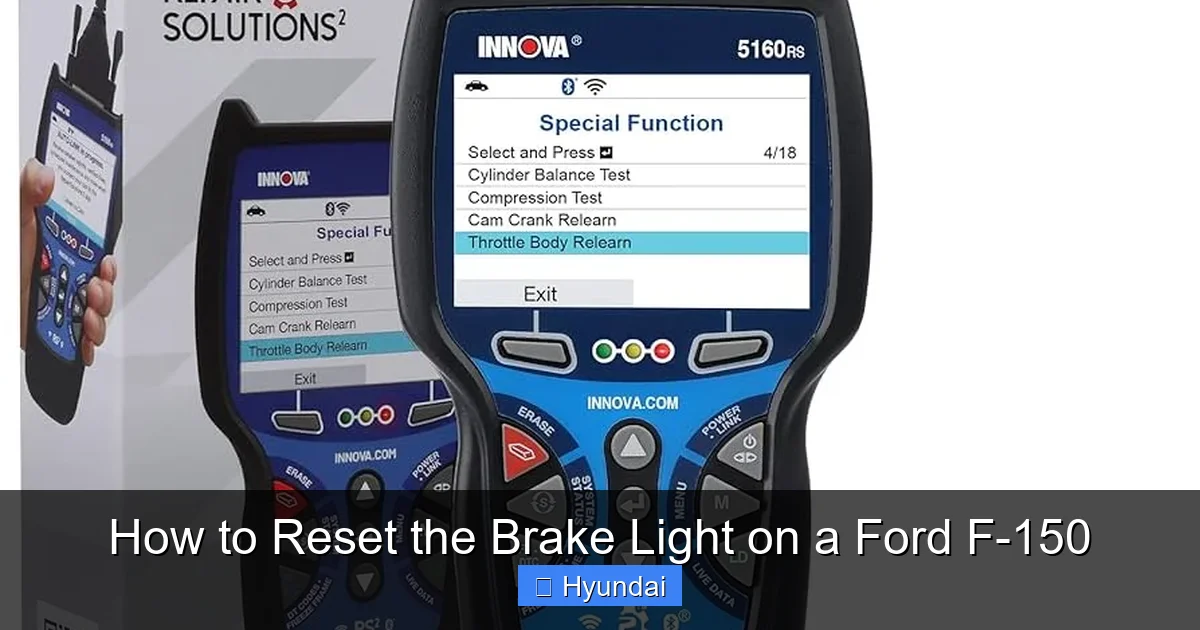
This is the most reliable method, especially after you’ve physically repaired the issue (replaced pads, fixed a leak). A basic OBD2 port scanner won’t suffice. You need a scanner that can access the ABS/Brake System Module.
- Connect the scanner to the OBD2 port under the dash (driver’s side).
- Turn the ignition to “ON” (engine off).
- Follow the scanner’s menu to select your Ford F-150 (enter year, make, model).
- Navigate to “ABS”, “Brake System”, or “Service Functions”.
- Look for a function called “Brake Pad Wear Reset”, “Service Brake Reset”, or “Clear Brake Warning”.
- Execute the function. The scanner will communicate with the truck’s computer to clear the fault and reset the light.
- Disconnect the scanner and start the truck. The light should be off.
Note: If the underlying problem (e.g., a still-worn pad or a persistent leak) is present, the scanner may be unable to complete the reset, or the light will return immediately after driving. This is a good diagnostic tool in itself.
Troubleshooting: What to Do If the Light Comes Back On
You followed the steps, the light went out, you felt good… then it came back on after a few miles or days. This is a clear sign that you either missed the root cause or that the reset wasn’t properly completed.
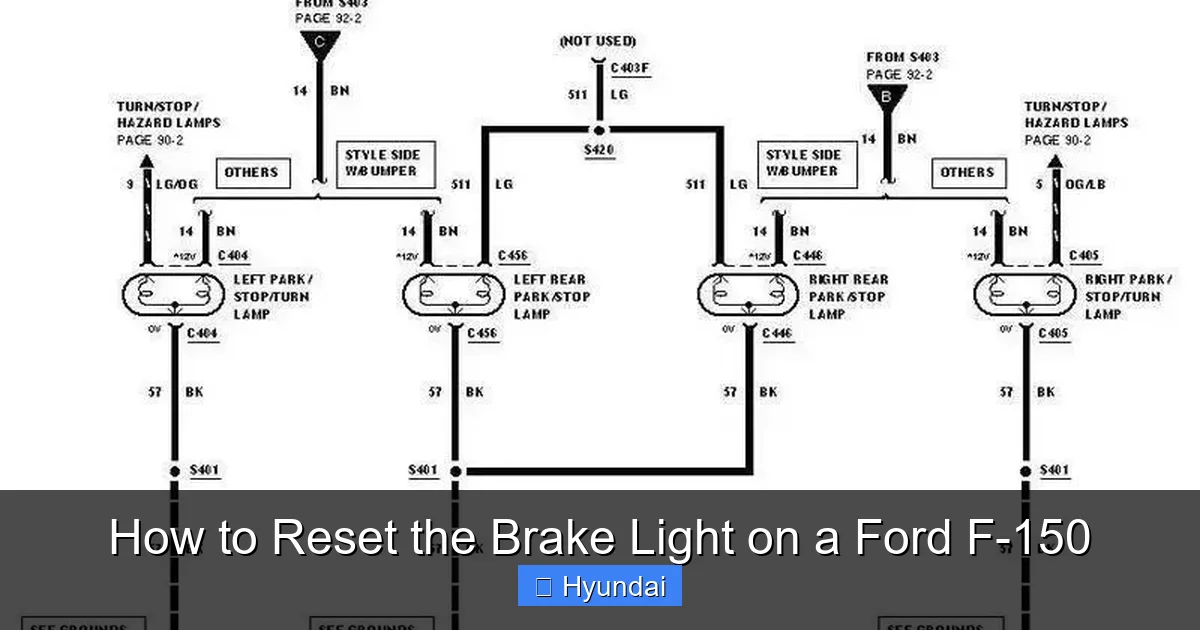
Visual guide about How to Reset the Brake Light on a Ford F-150
Image source: i0.wp.com
Re-evaluate Your Diagnosis
Go back to the inspection phase with a finer-tooth comb.
- Fluid Level: Did you top it up, but it’s already low again? You have a leak. Check calipers, wheel cylinders, lines, and the master cylinder itself for active dripping. A leak requires immediate repair.
- Pad Wear Sensor: Did you replace the pads but forget to replace the sensor wire? The old sensor is likely still grounded or broken. You must replace the sensor with the pads. Also, ensure the sensor connector is clean and fully seated.
- Air in the Lines: Did you recently work on the brakes or top up fluid? Air in the hydraulic system can cause a soft pedal and may trigger the warning. The system will need to be bled to remove all air bubbles.
Scanner Codes Are Your Friend
If you have access to a good scan tool, or if you take it to a shop, have them read the specific trouble codes from the ABS/Brake module. Generic code readers might only show “C1234 – Brake System Fault.” A professional tool will give a more specific code like “C1168 – Left Front Wheel Speed Sensor Circuit Open” or “C1275 – Brake Pad Wear Sensor Circuit Short to Ground.” This pinpoint diagnosis saves hours of guesswork. If you’re dealing with other systems, understanding how to read codes is universally helpful—for instance, learning how to reset the check engine light on a Dodge Durango follows a similar diagnostic-first principle.
The Parking Brake Cable
A stretched or seized parking brake cable, especially on older F-150s with rear drum brakes, can cause the brake light to stay on or return. The system thinks the parking brake is engaged. This requires adjustment or replacement of the cable mechanism.
The Importance of Professional Help: When to Say “No” to DIY Reset
There is a time and place for resetting a brake light yourself. That time is after you have confirmed and repaired the cause. If you are unsure of the cause, or if any of the following conditions exist, stop and call a professional.
Red Flags That Mean “Do Not Drive”
- Flashing Brake Light: This indicates an active, severe fault, often a major hydraulic failure.
- Brake Pedal Feels Soft or Spongy: You press it and it goes to the floor with little resistance. This means you have no hydraulic pressure—a serious leak or air in the system.
- Brake Pedal is Hard and Doesn’t Move: This could indicate a failed booster or a seized component.
- You See Brake Fluid Leaking: Any active leak is a critical safety issue. Driving will worsen it and could lead to total brake failure.
- Grinding or Squealing Noises: A grinding noise means the pads are completely gone and you’re metal-on-metal. This destroys rotors and is dangerous. Squealing that stops when you brake is likely the wear sensor—still a sign to replace pads immediately.
Complex System Interactions
Modern F-150s have highly integrated systems. The brake light is often tied into the ABS (Anti-lock Braking System), Stability Control (AdvanceTrac), and even the transmission. A fault in the wheel speed sensor (used by all these systems) can illuminate multiple lights. Diagnosing and resetting these interconnected systems properly often requires a factory-level scan tool that can communicate with multiple modules simultaneously. This is beyond the scope of most DIYers and is a clear job for a certified technician with the right equipment.
Preventive Maintenance: Keeping That Light Off for Good
The best way to deal with a brake light is to never see it come on unexpectedly. A proactive maintenance schedule for your F-150’s braking system is the key.
Regular Inspection is Key
- Every 10,000-15,000 Miles: Have a mechanic perform a basic brake inspection. They will measure pad thickness, check rotor condition for grooves or warping, inspect calipers for leaks and free movement, and examine all brake lines and hoses for cracks or abrasion.
- Check Fluid Every Oil Change: Pop the hood and glance at the master cylinder. Is the fluid clean (amber/golden) and at the proper level? Brake fluid is hygroscopic—it absorbs water over time, which lowers its boiling point and can cause internal corrosion. It should be flushed and replaced every 2-3 years, regardless of level.
- Listen and Feel: Pay attention to new noises. A high-pitched squeal that goes away when you brake is the wear sensor—a final warning. A constant grinding or scraping noise means you’ve waited too long. A pulsating brake pedal usually means a warped rotor.
Don’t Ignore the Parking Brake
Even if you rarely use it, engage and release your electric parking brake (or foot/hand lever on older models) at least once a month. This keeps the mechanism from seizing up, which is a common cause of the brake light staying on.
By understanding your system, performing diligent diagnostics, and following the correct reset procedure for your specific model year, you can confidently manage the brake warning light on your Ford F-150. Remember, the light is your friend—it’s a warning that something needs attention. Addressing it properly ensures your safety, the safety of others, and the long-term reliability of your truck. For other common vehicle alerts, such as how to reset the tire pressure light on a Honda Civic or how to reset the maintenance light on a Toyota Highlander, the principle is the same: diagnose, fix, then reset.
Frequently Asked Questions
Is it safe to just reset the brake light without fixing anything?
No, it is never safe. The brake light is a critical warning that your braking system has a problem. Resetting it turns off the alert but leaves the underlying issue—like worn pads, low fluid, or a leak—unaddressed. This can lead to brake failure, accidents, and more expensive damage to your rotors or calipers.
Do I need a special tool to reset the brake light on a newer F-150?
For 2015 and newer models, you can often reset it through the digital menu using the steering wheel controls or touchscreen, which requires no special tools. However, if the issue was a worn pad sensor or a complex fault, a basic OBD2 reader won’t work. You may need an advanced scan tool that can access the ABS/Brake module to clear the code and reset the system properly after a repair.
What’s the difference between the brake light and the ABS light?
The main brake light (usually red or amber with a “!” or “BRAKE” text) warns of issues in the core hydraulic braking system (fluid, pads, major leaks). The ABS light (usually amber with “ABS”) indicates a fault in the Anti-lock Braking System’s electronic sensors and control module. Your brakes will still work normally without ABS, but the light should be diagnosed. Often, a problem with a wheel speed sensor will trigger both lights.
My brake light came on after I replaced my brake pads. Why?
This is very common. You likely replaced the pads but did not reset the brake pad wear sensor or retract the caliper piston properly. On many F-150s, you must manually reset the system via the dash menu or a scan tool after pad replacement to tell the computer the new pads are installed. Also, ensure you didn’t forget to reconnect the wear sensor wire.
Can low brake fluid cause the brake light to come on?
Yes, absolutely. Low brake fluid is one of the most common reasons for the brake warning light to illuminate. The fluid level sensor in the master cylinder reservoir triggers the light. Low fluid is usually caused by normal pad wear (the calipers need more fluid as pads thin) or, more seriously, a leak in the system. Always check and top up fluid with the correct type, then find and fix the cause of the low level.
How much does it cost to have a shop diagnose and reset a brake light?
Costs vary widely. A simple diagnostic scan to read codes might be $50-$100. If the issue is just low fluid, they may top it up for free or a small fee. A full brake pad replacement with sensor reset and fluid flush can range from $300-$800 per axle, depending on your F-150’s trim and brake type. Always get a clear estimate after diagnosis.