
How to Reset the Brake Light on a Dodge Ram 1500

Resetting the brake light on your Dodge Ram 1500 is simpler than you think—whether it’s a warning light, ABS indicator, or brake fluid alert. This guide walks you through every method, from basic pedal resets to using diagnostic tools, so you can get back on the road safely and confidently.
If you’ve ever been driving your Dodge Ram 1500 and suddenly noticed that little red or yellow brake light glowing on your dashboard, you’re not alone. It’s one of the most common—and concerning—dashboard warnings truck owners face. That tiny icon can mean anything from a simple sensor glitch to a serious brake system issue. But before you panic or rush to the dealership, know this: in many cases, resetting the brake light on your Dodge Ram 1500 is something you can do yourself—quickly, safely, and without special tools.
The key is understanding what that light actually means. Is it the standard brake warning light (usually red and shaped like a circle with an exclamation point)? Or is it the ABS light (yellow and labeled “ABS”)? Maybe it’s a brake fluid level alert or a parking brake indicator? Each of these signals a different problem and requires a slightly different fix. The good news? Most of these issues are easy to diagnose and resolve at home with a little patience and the right steps.
In this guide, we’ll walk you through everything you need to know about resetting the brake light on your Dodge Ram 1500—whether you drive a 2002 model or a brand-new 2023. We’ll cover the most common causes, simple DIY fixes, when to use a scan tool, and how to avoid future false alarms. By the end, you’ll feel confident tackling this issue head-on, saving time and money while keeping your truck safe and road-ready.
Key Takeaways
- Identify the brake light type: Know whether it’s a standard brake warning light, ABS light, or brake fluid level alert—each requires a different reset approach.
- Check the brake fluid level first: Low fluid is the most common cause of brake warnings; topping it off may resolve the issue without a reset.
- Try the pedal reset method: Pressing the brake pedal 20–30 times with the ignition off can reset some older Ram 1500 models.
- Use an OBD2 scanner for advanced resets: Modern Ram 1500s (2009+) often require a scanner to clear ABS or stability control codes.
- Inspect the parking brake switch: A faulty or stuck switch can trigger false brake warnings—cleaning or replacing it may be necessary.
- Reset the brake pad wear sensor (if equipped): Some models have electronic wear indicators that need manual or tool-based resets after pad replacement.
- When to see a mechanic: If the light stays on after troubleshooting, there may be a serious issue like a failing master cylinder or ABS module.
📑 Table of Contents
Understanding the Brake Light on Your Dodge Ram 1500
Before jumping into reset methods, it’s crucial to understand what the brake light on your dashboard actually means. Not all brake-related warnings are created equal, and misdiagnosing the issue could lead to unnecessary repairs or, worse, unsafe driving conditions.
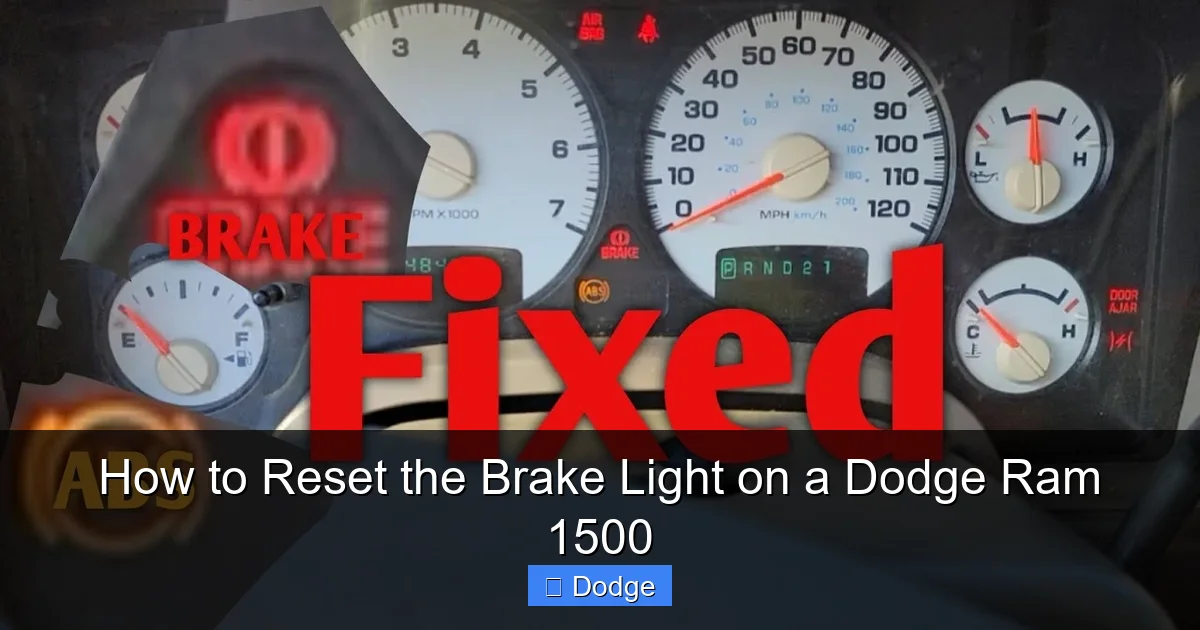
The brake warning light on a Dodge Ram 1500 typically appears as a red circle with an exclamation point inside it. This is different from the yellow ABS light, which stands for Anti-lock Braking System. While both relate to your braking system, they signal different problems. The red brake light usually indicates a mechanical or hydraulic issue—like low brake fluid, a problem with the parking brake, or a failing master cylinder. The yellow ABS light, on the other hand, points to an issue within the anti-lock braking system, such as a faulty wheel speed sensor or a malfunctioning ABS module.
Another light you might see is the brake fluid level warning. On some Ram 1500 models, especially those from 2009 onward, the vehicle monitors the brake fluid reservoir. If the fluid drops below a certain level—often due to worn brake pads or a leak—the system triggers a warning. This isn’t just a suggestion to top off fluid; it’s a safety alert that your braking performance could be compromised.
Then there’s the parking brake indicator. If you see a light that looks like a circled “P” or says “BRAKE,” it might simply mean the parking brake is engaged. But if the light stays on after you release the parking brake, the issue could be a stuck switch or a wiring problem.
Understanding these distinctions is the first step toward a successful reset. For example, if your brake fluid is low, resetting the light without addressing the root cause won’t solve anything—and could put you at risk. Similarly, if the ABS light is on due to a faulty sensor, a simple pedal press won’t fix it. That’s why we always recommend starting with a visual inspection and basic checks before attempting any reset.
Common Causes of the Brake Light Illumination
So, what’s really causing that pesky brake light to stay on? Let’s break down the most common culprits behind brake light warnings on the Dodge Ram 1500.
First and foremost: low brake fluid. This is by far the most frequent cause. Brake fluid is essential for transferring pressure from the brake pedal to the calipers. Over time, as brake pads wear down, the caliper pistons extend further, requiring more fluid in the system. This lowers the fluid level in the reservoir. When it drops below the minimum mark, a float sensor triggers the warning light. Topping off the fluid often resolves the issue—but only if there’s no leak. If you find yourself constantly refilling the reservoir, have your brakes inspected immediately.
Next up: the parking brake switch. Located near the parking brake lever, this small switch tells the vehicle whether the parking brake is engaged. If it gets stuck in the “on” position—due to dirt, corrosion, or mechanical wear—it can keep the brake light illuminated even when the parking brake is fully released. This is especially common in older Ram models or trucks used in harsh environments like snowy or salty roads.
Worn brake pads are another frequent trigger. Many Dodge Ram 1500s come equipped with brake pad wear sensors. These tiny electronic sensors are embedded in the brake pads and make contact with the rotor when the pads wear down to a critical level. When that happens, they complete a circuit and send a signal to the dashboard. Replacing the pads usually fixes the problem, but you’ll also need to reset the sensor—either manually or with a scan tool—depending on the model year.
Electrical issues can also play a role. Corroded connectors, damaged wiring, or faulty sensors (like wheel speed sensors for the ABS system) can send false signals to the vehicle’s computer. This is more common in trucks exposed to moisture, off-roading, or extreme weather.
Finally, a failing master cylinder or brake booster can trigger the brake light. These components are critical to your braking system’s operation. If they begin to leak or lose pressure, the vehicle detects a drop in hydraulic pressure and activates the warning light. This is a serious issue that requires professional diagnosis and repair.
Step-by-Step Guide to Resetting the Brake Light
Visual guide about How to Reset the Brake Light on a Dodge Ram 1500
Image source: carnewsbox.com
Now that you understand what might be causing the brake light, let’s get into the actual reset process. The method you use will depend on your Ram 1500’s model year, the type of brake light, and the root cause of the issue. Below, we’ll walk you through the most effective reset techniques—starting with the simplest and moving to more advanced methods.
Method 1: The Brake Pedal Reset (For Older Models)
If you drive a Dodge Ram 1500 from the early 2000s (2002–2008), there’s a good chance you can reset the brake light using a simple pedal technique. This method works by cycling the brake system and resetting the vehicle’s internal monitoring system.
Here’s how to do it:
1. Turn the ignition to the “ON” position (but don’t start the engine). You should see all dashboard lights illuminate, including the brake light.
2. Fully depress the brake pedal and hold it down.
3. While holding the pedal, turn the ignition to the “OFF” position.
4. Release the brake pedal.
5. Wait about 10 seconds.
6. Turn the ignition back to “ON” and check if the brake light is still on.
If the light is off, you’re good to go. If it comes back on after driving, the issue may be more serious.
Alternatively, some owners report success with this variation:
– Turn the ignition off.
– Press and release the brake pedal 20 to 30 times in quick succession.
– Wait 30 seconds.
– Turn the ignition on and check the light.
This method essentially “exercises” the brake system and can reset the sensor logic in older models. It’s not guaranteed to work on newer trucks, but it’s worth a try before moving to more complex solutions.
Method 2: Checking and Topping Off Brake Fluid
As mentioned earlier, low brake fluid is the most common cause of brake light warnings. Before attempting any electronic reset, always check your brake fluid level.
Here’s how:
1. Park your Ram 1500 on a level surface and turn off the engine.
2. Open the hood and locate the brake fluid reservoir. It’s usually a small, translucent plastic tank near the firewall on the driver’s side, labeled “Brake Fluid” or “DOT 3”/“DOT 4.”
3. Check the fluid level. There should be “MIN” and “MAX” markings on the side. The fluid should be between these lines.
4. If it’s below “MIN,” carefully add the correct type of brake fluid (check your owner’s manual—most Rams use DOT 3 or DOT 4).
5. Replace the cap securely.
After topping off the fluid, start the engine and see if the brake light turns off. If it does, great! But remember: if the fluid was low due to worn brake pads, you should have them inspected soon. Continuously low fluid could indicate a leak, which is a safety hazard.
Method 3: Resetting the Parking Brake Switch
If the brake light comes on when you release the parking brake, the issue might be a faulty or stuck parking brake switch.
To troubleshoot:
1. Sit in the driver’s seat and fully release the parking brake.
2. Listen for a click near the lever. If you don’t hear it, the switch may be stuck.
3. Gently wiggle the parking brake lever up and down while watching the dashboard light. If the light flickers or turns off, the switch is likely the culprit.
4. Locate the switch (usually a small plastic piece under the parking brake lever).
5. Clean the area with electrical contact cleaner and a small brush.
6. If cleaning doesn’t help, the switch may need replacement. This is a relatively inexpensive part (around $15–$30) and can be installed with basic tools.
After replacing or cleaning the switch, test the system by engaging and releasing the parking brake several times. The light should only come on when the brake is engaged.
Method 4: Using an OBD2 Scanner (For ABS and Modern Systems)
For Dodge Ram 1500 models from 2009 onward, many brake-related warnings—especially ABS lights—require an OBD2 (On-Board Diagnostics) scanner to reset. These vehicles use advanced electronic systems that store trouble codes, and simply turning the ignition off won’t clear them.
Here’s how to use an OBD2 scanner:
1. Purchase or borrow an OBD2 scanner. Basic models start around $20 and can be found at auto parts stores or online.
2. Locate the OBD2 port in your Ram 1500. It’s usually under the dashboard, near the steering column.
3. Plug in the scanner and turn the ignition to “ON” (do not start the engine).
4. Follow the scanner’s instructions to read trouble codes. Look for codes related to the brake system, such as C1015 (Brake Switch Circuit) or C0245 (ABS Pump Motor Circuit).
5. Once you’ve identified the issue, address it (e.g., replace a sensor, fix a wiring issue).
6. Use the scanner to clear the codes.
7. Turn the ignition off, then back on. Check if the brake light is still illuminated.
If the light returns, the problem may not be fully resolved, or there could be multiple issues. In that case, a professional diagnostic may be needed.
Method 5: Resetting the Brake Pad Wear Sensor
Some Dodge Ram 1500 models—especially those with electronic brake pad monitoring—have wear sensors that trigger the brake light when pads are worn. After replacing the pads, the sensor must be reset.
On many Rams, this is done manually:
1. Turn the ignition to “ON.”
2. Press and hold the brake pedal.
3. While holding the pedal, turn the ignition to “OFF.”
4. Wait 10 seconds.
5. Turn the ignition back to “ON.”
6. The brake light should flash or turn off, indicating a reset.
Alternatively, some models require a scan tool to reset the sensor. Check your owner’s manual or consult a repair guide for your specific year and trim.
When to Seek Professional Help
Visual guide about How to Reset the Brake Light on a Dodge Ram 1500
Image source: ramforum.com
While many brake light issues can be resolved at home, there are times when you should stop and call a mechanic. Ignoring a persistent brake warning can lead to brake failure, which is extremely dangerous.
Seek professional help if:
– The brake light stays on after trying all reset methods.
– You notice a spongy brake pedal, reduced braking power, or unusual noises (grinding, squealing).
– The brake fluid level keeps dropping, indicating a possible leak.
– The ABS light is on and you’ve ruled out sensor issues.
– You’re uncomfortable performing any of the steps above.
A certified mechanic can perform a full brake inspection, including checking the master cylinder, brake lines, calipers, and ABS module. They can also use advanced diagnostic tools to pinpoint electrical or hydraulic problems.
Preventing Future Brake Light Issues
Visual guide about How to Reset the Brake Light on a Dodge Ram 1500
Image source: carnewsbox.com
The best way to deal with brake light warnings is to prevent them from happening in the first place. Regular maintenance goes a long way in keeping your Dodge Ram 1500’s braking system in top shape.
Here are some proactive tips:
– Check your brake fluid every 3–6 months. Look for proper level and clean, clear fluid. Dark or cloudy fluid may indicate contamination and should be flushed.
– Inspect brake pads and rotors during oil changes. Most shops offer free brake inspections—take advantage of them.
– Listen for changes in brake performance. Squealing, grinding, or pulling to one side are signs of wear.
– Keep the parking brake mechanism clean and lubricated. Sticking cables or switches are common in trucks used in wet or salty conditions.
– Avoid overloading your truck. Excessive weight puts extra strain on the braking system.
– Replace brake components with OEM or high-quality aftermarket parts. Cheap parts may fail prematurely.
By staying on top of maintenance, you’ll reduce the chances of unexpected brake light warnings and extend the life of your braking system.
Final Thoughts
Resetting the brake light on your Dodge Ram 1500 doesn’t have to be a stressful experience. With the right knowledge and a few simple tools, most issues can be resolved quickly and safely at home. Start by identifying the type of brake light, checking fluid levels, and trying basic reset methods. For more complex problems—especially those involving the ABS system—an OBD2 scanner is your best friend.
Remember, your brakes are one of the most critical safety systems on your vehicle. Never ignore a persistent warning light. When in doubt, consult a professional. But for the majority of cases, the steps in this guide will get you back on the road with confidence—and your dashboard lights back to normal.
Frequently Asked Questions
Why is my brake light on after replacing the brake pads?
This is common if your Ram 1500 has a brake pad wear sensor. The sensor may still be active even after pad replacement. You’ll need to reset it manually or with a scan tool, depending on your model year.
Can I drive my Ram 1500 with the brake light on?
It depends on the cause. If it’s a false alarm (like a stuck parking brake switch), you may be able to drive short distances cautiously. But if the light indicates low fluid or a hydraulic issue, driving could be unsafe—stop and inspect immediately.
How much does it cost to reset the brake light at a dealership?
Dealerships typically charge $50–$150 for a diagnostic and reset, especially if an OBD2 scan is needed. Doing it yourself with a $20 scanner can save you money.
Will disconnecting the battery reset the brake light?
Disconnecting the battery may reset some systems, but it won’t clear stored trouble codes in modern Ram 1500s. An OBD2 scanner is more reliable for ABS and electronic brake warnings.
What type of brake fluid does a Dodge Ram 1500 use?
Most Ram 1500s use DOT 3 or DOT 4 brake fluid. Check your owner’s manual or the reservoir cap for the correct specification. Never mix different types.
How often should I check my brake fluid?
Check your brake fluid every 3–6 months or during routine maintenance. Also inspect it if the brake light comes on or you notice changes in braking performance.
