
How to Reset Oil Life on a Ford F-150

Resetting the oil life on your Ford F-150 is an essential step after every oil change to ensure your vehicle’s maintenance reminder system remains accurate. This comprehensive guide details the exact button sequences for different model generations, explains why the system exists, and provides troubleshooting tips if the reset fails. By following these simple procedures, you help maintain your truck’s performance and avoid potential engine wear.
So, you just finished the noble task of changing the oil in your Ford F-150. You’ve wiped your hands, disposed of the old oil responsibly, and maybe even treated yourself to a coffee. But there’s one crucial step that often gets overlooked, sitting there on your dashboard like a silent reminder: that glowing “Oil Change Required” or wrench icon. Ignoring it is a bad idea, but simply knowing how to reset oil life on a Ford F-150 can feel like deciphering a secret code. Don’t worry. It’s not a secret society; it’s a simple, logical process designed to keep your powerful truck’s heart—its engine—running smoothly for miles to come. This guide will walk you through every step, for every generation, turning that confusing chore into a 30-second victory.
Ford’s Oil Life Monitoring System (OLMS) is a sophisticated piece of technology. Unlike old-school stickers on your windshield that guessed based on miles, your F-150’s computer actually analyzes engine conditions. It counts revolutions, monitors engine temperature, and even notes if you’re doing a lot of short trips or severe towing. This means the “change oil” alert is tailored to your driving, not a generic schedule. But this smart system is only smart if you reset it. If you don’t, it will keep telling you to change oil that’s already fresh, or worse, it might eventually stop reminding you at all. Mastering this reset is a fundamental part of responsible F-150 ownership.
Key Takeaways
- The Oil Life Monitor is a smart system: It calculates oil degradation based on engine revolutions, temperature, and driving habits—not just mileage—making it more accurate than a simple mileage counter.
- Reset immediately after an oil change: Always reset the oil life to 100% right after fresh oil and filter are installed to ensure future alerts are timely and correct.
- Method varies by model year: The reset procedure differs significantly between older (pre-2013) and newer (2013+) F-150s, primarily using either instrument cluster buttons or steering wheel controls.
- No special tools are required: The entire process is done manually via your truck’s dashboard buttons; you never need a scan tool for a standard oil life reset.
- A failed reset indicates a problem: If the oil life percentage will not change, it could signal a faulty sensor, a glitch in the module, or that the system hasn’t recognized the new oil.
- Professional help is available: If DIY methods fail, a dealership or mechanic can diagnose deeper electrical or PCM issues that might prevent the reset.
📑 Table of Contents
- Understanding the Oil Life Monitoring System in Your F-150
- When and Why You Must Reset Oil Life
- How to Reset Oil Life on a Ford F-150: Methods by Model Year
- Troubleshooting: What to Do If the Oil Life Won’t Reset
- Professional Reset vs. DIY: When to Call for Help
- Maintaining Your F-150’s Health Beyond the Oil Reset
- Conclusion: A Simple Habit for a Long-Lasting Truck
Understanding the Oil Life Monitoring System in Your F-150
Before we dive into button-pressing, let’s appreciate what we’re resetting. The OLMS isn’t just a timer. It’s an algorithm. Ford engineers programmed it to account for the number one enemy of engine oil: heat. When you tow a heavy load up a steep grade in summer, your engine works harder and gets hotter, breaking down oil viscosity faster. The system detects these conditions and accelerates the countdown. Conversely, a long highway cruise at steady speeds is easier on the oil, potentially stretching the interval.
How It Calculates Oil Degradation
The system uses inputs from various sensors: engine coolant temperature, engine RPM, and vehicle speed. The primary processor (often part of the Powertrain Control Module or PCM) runs these numbers through a complex model that estimates the remaining useful life of the oil’s lubricating properties. When it calculates that the oil has degraded to a critical threshold—usually around 10-15% life remaining—it illuminates the service reminder on your dash. Resetting it tells the computer, “The oil is new now. Start the calculation over from 100%.”
Why Not Just Use Mileage?
Relying solely on a 5,000 or 7,500-mile interval is a one-size-fits-all approach that doesn’t account for real-world use. A taxi driving city miles all day needs oil changes more frequently than a truck used only for weekend highway trips. The OLMS personalizes this. This is why it’s so important to reset the oil life correctly—you’re essentially rebooting the personalized service clock for your specific driving style and conditions. It’s the difference between a generic prescription and one tailored just for you.
When and Why You Must Reset Oil Life
The golden rule is simple: reset the oil life immediately after you or your mechanic finishes the oil change. Do it before you even start the engine. This creates a clean, unambiguous starting point for the system. If you forget and drive a few miles first, the system will have already started deducting life from the new oil based on those initial drive cycles, throwing off your future alerts.
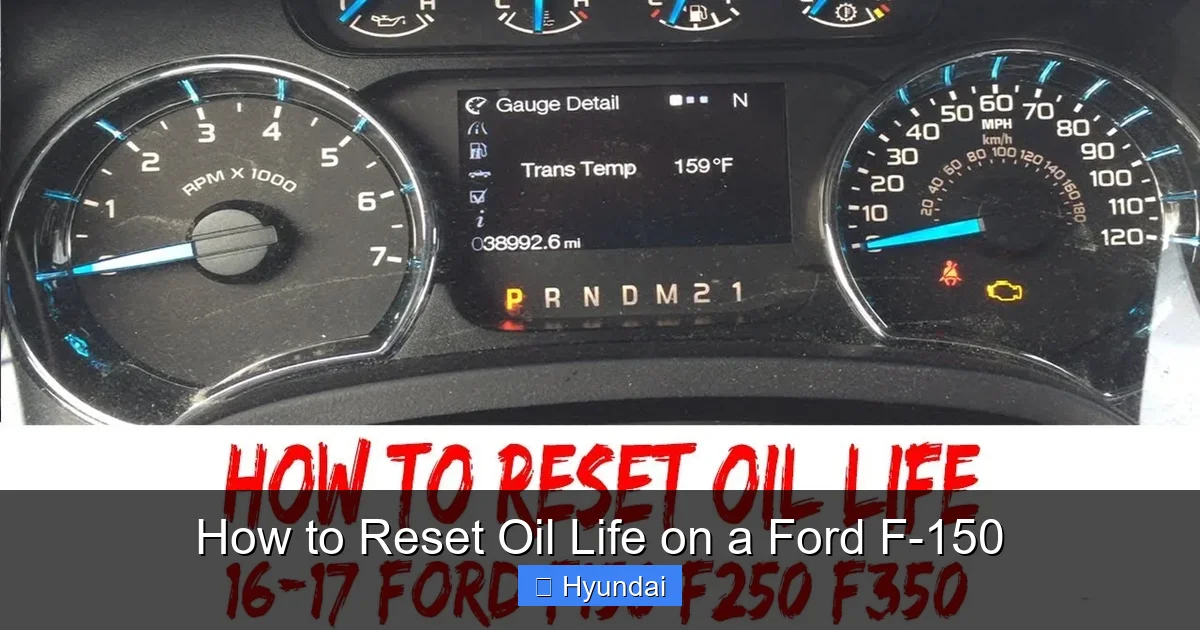
Visual guide about How to Reset Oil Life on a Ford F-150
Image source: i.ytimg.com
The Consequences of Not Resetting
If you neglect to reset, two bad things happen. First, the reminder light will stay on, a constant annoyance that you might eventually learn to ignore, which defeats the purpose of the warning system. Second, and more critically, the system’s internal clock keeps running down from its previous value. If it was at 5% when you changed the oil and you don’t reset it, it will soon hit 0% and may start counting into negative numbers. This can cause the system to malfunction or stop providing accurate alerts altogether, leaving you without a reliable maintenance guide. It’s like ignoring a low battery warning on your phone until it dies permanently.
Common Mistakes to Avoid
- Resetting BEFORE the oil change: This is a major error. You’re telling the computer the oil is new when it’s actually old and depleted. You will lose all accurate service intervals and risk severe engine damage.
- Using the wrong procedure: Applying the method for a 2021 model to a 2010 model won’t work. You must identify your truck’s generation and use the correct steps.
- Not confirming the reset: After following the steps, always ensure the display changes to 100% or reads “Oil Life 100%.” If it doesn’t, repeat the process carefully or consult the troubleshooting section.
How to Reset Oil Life on a Ford F-150: Methods by Model Year
This is the core of your mission. Ford changed the interface dramatically around the 2013 model year with the introduction of the SYNC system and more advanced instrument clusters. We’ll break it down into two primary eras: the Button-on-the-Dash era (pre-2013) and the Steering Wheel/SYNC era (2013+).

Visual guide about How to Reset Oil Life on a Ford F-150
Image source: i.ytimg.com
For 2013-2020 (and newer) F-150s: The Steering Wheel Method
This is the most common method for modern F-150s. You use the buttons on the left side of the steering wheel to navigate the digital display in the gauge cluster. The exact wording on your buttons may vary (some say “Menu,” “Info,” or have a page icon), but the logic is the same.
- Start with the truck OFF. The ignition should be in the OFF position, with the key out or the keyless fob away from the vehicle. Do not start the engine.
- Turn the ignition to the ON/RUN position. Press the START/STOP button without touching the brake pedal (or insert the key and turn to RUN). All dashboard lights will illuminate, but the engine remains off.
- Use the steering wheel buttons to navigate. Press the left arrow (or “Menu”) button on the steering wheel repeatedly until you see “Oil Life” or “Oil Life %” or a wrench icon appear on the digital display between the speedometer and tachometer.
- Select the reset option. Once “Oil Life” is displayed, press and hold the “SET” or “Enter” button (the center button on the left steering wheel stalk, or the button with a checkmark icon). You should see the percentage begin to change.
- Confirm the reset. Continue holding the button until the display reads “Oil Life 100%” or shows a confirmation message like “Reset?” followed by “Yes.” Release the button.
- Turn the ignition OFF. Press the START/STOP button again to turn the truck off. Wait a few seconds, then restart the engine to ensure the warning light is gone and the system is reset.
Pro Tip: If the display cycles through different menu items too quickly, press the button in short, deliberate presses instead of holding it down to navigate first. You need to be in the Oil Life menu, not another menu like “Tire Pressure.”
For 2004-2012 F-150s: The Instrument Cluster Button Method
Older F-150s have a dedicated “Reset” or “Trip” button on the instrument panel itself, usually near the odometer display. The process is similar but uses different controls.
- Turn the ignition ON. As before, turn the key to RUN or press START without braking.
- Use the dash button to find Oil Life. Press the “Mode” or “Info” button (often a black button on the gauge cluster) repeatedly until the message “Oil Life” or “Oil Life %” appears in the odometer display area.
- Press and hold the RESET button. Once the Oil Life message is showing, press and hold the separate “RESET” button (usually a smaller, red or black button labeled RESET).
- Wait for confirmation. Hold it for several seconds. You will see the percentage count up or flash, eventually reading “100%.” The word “Reset” may also appear and then disappear.
- Release and verify. Let go of the button. The display should now show “Oil Life 100%.” Turn the truck off and back on to confirm the service wrench is extinguished.
Important Note: On some very early models (2004-2008), you might need to press the RESET button twice quickly after the Oil Life message appears. The first press selects the menu, the second executes the reset. If holding doesn’t work, try the double-press method.
What About the SYNC System? (Some 2013+ Models)
While the steering wheel method is standard, on trucks equipped with the full SYNC 3 infotainment system, there is sometimes an alternative reset path through the vehicle settings menus. This is less common for oil life but may exist.
- With the ignition ON, go to the main SYNC screen.
- Navigate to Settings (the gear icon).
- Find Vehicle or Driver Settings.
- Look for Oil Life or Maintenance.
- Select Reset and confirm.
However, this method is not universal across all F-150 trims and model years. The steering wheel method is the most reliable and works on virtually every model from 2013 onward. If you can’t find it in SYNC, don’t panic—use the steering wheel buttons.
Resetting on the Newest F-150s (2021+) with Large Digital Clusters
The latest F-150s and the F-150 Lightning feature massive, configurable digital displays. The principle remains identical to the 2013-2020 method but the menu navigation might feel slightly different due to the touch-sensitive steering wheel controls or the digital gauge cluster’s layout.
- Ignition ON, engine off.
- Use the left steering wheel button (often a touchpad or directional pad) to scroll through the right-side digital display menus.
- Find the “Vehicle Status” or “Service” menu.
- Select “Oil Life” or “Oil Life Remaining.”
- When prompted, select “Reset” or press and hold the center confirm button until it reads 100%.
The key is to look for the wrench icon or a percentage number in the digital display area. Consult your owner’s manual for the exact path, as the menu names can change with SYNC updates.
Troubleshooting: What to Do If the Oil Life Won’t Reset
You followed the steps perfectly, but the stubborn percentage remains at 15% or the wrench icon still glows. Before you panic, try these steps.
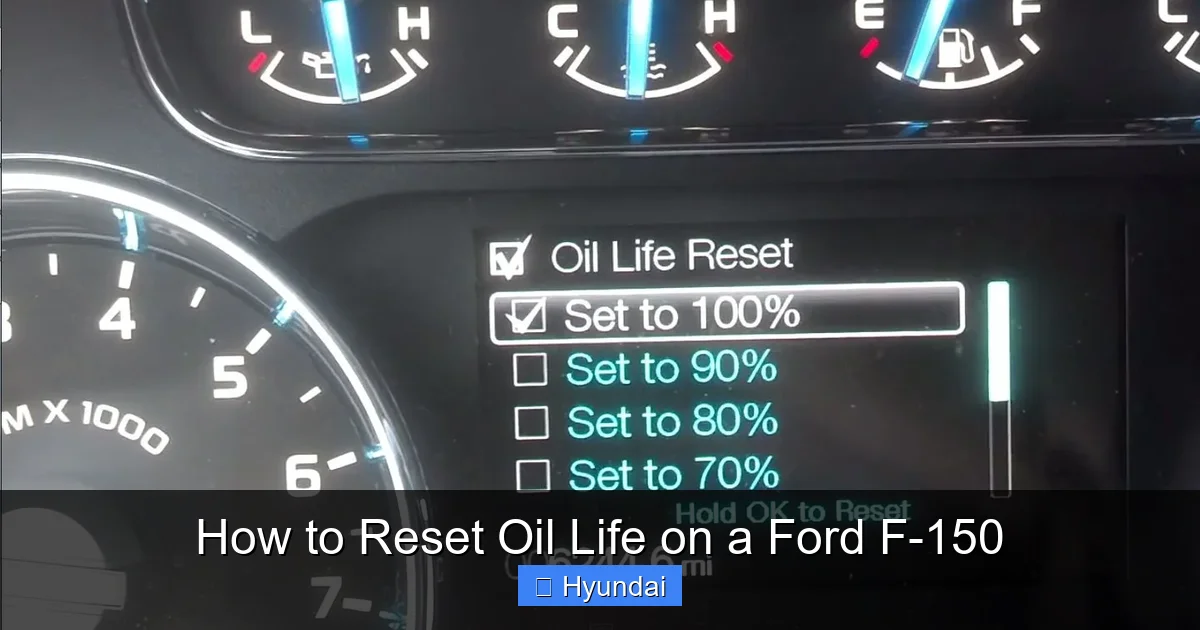
Visual guide about How to Reset Oil Life on a Ford F-150
Image source: cimg9.ibsrv.net
Step 1: Repeat the Procedure Carefully
It’s easy to mispress a button or not hold it long enough. Go through the exact steps for your model year again, very slowly. Ensure you are in the correct menu—sometimes the display cycles through multiple pieces of information (like “Miles to E” and “Oil Life”). You must have the Oil Life message actively showing on the screen before you press and hold the reset button.
Step 2: Try the Alternative Method
If you have a 2013+ truck and used the steering wheel method, try accessing it through the instrument cluster’s physical buttons (if equipped) on the dash itself. Some models have a small stalk or button behind the steering wheel or on the dashboard that controls the trip odometer and service menus. On older models, if the double-press didn’t work, try the long-hold method.
Step 3: Perform a Full System Reset
Sometimes the module gets “stuck.” A full vehicle reboot can help. Turn the ignition OFF. Open and close the driver’s door (this ensures all modules go to sleep). Wait 5 full minutes. Then, reconnect the key fob or turn the key to ON (do not start). Let the truck sit with all accessories OFF for another minute. Now, try the reset procedure again.
Step 4: The Last Resort – Professional Diagnosis
If none of the above works, the issue is likely electrical. The Oil Life System relies on signals from the PCM and sometimes the instrument cluster. A faulty sensor, a blown fuse for the instrument cluster, or a corrupted PCM memory can prevent the reset. At this point, you need a technician with a proper scan tool (like Ford’s IDS or a high-end universal scanner) that can communicate with the vehicle’s networks and force a reset or diagnose the fault. This is also a good time to have them check for any related diagnostic trouble codes (DTCs) stored in the system.
Professional Reset vs. DIY: When to Call for Help
For the vast majority of owners, resetting the oil life is a perfect DIY job. It takes less than a minute, requires no tools, and saves you a service bay fee. However, there are clear instances where seeking professional help is the smarter, safer choice.
Stick to DIY When:
- You have just completed an oil change yourself.
- The service reminder came on at the expected interval (e.g., 5,000 miles after your last reset).
- The reset procedure works as described in your owner’s manual.
- All other dashboard lights and systems are functioning normally.
Call a Professional When:
- The reset procedure fails repeatedly: After multiple correct attempts, if the light or percentage won’t change, there is an underlying electrical or module issue.
- The oil light comes on immediately after resetting: If you reset it, drive a short distance, and it comes right back on, the system may be detecting a fault—possibly low oil pressure or a bad sensor—not just normal wear.
- Multiple other warning lights are on: A widespread electrical gremlin or PCM problem could be affecting multiple systems, including the oil life monitor.
- You are uncomfortable with the steps: If the manual’s instructions confuse you, a quick visit to a dealer or trusted mechanic for a reset (often done for free with an oil change service) is worth the peace of mind.
Remember, a professional with advanced diagnostic tools can also verify that your oil pressure and sensor circuits are healthy during the same visit, providing a more complete picture of your engine’s status.
Maintaining Your F-150’s Health Beyond the Oil Reset
Resetting the oil life is one piece of a larger maintenance puzzle. It’s a critical communication tool from your truck to you, but it doesn’t replace a holistic approach to care.
Adhering to the Right Oil and Filter
The OLMS is calibrated for the oil specification Ford recommends for your engine. For most modern F-150s (especially the EcoBoost turbocharged engines), this is a specific weight like 5W-20 or 0W-20 and must meet Ford’s WSS (Worldwide Service Specification) standard, such as WSS-M2C947-A. Using the wrong oil can invalidate the OLMS calculations and harm your engine. Always check your owner’s manual. Pair it with a high-quality filter that meets OEM specs.
Understanding Real-World Service Intervals
While the OLMS is smart, it’s a guideline, not a law. If your driving is overwhelmingly “severe”—frequent short trips under 10 miles, extreme temperatures, dusty conditions, or constant trailer towing—you might need to change oil and reset the life more frequently than the system suggests. Conversely, if you exclusively drive long highway miles, you might get a few hundred more miles out of an interval. Use the OLMS as a helpful baseline, but apply common sense based on your actual use case.
Don’t Ignore Other Service Lights
Your F-150 has a suite of maintenance reminders: tire pressure, brake fluid, battery, and more. The process for resetting these is often similar but uses different menus. For instance, after rotating tires, you’ll need to reset the Tire Pressure Monitoring System (TPMS) separately. Familiarize yourself with the other reset procedures for systems like the tire pressure light on a Nissan Rogue or other common alerts, as the menu structures on many modern vehicles share similar logic. Keeping all systems accurately monitored is key to long-term reliability.
Conclusion: A Simple Habit for a Long-Lasting Truck
Knowing how to reset oil life on a Ford F-150 empowers you as an owner. It’s the final, crucial step in the oil change ritual that closes the loop on your truck’s maintenance communication cycle. It tells your F-150’s computer, “We’ve taken care of you. Now, start counting down for the next service.” This small act of attention ensures that the smart Oil Life Monitoring System remains your reliable co-pilot, warning you accurately when fresh oil is needed again. By identifying your model year, following the precise button sequence, and troubleshooting any issues, you maintain not just a system, but a habit of proactive care. Your F-150 is built for work and adventure. Keeping its engine properly lubricated with timely oil changes—and resetting the reminder—is the single most effective thing you can do to ensure it delivers that power and reliability for hundreds of thousands of miles. So, after your next oil change, take those extra 20 seconds. Your truck’s future self will thank you.
Frequently Asked Questions
How often should I reset the oil life on my Ford F-150?
You should reset the oil life to 100% immediately after every single oil and filter change, regardless of the mileage. This ensures the system’s countdown begins accurately from a fresh baseline.
What does it mean if my oil life is at 0%?
At 0%, the system is indicating the oil has reached the end of its calculated useful life and an oil change is overdue. Driving with oil at 0% life significantly increases the risk of engine wear and damage. Change the oil as soon as possible and then reset the monitor.
Can I reset the oil life without changing the oil?
Technically yes, you can perform the reset procedure without changing the oil, but this is strongly discouraged. It defeats the purpose of the safety system and will cause the monitor to give false readings, potentially leading you to neglect a necessary oil change.
Why won’t my oil life reset even after I followed the steps?
Common reasons include using the wrong procedure for your model year, not holding the reset button long enough, or a faulty oil life sensor/PCM. Try repeating the steps carefully, attempt an alternative method if available, or perform a full vehicle reboot. If it still fails, a professional diagnostic is needed.
Does resetting the oil life affect my truck’s warranty?
No. Resetting the oil life after a proper oil change using the correct oil and filter is part of normal maintenance and has no negative impact on your warranty. Failing to change the oil when indicated could, however, affect warranty coverage for related engine components.
How long can I drive after the oil change light comes on?
While the system provides a warning, it’s designed to give you enough time to schedule service. Once the light illuminates (usually at 10-15% life), you should plan to change the oil within the next 500-1,000 miles. Driving for several thousand miles beyond this point is risky and can cause premature engine wear.
