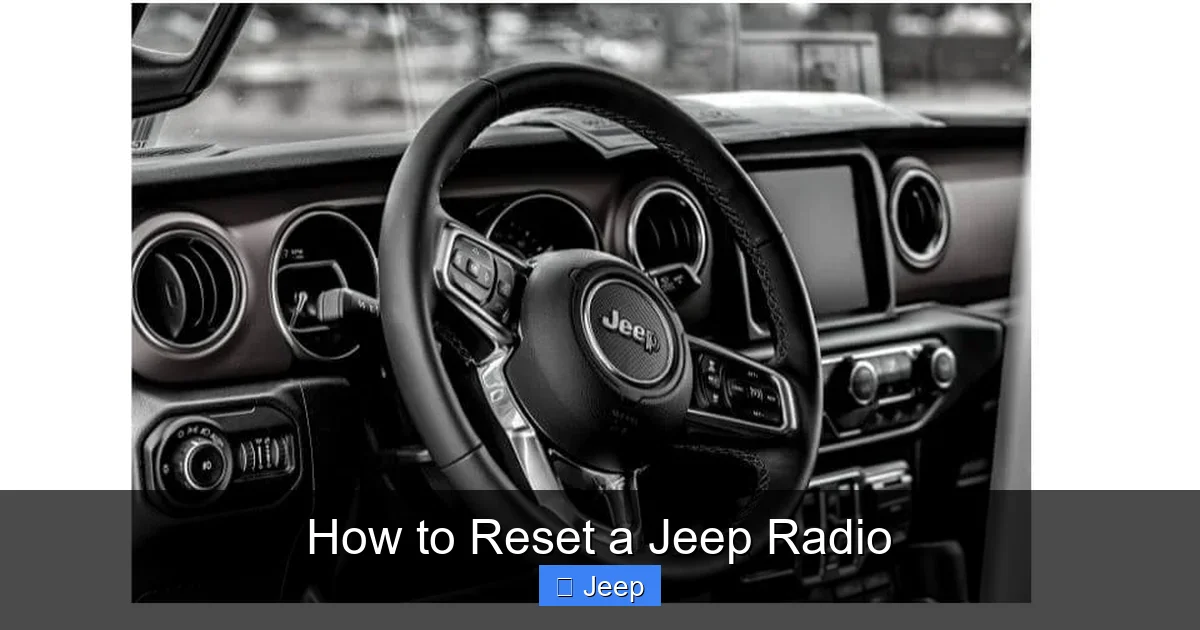
How to Reset a Jeep Radio

Contents
- 1 Key Takeaways
- 2 📑 Table of Contents
- 3 Understanding Your Jeep’s Audio Brain: Factory Radio vs. Uconnect
- 4 Essential Preparation Before You Reset
- 5 Method 1: The Soft Reset (Button Press Combination)
- 6 Method 2: The Hard Reset (Disconnecting Power)
- 7 Model-Specific Guides and Nuances
- 8 Troubleshooting: When a Reset Doesn’t Fix It
- 9 Maintaining a Healthy Jeep Infotainment System
- 10 Frequently Asked Questions


Resetting your Jeep’s radio is a common fix for glitches, frozen screens, or lost audio. The process is usually simple, often involving a specific button combination or a full system reboot by disconnecting the car battery. The exact method depends on your Jeep’s model year and whether you have a standard factory radio or the Uconnect infotainment system. Always consult your owner’s manual first, as procedures vary. If a basic reset fails, you may need a security code or professional help.
That moment of dread is familiar to many Jeep owners. You turn the key, the engine roars to life, but the silence from your speakers is total. The screen is frozen on the splash logo, or it just shows “No Audio.” Before you panic and call a dealer, take a deep breath. In most cases, resetting your Jeep radio is a straightforward DIY task that can bring your tunes, navigation, and hands-free calls back in minutes. This guide will walk you through every method, from the easiest button combo to the full battery disconnect, for virtually every Jeep model and radio system on the road today.
Why does a Jeep radio need resetting? Just like your smartphone or computer, the complex computer systems that run modern infotainment can get bogged down with software glitches, memory leaks, or corrupted updates. A reset is essentially a fresh start for that computer. It’s the automotive equivalent of turning it off and on again. For older, simpler radios, a reset can clear electronic hiccups caused by voltage spikes or minor component failures. Knowing how to perform this basic troubleshooting can save you time, money, and the frustration of a silent trail ride or commute.
Key Takeaways
- Identify Your System: Determine if you have a basic factory radio or a Uconnect infotainment system, as reset procedures differ significantly.
- Start with a Soft Reset: Always attempt the simplest button-press reset (like holding the power/volume knob) before moving to more invasive methods.
- A Hard Reset Clears Everything: Disconnecting the battery or the radio’s fuse will perform a full reset but will also erase all presets, settings, and may require a security code.
- Security Codes Are Critical: Many Jeep radios have an anti-theft feature. If your radio asks for a code after a hard reset, you must locate it in your owner’s manual or from a dealer.
- Model Year Matters: Procedures for a 2023 Grand Cherokee’s Uconnect 5 system are different from a 2010 Wrangler’s basic radio. Your owner’s manual is your best resource.
- When to Seek Help: If the screen remains blank, there’s no sound, or the radio requests a code you don’t have, consult a Jeep dealership or a professional car audio installer.
- Preserve Your Settings: Before any hard reset, write down your radio presets, equalizer settings, and Bluetooth pairings so you can restore them afterward.
📑 Table of Contents
- Understanding Your Jeep’s Audio Brain: Factory Radio vs. Uconnect
- Essential Preparation Before You Reset
- Method 1: The Soft Reset (Button Press Combination)
- Method 2: The Hard Reset (Disconnecting Power)
- Model-Specific Guides and Nuances
- Troubleshooting: When a Reset Doesn’t Fix It
- Maintaining a Healthy Jeep Infotainment System
Understanding Your Jeep’s Audio Brain: Factory Radio vs. Uconnect
Before you press a single button, you must know what you’re dealing with. The reset process is dictated by the hardware and software under your dash or in your dashboard. There are two primary families you’ll encounter.
The Classic Factory Radio
Found in older Jeeps (generally pre-2014 for most models) and some base trims of newer ones, this is a traditional head unit. It may have a CD player, AM/FM radio, and maybe an auxiliary input. Its “computer” is simpler. Resets are typically physical, involving button holds or fuse removal. There’s rarely a touchscreen menu for system resets. If you see a small, monochrome display or a resistive touchscreen, you likely have this type.
The Uconnect Infotainment System
This is Stellantis’s (Fiat Chrysler Automobiles’ parent company) branded suite of connectivity and entertainment. It’s standard in most modern Jeeps from the late 2000s onward, especially in higher trims. Uconnect features large color touchscreens, Bluetooth, navigation, Apple CarPlay/Android Auto, and sophisticated settings menus. Resetting a Uconnect system often has a software-based option within the settings menu itself, in addition to hardware methods. The generation matters: Uconnect 3, 4, 4.3, 5, and the latest 6/7 all have slightly different menu paths and reset behaviors. Your Jeep’s year and model will determine which Uconnect version you have.
Why does this distinction matter? A software menu reset is clean and preserves most settings. A hard reset (battery disconnect) on a Uconnect system will trigger the anti-theft security lockout, demanding a code. A classic radio might just come back on without a code, or it might have a separate, simpler anti-theft system. Identifying your system is the first and most critical step.
Essential Preparation Before You Reset
You wouldn’t start a road trip without checking your tires. Similarly, a few minutes of prep will make your Jeep radio reset smoother and prevent minor headaches.

Visual guide about How to Reset a Jeep Radio
Image source: windupradio.com
Gather Your Owner’s Manual
This is your single most important tool. Every Jeep owner’s manual has a dedicated section for the radio or infotainment system. It will list the exact reset procedure for your specific model year, trim, and radio code. Procedures can change even within the same model year based on optional equipment. If you don’t have the physical book, most are available as free PDFs on the Jeep owner’s website.
Locate Your Radio Anti-Theft Code
This is non-negotiable if you plan to disconnect the battery or remove the radio fuse. The code is a 4-digit (sometimes 5-digit) number that “unlocks” the radio after a total power loss. It’s a theft deterrent. Find it before you reset. Check:
- The owner’s manual: It’s often on a sticker in the radio or manual section.
- The glove box: A sticker on the compartment lid or inside.
- Under the trunk mat: Sometimes placed there by the dealer.
- Your dealer: If you can’t find it, a Jeep dealership can provide it with your VIN and proof of ownership. Some third-party websites also claim to generate codes, but use them with caution.
Write this code down and keep it in your glove box for future emergencies.
Note Your Current Settings
A full reset will wipe the slate clean. Take a photo or write down:
- All AM/FM radio presets (stations 1-6 for each band).
- Bluetooth paired devices (you’ll need to re-pair phones).
- Sound system settings: bass, mid, treble, fade/balance, equalizer presets.
- Navigation favorites or saved addresses if applicable.
- Phone contacts downloaded via Bluetooth (these often stay on your phone, but the link is broken).
Method 1: The Soft Reset (Button Press Combination)
This is your first and safest line of defense. It’s designed to reboot the radio’s internal computer without losing settings or triggering the anti-theft system. Think of it as restarting your phone.

Visual guide about How to Reset a Jeep Radio
Image source: windupradio.com
For Most Uconnect Systems (With Touchscreen)
The process is beautifully simple and consistent across many Uconnect generations.
- Ensure the vehicle is OFF. The ignition should be in the “OFF” position, not “ACC” or “RUN.”
- Press and hold the “HOME” or “MENU” button (the physical button, not the screen icon) and the “TUNER” or “RADIO” button simultaneously. On many systems, this is the knob that controls volume/scroll.
- Hold for 10-15 seconds. You should see the screen go black, possibly display the Jeep/Stellantis logo, and then boot back up. The startup chime may sound.
- Release the buttons and wait for the system to fully initialize. This can take 30-60 seconds. Do not touch the screen during this time.
Pro Tip: If the above doesn’t work, try holding the “POWER” button (if it’s a physical button) and the “EJECT” button for the CD player (if equipped) for 10 seconds.
For Older Factory Radios (Non-Uconnect)
These rely on a different sequence. The most common method is a “button hold” reset.
- Turn the ignition to “ON” or “ACC” but do not start the engine.
- Press and hold the “DISP” (Display) or “TEXT” button. On some models, it’s the “POWER” button itself.
- While holding that button, press the “PRESET 1” button (or sometimes the “PRESET 6” button).
- Hold the combination for 5-10 seconds until the display blinks or resets to the default clock time.
- Release all buttons. The radio may turn off and back on automatically.
If this fails, consult your manual for the exact sequence for your specific radio model number, which is usually on a sticker on the faceplate or in the manual.
Method 2: The Hard Reset (Disconnecting Power)
When a soft reset fails, or the radio is completely frozen and unresponsive, a hard reset is the next step. This cuts all power to the unit, forcing a complete reboot. This method WILL trigger the anti-theft system and require your code.

Visual guide about How to Reset a Jeep Radio
Image source: windupradio.com
Option A: Disconnecting the Car Battery (The Nuclear Option)
This is the most comprehensive reset, as it powers down the entire vehicle’s computer network for a period. It’s effective but has broader implications.
- SAFETY FIRST: Park on a flat surface, engage the parking brake, and ensure the ignition is OFF. Wear safety glasses and gloves.
- Locate the battery: In most Jeeps, it’s in the engine bay. Some Wranglers and older models have it under the hood or even in the trunk.
- Disconnect the NEGATIVE (-) terminal first. Use a 10mm wrench to loosen the clamp. Pull the cable off and tuck it away so it cannot accidentally touch the terminal.
- Wait. Leave the battery disconnected for at least 10-15 minutes. This ensures all residual power drains from the vehicle’s capacitors and the radio’s memory. Some recommend 30 minutes for a truly deep reset.
- Reconnect the NEGATIVE terminal and tighten the clamp securely.
- Start the car. The radio will likely display “CODE” or “ENTER CODE.” Use your keypad to input the 4/5-digit security code you located earlier.
- Reconfigure your settings. All presets and system preferences will be gone. Refer to your notes from the preparation step.
Important: Disconnecting the battery will also reset other vehicle systems, like the engine computer (PCM), climate control presets, and power window/mirror memory. You may need to perform a “relearn” procedure for the idle or steering angle sensor, though modern Jeeps often handle this automatically. The engine might run a bit rough for the first start as it recalibrates.
Option B: Pulling the Radio Fuse (The Targeted Approach)
This is a more surgical hard reset that only powers down the radio, leaving the rest of the vehicle’s electronics alone. It’s less disruptive than a battery disconnect.
- Find your fuse box. Jeeps have two: one under the hood (engine compartment) and one inside the cabin, usually on the lower left side of the dash panel (you need to open the driver’s door and pry off the plastic cover). The radio fuse is almost always in the interior fuse box.
- Consult the fuse diagram. The cover of the fuse box has a schematic. Look for “RADIO,” “INFO ENTERTAINMENT,” “Uconnect,” or “AMP” (for the amplifier). The amperage is usually 10A, 15A, or 20A.
- Use the fuse puller (usually provided in the fuse box) or needle-nose pliers to remove the identified fuse.
- Wait 2-5 minutes. This is sufficient to drain the radio’s internal capacitor.
- Reinsert the fuse firmly. Ensure it’s seated properly in the correct slot.
- Turn the ignition ON. The radio should power up normally. If it asks for a code, you’ll need it. If it comes right back on with your presets intact, your system may not have a memory-backup capacitor and a fuse pull was just a soft reset.
Note: On some Jeeps with Uconnect, the radio fuse also controls other modules. Pulling it might cause other warning lights to appear temporarily. This is normal and should clear after a drive cycle.
Model-Specific Guides and Nuances
While the above methods cover 90% of cases, certain Jeep models and generations have unique quirks. Here’s a breakdown for the most common platforms.
Jeep Wrangler (JL/JT 2018-Present & JK 2007-2018)
The Wrangler is a special case due to its removable doors and top, and its often-aftermarket-friendly nature.
- Uconnect 4/4.3/5 (JL/JT): The standard soft reset (holding HOME + TUNER) works perfectly. For a hard reset, the radio fuse is in the interior fuse box (JB) and is labeled “RADIO” or “INFO.”
- Aftermarket Radios: If your Wrangler has an aftermarket head unit (Pioneer, Alpine, Kenwood, etc.), the reset procedure is entirely specific to that brand. Consult the aftermarket unit’s manual. The general fuse-pull method will still work, but button combinations will differ.
- The “Key In, Ignition On” Trick: For some glitchy Uconnect systems, simply turning the key to the “RUN” position (without starting) and letting the system sit for 10 minutes can allow it to enter a deep sleep and reset itself.
Jeep Grand Cherokee (WK2 2014-2023 & WK 2005-2013)
The Grand Cherokee, especially in higher trims, is a Uconnect powerhouse.
- Uconnect 5 (2022+): The soft reset is via the physical HOME and TUNER/SCROLL knob hold. There is also a “Factory Reset” or “Clear All Private Data” option buried in the Settings menu under “System” or “Privacy.” This is a software wipe but does not trigger the anti-theft code lockout.
- Uconnect 4/4.3 (2014-2021): Same physical button hold. The menu-based reset is also available. Be aware that on some models, the radio and the rear seat entertainment system (if equipped) share a fuse.
- Older Grand Cherokees (2005-2013): These often have the “DISP + PRESET 1” button hold reset. The anti-theft code is crucial here.
Jeep Cherokee (KL 2014-2023) & Compass/Patriot
These smaller crossovers share much of their electronics with the Dodge Durango and Ram trucks.
- Uconnect 4/4.3: Standard soft reset applies. For a hard reset, the radio fuse is typically in the interior fuse panel. A helpful tip: if your radio is dead but the screen backlight is on, it might be an amplifier or speaker issue, not a radio reset problem.
- Relevance to Other Models: Because the Cherokee and Dodge Durango are platform siblings, the procedure for resetting a Dodge Durango radio is nearly identical. If you get stuck, that guide can be a valuable cross-reference.
Jeep Gladiator (JT 2020-Present)
As the Wrangler’s pickup sibling, the Gladiator’s procedures are virtually identical to the JL Wrangler. The fuse locations and button holds are the same. The key consideration is its off-road nature—vibration can sometimes loosen connections, so a simple fuse pull may be more effective than a button hold for intermittent issues.
Troubleshooting: When a Reset Doesn’t Fix It
You’ve tried the soft reset. You’ve pulled the fuse for 10 minutes. You’ve even disconnected the battery, entered your code, and… nothing. The screen stays black, or there’s still no sound. Now what? A reset fixes software, not hardware. It’s time to diagnose other potential issues.
The Radio Asks for a Code You Don’t Have
This is the most common post-reset hurdle. The anti-theft system has done its job. Your path forward:
- Search meticulously: Re-check the owner’s manual, glove box sticker, under the trunk mat.
- Contact a Jeep dealer: Provide your VIN and proof of ownership (title or registration). They can look up the code in their system. There is often a small fee.
- Online code generators: Websites exist that generate codes from the radio’s serial number (found on a sticker on the radio itself, which requires removal). This is a gray area. Proceed with caution and understand the risks.
- If the code is “ERROR” or “INVALID”: You may have entered it incorrectly too many times. The system may lock for a period (e.g., 1 hour with ignition on) or require a dealer’s scan tool to clear the lockout.
No Sound, But Radio Works (Display Lights Up)
The head unit is alive, but the audio path is broken. Check these in order:
- Volume/Mute: Sounds silly, but ensure the volume is up and not muted. Check the balance/fade settings—sound could be sent to non-existent rear speakers.
- Amplifier Fuse: Many Jeeps, especially Grand Cherokees and Wranglers with premium sound, have a separate fuse for the amplifier. This is often in the same interior fuse box but labeled “AMP” or “AUDIO AMP.”
- Speaker Wiring: A door speaker wire can be pinched or chafed, especially in a Wrangler with removable doors. A bad connection can sometimes cause the amp to shut down.
- Aftermarket Harness: If the radio was replaced, the wiring harness adapter may have failed or a connection came loose.
Blank Screen, No Power
The radio appears completely dead.
- Backlight vs. Full Power: Shine a bright light on the screen. Can you see a faint display? If yes, the backlight is out, but the unit has power. This is a backlight failure, not a reset issue.
- Radio Fuse: Even if you pulled it, it could be blown. Visually inspect the metal strip inside the plastic fuse. If it’s broken, replace it with a new fuse of the same amperage. A blown fuse indicates a short circuit somewhere.
- Wiring to Ignition: The radio’s power wire that gets “switched” power from the ignition may be loose at the back of the radio or at a connector under the dash.
- Failed Radio: After exhausting all other options, the head unit itself may have failed. This requires replacement or professional repair.
Maintaining a Healthy Jeep Infotainment System
Prevention is the best cure. A few habits can keep your Jeep’s radio running smoothly for years.
Keep Software Updated
Stellantis periodically releases software updates for Uconnect systems. These updates fix bugs, improve performance, and add features. You can often check for updates via a USB drive download from the Jeep owner’s portal or through a dealer. A system that’s years out of date is more prone to glitches.
Power Down Properly
Avoid constantly turning the ignition off and on rapidly while the radio is playing. This can cause voltage spikes. Let the system fully boot before driving away, and let it shut down completely (screen goes black) before turning off the ignition.
Be Cautious with Aftermarket Installations
If you add an aftermarket radio or amplifier, ensure it’s done by a professional using the correct wiring harness adapters (like those from Metra or PAC). A poor installation can cause parasitic battery drain, blown fuses, and intermittent radio failures that mimic software glitches.
Know When to Call a Pro
If you’ve performed a proper reset with the correct code and the radio still fails, it’s time to seek expert help. A dealership’s diagnostic tools can communicate directly with the Uconnect module to read error codes. An independent car audio shop can test the radio on a bench, diagnose amplifier issues, or repair speaker wiring. For complex electrical gremlins, a general auto electrician may be needed.
Resetting your Jeep radio is a powerful tool in your DIY arsenal. It’s the first, simplest step in a diagnostic process. By understanding your system, preparing with your code, and methodically working through the soft and hard reset options, you can solve the vast majority of radio problems yourself. Remember to always start with the gentlest method, document your settings, and don’t hesitate to consult your manual or a professional when the problem lies beyond a simple reboot. Now, go turn up the volume and enjoy the open road with your favorite soundtrack.
Frequently Asked Questions
How do I reset my Jeep radio if I don’t have the security code?
If a hard reset triggers the code request and you don’t have it, your primary option is to contact a Jeep dealership with your VIN and proof of ownership. They can retrieve it from their system. Online code generators exist but require you to remove the radio to get its serial number and are not officially sanctioned. A soft reset (button hold) does not require a code and is your only code-free option.
Why did my Jeep radio suddenly stop working?
>The most common cause is a software glitch or memory leak in the Uconnect system, which a simple soft reset will fix. Other causes include a blown fuse (check the radio and amplifier fuses), a loose wiring connection (especially in a Wrangler with removable doors), a failed amplifier, or a complete radio unit failure. A dead car battery or recent battery disconnect can also cause it to seem “stopped” when it just needs the security code.
Is the reset procedure the same for a Jeep Wrangler and a Grand Cherokee?
>No, while they often share similar Uconnect software versions, the physical button layout can differ slightly. The standard soft reset (holding HOME + TUNER knob) is consistent across most modern Uconnect systems in both models. However, fuse locations and names vary between model years and trims. Always confirm using your specific owner’s manual rather than assuming they are identical.
Will disconnecting the battery reset other things in my Jeep?
>Yes. Disconnecting the negative battery terminal will reset the Engine Control Module (PCM), Transmission Control Module (TCM), and other vehicle computers. This may cause the engine to idle or shift differently for the first few drive cycles as it relearns. It will also reset clock, radio presets, power window/mirror memory, and steering angle sensor calibration (which may trigger a light that goes away after a short drive).
Can I reset the Uconnect system from the menu?
>Yes, most Uconnect systems (4.3, 5, etc.) have a software-based reset option. Go to Settings > System > Reset or Settings > Privacy > Clear All Private Data. This will reboot the system and often clear glitches without triggering the anti-theft lockout, meaning you won’t need your radio code. It will, however, erase your Bluetooth pairings and some personal settings.
When should I take my Jeep radio to a professional instead of resetting it myself?
>You should consult a professional if: the radio requests a security code you cannot obtain; the screen is completely blank and not just frozen (backlight failure); there is no sound but the radio appears functional (potential amp or wiring issue); the reset works temporarily but the problem returns frequently (indicating a deeper hardware or software fault); or you are uncomfortable accessing fuses or the battery. A dealership can run diagnostics on the Uconnect module, while a car audio shop can test and repair the unit or its peripherals.