
How to Program a Garage Door Opener on a 2023 Hyundai Santa Fe

Programming the garage door opener in your 2023 Hyundai Santa Fe is a straightforward process using the built-in HomeLink® system. First, locate the HomeLink buttons on your rearview mirror or overhead console. For standard remotes, you’ll press and hold the desired HomeLink button while simultaneously pressing your garage remote. For newer rolling code systems, you’ll put your garage opener into “learn” mode before pairing. The entire process typically takes under 60 seconds per door.
Key Takeaways
- HomeLink® is Standard: Every 2023 Hyundai Santa Fe comes equipped with the HomeLink® wireless control system, typically integrated into the rearview mirror or overhead console.
- Two Main Technologies: You must identify if your garage door opener uses a standard fixed code or a modern rolling code system, as the programming steps differ significantly.
- Simple Button Combination: For fixed-code systems, programming involves pressing and holding the chosen HomeLink button while pressing your handheld remote’s button.
- “Learn” Mode is Key: Rolling code systems require you to locate and press the “Learn” button on your main garage door opener unit, then return to the car to complete pairing.
- Indicator Lights Guide You: The HomeLink button’s LED light (slow vs. fast flashing, solid) tells you exactly what stage of the process you’re in and when programming is successful.
- Compatibility is Universal: HomeLink works with nearly all major brands like LiftMaster, Chamberlain, Genie, and Craftsman, but the method depends on your opener’s age and model.
- Erase Before You Re-Program: If you’re replacing a remote or selling the car, always perform a factory reset on the HomeLink button first to clear old codes.
📑 Table of Contents
- Unlocking Convenience: Your Santa Fe’s Built-In Garage Door Opener
- Understanding Your System: Standard vs. Rolling Code
- Programming a Standard Fixed-Code System
- Programming a Rolling Code (Security+) System
- Troubleshooting: When the Door Won’t Open
- Programming Multiple Devices and Gates
- Maintenance and Best Practices for Your Programmed System
- Beyond the Garage: Other HomeLink Uses
- Conclusion: Seamless Integration at Your Fingertips
Unlocking Convenience: Your Santa Fe’s Built-In Garage Door Opener
One of the quiet luxuries of modern vehicles is the ability to leave your handheld garage door remote behind. Your 2023 Hyundai Santa Fe is equipped with the HomeLink® Wireless Control System, a powerful feature that lets you control your garage door, gate, and even home lighting from buttons built into your car. Programming it isn’t magic—it’s a simple, logical process once you understand your garage door opener’s technology. This guide will walk you through every step, from identifying your system type to troubleshooting, ensuring you can program your garage door opener with confidence. Think of it as syncing your car to your home, a small task that makes daily life flow just a little smoother.
We’ll break it down into clear stages. First, you’ll learn to identify whether you have a standard or rolling code system. Then, we’ll dive into the precise button presses for each method. Finally, we’ll cover what to do if things don’t work on the first try. By the end, you’ll have mastered this handy feature, making your Hyundai Santa Fe even more integrated into your daily routine. Let’s get started.
Understanding Your System: Standard vs. Rolling Code
Before you touch a single button, you need to know what type of signal your garage door opener uses. This is the single most important step, as it determines the entire programming sequence. There are two primary types: standard fixed-code systems and rolling code (or Security+) systems.
Visual guide about How to Program a Garage Door Opener on a 2023 Hyundai Santa Fe
Image source: garagedoorpedia.com
Identifying a Standard Fixed-Code System
These are the older systems, typically found in garage door openers manufactured before the early 2000s. They use a set series of numbered DIP switches (small sliding switches) on both the handheld remote and the main opener unit. If you open the battery compartment of your handheld remote and see a row of 8, 9, or 10 switches that can be set to ON or OFF positions, you have a fixed-code system. The pattern of these switches is your “code.” Programming your Santa Fe’s HomeLink to this system is a direct copy of that code from your remote to your car.
Identifying a Rolling Code (Security+) System
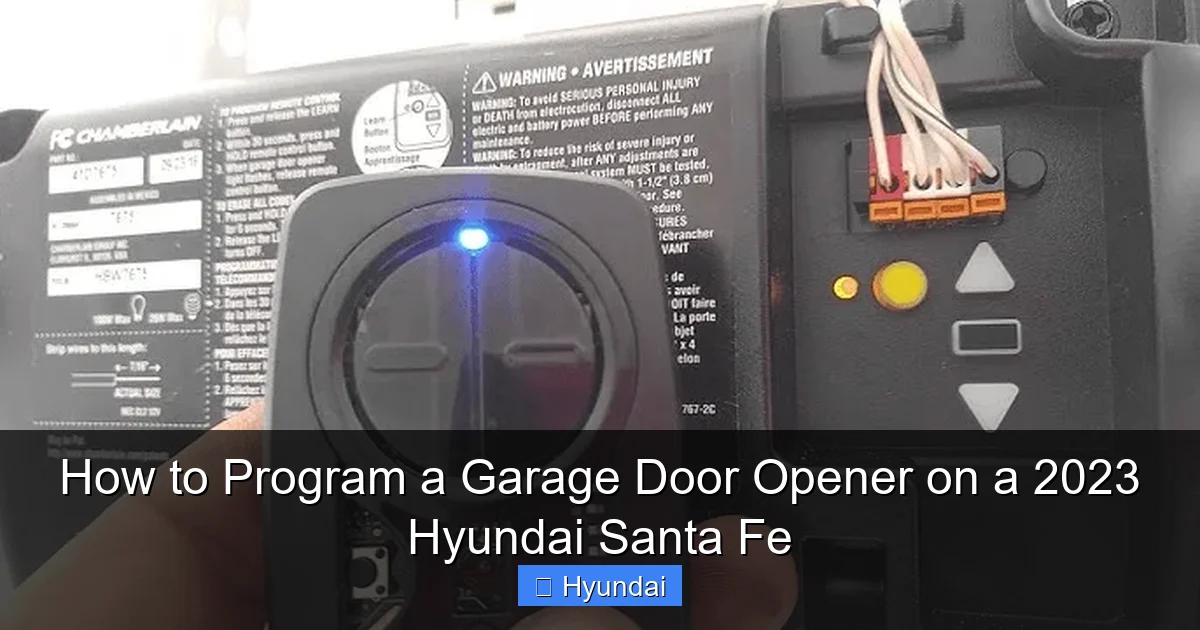
This is the modern standard for security. Brands like LiftMaster, Chamberlain, and Genie have used rolling code technology for over two decades. Instead of a fixed code, it generates a new, unique code every time you press the button, making it virtually impossible to replicate. There are no DIP switches. Instead, the main opener unit has a colored “Learn” button (usually yellow, purple, or orange/red). If your opener has one of these buttons, you have a rolling code system. The programming involves putting your garage opener into “learn” mode and then teaching your Santa Fe’s HomeLink the signal.
Pro Tip: If you’re unsure, your garage door opener’s model number (on the back of the main unit) is your best clue. A quick online search for “[Your Brand] [Your Model] rolling code” will confirm it. You can also check your handheld remote; if it has a “Learn” or “Smart” button, it’s almost certainly rolling code.
Programming a Standard Fixed-Code System
If your opener uses DIP switches, follow these steps precisely. This method essentially has your Santa Fe’s HomeLink button learn the signal directly from your existing handheld remote.
Visual guide about How to Program a Garage Door Opener on a 2023 Hyundai Santa Fe
Image source: garagedoorpedia.com
Step-by-Step for Fixed-Code Openers
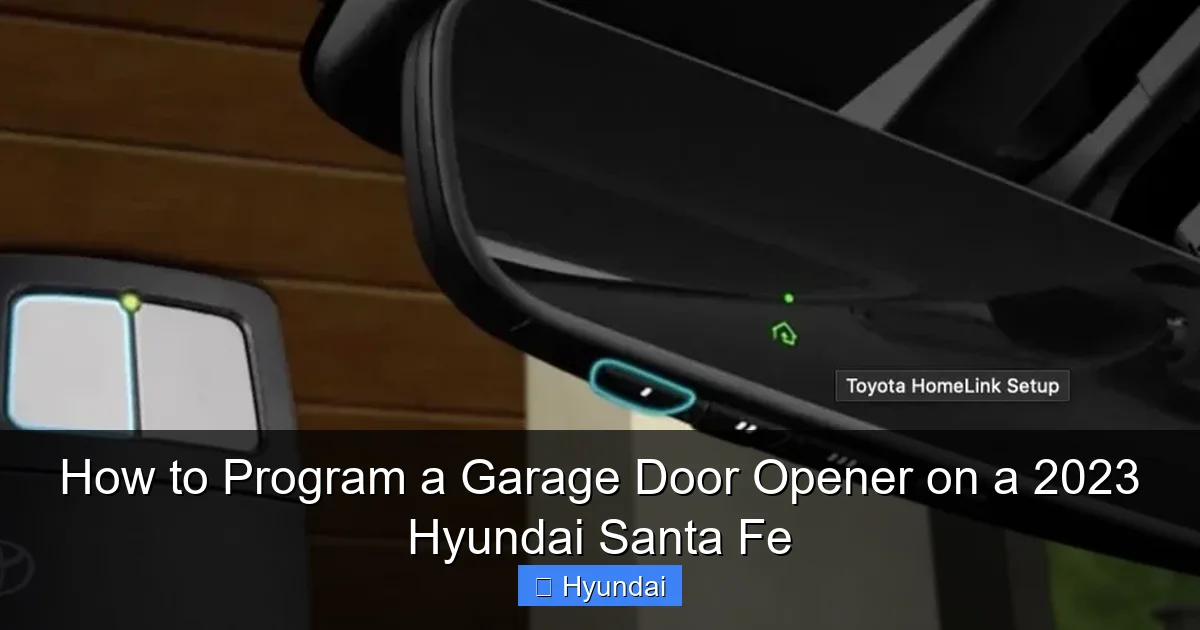
Step 1: Prepare Your Vehicle. Sit in the driver’s seat of your 2023 Hyundai Santa Fe. Start the car or turn the ignition to the “ON” position (the position right before starting the engine). This ensures all electrical systems are powered. Locate your HomeLink buttons. They are most commonly found on the rearview mirror, but can also be on the overhead console near the map lights. You’ll see three small, round buttons, each with a little house icon.
Step 2: Clear the Button (Recommended). If you’re programming a button that was previously used, it’s good practice to clear it first. Press and hold the outer two HomeLink buttons simultaneously. Watch the indicator light; it will begin to flash slowly. After about 10-20 seconds, the light will change to a rapid flash, then go out. Release the buttons. The button is now factory reset and ready to learn a new code.
Step 3: Enter Training Mode. Choose which of the three HomeLink buttons you want to assign to your garage door. Press and hold that button down. Do not release it. The indicator light will begin to glow steadily after a second or two. Keep holding it.
Step 4: Transmit from Your Handheld Remote. While continuing to hold the HomeLink button in your Santa Fe, take your original garage door remote. Position it about 1-3 inches away from the HomeLink button (the base of your rearview mirror is a good spot). Firmly press and hold the button on your handheld remote. You are trying to transmit its signal to the car’s receiver.
Step 5: Observe the Indicator Light. The HomeLink indicator light will initially stay solid, then may begin to blink slowly. Keep both buttons pressed. The critical moment is when the light changes to a rapid, fast blink. This fast blinking means the HomeLink system has successfully learned and stored the fixed code from your remote. At this exact moment, you can release both buttons—the one in your car and the one on your remote.
Step 6: Test the Programming. The HomeLink button’s light should now be off or solid. Press the programmed HomeLink button in your Santa Fe. Your garage door should operate. If it doesn’t, repeat steps 3-5, ensuring you hold the buttons long enough to see the rapid flash. Sometimes, you need to do the sequence 2-3 times for the car to capture the signal properly.
Programming a Rolling Code (Security+) System
This is the more common method for modern garages. The process involves a “handshake” between your car and the main garage door opener unit itself, not just the remote. This is more secure and is required for openers with a “Learn” button.
Visual guide about How to Program a Garage Door Opener on a 2023 Hyundai Santa Fe
Image source: garagedoorpedia.com
Step-by-Step for Rolling Code Openers
Step 1: Vehicle Preparation. Just like before, get into your 2023 Hyundai Santa Fe, turn the ignition to “ON,” and locate the HomeLink buttons. Clear the desired button using the simultaneous outer button press method described above if needed.
Step 2: Initiate HomeLink Training Mode. Press and hold the chosen HomeLink button. The indicator light will glow steadily after a moment. Keep holding it.
Step 3: Access Your Garage Opener’s “Learn” Button. You now need to go to your garage door opener’s main unit, which is typically mounted on the ceiling of your garage. Use a sturdy ladder for safe access. Once there, locate the “Learn” button. It’s often a colored button (yellow, purple, orange, or red) and may be under a small cover. It will be labeled “Learn” or have a symbol. Important: Do not press any other buttons on the opener unit.
Step 4: Press the Learn Button. Press and release the “Learn” button on your garage opener unit. You have a very short window—usually 30 seconds—to complete the next step. The indicator light next to the Learn button (or on the unit itself) will begin to blink slowly or stay on steadily, indicating it’s in programming mode and ready to receive a signal.
Step 5: Return to Your Car and Press the HomeLink Button. Quickly but safely get back to your Hyundai Santa Fe. You should still be holding the HomeLink button from Step 2. Now, simply press the HomeLink button in your car once (you can release the initial hold). The indicator light in the car should start flashing rapidly. This rapid flash confirms your Santa Fe’s HomeLink system has successfully communicated with the garage opener and learned the rolling code.
Step 6: Finalize at the Opener Unit. Some systems require you to press the Learn button on the garage opener unit a second time to finalize the pairing. More commonly for HomeLink, the rapid flash in the car is the success signal. However, consult your garage opener’s manual. Often, the blinking light on the opener unit will go out, signifying the process is complete.
Step 7: Test the System. Go back to your Santa Fe. Press the newly programmed HomeLink button. The garage door should operate smoothly. If it doesn’t, ensure you pressed the Learn button firmly and that you completed steps 4 and 5 within the 30-second window. You may need to repeat the process.
Troubleshooting: When the Door Won’t Open
Don’t panic if your first attempt fails. This is common. Here is a systematic approach to diagnose and fix the issue.
Check Your Basics First
Is your 2023 Hyundai Santa Fe within range of the garage door? HomeLink has a shorter range than a handheld remote. Try parking closer to the garage. Is your car’s battery healthy? A weak 12V battery can sometimes cause issues with the vehicle’s electrical systems, including the HomeLink transmitter. Also, ensure your garage door opener’s main unit has power and its antenna is hanging down (it’s a small wire).
Repeat the Process with Precision
For fixed-code systems, the most common failure is not holding the buttons long enough to see the rapid flash. Hold the car’s HomeLink button and your remote button for a full 5-10 seconds after you see the light change patterns. For rolling code systems, the 30-second window is critical. Have a helper: one person presses the Learn button on the opener, the other immediately presses the HomeLink button in the car. Timing is everything.
Reprogram the Button from Scratch
Sometimes a button has residual interference. Perform a full factory reset: press and hold the two outer HomeLink buttons until the indicator light flashes rapidly (about 20 seconds). Then, start the programming sequence over completely from the beginning.
Compatibility and Battery Issues
While rare, some very old or proprietary systems may not be compatible with HomeLink. Check your garage opener’s manual for a HomeLink compatibility note. Also, replace the battery in your handheld remote. A weak remote battery transmits a poor signal that the car’s receiver may not pick up. For rolling code systems, ensure the “Learn” button on your opener is functional. If it’s damaged, you may need a new remote or a universal receiver.
Programming Multiple Devices and Gates
Your Santa Fe has three HomeLink buttons for a reason. You can program each one to a different device. The process is identical for each button. Use the first for your primary garage door, the second for a second door (like for a detached garage or rental unit), and the third for a gate, security system, or home lighting. When programming multiple devices, always clear the specific button first using the outer button hold method. There’s no need to clear all three if you’re only adding a new code to one.
For gates or community access systems that use a fixed code, the same fixed-code programming steps apply. You’ll use the gate’s handheld clicker as your “remote.” The key is having the original, working remote for the device you want to control. If you’ve lost it, you’ll need to get a replacement remote for that specific device first, then program the HomeLink button from that new remote.
Maintenance and Best Practices for Your Programmed System
Once programmed, your HomeLink system is reliable for years, but a few habits will keep it working perfectly.
When to Re-Program
You’ll need to reprogram your HomeLink buttons if you replace your garage door opener unit (the main ceiling motor) or if you change the handheld remotes for your system (e.g., you lost one and got a new one that uses a different code). In these cases, you must clear the old button and set it up with the new device’s signal.
Security Considerations
If you sell your 2023 Hyundai Santa Fe, it is crucial that you perform a full factory reset on all three HomeLink buttons. This erases all stored codes, ensuring the new owner cannot access your home. To do this, press and hold the two outer buttons until the light flashes rapidly. Do this for each button pair (left+middle, then middle+right) to be thorough.
Winter and Interference
Extreme cold can sometimes affect the performance of both your car’s and the opener’s electronics. If you notice range issues in winter, try reprogramming the button. Also, be aware that new large metal objects stored in your car (like a metal toolbox on the back seat) or certain LED light bulbs can cause occasional interference. Moving objects or changing bulbs can resolve this.
Beyond the Garage: Other HomeLink Uses
Don’t limit your HomeLink system to just the garage. It’s a versatile RF (radio frequency) transmitter. You can program it to control:
- Gate Openers: Perfect for community entry gates.
- Home Lighting Systems: Brands like Lutron, X10, and others have RF modules that can turn lights on/off.
- Security Systems: Arm and disarm your home alarm system from your car.
- Fireplace or Fan Controls: Some aftermarket RF kits allow this.
- Other Vehicles: You can even use it to start a secondary vehicle with a compatible remote start system.
The programming method is identical—use the original handheld remote for that device and follow the fixed-code or rolling code steps. This transforms your Hyundai Santa Fe into a universal home controller, adding layers of convenience and security.
Conclusion: Seamless Integration at Your Fingertips
Programming the garage door opener in your 2023 Hyundai Santa Fe is a one-time task that pays dividends every single day. The key is identifying your garage opener’s technology—look for those DIP switches or the “Learn” button—and then following the precise, timed sequence. With the HomeLink system, you eliminate the clutter of a separate remote, reduce battery waste, and streamline your exit and entry routine. Remember the golden rules: clear the button first, watch the indicator light’s patterns closely, and be mindful of the 30-second window for rolling code systems. If you encounter trouble, systematic troubleshooting almost always leads to a solution. For owners of other vehicles, the process is remarkably similar. You can find detailed guides for a Toyota garage door opener or a Kia garage door opener on our site, as the HomeLink interface is standardized across most brands. Once mastered, this feature becomes second nature, a perfect example of how your car can seamlessly connect to your home life.
Frequently Asked Questions
Can I program my 2023 Hyundai Santa Fe’s garage door opener without the original remote?
No, you cannot. HomeLink programming requires a working handheld remote from your garage door opener system. The car learns the signal from that remote. If you’ve lost it, you must first purchase a replacement remote for your specific garage opener model and program HomeLink using that new remote.
What if the HomeLink button light blinks but the garage door doesn’t move?
This usually means the signal was learned but the code is incorrect. For fixed-code systems, you may have held the remote too far away. Try again, holding it 1-2 inches from the mirror. For rolling code systems, you likely missed the short “Learn” mode window. Ensure you press the HomeLink button in your Santa Fe within 30 seconds of pressing the Learn button on your garage opener unit.
How do I reset or delete a programmed HomeLink button?
To clear a single button, press and hold the button you want to erase until the indicator light begins to flash slowly (about 10 seconds), then release. The button is now blank. To perform a full factory reset on all three buttons, press and hold the two outer buttons simultaneously until all three lights flash rapidly (about 20 seconds), then release.
My garage door opener has a yellow “Learn” button. Is that rolling code?
Yes, almost certainly. Yellow “Learn” buttons are a hallmark of LiftMaster and Chamberlain’s Security+ 2.0 rolling code system. This means you must use the “Learn” button programming method (pressing it on the opener, then pressing the HomeLink button in your car) rather than the remote-to-car method.
Can I program my Santa Fe to operate a gate that uses a different frequency?
HomeLink typically operates on 300-400 MHz frequencies, which is standard for most garage/gate openers in North America. If your gate remote operates on a vastly different frequency (like 900 MHz), it may not be compatible. You would need to check your gate remote’s specifications or consult the gate system manufacturer.
My car has three HomeLink buttons. Do I program them all the same way?
Yes, the programming process is identical for each of the three buttons. Each button can store a different device’s code. Simply choose which button you want to assign to a specific garage door, gate, or light, clear it if necessary, and follow the steps for your system type (fixed or rolling code) for that individual button.
