
How to Open Tesla Model 3 Trunk from Outside

Opening your Tesla Model 3 trunk from the outside is straightforward once you know the methods. You can use the key fob, the Tesla smartphone app, or the hidden manual release inside the trunk in emergencies. This guide covers all three approaches with clear steps and troubleshooting tips for situations like a dead battery or lost key fob.
Hey there! So you’re standing next to your Tesla Model 3, arms full of groceries, and you realize the trunk won’t open. Or maybe you’re helping a friend load stuff into their Model 3 and you’re both fumbling trying to figure out how to pop the trunk without a key. It’s a moment of confusion that many new Tesla owners face. Unlike traditional gas cars with a obvious exterior trunk button or keyhole, the Model 3 keeps things sleek and minimalist. But don’t worry—once you learn the methods, opening the Tesla Model 3 trunk from outside is simple and reliable. In this complete guide, we’ll walk through every way to do it, from everyday use to emergency situations. Whether you have your key fob, your phone, or nothing but your wits, we’ve got you covered.
First, let’s set the stage. The Tesla Model 3 is a fully electric vehicle designed with a focus on clean lines and touchless operation. That means you won’t find a physical trunk release button on the outside of the car. Instead, Tesla relies on electronic signals sent via your key fob or smartphone app. There’s also a cleverly hidden manual release inside the trunk for those rare moments when electronics fail. Understanding how these systems work will save you time and frustration. Plus, knowing the manual release location is a crucial safety skill for any Model 3 owner. So, let’s dive in and demystify the process of how to open a Tesla Model 3 trunk from outside.
Key Takeaways
- Multiple Access Methods: The Tesla Model 3 offers three ways to open the trunk from outside: key fob, smartphone app, and a manual emergency release.
- Manual Release Location: The manual trunk release cable is hidden inside the trunk cavity, accessible only from within—you cannot open it from outside without tools.
- App Requires Connectivity: The Tesla app needs cellular or Wi-Fi connection to send the open command; offline won’t work.
- Key Fob Range: The key fob works within about 20-30 feet; obstacles like metal can reduce range.
- 12V Battery is Key: A dead 12V battery disables all electronic trunk functions, requiring the manual release.
- No Exterior Handle: Unlike many cars (e.g., Honda Civic), the Model 3 has no exterior trunk button or key slot.
- Safety First: Always ensure the area behind the trunk is clear before opening, especially with the automatic power liftgate.
📑 Table of Contents
- How the Tesla Model 3 Trunk System Works
- Method 1: Opening the Trunk with the Tesla Key Fob
- Method 2: Opening the Trunk with the Tesla Smartphone App
- Method 3: The Hidden Manual Trunk Release (Emergency Access)
- Troubleshooting Common Trunk Access Issues
- Comparison with Traditional Gas-Powered Vehicles
- Maintaining Your Trunk System for Reliable Access
- Conclusion: Mastering Your Tesla Model 3 Trunk
How the Tesla Model 3 Trunk System Works
Before we get into the step-by-step methods, it helps to understand what’s happening under the surface. The Model 3’s trunk, or rear hatch, is a power-operated liftgate. That means an electric motor does the heavy lifting of raising and lowering the trunk lid. This motor is controlled by the car’s central computer system, which receives signals from your key fob, the Tesla app, or the interior trunk button.
Here’s the key point: all electronic trunk operations depend on the car’s 12-volt auxiliary battery. This small battery powers the car’s computer, locks, and accessories, even when the main high-voltage battery is active. If the 12V battery dies, the trunk’s electronic controls shut down. That’s when the manual release becomes your only option. The manual release is a physical cable connected to the trunk latch mechanism. Pulling it disengages the latch, allowing you to lift the trunk by hand. It’s a simple but vital backup system.
Electronic vs. Manual: When Each Applies
In normal daily use, you’ll almost always use the electronic methods—key fob or app. They’re fast, convenient, and can be done from a few feet away. The manual release is strictly for emergencies: a dead key fob battery, a dead 12V car battery, or a malfunctioning electronic system. It’s not meant for regular use because it requires folding down the rear seats and reaching into the trunk cavity, which isn’t practical when you’re standing outside the car. Think of it like a fire escape—you hope you never need it, but you’re glad it’s there.
One more nuance: the Model 3’s trunk can be set to open automatically when you approach the car with your key fob or phone, if you enable that setting in the vehicle’s controls. This “Approach” feature is part of Tesla’s keyless entry system. But if you prefer manual control or if the auto-open isn’t working, the dedicated trunk button on the fob or app is your go-to. We’ll cover both.
Method 1: Opening the Trunk with the Tesla Key Fob
The Tesla Model 3 key fob is a small, sleek device that looks more like a modern art piece than a car key. It has three buttons: lock, unlock, and a trunk icon. The trunk button is your primary tool for opening the trunk from outside when you have the fob in hand.
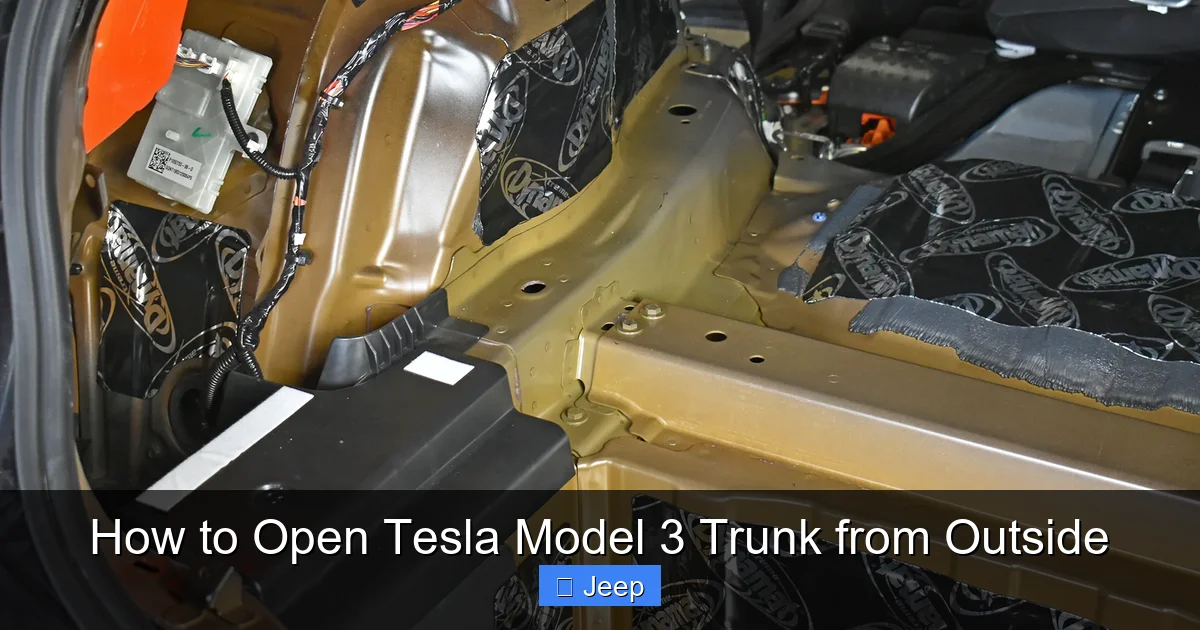
Visual guide about How to Open Tesla Model 3 Trunk from Outside
Image source: cdn.shopify.com
Here’s exactly how to do it:
- Stand near the rear of your Model 3. You don’t need to be right up against it, but staying within about 20 feet helps ensure the signal reaches the car.
- Press and hold the trunk button on the key fob. You’ll feel a slight click under your finger.
- Hold it for about 1-2 seconds. The trunk should begin to open automatically. If it doesn’t, try pressing again, holding a bit longer.
- Once the trunk is up, you can let go. To close it, you can either press the same button again (which will reverse the motion) or use the interior trunk button inside the car.
Key Fob Tips and Troubleshooting
Sometimes the key fob might not work immediately. Here’s what to check:
- Battery: The key fob uses a small coin-cell battery (CR2032). If it’s low, the range drops significantly. Replace it if the fob feels unresponsive. You can open the fob by prying the back cover gently with a flat tool.
- Range and Interference: The fob’s signal can be blocked by metal objects, large buildings, or even your body if you’re standing in the wrong spot. Try moving to the side of the car or pointing the fob directly at the rear of the vehicle.
- Car’s 12V Battery: If the car’s 12V battery is dead, the fob won’t work either, even with a fresh battery. That’s when you need the manual release.
- Fob Not Programmed: Rarely, the fob might lose its pairing with the car. You can re-pair it via the car’s touchscreen under Controls > Locks > Add Key.
Remember, the key fob method is the fastest and most reliable for everyday use. It works whether your phone is with you or not, and it doesn’t require any cellular signal. Just keep that fob battery fresh!
Method 2: Opening the Trunk with the Tesla Smartphone App
If you don’t have your key fob handy, your smartphone is the next best thing. The Tesla app connects to your car over the internet (cellular or Wi-Fi) and lets you control many functions remotely, including the trunk.
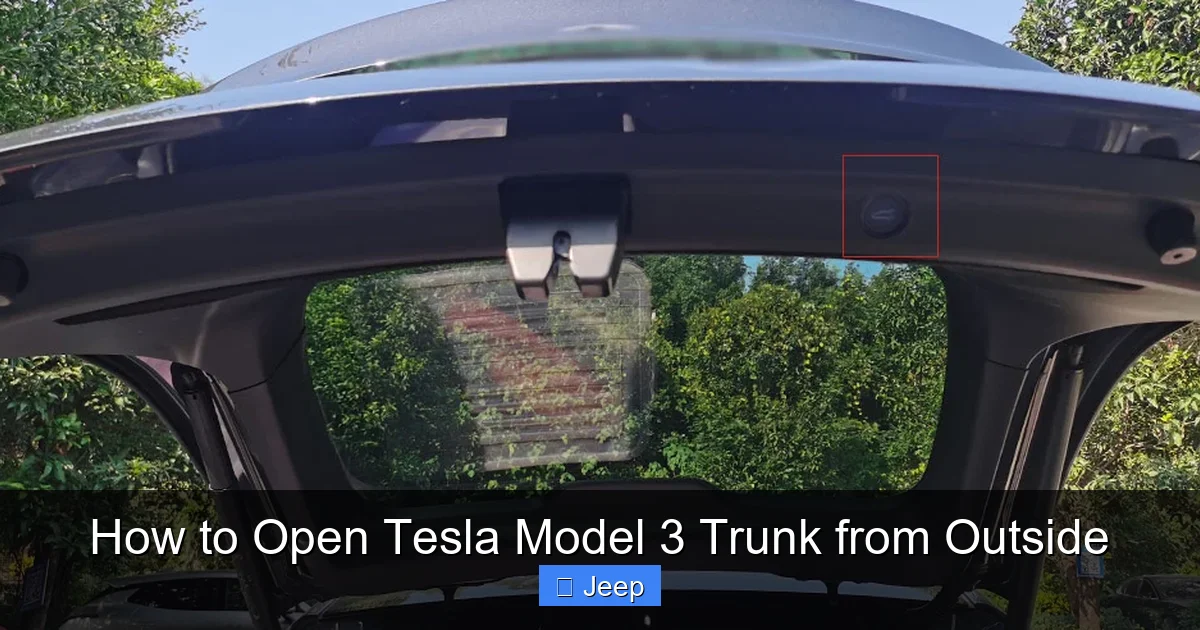
Visual guide about How to Open Tesla Model 3 Trunk from Outside
Image source: teslashooters.com
To open the trunk using the app:
- Make sure your phone is connected to the internet (cellular data or Wi-Fi). The car also needs to be within cellular range and have a signal.
- Open the Tesla app and log in if prompted.
- On the main vehicle control screen, look for the “Trunk” button. It’s usually near the “Frunk” (front trunk) button and the lock/unlock controls.
- Tap the “Trunk” button once. You should feel the car respond, and the trunk will start to open. You can monitor the status on the app’s screen.
- To close the trunk, tap the same button again (it may change to “Close” or show an arrow pointing down).
App Setup and Connectivity Requirements
For the app to work, your car must be logged into your Tesla account and have an active internet connection. If you’ve just bought the car or changed phones, you may need to log in again. Go to the car’s touchscreen > Controls > Safety & Security > Tesla Account and ensure you’re signed in.
Also, the app requires the car to be in “Park” and awake. If the car is asleep (sentry mode on or just parked for a while), the first app command might wake it up, which can take a few seconds. Be patient after tapping the button.
One limitation: if your phone has no signal and the car is out of Wi-Fi range (e.g., in a remote parking garage), the app won’t work. That’s why it’s smart to carry the key fob as a backup. Some owners also use the “Phone Key” feature, where their phone acts as a key via Bluetooth. If you have Phone Key enabled, you can open the trunk by pressing the trunk button on the touchscreen inside the car, but that requires you to be inside—so not helpful for outside access. Stick to the app or fob for outside.
Method 3: The Hidden Manual Trunk Release (Emergency Access)
This is the method you hope you never need, but it’s essential to know. The manual trunk release is a physical cable inside the trunk that, when pulled, mechanically unlocks the latch. It’s designed for situations where all electronic systems have failed—like a dead 12V battery or a completely non-responsive car.
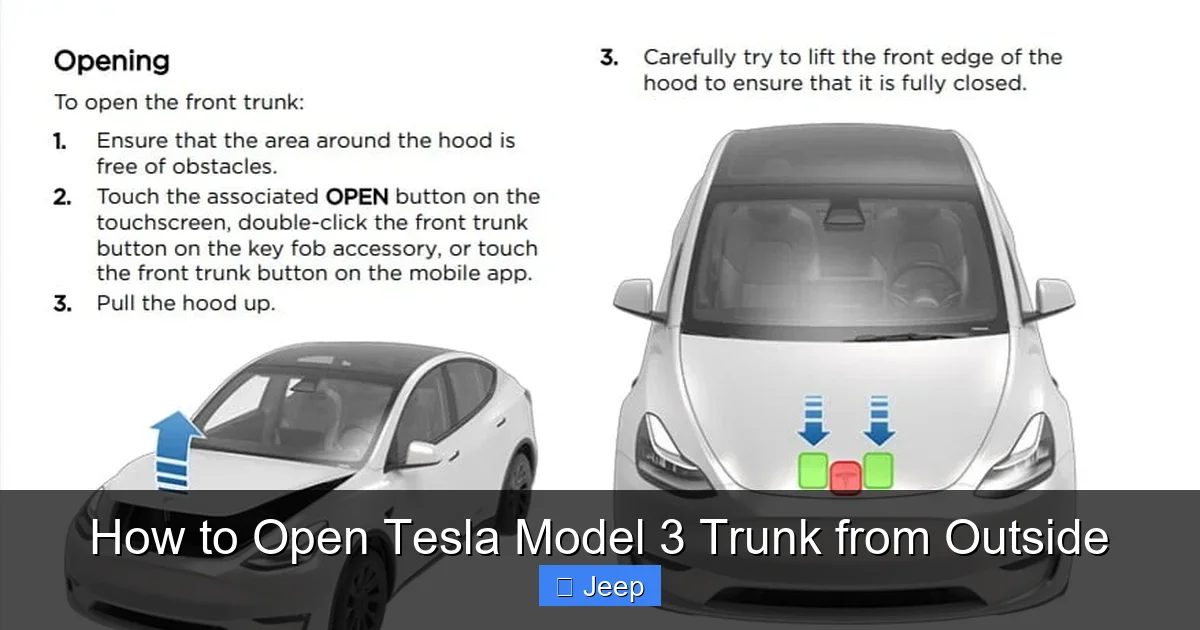
Visual guide about How to Open Tesla Model 3 Trunk from Outside
Image source: cdn.teslanorth.com
The tricky part: you can only access this release from inside the trunk. That means if you’re locked out of the car and the trunk is closed, you can’t get to it from outside. However, if you can get into the car (e.g., you’re inside with the keys locked inside, or you have a spare key fob that unlocks the doors but not the trunk), you can fold down the rear seats and reach the release.
Here’s how to find and use it:
- First, get inside the Model 3. Use your key fob or phone app to unlock the doors if they’re locked. If you’re completely locked out, you’ll need a locksmith or Tesla roadside assistance.
- Once inside, go to the rear seat area. The rear seats in the Model 3 fold down manually. Pull the release levers at the top of the seatbacks and fold the seats flat.
- Now look at the inside of the trunk lid. You’ll see a plastic cover on the center section, about the size of your hand. This cover conceals the manual release cable.
- Carefully pry off the plastic cover. It’s clipped in place; use a flat plastic tool or your fingernails to avoid damage.
- Behind the cover, you’ll see a red handle or loop attached to a cable. Pull this handle firmly toward you. You should hear a click as the trunk latch releases.
- Now you can lift the trunk lid manually. It won’t have power assist, so it may feel heavy—use your legs and back carefully.
When and Why to Use the Manual Release
Use the manual release only when electronic methods fail. Common scenarios:
- Dead 12V battery: The car’s auxiliary battery is drained (maybe from leaving lights on or a parasitic drain). All electronic systems, including door locks and trunk, stop working.
- Key fob lost or broken: If you have no other key fob and your phone isn’t set up with the app, you’re locked out. But remember: you need to be inside the car to access the manual release, so this is only helpful if you can get in via another method (like a spare key or Tesla mobile app unlock via account).
- Trunk latch malfunction: If the electronic actuator fails, the manual release bypasses it.
Important: After using the manual release, the trunk will no longer open or close electronically until you reset the system. Usually, once the 12V battery is jump-sted or replaced, the electronic controls will resume. But you may need to close the trunk fully so the latch re-engages properly. If the trunk doesn’t close automatically after fixing the 12V, you may need to manually push it down until it clicks.
Troubleshooting Common Trunk Access Issues
Even with multiple methods, things can go wrong. Let’s tackle the most common problems and how to solve them.
Dead 12V Battery Scenarios
The 12V battery is the heart of the Model 3’s low-voltage system. If it dies, you’ll notice symptoms like: unable to unlock doors with fob or app, touchscreen won’t turn on, and trunk won’t open electronically. The car might still have charge in the main battery, but without 12V power, it’s essentially a brick.
Solution: You’ll need to jump-start the 12V battery. There’s a dedicated jump post under the front hood (frunk). You’ll need another car or a portable jump starter. Connect the positive (red) cable to the positive jump post, and negative (black) to a nearby ground point (like a bolt with the negative symbol). Start the donor car or engage the jump starter, then try opening the trunk with the fob or app. If that works, great—but you should drive the car to let the 12V battery recharge, or replace it soon. If jump-starting doesn’t restore electronics, you may have a deeper issue and should contact Tesla service.
If you can’t jump-start and you’re locked inside the car (trunk closed), you’re stuck until help arrives. That’s why it’s wise to keep a portable jump starter in your trunk or frunk for emergencies.
Key Fob Not Responding
If the fob button does nothing:
- Replace the fob battery (CR2032). It’s easy and cheap.
- Check for physical damage to the fob.
- Re-pair the fob via the car’s touchscreen.
- If the car’s 12V battery is dead, the fob won’t work either—address the 12V issue.
App Connectivity Problems
If the app says “Vehicle Unavailable” or the trunk button is grayed out:
- Check your phone’s internet connection.
- Check if the car has cellular signal (look at the signal bars on the touchscreen).
- Restart the Tesla app or log out and back in.
- Ensure the car is not in “Sentry Mode” with a low 12V battery; sometimes Sentry Mode can drain the 12V faster.
- If the car is asleep, give it a minute after tapping the button.
Comparison with Traditional Gas-Powered Vehicles
One reason Tesla owners sometimes struggle with trunk access is that it’s so different from conventional cars. In a typical gas car like a Honda Civic or Toyota Corolla, you’ll find an exterior trunk button on the driver’s door or a keyhole on the trunk lid itself. You can even open some trunks by pressing a hidden release under the trunk lip. Tesla eliminated all of those for a cleaner look and to rely on keyless entry.
For example, how to open a Honda Civic trunk from outside without a key often involves using a physical key slot or an interior release that’s accessible from outside in a pinch. Similarly, opening a Toyota Corolla trunk from the outside is usually as simple as pressing a button on the key fob or a tactile handle on the trunk. These cars have redundant mechanical methods that don’t depend on a 12V battery.
Tesla’s approach is all-or-nothing: electronics or manual. The manual release is inside, which means if you’re locked out of the car and the trunk is closed, you can’t access it from outside. That’s a design trade-off for aesthetics and weight savings. It also means Tesla owners must be more proactive about maintaining their 12V battery and keeping a key fob handy.
Why Tesla Ditched the Exterior Handle
Tesla’s design philosophy prioritizes minimalism and aerodynamics. An exterior trunk button or key slot adds complexity, cost, and potential failure points. By using only electronic releases, Tesla simplifies the manufacturing process and creates a seamless body panel. However, this design places more responsibility on the owner to understand the backup procedures. It’s a reminder that with advanced tech comes a learning curve.
If you’re coming from a traditional car, take time to locate the manual release in your Model 3’s trunk and practice using it (with the trunk open and car on, of course). That way, in an emergency, you’ll know exactly what to do. And consider keeping a portable jump starter in your frunk—it’s a small investment that can save you from being stranded.
Maintaining Your Trunk System for Reliable Access
Like any part of your car, the trunk system needs occasional care to ensure it works when you need it. Here are practical tips to keep your Tesla Model 3 trunk opening smoothly from outside for years to come.
Battery Health Monitoring
The 12V battery typically lasts 3-5 years. Watch for signs of aging: slower response from the key fob, touchscreen taking longer to wake up, or “12V battery needs service” warnings on the screen. Replace it proactively before it dies completely. Tesla recommends replacing it with an AGM (Absorbent Glass Mat) battery, which is better suited for the car’s electrical demands.
Keep Key Fob and Phone Updated
Replace the key fob battery every 2-3 years as a preventive measure. For the Tesla app, keep your phone’s OS and the app itself updated to avoid connectivity bugs. Also, ensure your Tesla account login is current; if your password changes, you may need to re-authenticate the app.
Clean the Trunk Latch Area
Dirt, ice, or debris around the trunk latch can prevent it from sealing or releasing properly. Regularly clean the latch mechanism with a dry cloth. In winter, remove snow and ice buildup. A sticky latch can strain the motor and lead to premature failure.
Aftermarket Customizations and Trunk Access
Many Tesla owners choose to wrap their vehicles for protection and style. If you’ve wrapped your Model 3, be mindful around the trunk seal and latch area. Poorly applied wrap can peel and interfere with the latch. For those considering a wrap, research costs and reputable installers. You can learn more about Tesla Model 3 wrap costs to budget appropriately. A quality wrap should not affect trunk operation if installed correctly.
By following these maintenance habits, you’ll minimize the chances of needing the manual release and enjoy seamless trunk access every time.
Conclusion: Mastering Your Tesla Model 3 Trunk
Opening the Tesla Model 3 trunk from outside might seem mysterious at first, but it’s really just three methods: key fob, smartphone app, and manual release. The key fob is your everyday workhorse—reliable, fast, and independent of internet connectivity. The smartphone app offers convenience if you’re already using your phone and have signal. And the manual release is your emergency lifeline, hidden inside the trunk for those rare but critical moments when electronics fail.
Remember the golden rules: keep your key fob battery fresh, monitor your 12V battery health, and know how to access the manual release (fold seats, remove cover, pull cable). Unlike traditional cars such as the Honda Civic or Toyota Corolla, the Model 3 has no exterior trunk button, so you can’t rely on old habits. Embrace the electronic simplicity, but respect the need for backup knowledge. With this guide, you’re now equipped to handle any trunk situation with confidence. So go ahead, load up that groceries, and enjoy the sleek, keyless future—just don’t forget where that manual cable is hidden!
Frequently Asked Questions
What if my Tesla key fob battery is dead?
Replace the CR2032 battery inside the fob. Open the back cover with a flat tool, swap the battery, and reassemble. If the fob still doesn’t work, check the car’s 12V battery, as a dead 12V will also disable the fob.
Where is the manual trunk release located in a Tesla Model 3?
It’s inside the trunk, behind a small plastic cover on the center of the trunk lid. To access it, fold down the rear seats, pry off the cover, and pull the red handle or loop attached to the cable.
Can I open the trunk if my phone is dead or not with me?
Yes, by using the Tesla key fob. The fob works independently of your phone. If you don’t have the fob either, you’ll need to use the manual release, but you must first get inside the car via another method (like a spare fob or Tesla roadside assistance).
How do I open the trunk if the 12V battery is completely dead?
Jump-start the 12V battery using the front jump post. Once the 12V regains power, the electronic trunk functions should return. If jump-starting fails, you’ll need to access the manual release from inside the car after gaining entry through other means.
Does the Tesla Model 3 have an exterior trunk button like traditional cars?
No, the Model 3 has no exterior trunk button, keyhole, or handle. All external opening is done via key fob or smartphone app. This is a deliberate design choice by Tesla for a cleaner exterior appearance.
Is it safe to use the manual release frequently?
The manual release is designed for emergency use only. Frequent use can wear out the cable or latch mechanism. It also requires you to fold the seats and reach into the trunk, which is inconvenient and may damage interior trim if done carelessly. Stick to electronic methods for daily operation.
