
How to Fix Code P0101 on a Nissan Altima

Code P0101 on a Nissan Altima indicates a Mass Air Flow (MAF) sensor performance issue, often caused by dirt, damage, or wiring problems. This guide walks you through diagnosing, cleaning, and replacing the MAF sensor to restore smooth engine operation and prevent further complications.
Key Takeaways
- Understand what P0101 means: The code indicates the MAF sensor is reporting airflow outside expected parameters, affecting fuel delivery and engine performance.
- Check for common causes first: Dirty MAF sensors, air leaks, clogged air filters, or faulty wiring are frequent culprits.
- Clean the MAF sensor safely: Use MAF-specific cleaner and avoid touching the delicate wires inside the sensor housing.
- Inspect the air intake system: Look for cracks in hoses, loose clamps, or unmetered air entering the engine, which can skew MAF readings.
- Test with a scan tool: Monitor live MAF data to confirm if the sensor is responding correctly to engine load and RPM changes.
- Replace if necessary: If cleaning and inspection don’t resolve the issue, a new MAF sensor may be required—OEM parts are recommended for accuracy.
- Clear the code and test drive: After repairs, reset the ECU and take the car for a drive to ensure the code doesn’t return.
📑 Table of Contents
What Is Code P0101 on a Nissan Altima?
If your Nissan Altima’s check engine light has come on and you’ve scanned it to find code P0101, you’re dealing with a Mass Air Flow (MAF) sensor performance issue. This diagnostic trouble code (DTC) means the engine control unit (ECU) has detected that the MAF sensor’s readings are outside the expected range for the current engine operating conditions. In simpler terms, the computer isn’t getting accurate information about how much air is entering the engine, which can throw off the air-fuel mixture and cause a host of drivability problems.
The MAF sensor is a critical component in your Altima’s engine management system. Located between the air filter box and the throttle body, it measures the volume and density of air flowing into the engine. This data helps the ECU calculate the correct amount of fuel to inject for optimal combustion. When the MAF sensor sends incorrect or erratic signals, the engine may run too rich (too much fuel) or too lean (too little fuel), leading to poor fuel economy, rough idling, hesitation during acceleration, or even stalling. While P0101 doesn’t always mean the sensor is completely broken, it’s a clear sign that something in the air intake system needs attention.
Why the MAF Sensor Matters
The MAF sensor is like the engine’s “breathing monitor.” Without accurate airflow data, the ECU can’t make precise fuel adjustments. For example, if the sensor underreports airflow, the engine might not get enough fuel, causing hesitation or misfires. If it overreports, the engine could flood with fuel, leading to black smoke from the exhaust and reduced fuel efficiency. In a Nissan Altima—especially models from 2007 to 2018, which commonly use this code—the MAF sensor is particularly sensitive to contamination and environmental factors.
It’s also worth noting that P0101 is a “range/performance” code, not a “circuit malfunction” code like P0100 or P0102. This means the sensor is still sending a signal, but that signal doesn’t match what the ECU expects based on other inputs like engine speed, throttle position, and oxygen sensor feedback. This distinction is important because it narrows down the possible causes: the sensor might be dirty, the air filter might be clogged, or there could be an air leak downstream of the MAF sensor.
Common Causes of P0101 on a Nissan Altima
Before jumping to conclusions or replacing parts, it’s essential to understand what typically triggers code P0101 in a Nissan Altima. While the MAF sensor itself is often the focus, several related issues can mimic or cause sensor problems. Here are the most common culprits:
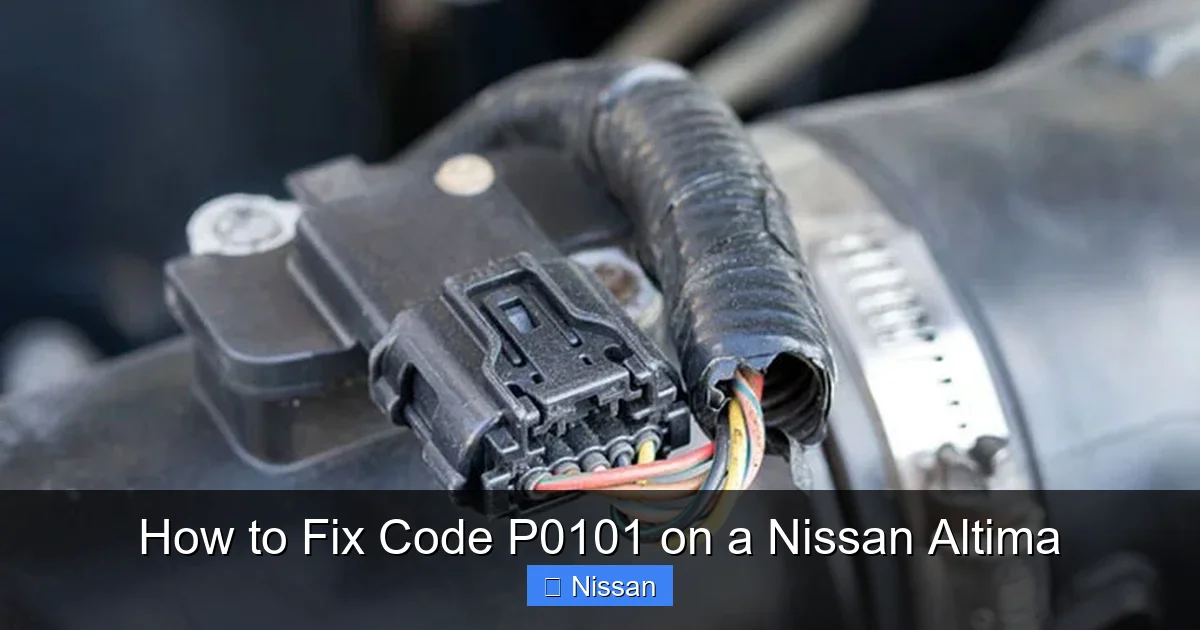
Visual guide about How to Fix Code P0101 on a Nissan Altima
Image source: bryansgarage.com
1. Dirty or Contaminated MAF Sensor
This is the number one cause of P0101. Over time, the delicate wires or hot-film elements inside the MAF sensor can accumulate dirt, oil, or debris from the air filter. Even a thin layer of contamination can interfere with the sensor’s ability to accurately measure airflow. This is especially true if you’ve recently cleaned or replaced the air filter with an oiled performance filter (like a K&N), as excess oil can migrate to the MAF sensor and coat the sensing elements.
2. Clogged or Dirty Air Filter
A dirty air filter restricts airflow, which can cause the MAF sensor to report lower-than-expected values. While the sensor itself might be fine, the restricted airflow throws off the ECU’s calculations. In some cases, a severely clogged filter can also cause the engine to pull in air from unintended paths, leading to unmetered air entering the system—another trigger for P0101.
3. Air Intake Leaks
Any leak in the air intake system downstream of the MAF sensor (between the sensor and the engine) can allow unmetered air to enter the engine. This air isn’t measured by the MAF sensor, so the ECU doesn’t account for it when calculating fuel delivery. Common leak points include cracked or loose vacuum hoses, damaged intake boots, or improperly installed air filter housings. Even a small crack can cause significant drivability issues.
4. Faulty or Aging MAF Sensor
Like any electronic component, MAF sensors can wear out over time. Exposure to heat, vibration, and contaminants can degrade the sensor’s internal components. If your Altima has high mileage (over 100,000 miles) and the MAF sensor has never been replaced, it may simply be reaching the end of its lifespan. Symptoms include inconsistent readings, slow response times, or complete failure.
5. Electrical Issues
Wiring problems, poor connections, or corrosion in the MAF sensor circuit can also cause P0101. Loose connectors, frayed wires, or damaged pins in the sensor harness can lead to intermittent or incorrect signals. This is less common than contamination but should be checked if cleaning and inspection don’t resolve the issue.
6. Aftermarket Modifications
If you’ve installed performance parts like cold air intakes, throttle body spacers, or modified air filters, these can alter airflow patterns and confuse the MAF sensor. Some aftermarket intakes position the MAF sensor in a way that disrupts laminar (smooth) airflow, leading to inaccurate readings. Always ensure modifications are compatible with your Altima’s factory tuning.
How to Diagnose Code P0101 Step by Step
Diagnosing P0101 requires a systematic approach. Rushing to replace the MAF sensor without proper testing can lead to unnecessary expenses and unresolved issues. Here’s a step-by-step guide to help you pinpoint the root cause:
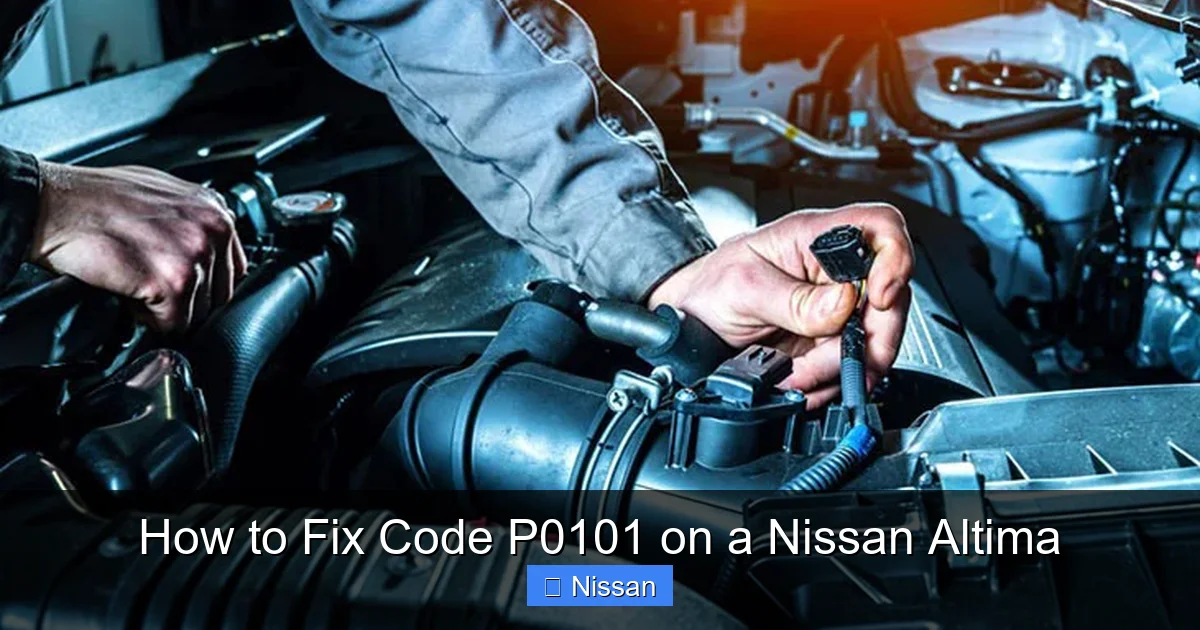
Visual guide about How to Fix Code P0101 on a Nissan Altima
Image source: bryansgarage.com
Step 1: Scan for Codes and Check Freeze Frame Data
Start by using an OBD2 scanner to confirm the presence of P0101 and check for any other related codes (like P0171 or P0174, which indicate lean conditions). Review the freeze frame data to see under what conditions the code was triggered—was it at idle, during acceleration, or at highway speeds? This information can help narrow down the cause. For example, if the code appears only at high RPMs, it might point to an airflow restriction. If it’s present at idle, a vacuum leak or dirty sensor is more likely.
Step 2: Inspect the Air Filter and Intake System
Remove the air filter and inspect it for dirt, oil, or damage. A clogged filter should be replaced immediately. While you’re at it, check the air filter housing and intake tubing for cracks, loose clamps, or signs of wear. Pay close attention to the rubber intake boot that connects the air filter box to the throttle body—this is a common failure point on Nissan Altimas and can develop cracks that allow unmetered air in.
Step 3: Visually Inspect the MAF Sensor
Locate the MAF sensor, which is usually mounted in the air intake tube just after the air filter. Carefully remove it (you may need a screwdriver or socket). Look inside the sensor housing for visible dirt, oil, or debris on the sensing wires or film. Even if it looks clean, microscopic contamination can still affect performance. Avoid touching the delicate internal components—oils from your skin can damage them.
Step 4: Test the MAF Sensor with a Scan Tool
Use a scan tool capable of reading live data to monitor the MAF sensor’s output. With the engine off, the reading should be near zero. Start the engine and observe the values at idle—typically between 2–7 grams per second (g/s) for a Nissan Altima, depending on engine size and temperature. Rev the engine to 2,500–3,000 RPM and watch how the reading changes. It should increase smoothly and proportionally. If the reading is erratic, slow to respond, or doesn’t change with RPM, the sensor may be faulty.
Step 5: Check for Vacuum Leaks
Perform a visual inspection of all vacuum hoses and intake components. You can also use a smoke machine or spray carburetor cleaner around suspected areas while the engine is running. If the engine RPM changes when you spray a certain spot, it indicates a leak. Pay special attention to the PCV valve hose, brake booster line, and intake manifold gaskets.
Step 6: Test Electrical Connections
Check the MAF sensor’s electrical connector for corrosion, bent pins, or loose fit. Use a multimeter to test for proper voltage (usually 5V reference and 12V power) and ground at the connector. Compare your readings to the specifications in your Altima’s service manual. If the wiring is damaged or the connector is corroded, repair or replace it before replacing the sensor.
How to Clean the MAF Sensor on a Nissan Altima
If your diagnosis points to a dirty MAF sensor, cleaning it is often the quickest and most cost-effective fix. Here’s how to do it safely and effectively:
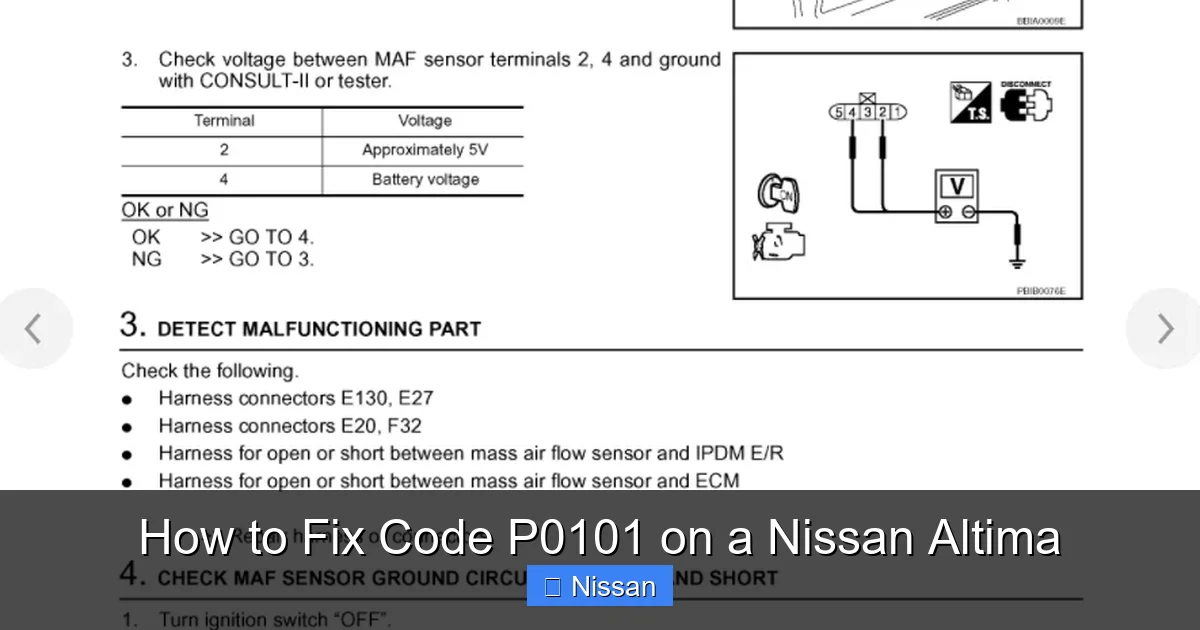
Visual guide about How to Fix Code P0101 on a Nissan Altima
Image source: 2carpros.com
Gather the Right Tools
You’ll need:
- MAF sensor cleaner (never use brake cleaner, carb cleaner, or compressed air)
- Soft-bristle brush (optional)
- Clean lint-free cloth
- Screwdriver or socket set (to remove the sensor)
Avoid using anything abrasive or that could damage the sensor’s internal components.
Remove the MAF Sensor
Disconnect the negative battery terminal to prevent accidental shorts. Locate the MAF sensor in the air intake tube and disconnect the electrical connector by pressing the release tab. Remove the mounting screws or clips and gently pull the sensor out. Be careful not to damage the housing or the sensing elements.
Clean the Sensor
Spray the MAF sensor cleaner directly onto the sensing wires or film inside the housing. Focus on the areas where dirt or oil is visible. Allow the cleaner to evaporate completely—do not wipe or touch the elements. The cleaner is designed to dissolve contaminants without leaving residue. If there’s heavy buildup, you may need to spray multiple times, allowing each application to dry.
Reinstall and Test
Once the sensor is dry, reinstall it in the intake tube and secure it with the mounting hardware. Reconnect the electrical connector and the battery. Start the engine and let it idle for a few minutes. Use your scan tool to monitor the MAF readings and ensure they’re stable and responsive. Clear the P0101 code and take the car for a test drive to see if the issue is resolved.
Tips for Success
- Never touch the sensing wires—even a fingerprint can cause problems.
- Don’t use compressed air, as it can damage the delicate components.
- If you’ve used an oiled air filter, consider switching to a dry filter to prevent future contamination.
- Clean the MAF sensor every 15,000–20,000 miles as part of regular maintenance.
When to Replace the MAF Sensor
Cleaning the MAF sensor resolves P0101 in many cases, but sometimes replacement is necessary. Here are signs that your sensor needs to be replaced:
- The sensor is physically damaged (cracked housing, burnt wires).
- Cleaning doesn’t restore normal operation.
- Live data shows erratic or unresponsive readings even after cleaning.
- The vehicle has high mileage and the sensor has never been replaced.
- You’ve ruled out air leaks, dirty filters, and electrical issues.
Choosing the Right Replacement
When replacing the MAF sensor, opt for an OEM (Original Equipment Manufacturer) part or a high-quality aftermarket equivalent. Generic or low-cost sensors may not provide accurate readings, leading to recurring P0101 codes or poor engine performance. OEM sensors are calibrated specifically for your Altima’s engine and are more reliable in the long run. While they cost more upfront, they save money by preventing future issues.
Installation Tips
Replacing the MAF sensor is straightforward:
- Disconnect the battery.
- Remove the old sensor as described earlier.
- Install the new sensor, ensuring it’s oriented correctly (most have a directional arrow).
- Reconnect the electrical connector and battery.
- Clear the code and test drive the vehicle.
After installation, the ECU may need a few drive cycles to relearn the new sensor’s characteristics. Avoid aggressive driving during this period.
Preventing P0101 in the Future
Once you’ve fixed code P0101, take steps to prevent it from returning:
- Replace the air filter every 12,000–15,000 miles or as recommended.
- Avoid oiled air filters unless you’re prepared to clean the MAF sensor regularly.
- Inspect the intake system during routine maintenance for cracks or loose connections.
- Use a scan tool periodically to monitor MAF sensor performance.
- Keep the engine bay clean to reduce the risk of debris entering the air intake.
Regular maintenance is the best defense against P0101 and other engine codes.
Conclusion
Code P0101 on a Nissan Altima can be frustrating, but it’s usually fixable with the right approach. Start by understanding what the code means—a MAF sensor performance issue—and then systematically check for common causes like dirt, air leaks, or electrical problems. Cleaning the sensor is often enough to restore normal operation, but if the problem persists, replacement may be necessary. By following the steps in this guide, you can save money on diagnostics and repairs while keeping your Altima running smoothly. Remember, a well-maintained air intake system is key to preventing P0101 and ensuring optimal engine performance for years to come.
Frequently Asked Questions
Can I drive my Nissan Altima with code P0101?
You can drive short distances with P0101, but it’s not recommended for long. The engine may run poorly, consume more fuel, or fail emissions tests. Address the issue as soon as possible to avoid further damage.
Will cleaning the MAF sensor always fix P0101?
Not always. Cleaning works if the sensor is dirty, but if there’s an air leak, electrical issue, or the sensor is faulty, cleaning won’t resolve the problem. Proper diagnosis is essential.
How much does it cost to replace a MAF sensor on a Nissan Altima?
An OEM MAF sensor costs $150–$300, while aftermarket options range from $50–$150. Labor costs vary, but many DIYers can replace it in under 30 minutes.
Can a bad air filter cause P0101?
Yes, a clogged air filter can restrict airflow and cause the MAF sensor to report incorrect values. Always check and replace the air filter during diagnosis.
Do I need to reset the ECU after fixing P0101?
Yes, use an OBD2 scanner to clear the code after repairs. The ECU may also need a few drive cycles to relearn sensor data and confirm the fix.
Can I use carb cleaner to clean the MAF sensor?
No, never use carb cleaner, brake cleaner, or compressed air. These can damage the sensor. Only use MAF-specific cleaner, which is safe for the delicate internal components.