
How to Adjust the Steering Wheel on Tesla Model Y

Contents
- 1 Key Takeaways
- 2 📑 Table of Contents
- 3 Why Proper Steering Wheel Adjustment Matters
- 4 Understanding Your Tesla Model Y’s Steering Wheel Controls
- 5 Step-by-Step: Adjusting Tilt and Telescopic Position
- 6 Saving and Using Memory Settings
- 7 Troubleshooting Common Adjustment Issues
- 8 Safety Tips and Best Practices
- 9 Customizing Your Driving Experience
- 10 Conclusion
- 11 Frequently Asked Questions




Adjusting your Tesla Model Y’s steering wheel is easy and essential for a comfortable ride. Use the touchscreen or steering wheel buttons to tilt and extend the wheel to your perfect position. Save multiple positions with memory settings for different drivers.
Getting behind the wheel of your Tesla Model Y should feel like slipping into a custom-tailored suit. It’s not just about the cutting-edge tech or the instant torque—it’s about how you connect with the car. A properly adjusted steering wheel is the cornerstone of that connection. It transforms a good drive into a great one, reducing fatigue on long journeys and giving you precise control. But if you’re new to Tesla, the absence of a traditional lever might leave you wondering, “How do I even move this thing?”
Don’t worry. Adjusting the steering wheel on a Tesla Model Y is incredibly straightforward once you know where to look. It’s all done electronically through the intuitive touchscreen or with the press of a button. This guide will walk you through every step, from basic tilt and telescopic adjustments to saving your perfect position with memory settings. We’ll also cover troubleshooting and safety tips so you can drive with confidence and comfort every single time.
Key Takeaways
- Electronic Controls: The Model Y’s steering wheel adjusts electronically via the touchscreen or physical buttons on the wheel itself.
- No Manual Lever: There is no traditional lever or pedal—all adjustments are controlled electronically.
- Memory Function: You can save preferred steering wheel positions for different drivers using the vehicle’s memory settings.
- Safety First: Always adjust the steering wheel only when the vehicle is in Park and stationary to avoid accidents.
- Clearance is Key: Ensure the wheel does not obstruct your view of the instrument cluster or interfere with the airbag.
- No Wear and Tear: Regular electronic adjustment does not cause mechanical wear, as there are no physical linkages.
- Model Year Variations: Consult your owner’s manual for any model-specific instructions or updates.
📑 Table of Contents
- Why Proper Steering Wheel Adjustment Matters
- Understanding Your Tesla Model Y’s Steering Wheel Controls
- Step-by-Step: Adjusting Tilt and Telescopic Position
- Saving and Using Memory Settings
- Troubleshooting Common Adjustment Issues
- Safety Tips and Best Practices
- Customizing Your Driving Experience
- Conclusion
Why Proper Steering Wheel Adjustment Matters
Before we dive into the “how,” let’s talk about the “why.” You might be tempted to just hop in and go, but taking two minutes to set your steering wheel correctly has huge payoffs.
Comfort on Long Drives
Imagine a two-hour highway cruise. If your steering wheel is too far away, you’re constantly reaching, straining your shoulders and back. Too close, and your arms are cramped, knees might hit the dashboard, and you feel boxed in. The right position allows your elbows to bend slightly (about 120 degrees) and your hands to rest at the 9-and-3 or 10-and-2 positions on the wheel without stretching or crowding. This neutral posture keeps you relaxed and alert.
Safety and Control
Comfort isn’t just about avoiding aches; it’s about safety. When you’re properly positioned, you can steer smoothly and react quickly. You have a clear view of the digital instrument cluster behind the wheel without the rim blocking your view. Your legs have enough room to press the pedals comfortably without your knees interfering with the steering wheel. In an emergency maneuver, a proper fit means you have maximum leverage and control.
Reducing Driver Fatigue
Driver fatigue is a real issue, especially on repetitive roads. An improper driving position forces your muscles to work harder to maintain control, leading to sore shoulders, a stiff neck, and overall tiredness. By optimizing your steering wheel reach and angle, you let your skeleton support your posture, not just your muscles. This makes every trip, whether to the grocery store or across state lines, far more enjoyable.
Understanding Your Tesla Model Y’s Steering Wheel Controls
The Tesla Model Y embraces a minimalist interior. There’s no column stalk for turn signals or gear selection—it’s all on the wheel or the touchscreen. The same goes for steering wheel adjustment. You have two primary ways to control it.
Visual guide about How to Adjust the Steering Wheel on Tesla Model Y
Image source: tesery.com
The Touchscreen Interface
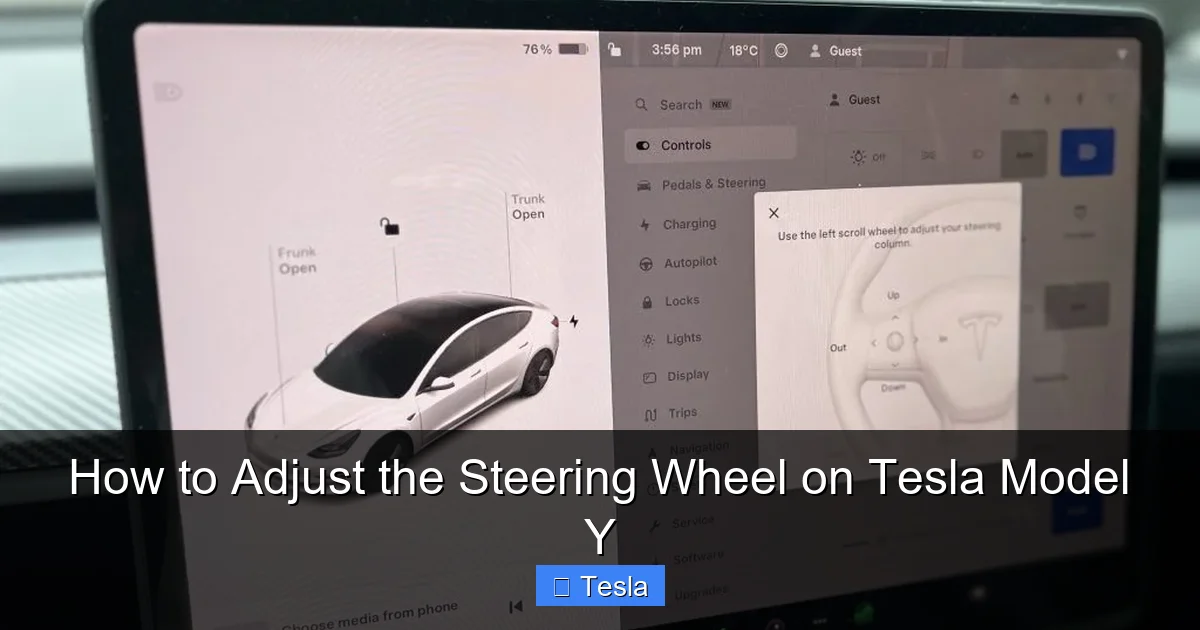
The main hub for steering wheel adjustment is the central touchscreen. Here’s how to find it:
- Tap the Car icon (the vehicle silhouette) on the bottom menu bar.
- Select Controls from the pop-up menu.
- In the Controls menu, scroll down to the Steering Wheel section. You’ll see two sliders: one for Tilt (up and down) and one for Telescopic (in and out).
Dragging these sliders moves the wheel in real-time. It’s smooth and precise. This method is great for fine-tuning your position while parked.
Physical Buttons on the Steering Wheel
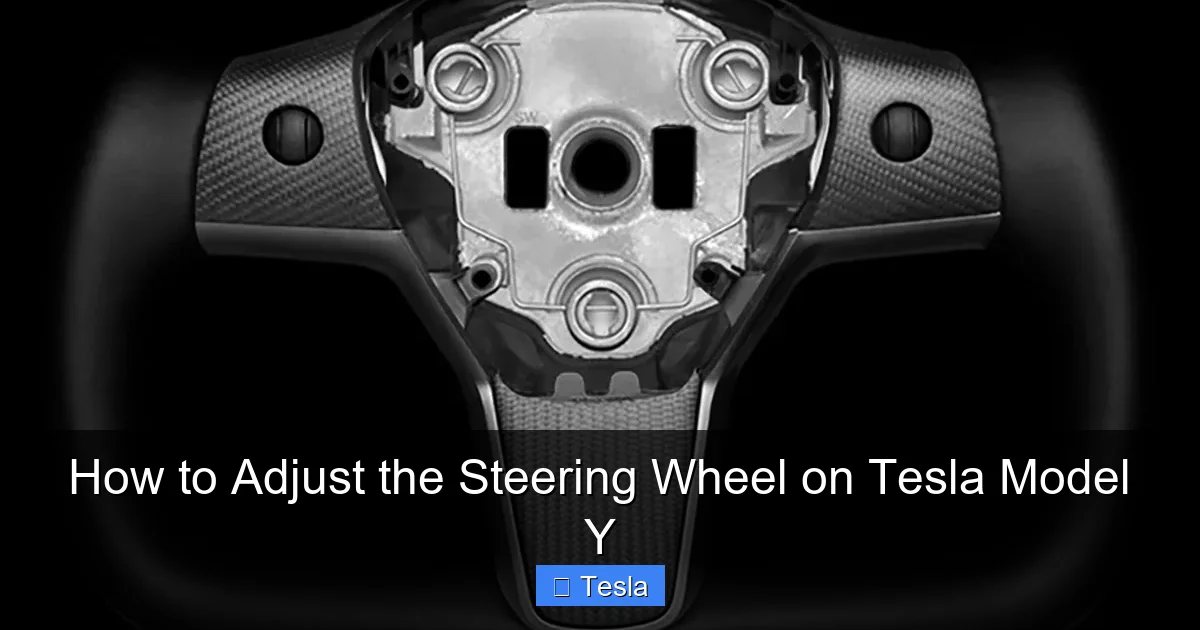
For quick adjustments, you can use the buttons on the steering wheel itself. Look for a small button with a steering wheel icon and arrows, typically located on the left spoke of the wheel (for left-hand drive models).
- Press the button inward to activate adjustment mode. The steering wheel icon on the touchscreen will highlight.
- Use the scroll wheel on the same spoke to tilt the wheel up or down.
- Use the right scroll wheel on the right spoke to move the wheel in or out (telescopic).
This method is handy for small tweaks without taking your hands off the wheel for too long. Remember: the vehicle must be in Park for these adjustments to work.
Location of Controls and Indicators
The adjustment controls are designed to be intuitive but not obtrusive. The physical button is small and has a tactile feel so you can identify it by touch. When you activate adjustment mode, a visual indicator appears on the touchscreen, showing the current tilt and telescopic positions. This helps you avoid over-adjusting and lets you see your settings at a glance. If you don’t see the indicator, the vehicle might not be in Park, or there could be a system issue.
Step-by-Step: Adjusting Tilt and Telescopic Position
Now, let’s get practical. We’ll break down the adjustment process into simple steps. The goal is to find a position where your wrists rest comfortably on the top of the wheel, your arms are slightly bent, and you can see the road and instrument cluster clearly.
Visual guide about How to Adjust the Steering Wheel on Tesla Model Y
Image source: powerhousedesignz.com
Adjusting Tilt (Up and Down)
The tilt adjustment changes the angle of the steering wheel, tilting it upward or downward. This is crucial for aligning the wheel with your line of sight to the road.
- Start with the wheel in a neutral, middle position.
- Using the touchscreen sliders or the left scroll wheel, tilt the wheel up if you feel you are looking down too much at the wheel rim, or if the wheel blocks your view of the instrument cluster.
- Tilt it down if you need to see more of the road ahead or if the wheel feels too high and forces your arms upward.
- A good test: Place your hands at 9 and 3. You should see the top of the wheel rim just below your line of sight to the horizon. The instrument cluster should be clearly visible over the top of the wheel.
Practical Tip: If you frequently drive on bumpy roads, a slightly higher tilt can reduce the chance of the wheel hitting your knees during suspension travel.
Adjusting Telescopic (In and Out)
Telescopic adjustment moves the wheel closer to or farther from your body. This is about reach and legroom.
- With the tilt set, use the telescopic slider or the right scroll wheel.
- Push the wheel out (away from you) if you have longer arms or if your knees feel cramped against the dashboard or the bottom of the wheel.
- Pull the wheel in (toward you) if you are shorter or if you have to fully extend your arms to grip the wheel, which reduces steering control.
- The ideal position: With your shoulders relaxed against the seat back, your elbows should be bent at a comfortable angle (about 120 degrees). Your wrists should rest lightly on the wheel; you should not have to stretch or hunch.
Practical Example: A driver who is 6’2″ will likely need more telescopic extension and possibly a slightly higher tilt than a driver who is 5’5″. Always adjust for your own body, not a generic setting.
Combining Adjustments for the Perfect Fit
Tilt and telescopic work together. You might find that after extending the wheel out, you need to tilt it down a bit to maintain the proper sightline. Make small, incremental adjustments. Adjust, sit back, check your posture and sightlines, then adjust again. It’s a iterative process. The system allows for a wide range of motion, so take your time to find your sweet spot.
Can You Adjust While Driving?
No. For your safety and the safety of others, the steering wheel adjustment controls are only active when the vehicle is in Park and the parking brake is engaged. The system will simply ignore any button presses or touchscreen inputs if you try to adjust while moving. This is a critical safety feature to prevent accidental movement of the wheel during driving, which could lead to a loss of control. Always make your adjustments before you shift into Drive.
Saving and Using Memory Settings
One of the best features of the Tesla Model Y is its ability to remember driver preferences. Once you’ve dialed in your perfect steering wheel position, you can save it to your driver profile so it automatically returns to that setting every time you unlock the car.
Visual guide about How to Adjust the Steering Wheel on Tesla Model Y
Image source: tesery.com
Setting a Memory Position
If you have a single driver profile set up on the car (linked to your phone key or a PIN), the car will automatically save your last adjusted position. However, for multiple drivers, you need to set up individual profiles.
- Ensure you are logged into your driver profile (tap the driver profile icon in the top left of the touchscreen).
- Adjust the steering wheel to your preferred position using the methods above.
- Your position is automatically saved to that profile when you shift the car into Park and exit, or you can manually save it. To manually save, go to Controls > Driver Profile > Save.
It’s that simple. The next time you select your profile (either automatically via phone key or manually from the screen), the steering wheel will smoothly move to your saved position as the car powers on.
Recalling a Saved Position
Recalling is automatic if your phone key is associated with your profile. As you approach the car with your phone, it recognizes you and prepares your settings. When you open the door and sit down, the steering wheel (along with the seat and mirrors) will begin to adjust to your saved position. You can also manually switch profiles from the touchscreen while parked, and the wheel will adjust accordingly.
Setting Multiple Profiles
The Model Y supports multiple driver profiles. Each driver should:
- Create their own profile in the car (Controls > Driver Profile > Add New Driver).
- Adjust the steering wheel, seat, and mirrors to their liking.
- Save the profile.
This eliminates the morning adjustment routine. The car becomes a personalized cockpit the moment you settle in. It’s one of those small touches that makes Tesla ownership feel premium and convenient.
Troubleshooting Common Adjustment Issues
While the electronic system is robust, you might occasionally encounter a hiccup. Here’s how to diagnose common problems.
Steering Wheel Won’t Move
First, check the basics:
- Is the vehicle in Park? This is the most common reason. The system will not work in Drive, Neutral, or Reverse.
- Is the parking brake engaged? On some models, the parking brake must be on.
- Is there a fault message? Look at the touchscreen for any warnings like “Steering Wheel Adjustment Unavailable.”
If all basics are correct but it still doesn’t move, try a soft reboot of the car’s system: Press and hold both scroll wheels on the steering wheel until the screen goes black and the Tesla logo reappears. This often resolves temporary glitches.
Controls Unresponsive or Stuck
If the wheel moves but feels jerky or gets stuck in one direction:
- Check for physical obstructions. Make sure nothing is jammed behind or under the steering wheel column (like a bag, floor mat, or your own legs).
- Listen for unusual motor noises. A grinding or whining sound could indicate a mechanical issue with the adjustment motor.
- Try adjusting both tilt and telescopic simultaneously. Sometimes one direction is bound, and moving the other can free it up.
If the problem persists, it likely requires a service visit. Do not attempt to force the wheel manually.
Error Messages on Screen
Messages like “Steering Wheel Adjustment Limited” or “Motor Overheat” can appear. This usually means the adjustment motor has been used excessively in a short period (the system has thermal protection). Let the car sit for 5-10 minutes, and it should reset. If the message persists, there may be a deeper electrical fault, and you should schedule service through the Tesla app.
When to Service
Contact Tesla Service if:
- The wheel does not move at all after checking all basic conditions and rebooting.
- You hear grinding, clicking, or loud motor noises during adjustment.
- An error message remains on the screen after a reboot and restart of the vehicle.
- The wheel moves but is not aligned correctly (e.g., it’s crooked even when centered). This could indicate a calibration issue.
Do not disassemble any part of the steering column. These are complex electronic systems best left to trained technicians.
Safety Tips and Best Practices
Adjusting your steering wheel is simple, but keeping these safety points in mind ensures you do it correctly and protect your vehicle’s systems.
Adjust Only When Parked
We can’t say this enough: Never attempt to adjust the steering wheel while the vehicle is moving or in any gear other than Park. The risk of accidental movement causing a loss of steering control is extreme. Always come to a complete stop, shift to Park, and engage the parking brake before making any changes.
Proper Hand Position
Once adjusted, place your hands at the 9-and-3 or 10-and-2 positions on the wheel. This gives you maximum leverage for steering and keeps your arms away from the potentially deploying airbag (which is located in the center of the wheel). Avoid the old “10-to-2” with thumbs on the rim; modern airbags deploy with significant force, and thumbs can be injured. Keep your thumbs along the side of the wheel, wrapped around it.
Airbag Considerations
The steering wheel houses the driver’s airbag. Never strike or apply excessive force to the center of the wheel. The electronic adjustment motors are designed for normal use, but yanking on the wheel manually can damage the clock spring (the coiled cable that connects the airbag to the electrical system) or the airbag itself. Let the motors do the work.
Children and Adjustment
Do not allow children to play with the steering wheel adjustment controls. They could inadvertently move the wheel into an unsafe position or, in rare cases, cause damage by excessive use. Teach all drivers in your household how to adjust it properly and safely.
Customizing Your Driving Experience
With your steering wheel perfectly positioned, you might be thinking about other ways to personalize your Model Y’s interior. Many owners take the next step by enhancing the look and feel of their cabin.
Aftermarket Steering Wheel Covers
If you want a different texture or material (like Alcantara, carbon fiber, or premium leather), aftermarket steering wheel covers are popular. Important: Choose a cover specifically designed for the Tesla Model Y. An ill-fitting cover can interfere with the adjustment mechanisms, airbag deployment, or the buttons on the wheel. Installation should be done carefully to avoid damaging the original wheel. Always ensure the cover does not obstruct the airbag badge or seams.
Interior Upgrades and Aesthetics
The minimalist Tesla interior is a blank canvas. Beyond the steering wheel, owners often customize:
- Seat Covers: For protection or a style change.
- Center Console Wraps: Vinyl or carbon fiber wraps to change the look of the plastic surfaces.
- Ambient Lighting: Adding or changing the color of the interior accent lights.
- Floor Mats: All-weather or premium carpeted mats.
When modifying any part of the interior, ensure nothing impedes the movement of the steering wheel or the pedals. Safety always comes first.
Enhancing Visibility and Comfort
A well-adjusted steering wheel pairs perfectly with other comfort and visibility mods. For example, many Model Y owners invest in window tinting to reduce glare and heat, making long drives more comfortable. Others opt for a full or partial vehicle wrap to protect the paint and give the car a unique look. For a deep dive into the costs and options for wrapping your Tesla, check out our comprehensive wrap cost guide. These upgrades, combined with a perfect steering wheel position, create a driving environment that’s both functional and uniquely yours.
Conclusion
Adjusting the steering wheel on your Tesla Model Y is one of the simplest yet most impactful things you can do as a driver. It takes less than a minute, requires no tools, and pays dividends in comfort, safety, and control every time you get behind the wheel. By using the touchscreen or the buttons on the steering wheel, you can fine-tune both the tilt and telescopic position to match your exact body type and driving style. And with the memory function, that perfect setting is saved and automatically recalled, making the car feel like it was built just for you.
Remember the key rules: always adjust only when parked, check for obstructions, and use the electronic controls as intended. If you encounter persistent issues, don’t hesitate to contact Tesla Service. A properly fitted steering wheel is your primary connection to the road—it deserves a little attention. So take a moment, dial in your settings, and enjoy the drive.
Frequently Asked Questions
Can I adjust the steering wheel while the Tesla Model Y is moving?
No. The steering wheel adjustment system is only active when the vehicle is in Park and the parking brake is engaged. This is a critical safety feature to prevent accidental movement while driving.
How do I save my steering wheel position for different drivers?
Each driver should have their own Tesla profile. After adjusting the wheel to your liking, ensure you are logged into your profile. The position is automatically saved when you exit the vehicle. The next time that profile is active (via phone key or manual selection), the wheel will move to the saved position.
What should I do if my steering wheel won’t adjust?
First, confirm the car is in Park and the parking brake is on. Try a soft reboot by holding both steering wheel scroll buttons until the screen restarts. Check for physical obstructions. If it still doesn’t work, there may be a fault—schedule a service appointment through the Tesla app.
Is there a limit to how many times I can adjust the steering wheel?
No. The electronic system is designed for frequent use. There is no mechanical linkage to wear out. However, the motors have thermal protection and may pause if used continuously for several minutes. This is normal and resets after a short cool-down period.
Can I manually move the steering wheel if the power adjustment fails?
No. The Model Y’s steering wheel does not have a manual release mechanism. Forcing it can damage the adjustment motors, clock spring, or airbag components. If the electronic system fails, the wheel will be locked in its last position, and you will need to have it serviced by Tesla.
Will adjusting the steering wheel affect my warranty?
No. Using the factory-installed adjustment controls as intended has no impact on your vehicle’s warranty. Warranty concerns would only arise if you or a third party installed aftermarket parts that interfered with the system or caused damage.







