
Does Tesla Auto Lock

Contents
- 1 Key Takeaways
- 2 📑 Table of Contents
- 3 How Tesla’s Walk-Away Auto-Lock Actually Works
- 4 Enabling, Disabling, and Customizing Auto-Lock Settings
- 5 Benefits and Advantages of the Tesla Auto-Lock System
- 6 Limitations, Exceptions, and Common Misconceptions
- 7 Comparison to Traditional “Auto Lock” Systems in Other Cars
- 8 Troubleshooting: When Auto-Lock Doesn’t Work and What To Do
- 9 Conclusion: Embracing a New Standard in Vehicle Security
- 10 Frequently Asked Questions

Car Fog Light Bulb

Power Steering Fluid

Trunk Organizer

Car Seat Organizer
Yes, Tesla vehicles feature an automatic locking system, primarily triggered when you walk away with your authenticated phone key or key card. This convenient “walk-away auto-lock” is a core part of Tesla’s keyless entry ecosystem, but it operates on different principles than many conventional cars. You can enable, disable, or customize its behavior through the vehicle’s touchscreen settings. While highly convenient, it has specific limitations and scenarios where it may not engage, making it important for owners to understand exactly how it works.
You tap the door handle, it opens, you get in, you press the brake, and you’re driving. That’s the seamless Tesla experience. But what about locking? Do you ever have to fumble for a key fob or press a lock button on the remote? With Tesla’s revolutionary approach to keys, the concept of “auto-lock” takes on a whole new meaning. The short answer is: yes, Tesla vehicles do feature an automatic locking system, but it works fundamentally differently from the timed auto-lock you might be used to in a conventional gasoline car. It’s less about a clock counting down and more about your digital presence. This system, often called “walk-away auto-lock,” is a cornerstone of Tesla’s keyless entry philosophy, designed for ultimate convenience while maintaining robust security. Let’s dive deep into exactly how it works, how to control it, and what every Tesla owner needs to know.
Key Takeaways
- Tesla’s primary auto-lock is “walk-away” based: The car automatically locks when you walk approximately 8 feet away with your paired phone key (or key card) outside the vehicle, not after a timed delay like some traditional cars.
- It is enabled by default but can be customized: You can turn the feature on or off entirely, or set a “Require Key to Drive” PIN to drive, all within the vehicle’s Lock settings menu on the touchscreen.
- Authentication is key, not proximity alone: The system locks only when it detects your authenticated credential (phone or key card) has left the vehicle’s vicinity. Simply walking away without your key will not trigger the lock.
- It has important limitations and exceptions: The auto-lock will not engage if any door or frunk is open, if the vehicle is in “Park” but sentry mode is active, or if there is an issue with the key’s authentication.
- Manual locking methods are always available: You can always lock the car instantly via the Tesla mobile app, the touchscreen controls, or by pressing the door handle button (if configured).
- Security is enhanced by encryption and pairing: Unlike simple radio key fobs, Tesla’s phone key uses encrypted Bluetooth Low Energy (BLE), making it very difficult to relay or clone.
- Understanding your specific model year is crucial: Behavior and menu locations can vary slightly between Model S, 3, X, and Y, and across software updates. Always refer to your owner’s manual for your specific vehicle.
📑 Table of Contents
- How Tesla’s Walk-Away Auto-Lock Actually Works
- Enabling, Disabling, and Customizing Auto-Lock Settings
- Benefits and Advantages of the Tesla Auto-Lock System
- Limitations, Exceptions, and Common Misconceptions
- Comparison to Traditional “Auto Lock” Systems in Other Cars
- Troubleshooting: When Auto-Lock Doesn’t Work and What To Do
- Conclusion: Embracing a New Standard in Vehicle Security
How Tesla’s Walk-Away Auto-Lock Actually Works
Traditional cars with auto-lock often beep and lock the doors about 5-10 seconds after you start driving or close all doors. Tesla’s system is event-driven, not time-driven. The core trigger is proximity and authentication. When you approach your Tesla with your paired smartphone (acting as the phone key) or your key card, the car recognizes the unique encrypted signal. Once you open the door, get in, and start driving (by pressing the brake or drive selector), the car considers you the authenticated user.
The “Walk-Away” Trigger Event
The magic happens when you exit. After you open the door to get out, close it, and then walk away, the car continuously checks for the presence of your authenticated key. There’s a defined perimeter, roughly an 8-foot radius around the vehicle. Once your phone (or key card) crosses that boundary and is no longer detected inside the car’s Bluetooth range, the vehicle assumes you have left and intends to secure it. At that moment, if all doors, the trunk, and the front trunk (frunk) are properly closed, the car will automatically lock all doors and the trunk. You’ll typically see the door handles retract and the lights may flash briefly to confirm the action. There is no audible beep from the car itself, though your phone key app may show a locked status.
The Role of Bluetooth Low Energy (BLE) and Encryption
This isn’t simple proximity detection. Tesla’s phone key uses Bluetooth Low Energy (BLE) paired with a sophisticated, encrypted handshake protocol. Your phone and the car constantly exchange unique identifiers. This prevents “relay attacks” where criminals use signal boosters to trick the car into thinking your key is nearby when it’s actually in your house. The encryption means the signal can’t be easily copied or replayed. The key card uses a similar RFID-based system. Because the authentication is so secure, the system can confidently lock the car based on the authenticated key’s departure.
Enabling, Disabling, and Customizing Auto-Lock Settings
While the walk-away auto-lock is enabled by default on new Teslas, you have full control over its behavior. The settings are found in the main touchscreen interface under Controls > Lock. Here, you’ll find several key options.
The Main Toggle: “Walk-Away Auto Lock”
This is the master switch. If you turn this off, the car will no longer automatically lock when you walk away. You will have to manually lock it every time using the app, the touchscreen lock icon, or by pressing the lock button on the door handle (if that feature is enabled in settings). Some owners in extremely secure, private garages might disable it, but for most, leaving it on is the safest and most convenient choice.
“Require PIN to Drive” – A Critical Security Layer
This is arguably the most important security setting related to auto-lock. When enabled, it requires you to enter a 4-digit PIN on the touchscreen before you can drive the car. This is a physical barrier if someone manages to get inside your locked Tesla (e.g., through a broken window) without your key. It does not affect the auto-lock function itself but is a vital companion feature. You can set this PIN in the same Lock menu. For maximum security, especially if you frequently use valet mode or live in a high-theft area, enabling this PIN is highly recommended. It’s a simple step that dramatically increases the difficulty of a theft, even if the auto-lock were somehow bypassed.
“Lock while driving” and Other Options
You’ll also see an option for “Lock while driving”. This is a traditional auto-lock that engages all doors once the vehicle reaches a set speed (usually around 5 mph). This is on by default and works in tandem with the walk-away feature. It ensures doors are locked during travel. You can disable it, but it’s generally advised to keep it on for safety. Other settings may include unlocking one or all doors when you approach with your key, which is part of the convenience package but separate from the locking logic.
Benefits and Advantages of the Tesla Auto-Lock System
Why is this system so superior to the old way? The benefits are clear.
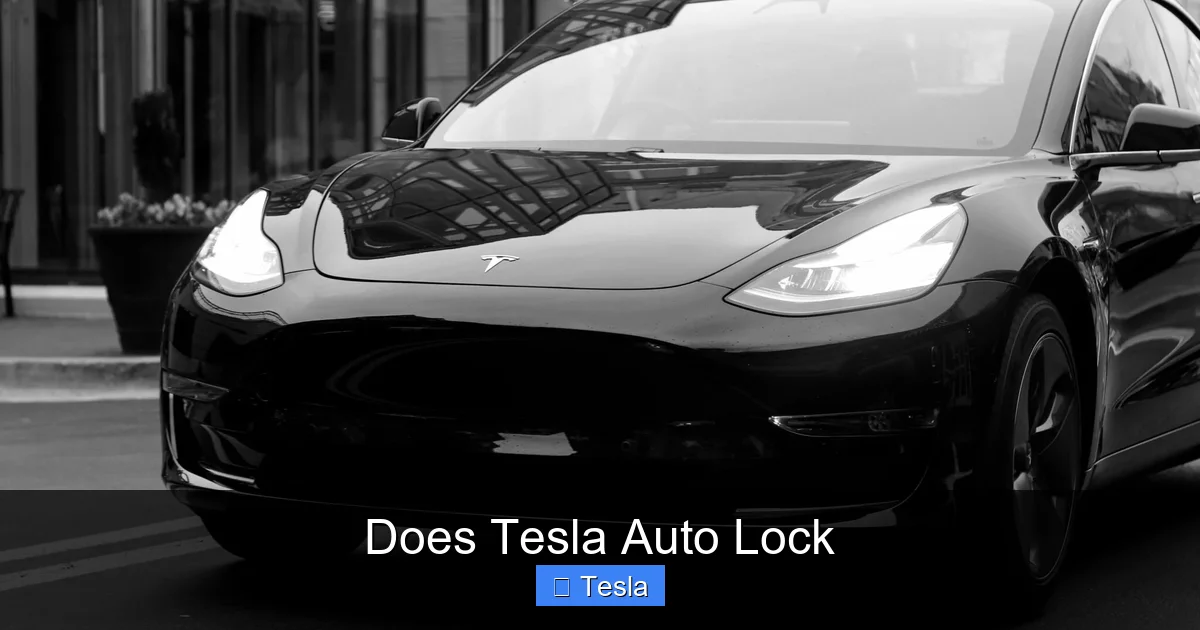
Visual guide about Does Tesla Auto Lock
Image source: tesla-lock-sounds.com
Unmatched Convenience and “Hands-Off” Operation
The primary benefit is the complete removal of the “lock step” from your routine. You never have to remember to press a lock button on a key fob. You simply do your normal exit: close the door, walk away. The car handles the rest. This is especially valuable when your hands are full with groceries, luggage, or a child. It’s a true “set it and forget it” security feature that becomes second nature. The integration with your smartphone means your car key is always with you—you’re far less likely to misplace or forget a dedicated fob.
Enhanced Security Through Technology
As mentioned, the encrypted BLE communication is a massive security upgrade over the older, easily cloned radio frequency key fobs used by many brands. While no system is 100% hack-proof, Tesla’s rolling code and cryptographic authentication make casual theft via signal replay virtually impossible. The system also logs lock/unlock events in the mobile app, giving you a clear history of when your car was secured or accessed.
Seamless Integration with the Tesla Ecosystem
The auto-lock doesn’t operate in a vacuum. It’s integrated with Sentry Mode (which keeps cameras active while parked), the mobile app’s remote status check, and the Pin to Drive feature. If you lock the car and Sentry Mode is on, you get a notification if a potential threat is detected. You can instantly check the camera footage on your phone. This creates a holistic security loop that traditional cars can’t match without expensive aftermarket alarms and cameras.
Limitations, Exceptions, and Common Misconceptions
For all its brilliance, the system isn’t magic. There are specific, important scenarios where the auto-lock will not engage. Knowing these prevents false assumptions and potential lock-outs.
Open Doors, Trunk, or Frunk Prevent Locking
This is the most common reason the auto-lock fails. If any door, the trunk, or the front trunk is not fully latched, the car will not lock. The system is designed to prevent locking you out with a door ajar or to secure a potentially open cargo area. You’ll get a visual warning on the driver’s display or touchscreen if you attempt to walk away with something open. Always do a quick visual check before walking off.
Sentry Mode and Camp Mode Interfere
If Sentry Mode is active (the car is “awake” and monitoring with cameras), the walk-away auto-lock will typically not engage. Sentry Mode requires the car to remain powered on and accessible. Similarly, if you have Camp Mode enabled (which keeps climate control on while parked), the car will not auto-lock because it’s in a deliberate, occupied state. You must manually lock it in these scenarios.
Key Authentication Failure or Low Battery
If your phone’s Bluetooth is turned off, the Tesla app is force-closed or not running in the background (on iOS, this is less of an issue due to system integration), or your phone’s battery is critically low, the car may not detect your key as you walk away. It will not lock. Similarly, if you’re using a key card and it’s not in your pocket or is damaged, it won’t work. Always ensure your phone key is active and your phone has charge. A key card should be carried as a reliable physical backup.
No Auto-Lock If You Remain Near the Vehicle
The system triggers on exit. If you get out of the car but then stand right next to it (within the 8-foot Bluetooth bubble) talking to someone, the car will not lock until you move away. This is by design to prevent locking you out if you’re still in the vicinity. If you need to be near the locked car, you must manually lock it first.
Comparison to Traditional “Auto Lock” Systems in Other Cars
How does this stack up against, say, a Toyota or Honda? Many conventional cars lock automatically when you shift into drive or reach a certain speed. Some, like certain Toyota models with a “walk-away auto-lock” feature, do lock when you walk away with the key fob. The Tesla system shares that “walk-away” concept but executes it with different technology and fewer moving parts.
The Toyota Rav4 Example
For instance, the Toyota Rav4 offers an available walk-away auto-lock that activates when you lock the doors with the key fob and then walk away. It’s a two-step process: you must manually lock first with the fob, then the car senses your departure and confirms the lock. In a Tesla, there is no initial manual lock button press required. The act of walking away with your authenticated credential is the sole trigger. It’s more passive and integrated. You can learn more about how Toyota’s specific system works in our detailed guide on does the Toyota Rav4 lock automatically when you walk away.
Key Fob vs. Phone Key Paradigm
Traditional key fobs use a one-way radio signal. You press the button, it sends a code, the car receives it. Tesla’s phone key is a two-way, encrypted conversation. This fundamental difference allows for the seamless “presence detection” that enables the walk-away lock without any button press. It’s a shift from “command-based” to “context-aware” security. However, this also means the Tesla system can be more sensitive to phone software issues, battery state, and Bluetooth interference—factors less common with a simple fob.
Troubleshooting: When Auto-Lock Doesn’t Work and What To Do
If your Tesla isn’t auto-locking as expected, don’t panic. There’s a logical troubleshooting path.
Step 1: Check the Obvious
First, ensure the “Walk-Away Auto Lock” toggle is still turned ON in Controls > Lock. Software updates can sometimes reset preferences. Second, confirm all doors, the trunk, and frunk are fully closed and latched. A slightly ajar door or frunk latch is the #1 culprit. Third, verify your phone’s Bluetooth is ON and the Tesla app is properly installed and logged in. On an iPhone, ensure “Location Services” for the Tesla app are set to “Always” for optimal background operation.
Step 2: Re-Pair Your Phone Key
If the basics check out, your phone key pairing may have become corrupted. The solution is to delete the phone key from the car and re-pair it. Go to Controls > Locks > Delete next to your phone’s name. Then follow the on-screen instructions to add it again from scratch, placing the phone on the center console or scanning with the key card. This process re-establishes the secure cryptographic bond.
Step 3: Check for Software Updates and Known Issues
Occasionally, a software bug can affect key functionality. Ensure your Tesla is connected to Wi-Fi and check for any available software updates in Software > Check for Updates. Install the latest version. Also, browse Tesla forums or the mobile app’s service section for any recent, widespread reports of key issues in your specific model year and software version. Sometimes a simple reboot of the car’s touchscreen (holding down both scroll wheels) can resolve a temporary glitch.
Step 4: Service Intervention
If re-pairing and rebooting don’t work, there may be a hardware issue with the vehicle’s Bluetooth module or antenna. At this point, you should schedule a service appointment through the Tesla app. A technician can run a full diagnostic on the keyless entry system. Always have your key card with you as a fallback when troubleshooting, to avoid being locked out.
Conclusion: Embracing a New Standard in Vehicle Security
Tesla’s walk-away auto-lock is more than just a convenience feature; it’s a glimpse into the future of vehicle interaction, where the car understands your intent and acts accordingly. By leveraging secure, encrypted communication with your personal device, it eliminates steps, reduces the chance of forgetting to lock up, and integrates seamlessly with a broader security ecosystem that includes Sentry Mode and Pin to Drive. While it has clear limitations—open doors, Sentry Mode, and key authentication issues will prevent it—these are logical safeguards. The key for every owner is to understand these parameters, regularly check their settings, and maintain a charged phone or carry a key card. It represents a shift from mechanical key-based thinking to a digital, context-aware paradigm. For most daily use, it works flawlessly and invisibly, adding a layer of effortless security to the Tesla ownership experience. If you ever have doubts, remember you always retain manual control via the app or touchscreen, and you can configure the system to match your personal security comfort level.
Frequently Asked Questions
Does Tesla auto-lock work with the key card?
Yes, the walk-away auto-lock works with the Tesla key card. The car detects the RFID signal from the card as you walk away, just as it does with a phone key. Ensure the card is in your pocket or wallet and not shielded by metal.
Can I completely turn off Tesla’s auto-lock feature?
Yes, you can. Go to Controls > Lock on the touchscreen and toggle off “Walk-Away Auto Lock.” The car will then never lock automatically when you walk away, requiring you to manually lock it each time using the app, touchscreen, or door handle button.
What should I do if my Tesla doesn’t auto-lock when I walk away?
First, check that all doors, trunk, and frunk are fully closed. Second, verify the “Walk-Away Auto Lock” setting is enabled. Third, ensure your phone’s Bluetooth is on and the Tesla app is running. Finally, try re-pairing your phone key. If problems persist, schedule a service appointment.
Does the auto-lock engage if I leave a window slightly down?
No. The system requires all doors, trunk, and frunk to be fully latched and closed. An open or ajar window typically does not prevent locking, but an open door or trunk will. However, for safety and security, it’s always best to fully close all openings before walking away.
Is Tesla’s auto-lock more secure than a traditional key fob?
Yes, generally. Traditional key fobs use older, one-way radio signals vulnerable to relay attacks. Tesla’s phone key uses encrypted, two-way Bluetooth Low Energy communication, which is much harder to clone or boost. The rolling code encryption provides a significantly higher level of security against modern theft techniques.
Will my Tesla auto-lock if I use Valet Mode?
No. When Valet Mode is active, the car restricts certain features and speed. The walk-away auto-lock is disabled in Valet Mode to prevent accidentally locking the valet key card inside the car or creating an inconvenience. You must manually lock the vehicle when using Valet Mode.







