
Battery in Car Key Fob

The battery in your car key fob is a small but essential component that powers remote functions like locking, unlocking, and starting your vehicle. Knowing when it’s dying, how to replace it, and which type to use can save you time, money, and frustration—especially when you’re stranded outside your car on a cold morning.
You’re running late for work, juggling coffee, a laptop bag, and your keys. You press the unlock button on your car key fob—nothing. You try again, closer to the door. Still nothing. Panic sets in. Is the car broken? Did someone steal it? Then it hits you: the battery in your car key fob is probably dead.
It’s a scenario more common than you’d think. The tiny battery inside your key fob may seem insignificant, but it’s the heartbeat of your vehicle’s remote access system. From locking doors and popping the trunk to starting your engine with a push of a button, that little power source does a lot. And when it fails, it can turn a simple errand into a major hassle.
But here’s the good news: replacing the battery in your car key fob is usually quick, easy, and costs just a few dollars. No mechanic required. No tow truck. Just a little know-how and the right tools. In this guide, we’ll walk you through everything you need to know about the battery in your car key fob—from spotting the warning signs to safely installing a new one. Whether you drive a Toyota, Tesla, or Tesla, this information applies to most modern vehicles.
Key Takeaways
- Most car key fobs use CR2032 batteries: These small, coin-shaped lithium batteries are the most common and widely available.
- Weak signals mean a dying battery: If your key fob only works when held close to the door or ignition, it’s likely time for a replacement.
- Replacement is simple and DIY-friendly: With basic tools and a few minutes, most people can swap out a key fob battery at home.
- Keep spare batteries on hand: Store a few CR2032 batteries in your glove box or emergency kit to avoid being locked out.
- Incorrect handling can damage the fob: Avoid touching circuit boards with bare fingers and use non-conductive tools during replacement.
- Some modern fobs have rechargeable batteries: High-end or smart key systems may use built-in rechargeable packs instead of replaceable cells.
- Always check your owner’s manual: Your vehicle’s specific key fob model may require unique steps or battery types.
📑 Table of Contents
- What Is a Car Key Fob and Why Does It Need a Battery?
- Signs Your Car Key Fob Battery Is Dying
- Types of Batteries Used in Car Key Fobs
- How to Replace the Battery in Your Car Key Fob
- How to Extend the Life of Your Key Fob Battery
- What to Do If Your Key Fob Still Doesn’t Work After Battery Replacement
- When to Replace the Entire Key Fob
- Conclusion
What Is a Car Key Fob and Why Does It Need a Battery?
A car key fob is a handheld remote control that communicates with your vehicle using radio frequency (RF) signals. It allows you to lock and unlock doors, open the trunk, activate the alarm, and in many newer models, even start the engine remotely. Some advanced fobs—often called “smart keys” or “keyless entry systems”—can detect your presence and unlock the car as you approach.
All these features require power, and that’s where the battery comes in. The battery in your car key fob supplies the energy needed to send signals to your vehicle. Without it, the fob becomes little more than a fancy piece of plastic.
Most key fobs are designed to be compact and durable, but their internal components—especially the battery—have a limited lifespan. On average, a key fob battery lasts between 3 to 5 years, depending on usage. If you use your fob frequently or live in extreme temperatures (very hot or very cold climates), the battery may drain faster.
How the Battery Powers Your Key Fob
Inside the key fob, the battery connects to a small circuit board with a transmitter chip. When you press a button, the chip sends a coded signal to your car’s receiver. The car then performs the requested action—like unlocking the driver’s door. This entire process happens in milliseconds and requires only a tiny amount of power.
Because the energy demand is low, even a small coin cell battery can last several years. However, over time, the battery’s voltage drops. When it falls below a certain threshold, the signal becomes too weak for the car to detect—especially from a distance. That’s why your fob might work when held right next to the door but fail when you’re standing a few feet away.
Types of Key Fobs and Their Power Sources
Not all key fobs are created equal. There are generally three types:
1. **Traditional Remote Key Fobs** – These have a physical key blade and a separate remote for locking/unlocking. They use a standard replaceable battery (usually CR2032).
2. **Smart Keys (Keyless Entry Fobs)** – These sleek, key-shaped devices allow you to unlock and start the car without inserting a key. Many use replaceable batteries, but some high-end models have rechargeable internal packs.
3. **Integrated Key Fobs** – Found in vehicles like Honda or Ford, these combine the key blade and remote into one unit. The battery is typically replaceable, but the design may require extra care when opening.
Understanding your fob type helps determine the right battery and replacement method.
Signs Your Car Key Fob Battery Is Dying
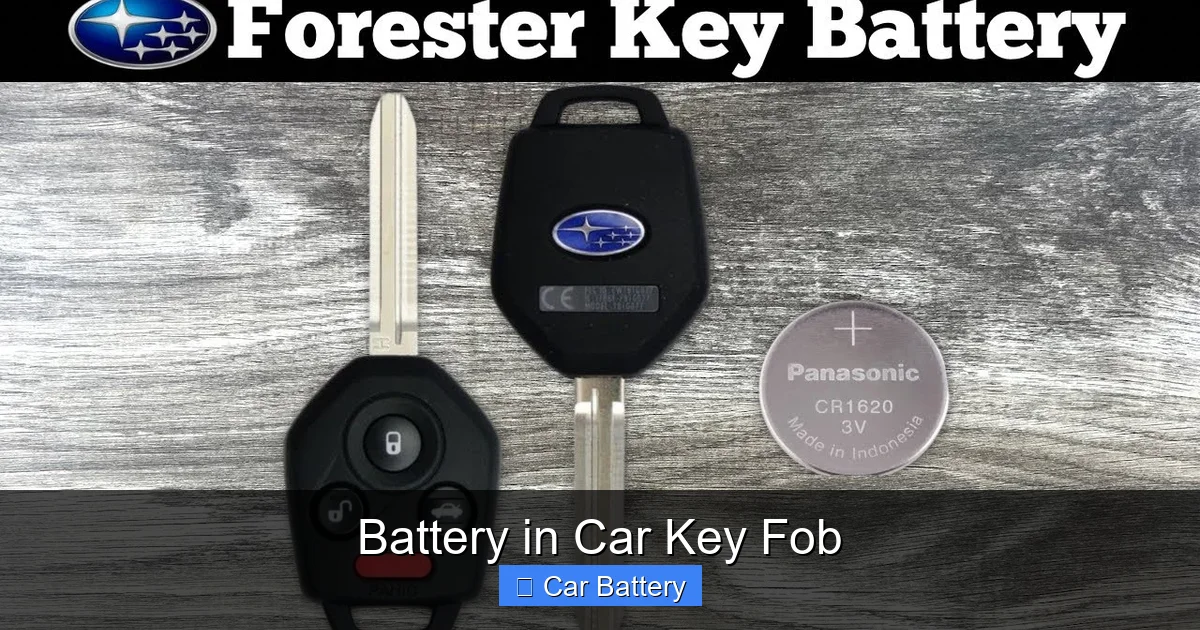
Visual guide about Battery in Car Key Fob
Image source: i.ytimg.com
You don’t have to wait until your fob completely stops working to replace the battery. There are several early warning signs that indicate it’s time for a swap. Catching these signals early can prevent you from being locked out of your car.
Reduced Range
One of the most common signs is a noticeable drop in range. If you used to unlock your car from 30 feet away but now have to stand right next to the door, the battery is likely weakening. This happens because the transmitter needs sufficient power to send a strong signal. As the battery voltage drops, the signal weakens.
For example, imagine you’re walking across a parking lot on a rainy day. Normally, you press the button and your car beeps and lights flash from halfway across the lot. But today, nothing happens until you’re practically touching the door handle. That’s a classic sign of a dying battery.
Intermittent or Delayed Response
Another red flag is inconsistency. You press the button once—no response. You press it again—still nothing. Then, on the third try, the doors unlock. This erratic behavior suggests the battery can’t consistently deliver enough power.
Delays are also telling. If there’s a noticeable lag between pressing the button and the car responding (even when you’re close), the battery may be struggling.
Buttons Feel Stiff or Unresponsive
While this can also indicate dirt or debris under the buttons, a weak battery can make the fob feel sluggish. The internal circuitry may not be receiving enough power to register button presses reliably.
Dashboard Warning Lights
Some modern vehicles have a dashboard warning light that alerts you when the key fob battery is low. It might appear as a key symbol with a battery icon or a message like “Key Fob Battery Low.” If you see this, don’t ignore it—replace the battery soon.
Physical Key Required More Often
If you find yourself using the physical key blade to unlock your car more frequently than usual, it could mean the remote function is failing. While this might also point to a mechanical issue with the fob, a dead battery is the most common cause.
Types of Batteries Used in Car Key Fobs
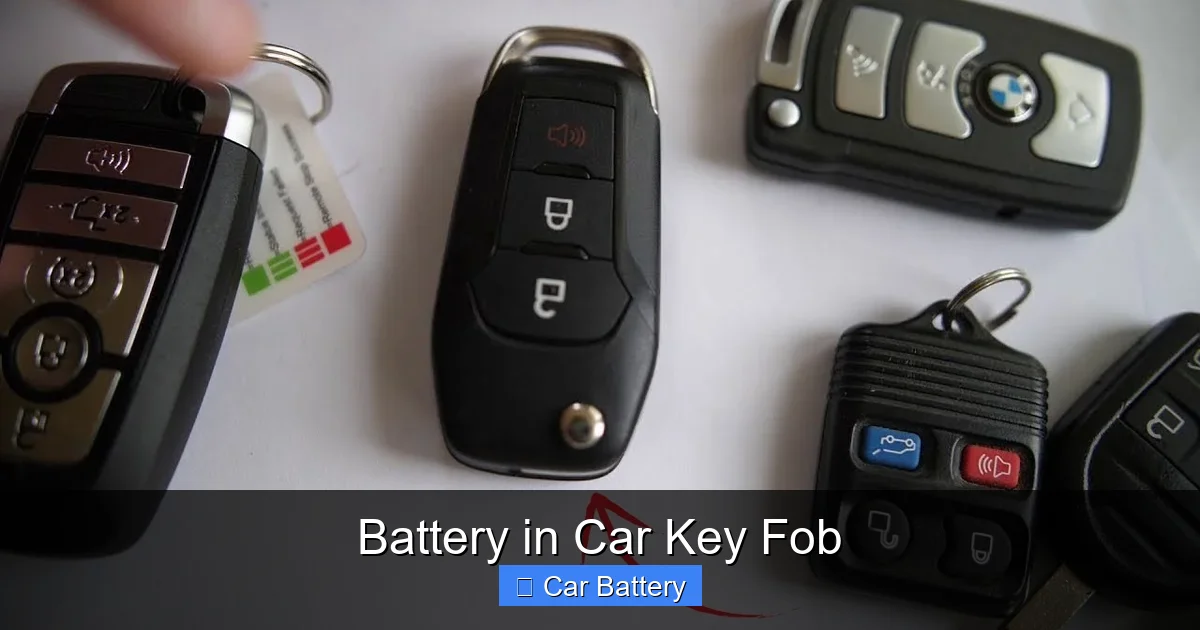
Visual guide about Battery in Car Key Fob
Image source: i.ytimg.com
Not all batteries are the same, and using the wrong one can damage your key fob or cause it to malfunction. Most car key fobs use small, round, lithium coin cell batteries. Here’s a breakdown of the most common types:
CR2032 – The Most Common Choice
The CR2032 is by far the most widely used battery in car key fobs. It’s a 3-volt lithium coin cell, about the size of a nickel, with a diameter of 20mm and a thickness of 3.2mm.
Why is it so popular?
– Long shelf life (up to 10 years)
– Stable voltage output
– Widely available at drugstores, supermarkets, and online
– Affordable (usually $1–$3 per battery)
You’ll find CR2032 batteries in key fobs for brands like Toyota, Honda, Ford, Chevrolet, Nissan, and many others.
Other Common Variants
While CR2032 is the standard, some vehicles use slightly different models:
– **CR2025** – Same diameter as CR2032 but thinner (2.5mm). It can sometimes fit, but may not make proper contact.
– **CR2016** – Even thinner (1.6mm), rarely used in key fobs but found in some older models.
– **CR1632** – Smaller diameter (16mm), used in compact fobs or older remotes.
Always check your owner’s manual or the existing battery for the correct model. Using the wrong size can lead to poor connections or damage.
Rechargeable Key Fobs
Some high-end vehicles—like certain BMW, Mercedes-Benz, or Tesla models—use key fobs with built-in rechargeable batteries. These are not user-replaceable and typically charge via USB or inductive charging when placed near the car.
If your fob has a USB port or charges when docked in the vehicle, it likely uses a rechargeable battery. In this case, a “dead” fob usually means it just needs charging, not a battery replacement.
How to Replace the Battery in Your Car Key Fob
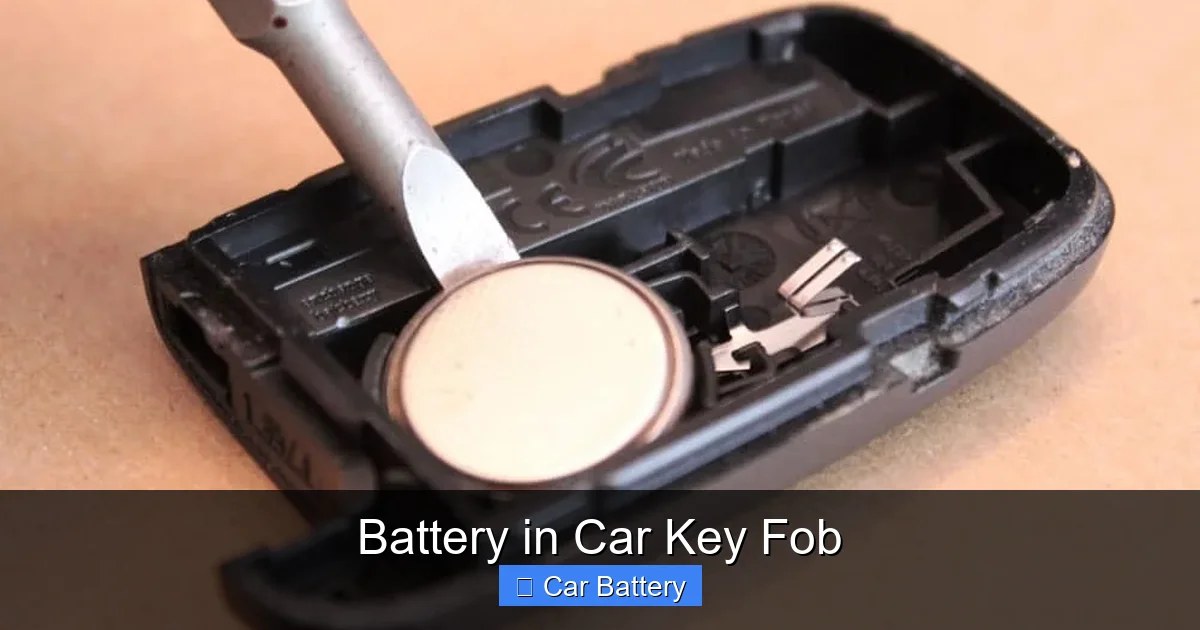
Visual guide about Battery in Car Key Fob
Image source: thenewswheel.com
Replacing the battery in your car key fob is a simple DIY task that takes less than 10 minutes. You don’t need special tools or technical skills—just a small flathead screwdriver, a new battery, and a clean workspace.
Step-by-Step Guide
Follow these general steps. Note: Exact methods vary by vehicle, so always consult your owner’s manual first.
1. **Locate the Battery Compartment**
Most fobs have a small seam or notch along the side. Some have a release button or a sliding cover. Look for a tiny indentation or a small screw.
2. **Open the Fob**
Use a flathead screwdriver or a plastic prying tool to gently separate the two halves. Insert the tool into the seam and twist slightly to pop it open. Be careful—too much force can crack the plastic.
*Tip: Wrap the screwdriver tip in tape to avoid scratching the fob.*
3. **Remove the Old Battery**
Once open, you’ll see the battery seated in a small holder. Note its orientation (positive side up or down). Use a non-metallic tool (like a plastic spudger or toothpick) to gently lift it out.
*Important: Avoid touching the battery with bare fingers. Oils from your skin can reduce its lifespan.*
4. **Insert the New Battery**
Place the new battery in the same position as the old one. Make sure the positive (+) side faces the correct direction (usually up). Press it gently into place until it sits securely.
5. **Reassemble the Fob**
Align the two halves and press them together until they click. Test the buttons to ensure everything works.
6. **Test the Fob**
Stand a few feet from your car and press the lock/unlock buttons. If the car responds, you’re good to go. If not, double-check the battery orientation and connection.
Tips for a Smooth Replacement
– **Work in a well-lit area** to avoid dropping small parts.
– **Use a magnetic tray** to hold screws and the battery.
– **Take a photo** before disassembling to remember the layout.
– **Don’t force anything**—if it won’t open easily, look for a hidden screw or release mechanism.
Vehicles with Unique Fob Designs
Some cars require special steps:
– **Honda/Acura**: The fob often has a small screw on the side. Remove it before prying open.
– **Toyota/Lexus**: Many models have a sliding cover that reveals the battery.
– **Ford/Chevrolet**: Some fobs have a release button that must be pressed to open.
Always refer to your owner’s manual or search online for your specific model.
How to Extend the Life of Your Key Fob Battery
While you can’t stop a battery from eventually dying, you can take steps to prolong its life and avoid unexpected failures.
Avoid Extreme Temperatures
Heat and cold are battery killers. Leaving your key fob in a hot car (especially on the dashboard) can accelerate battery drain. Similarly, freezing temperatures reduce battery efficiency.
*Tip: Store your fob in a cool, dry place when not in use. Avoid leaving it in direct sunlight or near heaters.*
Minimize Unnecessary Use
Every button press uses a tiny bit of power. Avoid “testing” the fob repeatedly or holding down buttons longer than needed.
Also, if your car has a keyless entry system, keep the fob away from the vehicle when not in use. Constant communication between the fob and car can drain the battery faster.
Keep It Clean
Dirt, dust, and moisture can interfere with the fob’s internal components. Wipe the exterior with a dry cloth regularly. If the fob gets wet, dry it thoroughly before use.
Use a Battery Organizer
Store spare batteries in a labeled case to avoid confusion. Mixing old and new batteries can lead to leaks or poor performance.
Replace Before It Dies
If your fob is more than 3 years old, consider replacing the battery proactively—especially before long trips or winter months when being locked out is more dangerous.
What to Do If Your Key Fob Still Doesn’t Work After Battery Replacement
Even with a new battery, your key fob might not work. Here’s what to check:
Battery Orientation
Double-check that the battery is inserted correctly. The positive (+) side should match the marking inside the fob.
Dirty Contacts
Over time, the metal contacts inside the fob can corrode or get dirty. Use a cotton swab and a drop of rubbing alcohol to clean them gently.
Damaged Circuit Board
If the fob was dropped or exposed to moisture, the internal circuitry might be damaged. In this case, professional repair or replacement may be needed.
Car Receiver Issues
Sometimes the problem isn’t the fob—it’s the car’s receiver. If multiple fobs fail or the car doesn’t respond to any remote signals, have the vehicle inspected.
Resync the Fob
Some vehicles require the fob to be resynchronized after a battery change. This usually involves a sequence like:
1. Insert the key into the ignition.
2. Turn to “On” (but don’t start the engine).
3. Press a button on the fob.
4. Turn the key back to “Off.”
Check your owner’s manual for the correct procedure.
When to Replace the Entire Key Fob
While replacing the battery fixes most issues, there are times when the entire fob needs replacement:
– The fob is cracked or water-damaged.
– Buttons are unresponsive even with a new battery.
– The car doesn’t recognize the fob at all.
– You’ve lost the fob and need a new one programmed.
Replacing a key fob can cost $100–$400, depending on the vehicle and whether it needs programming. Always contact your dealership or a qualified locksmith for assistance.
Conclusion
The battery in your car key fob may be small, but its role is huge. It’s the silent hero that lets you unlock your car with a click, start your engine from your kitchen, and feel secure knowing your vehicle is protected.
By learning to recognize the signs of a dying battery, knowing how to replace it, and taking steps to extend its life, you can avoid the frustration of a dead fob at the worst possible moment. Keep a spare CR2032 in your glove box, handle your fob with care, and don’t ignore those early warning signs.
With a little attention and a few minutes of maintenance, your key fob will keep working reliably for years to come. And the next time you’re rushing out the door with coffee in one hand and groceries in the other, you’ll press that button with confidence—knowing your car will respond every time.
Frequently Asked Questions
How often should I replace the battery in my car key fob?
Most key fob batteries last 3 to 5 years, depending on usage and environmental conditions. Replace it sooner if you notice reduced range or delayed responses.
Can I use a different battery type if I can’t find a CR2032?
It’s not recommended. Using the wrong size or voltage can damage the fob or cause it to malfunction. Always use the battery type specified in your owner’s manual.
Will replacing the battery reset my key fob?
In most cases, no. However, some vehicles require a resync procedure after a battery change. Check your owner’s manual for instructions.
Can I recharge a dead key fob battery?
No. Standard key fob batteries (like CR2032) are not rechargeable. Only fobs with built-in rechargeable packs can be recharged via USB or inductive charging.
Why does my key fob work only when I hold it to my head?
This is a myth, but some people report it working. It may be due to the human body acting as an antenna, but it’s not reliable. Replace the battery instead.
Where can I buy a replacement key fob battery?
You can find CR2032 and other key fob batteries at pharmacies, supermarkets, electronics stores, and online retailers like Amazon or Walmart. They typically cost $1–$3 each.