
How to Change the Car Key Battery

Changing your car key battery is easier than you think—and it can save you a trip to the dealership. With just a few tools and a few minutes, you can restore full function to your key fob and avoid being locked out of your vehicle.
Key Takeaways
- Most car key fobs use CR2032 batteries: These small, coin-shaped lithium batteries are widely available and affordable, making replacements simple and cost-effective.
- You don’t need special tools: A flathead screwdriver, butter knife, or even a coin is often enough to open most key fob casings without damaging them.
- Always handle the battery with care: Avoid touching the battery terminals with your fingers to prevent oil transfer, which can reduce battery life.
- Test the key after replacement: Make sure all buttons work—lock, unlock, trunk, and panic—before assuming the job is complete.
- Keep your key clean and dry: Dirt, moisture, and extreme temperatures can shorten battery life and damage internal components.
- Replace the battery at the first sign of weakness: Diminished range or delayed response are early warning signs that a battery change is needed.
- Consult your owner’s manual: Some vehicles have unique key fob designs or require resynchronization after a battery change.
📑 Table of Contents
Why Changing Your Car Key Battery Matters
Imagine this: You’re walking back to your car after a long day at work, groceries in hand, and you press the unlock button on your key fob—nothing happens. You try again. Still nothing. Your heart sinks as you realize your key fob has died. Now you’re stuck fumbling with a physical key, hoping the door isn’t locked, or worse, calling roadside assistance.
This frustrating scenario is more common than you might think. Car key fobs rely on small batteries to send signals to your vehicle, and like any battery, they eventually run out of juice. The good news? Replacing a car key battery is one of the easiest DIY fixes you can do—no mechanic required. In most cases, it takes less than five minutes and costs less than $5. Yet, many people delay or ignore the signs, leading to unnecessary stress and expenses.
Understanding how to change the car key battery not only saves you money but also gives you peace of mind. Whether you drive a Honda, Toyota, Ford, or a luxury brand like BMW or Mercedes, the process is surprisingly similar across most models. With a little know-how and the right tools, you can keep your key fob working like new for years to come.
Signs Your Car Key Battery Needs Replacing
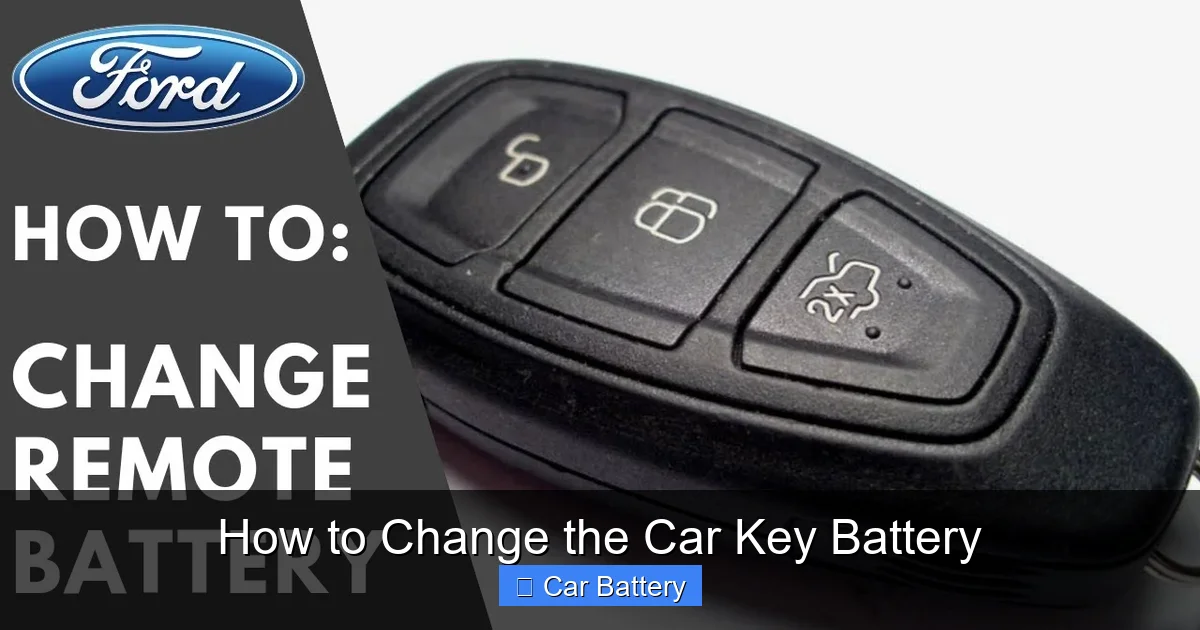
Before you start prying open your key fob, it’s important to confirm that a dead battery is actually the problem. Sometimes, the issue might be a faulty button, signal interference, or a problem with the car’s receiver. But in most cases, a weak or dead battery is the culprit—and there are clear signs to look for.
Visual guide about How to Change the Car Key Battery
Image source: rcfact.com
Reduced Range
One of the earliest and most common signs is a noticeable drop in the effective range of your key fob. If you used to be able to unlock your car from 30 feet away but now have to be right next to the door, the battery is likely running low. This happens because the signal strength weakens as the battery loses power.
Delayed or Inconsistent Response
Does your key fob take a few seconds to respond after pressing a button? Or do you have to press it multiple times before the car reacts? These delays are classic symptoms of a dying battery. The fob is still sending a signal, but it’s not strong enough to be picked up immediately by the car’s antenna.
Buttons Stop Working Entirely
If one or more buttons stop working—especially the lock or unlock function—it’s a strong indicator that the battery is nearly dead. Sometimes, only certain buttons fail first, so don’t assume the fob is broken just because the panic button still works.
Dashboard Warning Light
Some modern vehicles have a dashboard warning light that alerts you when the key fob battery is low. This is especially common in European cars like Volkswagen, Audi, and Volvo. If you see a key-shaped icon with a battery symbol or an exclamation point, it’s time to replace the battery.
Physical Key No Longer Works Smoothly
In rare cases, a failing key fob can cause issues with the physical key as well. If your key is hard to turn in the ignition or door lock, it could be due to a weak signal interfering with the immobilizer system. While this is less common, it’s worth checking the battery if you notice mechanical resistance.
Recognizing these signs early can prevent you from being locked out or stranded. And the best part? You don’t need to wait for the battery to die completely. Replacing it at the first sign of weakness ensures your key fob stays reliable.
Tools and Materials You’ll Need
The beauty of changing a car key battery is that you probably already have everything you need at home. You don’t need a toolkit, special equipment, or a trip to the auto shop. With just a few simple items, you can complete the job in minutes.
Visual guide about How to Change the Car Key Battery
Image source: i.ytimg.com
The Right Battery
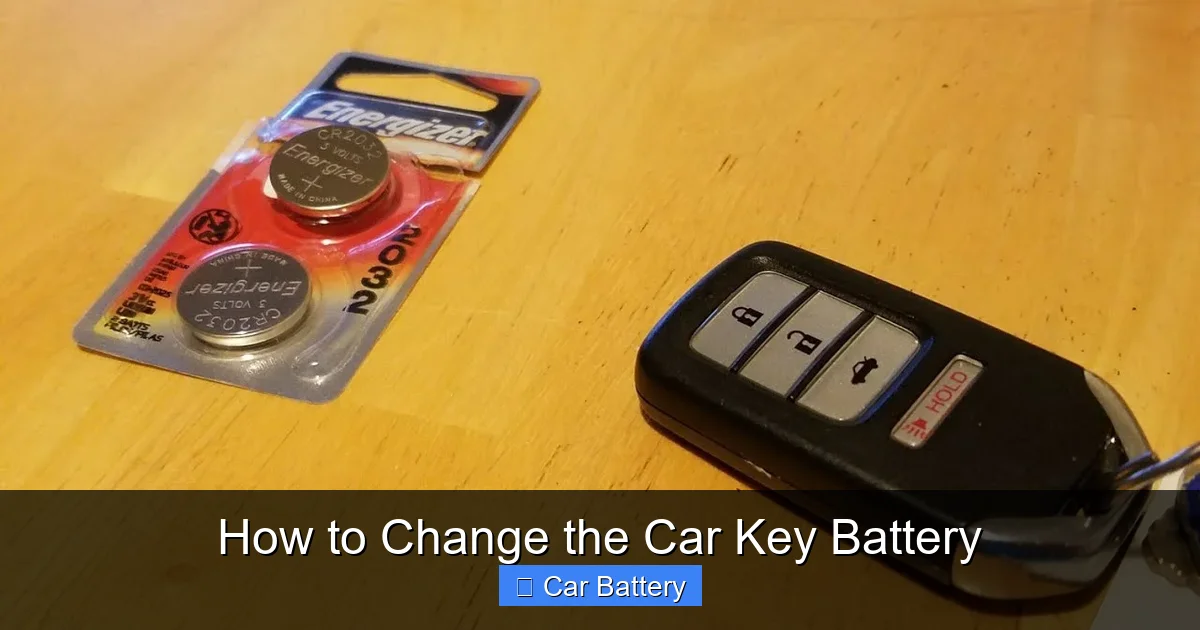
The most important item is, of course, the replacement battery. Most car key fobs use a CR2032 lithium coin cell battery. This is a small, round, silver-colored battery about the size of a nickel. It’s widely available at drugstores, supermarkets, electronics stores, and online retailers like Amazon. A pack of two or three costs less than $5 and can last for years.
While CR2032 is the most common, some vehicles use different batteries. For example, older Honda models might use a CR2025, and some luxury brands like Tesla use CR2016. Always check your owner’s manual or look inside the old battery compartment to confirm the correct type. Using the wrong battery can damage the fob or cause it to malfunction.
Opening Tools
To open the key fob, you’ll need a tool to pry apart the two halves of the casing. A small flathead screwdriver works best, but if you don’t have one, a butter knife, a plastic spudger, or even a coin can do the trick. Avoid using anything too sharp or metal-heavy, as it can scratch or crack the plastic.
Some key fobs have a small release button or a seam that’s easy to spot. Others are more tightly sealed. Look for a thin line around the edge of the fob—that’s usually where the two halves meet. Gently insert your tool into the seam and twist slightly to pop it open. Be patient; forcing it can break the clips inside.
Clean Workspace
Find a clean, well-lit area to work. A cluttered or dim space increases the risk of dropping small parts or losing the battery. A small bowl or tray can help keep screws and components from rolling away. If your key fob has a removable physical key, take it out before starting to avoid misplacing it.
Optional: Tweezers and Gloves
While not essential, tweezers can make handling the tiny battery easier, especially if your fingers are large or the compartment is tight. Wearing cotton gloves can also help prevent oils from your skin from transferring to the battery, which can shorten its lifespan.
With these basic tools in hand, you’re ready to tackle the battery replacement. The entire process is straightforward, even for beginners. And once you’ve done it once, you’ll feel confident doing it again in the future.
Step-by-Step Guide to Changing the Car Key Battery
Now that you’ve gathered your tools and identified the right battery, it’s time to get to work. Follow these simple steps to safely and effectively replace your car key battery. Remember, every key fob is a little different, but the general process is the same across most vehicles.

Visual guide about How to Change the Car Key Battery
Image source: i.ytimg.com
Step 1: Locate the Battery Compartment
The first step is finding where the battery is housed. On most key fobs, the battery is located inside the main body of the fob, behind a removable cover. Look for a small seam running around the edge of the fob. This is where the two halves of the casing meet.
Some fobs have a small button or switch that releases the cover when pressed. Others require you to slide or twist a section to access the battery. If you’re unsure, check your owner’s manual or search online for your specific make and model. A quick YouTube search can also show you exactly how your fop opens.
Step 2: Open the Key Fob
Once you’ve located the seam, gently insert your flathead screwdriver or prying tool into the gap. Wiggle it slightly to create a small opening, then slowly work your way around the edge. Don’t force it—most fobs are held together with plastic clips that can break if you apply too much pressure.
As you open the fob, be mindful of any small components inside, such as circuit boards or springs. Keep the two halves together if possible, or place them on a soft surface to avoid scratching. If your fob has a removable physical key, now is a good time to take it out and set it aside.
Step 3: Remove the Old Battery
Once the fob is open, you’ll see the battery nestled in a small compartment. It’s usually held in place by a metal clip or a plastic bracket. Use your fingers or tweezers to gently lift the battery out. Note the orientation—most batteries have a “+” (positive) side that faces up. Take a photo or make a mental note of how it was positioned so you can insert the new one the same way.
Avoid touching the battery terminals with your bare fingers. The natural oils on your skin can corrode the contacts and reduce the battery’s lifespan. If you do touch it, wipe it gently with a clean, dry cloth before installing the new one.
Step 4: Insert the New Battery
Take your new CR2032 (or correct type) battery and place it into the compartment with the “+” side facing up, matching the orientation of the old battery. Press it gently into place until it sits securely. Make sure it’s fully seated and doesn’t wobble.
If your fob has a metal clip, make sure the battery is held firmly in place. A loose battery can cause intermittent connections and prevent the fob from working properly. Double-check that the contacts are clean and free of debris.
Step 5: Reassemble the Key Fob
Carefully align the two halves of the fob and press them together until you hear a series of clicks. Make sure all the clips are engaged and the seam is flush. If the fob feels loose or doesn’t snap shut completely, open it again and check for any misaligned parts or debris blocking the closure.
Once reassembled, test the fit by gently squeezing the fob. It should feel solid and secure. If you removed the physical key, reinsert it now and make sure it turns smoothly in the ignition or door lock.
Step 6: Test the Key Fob
The final step is testing your work. Stand near your car and press each button—lock, unlock, trunk, and panic. The car should respond immediately. If it doesn’t, try standing closer or checking that the battery is properly seated.
If the fob still doesn’t work, double-check the battery orientation and ensure the contacts are clean. In rare cases, the fob may need to be resynchronized with the car. This usually involves pressing a sequence of buttons or inserting the key into the ignition. Your owner’s manual will have specific instructions.
Congratulations—you’ve successfully changed your car key battery! Not only did you save money, but you also gained a valuable skill that will serve you well for years to come.
Tips for Maintaining Your Key Fob and Extending Battery Life
Replacing the battery is just one part of keeping your key fop in top condition. With a little care and attention, you can extend the life of both the battery and the fob itself. Here are some practical tips to help you get the most out of your car key.
Keep It Clean and Dry
Dirt, dust, and moisture are the enemies of electronic devices. Avoid exposing your key fob to rain, snow, or high humidity. If it gets wet, dry it thoroughly with a soft cloth and let it air dry completely before using it. Never use a hair dryer or place it near a heat source, as this can damage the internal components.
Periodically wipe the exterior with a slightly damp cloth to remove grime and fingerprints. Avoid using harsh chemicals or abrasive cleaners, which can damage the plastic or fade the buttons.
Avoid Extreme Temperatures
Leaving your key fob in a hot car on a summer day or in freezing conditions during winter can degrade the battery and damage the circuitry. Try to store it in a cool, dry place when not in use. If you live in an area with extreme weather, consider keeping a spare key fob in a climate-controlled environment.
Don’t Overload Your Keychain
Heavy keychains can put stress on the fob’s internal components and cause cracks or loose connections. Keep your keychain light and avoid attaching multiple keys or heavy accessories. If you must carry several keys, consider using a separate ring or pouch.
Replace the Battery Proactively
Don’t wait until the fob stops working completely. Replace the battery every 2–3 years, or at the first sign of weakness. This prevents unexpected failures and ensures your fob is always ready when you need it.
Store Spare Batteries Properly
If you buy batteries in bulk, store them in a cool, dry place away from metal objects. Keep them in their original packaging or a plastic container to prevent short-circuiting. Avoid storing them in humid areas like bathrooms or garages.
By following these simple maintenance tips, you can keep your key fob functioning reliably and extend the life of its battery. A little prevention goes a long way.
Common Mistakes to Avoid
Even though changing a car key battery is simple, there are a few common pitfalls that can cause problems. Being aware of these mistakes can save you time, frustration, and potentially costly repairs.
Using the Wrong Battery
One of the most frequent errors is installing the wrong type of battery. While CR2032 is the most common, some fobs require CR2025, CR2016, or even smaller batteries like CR1616. Using the wrong size can damage the compartment or prevent the fob from working. Always double-check the model number before purchasing.
Forcing the Fob Open
Rushing the process and forcing the fob open with a screwdriver can crack the plastic or break the internal clips. Take your time and use gentle pressure. If it doesn’t open easily, look for a hidden release mechanism or consult your manual.
Ignoring Battery Orientation
Installing the battery upside down is a common mistake that prevents the fob from working. Always note the “+” side and make sure it faces the correct direction. A quick photo before removal can help you remember.
Touching the Battery Terminals
Oils from your skin can corrode the battery contacts and reduce performance. Use tweezers or wear gloves when handling the battery. If you do touch it, clean it gently with a dry cloth.
Skipping the Test
After reassembly, always test all the buttons to ensure they work. Skipping this step might leave you thinking the job is done, only to discover later that the fob isn’t functioning properly.
Avoiding these mistakes ensures a smooth, successful battery replacement every time.
When to Seek Professional Help
While most key fob battery replacements are DIY-friendly, there are situations where it’s best to consult a professional. If your fob is damaged, waterlogged, or still doesn’t work after a battery change, there may be a deeper issue.
Some high-end vehicles, like BMW, Mercedes, or Tesla, have complex key fobs that require specialized tools or software to reprogram. In these cases, visiting a dealership or certified locksmith is the safest option.
Additionally, if your car uses a smart key with advanced features like proximity sensors or push-button start, improper handling can disrupt the system. When in doubt, seek expert assistance to avoid costly mistakes.
Changing your car key battery is a simple, rewarding task that empowers you to take control of your vehicle’s maintenance. With the right tools, a little patience, and attention to detail, you can keep your key fob working reliably for years. Don’t let a dead battery catch you off guard—stay prepared, stay informed, and drive with confidence.
Frequently Asked Questions
How often should I replace my car key battery?
Most car key batteries last between 2 to 4 years, depending on usage. Replace it at the first sign of reduced range or delayed response to avoid being locked out.
Can I use any CR2032 battery, or does it need to be a specific brand?
You can use any reputable brand of CR2032 battery, such as Energizer, Duracell, or Panasonic. Avoid cheap, no-name brands, as they may leak or fail prematurely.
What if my key fob still doesn’t work after changing the battery?
Double-check the battery orientation and ensure it’s properly seated. If it still doesn’t work, the fob may need resynchronization or could have a damaged circuit board.
Do I need to reprogram my key fob after changing the battery?
Most key fobs do not require reprogramming after a battery change. However, some vehicles may need a simple reset procedure, which can be found in the owner’s manual.
Can I change the battery while the key is in the ignition?
Yes, but it’s not necessary. The key fop operates independently of the ignition. Just make sure the car is off and the key is removed before starting.
Is it safe to open my key fob myself?
Yes, as long as you’re gentle and use the right tools. Most fobs are designed to be user-serviceable. Avoid forcing anything, and take your time to prevent damage.
