
How to Program a 2023 Hyundai Garage Door Opener

Programming your 2023 Hyundai garage door opener is a straightforward process using the built-in HomeLink® system. This universal system works with most garage door openers, and you can usually complete the setup in under 10 minutes from your driver’s seat. The key is locating your garage door opener’s “Learn” button and following the precise timing in your Hyundai’s manual. This guide walks you through every step for a seamless connection.
Key Takeaways
- HomeLink® is the System: Your 2023 Hyundai uses the HomeLink® universal transmitter, typically located on the rearview mirror or overhead console.
- Compatibility is Key: It works with most garage door openers made after 1993 that have a “Learn” button. Always check your Hyundai owner’s manual first.
- The “Learn” Button is Your Target: You must press and release the “Learn” button on your garage door opener’s motor unit to start the pairing process.
- Timing is Everything: You generally have 30 seconds after pressing the “Learn” button to press and hold your chosen HomeLink® button in the car.
- Test Before You Drive: Always test the programmed button with the garage door fully closed to ensure it operates safely before regular use.
- Clearing Old Codes Helps: If reprogramming or having issues, holding a HomeLink® button for 20 seconds usually clears the previous code.
- Consult Your Manual: Your specific Hyundai model’s (Sonata, Tucson, Santa Fe, etc.) owner’s manual provides the definitive, model-specific instructions.
📑 Table of Contents
- Unlocking Convenience: An Introduction to Your Hyundai’s HomeLink® System
- Understanding Your Tools: The HomeLink® System and Garage Door Opener Basics
- The Step-by-Step Programming Process for Your 2023 Hyundai
- Troubleshooting: What to Do When It Doesn’t Work
- Advanced Tips and Best Practices for Seamless Integration
- Conclusion: Enjoy Your Newfound Convenience
Unlocking Convenience: An Introduction to Your Hyundai’s HomeLink® System
Imagine pulling into your driveway, rain or shine, and opening your garage with the touch of a button on your rearview mirror. No fumbling for a separate remote cluttering your visor. This is the everyday convenience offered by the HomeLink® system in your 2023 Hyundai. It’s one of those smart features that feels incredibly simple once you set it up, but the “how-to” can seem mysterious at first. This guide is here to demystify the entire process. We’ll walk you through, step-by-step, how to program a 2023 Hyundai garage door opener, regardless of whether you have a LiftMaster, Genie, Chamberlain, or another major brand. This isn’t just about following steps; it’s about understanding the simple technology behind it so you can troubleshoot with confidence.
Many new Hyundai owners assume programming a garage door opener requires a dealership visit or a professional. That’s simply not true. The system is designed for the car owner to program. The process leverages a universal radio frequency protocol that communicates with your existing garage door hardware. All you need is your Hyundai’s owner’s manual (for model-specific details), a step ladder (to reach your garage door opener’s motor unit), and about five minutes of uninterrupted time. By the end of this article, you’ll be able to program not just one, but multiple garage doors or even a gate operator, turning your car into a centralized control hub for your property’s access points.
Understanding Your Tools: The HomeLink® System and Garage Door Opener Basics
What Exactly is HomeLink®?
HomeLink® is a wireless control system built into your Hyundai’s interior, most commonly integrated into the rearview mirror or the overhead console near the driver’s seat. It consists of one or more programmable buttons. These buttons can be trained to mimic the signal of your existing handheld garage door remote, as well as other RF devices like home lighting, security systems, or gate openers. It operates on specific radio frequencies (typically 300-400 MHz) that are standard across the industry. The magic happens during a “training” sequence where your Hyundai’s button learns the unique digital code from your garage door opener’s “Learn” button.
Visual guide about How to Program a 2023 Hyundai Garage Door Opener
Image source: garagedoorpedia.com
Is My Garage Door Opener Compatible?
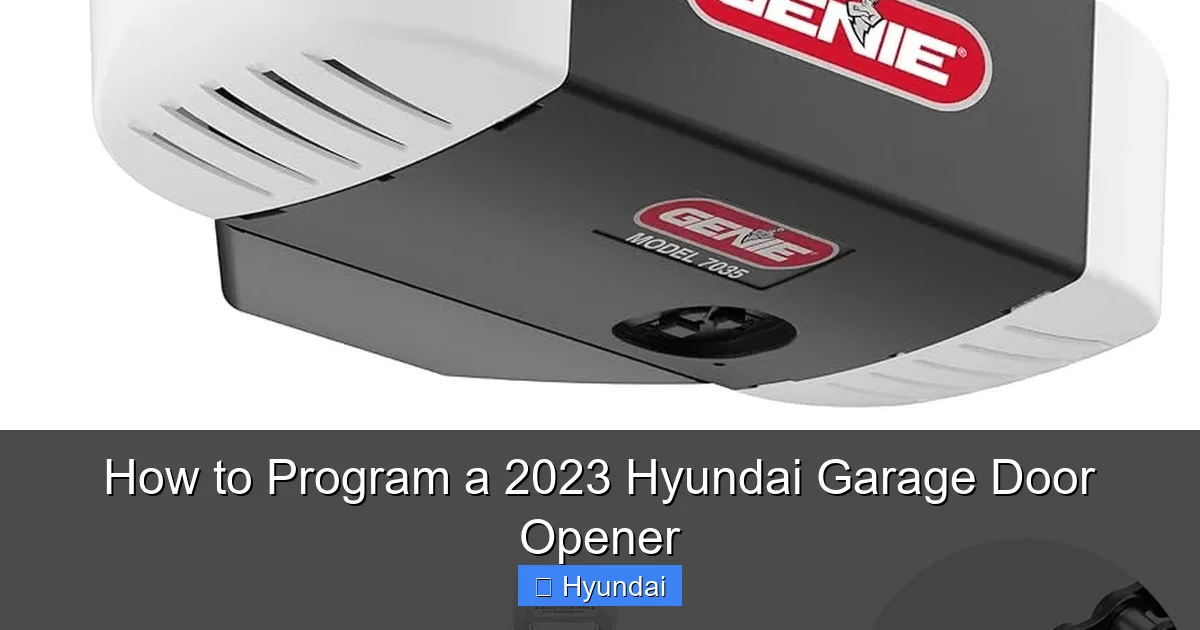
The vast majority of garage door openers manufactured since 1993 are compatible. The critical feature is a “Learn” or “Smart” button on the motor unit (the box mounted on your garage ceiling). This button is usually a brightly colored square or round button—often yellow, red, purple, green, or orange—and may have a small LED next to it. If your opener has a DIP switch panel (a row of tiny switches you slide between “on” and “off”) instead of a Learn button, it is an older rolling code system and may require an external compatibility bridge or different steps. For a 2023 Hyundai, the standard rolling code protocol is supported, so you should be fine. When in doubt, your garage door opener’s manual is the best resource. You can also look up your model online for compatibility confirmation. For those with newer MyQ or similar smart-enabled openers, the process is identical for the basic RF function.
Locating the Components: Your Hyundai’s Buttons and the Opener’s Learn Button
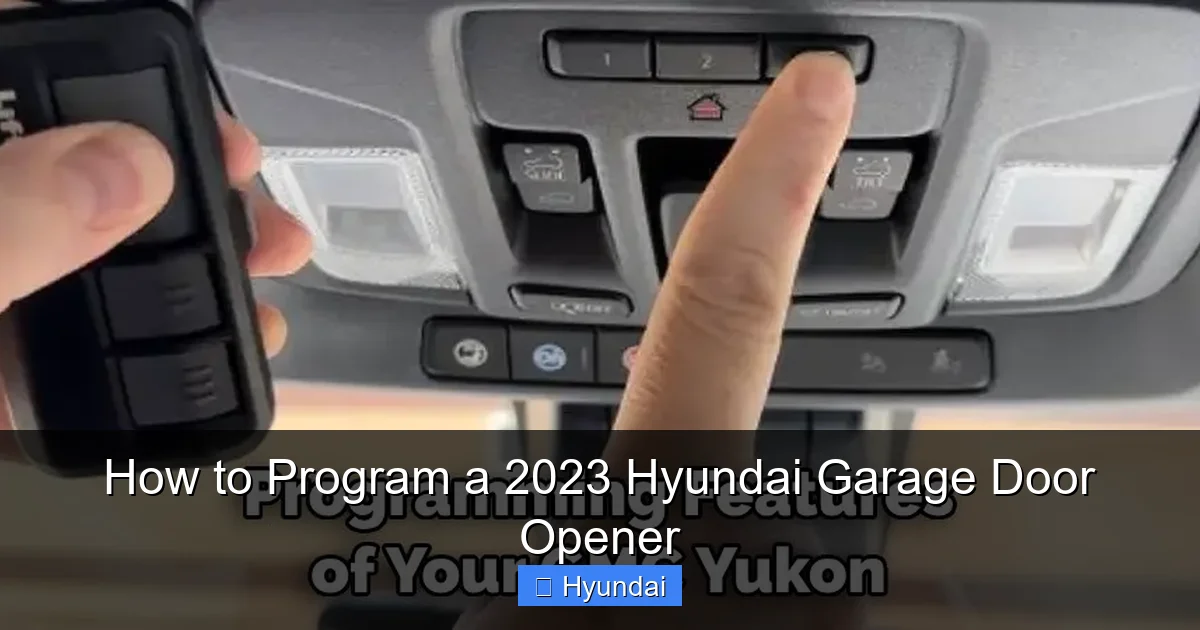
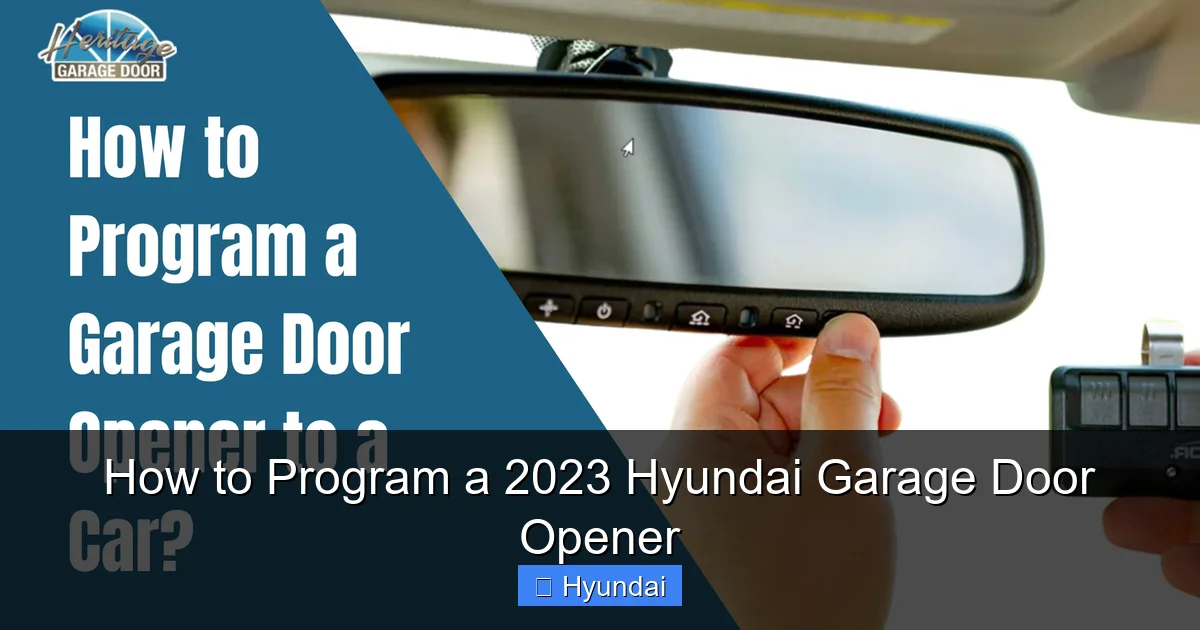
Before you start, find your Hyundai’s HomeLink® buttons. In most 2023 Hyundai models like the Sonata, Tucson, Santa Fe, and Elantra, they are on the rearview mirror housing. Look for three small, blank-looking buttons. In some trims or models, they might be in the overhead console. You’ll also need your garage door opener’s remote control and access to the main motor unit. The “Learn” button is on the back or side of this motor unit. You’ll likely need a step stool to reach it safely. Once you locate it, note its color and position. This information is crucial for the next steps.
The Step-by-Step Programming Process for Your 2023 Hyundai
Now for the main event. The process has two primary methods, depending on your garage door opener’s technology. Method 1 is for standard rolling code openers (the most common). Method 2 is for older, fixed code openers with DIP switches. We’ll focus on Method 1, as it applies to over 95% of modern systems.
Visual guide about How to Program a 2023 Hyundai Garage Door Opener
Image source: garagean.com
Method 1: Programming for Rolling Code Openers (LiftMaster, Chamberlain, Genie, etc.)
Step 1: Prepare Your Garage Door Opener. Using your step ladder, locate the “Learn” button on your garage door opener’s motor unit. Press and release it firmly. The indicator light next to it will start blinking, usually for about 30 seconds. This blinking signals that the opener is in “learning mode” and ready to accept a new signal. Important: Do not hold the Learn button down, as this can erase all other remotes. A quick press and release is correct.
Step 2: Return to Your Hyundai and Activate the HomeLink® Button. Quickly get back into your car. You have about 30 seconds before the opener’s Learn mode times out. Choose which HomeLink® button you want to program (Button 1, 2, or 3). Press and hold that button down. You don’t need to press it rapidly. A steady, firm press is best.
Step 3: Observe the Indicator Light. While you hold the HomeLink® button, watch the small indicator light on the button itself (or on the mirror/console housing). After a few seconds, this light will start to blink slowly, then rapidly. This rapid blinking indicates that your Hyundai has successfully learned the code from the garage door opener. Step 4: Release the Button and Test. Once the light blinks rapidly, you can release the button. The indicator light should now turn solid. Now, press the programmed HomeLink® button again to operate your garage door. It should move. If it doesn’t, repeat the process. Sometimes, you may need to press the HomeLink® button two or three times during the initial programming to get it to sync.
Method 2: Programming for Older Fixed Code Openers (DIP Switch Systems)
If your opener has a panel of tiny switches (DIP switches) instead of a Learn button, the process is different. You will need the original remote control that came with the opener. Step 1: Press and hold the two outer HomeLink® buttons in your Hyundai simultaneously. Hold them until the indicator light begins to flash rapidly (about 20-30 seconds). This clears any previous codes. Step 2: Hold your original remote control close to the HomeLink® buttons (about 1-2 inches away). Press and hold the button on the remote that opens your garage. Step 3: While holding the remote button, press and hold the desired HomeLink® button. Hold both until the HomeLink® indicator light changes from a slow blink to a rapid blink, then release both buttons. Step 4: Press the trained HomeLink® button to test. This method essentially teaches the Hyundai’s signal from your old remote’s signal.
Programming Multiple Doors or Gates
Your Hyundai has multiple HomeLink® buttons for this reason. Simply repeat the entire programming process for each additional door or gate operator, using a different HomeLink® button each time. You can program Button 1 for your home garage, Button 2 for a second door or a rental property, and Button 3 for a security gate. Each button will store a separate, unique code.
Troubleshooting: What to Do When It Doesn’t Work
Even with clear instructions, things can sometimes go wrong. Don’t worry; most issues have simple fixes. The key is systematic troubleshooting.
Visual guide about How to Program a 2023 Hyundai Garage Door Opener
Image source: heritagedoor.com
Common Problem: The HomeLink® Light Doesn’t Blink Rapidly
If you press and hold the HomeLink® button and the light stays solid or doesn’t change its blinking pattern, it didn’t learn the code. First, ensure you pressed and released the garage door opener’s Learn button correctly—a quick press, not a hold. Second, you might be too far from the motor unit when you get back to the car. The 30-second window is tight; move quickly. Third, try standing near the garage door motor unit (with your car running or in accessory mode) to minimize distance interference. Finally, try the process again, holding the HomeLink® button for a full 10-15 seconds before releasing, as some models require a longer press.
Common Problem: The Door Moves but Then Reverses or Stops
This is often a safety issue. Your garage door opener has safety sensors at the bottom of the door tracks. If these are misaligned, dirty, or obstructed, the door will reverse. This is not a programming problem. Check that the sensor lenses are clean and that the infrared beam is unbroken. The door should operate smoothly when tested manually with the remote. Also, ensure your garage door is in good working order before programming the car’s button.
Clearing a HomeLink® Button to Start Fresh
If you need to reprogram a button or it’s acting erratically, you must clear its memory. To do this, press and hold the desired HomeLink® button you wish to clear. Keep holding it until the indicator light changes from a steady glow to a rapid blink (this can take 15-20 seconds). Once it’s rapidly blinking, the button is cleared and ready for a new programming sequence. This is also useful if you sell the car and want to remove your personal garage codes.
When to Seek Professional Help
If you’ve repeated the correct process multiple times and it still fails, the issue may lie with the garage door opener itself (a faulty Learn button circuit) or, more rarely, a problem with the car’s HomeLink® module. At this point, consult your Hyundai owner’s manual for any model-specific warnings or procedures. You may also need to call a certified garage door technician to inspect your opener. For persistent Hyundai-specific electrical issues, your local Hyundai dealer’s service department can diagnose whether the vehicle’s system is functioning properly.
Advanced Tips and Best Practices for Seamless Integration
Once you have the basics down, these tips will ensure your system is reliable and secure for the long term.
Security Considerations for Your Home
The code your HomeLink® learns is unique and changes with each new programming session (rolling code). This prevents “code grabbing” by thieves. However, if you sell your Hyundai, it is crucial to clear all HomeLink® buttons (using the 20-second hold method described above) to protect your home’s security. Never leave your car with programmed HomeLink® buttons active if you are giving the vehicle to someone else. Treat it like giving them a spare garage door remote.
Integrating with Smart Home Systems
Many modern garage door openers (like LiftMaster’s MyQ) have Wi-Fi modules that allow smartphone control. Your car’s HomeLink® and this smartphone app operate independently. You can use both. Programming the HomeLink® does not affect your Wi-Fi connection. Some newer Hyundai models with Hyundai Digital Key or connected car services might offer additional integration, but the basic RF function via HomeLink® remains the most direct and reliable method for garage door operation. For ultimate convenience, you can have the physical button in the car for quick access and the app for monitoring and control from anywhere.
Maintenance and Long-Term Reliability
Your HomeLink® system requires no maintenance. However, the battery in your original handheld remote does. If your original remote’s battery is weak, it can send a faint signal that might not be learned properly by the car’s system. If you have trouble, replace the battery in your handheld remote first. Also, keep the area around your garage door opener’s motor unit clear of dust and debris. A clean motor unit is a happy motor unit. Periodically test your programmed HomeLink® button every few months to ensure consistent operation.
Cross-Brand Compatibility Insights
The beauty of HomeLink® is its universality. The steps are virtually identical whether you’re pairing with a Toyota’s built-in system or a Kia’s equivalent. The core principle—press Learn on the opener, then press/hold the car button—remains the same across brands. This means the knowledge you gain here is transferable. If you ever need to program a different vehicle, you already know the fundamental process. For specific nuances of other brands, guides like our article on programming a 2023 Nissan Rogue garage door opener can provide those model-specific visuals and tips, but the underlying technology is shared.
Conclusion: Enjoy Your Newfound Convenience
Programming your 2023 Hyundai garage door opener is a perfect example of a simple DIY task that dramatically improves your daily routine. It takes a little patience and a careful read of your owner’s manual, but the reward is a cleaner dashboard and effortless access to your home. Remember the golden rule: the “Learn” button on the garage opener initiates the process, and a steady press of your chosen HomeLink® button in the car completes it. Always test with the door closed, clear old codes when needed, and consult your manuals for your specific Hyundai model—be it a Venue, Kona, or Palisade—and your garage door opener’s brand. You’ve now unlocked a smarter, more integrated driving experience. Now, go ahead and press that button on your mirror and enjoy the smooth, quiet hum of your garage door opening as you pull in.
Frequently Asked Questions
Will this work with my older garage door opener that has a row of switches?
It might. If your opener has DIP switches instead of a Learn button, you’ll need to use Method 2 described above, which involves holding your original remote control near the HomeLink® button. However, very old systems may require an external compatibility bridge. Check your Hyundai owner’s manual for a list of compatible systems or contact the opener’s manufacturer.
Can I program my Hyundai’s HomeLink® to control two separate garage doors?
Yes, absolutely. Your 2023 Hyundai has multiple HomeLink® buttons (usually three). You can program each button to a different door or gate operator. Simply repeat the entire programming process for each additional door, selecting a different HomeLink® button each time.
What if my garage door opener doesn’t have a colored ‘Learn’ button?
If your opener lacks a distinct Learn button and instead has a series of small switches (DIP switches), you must use the alternative programming method that involves your original handheld remote. If your opener has no Learn button and no DIP switches, it is likely incompatible with the direct HomeLink® connection and you may need a signal repeater or bridge device.
My Hyundai’s HomeLink® light blinks but the door doesn’t open. What’s wrong?
First, ensure you are within range and that nothing is blocking the signal. Second, check the batteries in your original handheld remote; a weak battery can teach a weak signal to the car. Third, verify the Learn button on the opener was pressed and released correctly (a quick tap). Finally, try clearing the HomeLink® button (hold for 20 seconds until rapid blink) and reprogramming from scratch.
Is there a limit to how many times I can program a HomeLink® button?
There is no practical limit. You can program and reprogram the buttons as many times as you need. The system stores the most recently learned code. Remember to always clear the button first if you are having persistent issues or if you want to ensure no old codes are lingering.
Will programming HomeLink® affect my car’s battery or electrical system?
No. The HomeLink® system uses a very small amount of power when idle and only transmits a brief radio signal when you press a button. It is designed to have no noticeable impact on your vehicle’s battery life or electrical system. It is a safe, factory-installed feature.
