
How to Defrost a Tesla

Defrosting a Tesla is a primarily automated, app-controlled process that leverages the vehicle’s electric climate system and battery power. Unlike traditional cars, you can start the process remotely via the Tesla app, schedule it for your commute, or activate it manually from inside the car. The system uses dedicated front vent directs heated air to the windshield and side windows, often melting ice and frost faster than internal combustion engines. Understanding these methods, the role of your charger, and best practices for winter efficiency ensures you’re never stuck waiting for a clear view.
Key Takeaways
- Tesla’s defrost is electric and instantaneous: The system uses battery power to generate heat, allowing you to activate it remotely without being in the car, unlike systems that require a running engine.
- The Tesla app is your primary remote control: You can activate “Defrost” mode from your phone to start melting ice and snow before you even step outside.
- Scheduled Departure automates preconditioning: Set a daily departure time, and your Tesla will automatically defrost and heat the cabin using grid power if plugged in, preserving your battery for driving.
- Manual controls are a reliable backup: The climate control screen inside the car has a dedicated “Defrost” button that maximizes airflow to the windshield and engages the rear defroster.
- Efficiency is key in cold weather: Using a charger for preconditioning saves significant battery range. Installing a home 220V outlet dramatically speeds up both charging and preconditioning.
- Safety first: Never rely solely on automation. Always physically inspect your vehicle for complete ice removal, especially on the roof, mirrors, and lights, before driving.
- Common issues are often simple: If the app defrost fails, check your internet connection, phone location services, and ensure the vehicle is connected to Wi-Fi or LTE and has sufficient battery charge.
📑 Table of Contents
Understanding Tesla’s Unique Defrost System
When you step out on a frigid winter morning to find your car encased in ice, the process of “defrosting” can feel like a battle against time. If you’re new to Tesla, you might instinctively reach for a key fob to start the engine and run the heater. But a Tesla has no engine to run, and no key fob in the traditional sense. This fundamental difference is the first clue that defrosting a Tesla is an entirely different, and largely superior, experience.
Tesla’s system is a fully electric climate control powerhouse. Instead of relying on waste heat from an internal combustion engine, it uses high-voltage battery power to run a potent heat pump (in newer models) or resistive heating elements (in older models) to generate warm air. This air is then funneled through a sophisticated network of vents specifically designed for maximum windshield and window clearing. The “Defrost” mode in a Tesla is not just a climate setting; it’s a dedicated software function that commands the HVAC (Heating, Ventilation, and Air Conditioning) system to its highest output, directing all available hot air to the front windshield and front side windows, while simultaneously activating the electrical rear window defroster grid.
The Role of the Battery and Charging
Because the defrost system draws significant power from the main battery, Tesla has engineered intelligent ways to manage this. The most efficient method is to perform the defrost while the car is plugged into a charger. When connected to grid power, the vehicle can use that external source to run the climate system, preserving the battery’s state of charge for actual driving. This is the core principle behind “preconditioning.” If you try to defrost a Tesla on battery power alone, especially with a low charge, it will work, but you will consume a noticeable amount of range—potentially 10-20 miles or more for a heavy frost. This is why setting up a reliable home charging solution is one of the best winter investments for a Tesla owner. Understanding how much does it cost to install a Tesla charger or a 220V outlet can help you plan for this efficiency, as Level 2 charging provides the ample power needed for fast, battery-friendly preconditioning.
The Remote Revolution: Defrosting with the Tesla App
This is the feature that shocks most new Tesla owners and converts them forever. Imagine waking up to a blizzard, sipping your coffee indoors, and with a few taps on your phone, watching snow melt off your windshield from your living room window. That’s the reality of the Tesla app’s “Defrost” function. It’s not magic; it’s your car’s climate system waking up on command via a cellular or Wi-Fi connection.
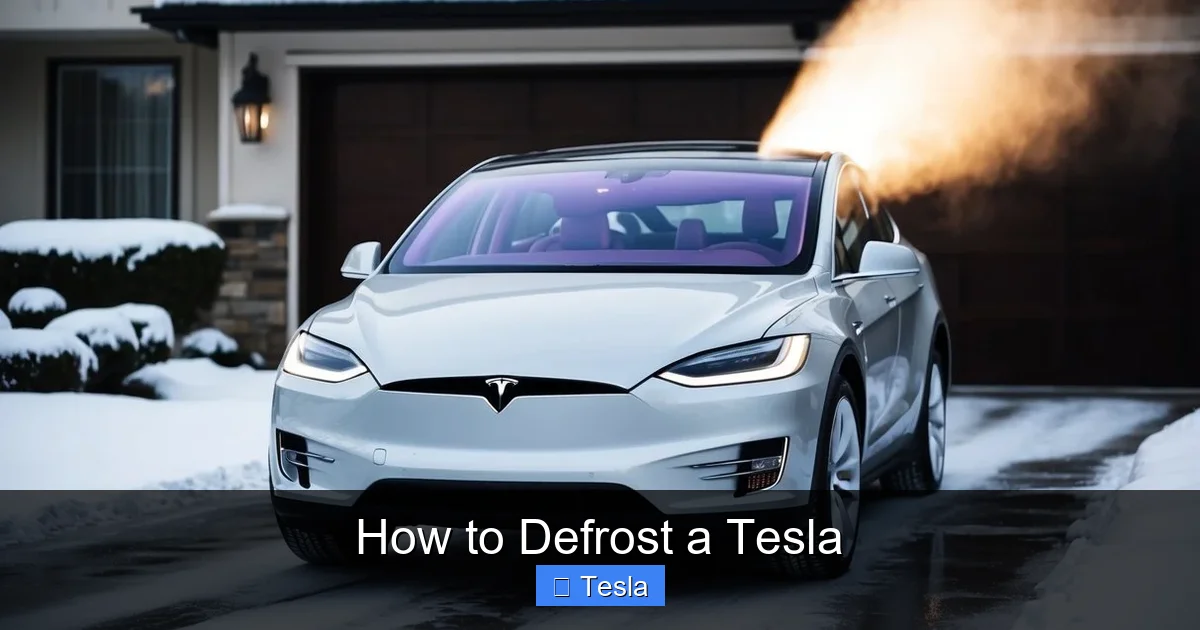
Visual guide about How to Defrost a Tesla
Image source: koala.sh
To use it, open the Tesla app on your smartphone. Ensure your phone’s location services are on and the app is logged into your Tesla account. On the main control screen, you’ll see a large, snowflake-shaped icon labeled “Defrost.” Tap it. The car will respond by powering up its climate system to maximum defrost mode. You’ll see the status change on the app, and if you have notifications enabled, you’ll get a confirmation. The car’s HVAC system will blast hot air at the windshield, and the rear defroster will click on. For heavy ice, this process can take 15-30 minutes. The app will automatically turn off after a set period (usually 30-45 minutes) or if the car detects you’ve unlocked and entered it.
Step-by-Step Guide to App Defrost
- Prerequisites: Your Tesla must have a sufficient battery charge (typically above 20%), be within cellular range (or connected to your home Wi-Fi), and have “Cabin Overheat Protection” enabled in the settings (this allows climate control when parked).
- Action: Open the Tesla app > Tap the “Climate” section > Select the “Defrost” snowflake icon.
- Monitoring: You can watch the progress. Some models will show the temperature of the cabin and outside air in the app. You can also adjust the temperature setting from the app if you want to modify the output.
- Safety Check: The app defrost is a convenience feature, not a complete solution. Always do a final manual inspection. Scrape any remaining ice from the roof, side mirrors, and lights, as these are not targeted by the defrost vents.
Common App Issues and Troubleshooting
The most common reason for app defrost failure is a lack of connectivity. Ensure your car has a good cellular signal (check the signal bars on the touchscreen or in the app). If you’re at home, confirm your car is connected to your Wi-Fi network. A low battery (<20%) can also prevent the function from initiating as a safety measure for the 12V battery. If the car is in "Sentry Mode" or "Camp Mode," it may interfere. Try turning those off temporarily. Finally, ensure your phone's Tesla app is updated to the latest version. If problems persist, a simple reboot of the car's touchscreen (holding down both scroll wheels) often resolves temporary software glitches.
Scheduled Departure and Preconditioning: The Set-and-Forget Solution
For daily commuters, the ultimate convenience is never having to think about defrosting at all. This is achieved through Tesla’s “Scheduled Departure” feature, which works in tandem with “Preconditioning.” This automation is a game-changer for predictable routines and is the most battery-efficient method when used correctly.
Visual guide about How to Defrost a Tesla
Image source: koala.sh
Here’s how it works: You set a time you plan to leave in your car’s settings (Touchscreen > Controls > Charging > Schedule). You can also enable “Precondition” which tells the car to start heating or cooling the cabin to your set temperature at a specific time before departure. The critical part is the “Depart Off-Peak” charging option. When this is enabled and your car is plugged in, the Tesla will intelligently use grid power to perform the preconditioning. It will start the defrost and heating cycle just in time to have the cabin comfortable and the windows clear for your scheduled departure time. It may even delay the start of charging to use off-peak electricity rates if configured.
Optimizing Scheduled Departure for Winter
- Timing is Everything: Set your departure time accurately. For a heavy frost, you may want to precondition 30-45 minutes before you need to leave. The system will start automatically.
- Link it to Your Charger: This feature is most effective and efficient when your car is plugged in. If you don’t have a home charger, installing one is highly recommended. Researching how much to tint a Tesla can also help with heat retention, but preconditioning is the primary tool for ice removal.
- Temperature Setting: Set your desired cabin temperature in the climate control. The defrost function will operate at maximum output regardless, but having a set temperature ensures the cabin is comfortable when you get in.
- Works for Cooling Too: In summer, this same feature will pre-cool your car, making it a year-round luxury.
The Rental Car Scenario
What if you’re driving a Tesla rental? You likely won’t have a dedicated charger at your hotel or Airbnb. In this case, the Scheduled Departure feature will still work, but it will drain the rental’s battery. You must be mindful of the state of charge. The remote app defrost remains your best tool. For renters, understanding how to charge a Tesla rental car at public stations is also crucial, as you’ll need to replenish any battery used for preconditioning. Always check the rental agreement’s policies on charging and battery return levels.
Manual Defrost: Inside the Car Controls
Technology can fail, or you might simply prefer the tactile feedback of a button. Every Tesla has a highly effective manual defrost system accessible directly from the driver’s seat. This method uses the same powerful HVAC system as the app but gives you immediate, hands-on control.
Visual guide about How to Defrost a Tesla
Image source: cdn.motor1.com
Locate the climate control icon on the bottom center of your touchscreen (or the physical button on the steering wheel stalk in older models). Tap it to bring up the climate menu. You’ll see a large, intuitive button with an icon of a windshield with wavy lines—this is the “Defrost” mode. Pressing it does three things immediately: 1) Sets the fan speed to maximum. 2) Directs all air vents to point at the windshield (the dashboard vents will adjust automatically). 3) Activates the rear window defroster (the grid lines on the rear glass will glow red as they heat up). 4) Often engages the seat heaters and steering wheel heater if equipped, adding overall warmth.
Defrost vs. Defog: Knowing the Difference
It’s important to distinguish between “Defrost” (clearing ice and frost) and “Defog” (clearing condensation). The manual “Defrost” button is for ice. For interior fogging—which happens when warm, moist air from your breath hits a cold windshield—you need a different approach. Use the climate control to set a comfortable temperature and a moderate fan speed, ensuring the air is directed at the windshield. The car’s automatic humidity sensors often manage this, but manual override is available. Using the air conditioning (A/C) simultaneously, even in cold weather, is the most effective way to dehumidify the air and clear fog quickly. The system will mix cold, dry A/C air with the hot heater air to create a warm, dry stream perfect for defogging.
Manual Tips for Maximum Effect
- Combine Methods: Start with the app or scheduled departure to melt the bulk of the ice, then do a quick manual scrape for any remaining patches.
- Don’t Forget the Rear: The manual button activates the rear defroster grid. Ensure it’s working; a failed grid element is a common issue that may require a window replacement.
- Vent Adjustment: While the Defrost mode auto-adjusts vents, you can fine-tune them using the touchscreen vent director to ensure no cold air pockets remain on the corners of the windshield.
- Patience with Thick Ice: For a solid inch of ice, the system will take time. Start it early. Using a proper ice scraper on the edges while the system works is a good hybrid approach.
Winter Efficiency and Range: The Big Picture
Defrosting a Tesla is wonderful, but it comes at a cost: energy consumption. Cold weather is the single biggest factor reducing electric vehicle range. The battery’s chemical reactions are less efficient, and the cabin heating system is a major power drain. Understanding this ecosystem is key to stress-free winter ownership.
The golden rule is: Always precondition while plugged in. This uses grid power, not your battery’s. If you must precondition on battery, try to do it shortly before you leave so the cabin warmth is still present when you start driving. Once moving, the car’s heat pump (in 2020+ Model 3/Y and newer) is remarkably efficient, but it still uses 1-3 kW of power. At highway speeds, that can reduce range by 10-15%. To combat this, preheat the cabin while plugged in, drive with a moderate cabin temperature, and use seat/steering wheel heaters (which are far more efficient than heating the entire air volume) for personal warmth.
The Charging Connection is Everything
This cannot be overstated: the speed and convenience of your winter Tesla experience are directly tied to your home charging setup. A standard 120V outlet can provide preconditioning power, but it’s very slow and may not keep up with heavy heating demands. A 240V (220V) outlet or a dedicated Tesla Wall Connector supplies significantly more power. This means your car can precondition faster and more effectively, and it will also charge much quicker to replenish any range lost to winter driving. Investing in a proper 220V outlet installation is one of the best upgrades you can make for Tesla winter ownership. It pays for itself in time saved and range preserved.
Additional Winter Driving Tips
- Tire Pressure: Cold air reduces tire pressure. Check and inflate tires to the recommended PSI (found on the driver’s door jamb sticker) when cold. Proper inflation is crucial for range, handling, and tire wear. You can calibrate the TPMS from the service menu after adjusting.
- Regenerative Braking: Cold batteries accept less regenerative braking energy. You may notice a lower regen setting in very cold weather. This is normal and will return as the battery warms up during driving.
- Visibility: Use the windshield wiper “Service” mode to lift the wipers off the glass before a freeze to prevent them from sticking. Consider applying a hydrophobic coating like Rain-X to help ice slide off more easily.
- Charging Speed: Charging will be slower in extreme cold until the battery warms up. Preconditioning while en route to a Supercharger (using the in-car navigation) will warm the battery for optimal charging speeds.
Troubleshooting and Common Questions
Even with all this technology, you might encounter hiccups. Let’s address the most common concerns. If your defrost system isn’t working as expected, start with the basics. Is the car plugged in? Is the 12V battery healthy? (A failing 12V battery can cause all sorts of electronic gremlins, including climate control issues). Is the touchscreen responsive? A reboot often fixes temporary software bugs. Check for any error messages in the “Notifications” area of the car’s settings.
If the rear defroster grid isn’t heating, it could be a burned-out element or a blown fuse. This is a hardware issue that requires service. If the front vents aren’t blowing hot air, the issue could be with the heat pump or heater core, or a low refrigerant charge in the heat pump system. These are service center diagnoses. For app connectivity issues, ensure your phone has a good internet connection (Wi-Fi or cellular data), the Tesla app is updated, and location services are enabled for the app in your phone’s settings.
When All Else Fails: The Manual Scrape
Remember the old-school failsafe: a good ice scraper and brush. Keep one in your frunk or under a seat. For thick ice, a de-icer spray (isopropyl alcohol-based) can help. Never use hot water, as the thermal shock can crack glass. A garage or car cover is the ultimate preventative measure. Some owners also swear by fitting their Teslas with window tint, which can provide a slight insulating effect and reduce interior heat loss, though its impact on defrosting is minimal. If you’re considering this, research how much to tint a Tesla Model 3 or your specific model, as costs and legal limits vary by region.
Frequently Asked Questions
How long does it take to defrost a Tesla using the app?
For a typical frost, the app defrost can clear the windshield in 10-20 minutes. For heavy ice or snow accumulation (1-2 inches), expect it to take 25-45 minutes. The system works continuously until it times out or you turn it off. It’s always faster to combine it with a quick manual scrape of stubborn patches.
Is defrosting a Tesla faster or slower than a traditional car?
It’s generally faster and more effective. A traditional car’s defrost relies on engine heat, which takes several minutes to warm up after starting. A Tesla’s electric system produces hot air instantly. The dedicated vent design and powerful output, combined with the ability to start the process remotely, mean you often walk out to a completely clear windshield, whereas a gas car might still have patches of frost.
Can I defrost my Tesla if I don’t have internet or cellular service?
Yes, but only manually from inside the car. The remote app and Scheduled Departure features require a cellular or Wi-Fi connection for the car to receive the command. If you are in a dead zone with no connectivity, you must use the touchscreen’s manual Defrost button. This is why having a reliable connection (and a home Wi-Fi network for your garage) is beneficial.
Is it safe to leave my Tesla running the defrost while unattended?
Yes, it is designed for this. The vehicle will remain securely locked. The climate system will run for a programmed duration (usually 30-45 minutes) and then shut off. There is no risk of carbon monoxide poisoning as with a gas car. However, always ensure the area is well-ventilated if snow is piled against the exhaust (though Teslas have no tailpipe), and be aware of any local ordinances about idling electric vehicles.
Will repeatedly defrosting on battery power significantly reduce my range?
Yes, it will. A heavy defrost session can consume 5-15 miles of range depending on outside temperature and frost thickness. This is why preconditioning while plugged in is the recommended best practice. If you must do it on battery, try to do it right before you drive so the cabin warmth is still present, and plan to charge a bit more at your next opportunity.
What should I do if the app defrost command isn’t working?
First, check your phone’s internet connection and the Tesla app’s login status. Second, check the car’s connectivity: look at the touchscreen for a cellular signal icon or a Wi-Fi connection. Third, ensure the car has sufficient charge (>20%). Fourth, verify that “Cabin Overheat Protection” is enabled in Settings > Safety & Security. Finally, try rebooting the car’s touchscreen by holding both scroll wheels until it goes black and restarts.
