
Why Is My Tesla Squeaking

Hearing a mysterious squeak, squeal, or chirp from your Tesla? It’s rarely just a quirk—it’s your car’s way of asking for attention. The most common culprits are the regenerative braking system, worn brake pads, suspension bushings, a failing 12V battery, or issues with the charging port connector. While some noises are normal (like a brief regen squeal on cold starts), persistent sounds often signal wear that needs addressing. Always prioritize safety: diagnose the source carefully and don’t hesitate to schedule a service appointment if you’re unsure.
You’re cruising in your silent, swift Tesla, enjoying the near-whisper-quiet ride that makes every commute feel like the future. Then, out of nowhere—a sharp squeak. Maybe it’s a high-pitched squeal when you press the brake. Or a chirping sound from the wheel well as you turn. Or a weird noise when you plug in to charge. Your first thought? “Why is my Tesla squeaking?”
It’s a fair question. Teslas are complex machines with unique engineering. That silence you love means there’s no roaring engine to mask other sounds. So when something’s off, you hear it loud and clear. A squeak isn’t just an annoyance; it’s a diagnostic clue. In this complete guide, we’ll break down every common cause of Tesla squeaking noises, from the brakes you rely on to the charging port you use daily. We’ll help you distinguish a normal sound from a serious problem, and give you clear steps on what to do next.
Key Takeaways
- Brakes are the #1 suspect: Regenerative braking can cause a temporary squeal, but constant noise usually means worn brake pads or debris.
- Suspension bushings wear out: Tesla’s heavy weight and instant torque can accelerate wear on control arm and sway bar bushings, leading to squeaks over bumps.
- The 12V battery is critical: A failing 12V battery can make high-pitched squealing or sizzling noises and cause major system warnings.
- Charging port issues are common: A damaged or dirty connector pin can create a loud, repetitive squeal during charging.
- Software can mimic hardware: Glitches in the vehicle’s software or sensor calibrations can sometimes generate false noise alerts.
- Never ignore persistent noise: What starts as a squeak can lead to component damage, safety risks, and costly repairs if left unchecked.
- Tesla-specific design factors: The absence of a traditional engine means you hear everything more clearly, and the heavy battery pack stresses suspension components uniquely.
📑 Table of Contents
- The Sound of Silence: Why Teslas Amplify Every Noise
- H2: Brake System Noises: The Most Common Culprit
- H2: Suspension & Steering: Squeaks Over Bumps and Turns
- H2: Electrical & 12V Battery Noises
- H2: Charging Port & Connector Squeals
- H2: Software Glitches & False Positives
- H2: Diagnostic Steps: What to Do When You Hear a Squeak
- Conclusion: Listen to Your Tesla
The Sound of Silence: Why Teslas Amplify Every Noise
Before we dive into the “why,” let’s talk about the “how.” In a traditional gas car, the engine and exhaust system create a constant background hum. That hum acts like white noise, often covering up smaller squeaks, rattles, or hums from other parts of the car. In a Tesla, that masking effect is gone. The electric powertrain is incredibly quiet, especially at low speeds. This acoustic transparency means you become hyper-aware of every little sound from the tires, suspension, brakes, and even the cabin vents.
Furthermore, Tesla’s design philosophy prioritizes performance and efficiency. The massive battery pack adds significant weight—often 1,000+ pounds—compared to a gas engine. This weight puts extra stress on suspension components, bushings, and brakes. The instant torque of electric motors also puts unique, abrupt stress on these parts. Combined, these factors mean that components can wear differently—and sometimes noisier—than in a traditional car. So, that squeak isn’t in your head; it’s a real signal that something needs a closer look.
H2: Brake System Noises: The Most Common Culprit
Let’s start with the brakes, because statistically, they’re the source of most “squeaking” complaints in any car, Tesla included. But Tesla brakes have a twist: regenerative braking.

Visual guide about Why Is My Tesla Squeaking
Image source: oceansidemotorsports.com
Regenerative Braking Squeal (Often Normal)
When you lift off the accelerator in a Tesla, the motor acts as a generator, slowing the car and sending energy back to the battery. This is regen braking. In colder weather, or after a period of heavy regen use (like a long downhill drive), you might hear a high-pitched, brief squeal or whine from the front wheels when you first apply the friction brakes. This is usually normal. It’s caused by moisture, light surface rust on the brake rotors, or the pads re-seating themselves. The sound should disappear after 1-2 brake applications. If it persists every single time you brake, even after the car warms up, it’s likely not just regen.
Worn Brake Pads: The Classic Squeak
This is the universal language of cars. Tesla brake pads have wear indicators—small metal tabs that contact the rotor when the pad material is thin (usually at 3mm or less). This creates a deliberate, loud, high-pitched squeal that’s designed to be impossible to ignore. If you hear a constant, loud squeal every time you brake, worn pads are the prime suspect. The good news? Tesla brake pads often last a very long time due to regen handling most daily slowing. But in stop-and-go traffic or for drivers who disable regen, pad wear can happen faster.
Brake Dust, Debris, or Glazing
Sometimes, it’s not wear but contamination. Brake dust can build up between the pad and rotor, creating a squeak. A small stone or debris can get lodged in the caliper. Or, the pads can become “glazed” from excessive heat, creating a smooth, hard surface that squeals against the rotor. A visual inspection can often reveal these issues. You might also feel a gritty or vibrating sensation in the pedal.
Sticking Caliper or Slide Pins
The brake caliper must move freely on its slide pins. If these pins are corroded or lack proper lubrication, the caliper can stick, causing the pad to drag slightly against the rotor. This creates a constant, low-to-medium-pitched squeak or squeal, often changing with wheel speed. You might also notice uneven pad wear or a slight pull to one side when braking. This is a more serious issue that needs immediate attention to prevent brake drag and overheating.
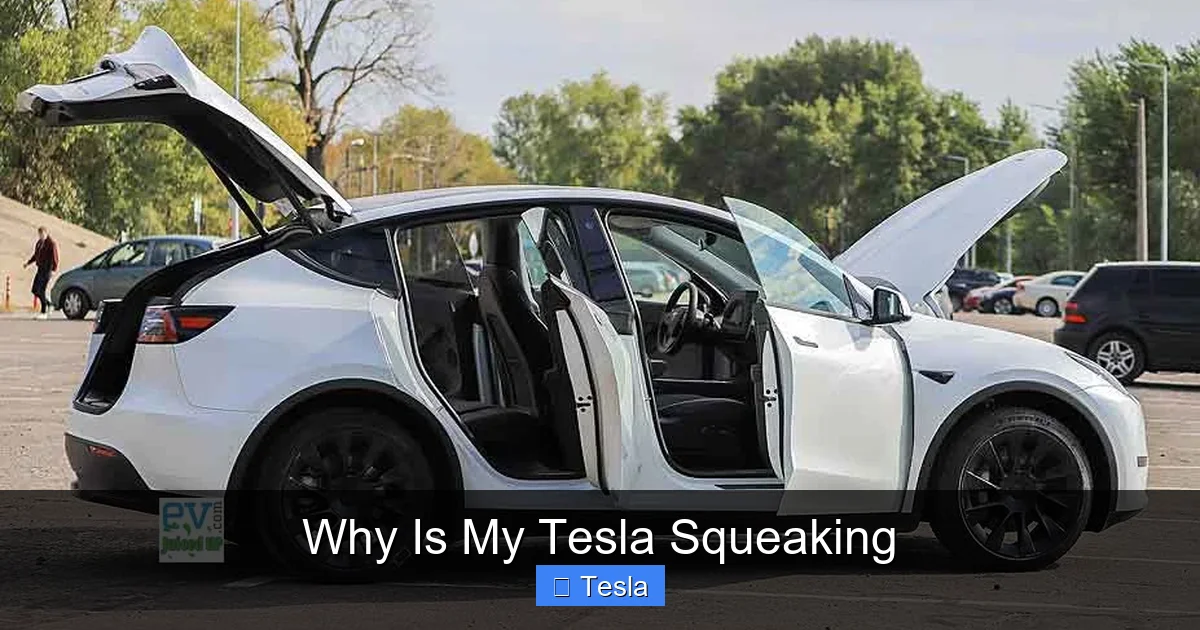
H2: Suspension & Steering: Squeaks Over Bumps and Turns
Your Tesla’s suspension is a symphony of bushings, ball joints, and linkages. These rubber or polyurethane components cushion vibrations and allow controlled movement. Over time, they dry out, crack, and fail—and they make noise when they do.
Visual guide about Why Is My Tesla Squeaking
Image source: evjuicedup.com
Control Arm & Sway Bar Bushings
This is the #1 suspension noise source in many Teslas, especially Models S and X with more complex multi-link setups, but also in Model 3/Y. The front lower control arm bushings and rear sway bar bushings are known wear points. The symptom? A distinct squeak or clunk when going over a bump, dip, or turning at low speed (like in a parking lot). The noise is often more pronounced when the suspension is loaded—like when turning into a driveway. Cold weather can make these noises louder as rubber stiffens.
Strut Mounts and Top Hats
The strut mount (where the shock absorber meets the vehicle body) contains a bearing and a rubber isolator. If the bearing is failing, you might hear a creaking or groaning when turning the wheel at a stop. If the rubber isolator deteriorates, it can produce a metallic clunk or squeak over bumps.
Tie Rod Ends and Ball Joints
These are pivot points for steering. A failing tie rod end or ball joint often makes a clunk rather than a pure squeak, but a light squeak on initial movement is possible, especially if the grease seal is compromised and dirt gets in. A telltale sign is a loose or vague feeling in the steering wheel, or uneven tire wear.
Why Teslas Are Prone to This
The weight of the battery pack increases the load on all suspension components. The instant torque can also create sudden, sharp forces during acceleration and regen braking. Combined with the fact that many Teslas are daily drivers with high mileage, these bushings simply work harder and may wear faster than in a lighter, gas-powered car.
H2: Electrical & 12V Battery Noises
Your Tesla has two batteries: the massive high-voltage traction battery under the floor, and a standard 12V battery (like in any car) that powers all the computers, lights, and accessories. The 12V battery is a frequent source of mysterious noises.

Visual guide about Why Is My Tesla Squeaking
Image source: oceansidemotorsports.com
The High-Pitched Squeal from the Frunk
If you hear a faint, high-pitched electronic squeal or whistle coming from the front trunk (frunk) area, especially when the car is “awake” but not moving, the 12V battery or its charging system is the prime suspect. This can be a failing 12V battery on its last legs, or a problem with the DC-DC converter (which charges the 12V battery from the main battery). This noise is a major red flag. A failing 12V battery can cause your Tesla to lose all power, become completely immobilized, and throw multiple error messages. It’s not just a noise—it’s a warning of imminent failure. If you hear this, check the 12V battery voltage via the service menu or have it tested immediately.
Relays and Contactors
Inside the car, various relays and contactors (electrical switches) can click, tick, or even buzz. You might hear these from behind the glovebox or under the dash. While often normal, a constant buzzing or rapid clicking can indicate a component is stuck or failing. These are usually not dangerous but should be diagnosed during a service visit.
H2: Charging Port & Connector Squeals
This one is uniquely Tesla and very common. If you hear a loud, mechanical squealing or grinding noise only when you plug in or unplug the charger, the problem is almost certainly in the charging port connector.
Worn or Dirty Connector Pins
The Tesla connector has several metal pins that interface with the vehicle’s port. Over time, these pins can wear down, become misaligned, or get coated with dirt and oxidation. When you push the connector in, the pins scrape against the vehicle’s contacts, creating a terrible squeal. You might also feel excessive resistance when plugging in.
Damaged Charging Port Latch or Mechanism
The port has a small motor and latch that secures the connector. If the latch mechanism is misaligned, broken, or lacks lubrication, it can make a grinding or squeaking noise as it tries to engage. Sometimes, simply cleaning and lubricating the port’s sealing surfaces with a silicone-based lubricant can help, but a damaged part may need replacement.
What to Do
First, do not force the connector. Inspect both the vehicle port and the charger connector for visible debris, corrosion, or bent pins. Clean gently with a dry cloth and isopropyl alcohol. If the noise persists, the port’s internal components likely need service. Tesla service can replace the port assembly or internal components. This is a common and well-known issue.
H2: Software Glitches & False Positives
In a car with over-the-air updates and hundreds of sensors, sometimes the “noise” isn’t mechanical at all—it’s digital.
False Audible Alerts
Tesla’s user interface can produce chimes and beeps for various alerts (like parking sensor warnings, lane departure, or blind spot indicators). Occasionally, a software bug can cause these alerts to trigger erroneously, making you think there’s a physical squeak when it’s just a phantom sound from the speakers. A simple dash and steering wheel button reset or a power cycle (leaving the car in “Sleep” mode for 15 minutes) can sometimes clear this.
Sensor Calibration Issues
The car’s ultrasonic sensors and cameras constantly calibrate. If a calibration is incomplete or fails, you might hear warning chimes that seem irregular. The car will usually display a message on the screen about a sensor being blocked or needing calibration. Cleaning the front and rear bumpers thoroughly and ensuring no obstructions (like dirt, snow, or bumper stickers) is the first step.
H2: Diagnostic Steps: What to Do When You Hear a Squeak
Okay, you’ve heard the noise. Now what? Don’t panic. Follow this systematic approach.
Step 1: Isolate the Source
This is the most important step. Get a friend to help. Have them drive slowly (in a safe, quiet area like an empty parking lot) while you sit in the passenger seat or stand outside. Ask them to:
- Brake gently and firmly. Does the squeak happen? When? On initial application? Throughout?
- Turn the steering wheel left and right at a stop. Does it chirp or creak?
- Drive over a small bump or speed bump at 5-10 mph. Does it squeak then?
- Plug in the charger. Does the noise start only during plug-in?
Listen carefully. Is it from the front wheels, rear wheels, under the car, from the frunk, or from the cabin vents? Pinpointing the quadrant (front left, front right, etc.) is huge.
Step 2: Check the Obvious & Simple
- Tires: Low or uneven tire pressure can cause irregular tire wear and noise. Check all four tires. Also, look for stones lodged in the tread.
- Brakes: Visually inspect through the wheel spokes. Can you see the brake pad thickness? If it’s less than 1/4 inch, it’s time for replacement. Look for rust on the rotor—a light coating is normal; heavy rust isn’t.
- Charging Port: Look inside with a flashlight. Is it clean? Are the metal contacts shiny? Any plastic pieces broken?
- 12V Battery: If your car is displaying any 12V battery warnings on the screen, prioritize this. You can check the voltage in the car’s Service menu (Settings > Service > 12V Battery). A healthy voltage is around 12.6V when the car is awake and not charging.
Step 3: Use the Tesla Screen
Navigate to Controls > Service > Vehicle Health (path may vary by software version). This section can show active alerts, battery status, and sometimes even pinpoint a specific sensor or component issue. Note any warning lights or messages.
Step 4: The “Do I Need a Pro?” Checklist
Seek professional Tesla service or a reputable EV specialist if:
- The squeak is constant, loud, and coming from the brakes.
- You suspect suspension components (bushings, ball joints). These require lifting the car and specialized tools.
- You hear the 12V battery squeal from the frunk.
- The charging port squeal is severe, or the connector won’t seat properly.
- Any warning lights (brake, battery, suspension) illuminate on the screen.
- You simply cannot locate the source after careful testing.
Safety first: Brake and suspension issues can compromise vehicle control. Don’t delay on these.
Conclusion: Listen to Your Tesla
Your Tesla’s squeak is a conversation. It’s telling you that a component is stressed, worn, dirty, or failing. In the serene cabin of an electric car, that conversation is impossible to ignore. The most common sources are the brake system (often due to regen quirks or pad wear), aging suspension bushings grappling with the battery’s weight, a distress signal from the 12V battery, or a misbehaving charging port connector.
While some noises are benign and temporary, persistent sounds are your cue to investigate. Start with simple checks—tire pressure, visual brake inspection, cleaning the charging port. But when in doubt, especially with brakes, suspension, or battery-related sounds, schedule service. A small, inexpensive repair now (like a bushing or pad set) can prevent a dangerous failure or a catastrophic, costly breakdown later. Treat the squeak not as an annoyance, but as your Tesla’s essential maintenance reminder. After all, the quietest ride is the one where every part is doing its job silently and safely.
Frequently Asked Questions
Is a squealing noise from my Tesla brakes normal?
A brief, high-pitched squeal on the first brake application in cold, wet weather is often normal due to moisture on the rotors. However, a constant squeal every time you brake indicates worn brake pads that need immediate replacement.
Can I fix a squeaky suspension bushing myself?
While you can inspect bushings visually, replacing them requires lifting the vehicle, pressing out old bushings, and pressing in new ones with specialized tools. It’s a complex, safety-critical job best left to professionals with alignment equipment.
Why does my Tesla make a squealing noise only when charging?
This is almost always caused by worn, dirty, or misaligned pins in the charging port connector. The pins scrape against the vehicle’s contacts as you plug in. Clean the port and connector gently; if it persists, the port mechanism may need service.
What does a high-pitched squeal from the front trunk mean?
This is a major warning sign of a failing 12V battery or a problem with the DC-DC converter that charges it. The 12V battery powers all the car’s computers; if it fails, your Tesla can become completely bricked. Have the 12V battery tested and replaced immediately.
Could a software update cause a new squeak?
Unlikely directly, but a software update might change regenerative braking behavior or alert tones, which you could misinterpret as a new noise. More commonly, a software glitch could cause a false audible alert from the speakers.
Should I keep driving if my Tesla is squeaking?
It depends on the source. A charging port squeak or a cold-weather regen squeal is likely safe to drive briefly. But any noise related to brakes, suspension, or the 12V battery should be diagnosed immediately. Driving with worn brakes or failing suspension is dangerous.
