
How to Unlock the Passenger Door on a Tesla

Unlocking a Tesla’s passenger door is primarily done via the Tesla smartphone app or the paired key card. If those fail, every Tesla has a hidden manual door release inside the vehicle for emergencies. Understanding these three methods—digital, physical key, and mechanical override—ensures you’re never locked out. Always keep your key card accessible as a reliable backup to the app.
So, you’re standing by your Tesla, groceries in hand, and the passenger door won’t budge. Maybe your phone died, or the app is being finicky. Don’t panic. Unlocking a Tesla’s passenger door isn’t like your old gasoline car—there’s no keyhole to jiggle. But Tesla, in its wisdom, built in multiple, redundant systems to get that door open. This guide will walk you through every single method, from the effortless tap on your phone to the hidden manual lever you hope you never need. We’ll cover all models—Model S, Model 3, Model X, and Model Y—so you know exactly what to do, no matter which Tesla you drive.
First, let’s set the stage. Teslas operate on a “keyless entry” philosophy. Your smartphone, when properly paired, acts as the key. Your key card is the physical backup. The traditional metal key is a relic of the past. This system is incredibly convenient… until it isn’t. That’s why understanding the fail-safes is crucial. This article is your complete manual for gaining access to the passenger compartment, whether it’s a routine unlock or a full-blown lockout scenario. We’ll start with the normal, everyday ways and progress to the emergency protocols.
Key Takeaways
- Primary Methods: The Tesla app and key card are the standard, everyday ways to unlock the passenger door remotely or when nearby.
- Manual Interior Release: Every Tesla has a hidden, non-electrical lever inside the door panel to open it from the inside during a power or system failure.
- No Traditional Keyhole: Teslas do not have an external keyhole on the passenger door, so you cannot use a physical key blade there.
- App Dependency: The smartphone app requires Bluetooth, internet connectivity, and a charged phone. A dead phone means relying on your key card.
- Key Card is Essential: Always carry your key card. It works independently of your phone and the car’s main battery (it uses a small CR2032 battery).
- Safety First: The manual interior release is for emergencies only. Do not use it routinely, as it can wear the mechanism and is not weather-sealed.
- Model Variations: While the core principles are the same across Model S, 3, X, and Y, the exact location of the manual release lever can differ slightly.
📑 Table of Contents
- Understanding the Tesla Door Entry System
- Method 1: Unlocking via the Tesla Smartphone App
- Method 2: Using the Key Card (The Essential Backup)
- Method 3: The Manual Interior Door Release (Your Emergency Escape Hatch)
- Method 4: Emergency Exterior Access (When You’re Locked Out)
- Troubleshooting: Why Won’t My Passenger Door Unlock?
- Preventing Lockouts: Proactive Tips
Understanding the Tesla Door Entry System
Before we dive into the “how,” it helps to understand the “why.” Tesla’s door system is a blend of wireless communication and clever mechanical engineering. The passenger door, like the driver’s door, is controlled by the vehicle’s central Body Controller Module (BCM). It listens for valid “unlock” signals from authorized sources.
The Three Pillars of Access
Think of the system as having three pillars, each a separate path to the same result:
- Pillar 1: Bluetooth Low Energy (BLE) from the Tesla App. Your phone, when the app is installed and logged in, broadcasts a unique cryptographic key via Bluetooth. The car’s antennas detect this signal when you’re within about 20-30 feet. If the signal is valid, it commands the BCM to unlock the doors. This is the most common method.
- Pillar 2: The RFID Key Card. This is your physical credential. Tapping it on the door pillar (the B-pillar between the front and rear doors) sends a radio frequency signal to the car’s RFID reader. The BCM verifies the card’s code and unlocks the doors. It works even if the main 12V battery is completely dead, as it has its own power source.
- Pillar 3: The Manual Interior Release. This is the mechanical, non-electrical escape hatch. It’s a physical cable and lever system connected directly to the door latch. Pulling it will open the door from the inside, regardless of the car’s power state, software, or battery level. It’s a last-resort tool.
Knowing these pillars is key (pun intended) to troubleshooting. If Pillar 1 fails, you go to Pillar 2. If Pillar 2 fails or is unavailable, you must use Pillar 3 from the inside. There is no external manual keyhole on the passenger door of any Tesla model.
Why No External Keyhole?
This is a common point of confusion. Removing the external keyhole was a deliberate design choice by Tesla to enhance security (no cylinder to pick or force) and streamline the sleek, handle-less door design. It also reduces manufacturing complexity and potential water leaks. The trade-off is absolute dependence on the electronic systems for exterior access. This makes your key card and phone critically important. For owners coming from traditional cars, this is the biggest mental shift. You’re not looking for a slot; you’re looking for a tap point (the key card) or relying on proximity (the app).
Method 1: Unlocking via the Tesla Smartphone App
This is the preferred, seamless method. If your phone is charged, the app is installed, and Bluetooth is on, it should just work. But let’s break down the exact steps and common pitfalls.
Visual guide about How to Unlock the Passenger Door on a Tesla
Image source: teslashooters.com
Step-by-Step App Unlock Process
1. Ensure Prerequisites: Your phone must be within range (roughly 30 feet, though walls reduce this). Bluetooth must be enabled. Location services for the Tesla app should be set to “Always” or “While Using the App” for optimal performance. The car must be awake (you can wake it by touching the door handle or pressing any button on the steering wheel).
2. Open the Tesla App: Log in if prompted. The app should show your car’s status (locked/unlocked, location, etc.). If it shows “Connecting…” or times out, your phone may be out of range or Bluetooth is off.
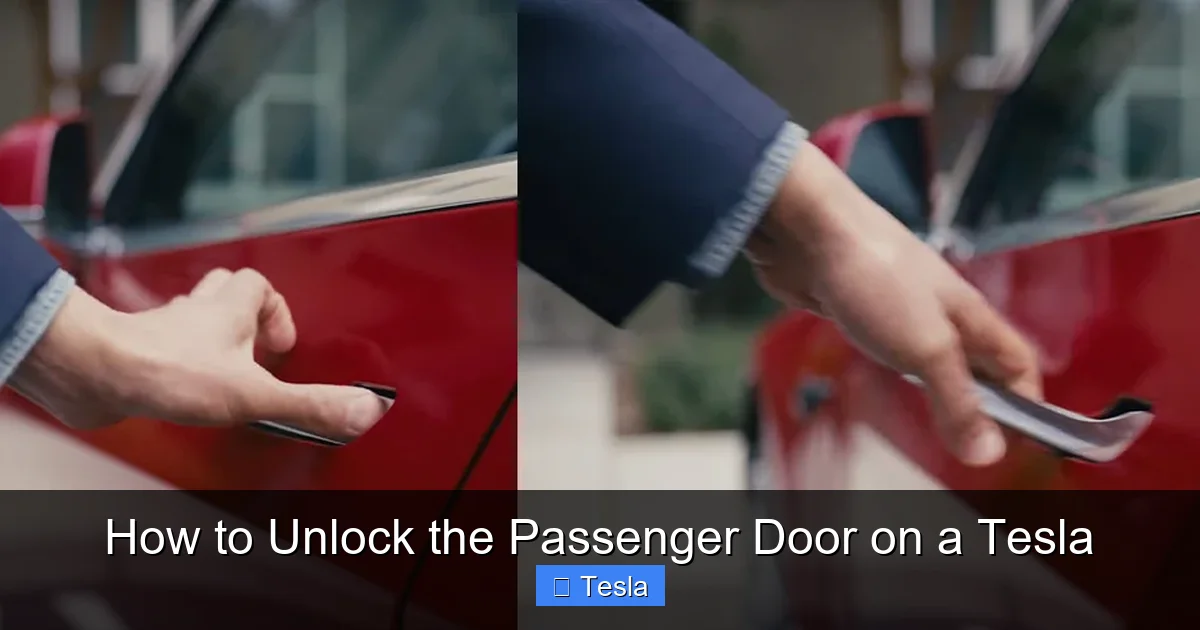
3. Tap the Unlock Icon: On the main vehicle control screen, you’ll see a large padlock icon. Tap it. The icon will change to an open padlock, and you should hear the door locks disengage with a soft “clunk.”
4. Open the Door: Pull the door handle. The handle will pop out slightly when unlocked, then you pull it fully to open.
Common App Issues and Solutions
• “Connecting…” or No Response: This is almost always a Bluetooth or range issue. Move closer to the car. Toggle your phone’s Bluetooth off and on. Force-close and reopen the Tesla app. Ensure your phone isn’t in Battery Saver mode that restricts background activity.
• App Says “Vehicle Asleep”: The car’s systems have powered down to save energy. Wake it by pressing the brake pedal (if you’re inside) or by firmly pressing the door handle. From outside, a firm press on the door handle should wake it. You may need to wait 10-15 seconds after waking it for the app to connect.
• Phone Battery Dead: This is your signal to use your key card. The app is useless without power.
• Multiple Phones/Keys: If you and a passenger both have the app paired, sometimes the car can get confused about which signal to listen to. Try removing other phones from the vicinity or disabling Bluetooth on them temporarily.
Method 2: Using the Key Card (The Essential Backup)
The key card is your non-negotiable backup. It’s a small, credit-card-sized RFID card that comes with your Tesla. It does not need charging and works independently of your phone.
Visual guide about How to Unlock the Passenger Door on a Tesla
Image source: wikihow.com
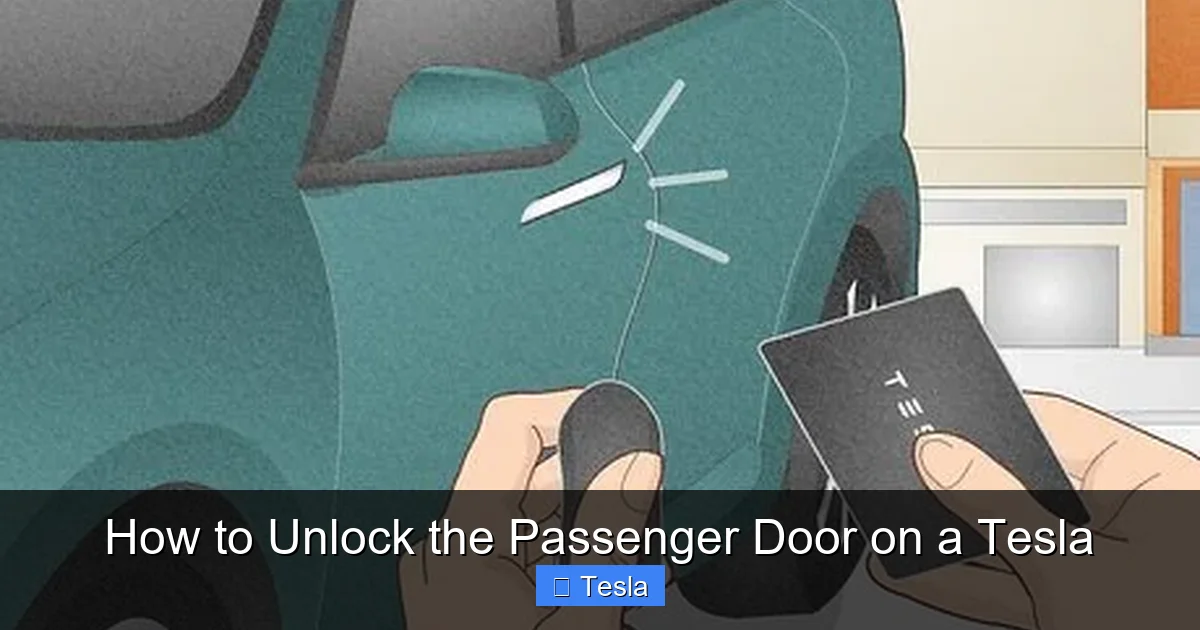
Where to Tap: The B-Pillar
The key card reader is located on the B-pillar—the vertical post between the driver’s door and the rear door (or on the driver’s side for the driver’s door). On Model 3 and Model Y, it’s a small, rectangular black area, often with a tiny Tesla “T” logo. On Model S and Model X (with the falcon-wing or regular rear doors), it’s in a similar location on the pillar. You must tap the card directly against this area and hold it there for about 1-2 seconds. You’ll hear the locks disengage.
Key Card Best Practices and Troubleshooting
• Keep it Accessible: Store your key card in a dedicated wallet pocket or phone case. Don’t bury it in the bottom of a bag where you have to dig for it during a downpour.
• CR2032 Battery: The key card has a small internal battery (CR2032) that lasts 1-2 years. When it gets low, the range decreases. You might need to tap multiple times or hold it longer. Replace the battery if tapping becomes unreliable. You can find replacement guides in your Tesla owner’s manual or online.
• Metal Interference: If your key card is in a metal wallet or has a metal backing, it can block the RFID signal. Remove it from the wallet before tapping.
• Damage: A cracked or water-damaged key card may fail. You can order a replacement through your Tesla account or service center.
• Temporary Card: Tesla can provide a temporary key card if yours is lost or damaged, but you’ll need to visit a service center or arrange for delivery.
Key Card vs. Phone: When to Use Which?
Use the phone app for daily convenience when you’re approaching the car with hands full. Use the key card when your phone is dead, you’re in an area with poor connectivity, or the app is malfunctioning. The key card is also useful if you’re lending your car to someone but don’t want to give them your phone. You can simply hand them the card. Think of the key card as your unbreakable, always-ready master key.
Method 3: The Manual Interior Door Release (Your Emergency Escape Hatch)
This is the method you hope you never need, but it’s vital to know. It’s the ultimate fail-safe when all electronics fail: a dead 12V battery, a crashed car with no power, a software glitch that locks everything down.
Locating the Manual Release Lever
The location varies by model and year, but it’s always on the interior door panel of the front passenger door (and also on the driver’s door). It’s designed to be used from inside the vehicle. You must be inside the car to access it and open the door from the inside.
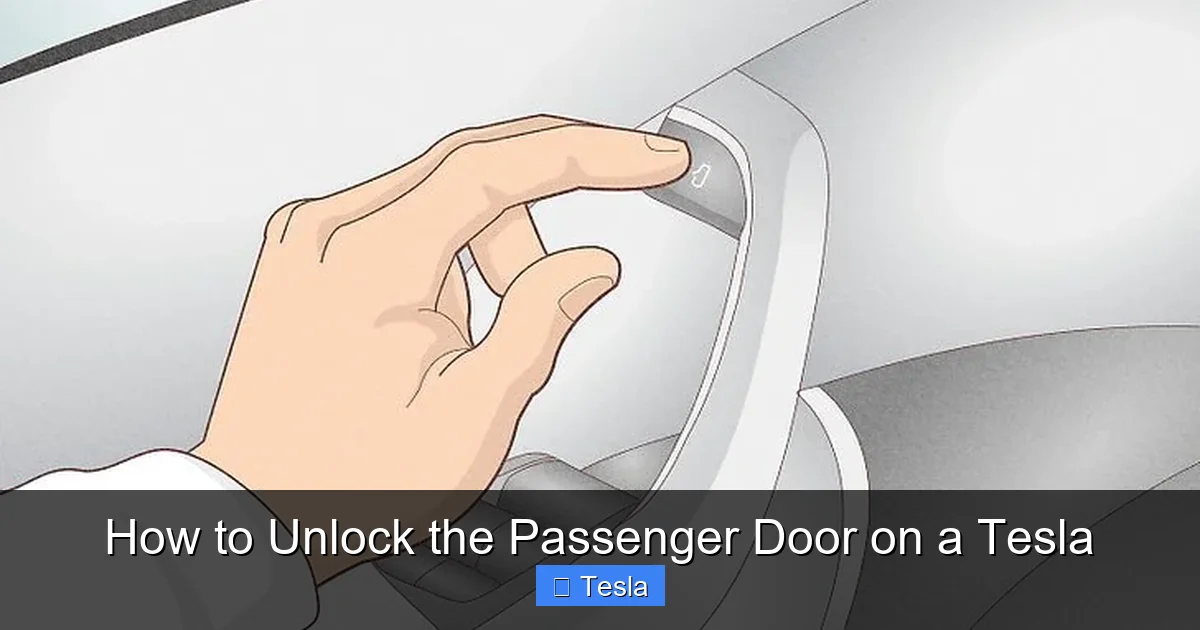
- Model 3 & Model Y: Look at the top rear corner of the door panel (near the window). There is a small, rectangular or circular cover. Pry this cover off with your fingernail or a small flat tool. Underneath is a red or brightly colored lever. Pull this lever firmly and upward to open the door.
- Model S & Model X (pre-refresh): The mechanism is similar but may be located at the bottom front corner of the door panel or behind a small access panel near the door pull. Consult your owner’s manual for the exact diagram.
- Model S & Model X (refresh/plaid): The location is typically at the top rear of the door panel, behind a small plastic flap.
Important: This release is not meant for daily use. It bypasses the electronic latch and is not sealed against weather. Using it regularly can wear the mechanical linkage and allow water/dust into the door.
When and How to Use It
Scenario: Your car’s 12V battery is completely dead (the main high-voltage battery is fine, but the small 12V that powers the locks and computers is dead). The doors are locked. You are inside the car and need to get out.
Action:
1. Locate the access panel/cover for the manual release on the interior door panel.
2. Carefully pry it open.
3. Identify the lever (usually red).
4. Pull the lever firmly and steadily until you feel the door latch release. The door will then open normally.
5. Once outside, you can manually open the other doors from the outside by pulling the exterior handle (which will now work, as the door is no longer latched from the inside).
Note: If you are outside the car and locked out due to a dead 12V battery, you cannot use the manual release from the outside. You must gain entry through another method first (like the key card, which may still work on a very low 12V battery, or by calling Tesla Roadside Assistance). The manual release is strictly an interior egress tool.
Method 4: Emergency Exterior Access (When You’re Locked Out)
This is the stressful situation: you’re outside, your phone is dead, and your key card is… inside the car. What now? Your options are limited but exist.
Option A: Use a Spare Key Card
This is why it’s critical to keep a spare key card in a known, secure location outside the car—like at home, with a family member, or in a magnetic box attached to your house. If you have a spare, use it to tap the B-pillar and unlock.
Option B: Tesla Roadside Assistance & Mobile Service
If you have no spare and are truly locked out, call Tesla Roadside Assistance (if your car is under warranty/connected services) or a local locksmith that specializes in modern vehicles. Do not try to break a window. Tesla’s glass is laminated and extremely expensive to replace. A professional may use a specialized inflatable wedge and long reach tool to manipulate the interior door handle or button, but this is tricky on Teslas due to the flush door handles. Often, the service will use their master key card to gain entry. This is a paid service if not covered by warranty.
Option C: The “Sentry Mode” or “Cabin Camera” Check
Before you panic, check your Tesla app’s “Security” section. If you have Sentry Mode or the cabin camera feed active, you might be able to see if the key card is visibly on a seat or center console. This doesn’t help you open the door, but it confirms where your card is, which can guide your next step (e.g., “It’s on the passenger seat, I need to break the small rear quarter window to reach the manual release?”—NO, DON’T DO THAT). Just use it for situational awareness.
Option D: The Trunk as an Access Point? (Usually Not)
In some older cars, you could fold down rear seats and crawl through the trunk. In Teslas, this is generally not a viable escape hatch. The rear seats do not fold down in most Model 3/Y configurations. In Model S/X, the trunk is sealed from the cabin by a solid partition. The manual interior door release is still the only way out from inside. Therefore, getting into the car from the outside without a key is the primary challenge, and your best bet is a spare card or professional help.
Troubleshooting: Why Won’t My Passenger Door Unlock?
Let’s diagnose the problem systematically. Is the issue with one door or all doors?
Visual guide about How to Unlock the Passenger Door on a Tesla
Image source: wikihow.com
If Only the Passenger Door Won’t Unlock
This points to a problem isolated to that door’s latch or its control module.
- Faulty Door Latch: The mechanical latch itself may be jammed or failed. You might hear a clicking sound from the door when you press the unlock button, but the handle doesn’t pop out. This requires a service visit.
- Broken Door Handle: The exterior handle mechanism might be broken. It won’t pop out when unlocked. Again, this is a hardware repair.
- Misaligned Door: After an accident or wear, the door might be slightly out of alignment, preventing the latch from engaging/disengaging properly.
- Software Glitch: Sometimes, the BCM for that specific door has a software hiccup. Try a soft reboot of the car: Put the car in Park, press and hold both scroll wheels on the steering wheel until the screen goes black and the Tesla logo reappears (about 30-60 seconds). This often resets minor electronic bugs. After reboot, try unlocking again.
If No Doors Unlock (App & Key Card Fail)
This is a system-wide issue.
- Dead 12V Battery: This is the most common culprit for a total lockout. The 12V battery powers the locks and BCM. If it’s dead, nothing works. Your car might show a “12V Battery Needs Service” alert on the screen before it dies, but if you’re already locked out, you won’t see it. Jump-starting the 12V battery (from the front trunk jump post) will restore all functions. This is a job for roadside assistance or a knowledgeable friend.
- Phone/Key Card Not Paired: Your phone may have lost its pairing. Re-pair it via the car’s touchscreen (Controls > Safety & Security > Keys). You’ll need to be inside the car with your phone and key card to do this. If locked out, this isn’t an option.
- Car is Asleep & Inaccessible: If the car is in a deep sleep (after many days parked), it may not wake to Bluetooth. Try a firm, prolonged press on the door handle. You can also try unlocking via the app while standing very close to the car, as the BLE signal is weakest when the phone is right next to the antenna.
- Account/Software Issue: Rarely, a Tesla server outage or a pending software update can cause app unlock to fail. Check Tesla’s social media or forums for known outages. Ensure your car is connected to Wi-Fi and has updated its software.
Preventing Lockouts: Proactive Tips
An ounce of prevention is worth a pound of panic. Here’s how to avoid finding yourself stranded outside your locked Tesla.
Always Carry Your Key Card
This is rule number one. Never rely solely on your phone. Keep the key card in a separate pocket or a dedicated case on your keychain. Treat it like your house key.
Maintain Your Phone’s Charge and Bluetooth
Get in the habit of charging your phone overnight. Keep Bluetooth on. If you’re heading to your car after a long day, glance at your phone’s battery icon before you leave the building.
Keep a Spare Key Card in a Secure Location
Store a spare key card at home, with a trusted neighbor, or in a secure outdoor lockbox. Do not hide it under a mat or in the wheel well—that’s the first place a thief looks.
Perform Regular System Checks
Once a month, test your key card by tapping it on the B-pillar. Listen for the lock cycle. Also, periodically check your 12V battery health via the car’s service menu (if available) or during a service appointment. A weak 12V battery is a ticking time bomb for lockouts.
Know Your Manual Release Location
Open your driver’s door, look at the interior panel, and find the manual release cover. Familiarize yourself with it. In a panic, you’ll be glad you know exactly where that little red lever is hiding.
Enable “Allow Mobile Access”
In your Tesla app settings, ensure “Allow Mobile Access” is turned ON. If you or someone else accidentally turns it off, the app will not communicate with the car at all.
Frequently Asked Questions
Can I unlock the Tesla passenger door with a traditional metal key?
No. Tesla vehicles do not have an external keyhole on any door. You must use the smartphone app, the key card, or, in an emergency from the inside, the manual release lever.
What if my phone is dead and my key card is locked inside the car?
This is a true lockout scenario. Your options are: 1) Use a spare key card kept elsewhere, 2) Call Tesla Roadside Assistance or a locksmith specializing in Teslas, or 3) If you have access to a 12V jump starter and know how to safely access the front trunk jump post, you could attempt to jump-start the 12V battery to restore power to the locks. However, accessing the front trunk without power can also be complicated. Professional help is strongly recommended.
Will the manual interior door release work if the main battery is dead?
Yes. The manual release is a purely mechanical system. It does not require any electrical power from the car’s batteries. You can use it to exit the vehicle even if both the main high-voltage battery and the 12V battery are completely dead.
Where exactly is the manual release on a Model 3?
On the Model 3 and Model Y, look at the top rear corner of the interior door panel on the front passenger door (and driver door). There is a small rectangular plastic cover. Pry this cover off with your fingernail. Underneath, you will see a red lever. Pull this lever firmly upward to open the door.
Can I use the Tesla app to unlock the passenger door if the car has no cellular or Wi-Fi connection?
Yes, but only if your phone is within Bluetooth range (about 30 feet). The Tesla app uses Bluetooth Low Energy (BLE) to communicate directly with the car when you are nearby. It does not require the car to have an internet connection for the basic lock/unlock function. However, if your phone is far away, you would need internet to send a command via Tesla’s servers, which the car would then receive over its cellular connection.
Why does my key card sometimes need multiple taps to unlock?
This usually indicates a low battery in the key card (it uses a small CR2032). It can also be caused by a weak 12V battery in the car, a damaged key card, or interference from a metal case/wallet. First, try replacing the key card’s battery. If the problem persists, have your car’s 12V battery and door latch system checked by Tesla service.
