
Why Is My Hyundai Beeping While Driving?

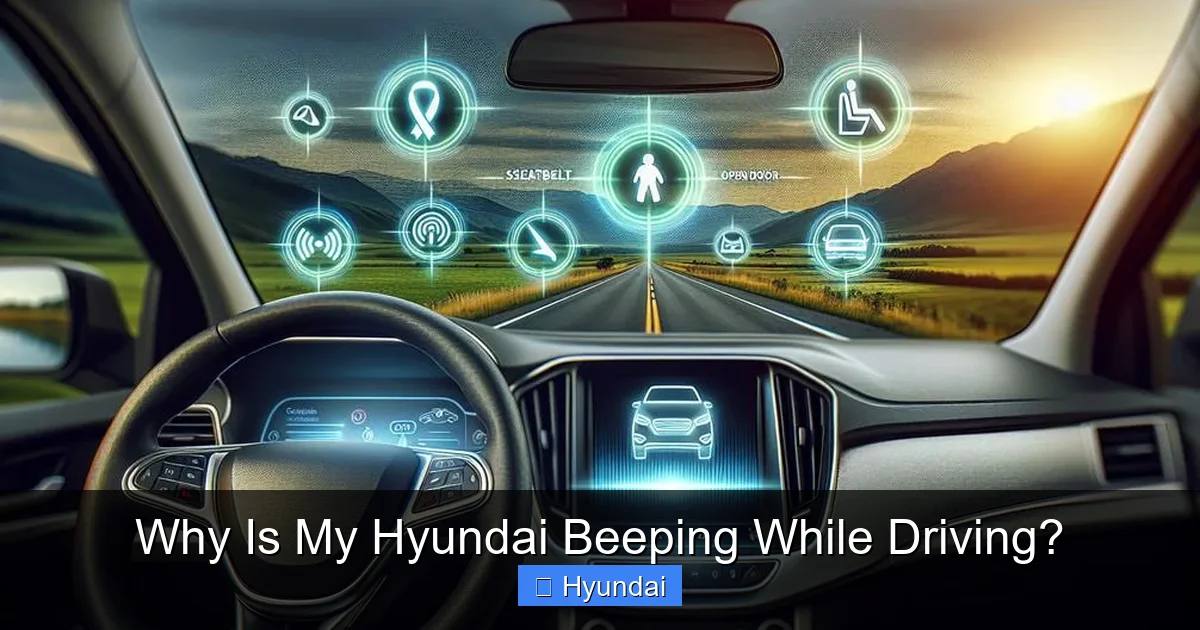
That persistent beeping in your Hyundai is your car’s urgent voice—it’s not just annoying, it’s a critical safety alert. The sound is almost always tied to a specific warning system, like an unbuckled seatbelt, a door or hood ajar, low fuel, or a malfunction in advanced safety features. Ignoring it risks your safety and can lead to costly damage. The first step is to identify the exact beep pattern and check your dashboard for matching warning lights. This guide breaks down every possible cause, from simple fixes to serious mechanical issues, so you can diagnose and resolve the problem immediately.
You’re cruising down the highway, music playing, and suddenly—BEEP BEEP BEEP. Your heart skips a beat. That unexpected sound from your Hyundai isn’t just background noise; it’s your vehicle’s urgent, electronic voice trying to tell you something vital. Ignoring it is like choosing to wear a blindfold while driving. But what does it actually mean? The truth is, your Hyundai has a sophisticated network of sensors and computers, and each beep is a coded message from one of these systems. While the sound can be startling, it’s a crucial safety feature. This comprehensive guide will decode every possible reason your Hyundai is beeping while driving, from the simplest fix you can do in 30 seconds to the serious issues that require a professional mechanic. We’ll help you move from panic to diagnosis, ensuring your safety and your car’s health.
Key Takeaways
- The beep pattern and accompanying dashboard light are your primary clues. A single short beep differs from a continuous, urgent series, and each corresponds to a specific system alert.
- Safety-related warnings (seatbelts, doors, hood) are the most common and must be addressed immediately. These are designed to prevent accidents or ejection during a collision.
- System alerts like low fuel, tire pressure, or engine temperature require prompt but not always immediate action. However, ignoring them can lead to breakdowns or unsafe driving conditions.
- Advanced Driver Assistance System (ADAS) malfunctions cause distinct beeps. This includes issues with Blind-Spot Detection, Lane Keeping Assist, or Forward Collision Avoidance systems.
- Mechanical issues (alternator, battery, oil pressure) often produce urgent, continuous beeping paired with critical red lights. These require stopping the vehicle safely as soon as possible.
- Aftermarket accessories or a weak key fob battery can trigger false alerts. These are often overlooked but can be simple to fix.
- Always consult your owner’s manual first. It contains the definitive beep-code chart for your specific Hyundai model and year.
📑 Table of Contents
- The Language of Beeps: Understanding Hyundai’s Warning System
- Safety First: The Non-Negotiable Beeps (Seatbelts, Doors, Hood)
- System Alerts: Your Car’s Health Monitor
- Advanced Safety Systems: The Tech-Savvy Beeps
- The Electrical & Mechanical Mysteries
- What to Do the Moment You Hear a Beep: Your Action Plan
- Conclusion: Your Beeping Hyundai is a Friend, Not a Foe
The Language of Beeps: Understanding Hyundai’s Warning System
Before we dive into specific causes, you need to understand the fundamental “language” of your Hyundai’s alerts. The car isn’t just making random noise. It uses a combination of beep patterns (single chime, rapid series, continuous tone) and dashboard warning lights to communicate. The light is the most important identifier. The moment you hear a beep, your eyes should dart to the instrument cluster. Is it a red light (critical, stop now), a yellow/amber light (caution, check soon), or a blue/green light (informational)? The beep is the auditory reminder that the visual warning is active. For instance, a single beep with a red seatbelt icon means something is dramatically different from a rapid beeping with a yellow engine-shaped “check engine” light. Your owner’s manual is the Rosetta Stone for this language, with a dedicated section on “Warning Lights and Sounds.” If you don’t have the physical manual, Hyundai often provides digital copies on their website. Keeping it in your glovebox or saved on your phone is a smart move.
Why Your Hyundai Has So Many Beeps
Modern vehicles, especially Hyundais known for their value-packed tech, are rolling computers. They monitor everything from your engine’s internal pressure to whether your coffee cup is blocking a sensor. The beeping system evolved from simple seatbelt reminders to a full-fledged communication network. It’s designed to get your attention before a small issue becomes a big, expensive, or dangerous problem. Think of it as your car’s immune system—it sounds the alarm at the first sign of infection (or malfunction). The frequency and tone are deliberately attention-grabbing because the consequences of ignoring them can range from a dead battery to a catastrophic engine failure or a collision.
Safety First: The Non-Negotiable Beeps (Seatbelts, Doors, Hood)
This is the category of beeps you should never ignore. These are your car’s primary passive safety systems, and the alerts exist to ensure they function correctly in an accident.
Visual guide about Why Is My Hyundai Beeping While Driving?
Image source: hyundaimaintenance.com
The Classic: Unfastened Seatbelt
This is the most frequent culprit. The sound is typically a rapid, repetitive beep-beep-beep-beep that starts a few seconds after you begin driving if the driver’s seatbelt is unbuckled. It will also sound if a front passenger’s seatbelt is unbuckled and the seat is occupied (sensed by weight). A common trick? A heavy bag or pet on the front seat can trick the system. The fix is obvious: buckle up! If the beep persists with all seatbelts fastened, the system’s sensor or buckle mechanism may be faulty, which needs a dealer or mechanic’s diagnosis.
Doors, Trunk, and Hood Ajar
An open door, trunk, or hood while driving is a major safety hazard—it can fly open, obstruct your view, or even detach. The alert is usually a continuous, droning beep accompanied by a red icon showing a car with an open door on the dashboard. This beep will not stop until the offending closure is properly latched. Always perform a quick visual check of all closures before moving the car. Sometimes, a door may appear closed but the latch isn’t fully engaged. Push firmly on each door and the trunk lid to ensure a secure seal. If the light and beep remain on despite everything being closed, the door ajar switch is likely stuck or broken.
System Alerts: Your Car’s Health Monitor
These beeps tell you about your vehicle’s operational status. While not immediately life-threatening like an open door, ignoring them can strand you or cause severe damage.
Visual guide about Why Is My Hyundai Beeping While Driving?
Image source: hyundaimaintenance.com
Low Fuel Warning
This is a familiar chime—often a single, gentle beep that repeats every 30-60 seconds, paired with a yellow gas pump icon. Your Hyundai is telling you it’s time to refuel. The reserve distance varies by model, but you typically have 30-50 miles left. Driving with a constantly low fuel level can overheat the fuel pump (which is cooled by the fuel itself) and cause sediment from the tank bottom to clog your fuel system. Stop at the next convenient gas station. If this beep comes on shortly after filling up, your fuel level sensor may be inaccurate.
Tire Pressure Monitoring System (TPMS)
If one or more tires drop significantly below the recommended pressure (usually 25% or more), you’ll hear a single, solid beep followed by a continuous chime, and a yellow horseshoe-shaped icon with an exclamation point will illuminate. Under-inflated tires are dangerous—they overheat, wear unevenly, and can blow out. The fix is to add air to the specified PSI (found on a sticker inside your driver’s door). If the light and beep return after inflating, you may have a slow leak from a nail or a faulty sensor. For a related issue with flashing warnings, you can read about why the tire pressure light might be on for deeper troubleshooting.
Engine Temperature / Overheating
This is a critical, urgent beep. It’s a continuous, harsh tone paired with a red thermometer icon. Your engine is overheating, which can cause catastrophic failure like a blown head gasket or seized engine. You must pull over safely and turn off the engine immediately. Do not open the radiator cap while hot. Let the engine cool, check coolant levels (when cool), and look for leaks. Common causes include a failed thermostat, broken water pump, or low coolant. For a detailed look at causes and immediate steps, especially if this happens in traffic, see our guide on why cars overheat.
Oil Pressure Warning
A red oil can icon with a loud, continuous beep is one of the most serious warnings. It means your engine is not receiving proper lubrication. Stop driving immediately. Continuing to run the engine without oil pressure will destroy it within minutes. Check your oil level with the dipstick when the engine is cool and on level ground. If it’s low, add the correct oil. If the level is fine, the oil pump or pressure sensor has failed, requiring immediate professional service.
Advanced Safety Systems: The Tech-Savvy Beeps
Your Hyundai likely comes with a suite of Hyundai SmartSense features. These systems use cameras and radar, and they have their own unique alert sounds to warn you of potential collisions or lane departures.

Visual guide about Why Is My Hyundai Beeping While Driving?
Image source: m.media-amazon.com
Blind-Spot Detection (BSD) / Rear Cross-Traffic Alert (RCTA)
When a vehicle is detected in your blind spot, a small amber light on the corresponding side mirror will illuminate. If you activate your turn signal toward the occupied blind spot, you’ll hear a rapid, escalating beep-beep-beep-beep. This is a collision avoidance warning. The solution is to cancel the turn signal. If the beep happens without a turn signal or with nothing in your blind spot, the radar sensor (in the rear bumper) may be dirty, obstructed by a bike rack, or malfunctioning. Clean the sensor area gently.
Lane Keeping Assist (LKA) / Lane Departure Warning (LDW)
If you drift out of your lane without signaling, you may hear a gentle tone and feel the steering wheel vibrate or receive a small corrective nudge. This beep is your cue to steer back into your lane. It’s less urgent than the BSD beep. If this system is overly sensitive or beeping constantly on a clear road, the forward-facing camera (behind the rearview mirror) might be obstructed by dirt, snow, or glare. Clean your windshield thoroughly in front of the mirror.
Forward Collision-Avoidance Assist (FCA)
This is the most urgent ADAS beep. If the system detects an imminent collision with a vehicle, pedestrian, or cyclist, it will emit a very loud, rapid, and harsh series of beeps. It may also apply the brakes automatically. This means you must brake immediately and steer if possible. A false alert here is dangerous and must be addressed. Causes include a dirty front grille (where the radar sensor is located), heavy rain/snow, or a misaligned sensor from a minor bumper impact.
Smart Cruise Control (SCC) Alerts
When using adaptive cruise control, a beep might sound if the system loses track of the car ahead, or if you’re approaching a vehicle too quickly for the set following distance. It’s a prompt for you to take manual control. Consult your manual for the specific tones of your SCC system.
The Electrical & Mechanical Mysteries
Sometimes, the beep originates from deeper within the car’s electrical or mechanical systems. These can be trickier to diagnose.
Key Fob / Smart Key Issues
If your key fob battery is critically low, you might hear a beep when you lock/unlock the car or even while driving, especially if the car can’t properly communicate with the fob. The beep may be accompanied by a message on the instrument cluster. Replacing the coin cell battery in your key fob is a quick, cheap fix. Also, if you have two key fobs and one is inside the car (e.g., in a purse or couch) while the other is outside, some Hyundais will beep to alert you that a key is still inside when you try to lock the doors. This same logic can occasionally trigger alerts while driving if the system gets confused.
Aftermarket Accessory Interference
Did you recently install an aftermarket radio, alarm, dash cam, or remote starter? Improperly wired accessories can send signals that confuse your car’s computer, causing phantom beeps. The beeping might sync with the operation of the new device (e.g., when the dash cam turns on). This often requires a professional to re-check the wiring installation.
Alternator or Battery Failure
A failing alternator that isn’t charging the battery properly can cause voltage fluctuations. The car’s computer might interpret this as a system fault and emit a generic beep, often with a battery-shaped warning light. Symptoms include dimming headlights, radio cutting out, and difficulty starting. A simple battery and charging system test at an auto parts store or mechanic can diagnose this.
Parking Brake Issues
If your electronic parking brake fails to disengage fully or has a fault, you may hear a beep and see a warning light (often a “P” inside a circle). Driving with the parking brake even partially engaged causes extreme wear and overheating. Always ensure the brake is fully released. If the light/beep persists, the switch or motor may be faulty.
What to Do the Moment You Hear a Beep: Your Action Plan
Hearing a beep while driving should trigger a calm, systematic response, not panic. Follow this sequence:
- Immediate Scan: Glance at your dashboard. Note the color and symbol of the warning light. Red = stop ASAP. Yellow = check soon. This is your first and biggest clue.
- Listen Closely: Is it a single chime, a rapid series, or a continuous drone? Try to match it to the descriptions above.
- Perform Quick, Safe Checks: Can you safely reach to ensure your seatbelt is fastened? Can you subtly check if a door feels loose? Do you have enough fuel? These are quick mental and physical checks that solve 50% of problems.
- Pull Over If Unsure or Red-Lighted: If the light is red (temperature, oil pressure, brake system) or if you cannot identify the cause after a few seconds, signal and pull over to a safe location. Turn off the engine. Continuing to drive with a critical red warning can destroy your engine or compromise your brakes.
- Consult the Manual: Once safely parked, grab your owner’s manual. Find the “Warning Lights” section. Match your light to the description. It will tell you exactly what the beep means and the recommended action.
- Seek Professional Help: For any warning you cannot resolve yourself (like resetting a TPMS after fixing a tire, or clearing an ADAS fault), take your Hyundai to a trusted mechanic or Hyundai dealer. They can use a diagnostic computer to read the specific trouble code causing the alert.
Conclusion: Your Beeping Hyundai is a Friend, Not a Foe
That beeping noise is your Hyundai’s most direct line of communication. It’s a feature, not a bug, designed to protect you, your passengers, and your investment in your vehicle. While the sound can be nerve-wracking, understanding its source transforms your reaction from anxiety to empowered action. Start with the simplest, most common culprits: seatbelts, doors, and fuel level. Then, methodically work through the dashboard lights. Remember, a yellow light is a “heads-up,” and a red light is a “stop-now.” By familiarizing yourself with the warning system outlined in your owner’s manual and using this guide as a reference, you’ll quickly become fluent in your car’s language. You’ll not only silence that annoying beep but also ensure your Hyundai remains a safe, reliable partner on every journey. Never ignore the warning—listen, diagnose, and act. Your future self, and your wallet, will thank you.
Frequently Asked Questions
Why is my Hyundai beeping while driving but no warning light is on?
This is often caused by a chime for a reminder system, like the seatbelt reminder for rear passengers (if equipped) or a service interval reminder. It can also be a faulty buzzer or a loose connection in the wiring harness behind the instrument panel. Check if the beep has a specific pattern and consult your manual for “audible warnings” without lights.
Why is my Hyundai beeping when I accelerate?
A beep that occurs specifically when pressing the accelerator pedal is commonly tied to the Hill Start Assist (HSA) system engaging on an incline, or the Smart Cruise Control (SCC) system adjusting speed. It can also indicate a problem with the electronic throttle control system if paired with a check engine light.
Why is my Hyundai Santa Fe beeping constantly?
Constant beeping in a Santa Fe typically points to a critical safety alert: a door/hood not fully latched, a severe blind-spot detection warning if you’re signaling, or a major system failure like overheating or no oil pressure. The constant nature demands an immediate pull-over and dashboard check.
Why is my Hyundai Elantra beeping 3 times?
Three short beeps often accompany the “Door Ajar” warning when you first lock the car with a door open. If it happens while driving, it might be the Blind-Spot Detection warning when you signal with a car in your blind spot, or a specific ADAS alert. The context (driving vs. parking) is key.
Can a low key fob battery cause beeping while driving?
Yes, but it’s rare while the car is in motion. A critically low key fob battery usually causes beeps when you lock/unlock the car or start it. However, if the car’s system loses communication with the key while driving (e.g., the key is in a faraday bag or its battery dies mid-drive), some models may emit a warning chime. Replacing the key fob battery is a simple first step.
Is it safe to drive with a beeping Hyundai?
It depends entirely on the warning light. If the light is yellow (e.g., check engine, TPMS, low fuel), you can usually drive cautiously to a service station. If the light is red (engine temperature, oil pressure, brake system, airbag), you must stop driving as soon as it is safely possible to avoid severe damage or a loss of vehicle control. When in doubt, pull over and call for assistance.
