Why Does My Tesla Say Park Assist Unavailable?

Contents
- 1 Key Takeaways
- 2 📑 Table of Contents
- 3 How Tesla’s Park Assist System Actually Works
- 4 The Most Common Reasons for “Park Assist Unavailable”
- 5 What You Can Do: A Step-by-Step Troubleshooting Guide
- 6 When to Seek Professional Tesla Service
- 7 Preventing Future Park Assist Issues
- 8 The Future: Vision-Only Park Assist and What It Means
- 9 Frequently Asked Questions


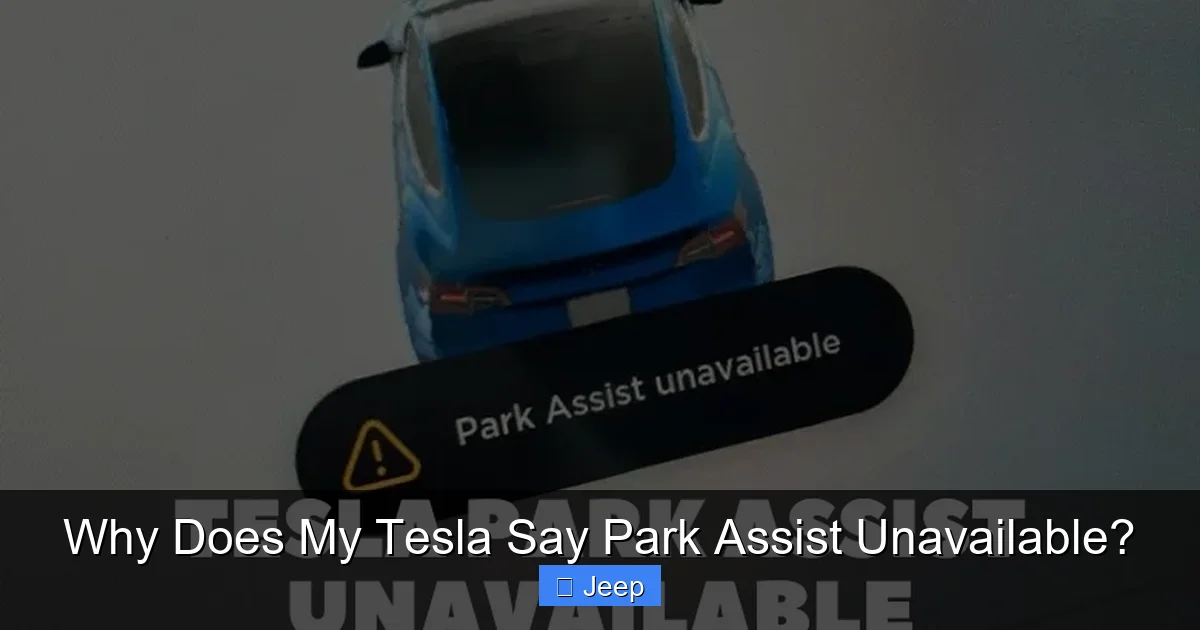
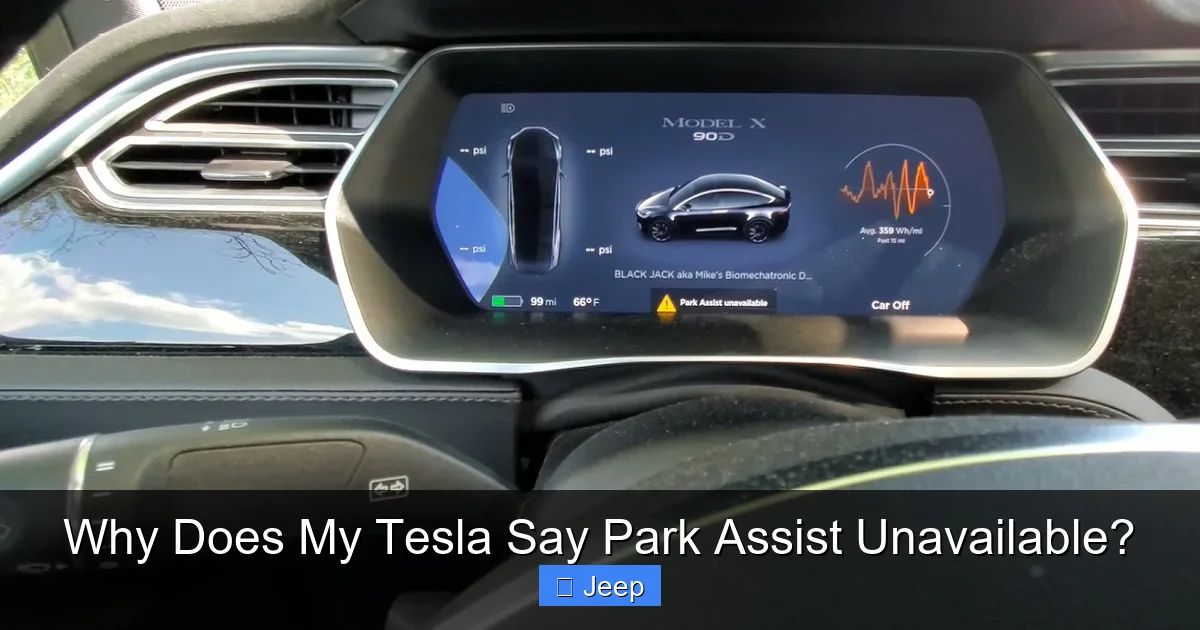
Seeing “Park Assist Unavailable” on your Tesla? This message means your car’s parking sensor system, which uses cameras and ultrasonic sensors, has detected a problem. The most frequent culprits are dirty or obstructed sensors, temporary software glitches, or hardware damage. While you can often resolve it with a simple reboot or cleaning, persistent issues require a Tesla service appointment for diagnosis and repair.
You’re getting ready to squeeze into a tight downtown parking spot, feeling confident in your Tesla’s ability to park itself. You hit the button, but instead of the familiar graphics and beeps, a stark message appears on your screen: “Park Assist Unavailable.” Your heart sinks a little. What does this mean? Is something seriously broken? Don’t panic. This is a common occurrence for Tesla owners, and in most cases, it’s not a catastrophic failure. This message is your car’s way of saying its sophisticated suite of parking sensors and cameras has taken a temporary leave of absence. Let’s break down exactly why this happens, what you can do about it yourself, and when it’s time to call in the pros.
Key Takeaways
- Dirty or blocked sensors are the #1 cause: Mud, snow, ice, or even a bumper sticker can obstruct the ultrasonic sensors or cameras, rendering Park Assist inactive.
- Software glitches are common and often fixable: A temporary bug, especially after an update, can be resolved with a soft or hard reboot of the vehicle’s computer system.
- Hardware damage requires professional repair: A cracked sensor, damaged wiring, or a failed camera module will need replacement by Tesla technicians.
- Extreme weather can temporarily disable the system: Very heavy rain, snow, or direct sunlight can interfere with sensor accuracy, causing the system to shut down as a safety precaution.
- The message is a safety feature, not a major breakdown: Your Tesla is still fully drivable; this message only warns that the automated parking aid is offline. You must park manually and be extra cautious.
- Basic troubleshooting is safe for the owner: Cleaning sensors and rebooting the vehicle are simple, risk-free first steps before contacting service.
- Ignoring the issue has risks: Driving with damaged sensors means you lose a key safety aid. If the underlying cause is electrical, it could affect other vehicle systems.
📑 Table of Contents
How Tesla’s Park Assist System Actually Works
Before we diagnose the problem, it helps to understand what you’re dealing with. Tesla’s Park Assist isn’t just one sensor; it’s a coordinated team of technologies working together. This system primarily relies on two components: ultrasonic sensors (USS) and the vision-based Autopilot camera system.
The Role of Ultrasonic Sensors (USS)
These are the small, round, rubber-covered buttons you can see and feel on your Tesla’s bumpers and fenders. There are typically 12 of them on a Model 3 or Y, more on Models S and X. They emit high-frequency sound waves that bounce off nearby objects. By measuring the echo’s return time, the car’s computer calculates the exact distance to obstacles. They’re fantastic for close-range detection (0-8 feet), perfect for slow-speed parking maneuvers where precision is key.
The Vision System’s Supporting Role
Your Tesla’s forward-facing Autopilot cameras and the surrounding view cameras (in models equipped with them) also feed data into the parking system. They provide a visual context, helping the car understand the environment, identify parking lines, and recognize objects the USS might miss, like a low curb or a hanging branch. This fusion of sensor data is what allows for such accurate and smooth automated parking.
When the car’s computer detects that this sensor fusion is compromised—meaning the data from one or more sources is missing, unreliable, or conflicting—it disables the entire Park Assist function as a safety precaution. It would be dangerous to attempt automated parking with faulty or incomplete data. The system errs on the side of caution, which is why you get the “Unavailable” message instead of potentially risky behavior.
Now for the detective work. Why would this perfectly good system decide to take a day off? The reasons range from the embarrassingly simple to the technically complex.
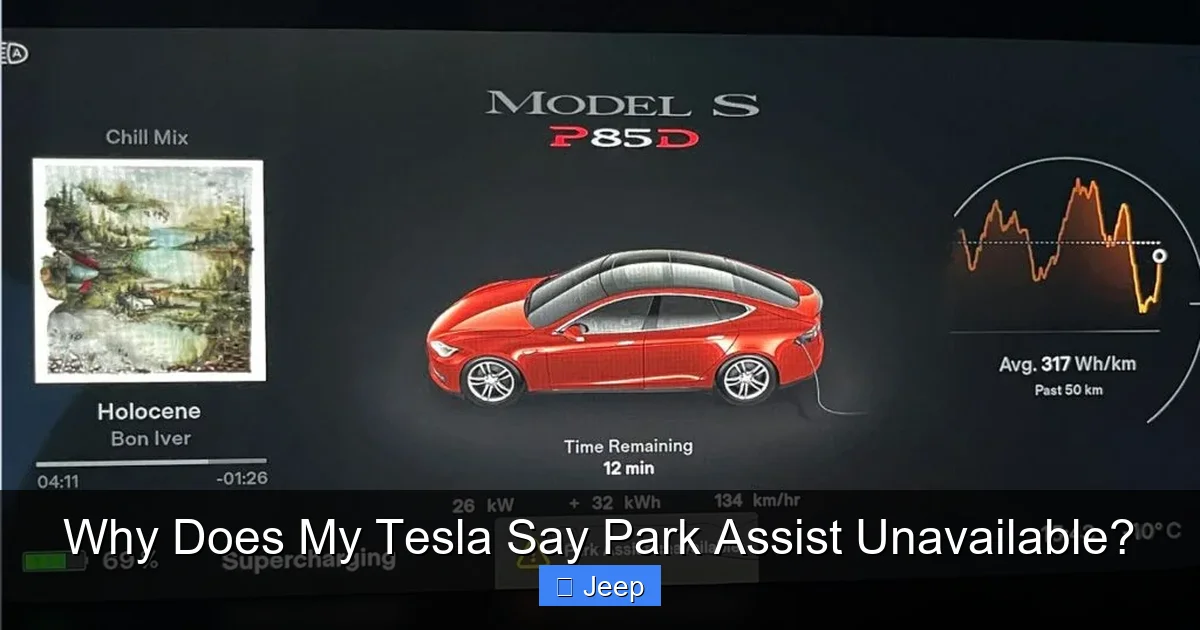
Visual guide about Why Does My Tesla Say Park Assist Unavailable?
Image source: autoexpro.com
1. Obstructed or Dirty Sensors (The Usual Suspect)
This is, by far, the most frequent cause. Those little ultrasonic sensors on your bumpers are exposed to the elements. A thick coating of mud, a heavy dusting of snow, a chunk of ice, or even a large piece of road tar can completely block the sound waves. Similarly, a bumper sticker placed too low, a tow hook, or a poorly installed license plate frame can physically cover a sensor. If the sensor can’t “see” (or rather, “hear”) its surroundings, it goes silent.
Practical Example: You drive through a muddy, unpaved parking lot on a rainy day. The spray coats your rear bumper in a thick paste. The next time you try to back into a spot, Park Assist is dead. The solution? A simple wash, focusing on the bumper areas, often fixes it instantly.
2. Software Glitches and Temporary Faults
Like any complex computer, your Tesla’s central processing unit can experience temporary hiccups. A bug in a recent over-the-air (OTA) software update, a conflict between different modules, or just a random bit of corrupted data can cause the Park Assist system to crash or fail its self-check. The good news? This is often the easiest fix. Rebooting the car’s computer can clear these temporary faults and restore normal function.
This is similar to how you might restart your phone when an app acts up. You may also notice this issue after your car has been sitting for a long period (like at the airport) and wakes from a deep sleep; sometimes systems don’t re-initialize perfectly.
3. Physical Damage to Sensors or Wiring
This is where things get serious. The ultrasonic sensors are delicate. A minor bumper scrape, a collision with a parking curb, or even a firm impact from a shopping cart can dislodge a sensor, crack its rubber cover, or damage the sensitive internal piezoelectric element. The wiring that runs to these sensors is also vulnerable along the bumper’s edge. Damage here isn’t just a sensor problem; it’s a wiring issue that requires a technician to diagnose and repair. If you’ve had a recent bump, this is a prime suspect. This kind of damage is analogous to the key detection issues some other cars face after fob or sensor damage.
4. Camera Obstruction or Failure
For Teslas that rely heavily on vision (especially those without USS in newer builds), a dirty or obstructed camera is the direct cause. A mud-splattered front camera, a fogged-up rear camera, or a camera view blocked by a dashboard ornament (like a poorly placed HUD or a large air freshener) will disable the system. A failed camera module itself—due to water intrusion or internal fault—will also trigger the message.
5. Adverse Weather Conditions
The system is designed to be robust, but it has limits. Torrential downpours can create a sheet of water that confuses the ultrasonic sensors. Heavy, wet snow can accumulate on bumpers and cameras, acting like a blanket. Direct, low-angle sunlight can glare on cameras or heat sensors, causing temporary calibration errors. In these scenarios, the message is a normal, protective response. The system should return once conditions improve and you’ve driven a bit (allowing sensors to clear).
6. Calibration Issues
After certain repairs (like a bumper replacement) or sometimes randomly, the precise alignment of the cameras and sensors can become slightly off. The system needs to be perfectly calibrated to interpret data correctly. If the calibration is out of spec, the computer will disable Park Assist. This usually requires a service visit where technicians use specialized tools to recalibrate the sensor suite.
What You Can Do: A Step-by-Step Troubleshooting Guide
Before you schedule a service appointment, which can take time, work through these simple, safe steps. You might solve the problem in under five minutes.

Visual guide about Why Does My Tesla Say Park Assist Unavailable?
Image source: autoexpro.com
Step 1: The Visual Inspection and Clean
This is your first and most powerful move. Grab a bucket of soapy water and a soft microfiber cloth. Thoroughly wash your car’s bumpers and the areas around the wheel arches, where many side sensors are located. Pay special attention to the rubber caps of the ultrasonic sensors—make sure they are clean, intact, and not pushed in. Check the front grille area (for forward sensors) and the rear camera lens. Remove any aftermarket accessories that might be in the sensor’s field of view. After washing, dry the area completely. Then, drive normally for a few minutes; sometimes the act of driving helps clear residual water from sensor ports.
Step 2: Perform a Vehicle Reboot
A soft reboot often clears transient software errors. With your car in Park and stationary, press and hold down both scroll wheels on the steering wheel until the Tesla screen goes completely black (about 10-15 seconds). Release the buttons and wait for the screen to reboot and the Tesla logo to reappear. This restarts the main computer (MCU) but not the vehicle’s drive systems. After the reboot, test Park Assist again.
If a soft reboot doesn’t work, try a hard reboot. Put the car in Park, exit the vehicle, lock it with your key card or phone, and wait 2-3 minutes. This allows all systems to enter a deep sleep state. Then unlock and enter the car. This full power cycle is more effective for stubborn glitches. Software-related faults can sometimes feel as random as a Subaru’s random beeps, which are often also resolved by a system reset.
Step 3: Check for Software Updates
Navigate to Controls > Software on your touchscreen. Ensure your vehicle is connected to Wi-Fi. If an update is available, install it. Sometimes a known bug causing sensor faults is patched in a subsequent OTA update. Conversely, if the problem started immediately after a recent update, it might be a new bug. Check Tesla forums for your specific software version to see if others are reporting the same issue.
Step 4: Assess for Physical Damage
Carefully inspect the bumpers and sensor locations for any cracks, scuffs, or sensor housings that look misaligned or pushed in. If you spot any damage, this confirms a hardware issue that requires professional repair. Do not attempt to remove or disassemble sensors yourself.
Step 5: Test in Different Conditions
Try engaging Park Assist on a quiet, clear day in your driveway. If it works there but not in the rain, the issue is likely weather-related. If it never works, the problem is persistent. This helps narrow down the cause when you eventually speak to Tesla service.
When to Seek Professional Tesla Service
If you’ve completed all the troubleshooting steps above and the message persists, it’s time to schedule a service appointment. Here’s what the technicians will look for.
Visual guide about Why Does My Tesla Say Park Assist Unavailable?
Image source: autoexpro.com
Advanced Diagnostic Scans
Tesla technicians use proprietary diagnostic tools that can read error codes directly from the Park Assist control module and individual sensors. They can identify which specific sensor is failing, if there’s a communication breakdown on the vehicle’s CAN bus network, or if a camera module has failed. This is far beyond what an owner can do at home.
Hardware Replacement
If a sensor is found to be faulty, it will be replaced. The process involves removing interior trim panels to access the wiring connectors and carefully replacing the sensor unit, followed by recalibration. A failed camera module is a more involved replacement. Wiring repairs, if needed, are also complex and must be done to Tesla’s exact specifications.
Calibration Procedures
After any sensor or camera replacement, or sometimes after certain body repairs, the entire Advanced Driver Assistance Systems (ADAS) suite must be recalibrated. This is a precise process that requires the vehicle to be driven on a specific route (often with clear lane markings) while the system relearns its parameters. It’s not something that can be shortcut.
Remember, persistent warning messages, whether it’s Park Assist or something like a Check VSC system light on another vehicle, are your car’s way of insisting on a professional diagnosis. Ignoring them compromises a key safety feature.
Preventing Future Park Assist Issues
An ounce of prevention is worth a pound of cure. Here’s how to keep your parking system happy.
- Regular Cleaning: Make bumper and sensor cleaning part of your regular car wash routine. Don’t just focus on the paint.
- Mind Your Aftermarket Accessories: Before installing any front license plate bracket, tow hook, or bumper guard, verify it does not cover a sensor’s field of view. When in doubt, consult Tesla’s guide or forums.
- Gentle Parking: While the sensors are tough, try to avoid scraping them against curbs or concrete parking stops. This is the most common cause of physical damage.
- Keep Software Updated: Enable automatic updates over Wi-Fi. Tesla constantly refines sensor algorithms and bug fixes.
- Post-Collision Inspection: If you have any bumper work done, even minor, ask the body shop to verify sensor function and recalibrate the system if necessary.
The Future: Vision-Only Park Assist and What It Means
It’s important to note a major shift happening at Tesla. Starting around 2022/2023, Tesla began producing some Model 3 and Y vehicles without ultrasonic sensors (USS) at all, relying entirely on pure vision for parking and low-speed maneuvers. This is part of Tesla’s long-term plan to phase out radar and USS in favor of a camera-only “Tesla Vision” system, similar to how humans drive.
For these vision-only vehicles, the causes of “Park Assist Unavailable” change slightly. The primary culprits become obstructed or dirty cameras (front, rear, or side repeater cameras) and software/calibration issues. There are no physical sensors on the bumpers to clean. The troubleshooting steps are similar—clean cameras, reboot—but the hardware failure points are different. If you own a newer Tesla, this is likely your reality. The system is still very capable, but it has different sensitivities.
Conclusion: A “Park Assist Unavailable” message on your Tesla is usually more of an inconvenience than a disaster. It’s a clear indicator that one part of your car’s sensor network is offline. Start with the simplest solutions: a thorough bumper wash and a system reboot. These resolve the vast majority of cases. If the problem lingers, it points to a hardware fault or a deeper software issue that requires Tesla’s expert diagnostic tools. While you wait for service, drive with extra caution in tight spots and rely on your own mirrors and judgment. Your car is still perfectly safe to drive; it’s just asking you to take the wheel for parking duties until its electronic co-pilot is back on duty. By understanding this system, you can troubleshoot effectively, communicate clearly with service advisors, and get back to enjoying the convenience of automated parking as quickly as possible.
Frequently Asked Questions
What does “Park Assist Unavailable” mean on a Tesla?
It means your Tesla’s automated parking system, which uses ultrasonic sensors and/or cameras, has detected a fault or obstruction and has shut down for safety. You must park manually.
Can I still drive my Tesla with this message?
Yes, absolutely. The message only affects the automated parking function. Your Tesla is fully safe and drivable. You simply need to use your mirrors and pay extra attention when parking.
How much does it cost to fix Park Assist on a Tesla?
Cost varies widely. If it’s just dirt, cleaning is free. A simple software reboot costs nothing. Replacing a single ultrasonic sensor can cost several hundred dollars in parts and labor. A camera module replacement is more expensive. A service diagnosis fee typically applies.
How do I reset the Park Assist system myself?
First, clean all sensors and cameras thoroughly. Then perform a soft reboot: press and hold both steering wheel scroll buttons until the screen turns black, then release. If that fails, do a hard reboot: lock the car and wait 2-3 minutes before unlocking.
Why does my Tesla’s Park Assist work sometimes but not others?
Intermittent issues often point to a loose electrical connection, a sensor that fails under certain temperatures, or a software bug that appears after specific driving conditions. Weather like heavy rain or snow can also cause temporary outages.
Can extreme weather cause Park Assist to be unavailable?
Yes. Heavy rain, snow, or ice can coat sensors and cameras. Direct, low-angle sunlight can cause camera glare or sensor overheating. The system will disable itself until conditions improve and sensors are clear.