
Why Does My 2011 Toyota Sienna Say Check Vsc System

If your 2011 Toyota Sienna displays a “Check VSC System” message, it’s likely due to a problem with the Vehicle Stability Control system—often linked to the ABS, wheel speed sensors, or steering angle sensor. This warning shouldn’t be ignored, as it can affect traction and safety, especially in slippery conditions.
Key Takeaways
- The VSC system works with ABS and traction control to improve vehicle stability. When it malfunctions, your Sienna will alert you with a dashboard warning.
- A faulty wheel speed sensor is one of the most common causes. These sensors monitor wheel rotation and send data to the VSC module.
- The steering angle sensor may need recalibration after battery replacement or repairs. Misalignment can trigger the warning light.
- Low brake fluid or worn brake components can disable VSC. Always check your brake system when this light appears.
- Loose gas caps or minor electrical glitches can sometimes trigger false alerts. Simple fixes may resolve the issue temporarily.
- Ignoring the warning can reduce safety in wet or icy conditions. Have the system diagnosed promptly to avoid risky driving situations.
- Professional diagnosis with an OBD2 scanner is recommended. DIY checks help, but precise fault codes require expert tools.
📑 Table of Contents
- Understanding the “Check VSC System” Warning in Your 2011 Toyota Sienna
- What Is the VSC System and Why Does It Matter?
- Common Causes of the “Check VSC System” Warning
- How to Diagnose the Issue at Home
- When to Visit a Mechanic or Dealership
- Preventing Future VSC System Warnings
- Final Thoughts: Don’t Ignore the Warning
Understanding the “Check VSC System” Warning in Your 2011 Toyota Sienna
You’re driving your 2011 Toyota Sienna—maybe picking up the kids, heading to work, or running weekend errands—when suddenly, a yellow or orange light flashes on your dashboard: “Check VSC System.” Your first thought might be, “What does that even mean?” or “Is this serious?” Don’t panic. While it’s definitely something you should address, understanding what the VSC system does and why it’s warning you is the first step toward a solution.
The Vehicle Stability Control (VSC) system is a critical safety feature designed to help maintain control of your vehicle during sudden maneuvers, slippery roads, or loss of traction. It works hand-in-hand with the Anti-lock Braking System (ABS) and Traction Control System (TRAC) to prevent skidding and oversteering. When the system detects that one or more wheels are losing grip—like when you’re turning sharply on wet pavement—it automatically applies brakes to individual wheels and may reduce engine power to help keep the vehicle stable.
In your 2011 Sienna, the VSC system relies on a network of sensors and modules to function properly. If any part of that network fails or sends incorrect data, the system will disable itself and trigger the “Check VSC System” warning. This doesn’t always mean a major repair is needed—sometimes it’s a simple fix. But because VSC plays a key role in safety, especially in adverse weather, it’s important not to ignore the warning.
What Is the VSC System and Why Does It Matter?
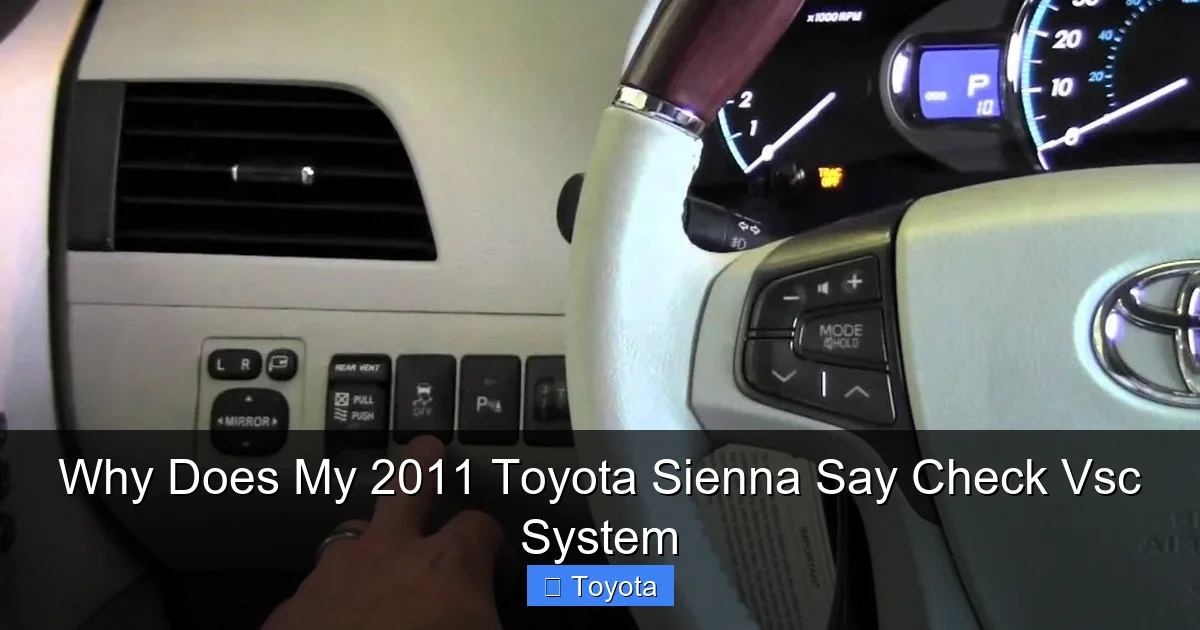
Visual guide about Why Does My 2011 Toyota Sienna Say Check Vsc System
Image source: thecarhow.com
To truly understand why your Sienna is showing this warning, it helps to know what the VSC system actually does. Think of it as your vehicle’s “electronic co-pilot” during tricky driving situations. Unlike passive safety features like seatbelts or airbags, VSC is an active system—it intervenes in real time to help prevent accidents.
Here’s how it works: The VSC system constantly monitors data from several sensors, including wheel speed sensors, the steering angle sensor, and the yaw rate sensor. If the system detects that the vehicle is not responding as expected—say, you turn the wheel sharply but the car begins to slide—it will automatically apply braking force to specific wheels and reduce engine output to help bring the vehicle back under control.
For example, imagine you’re driving on a rainy day and suddenly swerve to avoid a pothole. Without VSC, your Sienna might start to skid or spin. But with VSC active, the system detects the loss of traction and applies the brakes to the outer front wheel, helping to stabilize the vehicle and keep it on its intended path.
This is especially important in a minivan like the 2011 Sienna, which is often loaded with passengers and cargo. The higher center of gravity makes it more prone to rollover or loss of control during sharp turns or emergency maneuvers. That’s why Toyota equipped this model with a robust VSC system—to enhance safety for families on the go.
When the “Check VSC System” light comes on, it means the system has detected a fault and has temporarily disabled itself. While your brakes and engine will still work normally, you lose the added stability and traction control benefits. This is why it’s crucial to diagnose and fix the issue as soon as possible.
Common Causes of the “Check VSC System” Warning
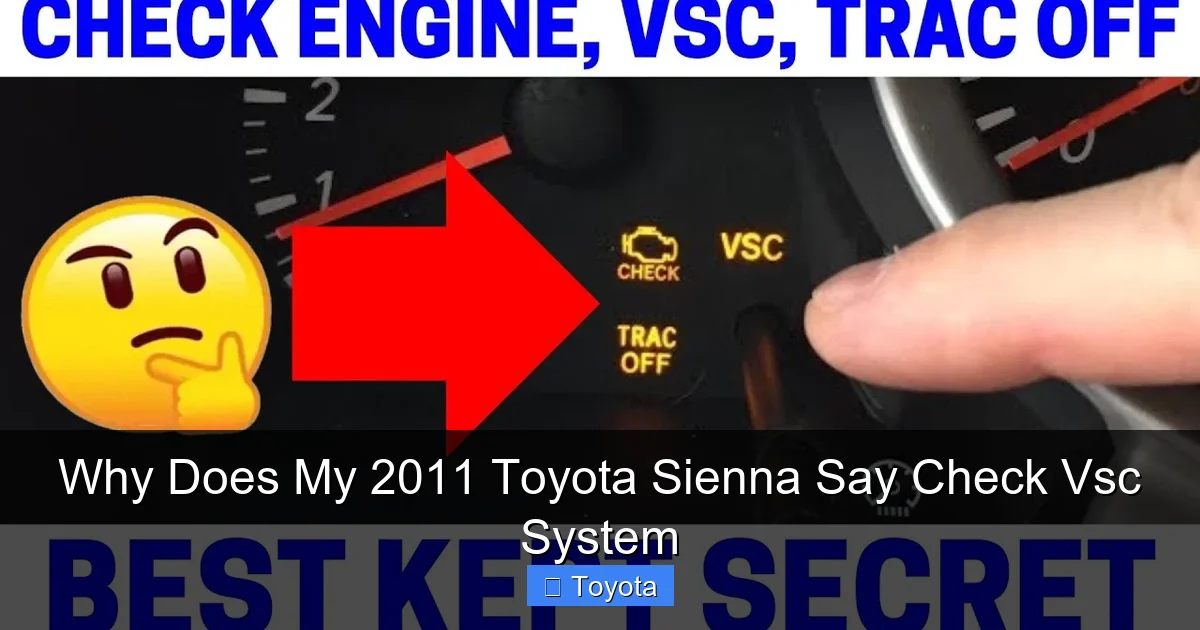
Visual guide about Why Does My 2011 Toyota Sienna Say Check Vsc System
Image source: i.ytimg.com
Now that you know what VSC does, let’s look at the most common reasons your 2011 Sienna might be showing this warning. While there are several potential causes, most fall into a few key categories: sensor issues, brake system problems, electrical glitches, and mechanical faults.
1. Faulty Wheel Speed Sensors
One of the most frequent culprits behind the “Check VSC System” warning is a malfunctioning wheel speed sensor. These small devices are mounted near each wheel and monitor how fast each wheel is spinning. The data they collect is sent to the ABS and VSC control modules to help determine if a wheel is about to lock up or lose traction.
Over time, these sensors can become dirty, damaged, or corroded—especially in areas with harsh winters and road salt. A common sign of a bad wheel speed sensor is an intermittent or constant ABS or VSC warning light. You might also notice that your speedometer behaves erratically or that the traction control system doesn’t engage when it should.
For example, if the sensor on your front passenger wheel fails, the VSC system may think that wheel is spinning faster than the others, even when it’s not. This inconsistency triggers the warning light. Replacing a wheel speed sensor is relatively straightforward, but it requires locating the exact faulty sensor, which may need a diagnostic scan to confirm.
2. Steering Angle Sensor Issues
The steering angle sensor tells the VSC system how far and in what direction you’re turning the wheel. This information is critical for determining whether the vehicle is responding correctly to your inputs. If the sensor is misaligned, damaged, or needs recalibration, the VSC system may think the car is skidding when it’s not—triggering the warning.
A common scenario is after a battery replacement or a repair that involves disconnecting the battery. When power is restored, the steering angle sensor may not “remember” its zero position, causing the system to misread your steering inputs. In some cases, simply driving the vehicle in a straight line for a few minutes can allow the system to recalibrate. But if the light persists, a professional reset using a scan tool may be needed.
3. Low Brake Fluid or Brake System Problems
The VSC system relies heavily on the brake system to function. If your brake fluid is low, or if there’s a leak, worn brake pads, or a failing master cylinder, the VSC may disable itself as a safety precaution. This is because the system needs adequate hydraulic pressure to apply individual brakes during stability corrections.
Check your brake fluid reservoir under the hood—it’s usually a translucent plastic tank near the firewall. If the fluid level is below the “MIN” line, top it off with the correct type of DOT 3 or DOT 4 brake fluid. But be cautious: low fluid could indicate a leak, which requires immediate attention. Also, listen for squeaking or grinding when braking—these are signs your brake pads may be worn and need replacement.
4. Electrical or Wiring Problems
Modern vehicles like the 2011 Sienna rely on complex electrical systems. A loose connection, corroded wire, or blown fuse can disrupt communication between sensors and the VSC module. For instance, if the wiring harness near one of the wheel wells is damaged by road debris or moisture, it could cause intermittent signal loss.
Similarly, a weak or failing battery can cause voltage drops that affect sensor performance. If your Sienna has been sitting for a long time or you’ve recently jump-started it, electrical gremlins could be to blame. Checking fuses, inspecting wiring, and ensuring the battery is in good condition are important steps in troubleshooting.
5. Loose or Faulty Gas Cap
Believe it or not, a loose or damaged gas cap can sometimes trigger the “Check VSC System” warning. This happens because the vehicle’s onboard diagnostics monitor the evaporative emissions system (EVAP), which is linked to the engine and transmission control modules. If the gas cap isn’t sealing properly, it can cause a small vacuum leak that the system detects as a fault.
While this won’t directly affect VSC, the interconnected nature of modern vehicle systems means that one fault can sometimes trigger warnings in unrelated areas. So, if you’ve recently filled up gas and the light came on shortly after, check that the gas cap is tight and the seal is intact.
How to Diagnose the Issue at Home
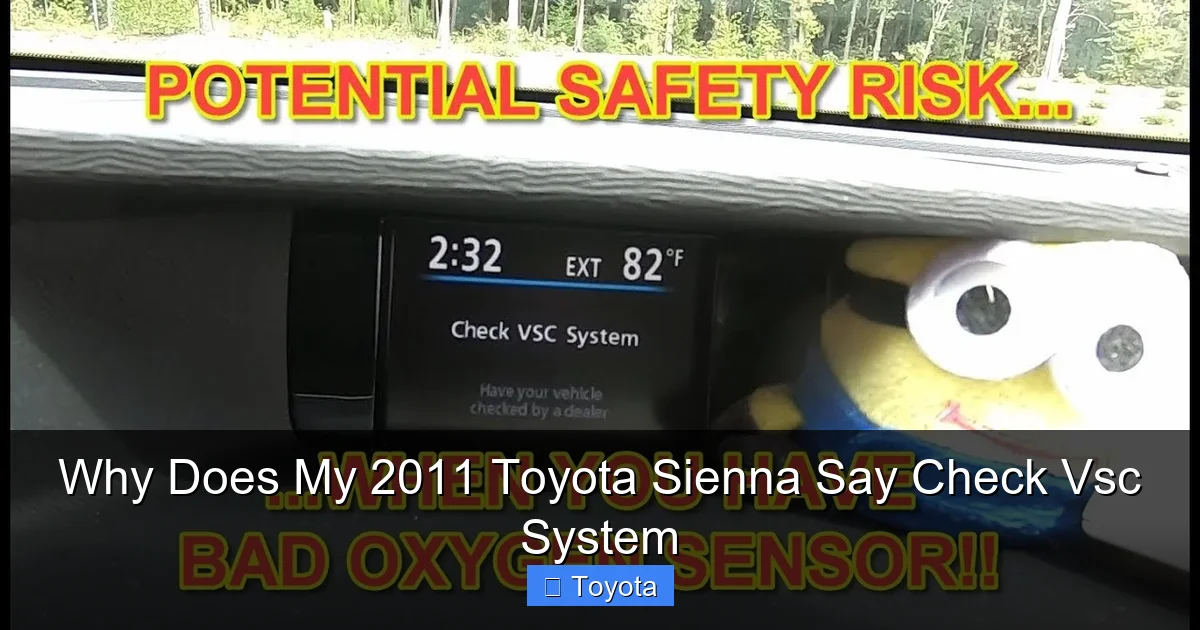
Visual guide about Why Does My 2011 Toyota Sienna Say Check Vsc System
Image source: i.ytimg.com
Before rushing to the mechanic, there are several steps you can take at home to narrow down the cause of the “Check VSC System” warning. While you may not be able to fix everything yourself, these checks can save you time and money—and help you communicate more effectively with your technician.
Step 1: Check the Gas Cap
Start with the simplest fix. Turn off the engine, open the fuel door, and remove the gas cap. Inspect the rubber seal for cracks or wear. Screw the cap back on until you hear it click three times. Then, drive the vehicle for a day or two to see if the warning light turns off. If it does, you’ve solved the problem!
Step 2: Inspect Brake Fluid and Brake Components
Pop the hood and locate the brake fluid reservoir. Check the fluid level and condition. It should be clear or slightly amber—not dark or cloudy. If it’s low, top it off, but investigate further if it’s consistently dropping. Also, visually inspect the brake pads through the wheels. If they look thin (less than 1/4 inch), they may need replacement.
Step 3: Look for Obvious Damage or Loose Connections
Walk around your Sienna and inspect the wheel wells, especially after driving on rough roads. Look for damaged wiring, loose connectors, or signs of impact near the sensors. Gently wiggle the wheel speed sensor connectors (located near each wheel) to ensure they’re secure.
Step 4: Use an OBD2 Scanner (If Available)
If you have access to an OBD2 scanner—even a basic one—you can plug it into the diagnostic port (usually under the dashboard near the steering column) and read any stored trouble codes. While generic scanners may not show VSC-specific codes, they can reveal related issues like ABS faults or engine problems that could be affecting the system.
For example, a code like C1201 (Engine Control System Malfunction) or C1234 (Right Front Wheel Speed Sensor Circuit) can point you in the right direction. If you don’t own a scanner, many auto parts stores offer free code reading services.
Step 5: Test Drive and Observe
After performing the above checks, take your Sienna for a short test drive. Pay attention to how it handles—does it feel unstable? Does the light come on only during certain maneuvers? Note any patterns, as this information can help your mechanic diagnose the issue faster.
When to Visit a Mechanic or Dealership
While some causes of the “Check VSC System” warning can be resolved at home, others require professional diagnosis and repair. Here’s when it’s time to seek expert help:
– The warning light remains on after checking the gas cap and brake fluid.
– You notice unusual braking behavior, such as pulling to one side or a spongy pedal.
– The ABS or traction control lights are also illuminated.
– You hear grinding, clicking, or other unusual noises from the wheels.
– The vehicle feels unstable or difficult to control, especially in wet or icy conditions.
A certified Toyota technician has access to advanced diagnostic tools, such as the Techstream scanner, which can read detailed VSC and ABS fault codes. They can also perform a steering angle sensor reset, test wheel speed sensors with precision, and inspect the entire brake and stability control system.
Keep in mind that ignoring the warning could compromise your safety. Even if the car drives normally, the loss of VSC functionality means you’re more vulnerable to skidding or losing control in emergency situations. It’s always better to be proactive.
Preventing Future VSC System Warnings
Once you’ve resolved the issue, take steps to prevent it from happening again. Regular maintenance is key to keeping your Sienna’s safety systems in top shape.
– **Check tire pressure monthly.** Underinflated tires can affect wheel speed sensor readings and reduce traction.
– **Inspect brake components during oil changes.** Look for worn pads, leaks, or low fluid.
– **Keep sensors clean.** Avoid driving through deep mud or snow that could coat wheel speed sensors.
– **Replace the battery if it’s old.** A weak battery can cause electrical glitches that affect sensor performance.
– **Use genuine or high-quality replacement parts.** Cheap sensors or brake components may fail prematurely.
By staying on top of maintenance, you’ll not only avoid annoying warning lights but also extend the life of your vehicle and keep your family safe on the road.
Final Thoughts: Don’t Ignore the Warning
The “Check VSC System” warning in your 2011 Toyota Sienna is more than just an inconvenience—it’s a signal that your vehicle’s stability and safety systems may be compromised. While the cause is often something simple like a loose gas cap or low brake fluid, it can also indicate a more serious issue like a failing sensor or brake problem.
By understanding how the VSC system works and knowing the common triggers, you can take informed steps to diagnose and address the issue. Simple home checks can sometimes resolve the problem, but don’t hesitate to visit a trusted mechanic if the light persists or if you notice any changes in how your Sienna drives.
Remember, your minivan is likely carrying what matters most—your family. Ensuring that all safety systems are functioning properly isn’t just about avoiding repairs; it’s about peace of mind every time you hit the road.
Frequently Asked Questions
What does “Check VSC System” mean on a 2011 Toyota Sienna?
The “Check VSC System” warning indicates that the Vehicle Stability Control system has detected a fault and has disabled itself. This system helps prevent skidding and loss of control by applying brakes and reducing engine power when needed.
Can I still drive my Sienna if the VSC light is on?
Yes, you can drive, but with reduced safety. The VSC system won’t assist in slippery conditions, so drive cautiously, especially in rain, snow, or during sharp turns. Have the issue diagnosed as soon as possible.
Will a loose gas cap really cause the VSC warning?
Yes, surprisingly. A loose or damaged gas cap can trigger emissions-related fault codes that may indirectly affect the VSC system due to interconnected vehicle electronics. Always ensure the cap is tight after fueling.
How much does it cost to fix a VSC system problem?
Costs vary widely. A gas cap replacement is under $20, while a wheel speed sensor may cost $100–$300 including labor. Steering angle sensor recalibration is often $100–$150 at a dealership.
Can I reset the VSC light myself?
You can try turning the ignition on and off, or driving straight for a few minutes to allow the steering angle sensor to recalibrate. However, if a fault persists, a professional scan tool is usually needed to clear the code.
Is the VSC system the same as traction control?
They’re related but not identical. Traction control prevents wheel spin during acceleration, while VSC helps maintain directional stability during turns or sudden maneuvers. Both work together to enhance safety.
