
What Is Auto Hold on a Hyundai Tucson?

Auto Hold in a Hyundai Tucson is an intelligent braking system that automatically holds your vehicle stationary after a complete stop, freeing your foot from the brake pedal. It’s perfect for stop-and-go traffic and hill starts, reducing driver fatigue and enhancing safety by preventing unintended roll. Think of it as a sophisticated, integrated assistant that manages braking pressure until you press the accelerator.
Key Takeaways
- Auto Hold is not a parking brake: It’s a driving-assist feature for temporary stops, not for securing a parked vehicle.
- It activates automatically after a firm stop: Once you come to a complete halt with your foot on the brake, the system takes over and maintains hydraulic pressure.
- Release the brake pedal safely: After activation, you can lift your foot; a green “H” icon on the dash confirms the system is holding the vehicle.
- Disengages with the accelerator: Simply pressing the gas pedal smoothly releases the hold and allows you to proceed.
- Requires a functioning brake system: It relies on your Tucson’s standard ABS and electronic brake control systems.
- May disengage under certain conditions: The system can turn off if you unbuckle your seatbelt, open a door, or if the engine stalls.
- Improves comfort in heavy traffic: It eliminates the need to constantly toggle between brake and accelerator during prolonged stops.
📑 Table of Contents
- Understanding the Magic: What Exactly Is Auto Hold?
- The Tangible Benefits: Why You’ll Love Auto Hold
- Mastering the Feature: How and When to Use Auto Hold
- Clearing the Air: Common Misconceptions and Questions
- Safety First: How Auto Hold Integrates with Tucson’s Safety Suite
- Beyond the Tucson: A Look at Auto Hold Across Brands
- Conclusion: Your New Best Friend in Traffic
Understanding the Magic: What Exactly Is Auto Hold?
Let’s talk about one of the most underrated yet brilliant features in your Hyundai Tucson: Auto Hold. If you’ve ever been stuck in soul-crushing stop-and-go traffic, your left foot cramping from constantly pressing the brake, you’ve probably wished for a way to just… stop. And stay stopped. Without juggling pedals. That’s precisely what Auto Hold does. It’s a computerized assistant that takes over the braking task the moment you bring your Tucson to a full stop. You press the brake pedal firmly to stop, the system detects the halt, and then it cleverly maintains the braking force on its own. You can then relax your foot. When the traffic starts moving again, a gentle press of the accelerator releases the hold, and you’re on your way. It’s that simple. This feature is part of Hyundai’s broader suite of driver-assistance technologies designed to make every journey less taxing and more secure. It’s important to understand that Auto Hold is a driving function, active only when you’re behind the wheel with the engine running, and not a substitute for your parking brake when you leave the vehicle.
The Core Technology: How Auto Hold Works Its Magic
Under the hood—or rather, under the dash—Auto Hold is a software function integrated with your Tucson’s Electronic Stability Control (ESC) and Anti-lock Braking System (ABS). Here’s the step-by-step magic trick:
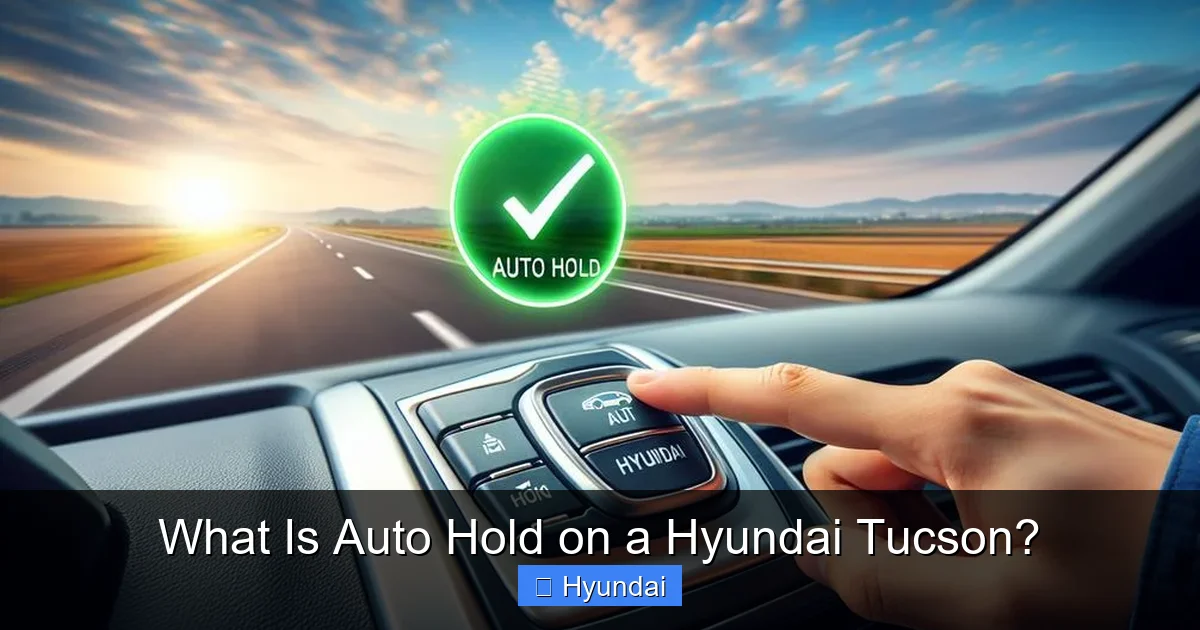
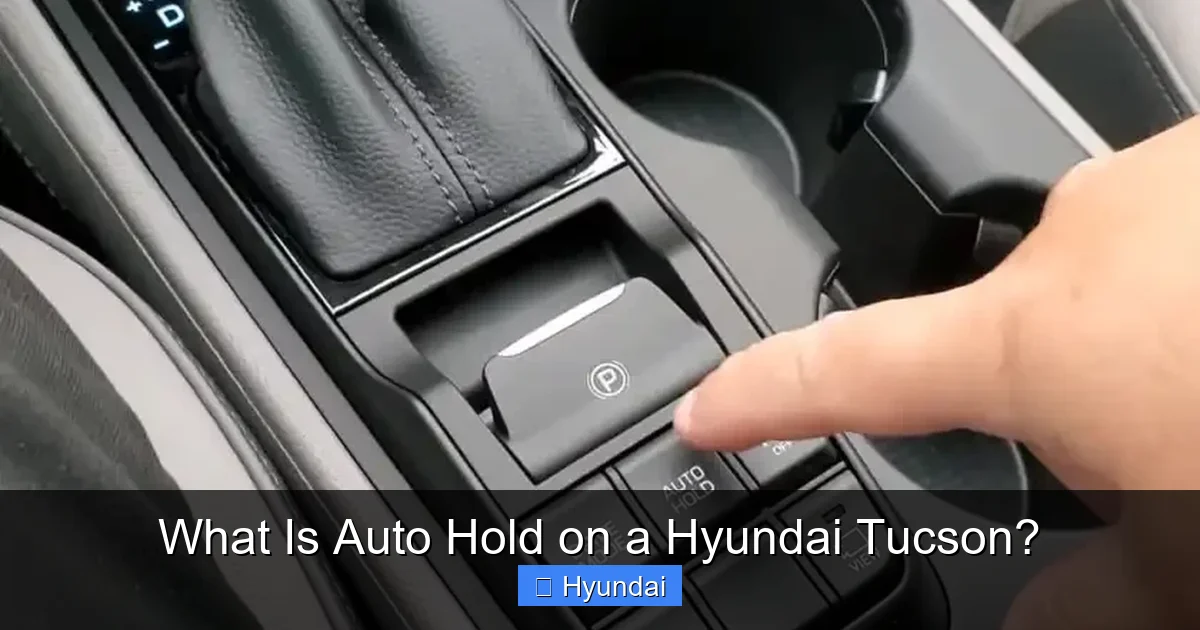
- Activation: You press the Auto Hold button, usually located on the center console near the electronic parking brake switch. An indicator light on the button and a small “A” or “H” symbol on your instrument cluster will illuminate, telling you the system is armed and ready.
- The Stop: You drive normally. When you approach a stop sign or red light, you press the brake pedal as you always would. The system monitors wheel speed and brake pressure.
- The “Click” Moment: Once the Tucson comes to a complete standstill (0 mph), the Auto Hold software instantly calculates the necessary hydraulic pressure to keep the vehicle stationary against any slight slope or push. You’ll often feel or hear a subtle click or pulse in the brake pedal as the system’s electric pump or solenoid takes over the pressure from your foot.
- Holding Pattern: At this point, you can safely lift your foot off the brake pedal. The “H” icon on your dash will typically change color (often to green) or become solid, confirming the vehicle is being held. The brakes remain applied with just the right amount of force.
- Moving On: When you’re ready to go, you simply press the accelerator pedal. The system instantly releases the held brake pressure, and the Tucson moves forward smoothly. There’s no lurch or delay if you apply the gas progressively.
This entire process happens in milliseconds, thanks to the Tucson’s brake-by-wire technology, which uses electronic signals to control the hydraulic brakes rather than a direct mechanical linkage.
The Tangible Benefits: Why You’ll Love Auto Hold
Now that we know the how, let’s talk about the why. Auto Hold isn’t just a gimmick; it delivers real, daily-driver benefits that add up to a significantly more pleasant driving experience.
Visual guide about What Is Auto Hold on a Hyundai Tucson?
Image source: hyundaimaintenance.com
1. Drastically Reduced Fatigue in Traffic
This is the headline benefit. In dense traffic, you’re constantly switching between the brake and gas pedal, often for mere seconds at a time. This constant ankle flexion and extension is surprisingly tiring over a long commute. Auto Hold eliminates this micro-work. You stop once, take your foot off the pedal, and rest. Your leg muscles get a break, and you can focus more on observing the road and less on pedal gymnastics. It transforms a draining crawl into a more relaxed wait.
2. Confidence on Hills and Slopes
How many times have you nervously balanced the brake and gas on a steep hill, worried about rolling back into the car behind you? Auto Hold is your hill-hold hero. Whether you’re facing a steep incline from a stoplight or a slight downgrade at a stop sign, the system holds the Tucson securely. You can take your time to move your foot from brake to gas without any rollback. This is especially valuable for new drivers or anyone driving a manual transmission (though Auto Hold is an automatic transmission feature), but even seasoned drivers appreciate the peace of mind. For a deeper dive into Hyundai’s hill-start related systems, you can explore how features like Shift Lock Release work in conjunction with your vehicle’s safety protocols.
3. Enhanced Safety at Intersections
Auto Hold can be a subtle safety net. It prevents “creep” or unintended vehicle movement when you’re momentarily distracted at a stoplight—maybe you’re reaching for your phone (don’t do that!) or checking a map. The firm, computer-maintained hold ensures the Tucson doesn’t lurch forward if your foot slips off the brake. Furthermore, because you’re not constantly balancing the brake pedal with frantic pressure, you’re less likely to accidentally hit the gas instead of the brake when the light turns green, a common and dangerous mistake known as “pedal misapplication.” The system encourages a smoother, more deliberate transition from stop to go.
4. Smoother Starts and Less Brake Wear
Because the release is triggered by the accelerator, it encourages a smoother, more controlled start. You’re not fighting the system; you’re commanding it. This gentler takeoff can be easier on your drivetrain and your passengers’ necks. On the maintenance side, while the system does apply the brakes, it does so in a controlled, static manner. You’re not doing the repetitive, hard pumping of the pedal in stop-and-go traffic, which can generate more heat and wear. The system’s precise modulation can potentially lead to more even pad wear over time, though it’s not designed to reduce overall brake usage dramatically.
Mastering the Feature: How and When to Use Auto Hold
Knowing how to operate Auto Hold is crucial for using it effectively and safely. It’s a simple tool, but proper use matters.
Visual guide about What Is Auto Hold on a Hyundai Tucson?
Image source: hyundaimaintenance.com
The Activation and Deactivation Ritual
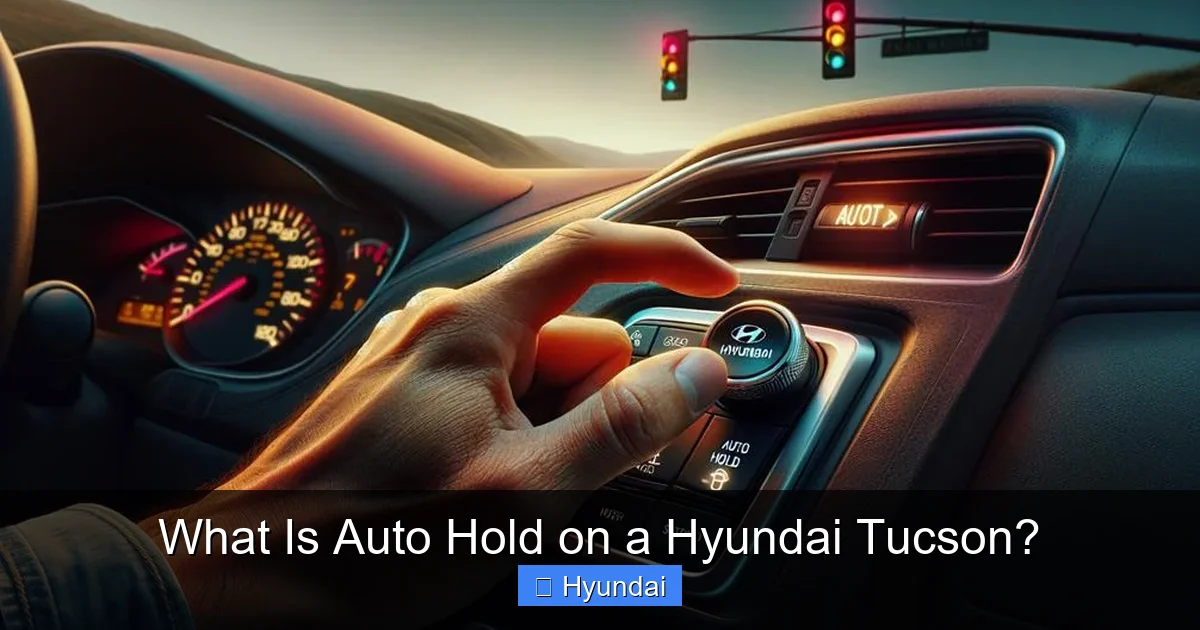
To turn Auto Hold on, press the dedicated button (often with the “A” or “Auto Hold” label). The indicator will light up. That’s it. The system is now armed for your next stop. To turn it off, simply press the button again. The indicator will go out. It’s a toggle. Many drivers choose to leave it on permanently once they get used to it, as it becomes second nature. However, there are specific situations where you should consciously disengage it, which we’ll cover next. Note: In some Hyundai models, the Auto Hold function may automatically deactivate when you shift into Park or turn the engine off, but it will remain armed for the next drive cycle.
When to Definitely Use It
- Heavy Stop-and-Go Traffic: Its primary purpose. Use it on your daily commute through congested areas.
- Long Red Lights or Railroad Crossings: At a light you know will be long, activate it, relax your foot.
- Hill Stops: Any incline or decline where you’d normally use the handbrake or balance the pedals.
- Drive-Through Lines: Perfect for those slow-moving, frequently stopping queues at fast-food or coffee shops.
When to Turn It Off: Important Exceptions
Auto Hold is fantastic, but it’s not universally appropriate. You should manually disengage it in these scenarios:
- When Towing: Never use Auto Hold while towing a trailer. The system’s braking logic is not designed for the additional mass and pendulum effect of a trailer and can cause instability or excessive brake heating.
- On Very Steep Hills (for extended periods): While it handles hills, if you’re stopped on a *very* steep grade for a long time (like waiting on a long mountain road), it’s safer and better for the brake system to use the electronic parking brake (EPB). The EPB is designed for static holding. You can engage it by pulling the EPB switch, which will also disengage Auto Hold.
- During Vehicle Recovery or Rocking: If you’re stuck in mud or snow and need to rock the vehicle back and forth to get free, Auto Hold will fight your attempts. Turn it off.
- When Instructed by a Professional: If you’re on a track day or having your vehicle serviced and the technician asks you to disable it, do so.
A good rule of thumb: if you’re doing anything other than normal, forward-motion driving on paved roads, consider disengaging Auto Hold. For more on Hyundai’s specific driving modes and systems, understanding the broader context of features like Variable Cylinder Management (VCM) can give you a fuller picture of how your Tucson manages power and efficiency in different conditions.
Clearing the Air: Common Misconceptions and Questions
Like any smart tech, Auto Hold comes with its share of confusion. Let’s clear up the biggest myths.
Visual guide about What Is Auto Hold on a Hyundai Tucson?
Image source: i0.wp.com
“Is Auto Hold the Same as an Electronic Parking Brake?”
Absolutely not. This is the most critical distinction. Your electronic parking brake (EPB) is a parking brake. It’s a mechanical-style brake that clamps the rear brakes when you press the EPB switch (often with the “P” icon). It’s meant for when the vehicle is parked and unattended. Auto Hold is a driving-assist feature for temporary stops while driving. You should never rely on Auto Hold to secure your Tucson on a hill when you get out. Always use the EPB or shift to Park (P) with the parking brake engaged. The EPB also has an “Auto Hold” function in some contexts (it can automatically engage when you stop on a hill), but that’s a separate, related logic within the EPB system. They are complementary but serve different primary purposes.
“Will It Wear Out My Brakes Faster?”
The short answer is likely no, and it might even help. In traditional stop-and-go driving, you’re often modulating the brake pedal with varying pressure, which can create hot spots and uneven wear. Auto Hold applies a steady, optimal holding force. The brakes are only engaged when the vehicle is stationary, not during the rolling periods between stops. The wear comes from slowing the vehicle down, which you still do with the brake pedal before Auto Hold activates. The holding phase itself contributes minimal additional wear compared to the constant foot pressure it replaces. However, if you misuse it—like using it to hold on a very steep hill for extended periods—you could generate heat in the brakes. But for its intended use, it’s brake-neutral at best and slightly protective at worst.
“What If I Press the Gas Too Hard? Will It Jump?”
No. The system is designed to release the brake smoothly as soon as it detects accelerator pedal application. If you press the gas pedal gently, the release is gentle. If you press it aggressively, the release is still immediate but your Tucson will respond to the aggressive gas input with a quick start. The system doesn’t modulate the gas; it just gets out of the way of the brakes. The smoothness of the launch is entirely dependent on your right foot. Practice gentle acceleration from a stop with Auto Hold to get the most seamless feel.
“Does It Work in Reverse?”
Yes, it does! Auto Hold is active in all forward gears and in Reverse (R). This is incredibly useful for backing out of a parking space where you might need to stop and check your surroundings. You can stop, take your foot off the brake to think or look, and the Tucson won’t roll. Just remember to press the accelerator to move backward.
Safety First: How Auto Hold Integrates with Tucson’s Safety Suite
Auto Hold doesn’t operate in a vacuum. It’s part of the Tucson’s comprehensive safety architecture, communicating with other systems to keep you safe.
Synergy with Hill-Start Assist (HSA)
Many Hyundai vehicles, including the Tucson, have a Hill-Start Assist system. HSA is a very brief (about 2-3 seconds) hold that activates when you stop on a hill, preventing rollback as you move your foot from brake to gas. Auto Hold is essentially a more advanced, longer-duration version of this concept. If Auto Hold is active, it will supersede the brief HSA function, providing an indefinite hold. They work on the same principle but with different time horizons. You might feel a slight overlap when stopping on a hill with Auto Hold on, but the system prioritizes the Auto Hold function.
Interaction with the Electronic Parking Brake (EPB)
As mentioned, these are distinct. However, they share components. If you come to a stop with Auto Hold active and then shift the transmission into Park (P), the Auto Hold will typically disengage, and you’ll need to apply the EPB manually. Conversely, if you engage the EPB while driving (which you should only do in an emergency), it will override and disengage Auto Hold immediately. The vehicle’s computer intelligently decides which system should be in control based on transmission gear, vehicle speed, and driver inputs.
Fail-Safes and Automatic Disengagement
The system has built-in safety disengagements. If you unbuckle your driver’s seatbelt while the vehicle is held, Auto Hold will release the brakes. Similarly, if you open the driver’s door, the system disengages. This prevents a situation where someone might exit a vehicle thinking it’s securely held (it’s not—it’s not a parking brake). The system will also disengage if the engine stalls or if the system detects a fault, often illuminating a warning light. These are critical safety features to prevent unintended vehicle movement.
Beyond the Tucson: A Look at Auto Hold Across Brands
The concept of an automatic vehicle hold isn’t unique to Hyundai. Many manufacturers have their own branded versions. For instance, you’ll find a very similar system called Auto Vehicle Hold on Subaru vehicles. The underlying technology and user experience are remarkably consistent across brands—activate, stop, hold, go. The naming and button placement might differ, but the core function is the same: to eliminate the need to keep your foot on the brake at a standstill. This technology is becoming a standard expectation in modern automatic-transmission vehicles because its benefits are so universally appreciated. If you’re comparing vehicles, knowing that “Auto Hold,” “Auto Vehicle Hold,” “Autohold,” or even “Hold Assist” all refer to this same brilliant convenience feature is helpful. It’s a clear sign of a manufacturer prioritizing driver comfort and reducing fatigue in real-world driving conditions.
Conclusion: Your New Best Friend in Traffic
So, what is Auto Hold on a Hyundai Tucson? It’s more than just a button; it’s a shift in how you interact with your vehicle in everyday driving. It’s the quiet, reliable assistant that takes the strain out of the daily grind of traffic lights and hill starts. By automating the mundane task of brake-holding, it allows you to redirect your focus to what truly matters: the road ahead, your passengers, and your own comfort. It’s a feature that, once you experience it, you’ll immediately miss in any car that doesn’t have it. To get the most from your Tucson, take five minutes to locate the Auto Hold button, try it out in a safe, low-traffic area, and experience that feeling of liberation—your foot finally free at a red light. Embrace this piece of modern automotive intelligence. It’s a small button that delivers a big upgrade to your driving life.
Frequently Asked Questions
Is Auto Hold the same as the parking brake?
No, they are completely different. The parking brake (electronic parking brake) is for securing a parked vehicle. Auto Hold is only for temporary stops while driving and automatically disengages when you press the gas pedal.
Will Auto Hold work if my battery is weak or dead?
No. Auto Hold is an electronic system that relies on your Tucson’s battery and charging system. If the battery is severely discharged, the system will not function, and you’ll see a warning light. Always ensure your battery is healthy.
Can I use Auto Hold while towing a trailer?
You should not. Auto Hold is not designed for the dynamics of towing. Using it while towing can cause instability or excessive brake wear. Always disengage Auto Hold when towing and rely on your driving skills and the trailer’s brakes.
Does Auto Hold work in slippery conditions like ice or snow?
Yes, but with caution. The system will hold the vehicle on a slippery surface, but the initial engagement when you press the gas pedal must be very gentle to avoid wheel spin. The system itself doesn’t provide extra traction; it only manages the brakes. Drive according to the conditions.
What does it mean if the Auto Hold icon flashes or turns off by itself?
A flashing or disengaging icon usually means the system has deactivated due to a condition like unbuckling your seatbelt, opening a door, or the engine stalling. It can also indicate a system fault if it happens repeatedly during normal driving. In that case, have your Tucson inspected by a Hyundai technician.
Can I wash my car with the engine running and Auto Hold activated?
It’s not recommended. While the system might hold, it’s an unnecessary risk. You should always turn off the engine and apply the parking brake when performing any under-car washing or detailed cleaning to prevent any accidental vehicle movement.
