
What Does “service Awd” Mean on a Dodge Journey?

If you’ve seen the “Service AWD” message on your Dodge Journey dashboard, don’t panic—but don’t ignore it either. This warning indicates an issue with your all-wheel-drive system that needs attention to maintain traction, safety, and performance.
Have you ever been driving your Dodge Journey on a rainy morning or cruising down a gravel road when suddenly, a yellow or red warning light pops up on your dashboard? One moment everything feels smooth, and the next—“Service AWD” flashes across your instrument cluster. Your heart skips a beat. What does it mean? Is it serious? Can you keep driving?
If you’re nodding your head, you’re not alone. The “Service AWD” message is one of the most common—and confusing—alerts Dodge Journey owners encounter. It’s not just about a light; it’s a signal that something in your all-wheel-drive system needs attention. And while it might not mean your car is about to break down on the spot, ignoring it could lead to bigger problems down the road.
The Dodge Journey, especially models from 2009 to 2020, comes equipped with an advanced all-wheel-drive (AWD) system designed to improve traction and stability in various driving conditions. Whether you’re navigating snowy mountain passes, muddy trails, or just dealing with slick city streets, the AWD system automatically sends power to the wheels with the most grip. But like any complex system, it relies on a network of sensors, fluids, and electronic controls to function properly. When something goes wrong, the vehicle’s computer triggers the “Service AWD” warning to let you know it’s time for a check-up.
In this guide, we’ll walk you through everything you need to know about the “Service AWD” message on your Dodge Journey. From understanding what the system does, to diagnosing common causes, and knowing when to visit a mechanic, we’ve got you covered. Whether you’re a DIY enthusiast or prefer to leave it to the pros, this article will help you make informed decisions to keep your Journey running safely and smoothly.
Key Takeaways
- “Service AWD” signals a problem: The message appears when the vehicle’s onboard computer detects a fault in the all-wheel-drive system.
- Common causes include sensor issues, low fluid, or electrical faults: Problems often stem from wheel speed sensors, transfer case malfunctions, or wiring issues.
- Driving with the warning on can reduce traction and safety: AWD enhances grip in rain, snow, and off-road conditions—ignoring the alert may compromise control.
- Resetting the message isn’t a fix: Simply clearing the code without diagnosing the root cause will likely result in the warning returning.
- Regular maintenance helps prevent AWD issues: Checking fluid levels, inspecting sensors, and servicing the transfer case can avoid costly repairs.
- Professional diagnosis is recommended: A certified technician can run system scans and perform tests to accurately identify and resolve the issue.
- Early intervention saves money: Addressing “Service AWD” promptly can prevent damage to expensive components like the transfer case or differential.
📑 Table of Contents
Understanding the Dodge Journey’s All-Wheel-Drive System
Before diving into what “Service AWD” means, it’s important to understand how the all-wheel-drive system in your Dodge Journey actually works. Unlike traditional four-wheel-drive (4WD) systems that require manual engagement, the Journey’s AWD is fully automatic and always active. This means it’s constantly monitoring road conditions and adjusting power distribution between the front and rear wheels without any input from the driver.
The system uses a combination of sensors, a transfer case, and a viscous coupling to manage torque delivery. Wheel speed sensors at each corner of the vehicle detect differences in rotation—like when one wheel starts to slip. When a discrepancy is detected, the system sends more power to the wheels with better traction. For example, if you’re driving on a patch of ice and the front wheels begin to spin, the AWD system will redirect power to the rear wheels to help maintain control.
The transfer case is the heart of the AWD system. It’s responsible for splitting engine power between the front and rear axles. In the Dodge Journey, this component is typically filled with specialized fluid that helps lubricate internal parts and maintain proper operation. Over time, this fluid can degrade or leak, leading to performance issues.
Additionally, the system relies on electrical components like control modules and wiring harnesses. These parts communicate with the vehicle’s main computer (the Powertrain Control Module, or PCM) to ensure everything is working in harmony. If a sensor fails or a wire gets damaged, the PCM may not receive accurate data, triggering the “Service AWD” warning.
It’s also worth noting that the AWD system in the Journey is designed for on-road and light off-road use. It’s not built for extreme rock crawling or deep mud like a heavy-duty 4WD truck. However, it does offer a significant advantage in everyday driving scenarios—especially in regions with unpredictable weather.
How AWD Enhances Safety and Performance
The primary benefit of all-wheel drive is improved traction. In slippery conditions—such as rain, snow, or gravel—AWD helps prevent wheel spin and keeps the vehicle stable. This is especially helpful during acceleration, cornering, or sudden maneuvers. For families who use the Journey for school runs, road trips, or weekend adventures, this added grip can make a big difference in safety.
Another advantage is better handling in varied terrain. Whether you’re driving on a winding mountain road or navigating a construction zone with uneven pavement, the AWD system helps maintain control by ensuring power is sent where it’s needed most. This can reduce the risk of skidding or losing control, particularly in emergency situations.
However, it’s important to remember that AWD does not replace safe driving habits. It won’t help you stop faster on ice, and it won’t prevent hydroplaning if you’re driving too fast through standing water. But it does give you a better chance of maintaining control when conditions get tough.
What Triggers the “Service AWD” Warning?
Visual guide about What Does “service Awd” Mean on a Dodge Journey?
Image source: dodgejourneyforum.com
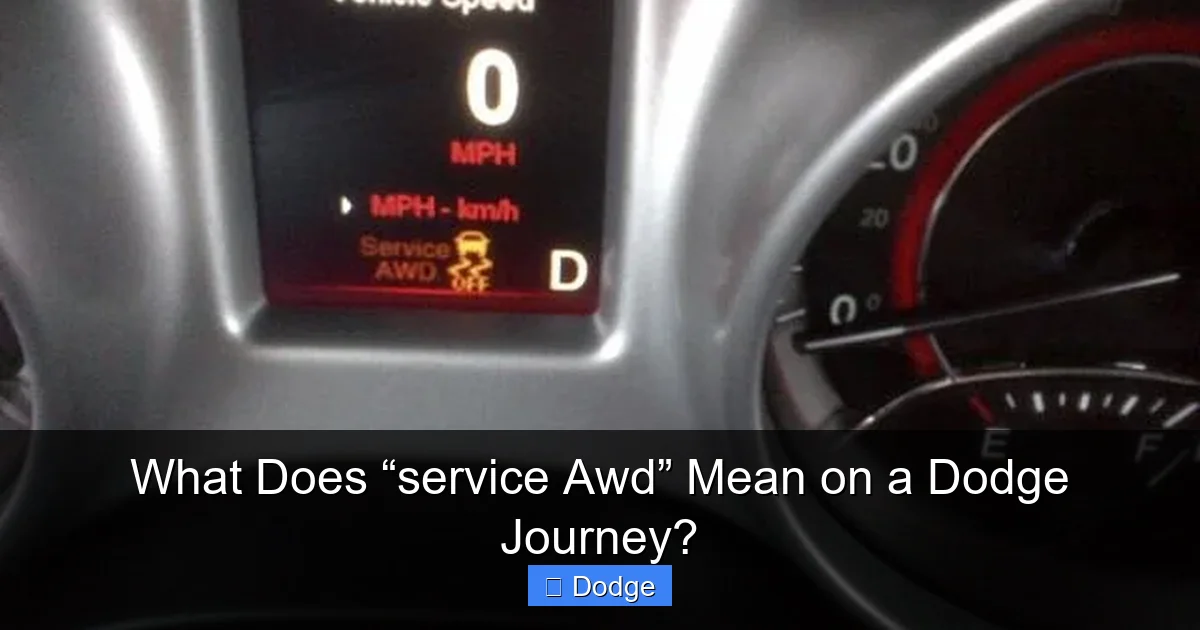
Now that you understand how the AWD system works, let’s talk about what causes the “Service AWD” message to appear. This warning is triggered when the vehicle’s onboard diagnostic system detects an anomaly in the all-wheel-drive components. The message can show up as a text alert on the instrument cluster, often accompanied by a warning light (usually yellow or red).
There are several potential causes, ranging from minor glitches to serious mechanical failures. The good news is that many of these issues can be resolved without major repairs—especially if caught early.
Common Causes of the “Service AWD” Message
One of the most frequent culprits is a faulty wheel speed sensor. These sensors monitor how fast each wheel is spinning and send that data to the AWD control module. If one sensor fails or becomes dirty (from mud, snow, or road grime), it can send incorrect signals, causing the system to think a wheel is slipping when it’s not. This mismatch triggers the warning.
Another common issue is low or degraded transfer case fluid. The transfer case relies on clean, properly filled fluid to operate smoothly. Over time, fluid can break down, leak, or become contaminated with debris. When this happens, internal components may not engage correctly, leading to AWD malfunctions.
Electrical problems are also a frequent cause. Corroded connectors, damaged wiring, or a failing control module can disrupt communication between sensors and the PCM. Even a weak battery or alternator issue can sometimes cause intermittent AWD warnings, as the system requires stable voltage to function.
In some cases, the problem may be mechanical. For example, a worn viscous coupling (a component that helps transfer power between axles) can fail to engage properly. Or, internal gears in the transfer case may become damaged due to lack of maintenance or excessive stress.
Occasionally, the warning may appear after recent repairs or modifications. If a technician disconnected the AWD system during service and didn’t properly reconnect it, or if a new part was installed incorrectly, the system may not recognize the configuration, triggering the alert.
Intermittent vs. Persistent Warnings
It’s also important to note whether the “Service AWD” message appears sporadically or stays on continuously. An intermittent warning might suggest a loose connection, a sensor that’s temporarily blocked, or a software glitch. These issues can sometimes be resolved with a simple reset or cleaning.
A persistent warning, on the other hand, usually indicates a more serious problem. If the light stays on even after restarting the vehicle, it’s a sign that the system has detected a real fault that needs professional attention.
Can You Keep Driving with “Service AWD” On?
Visual guide about What Does “service Awd” Mean on a Dodge Journey?
Image source: dodgejourneyforum.com
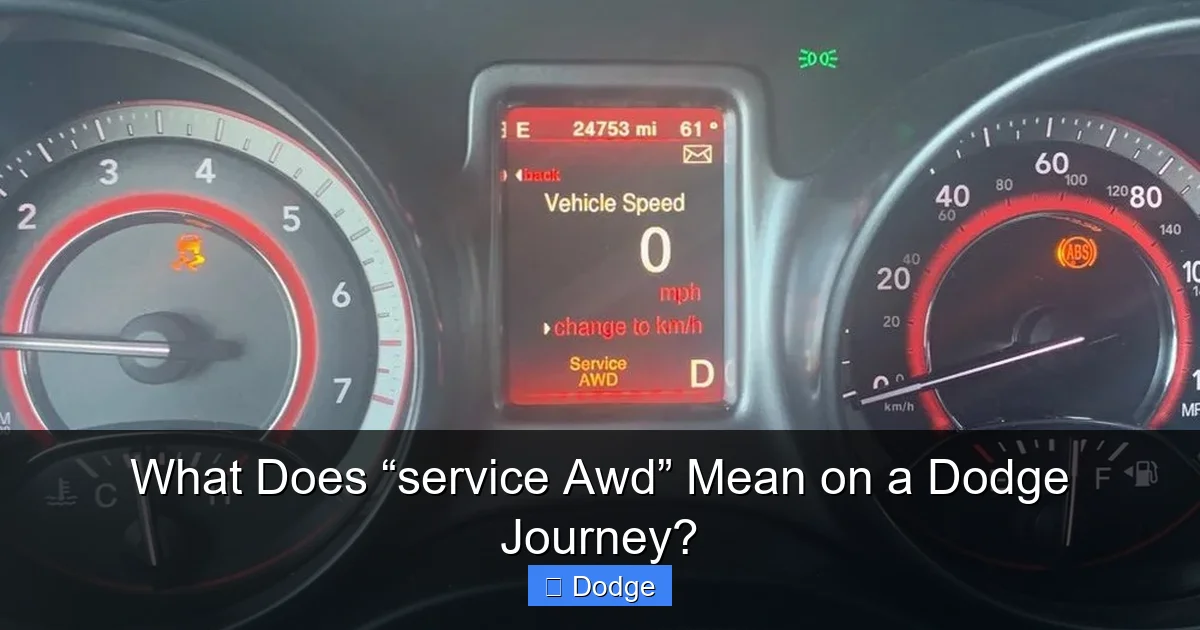
This is one of the most common questions Dodge Journey owners ask. The short answer? Yes, you can usually keep driving—but with caution.
When the “Service AWD” warning appears, the system may default to front-wheel drive (FWD) mode. This means power is only sent to the front wheels, which is how the vehicle operates in normal FWD mode. While this reduces the vehicle’s ability to handle slippery conditions, it doesn’t make the car unsafe to drive on dry pavement.
However, driving in adverse weather—like rain, snow, or ice—with a malfunctioning AWD system increases your risk of losing traction. If you frequently drive in such conditions, it’s best to address the issue as soon as possible.
That said, you should avoid towing, off-roading, or pushing the vehicle hard (like rapid acceleration or sharp turns) until the problem is fixed. These actions can put extra strain on the drivetrain and potentially cause further damage.
If the warning is accompanied by other symptoms—such as strange noises, vibration, or difficulty shifting—it’s a sign that something more serious is happening. In these cases, it’s safer to have the vehicle towed to a repair shop rather than risk driving it.
When to Stop Driving Immediately
There are a few red flags that mean you should stop driving right away. If you hear grinding or clunking noises from underneath the vehicle, especially when turning or accelerating, it could indicate a serious mechanical failure in the transfer case or differential. Similarly, if the vehicle feels unstable, pulls to one side, or has difficulty moving, these are signs of a major issue that requires immediate attention.
Another warning sign is smoke or a burning smell coming from under the car. This could indicate overheating due to low fluid or internal friction—both of which can cause catastrophic damage if ignored.
How to Diagnose and Fix “Service AWD” Issues
Visual guide about What Does “service Awd” Mean on a Dodge Journey?
Image source: d2ivfcfbdvj3sm.cloudfront.net
Diagnosing the “Service AWD” warning starts with understanding what the vehicle’s computer is trying to tell you. Modern Dodge Journeys are equipped with onboard diagnostics (OBD-II) that can store trouble codes related to the AWD system. These codes provide valuable clues about the source of the problem.
Step 1: Check for Diagnostic Trouble Codes (DTCs)
The first step is to use an OBD-II scanner to read the stored codes. You can purchase a basic scanner online or visit an auto parts store—many offer free code reading services. Look for codes that start with “C” (chassis) or “U” (network), as these often relate to the AWD system.
Common codes include:
– C0200–C0299: Wheel speed sensor issues
– C0500–C0599: Transfer case or AWD control module faults
– U0100–U0199: Communication errors between modules
Once you have the code, you can research what it means or take it to a mechanic for further analysis.
Step 2: Inspect Wheel Speed Sensors
If the code points to a wheel speed sensor, inspect each sensor for dirt, damage, or loose connections. These sensors are located near the wheel hubs and can get covered in mud or debris. Cleaning them with brake cleaner and a soft brush may resolve the issue.
Also, check the sensor wiring for fraying or corrosion. A damaged wire can cause intermittent signals, leading to false warnings.
Step 3: Check Transfer Case Fluid
Locate the transfer case (usually under the vehicle, near the rear of the engine) and check the fluid level and condition. The fluid should be clean and at the proper level. If it’s low, top it off with the manufacturer-recommended fluid (typically ATF+4 or a similar specification). If the fluid is dark, burnt-smelling, or contains metal shavings, it may need to be drained and replaced.
Step 4: Reset the System
After addressing the issue, you may need to reset the AWD system. This can often be done by disconnecting the battery for 10–15 minutes, which clears the computer’s memory. Alternatively, some scanners have a “clear codes” function that resets the system.
However, if the underlying problem isn’t fixed, the warning will likely return.
When to See a Professional
While some issues can be resolved at home, others require specialized tools and expertise. If you’re unsure about the diagnosis, or if the problem involves internal components like the transfer case or control module, it’s best to visit a certified Dodge technician. They can perform advanced diagnostics, including live data monitoring and component testing, to pinpoint the exact cause.
Preventing Future “Service AWD” Warnings
The best way to deal with “Service AWD” is to prevent it from happening in the first place. Regular maintenance is key to keeping your all-wheel-drive system in top shape.
Follow the Maintenance Schedule
Consult your owner’s manual for the recommended AWD service intervals. Most manufacturers suggest inspecting the transfer case fluid every 30,000 to 60,000 miles and replacing it as needed. Some models may also require periodic checks of the viscous coupling or AWD control module.
Keep Sensors Clean
After driving in muddy or snowy conditions, take a few minutes to clean the wheel speed sensors and surrounding areas. This simple step can prevent false readings and extend the life of the sensors.
Address Warning Lights Promptly
Don’t ignore dashboard warnings, even if the car seems to be running fine. Early detection can prevent minor issues from turning into expensive repairs.
Use Quality Fluids and Parts
Always use manufacturer-recommended fluids and replacement parts. Using the wrong type of fluid or a low-quality sensor can lead to system malfunctions.
Conclusion
Seeing the “Service AWD” message on your Dodge Journey can be unsettling, but it’s not a reason to panic. In most cases, it’s a warning that your all-wheel-drive system needs attention—not that your car is about to fail. By understanding how the system works, knowing the common causes, and taking prompt action, you can keep your Journey safe, reliable, and ready for any road condition.
Whether it’s a dirty sensor, low fluid, or an electrical glitch, many AWD issues are fixable with the right approach. And by staying on top of maintenance, you can reduce the chances of encountering this warning in the future.
Remember, your AWD system is there to help you stay in control when it matters most. Treat it well, and it will do the same for you.
Frequently Asked Questions
What does “Service AWD” mean on a Dodge Journey?
The “Service AWD” message indicates that the vehicle’s onboard computer has detected a problem with the all-wheel-drive system. It could be due to a sensor fault, low fluid, or an electrical issue.
Can I drive my Dodge Journey with the “Service AWD” light on?
Yes, you can usually drive it in front-wheel-drive mode, but avoid slippery conditions and heavy use until the issue is fixed to prevent further damage.
How much does it cost to fix a “Service AWD” issue?
Costs vary widely—from $100 for a sensor replacement to over $1,000 for transfer case repairs. A diagnostic scan can help determine the exact issue.
Will disconnecting the battery reset the “Service AWD” light?
It may temporarily clear the warning, but if the underlying problem isn’t fixed, the light will likely return.
How often should I service the AWD system on my Dodge Journey?
Check the owner’s manual, but generally, inspect transfer case fluid every 30,000–60,000 miles and replace it as recommended.
Is the “Service AWD” warning covered under warranty?
If your vehicle is still under the manufacturer’s warranty or an extended service plan, AWD-related repairs may be covered. Check your policy for details.
