
How to Unplug Tesla Charger Model Y

Unplugging your Tesla Model Y charger correctly is crucial for safety and equipment longevity. Always press the release button, wait for the unlock sound, and gently remove the connector. Follow our detailed steps to avoid damage and ensure a smooth charging experience every time.
So, you’ve just topped up your Tesla Model Y’s battery, and you’re ready to hit the road. You grab the charger connector, give it a pull, and… nothing happens. Or worse, you feel resistance and worry you might break something. Sound familiar? You’re not alone. Unplugging a Tesla charger might seem straightforward, but doing it correctly is vital for your safety, your car’s health, and the longevity of your charging equipment. Whether you’re using a Mobile Connector at home, a Wall Connector in your garage, or a public Supercharger, the process has key similarities and important differences. This guide will walk you through everything, step-by-step, in simple terms. We’ll cover the universal principles, specific steps for each charger type, what to do when things go wrong, and essential maintenance tips. By the end, you’ll unplug with confidence, every single time.
Key Takeaways
- Always unlock first: Press the charger’s release button or use the Tesla app to disengage the lock before pulling.
- Listen for the click: A distinct audible release sound confirms the connector is unlocked and safe to remove.
- Never force it: Gently twist and pull the connector straight out; yanking can damage the port or cable.
- Superchargers differ: Public Superchargers require pressing the button on the handle, not the car’s port.
- Store properly: Coil the cable loosely and secure it to prevent kinks, wear, and tripping hazards.
- Check for errors: If unplugging fails, check the car’s screen or app for error messages before retrying.
- Keep it clean and dry: Ensure the charging port is free of debris and moisture to prevent connection issues.
📑 Table of Contents
- Understanding Your Tesla Charger: It’s Not All the Same
- The Universal Golden Rules of Unplugging (Applies to All Types)
- Step-by-Step: Unplugging Each Charger Type
- Safety First: Avoiding Shocks, Damage, and Hassles
- Troubleshooting: When the Charger Won’t Budge
- Charger Maintenance: Keeping Your Connection Strong for Years
- The Big Picture: Why This Simple Act Matters
Understanding Your Tesla Charger: It’s Not All the Same
Before we dive into the “how,” let’s clarify the “what.” Tesla uses a few different charging connectors, and the unplugging process varies slightly. Knowing which one you’re using is the first step. The three main types you’ll encounter are the Mobile Connector (the portable one that comes with the car), the Wall Connector (the hardwired home charging station), and the Tesla Supercharger (the high-speed public chargers).
The Mobile Connector: Your Portable Powerhouse
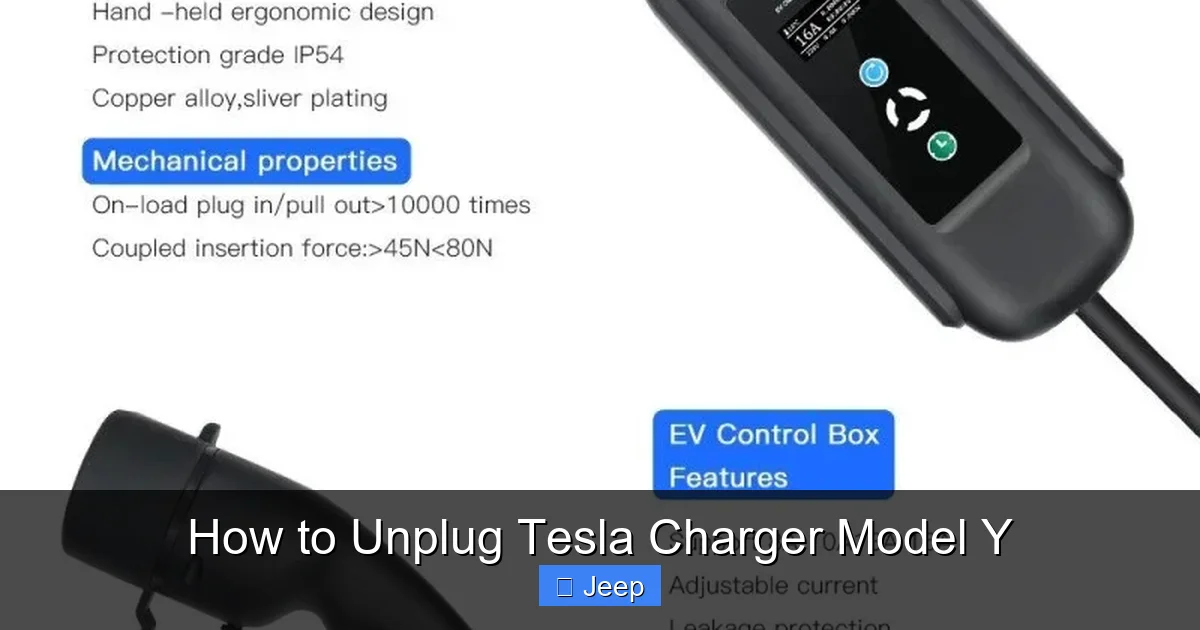
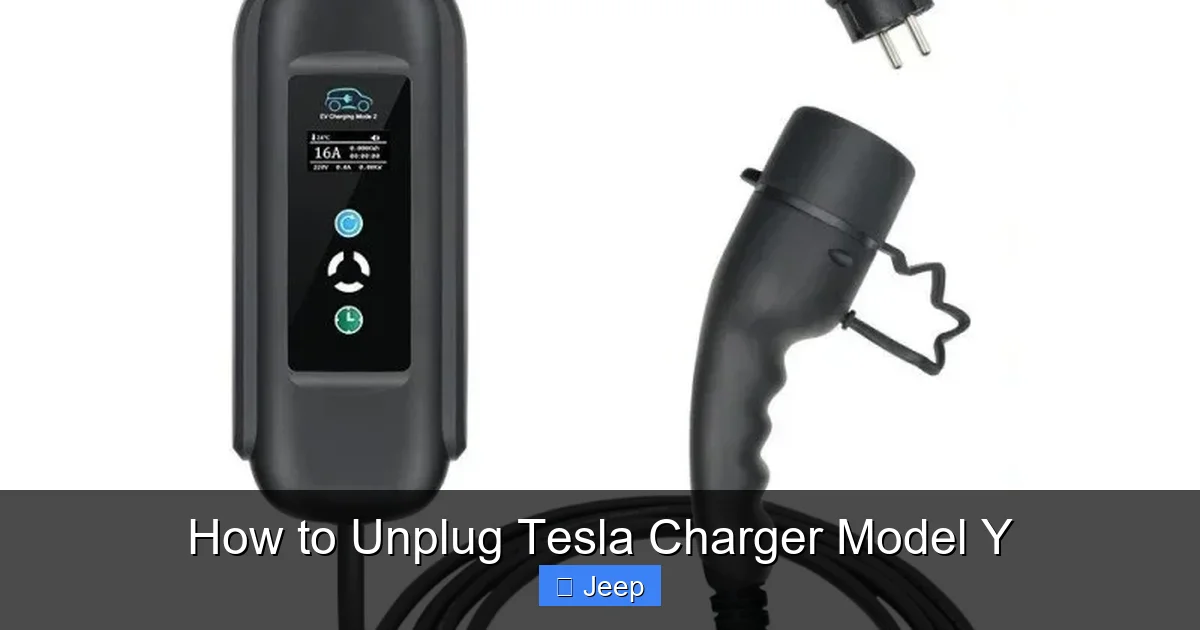
This is the classic, silver-brick-on-a-cable charger that ships with every new Tesla. It’s versatile, plugging into standard 120V or 240V outlets. The connector itself has a small, round button on its side. That button is your key to unlocking it from the car’s charge port. The port on your Model Y has a corresponding mechanism that, when released, allows the connector to come free. It’s a simple, manual push-button system.
The Wall Connector: Your Home’s Dedicated Charging Station
If you’ve invested in a permanent home charging solution, you likely have a Wall Connector. It’s mounted to the wall and hardwired to your home’s electrical system. The good news? The unplugging process for a Wall Connector is identical to the Mobile Connector. You still press the button on the handle to release the lock. The main difference is the connector is permanently attached to a shorter, fixed cable. The principle is the same: press, listen for the click, pull.
The Tesla Supercharger: The Public Speedsters
Superchargers are a different beast. They deliver very high power for quick charging. The connector is heavier and the handle is larger. Crucially, the release button is located directly on the Supercharger handle itself, not on the car’s port. When charging is complete, you must press that button on the handle to unlock it from your Model Y. There is no button on the car’s charge port door for Superchargers. This is a common point of confusion for new Tesla owners.
Understanding these distinctions prevents frustration. If you’re at a Supercharger and you’re looking for a button on your car’s charge port, you won’t find one—it’s on the pump handle. For home charging, the button is always on the connector you’re holding.
The Universal Golden Rules of Unplugging (Applies to All Types)
No matter which charger you’re using, three fundamental rules apply. Think of them as the gospel of safe disconnection. Breaking these rules is the fastest way to damage your $30,000 car’s charging port, fray a $500 cable, or potentially create a safety hazard.
Visual guide about How to Unplug Tesla Charger Model Y
Image source: f10mobility.com
Rule #1: Unlock Before You Pull
This is non-negotiable. The Tesla charging system uses an electronic lock to secure the connector during charging. This prevents accidental unplugging and ensures a stable connection. You must disengage this lock before any physical force is applied. You do this by pressing the release button. On Mobile and Wall Connectors, it’s the small circular button on the connector. On Superchargers, it’s the larger button on the handle. Press it firmly until you hear or feel a release. Sometimes, you might also need to unlock the charge port door via the Tesla app or by pressing the button on the charge port door itself (for Mobile/Wall Connector use).
Rule #2: Listen for the Audible Confirmation
Tesla designed the system to give you clear feedback. After pressing the release button, you should hear a distinct, satisfying click or pop sound from the charge port area. This is the sound of the locking mechanism physically disengaging. On some models, you might also see a small light on the port change from red/green to off or white. Do not proceed until you have this audible or visual confirmation. If you don’t hear it, the lock is still engaged. Press the button again, a little more firmly, and wait a second.
Rule #3: Pull Gently and Straight
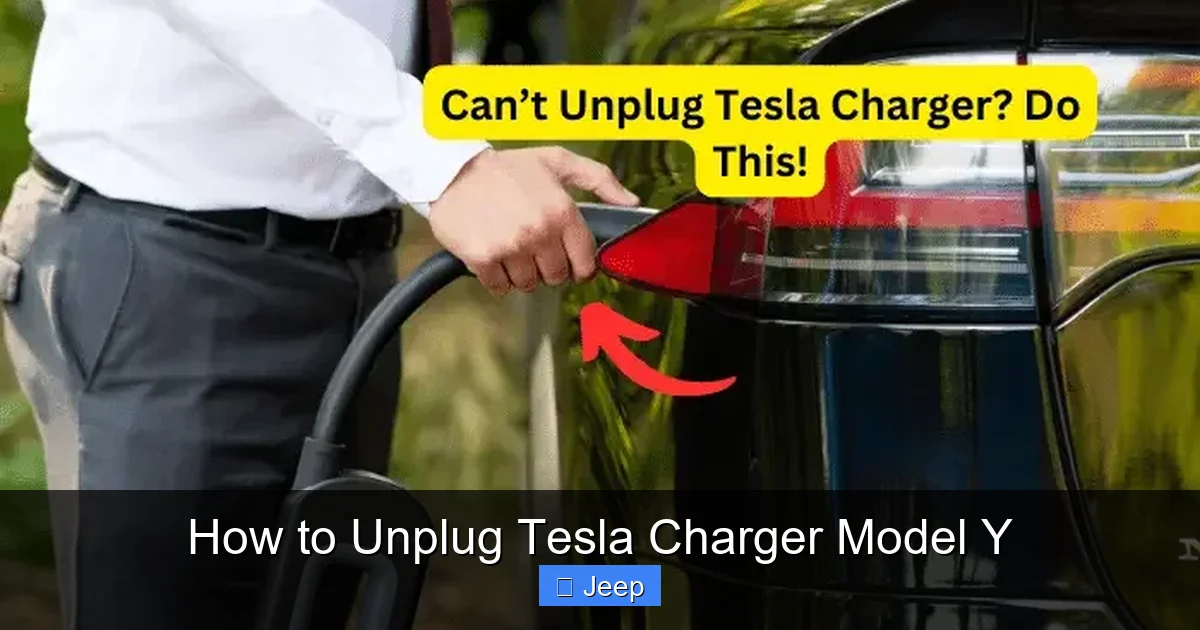
Once unlocked, the connector should come out with minimal effort. Grasp the connector firmly near the base (not on the cable itself) and pull it straight out. Do not twist, wiggle, or yank at an angle. The connector’s design is meant to be removed in a straight line. Forcing it can bend the pins inside the port or on the connector, leading to poor charging connections, error messages, and expensive repairs. If it feels stuck, stop. Re-check that it’s unlocked. Sometimes a slight wiggle is needed, but it should be gentle.
Step-by-Step: Unplugging Each Charger Type
Now let’s get specific. Here is the exact procedure for each charger you’ll use with your Model Y.
Visual guide about How to Unplug Tesla Charger Model Y
Image source: teslord.com
Unplugging a Mobile Connector or Wall Connector
This process is identical for both.
- Ensure Charging is Stopped: Your Model Y’s screen should show “Charging Complete” or “Charge Stopped.” The charge port LED should be solid white (or green for older models) indicating it’s ready. If it’s still blinking or showing an active charge, stop the session from the touchscreen or app first.
- Locate the Release Button: Look at the connector in your hand. On the side, opposite the cable, is a small, circular, recessed button. You may need to use your thumb or fingertip.
- Press and Hold Briefly: Press the button firmly. You don’t need to hold it for seconds; a firm, quick press is usually enough. You should immediately hear a loud click from the car’s charge port.
- Grip and Pull: With your other hand, grip the connector’s handle (the hard plastic part, not the flexible cable). Pull it straight out with steady, even pressure. It should come out smoothly.
- Secure the Connector: Once free, place the connector on a clean, dry surface or hang it on its provided hook. Never let the connector dangle by its cable, as this stresses the connection point.
Unplugging a Tesla Supercharger
Superchargers have a slightly different flow due to their design and higher power.
- Verify Charge Completion: The Supercharger stall screen and your car’s screen will both indicate that charging is complete and billing has stopped. The port LED on your Model Y will typically turn solid white.
- Locate the Handle Button: On the Supercharger connector handle, there is a large, red or orange button. It’s designed to be pressed with your thumb while holding the handle.
- Press the Button Firmly: While holding the handle, press this button. You will hear a very audible CLUNK or click from both the connector and the car’s port. This is the release.
- Pull Straight Out: Immediately after the click, pull the heavy connector straight out. It may require a bit more force than a Mobile Connector due to its weight and secure fit, but it should not require wrestling.
- Return the Connector: Guide it back into its holster on the Supercharger post. Ensure it clicks into place. Do not leave it dangling.
Pro Tip: At a busy Supercharger, you might feel rushed. But always take the 2 seconds to press the button properly. Forcing a locked Supercharger connector can damage the proprietary Tesla connector, which is incredibly expensive to replace.
Safety First: Avoiding Shocks, Damage, and Hassles
Unplugging might seem low-risk, but electricity is involved. Following safety protocols protects you, your family, and your vehicle.
Visual guide about How to Unplug Tesla Charger Model Y
Image source: f10mobility.com
Electrical Safety: The Basics You Must Know
Never attempt to unplug a charger if you see any signs of damage on the cable or connector—frayed wires, burns, melted plastic, or exposed conductors. This is a serious fire and electrocution hazard. Also, never unplug a charger while it’s actively delivering power (you’ll see a lightning bolt icon on the car’s screen). The system locks electronically during active charging for this reason. If you need to stop charging immediately for safety, use the Tesla app to remotely stop the session first, then proceed. For home charging, ensure your electrical setup is properly grounded. If you’re unsure about your home charger’s installation, consult a licensed electrician. You can learn more about the costs and requirements for a proper home setup in our detailed guide on how much it costs to install a Tesla charger.
Environmental Factors: Weather and Water
Charging in the rain is generally safe with Tesla’s weather-sealed systems. However, unplugging in a downpour is not ideal. Water can enter the port if the connector is withdrawn while wet. If it’s raining heavily, try to unplug under cover (like in a garage or under the Supercharger canopy). If you must unplug in wet conditions, have a clean, dry cloth ready to wipe down the connector and the car’s charge port before storing the cable. Moisture in the port can cause corrosion or error messages for your next charge. Similarly, avoid unplugging in extreme cold if the connector feels frozen to the port. Gently wiggle it; if it’s truly iced over, a little warm air (from a hair dryer on low, carefully) can help, but never force it.
Family and Pet Safety
The charger cable, when plugged in, carries high voltage. While the system is safe, it’s wise to keep children and pets away from the charging area. Teach kids that the charger and port are “off-limits.” When unplugging and storing the cable, keep it coiled neatly and out of high-traffic walkways to prevent tripping. A loose cable on a driveway or garage floor is a hazard. Some owners use wall-mounted cable management hooks specifically designed for Tesla connectors, which is an excellent practice.
Troubleshooting: When the Charger Won’t Budge
Even with the correct steps, sometimes the connector feels stuck. Don’t panic, and definitely don’t reach for tools. Here’s your systematic approach to solving the problem.
Scenario 1: The Release Button Does Nothing / No Click Heard
This is the most common issue. First, ensure your car is awake and unlocked. The port lock is controlled by the car. If the car is asleep or locked, the port may remain locked. Try opening a door or pressing the brake pedal to wake the car. If that fails, use the Tesla app: go to ‘Controls’ > ‘Charging’ > ‘Stop Charging.’ This sends a command to unlock the port. After a few seconds, try pressing the button again. If you’re at a Supercharger, the button on the handle is your only control; ensure you’re pressing it firmly and directly.
Scenario 2: The Port is “Locked” on the Car’s Screen
Your Model Y’s touchscreen might display a message like “Port Locked” or show a lock icon. This is a security feature that can be manually enabled. Go to ‘Controls’ > ‘Charging’ on your screen. Look for an option called “Charge Port Lock” or “Lock Charger.” If it’s toggled on, switch it off. The port should then release. This feature is useful if you charge in a public area and want to prevent someone from unplugging your car, but you must remember to turn it off before your own unplugging.
Scenario 3: Physical Obstruction or Debris
Inspect the charge port on your Model Y. Is there snow, ice, leaves, or a small object jammed in there? Even a bit of dirt or a pebble can prevent the connector from fully releasing its internal latches. Use a flashlight. Gently clean the port with a soft brush or compressed air. Never use metal tools. Also, check the connector’s tip for debris. A clean connection is a smooth connection.
Scenario 4: The Connector is Hot and Swollen
After a very fast charge (like a Supercharger session), the connector can be warm. In rare cases, extreme heat can cause slight expansion. If it feels hot to the touch and tight, let it cool down for 5-10 minutes. Do not pour water on it. Simply wait. Once it’s closer to ambient temperature, try the release button again. If the connector or port appears melted or deformed, do not use it. Contact Tesla Service immediately.
Last Resort: If you’ve tried all the above for several minutes and it’s still locked, your best move is to contact Tesla Roadside Assistance or Support. Forcing it will almost certainly cause damage that could cost thousands to repair. This is rare, but it happens.
Charger Maintenance: Keeping Your Connection Strong for Years
Proper unplugging is just one part of the equation. Taking care of your charger and port ensures the process always goes smoothly.
Inspecting and Caring for the Cable and Connector
Make a habit of doing a quick visual check every few weeks. Look for cracks in the plastic housing, fraying at the points where the cable meets the connector or the plug (for Mobile Connector), and any discoloration. When coiling the cable for storage, use the “over-under” method or a dedicated cable wrap to avoid creating sharp kinks, which break internal wires over time. Never wrap it tightly around the connector itself. Store it in a cool, dry place, out of direct sunlight, which degrades plastic. If you use a Mobile Connector with an adapter (like for a 240V outlet), ensure the adapter is in good condition and firmly attached. A loose adapter can cause arcing and damage.
Cleaning Your Model Y’s Charge Port
The charge port on your Model Y can collect dust, lint, and road grime, especially if you charge in a garage. A dirty port can interfere with the connector’s locking pins. Power down your car (sit inside, press the brake, and put it in ‘Park’—the port will deactivate), then use a soft, dry microfiber cloth to wipe around the inside of the port. For stubborn debris, use a can of compressed air held upright, with short bursts. You can also use a cotton swab lightly dampened with isopropyl alcohol (90% or less), but ensure the port is completely dry before plugging in again. Do this cleaning routine every 2-3 months. If you frequently charge in dusty or sandy environments, do it monthly. A clean port is a happy port.
Smart Storage Solutions
How you store your charger when not in use greatly impacts its lifespan. If you have a Wall Connector, the cable is meant to hang on its integrated hook. Don’t let it drag on the floor. For the Mobile Connector, many owners use the provided canvas bag, but a better solution is a wall-mounted bracket or a custom storage box in the trunk or frunk. The goal is to protect the connector from impact, keep the cable from being crushed, and prevent it from becoming a tripping hazard. Some companies make sleek, Tesla-specific storage solutions that mount inside the charge port door itself—a very elegant fix. While discussing car care, you might also be interested in protecting your Model Y’s paint. Options like paint protection film or a full wrap can shield against door dings and road debris, which is a separate but related topic you can explore in our guide to how much it costs to wrap a Tesla Model Y.
The Big Picture: Why This Simple Act Matters
Mastering the unplug might feel like a small victory, but it’s part of a larger ownership experience. Doing it correctly, every time, reinforces good habits. It prevents the dreaded “stuck charger” situation that can leave you stranded or late for an appointment. It protects one of the most critical and expensive interfaces on your electric vehicle. Furthermore, it builds confidence. New EV owners often feel a sense of anxiety around charging. By understanding the mechanics—the lock, the click, the gentle pull—you transform that anxiety into competence. You become the expert of your own machine. This mindset extends to other areas of Tesla ownership, from understanding your vehicle’s maintenance needs to maximizing its efficiency. For instance, knowing how to manage your charging schedule and connections can even have a minor impact on your battery’s long-term health, complementing other care routines like proper tire inflation and cabin pre-conditioning.
Frequently Asked Questions
What should I do if the release button on my Tesla charger is stuck or broken?
First, try unlocking the port via the Tesla app’s charging menu. If that works, you can unplug. If the physical button is physically damaged, do not force it. You will need to contact Tesla Service to have the connector repaired or replaced, as a broken button renders the charger inoperable and potentially unsafe.
Can I unplug my Tesla while it’s still actively charging?
Technically, you can stop the session via the app and then unplug, but it’s not recommended to interrupt a charge frequently. More importantly, you cannot physically pull the connector while the system is actively delivering power—the electronic lock will prevent it. Always stop the charging session first from the car’s screen or app.
Is it safe to unplug my Tesla charger in the rain or snow?
It’s generally safe as the system is weatherproofed, but it’s best to avoid it if possible. If you must, ensure your hands and the connector are as dry as possible. After unplugging, wipe down the connector and your car’s charge port with a dry cloth before storing the cable to prevent water from sitting in the port and causing corrosion.
How do I know for sure that the charger is completely disconnected and safe to handle?
You will hear a clear, audible click from the car’s charge port when the lock disengages. Additionally, the charging icon on your car’s touchscreen will change from a lightning bolt to a plug icon or show “Charge Complete.” The port’s LED light will also typically turn solid white (or off). Once you have the click and visual confirmation, you can safely pull the connector out.
Why does my Tesla automatically lock the charger when plugged in, and can I disable this?
The automatic lock prevents accidental unplugging, which is a safety feature and also stops theft at public stations. You can temporarily disable it. Go to ‘Controls’ > ‘Charging’ on your touchscreen and toggle off ‘Charge Port Lock.’ Remember to turn it back on if you charge in public places. The lock will re-engage automatically the next time you plug in.
What’s the main difference between unplugging a home Tesla charger and a Supercharger?
The location of the release button is the key difference. For home chargers (Mobile or Wall Connector), the release button is on the connector itself. For Superchargers, the release button is on the large handle of the Supercharger pump. There is no button on your car’s port for Superchargers. The process is otherwise the same: press button, listen for click, pull straight out.
